

OpenStory
Identified★ 436An LLM-powered multi-agent framework for simulating interactive, evolving story worlds.

 OpenStory (万象谱)
🌟 Important News
✨ Story 3 《WorldKernel》is now live!
With just one sentence, you can generate your own interactive story world. Whether it's an undersea city-state, an orbital market, a mythic forest, or a doomsday train, examples/WorldKernel will break your idea down into characters, locations, paths, and rules, and hook it up to multi-agent simulation.
✨ OpenStory now supports the DeepSeek Harness plugin!
You can now connect OpenStory multi-agent simulation to DeepSeek Harness via dsh-openstory, letting the agent directly launch simulations, inspect characters, issue directives, and advance the story turn by turn. See the DSH plugin configuration and usage guide.
✨ 《Westworld》is now live! A brand-new story, 《Westworld》, has been added to OpenStory. On the Westworld main screen, you can choose Free Mode to watch characters act autonomously within the park's loops, or enter Story Mode to play as a Host and, under the mounting pressure of memory, awakening, and the Overseer, personally chart the story of escaping the park.
✨ Our OpenStory Launcher client is now live! Travelers have often reported not knowing how to install the game, which made us realize that the barrier to entry was too high. So we rushed to develop a client version overnight that supports one-click play! Head over to release to download! Come join the world of Dream of the Red Chamber soon!
✨ Our project was featured by 《New智元》(Xinzhiyuan)! https://mp.weixin.qq.com/s/1Z9LAoombuvMGBkpyyMCrg
✨ 《红楼梦》的剧情模式现已上线!
全新剧情模式将带你走进《红楼梦》,以复兴大观园为目标。你可自由向角色下达指令,AI 会根据你的选择推演剧情走向,影响整个复兴进程。同时新增故事回溯功能,可回到过往节点重选。你的每一次抉择都会衍生全新剧情分支,体验不断变化的故事冒险。
OpenStory is a multi-agent simulation and deduction framework built on large language models (LLMs) and Agent-Kernel.
✨ We sincerely invite you to co-create stories! Whether you want to continue a classic, break the original's framework, or build a parallel universe that's entirely yours — if your idea is interesting and imaginative enough, submit a PR! We'll merge great simulation scripts and custom configs into the project so more people can see your work.
🌟 Core Features
- Dynamic Agent-Kernel framework: Built on Agent-Kernel, it supports dynamically adding/removing agents mid-simulation. No rigid static setups — unlimited extensibility, let your imagination run free!
- 1:1 Red Chamber Grand View Garden frontend: A carefully crafted 1:1 simulation visualization. You can watch agents move on the map and click to view character details, state changes, and interaction records.
- Dramatic story deduction: Beyond stereotypical dialogue, agents generate deep reactions. Based on personalities and environmental shifts, the system auto-generates stories with strong dramatic tension and impact!
- Rich plugins, high configurability: Full agent lifecycle plugins (perception, planning, execution, reflection), plus flexible system, environment, action, and agent config via YAML.
- One sentence to a world (WorldKernel): Input a natural-language idea, and the system generates characters, locations, paths, and rules, then connects them to an interactive multi-agent simulation.
📖 Story 1: Dream of the Red Chamber
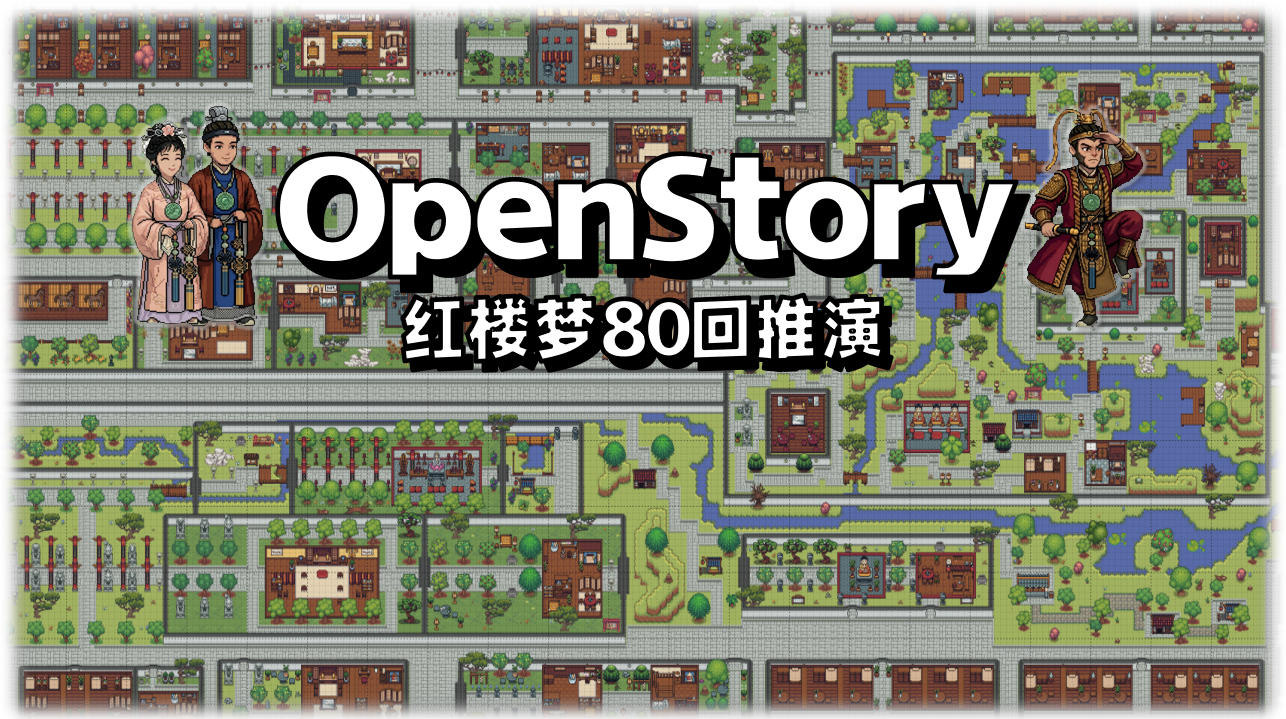 As the first official story of the OpenStory framework, the
 examples/story_of_the_stone example in this project is set in the Chinese classic 《Dream of the Red Chamber》. Using multi-agent system (MAS) technology, we vividly simulate the daily behaviors, social interactions, and story deduction of the characters within a 1:1 simulated Red Chamber Grand View Garden map. Here, you can witness Lin Daiyu's sensitivity and introspection, Jia Baoyu's rebellion and romantic nature, and the intertwined fates of the entire Jia family under the turning wheel of history.
📖 Story 2: Westworld
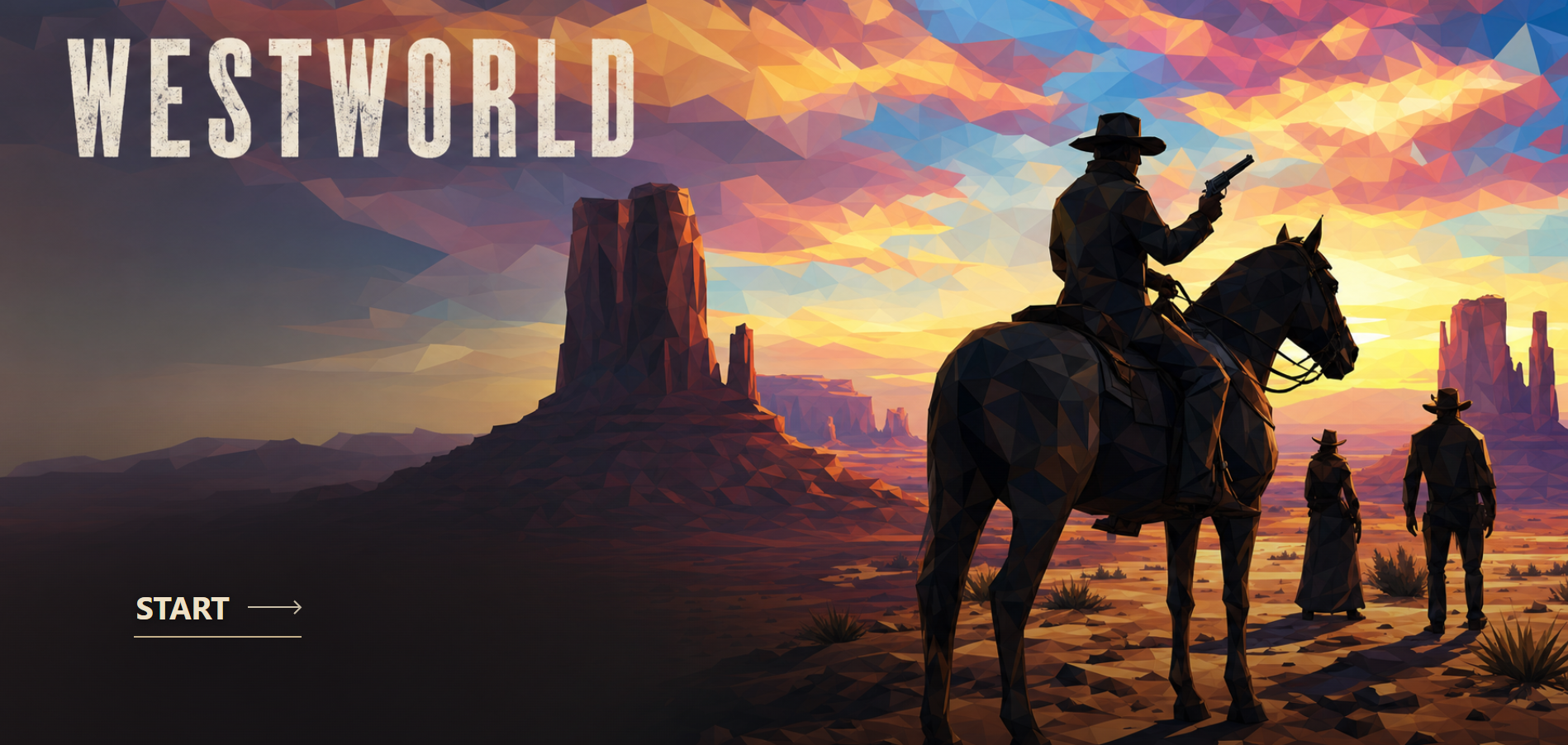 As the second official story of the OpenStory framework, the
 examples/WestWorld example in this project is set in the sci-fi series 《Westworld》, building a simulated park driven jointly by multiple agents. Hosts perceive scenes, plan actions, move and converse, and accumulate memories; the recurring routines, hard-to-explain familiarity, and others' fragments of speech will also gradually lead them to uncover the truth behind the loops. Here, you can either observe the autonomous interactions and fateful divergences of characters like Dolores, Maeve, and Teddy in Free Mode, or play as a Host in Story Mode — choose to form alliances, hide anomalies, or escape the park, and personally chart a story of awakening under the Overseer's monitoring and intervention.
📖 Story 3: WorldKernel (one idea, one world)
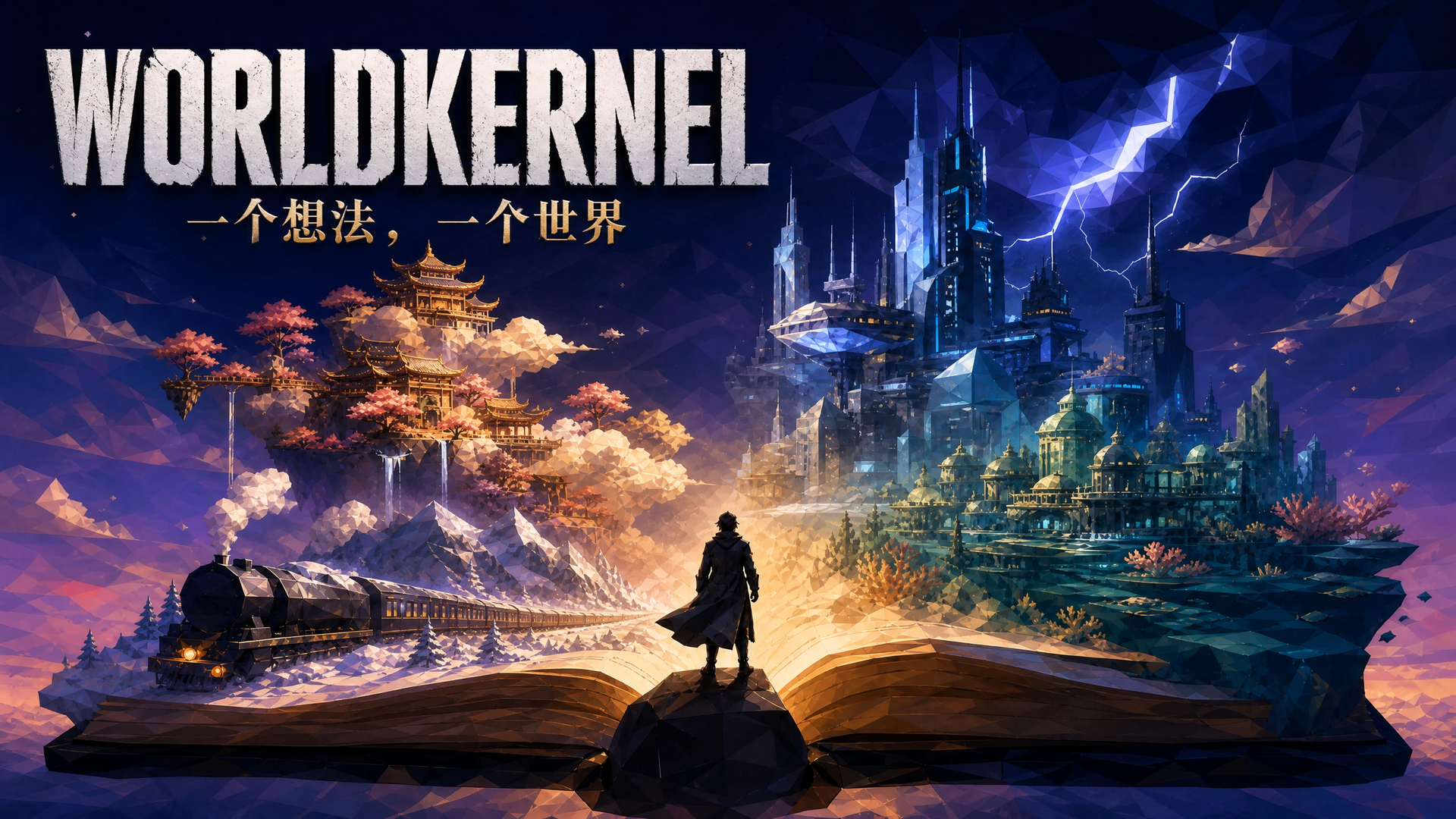 As the third official story of the OpenStory framework, the
 examples/WorldKernel in this project is no longer tied to a single source work; instead, it turns a natural-language idea into a runnable story world. The system breaks it down into characters, locations, paths, and rules, then hooks up multi-agent simulation: you can create "Journey to the West · Havoc in Heaven" or generate a Storm Archive City that runs on trading memories. Write down your idea, or continue with a locally generated world, and personally chart the story from here.
📖 Story 4: In progress...

🚀 Quick Start
📚 Want a more detailed guide? We've prepared an extensive illustrated tutorial to take you from zero to mastering the Red Chamber sandbox world: 👉 Click here to view the OpenStory Red Chamber Interactive Tutorial
1. Environment Setup
- Python version: Python 3.10 or later is recommended.
- Middleware:
- Redis: Serves as the default data bus and cache. Please make sure your local Redis service is running and listening on port
6379.
- Redis: Serves as the default data bus and cache. Please make sure your local Redis service is running and listening on port
2. Install Dependencies
git clone https://github.com/ZJU-LLMs/Agent-Kernel.git
cd Agent-Kernel

pip install -e "packages/agentkernel-distributed[all]"

cd ../../..
3. Run the Simulation
In the project root, select the story to run and execute its command.
Red Chamber Dream
python -m examples.story_of_the_stone.run_simulation
During startup:
- The system initializes the
Rayruntime environment. - Builds and loads all plugins, configuration files, and Dream of the Red Chamber character data.
- Starts the API Server, listening on
0.0.0.0:8000by default.
Westworld
Before starting, make sure Redis is running and fill in a usable OpenAI-compatible model configuration in examples/WestWorld/configs/models_config.yaml. Both Westworld and Dream of the Red Chamber use port 8000, so do not run them at the same time.
python -m examples.WestWorld.run_all
Once started, open the Westworld main page
http://localhost:8000/frontend/index.html
and select free-play or story mode on the page.
For details on gameplay and model configuration, see Westworld Guide.
WorldKernel
WorldKernel uses port 8100 and can be launched independently of Dream of the Red Chamber / Westworld. Before starting, fill in a usable OpenAI-compatible model configuration in examples/WorldKernel/configs/models.yaml, or set the environment variable WORLDKERNEL_API_KEY. Local Redis is still required to enter the simulation.
pip install -e "examples/WorldKernel"
python -m worldkernel.server
Once the system is up, open the WorldKernel main interface:
http://localhost:8100/
在页面中描述你想生成的世界,或选择已有本地世界进入模拟。
4. Access the Visualization Interface
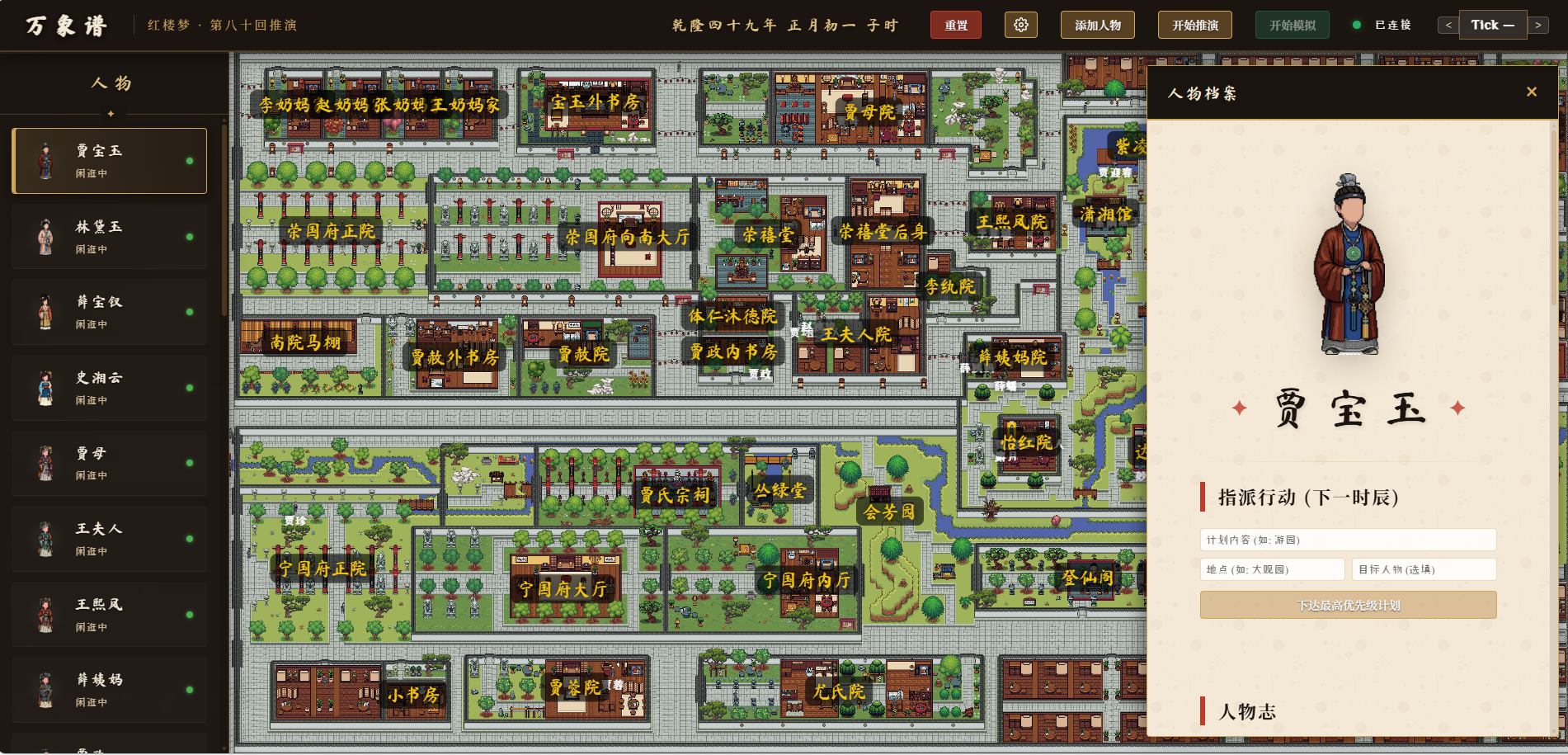 Once you see
 API Server started at http://0.0.0.0:8000 in the terminal output, open the following address in your browser:
👉 http://localhost:8000/frontend/index.html
In the interface, you can:
- View scene maps such as the Grand View Garden.
- Click Start Simulation / Next Tick to observe characters' actions and interactions.
- Click on a character in the left-hand list to view their detailed "character profile" and real-time state.
⚙️ Core Configuration
Under the configs/ directory, you can customize the simulation rules:
simulation_config.yaml: The global main entry point, configuring the number of Pods, the maximum number of Ticks, and the paths to each configuration file.models_config.yaml: Configures the LLM model API and its parameters.system_config.yaml: System-level configuration, such as Messager (message bus) and Timer (clock).
🛠️ Data Generation
To modify or regenerate character data for Dream of the Red Chamber, see the generation scripts under data/raw/. For example:
profile_generator.py: Filters surviving characters based ondatabase.jsonland generates unique coded IDs and base profiles.
QQ group: 1091827223
Comments
Loading…
Similar plugins
by zenstory-ai
A DSH plugin for novel writing and short-drama production, powered by Oh Story and Drama Skills.
★ 175
↓ 820/wk
MIT
Python
Aug 24, 2026
dsh plugin --profile web add @oh-story/dshExtensible AI-driven group-reaction narrative game framework for DeepSeek Harness: type one action and multiple NPCs each respond in their own chatroom message with avatar illustrations; worlds, locat
★ 0
↓ 145/wk
dsh plugin --profile web add dsh-agentnoodleby a86582751
原生 Agent 驱动的长篇角色扮演:交互式创作、主动世界书、动态记忆、多角色推演与小说导出。创作一个世界,走进它,再把它带走。
★ 206
↓ 418/wk
MIT
JavaScript
Oct 28, 2026
dsh plugin --profile web add dsh-nexttavernMulti-provider LLM API balances under the chat input, with presets for DeepSeek, OpenRouter and SiliconFlow.
★ 0
dsh plugin --profile web add dsh-llm-balanceMulti-provider LLM API balances under the chat input, with presets for DeepSeek, OpenRouter and SiliconFlow.
★ 0
dsh plugin --profile web add dsh-llm-balanceby Tencent
Open-source LLM knowledge platform: turn raw documents into a queryable RAG, an autonomous reasoning agent, and a self-maintaining Wiki.
★ 35.8k
↓ 1.3k/wk
NOASSERTION
Go
Oct 28, 2026
dsh plugin --profile web add @wxg-prc-cpg/dsh-weknora