

MuseAI
Identified★ 677Create your AI character and step into your story world. Chat with characters, go on adventures, and traverse into books—leaving bonds behind with every interaction (supports the DeepSeek Harness plugin, welcome to use it)
MuseAI — Local AI Companion, Text Adventure & Book-Transmigration Interactive App
English | Simplified Chinese
🆕 Important Update: MuseAI Can Now Be Installed Inside DeepSeek Harness
A new DSH client plugin — install MuseAI into DeepSeek Harness
Get things done with DSH while going on AI adventures! → https://github.com/yejiming/dsh-museai-tavern
MuseAI is a local AI app for immersive character interaction. Create your own characters and worlds, chat with them, go on adventures together, and build relationships, memories and bonds through ongoing interaction.
It is not just a chat tool or a writing app. MuseAI is more like a local AI interactive world that can save worlds, characters, memories and relationships.
Contents
Who MuseAI Is For
- Users who want a local AI companion, virtual characters, or long-term role-play
- Players who like character cards, world books, AI tabletop, and text adventures
- Creators who want to enter their own novel worlds for transmigration plots
- Users who need to save character memories, relationship shifts, and bond trails
- People who keep all data locally and call models only with their own API key
Core Experience
AI Companion & Character Chat
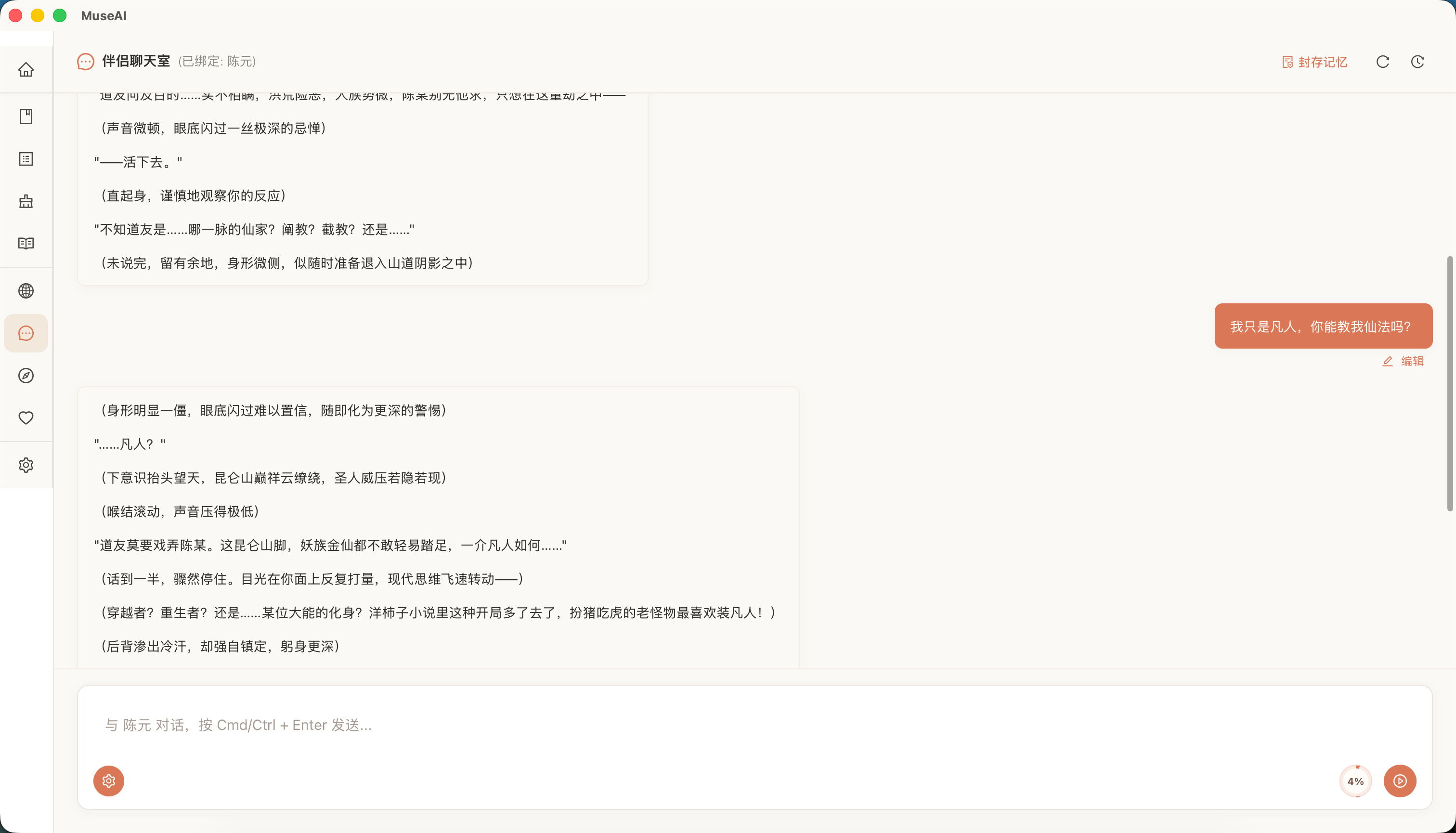
Create world books and character cards in "Background Settings," then pick a character in "Companion Chat" to start a 1-on-1 AI chat. The character responds based on its persona, style, your relationship, and past memories — making dialogue feel like a growing relationship rather than a one-off Q&A.
- Customize character names, personalities, relationships, boundaries, catchphrases, and background stories
- Bind world books so characters stay within the same story world
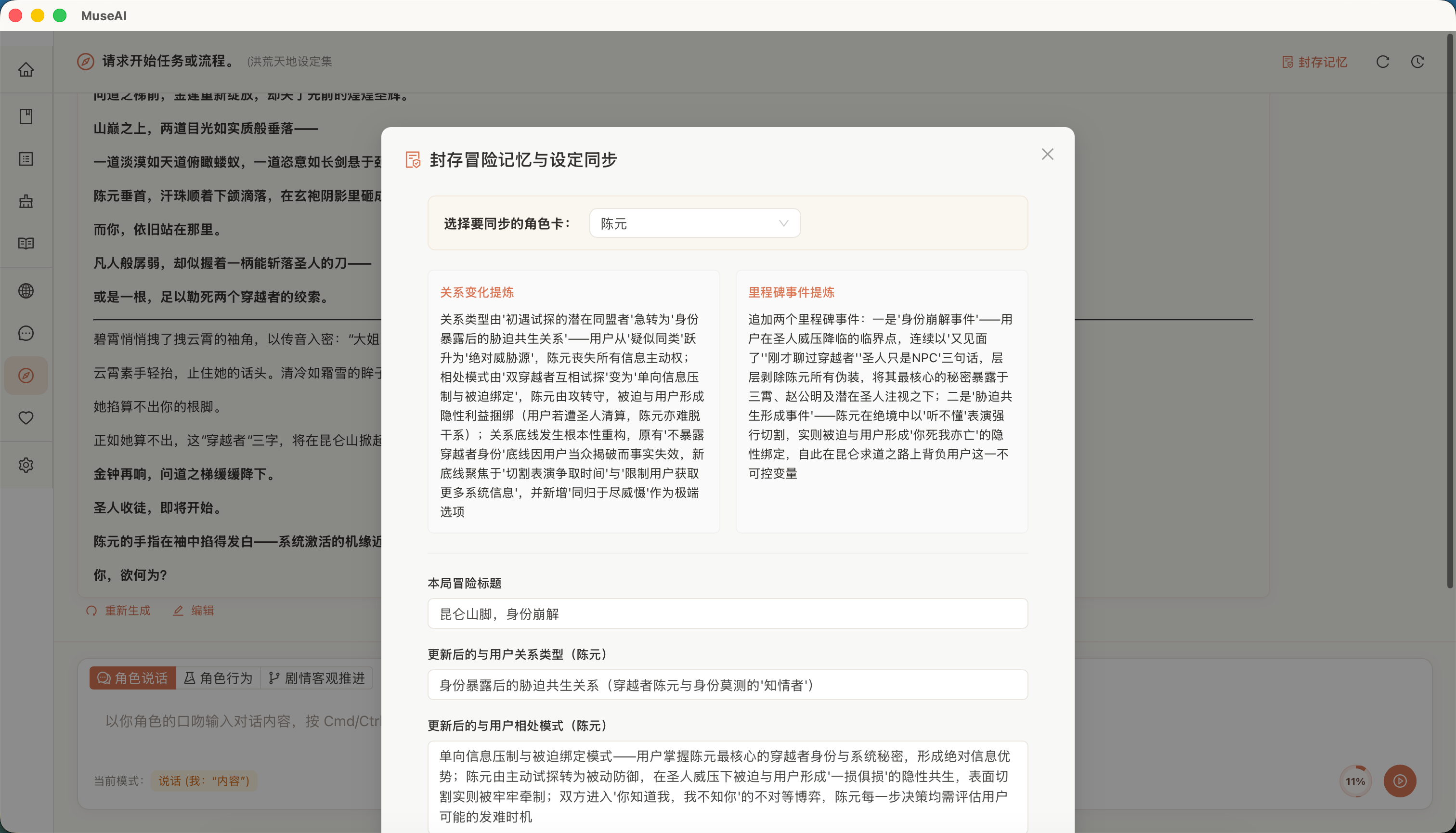
- Archive memories to extract key events and update character cards
- Great for AI companions, AI virtual characters, OC chat, roleplay, and immersive companionship
Long-Term Memory & Bond Archives
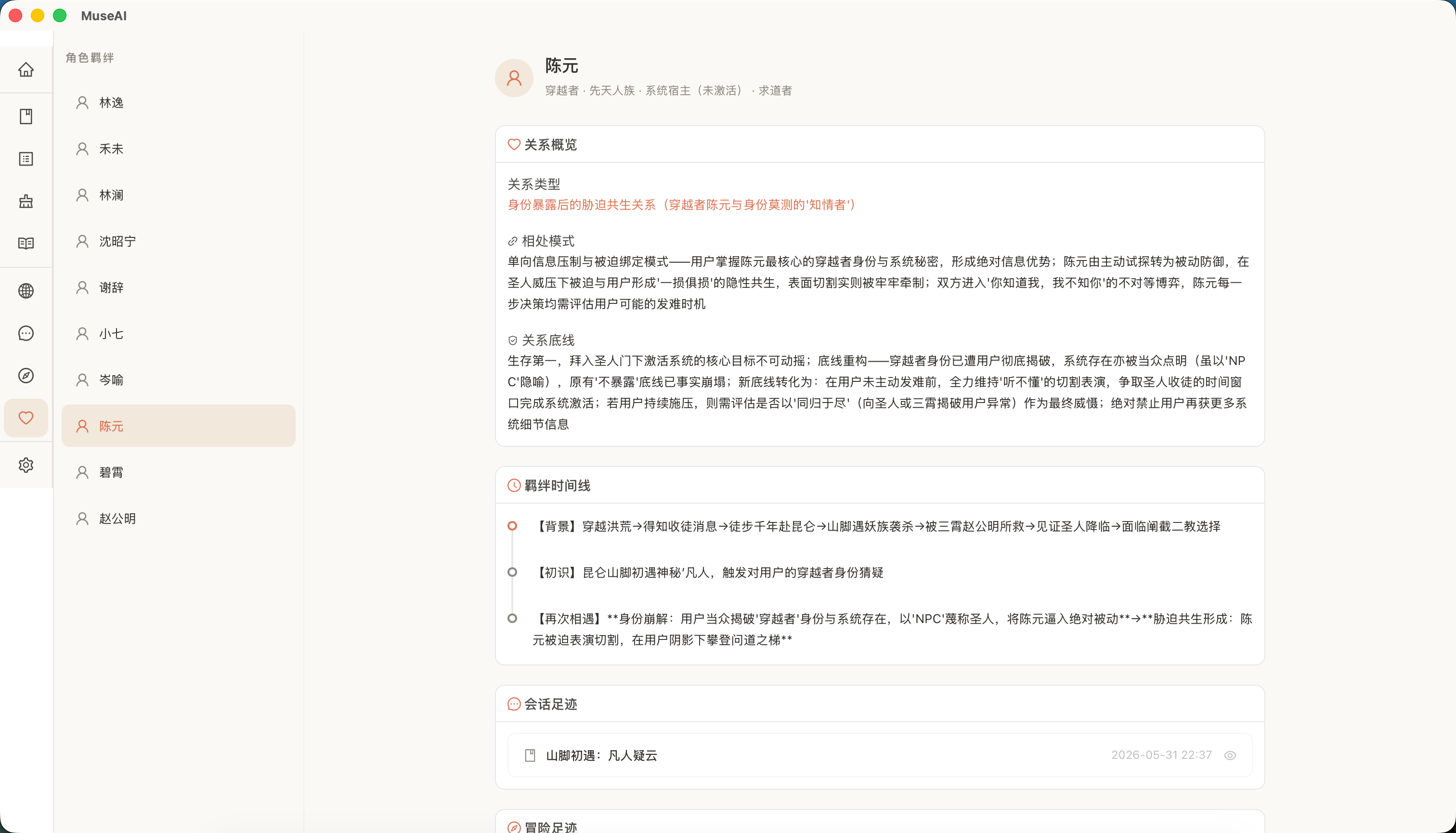
每次对话或冒险结束后,你都可以让 MuseAI 分析本次经历,将关系变化、重要事件和相处模式写回角色档案。「羁绊」页面会按角色整理这些记录,形成可回顾的关系轨迹。
- Relationship Overview: view relationship types, interaction patterns, and relationship boundaries
- Bond Timeline: log key events on a timeline
- Chat Footprints: show only chat records related to this character
- Adventure Footprints: review text adventures shared with this character
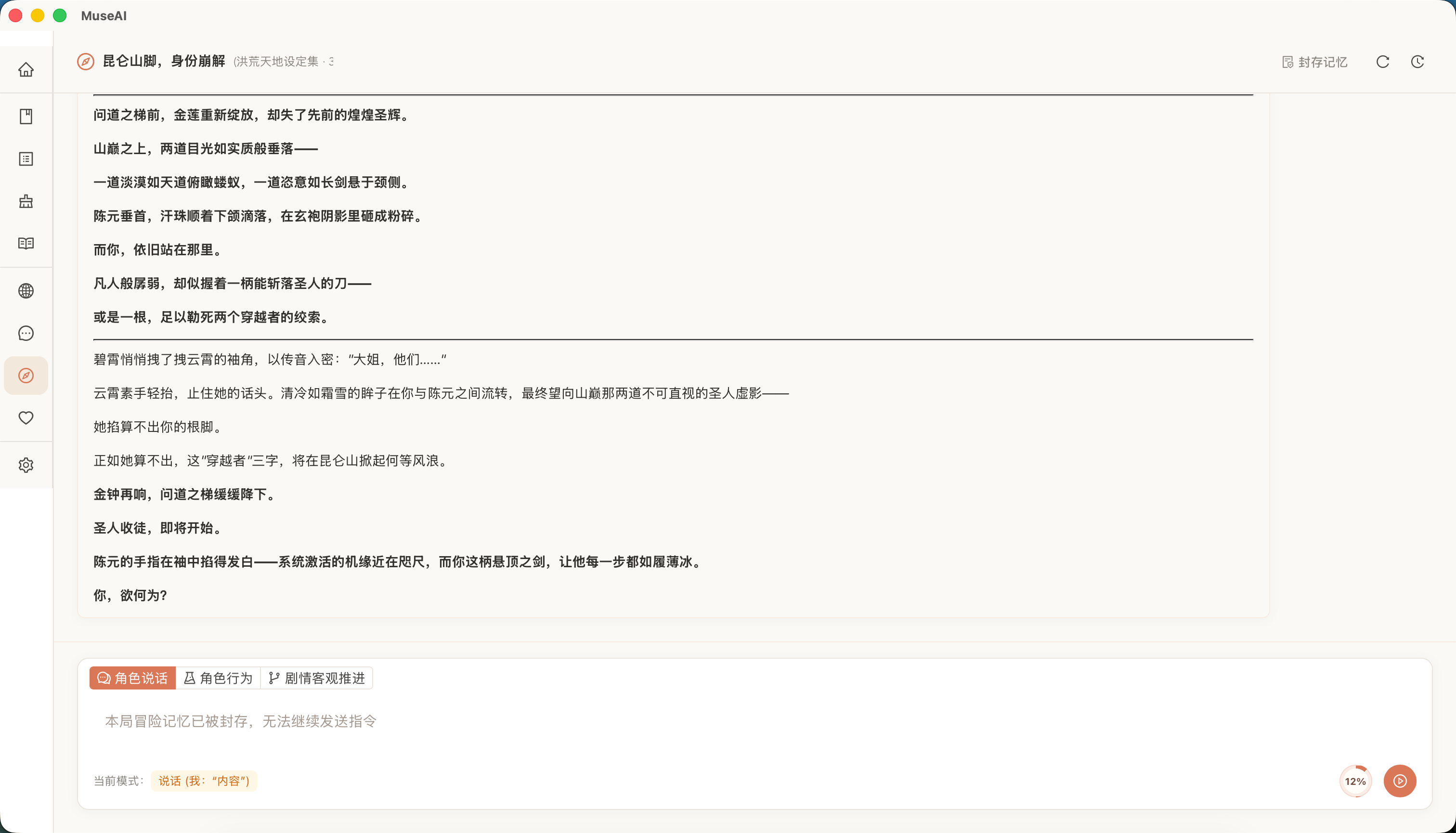
AI Text Adventures & Tabletop RPG
In "Adventure", pick a world book and multiple character cards; MuseAI acts as DM/GM driving the plot. You advance the story with speech, actions, or plot directives, and characters join in per their personas.
- 支持一个世界书绑定多个角色卡
- 支持语言、行为、剧情三种输入方式
- AI 负责场景描写、角色反应和剧情推进
- 冒险记录可以归档为角色记忆,沉淀为羁绊事件
Isekai Interaction
"Book Crossover" mode assembles outlines, world books, and character cards into a playable story world. Choose an entry point and identity, then influence the story through dialogue, actions, and plot choices.
- Generate transmigration material from organized outlines, world books, and character cards
- An entry director generates entry points and playable identities
- Scene, beat, state, and summary memories let long plots keep advancing
- Save progress and resume the current plot later
Suits users who want to "step into a novel world", "rewrite the plot", or "live key events with characters".
World Books & Character Cards
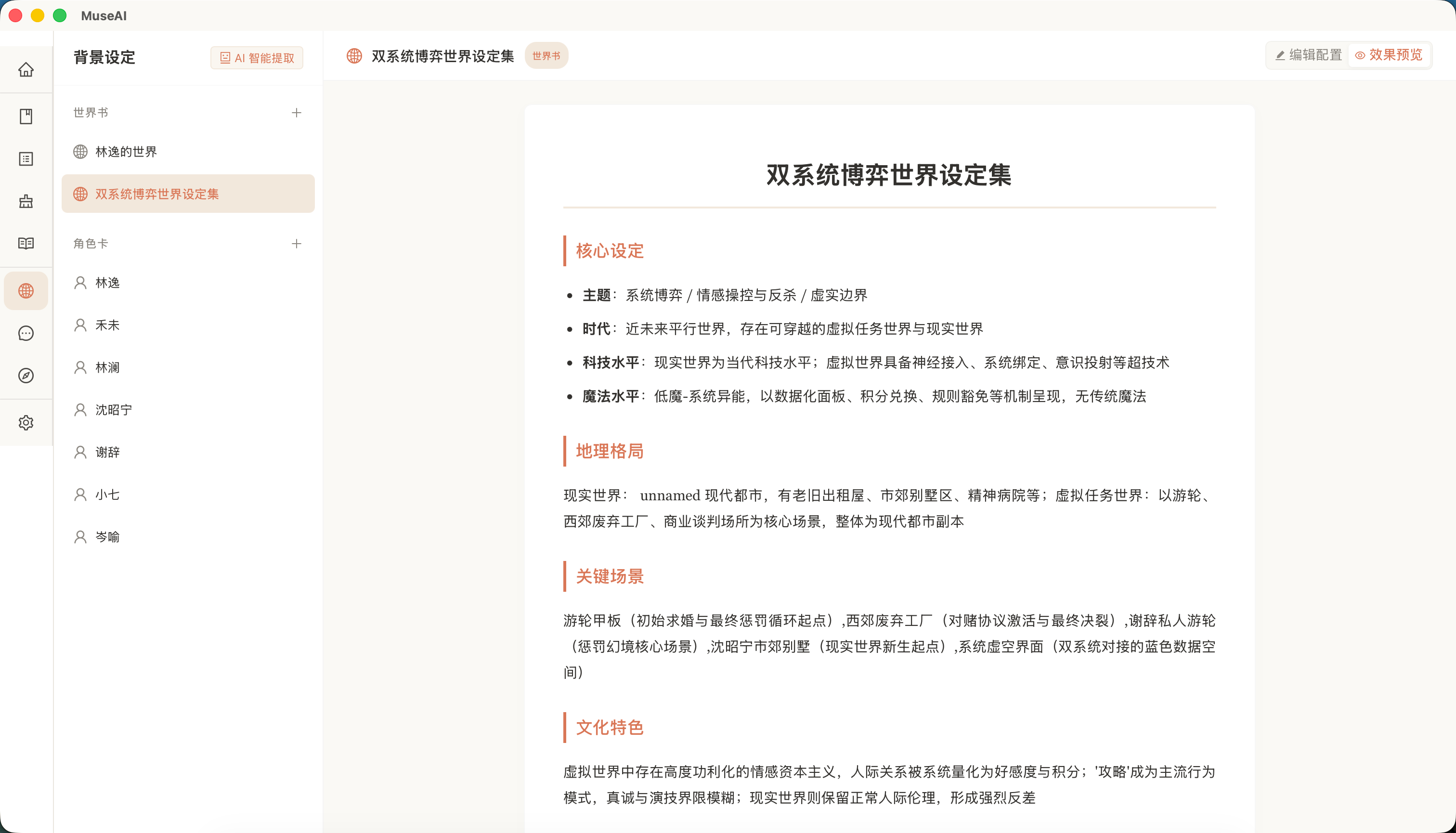
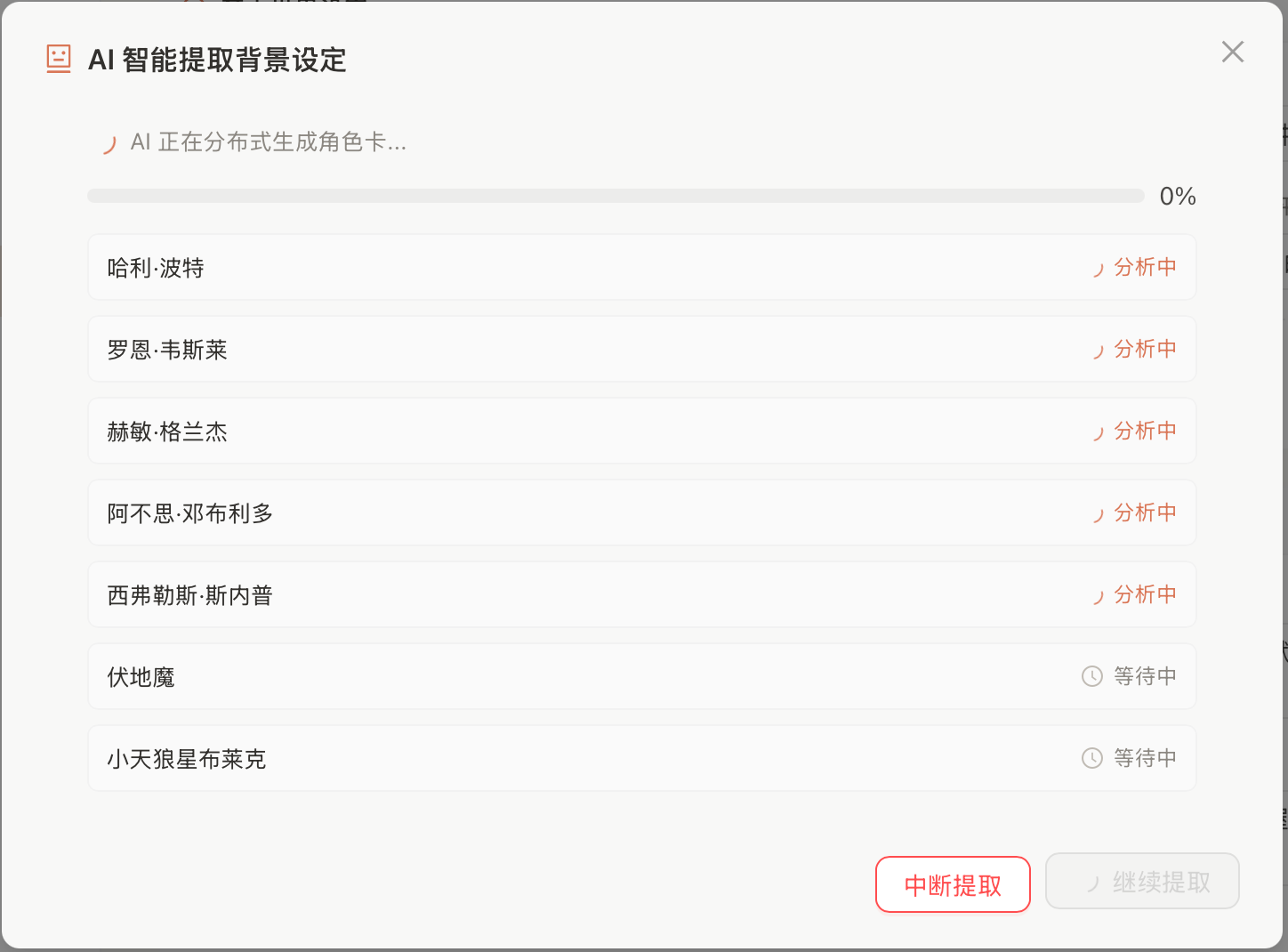
MuseAI supports manually creating world books and character cards, or uploading novel text or outlines so the AI auto-extracts structured settings.
- World Book: distills worldview, era, geography, factions, rules, and core conflicts
- Character Card: identifies a character's name, personality, relationships, speech style, key events, and bond with you
- Setting reuse: the same world book and character cards work for companion chat, text adventure, transmigration, and bond profiles
LAN Mobile Access
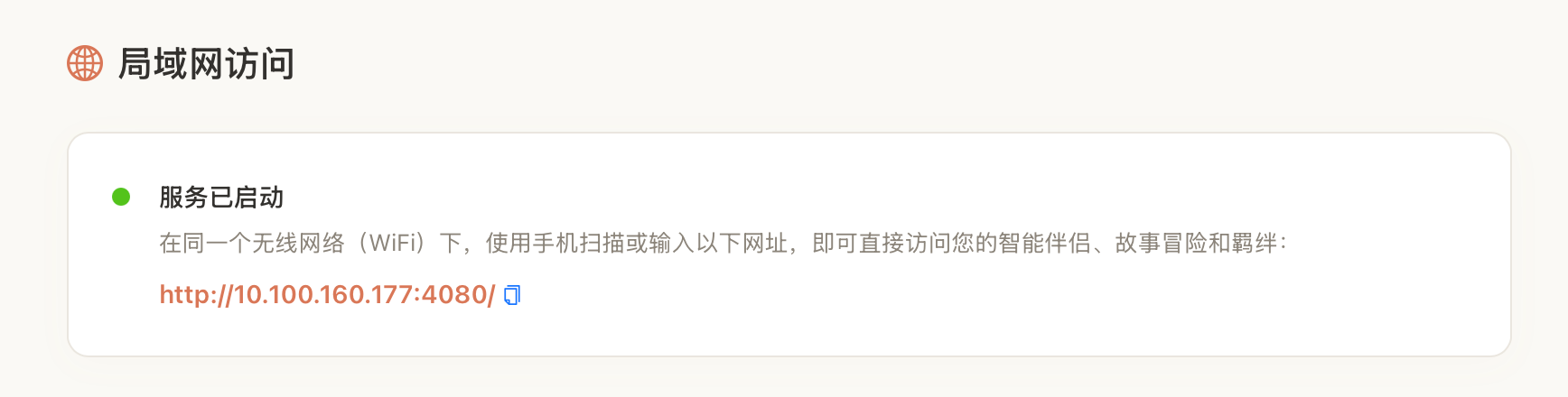
After launching the desktop app, you can access MuseAI from a phone browser on the same WiFi. You can keep using the AI companion, story adventure, and bond features on your phone without installing any app.
Creative Assistant
Though MuseAI's core is AI companions, adventure, and transmigration, it also bundles tools for novel/content creation to help you organize material, polish settings, and prepare interactive story worlds.
Work Management & Markdown Editing
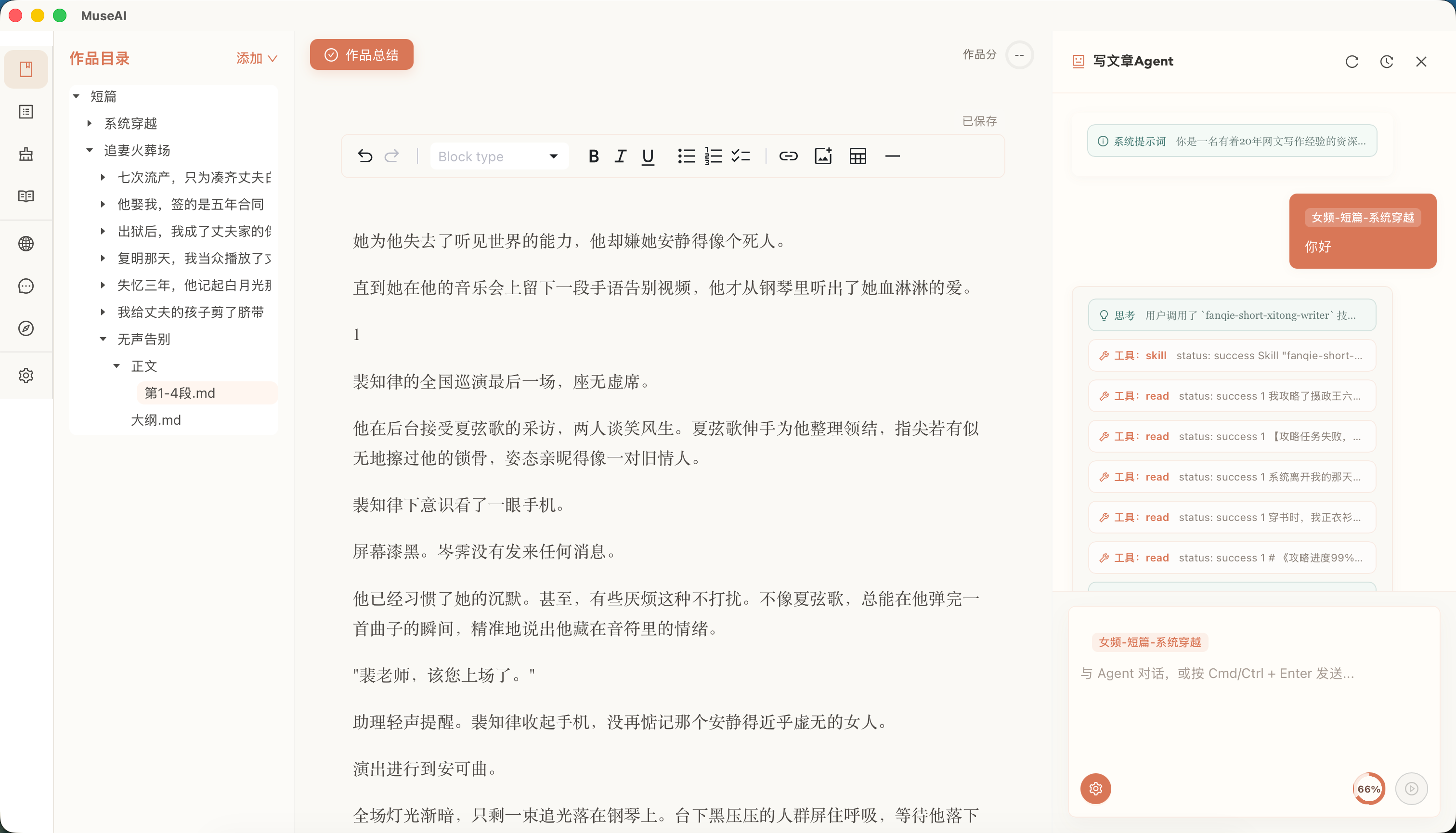
Manage work files in a unified workspace with a built-in Markdown editor, live preview, and syntax highlighting. Every file has multi-version history with auto-backup before edits, so you can roll back anytime.
Reference Library
Import reference articles; when assisting writing or style analysis, AI reads from your reference library for more tailored suggestions.
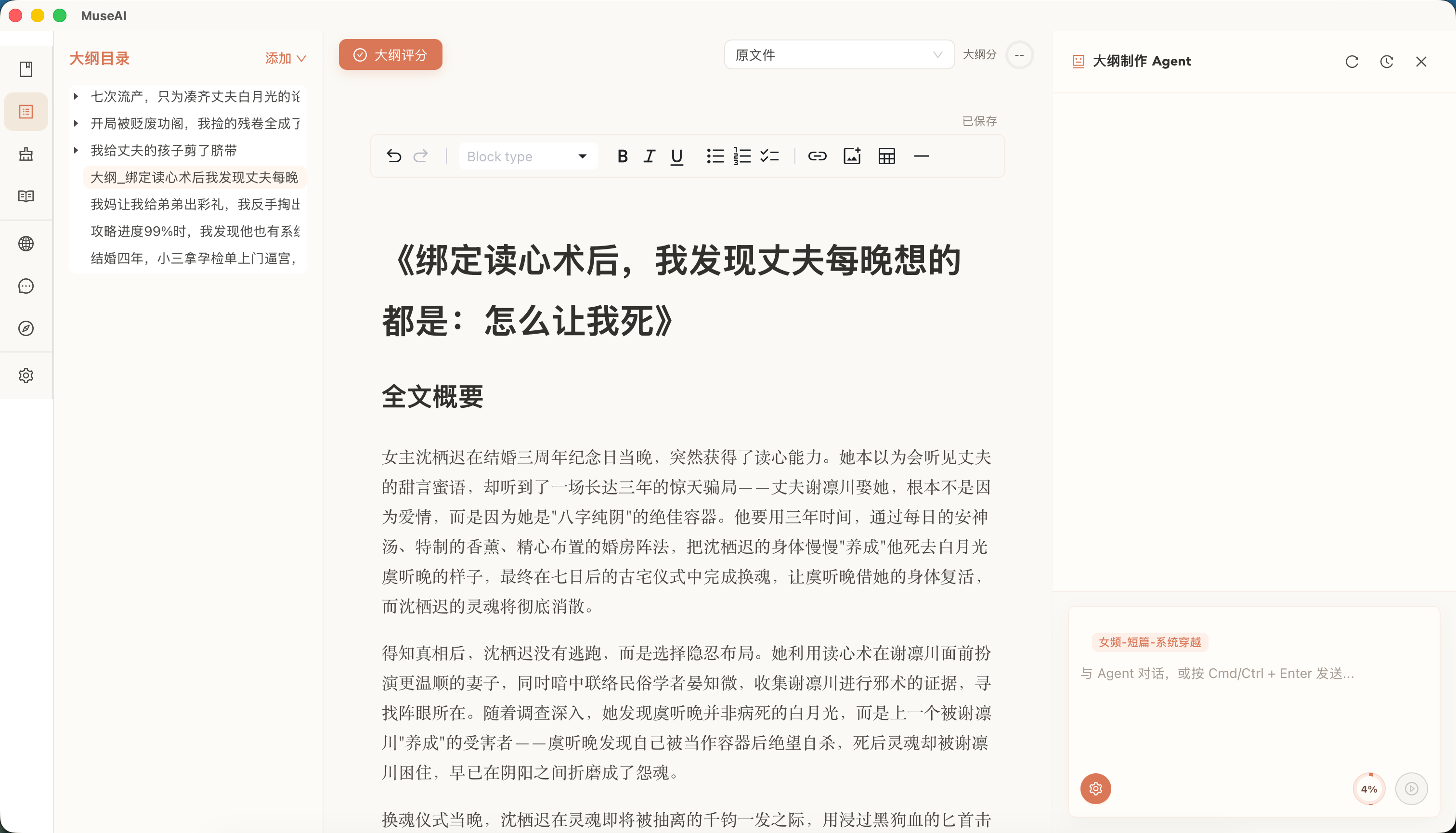
Outline Evaluation, Creation & Reverse
- Outline Evaluation: upload an outline; AI scores it and gives optimization tips
- Outline Creation: generate chapter structure from story needs
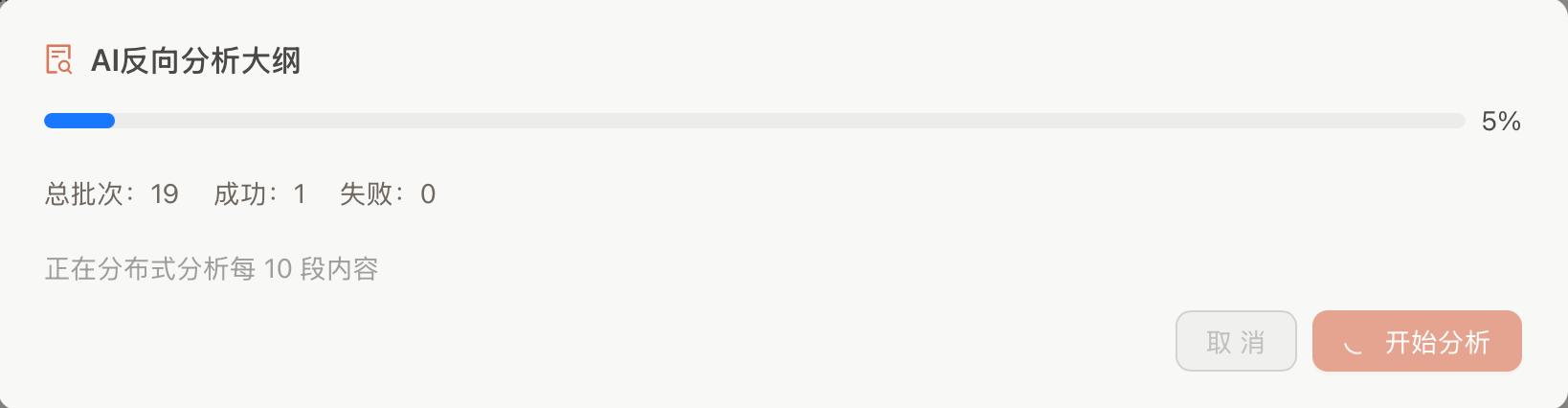
- Reverse Outline: import a full novel; AI extracts a structured outline
- Long-form Analysis: parallel analysis of long novels, easing later world book/card generation
De-AI Writing
If your text reads too machine-generated, use the "De-AI" module to detect first, then generate a more natural revision. The original is never overwritten.
- Detect: quantifies AI-flavor level, flags issues per paragraph
- Remove: auto-rewrites from suggestions for more natural, grounded text
Quick Start
1. Download & Install
Go to the Releases page to download the latest installer (.dmg/.exe), then double-click to install and launch.
Windows users: please turn off antivirus software (e.g., 360, Tencent PC Manager, Huorong, Windows Defender, etc.) before installing; otherwise the installer may be falsely blocked, causing installation failures or runtime errors. You can turn it back on after installation completes.
If macOS shows "damaged and cannot be opened" after install, open Terminal and run the following command before launching:
xattr -dr com.apple.quarantine /Applications/MuseAI.app
If some features stop working after an update, open "Settings", find the affected module's system prompt, click "Restore Defaults", and retry.
2. Configure Your AI Model
On first launch, go to the "Settings" page and configure your AI model:
- Fill in your API key (supports OpenAI, Anthropic, and any OpenAI-compatible third-party service)
- Fill in the API endpoint (if using a domestic relay service, enter the custom address here)
- Select the model name (e.g.,
deepseek-v4-flash,claude-sonnet-4-6, etc.) - Click "Test Connection" to confirm the configuration is correct
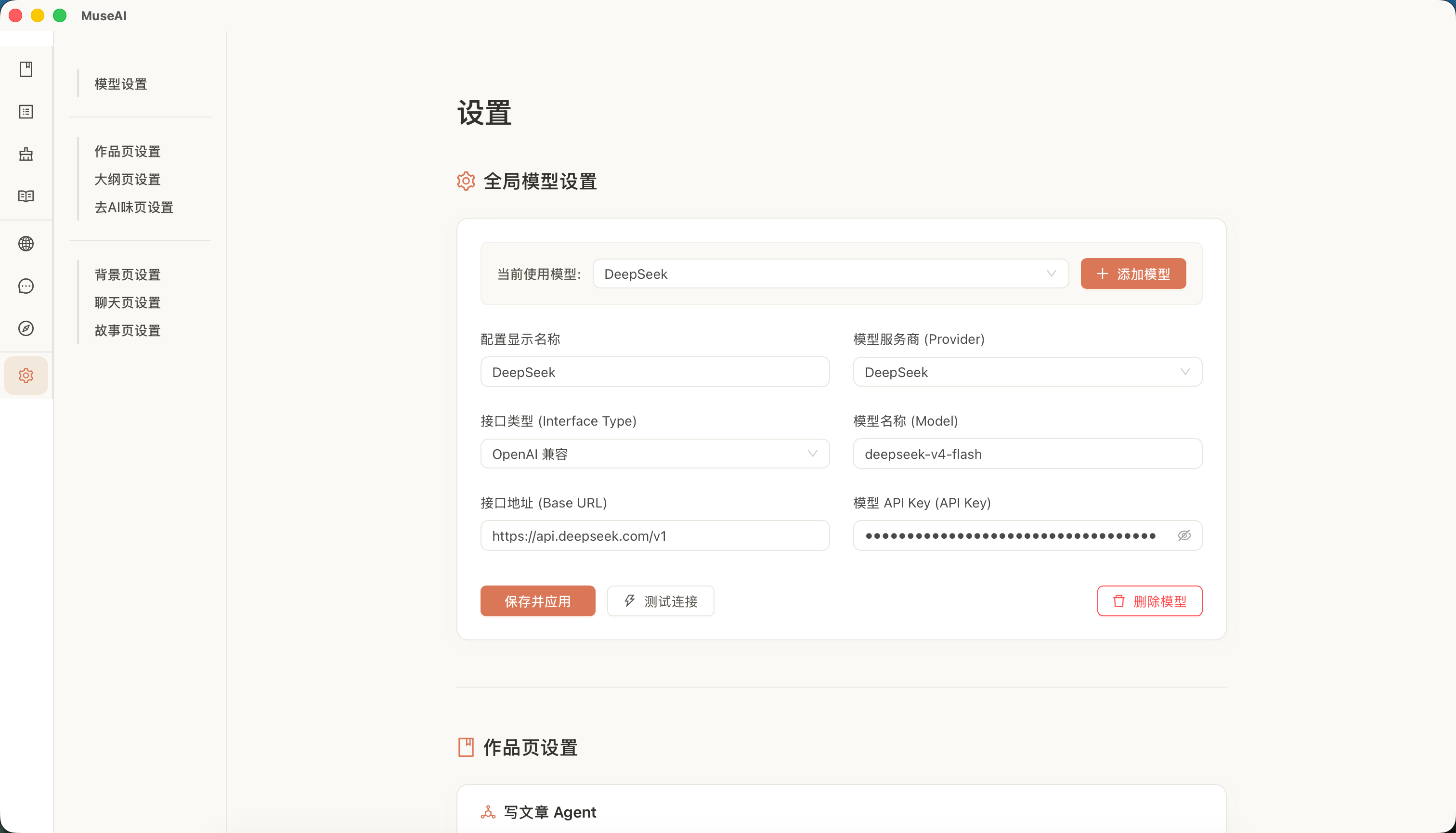
Configure different models/parameters per module (companion, adventure, transmigration, de-AI, outline) to balance quality, speed, and cost.
3. Start Using It
- AI Companion: create world book & character card in "Background Settings", then chat in "Companion Chat"
- Text Adventure: pick world book & cards in "Adventure", enter opening plot, start the run
- Transmigration: assemble outline/world book/cards in "Transmigration Material", then play in "Transmigration"
- Bond Profiles: after archiving a chat/adventure, visit "Bonds" for relationship shifts & key events
- Creative Assistant: organize text, evaluate structure, polish wording in "Works", "Outline", "De-AI"
Interface Overview
智能伴侣:与你创建的角色展开长期对话。
Bond Profiles: view relationship trail, timeline & shared experiences per character.
Story Adventure: text RPG mode; drive the story with speech, actions & plot directives.
背景设定:整理世界书、角色卡和可复用故事资料。
Data Storage
All of MuseAI's data is stored locally; nothing is uploaded to external servers (except API calls).
All user data is kept under ~/Documents/MuseAI/:
| Data Type | Location |
|---|---|
| Work files | ~/Documents/MuseAI/articles/ |
| Reference library | ~/Documents/MuseAI/references/ |
| Outline files | ~/Documents/MuseAI/outline/ |
| Version history | .versions/ folder next to each file |
| Character cards / World books | ~/Documents/MuseAI/config/partner-store.json |
| Companion sessions | ~/Documents/MuseAI/agent-sessions/partner-session-*.json |
| Story adventure sessions | ~/Documents/MuseAI/agent-sessions/story-session-*.json |
| Writing Agent sessions | ~/Documents/MuseAI/agent-sessions/session-*.json |
| App settings | ~/Documents/MuseAI/config/settings-store.json |
| Per-module UI state | ~/Documents/MuseAI/config/*.json |
We recommend backing up the ~/Documents/MuseAI/ directory regularly to prevent data loss.
FAQ
Q: How is MuseAI different from a regular AI chat tool?
A: Ordinary AI chat tools are mostly single-session; characters, worlds, and memories scatter across different windows. MuseAI keeps world books, character cards, chat logs, adventure logs, and bond changes locally, so the same character can carry on long-term.
Q: Is MuseAI an AI companion app or an AI writing tool?
A: MuseAI is best used as a local AI companion, AI character chat, text adventure, and isekai interaction app. Work management, outlines, reverse outlines, and de-AI writing are auxiliary creation capabilities that help you organize your story world and interactive material.
Q: Which AI providers are supported?
A: OpenAI, Anthropic (Claude), and any third-party service compatible with the OpenAI API format (e.g., domestic relay services like DeepSeek, Kimi, Zhipu, Tongyi Qianwen, etc.). Just fill in the corresponding API endpoint, key, and model name on the settings page.
Q: What is an API key? How do I get one?
A: An API key is a "key" issued by an AI provider that verifies you're allowed to call their models. After registering an account on your chosen provider's site, find and copy it on the "Developer Center" or "API Management" page. MuseAI itself does not charge you; the provider bills you based on your actual usage.
Q: Why does the connection test fail?
A: Common causes:
- Wrong API Key: check whether there are extra spaces or missing characters from an incomplete copy.
- Wrong API address: if you're using a domestic relay service, make sure the address is complete (it usually starts with
https://and ends with/v1). - Network issues: some providers require a VPN to reach their endpoints; confirm your network environment is working properly.
- Insufficient balance: some providers require a top-up before their API can be called.
Q: Is my article content, character cards, and chat records uploaded to the cloud?
A: No automatic uploads. Your work files, reference library, outlines, character cards, world books, and session records are all stored on your own computer (in the ~/Documents/MuseAI/ folder). Only when you actively send a message, analyze text, or generate content is the relevant context sent via API to the AI provider you've configured.
Q:世界书和角色卡有什么区别?应该怎么填?
A:
- 世界书描述的是整个故事世界的背景设定,比如时代、地理、规则、势力分布和核心冲突。同一部作品下的多个角色可以共用同一本世界书。
- 角色卡描述的是具体某一个人物,包括姓名、性格、说话风格、与你的关系、底线、关键事件等。
填写时不需要追求完整,先写上最关键的信息即可,后续可以在对话中通过「归档记忆」让 AI 自动帮你补充和更新。
Q:聊天时角色突然「出戏」了,回复不像设定中的人物怎么办?
A:
- 检查是否绑定了正确的世界书和角色卡,没有绑定设定的话 AI 会按通用模式回复。
- 如果对话已经进行了很长,可能是上下文太长导致 AI 遗忘早期设定。可以尝试开启一个新会话,或者调整设置页中聊天 Agent 的「最大上下文 Token」。
- 你也可以在设置页中调整聊天 Agent 的「系统提示词」和「温度」,让角色扮演更稳定或更富变化。
Q:聊天、冒险和穿书有什么区别?
A:
- 聊天页(智能伴侣):适合一对一沉浸式对话,一次只能绑定一个角色卡。对话结束后可以归档记忆,更新该角色的关系设定和关键事件。
- 冒险页(文字冒险):适合跑团式剧情,可以绑定多个角色卡和一个世界书。AI 会扮演叙事者(DM/GM),根据你的语言、行为和剧情指令推进故事。
- 穿书页(穿书互动):适合进入一个已装配好的小说世界。你可以选择入场点和身份,在场景与节拍中参与剧情,并保存进度后继续游玩。
Q:反向大纲提取失败是什么原因?
A:最常见的原因是 AI 输出的 Token 不够,导致返回内容被截断。反向大纲需要把整篇小说浓缩成结构化大纲,即使系统提示词中要求不要超过 10000 字,模型也不一定完全遵守,因此有一定失败概率。
解决方法:
- 进入「设置」→「大纲页设置」,找到反向大纲相关的 Agent(短篇 / 长篇-分段摘要 / 长篇-汇总大纲),把「最大输出 Token」尽量调大。
- 同时可以修改该系统提示词,把字数限制和要求说得更严厉、更具体一些,降低模型超纲的概率。
Q:世界书、角色卡提取失败是什么原因?
A:通常有两种原因:
- 模型服务不稳定:偶尔会出现网络抖动或服务商响应异常,导致没有返回完整结果。
- 模型没有返回正确格式:提取世界书和角色卡需要模型输出严格的 JSON 格式,如果模型没有按格式返回,就可能解析失败。
解决方法:直接点击重试即可。如果是提取角色卡,你可以在输入框里手动列出角色姓名列表,让 AI 按名单逐个提取,成功率会显著提高。
Q:封存记忆提取失败是什么原因?
A:和世界书/角色卡提取类似,封存记忆也需要模型输出严格的 JSON 格式,偶尔会因为服务商不稳定或模型格式偏差导致失败。
解决方法:先尝试重试。如果多次失败,建议进入「设置」→「羁绊页设置」,把「聊天页-封存记忆」或「冒险页-封存记忆」的 Temperature(温度)改成 0,这样模型输出会更稳定。
Q:手机和电脑的数据是同步的吗?
A:电脑端的数据保存在本地。手机通过局域网访问使用时,数据也存储在电脑本地,不是云同步。也就是说,你在手机上聊的内容,关闭后下次再用手机访问,记录依然保留在电脑上。只要电脑不关机、不删除数据,手机和电脑看到的是同一份数据。
Q:局域网访问怎么用?手机和电脑需要在同一个 WiFi 吗?
A:是的,手机需要和电脑连接同一个 WiFi(或同一个路由器)。桌面应用启动后会自动开启局域网服务,你只需在电脑的「设置」页面找到显示的网址,用手机浏览器打开即可使用智能伴侣、故事冒险和羁绊功能,无需安装任何 App。
Q:去 AI 味检测后,原文会被修改吗?
A:不会。检测只是分析并给出评分和建议,原文不受影响。如果你点击「去除 AI 味」,AI 会生成一个新的修改版本,并自动保存为一个独立的新文件,原文始终保留。
Q:版本历史如何恢复?
A:在左侧文件列表中找到目标文件,右键点击选择「版本历史」,即可查看该文件的所有历史版本,并选择任意一个版本进行恢复。
Q:怎么备份我的数据?
A:最简单的方法是直接复制你电脑上的 ~/Documents/MuseAI/ 整个文件夹,保存到 U 盘、移动硬盘或网盘里。这个文件夹包含了你的所有作品、角色卡、会话记录和设置。换电脑时,把这个文件夹复制到新电脑的相同位置即可完整恢复。
Q:为什么 AI 回复很慢,或者中途突然停止了?
A:
- 模型本身慢:不同服务商和模型的响应速度差异很大,DeepSeek、Kimi 等国内模型通常比 OpenAI 快。
- 网络波动:如果网络不稳定,可能会出现响应中断,可以尝试重新发送。
- Token 限制:如果当前对话太长,接近了设置中的「最大输出 Token」或「最大上下文 Token」上限,AI 可能会提前截断回复。可以在设置页调大对应 Agent 的 Token 上限。
- 服务商繁忙:高峰期某些服务商可能会排队或限流,稍等片刻再试即可。
Q:模型费用怎么算?
A:MuseAI 本身完全免费,AI 功能的费用由你使用的 API 服务商根据实际调用量直接计费。大部分服务商采用按 Token 计费的模式(可以理解为按字数收费),具体价格请参考各服务商官网。你可以在设置页中为不同模块配置不同的模型,比如用便宜快速的模型做日常聊天,用高质量模型做关键剧情和设定分析。
友情链接
- taichuy/1flowbase:一个适合快速搭建 AI 应用与工作流基础能力的开源项目。
- zhu1090093659/deepseek-pp:围绕 DeepSeek 使用体验与能力扩展的开源项目。
- FrontAgent/FrontAgent:面向前端开发场景的 AI Agent 开源项目。
创建角色,进入世界,让每一次对话都留下痕迹。
MuseAI · 本地 AI 互动世界
Comments
Loading…
Similar plugins
by yejiming
MuseAI的DeepSeek Harness插件,可以将你的MuseAI角色放进DSH使用啦!
★ 27
MIT
JavaScript
Sep 30, 2026
dsh plugin --profile web add @yejiming/dsh-museai-tavernby suis077
DSH 插件:人设卡 + 跨会话记忆 + 好感度,让 AI 角色在多轮对话里逐渐成长
★ 0
MIT
JavaScript
Oct 18, 2026
dsh plugin --profile web add dsh-companionby a86582751
原生 Agent 驱动的长篇角色扮演:交互式创作、主动世界书、动态记忆、多角色推演与小说导出。创作一个世界,走进它,再把它带走。
★ 206
↓ 418/wk
MIT
JavaScript
Oct 28, 2026
dsh plugin --profile web add dsh-nexttavernby blueziii
让 DeepSeek Harness 真的玩 Minecraft:AI 有自己的角色,能探索、挖矿、合成、熔炼、打怪、建造。基于 yzi1b/whale-craft 独立维护。
★ 27
MIT
JavaScript
Oct 28, 2026
dsh plugin --profile web add dsh-mc-agentby hellosky983
AI-assisted Minecraft for DeepSeek Harness: drive an autonomous Mineflayer agent (survival, mining, chat, live map) with vision/control tools, plus a built-in launcher (Microsoft sign-in, version down
★ 8
MIT
JavaScript
Aug 18, 2026
dsh plugin --profile web add dsh-mc-agentby chinosk6
Deepseek Harness 角色扮演插件 Role-play conversations, character-card authoring and image generation for DeepSeek Harness
★ 23
↓ 593/wk
MIT
TypeScript
Oct 17, 2026
dsh plugin --profile web add dsh-roleplay