
dsh-wallpaper-glass
IdentifiedShows the local desktop wallpaper behind a translucent DeepSeek Harness window: the image is pixel-aligned with the desktop (edge-snaps, partially off-screen and maximized windows included), follows w
dsh-wallpaper-glass
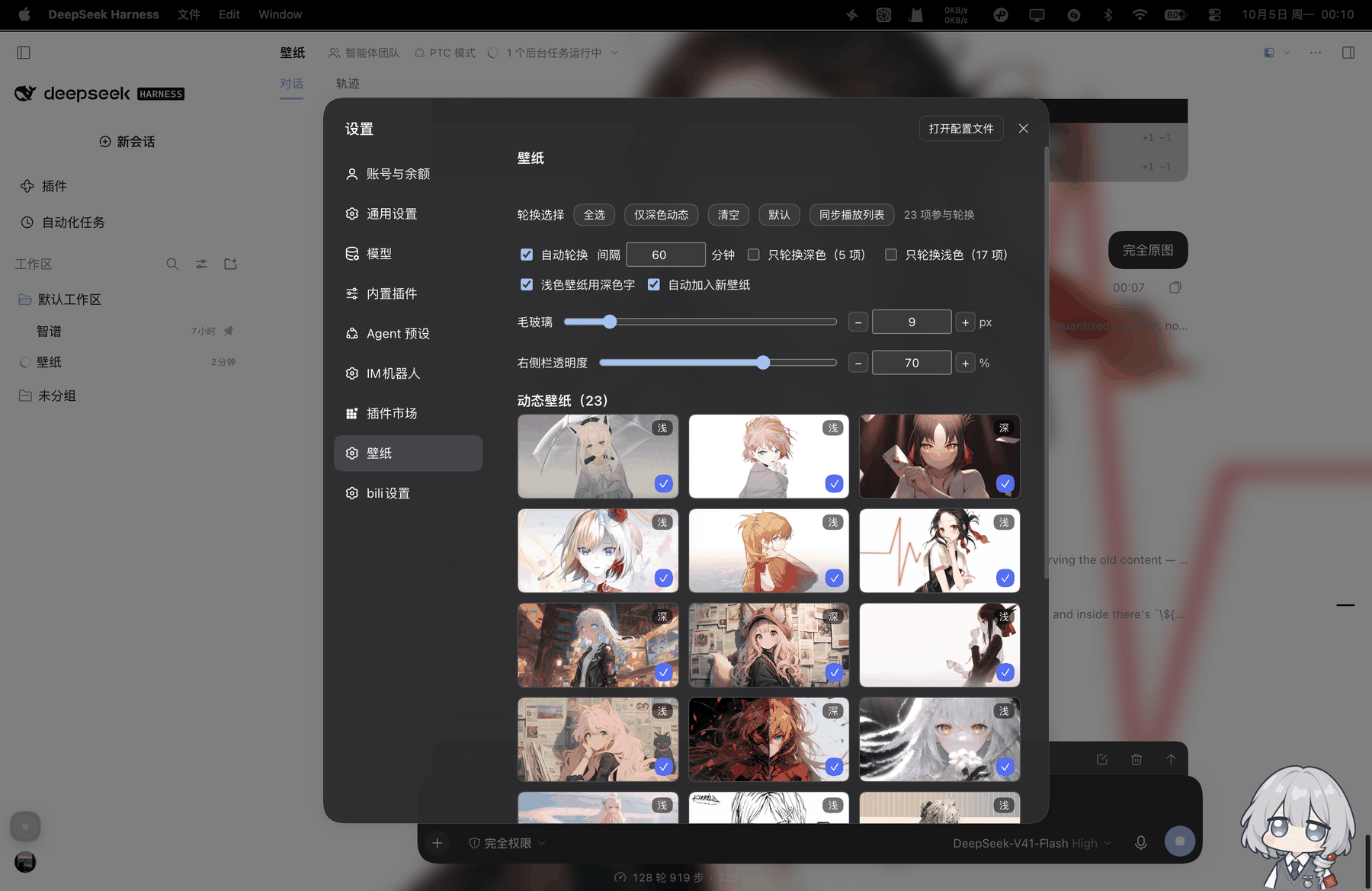
Puts the local desktop wallpaper behind the DeepSeek Harness main window: the window turns translucent, the wallpaper is pixel-aligned with the desktop (the window behaves like a hole cut into it), it follows wallpaper changes live, and it adapts the readability veil to how bright the image is. Dialogs, menu panels and the embedded browser keep their original opaque backgrounds.
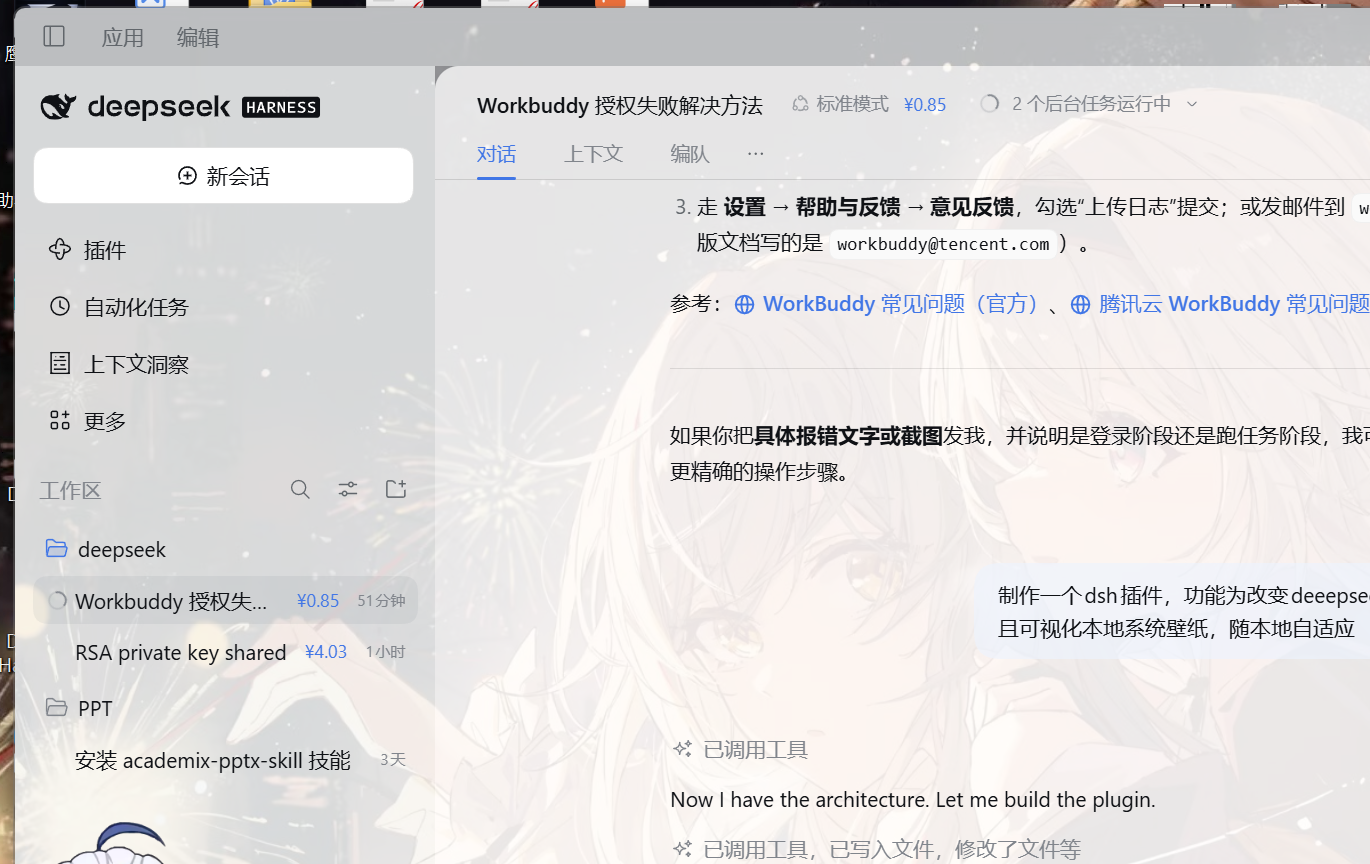
What it does
| Ability | How |
|---|---|
| Show the real local wallpaper | The Host resolves the file the OS is displaying (Windows: TranscodedWallpaper → registry → CachedFiles) and serves it over a session-guarded local route |
| Make the main window translucent | The browser half rewrites the surface tokens (--dsw-alias-bg-*, --dsw-specific-sidebar-fill, …-input-major, …-bubble) through ctx.theme.overrideTokens; only the main shell turns to glass |
| Pixel alignment (default on) | A screen-sized plate sits inside the fixed layer at a negative offset equal to the window's screen position, so the window shows the very same region of the desktop; moves, resizes, edge-snaps and maximized windows are followed within 250 ms (negative origins, including Windows' -8 maximized frame, stay aligned) |
| Follow the desktop fill mode | Reads WallpaperStyle / TileWallpaper and supports fill / fit / stretch / center / tile |
| Follow the local wallpaper | The page asks /dsh-wallpaper/meta every 4 s; the Host only stats the file. A new mtime-size revision swaps the image, slideshow included |
| Adapt to brightness | The image is averaged on a 32 px canvas; a light theme hazes a dark wallpaper and a dark theme deepens a bright one |
| Keep overlays solid | Dialogs (role=dialog), menus/lists/tooltips (role=menu/listbox/tooltip) and the panels around embedded iframe/webview elements are reset to the original opaque palette |
| Keep inputs solid | The composer's surface token is no longer overridden, and every search/text field finds whichever ancestor actually paints its background and marks it data-dshp-solid, restoring the original palette |
| Deepen light labels | In the light theme label-secondary / label-tertiary / label-caption / menu-icon each drop one palette step (secondary #61666b → #353638), placeholders included; the dark theme keeps its original values |
The corner control
A draggable ◐ pill sits in the bottom-right corner (its position is remembered):
- 壁纸 — show / hide
- 透明度 — subtle / medium / strong
- 虚化 — 0 / 8 / 16 / 28 px
- 对齐桌面 — on / off
- 重置本机设置
Choices live in localStorage, so they survive reloads and restarts. Set controls: false to remove the pill entirely.
Configuration
Appended to the profile's cordis.patch.yml by the installer:
- id: ui-wallpaper-glass
  config:
    intensity: medium   # subtle | medium | strong
    align: true         # pixel-align with the desktop (on by default)
    blur: 0             # 0-40 px blur applied to the wallpaper itself
    pollMs: 4000        # how often the page asks whether the wallpaper changed
    imagePath: ''       # pin one image instead of following the system wallpaper
    controls: true      # corner pill
    enabled: true
Install / uninstall
# from GitHub
dsh plugin --profile desktop add github:talulra/dsh-wallpaper-glass

# local development, from a checkout
dsh plugin --profile desktop add link:C:\deepseek\dsh-wallpaper-glass

# uninstall
dsh plugin --profile desktop remove dsh-wallpaper-glass
Installing writes the dependency into the profile manifest and appends the bundle to dsh.profile.bundles. With HMR enabled a saved config recomposes live; otherwise restart the client.
How it works
browser (client/client.js)                        Host (lib/index.js)
──────────────────────────                        ────────────────────
GET /dsh-wallpaper/meta every pollMs  ────────▶  resolve the current wallpaper file,
                                                 answer rev = mtime-size
rev changed → GET /dsh-wallpaper/image ──────▶   read + sniff JPEG/PNG/BMP/WEBP,
                                                 cache by rev, ETag
fetch → blob → object URL → plate                 (the image must travel over fetch:
canvas luminance → veil → plate offset            the shell's dsh-app:// protocol
ctx.theme.overrideTokens(...) → glass             layer only guarantees static assets)
POST /dsh-wallpaper/ping (mount beacon) ─────▶   write $DSH_HOME/.dsh-wallpaper-glass.json
- Structure:
#dshp-wallpaper(fixed,z-index:-1,overflow:hidden) contains#dshp-plate(screen-sized, negative offset,background-size: cover), so the window reveals exactly the desktop region behind it. - When the window is on a secondary display, at a negative origin, or the metrics are unavailable, it falls back to covering the window itself (
data-align="fallback") instead of showing a gap. html/body/#rootare forced transparent; dialogs and embedded browsers reset the tokens to their original opaque values, and the two panel levels around aniframe/webviewget adata-dshp-solidmarker.- All three routes go through
connection.requestRejection(), so the wallpaper is never served to an unauthenticated request. - File reads retry three times, because Windows can hold
TranscodedWallpaperwhile it rewrites it.
Compatibility and known limits
- Windows — prefers
%APPDATA%\Microsoft\Windows\Themes\TranscodedWallpaper, then theWallPaperregistry value, then the newest file inThemes\CachedFiles. - macOS —
osascriptdesktop picture; Linux —gsettings picture-uri. Both are best-effort and assume the fill mode. - Multiple monitors — Windows'
TranscodedWallpaperis the primary display's composite; a window dragged to another display falls back to covering itself. - Position precision — depends on
window.screenX/screenYandscreen.width/heightin CSS px; frameless windows (this app) align exactly, framed windows can be a few pixels off. - Plain browser access — the wallpaper still renders inside the page, but the browser window is opaque, so there is no "hole in the desktop" effect.
- Older DSH — without
overrideTokensthe wallpaper layer still renders and no transparency is applied.
Development
node dev/detect-test.mjs    # wallpaper resolution only
node dev/route-test.mjs     # exercise the three HTTP routes
node dev/preview.mjs        # DSH-like preview; ?overlays=1 shows dialog/menu/browser fixtures
dev/preview.mjs accepts ?screen=1920x1080,400,300&dpr=1 to simulate display geometry for the pixel-alignment check; screenshots can be taken with headless msedge --headless --screenshot.
Comments
Loading…
Similar plugins
No screenshots
by gnk478
把本地图片/视频(Dynamic Wallpaper.app 素材)用作 DSH 桌面客户端壁纸的客户端插件 · Wallpaper/image background plugin for the DeepSeek Harness desktop client
★ 3
↓ 420/wk
MIT
JavaScript
Oct 5, 2026
dsh plugin --profile web add dsh-client-ui-wallpaper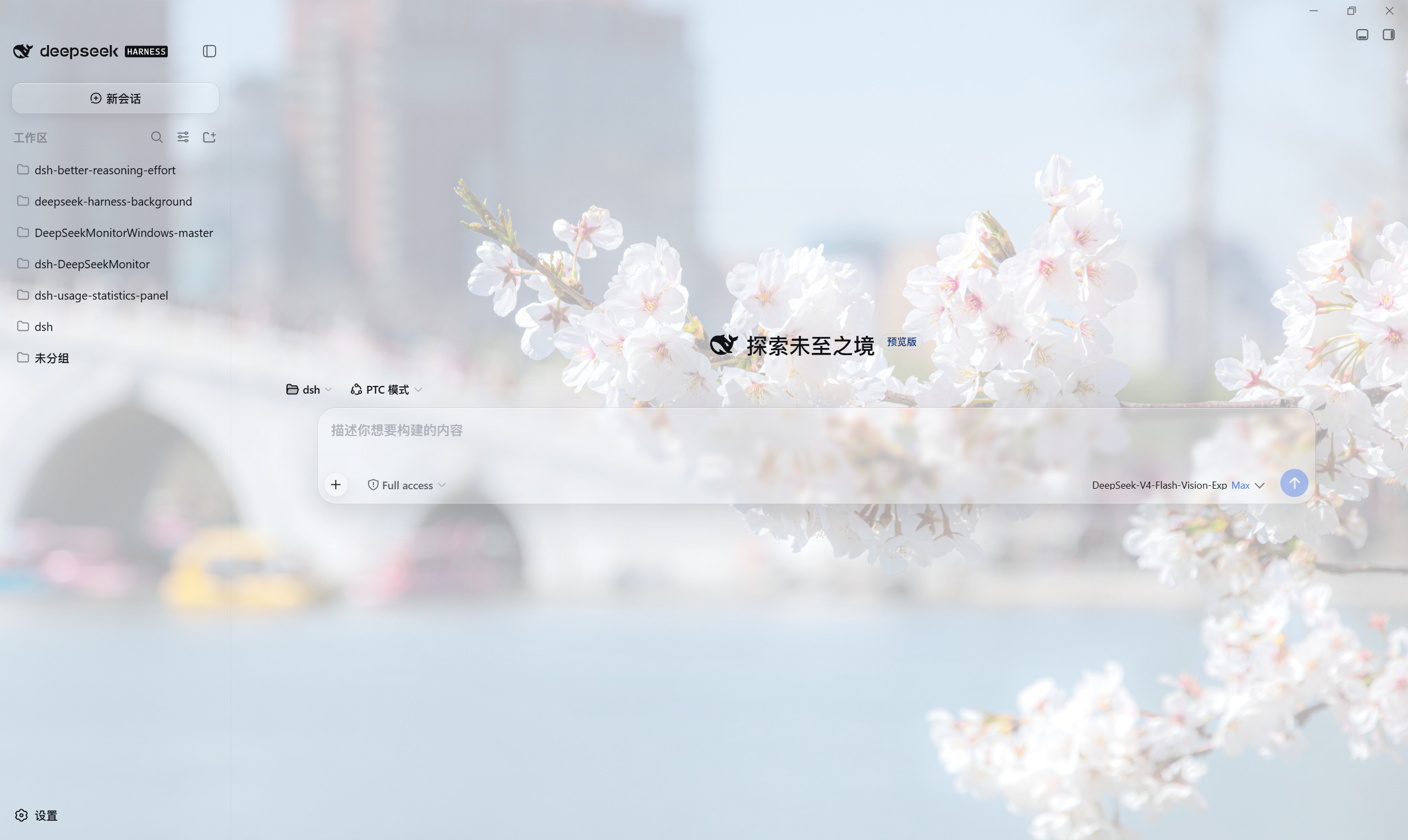 3
No screenshots
by HaoyueQin
Custom background image for the DSH Web UI: upload a picture or paste an image URL behind the whole app surface, with opacity, theme-aware scrim, panel transparency, frosted-glass and wallpaper blur,
★ 11
↓ 633/wk
MIT
TypeScript
Oct 23, 2026
dsh plugin --profile web add deepseek-harness-background✦
No screenshots
Wallpaper skin for the DeepSeek Harness UI: image URLs, local files and Wallpaper Engine libraries with opacity, blur, slideshow and shortcuts.
★ 0
MIT
JavaScript
dsh plugin --profile web add dsh-skin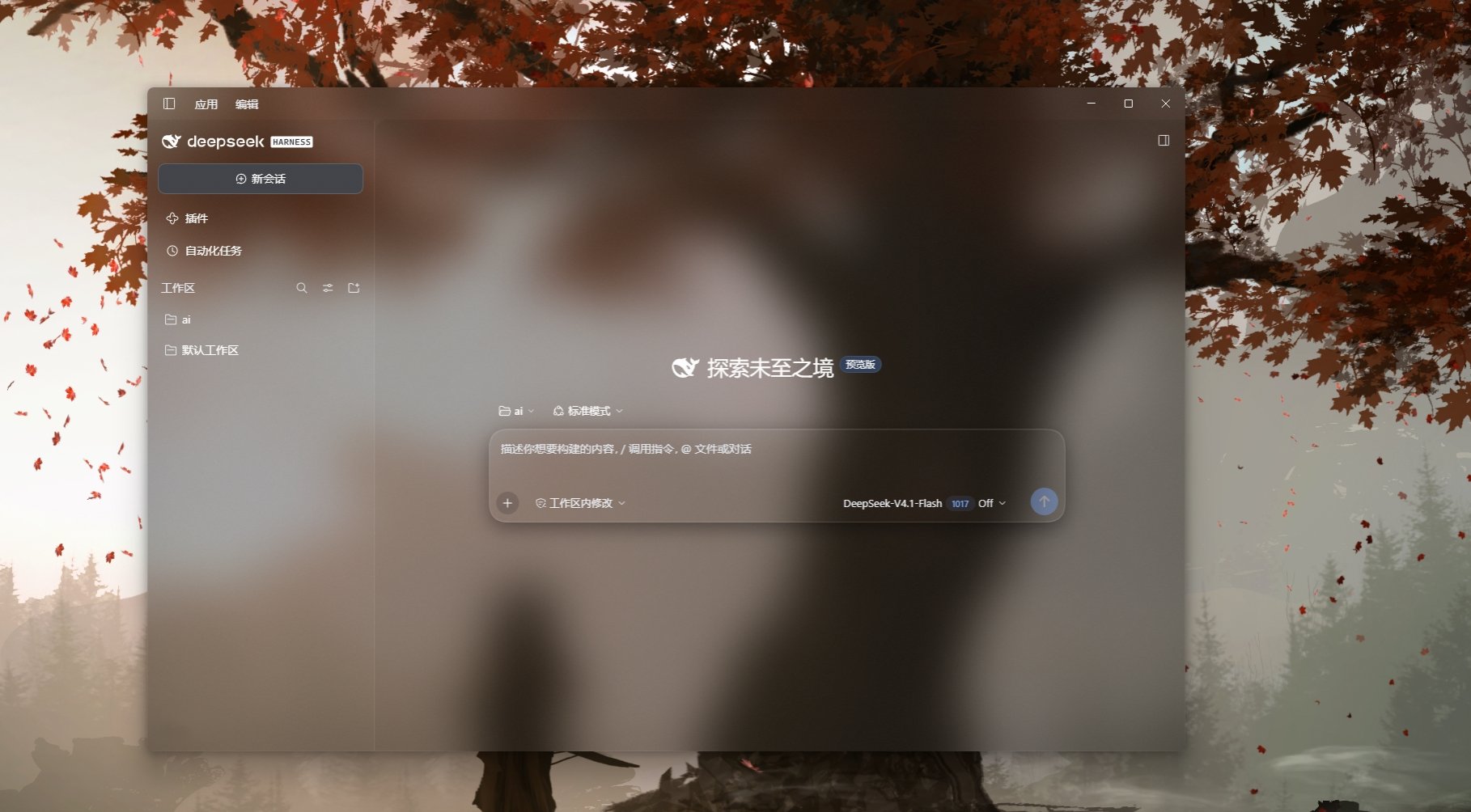 3
No screenshots
by YSDLNGF
Windows Acrylic window material for the DeepSeek Harness desktop app: the main window reveals the desktop wallpaper and Acrylic supplies the blur, while panels are layered by role (fully transparent c
★ 0
MIT
JavaScript
Oct 27, 2026
dsh plugin --profile web add dsh-acrylic-light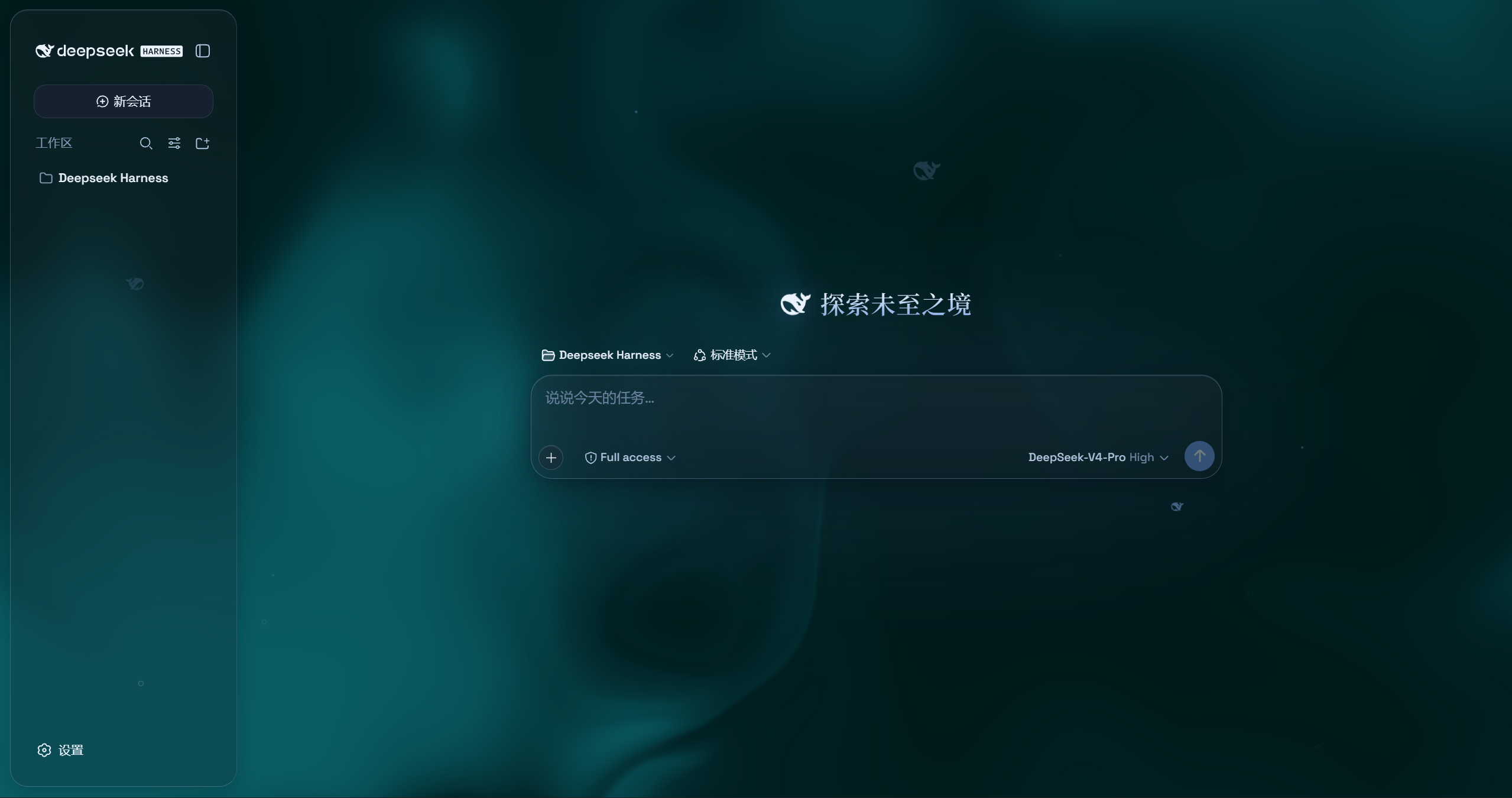 4
No screenshots
by WYH66666666
是一层高自由度的玻璃质感主题,套在 DeepSeek Harness 网页端。顶栏、侧边栏、输入框、统计行、轨迹视图都成了磨砂玻璃片。玻璃模糊度、磨砂度、背景(流体或自定义壁纸,壁纸还能单独调模糊和磨砂)全都能在设置卡片里自由调节。关掉开关就回到原生界面,不改 DSH 任何一行源码。
★ 435
AGPL-3.0
JavaScript
Aug 22, 2026
dsh plugin --profile web add @deepseek-ai/dsh-client-ui-aqua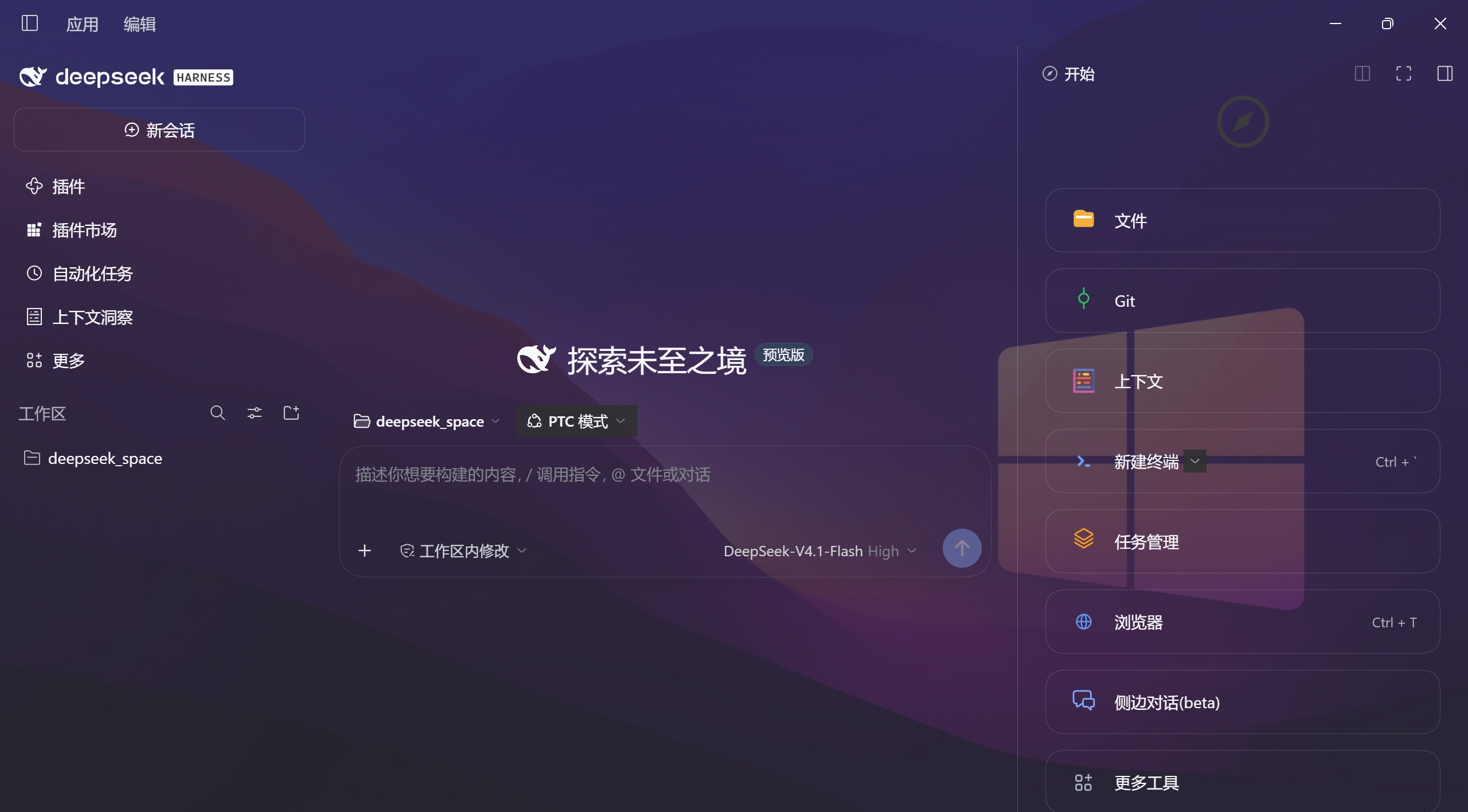 7
No screenshots
by Yuanqs-pine
Frosted-glass background for the whole app: one slider blends from a genuinely blurred, milky frost to a fully transparent page, and every region, control and expanded page moves as a single sheet pai
★ 0
MIT
JavaScript
Oct 30, 2026
dsh plugin --profile web add dsh-transparent-frosted