

dsh-remote-web-gateway
Manifest valid★ 166Mobile/Tablet Remote DeepSeek Harness: Scan a QR code to keep using DSH on your computer—no remote desktop / SSH / public IP required. Supports one-time pairing, GitHub-authorized encrypted login, independent device authorization, and instant revocation. Remote connection is easy, but security is what we truly value.
简体中文 · English
DSH Remote Web Gateway
Keep using DeepSeek Harness on your phone.
Scan a code, and your DSH on the computer comes with you.
A link is not a credential · one-time pairing · GitHub authentication · per-device authorization, revocable anytime
No remote desktop · no SSH · no public IP / port forwarding
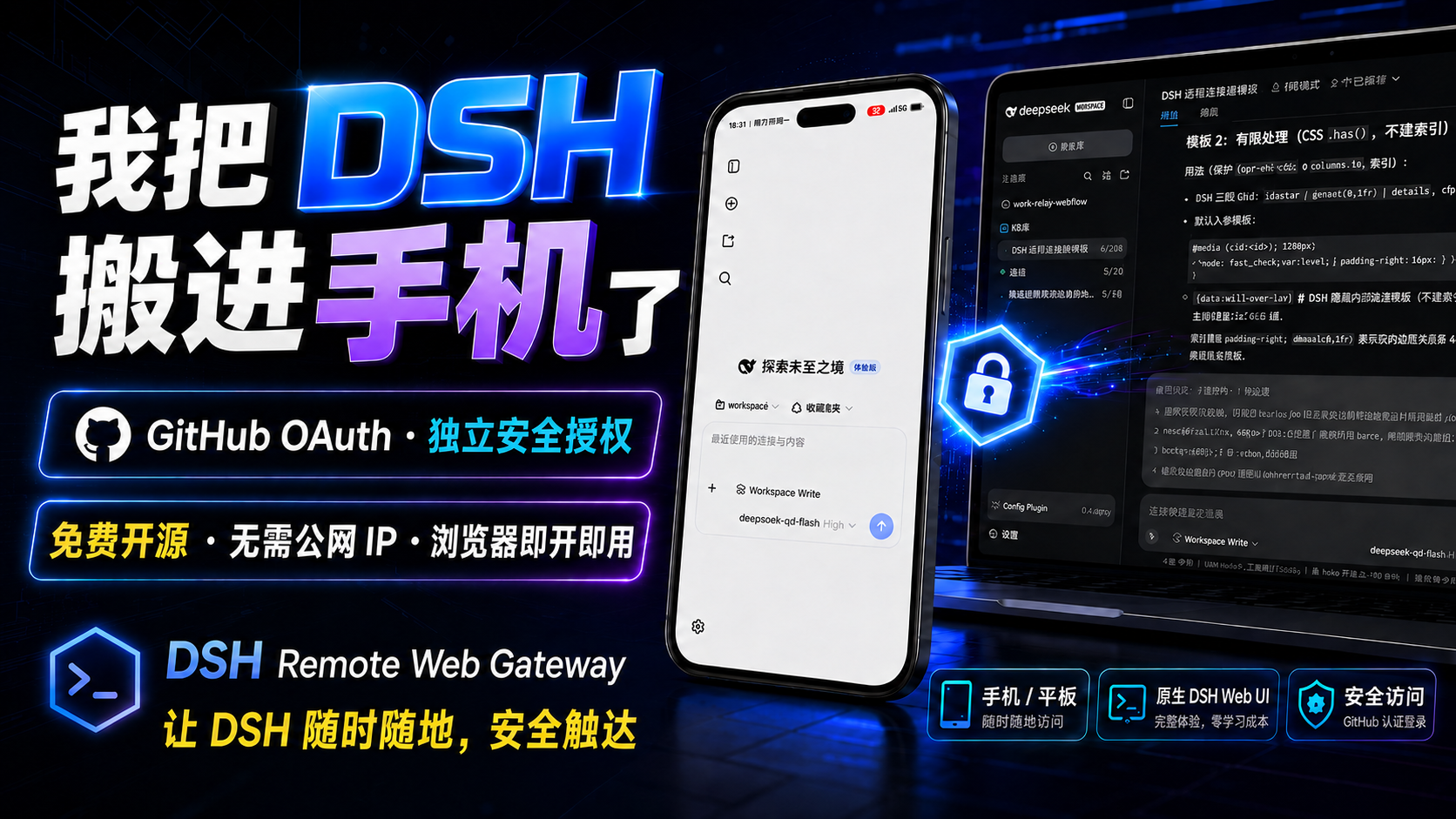
DSH is still working on your computer, but you're gone?
Heading home, the Agent still runs tasks.
You just want to check:
How far along is it? Did the results come out?
After you left, it stopped and waits for you.
Or you're in bed and suddenly recall:
"I need to add a line to that request."
What you actually want is simple:
Open your phone and keep using that DeepSeek Harness running on your computer.
DSH Remote Web Gateway does exactly that.
No need to cram the entire Windows desktop into your phone, and no need to redeploy an Agent on your phone.
Projects, sessions, tools and the Agent stay on the computer.
You're simply bringing DSH along with you.
⭐ Does this project solve your pain point? Give it a Star →
Star is not an installation requirement and doesn't affect any features.
It just tells me:
This project deserves to keep being maintained, and more people looking for "remote DSH on phone" can find it.
🚀 One command, ready to use after install
dsh plugin --profile web add dsh-remote-web-gateway
After installation:
Restart DSH → Settings → Remote Control → Enable Remote Control → Scan QR on phone
That's it.
📘 First time? Open the "User Guide" →
Installation, scanning, second device, revoking permissions, updates and FAQ are all covered step by step.
🤖 Don't want to install it yourself? Let AI do it →
Send the project link and the ready-made prompts from the user guide to DSH, Codex, Claude Code or any other Coding Agent.
AI with terminal access can install directly; AI without computer access can follow the docs step by step.
DSH on your phone is not "a smaller Windows"
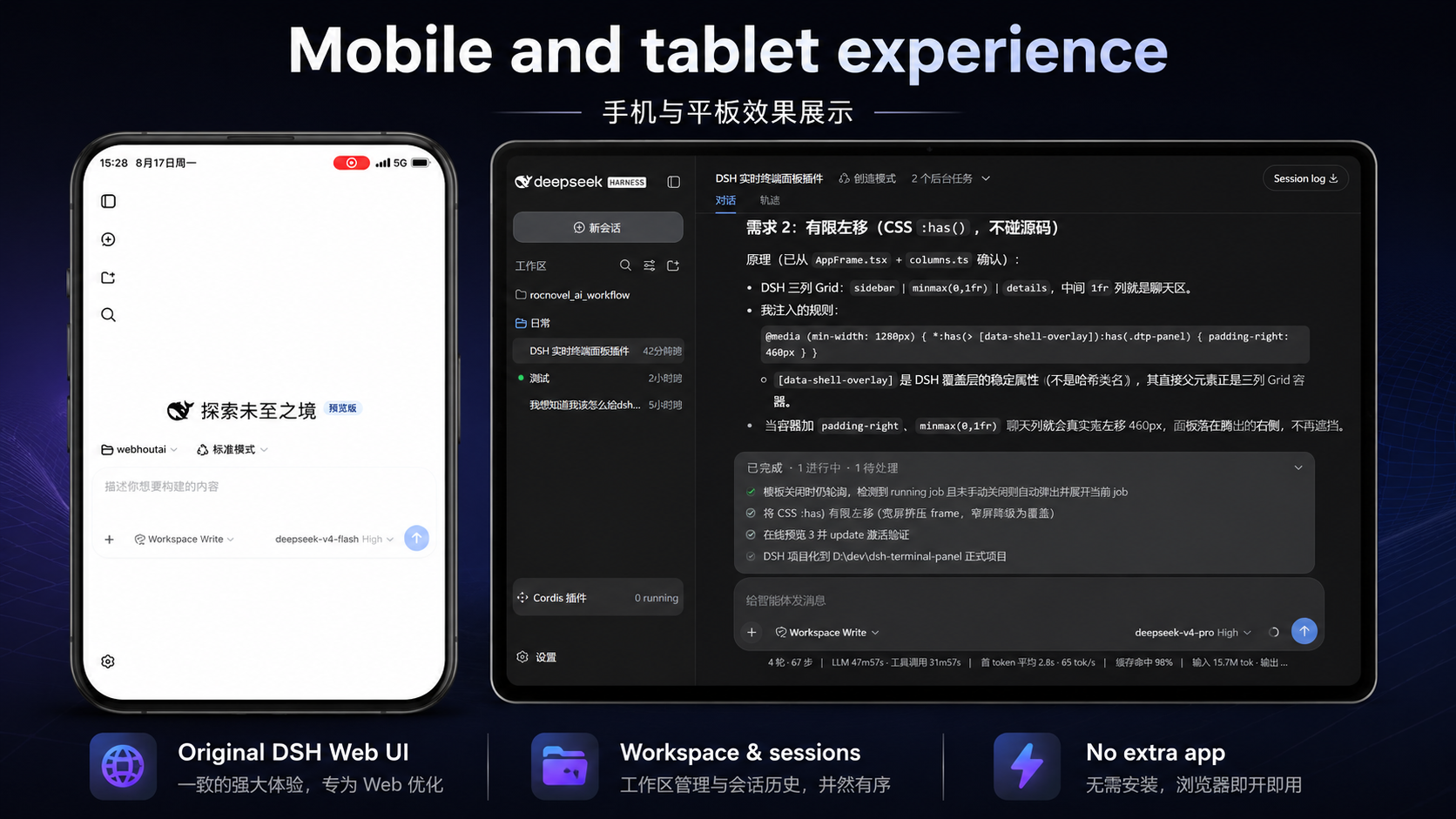 Traditional remote desktop solves:
How to move the whole computer to a phone?
We solve:
How to keep using DSH after leaving the computer?
The Agent on the computer keeps working.
On your phone you:
Watch progress · Continue the conversation · Check results · Handle operations needing your confirmation
What your phone shows is DSH.
Not a Windows desktop you have to pinch-zoom and drag.
You just want to keep using DSH on your phone — really need all that hassle?
Do you really need to remote the entire Windows just to check on the Agent?
No.
Just bring DSH to your phone.
Do you really need a VPS, SSH, and router port changes to connect phone to computer?
Not by default.
One-click Cloudflare Quick Tunnel.
Do you really need to redeploy an Agent just to use DSH on your phone?
No.
Keep using the DSH, projects and tools already running on your computer.
For convenience, do you really need a long-lived Token following the link everywhere?
We chose a different approach:
One-time pairing + per-device authorization + revocable anytime.
Connecting is just step one; security is the default.
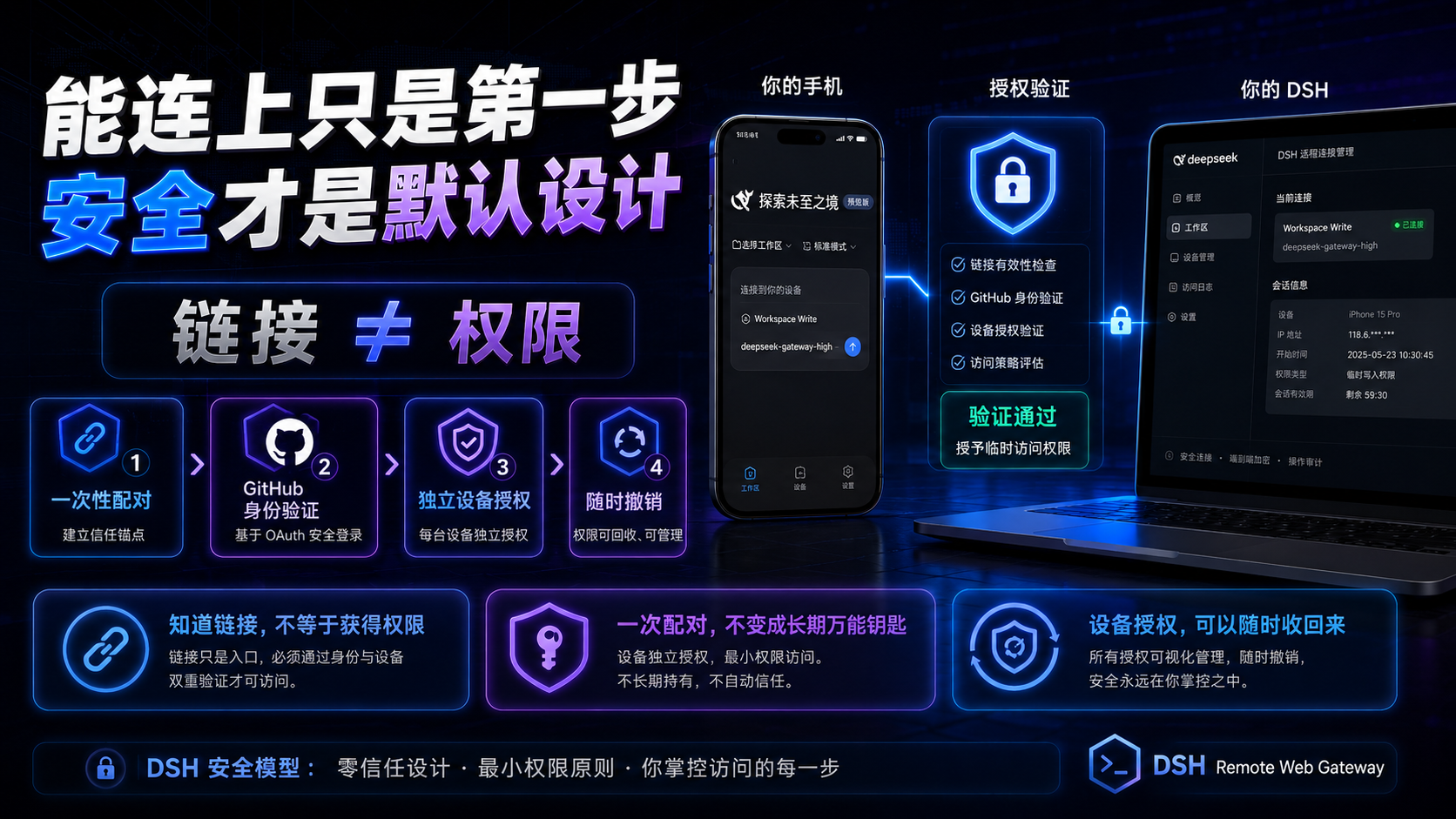
Remote DSH on a phone is not hard in itself.
Reverse proxy + tunneling, and a phone can quickly open a Web UI.
What's truly hard:
Who can get in?
What if credentials leak?
Can a device's authorization be revoked after granted?
Because behind DSH is not a regular webpage.
It may connect to:
Your project source code, dev files, local tools, and already-configured model capabilities.
If this is a company dev machine, a poorly designed remote entry point risks more than "someone seeing a page."
A dev environment may be exposed.
Or someone could keep calling your configured model quota.
Waking up to find your API quota drained is just one of the lighter consequences.
So we did not treat:
"Phone can open it"
as:
"Remote access is done."
The flow is closer to:
临时连接
    ↓
一次性配对 / GitHub 身份
    ↓
独立设备授权
    ↓
持续认证
    ↓
随时撤销
    ↓
DeepSeek Harness
A link is not a credential.
Getting the URL does not mean you already control DSH.
Pairing credentials are not long-lived.
First pairing uses a one-time credential, not a long-lived universal Token following QR codes and links.
Each device is authorized independently.
All phones don't share the same long-lived key.
Authorization can be revoked.
A device no longer trusted?
Revoke it on the computer side.
For security boundaries, what's defended and what's not:
🛡️ View the full "Threat Model" →
If a reverse proxy could do it, why do we build it this complex?
A minimal implementation mainly solves:
How to open this webpage from outside?
And we want to solve:
How to make it truly suitable for long-term remote use?
So beyond connectivity, we also did:
One-time pairing · Independent Device Session · single-device / all-devices revocation · HTTP / WebSocket auth · local admin isolation · optional GitHub authentication
We prefer to make this a bit more complex.
Rather than mistake "can open" for "safe to use."
How does it actually connect?
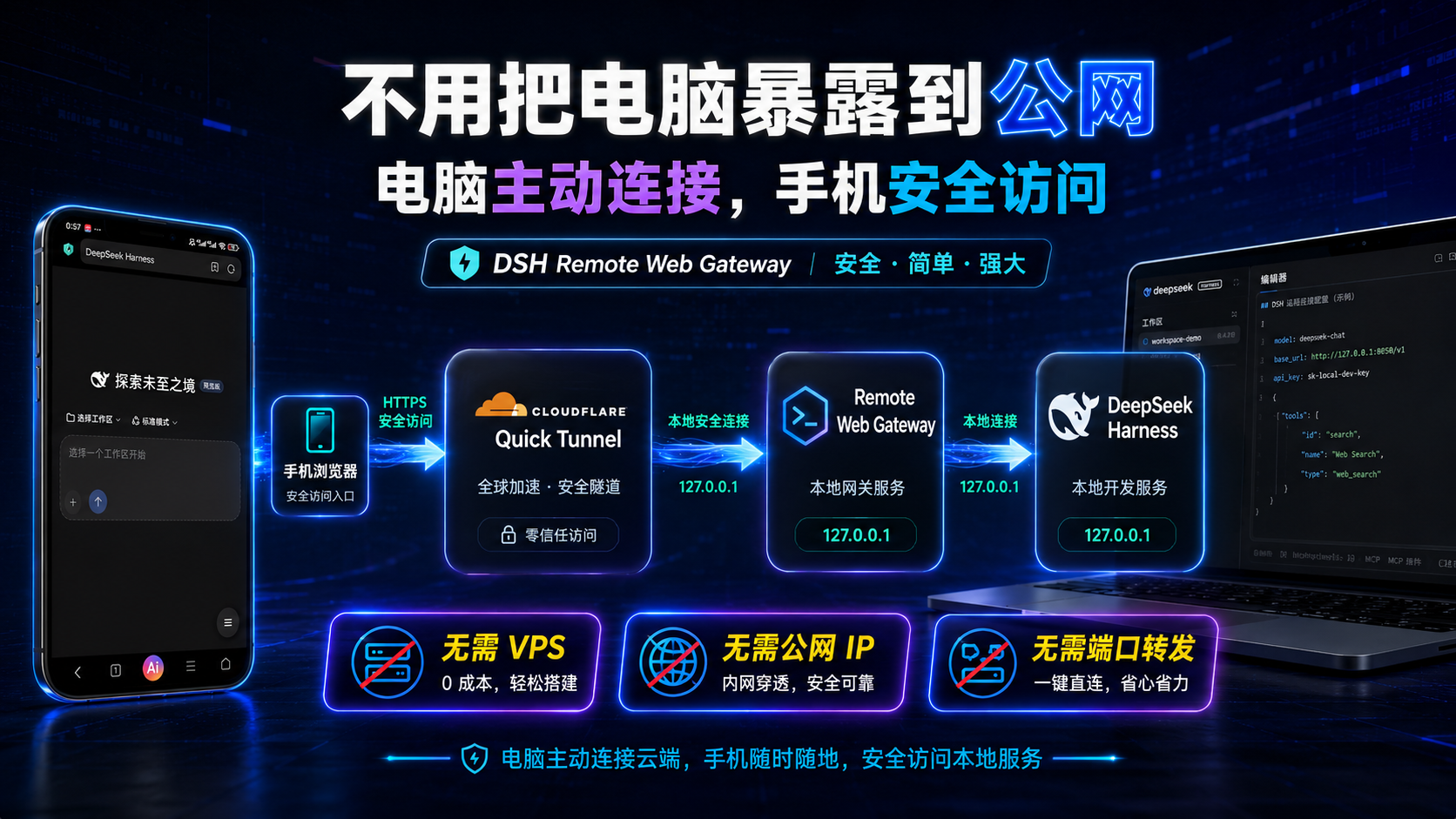
手机浏览器
     │
     │ HTTPS
     ▼
Cloudflare Quick Tunnel
     │
     ▼
DSH Remote Web Gateway
     │
     │ 127.0.0.1
     ▼
DeepSeek Harness
The computer initiates the Tunnel outward.
DeepSeek Harness and Gateway still listen on localhost only.
So by default no public IP is needed, and no new inbound router port is opened.
🏗️ View the "Architecture" docs →
Capabilities You'll Actually Use
📱 Purpose-Built for Phones
Not a desktop UI squeezed onto a phone.
⚡ One-Click Quick Tunnel
No VPS, SSH, or port forwarding required by default.
🔐 One-Time QR Code / 8-Digit Pairing Code
First-time device pairing, simple.
📱 Independent Device Authorization
Each device has its own access.
🚫 Revoke Anytime
Revoke one or all devices from the computer.
🐙 Optional GitHub Authentication
You can bind your own GitHub identity when needed.
🌐 Automatic Network Adaptation
Supports system / env proxies and verified fallback downloads.
🔄 Update Notifications
Notifies you of new versions; you confirm installation — no silent restarts of running DSH.
📚 Documentation
📘 User Guide
First time? Start here.
It also includes copy-paste-ready prompts for AI installation / troubleshooting.
🧰 Troubleshooting
Common issues: tunnel, downloads, pairing, network, updates, and more.
🛡️ Threat Model
What we protect, trust, and the security boundaries.
🏗️ Architecture
How Quick Tunnel, Gateway, DSH, and device authorization fit together.
💻 Compatibility
Which platforms are verified, which are not yet.
🔐 Security Policy
Report security issues through this page.
📋 CHANGELOG
Version changes and updates.
🤖 Stuck? Hand the project link to an AI
https://github.com/summer1238/dsh-remote-web-gateway
Take:
Project Link + Your Error / Screenshot
Send them together to DSH, Codex, Claude Code, or any other AI.
Tell it:
First read this project's README, User Guide, and Troubleshooting docs, then help me debug per the current docs.
🤖 Let AI Install / Troubleshoot for You →
Open Source
☕ If It Really Helped You
This project will remain free and open source.
If it saved you from remote-desktop headaches, a VPS, or just let you keep using DSH comfortably after hours—
Worth it.
If you'd like to support ongoing maintenance, you can grab me a Coke. ❤️
Mainland China users: WeChat / Alipay


Of course, sponsorship is never a requirement to use this project, but a Star ⭐ matters a lot!
Leave a ⭐ and I'll be very happy.
Join the community — more than just Issues, Pull Requests, and device compatibility feedback. A fun, useful, and friendly VibeCoding exchange group!
Share great projects anytime

View CONTRIBUTING.md →
This project is licensed under the MIT License.
DSH Remote Web Gateway is a DeepSeek community open source project
⭐ If It Truly Let You Step Away from Your Computer, Leave a Star in the Top Right
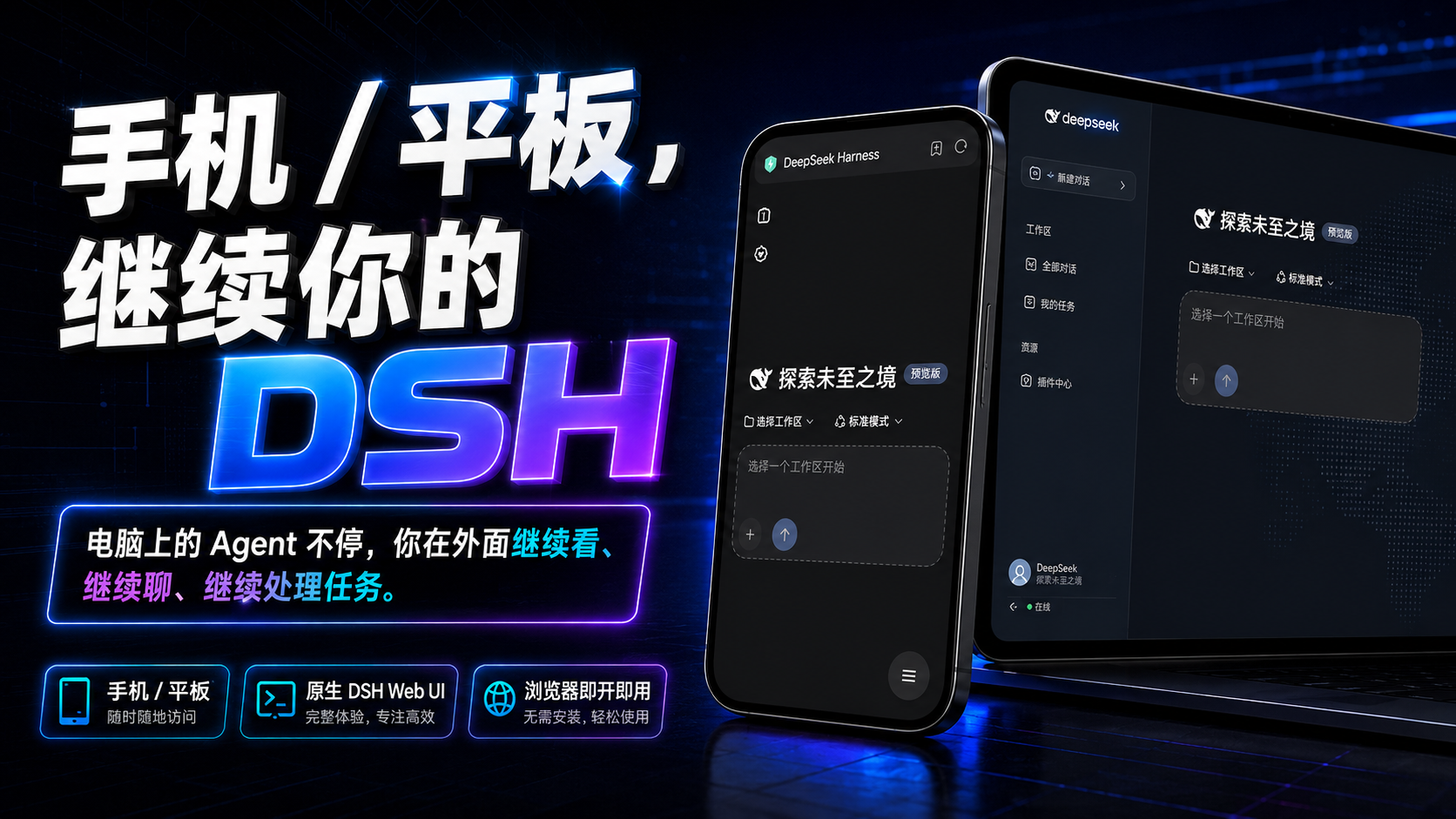
The Agent on your computer keeps running.
You've left the office.
Then finish the task right from your phone.
That's the point of this project.
⭐ Don't forget to Star DSH Remote Web Gateway and help more DSH users find it →
Compatibility
Versions
| Latest version | Published | Size |
|---|---|---|
| 0.2.0 | — | — |
| 0.2.2 | — | — |
| 0.2.0-rc.2 | — | — |
| 0.2.1 | — | — |
Comments
Loading…
Similar plugins
by shaobeichen
把 DeepSeek Harness 装进你的口袋:电脑上跑 dsh web,手机扫码即同步访问(局域网 + 公网,实时同屏)Put DeepSeek Harness in your pocket: run dsh web on your computer and access it synchronously by scanning a QR code on your phone (LAN +
★ 2.6k
↓ 4.8k/wk
GPL-2.0
JavaScript
Oct 17, 2026
dsh plugin --profile web add dsh-pocketby saya-ch
DeepSeek Harness 的 Android App 与安全远程访问插件,支持局域网/远程连接和高度自定义的移动界面与扩展能力。
★ 676
↓ 4.2k/wk
Apache-2.0
TypeScript
Oct 29, 2026
dsh plugin --profile web add dsh-mobileby winlin926
把电脑上的 DeepSeek Harness 会话漫游到手机:浏览器扫码即用,AI-HUB App 共用同一地址和配对码。
★ 1
MIT
TypeScript
Oct 24, 2026
dsh plugin --profile web add dsh-roamby copylee711
DeepSeek Harness 远程控制插件:手机扫码、电脑确认后,用手机浏览器继续会话、审批和管理设置。
★ 3
MIT
TypeScript
Oct 23, 2026
dsh plugin --profile web add @copylee/dsh-remote-controlby liguobao
一个基于 DeepSeek Harness 插件机制构建的多端远程访问方案,通过安全、低延迟、端到端加密的 P2P 优先网络,支持从 PC、Android 和 Web 随时访问并操作远程 Harness 和 CodeX。 (A multi-device remote access solution built on the DeepSeek Harness plugin system, enabl
★ 944
↓ 3.1k/wk
NOASSERTION
TypeScript
Oct 29, 2026
dsh plugin --profile web add ds-harness-remoteby JUANWANG-BUAA
Auditable, token-gated DeepSeek Harness remote gateway: mobile QR access, per-device sessions, Host/Origin rewrite, settings/credentials/directory support.
★ 51
↓ 204/wk
MIT
TypeScript
Oct 24, 2026
dsh plugin --profile web add dsh-full-remote