
dsh-vscode-theme
Manifest validImports .vsix theme files made for Visual Studio Code and applies them to the DSH Web UI.
DSH VS Code Theme
dsh-vscode-theme adds a VS Code theme importer to DeepSeek Harness Web. In Settings -> Plugins -> VS Code Themes, drag in a .vsix file, select one of the theme variants it contains, and the DSH interface switches immediately. Parsing happens in the browser; the VSIX is not uploaded. The interface follows DSH's selected language and supports English and Simplified Chinese.
The plugin also exposes vscode_theme_parse for agents that need the complete VS Code color and token data from a workspace file.
Install
Install directly from GitHub:
dsh plugin --profile web add github:Sim-xia/dsh-vscode-theme
When running DSH from its source checkout, use the equivalent command:
pnpm dsh plugin --profile web add github:Sim-xia/dsh-vscode-theme
The package declares a DSH bundle patch, so the command also enables it in that profile. Restart the profile. The plugin depends on DSH's standard fs and tools services, which the web profile provides.
For local development, replace the GitHub specifier with this repository's absolute path.
Use the UI
Restart the DSH Web profile after installing or rebuilding this package, then open Settings -> Plugins -> VS Code Themes. Drop a VSIX onto the import panel or choose it from disk. Every imported VSIX is stored in this browser's IndexedDB; use the saved-package menu to switch between them after a refresh or DSH restart. They are never uploaded. A theme applied through this plugin remains applied after a refresh; choosing a different DSH theme clears that restoration preference.
DSH and VS Code have different visual-token systems. The importer maps the workbench palette (backgrounds, text, borders, focus, selection, status colors, and sidebar) into DSH's UI tokens. Syntax token colors remain available to the agent parser but do not recolor the DSH interface.
Use from an agent
Ask the agent to inspect a VSIX, or call the registered tool directly:
{
  "path": "/workspace/piousdeer.adwaita-theme-1.1.0.vsix",
  "theme": "Adwaita Dark",
  "detail": "summary"
}
Use detail: "full" to return every resolved color and token rule. The default summary returns metadata, rule counts, inherited files, and the first 24 workbench colors to keep ordinary model context compact.
Development
Building and publishing require Node.js 22 or later. The compiled host plugin targets Node.js 20 for DSH runtime compatibility.
npm install
npm run check
npm run build
Compatibility
Versions
| Latest version | Published | Size |
|---|---|---|
| 0.1.0 | — | — |
| 0.1.1 | — | — |
| 0.1.2 | — | — |
Comments
Loading…
Similar plugins
No screenshots
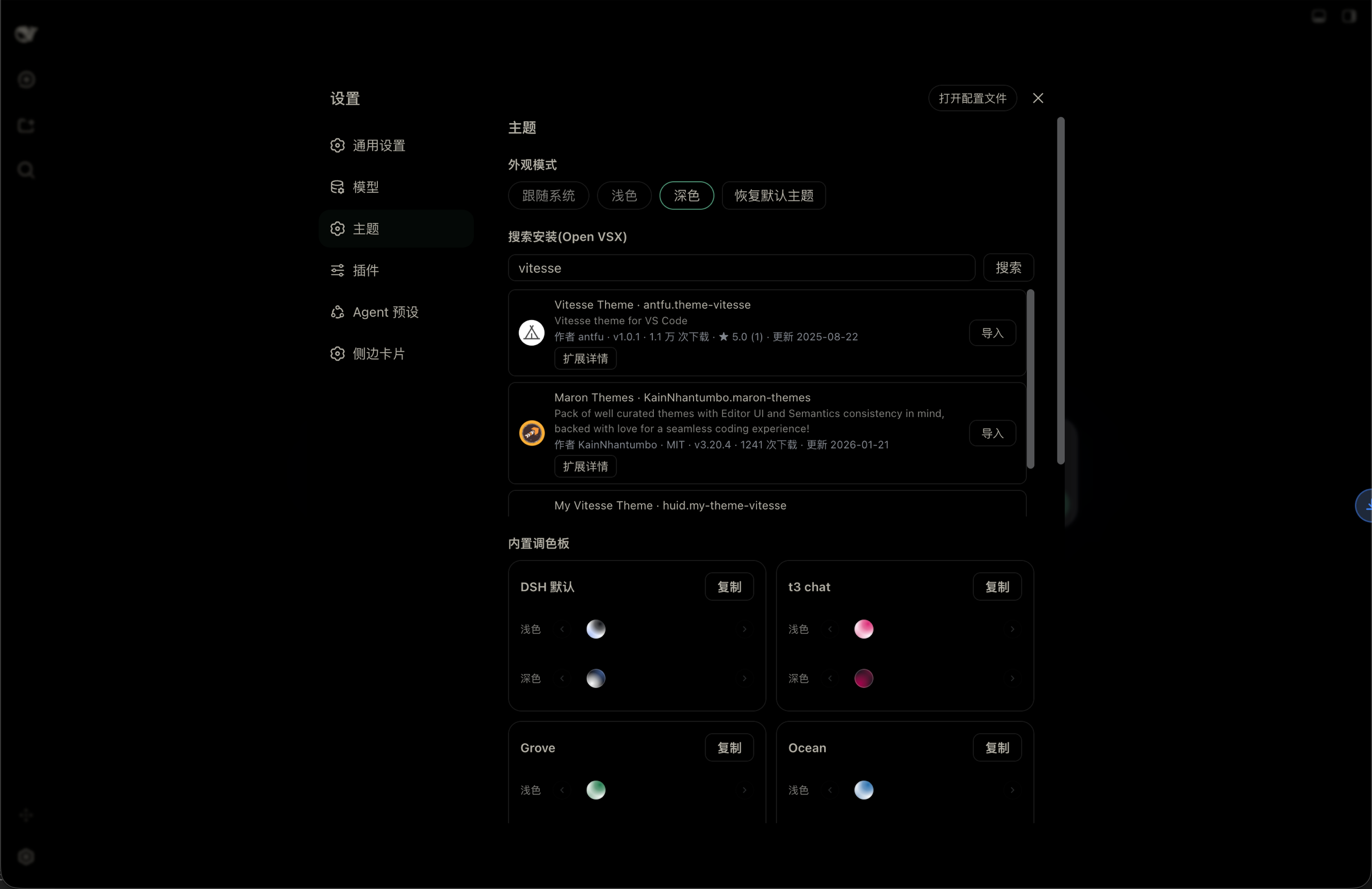
Look & theme plugin for the DSH Web UI: built-in palettes, light/dark/follow-system appearance modes, Open VSX theme search & install, and VS Code theme import with a persisted theme library.
★ 1
MIT
TypeScript
dsh plugin --profile web add dsh-themes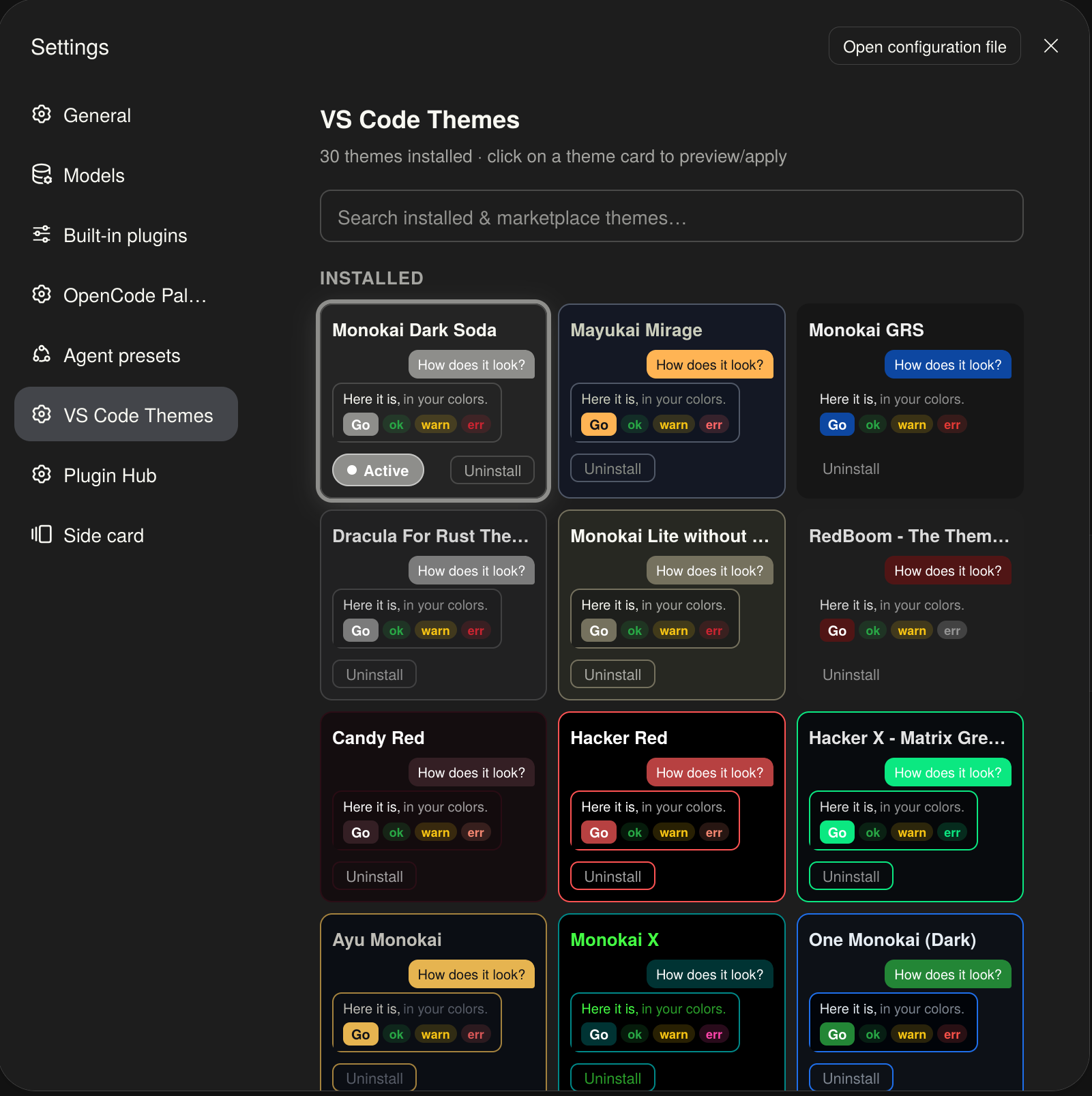
No screenshots
Browse, search, install, and apply VS Code color themes to the DeepSeek Harness Web UI: bundles 14 curated themes with live color-swatch previews, searches the official VS Code Marketplace for more, a
★ 0
dsh plugin --profile web add dsh-vscode-themes2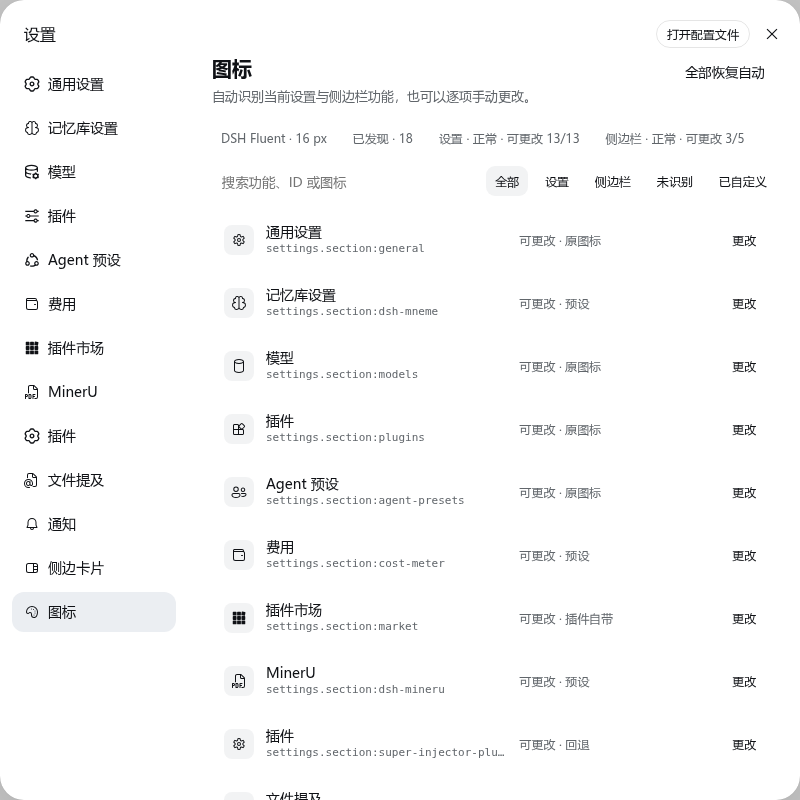 2
2No screenshots
by yzke
Automatic and user-customizable Fluent-style icons for DSH Settings and sidebar actions, with offline SVG packs and original-icon preservation.
★ 2
↓ 151/wk
MIT
TypeScript
Aug 30, 2026
dsh plugin --profile web add dsh-icon-theme✦
No screenshots
DSH Web skin manager for mainstream DSH skin packages: import local paths or GitHub collections, scan installed skins from the web profile, preview/use/disable/refresh/delete, with host-side persisten
★ 0
dsh plugin --profile web add dsh-custom-theme-importby jinsiyu
Package and install code-server (the web version of VSCode) as a plugin within dsh to quickly achieve professional file editing.
★ 7
↓ 179/wk
MIT
JavaScript
Oct 25, 2026
dsh plugin --profile web add dsh-code-server-appNo screenshots
by xinxing1708
Codex-style dark interface for DSH on Windows, with navigation, project and conversation sidebars, and model and reasoning controls.
★ 6
↓ 1.3k/wk
MIT
JavaScript
Oct 25, 2026
dsh plugin --profile web add @xinxing1708/dsh-codex-style