
dsh-idea-wall
Manifest validA sticky-note wall: say "I have an idea" in a conversation and the plugin summarizes it, tags it, and pins it to the wall.
灵感墙 · dsh-idea-wall
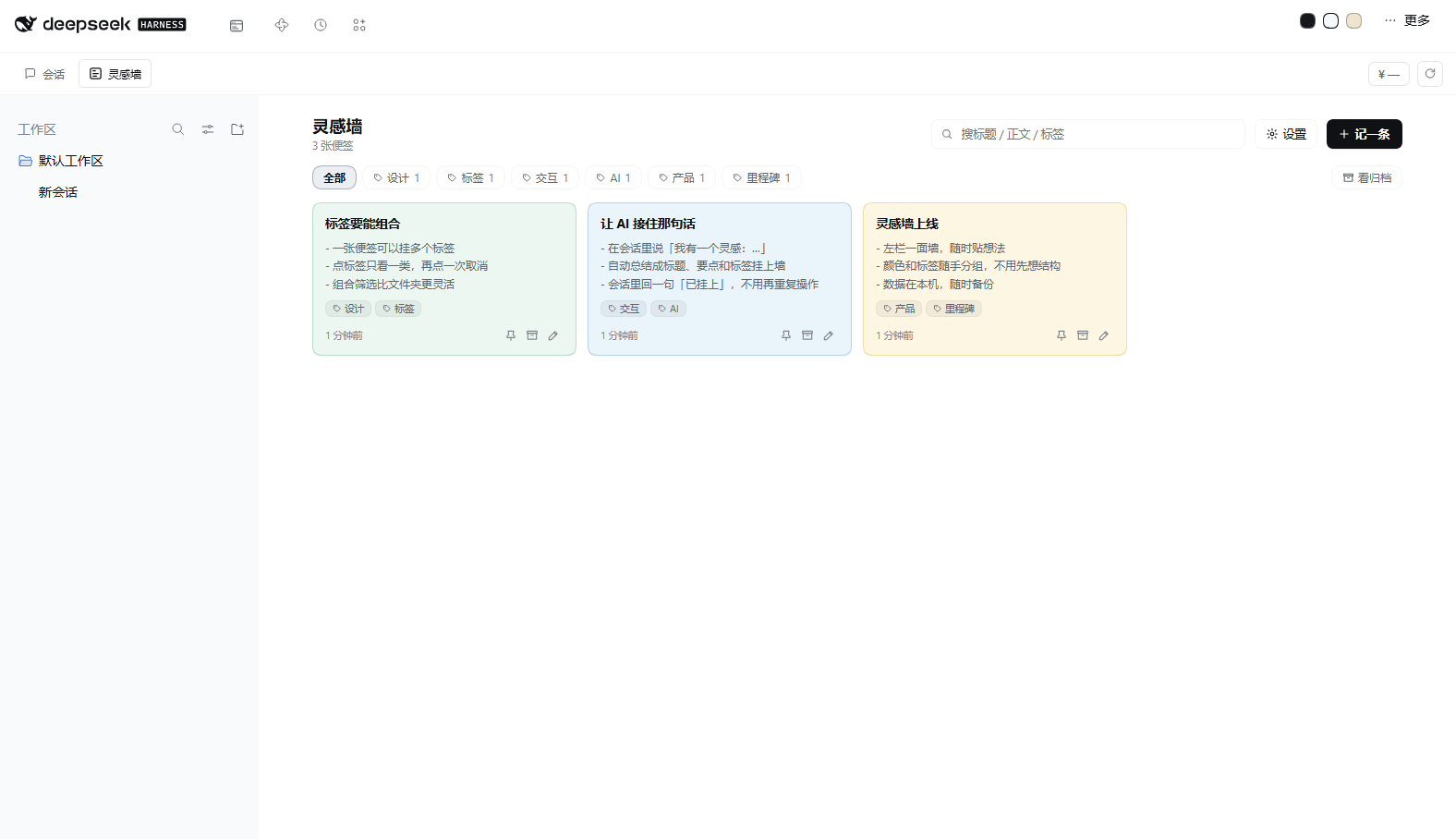
DeepSeek Harness 的便签墙插件:左栏一面墙随手贴灵感;
在会话里说一句「我有一个灵感……」,插件自己总结、打标签、挂上墙。
效果 📸
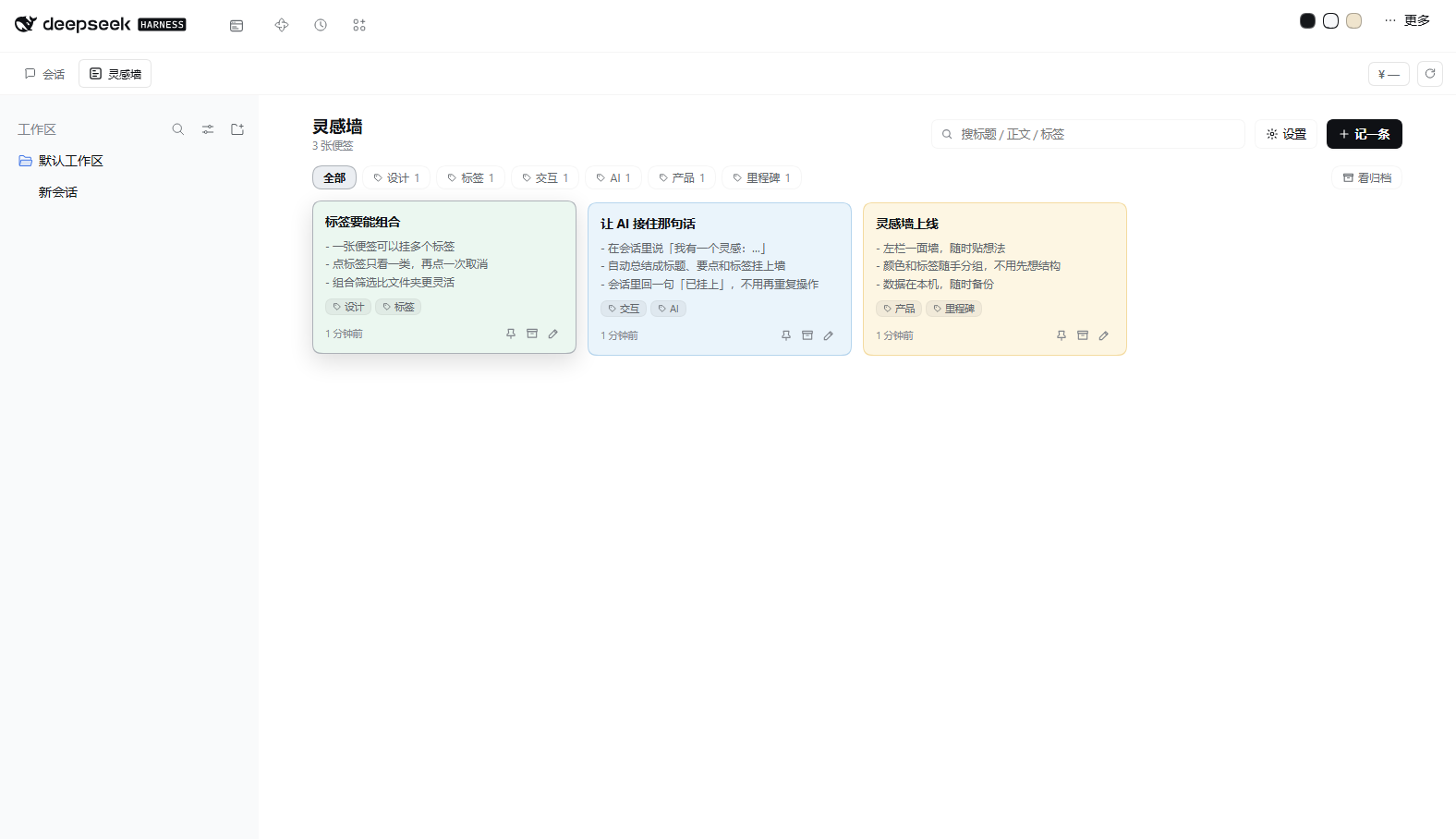
| 工作台里的「灵感墙」tab | 悬停反馈 |
|---|---|
 |  |
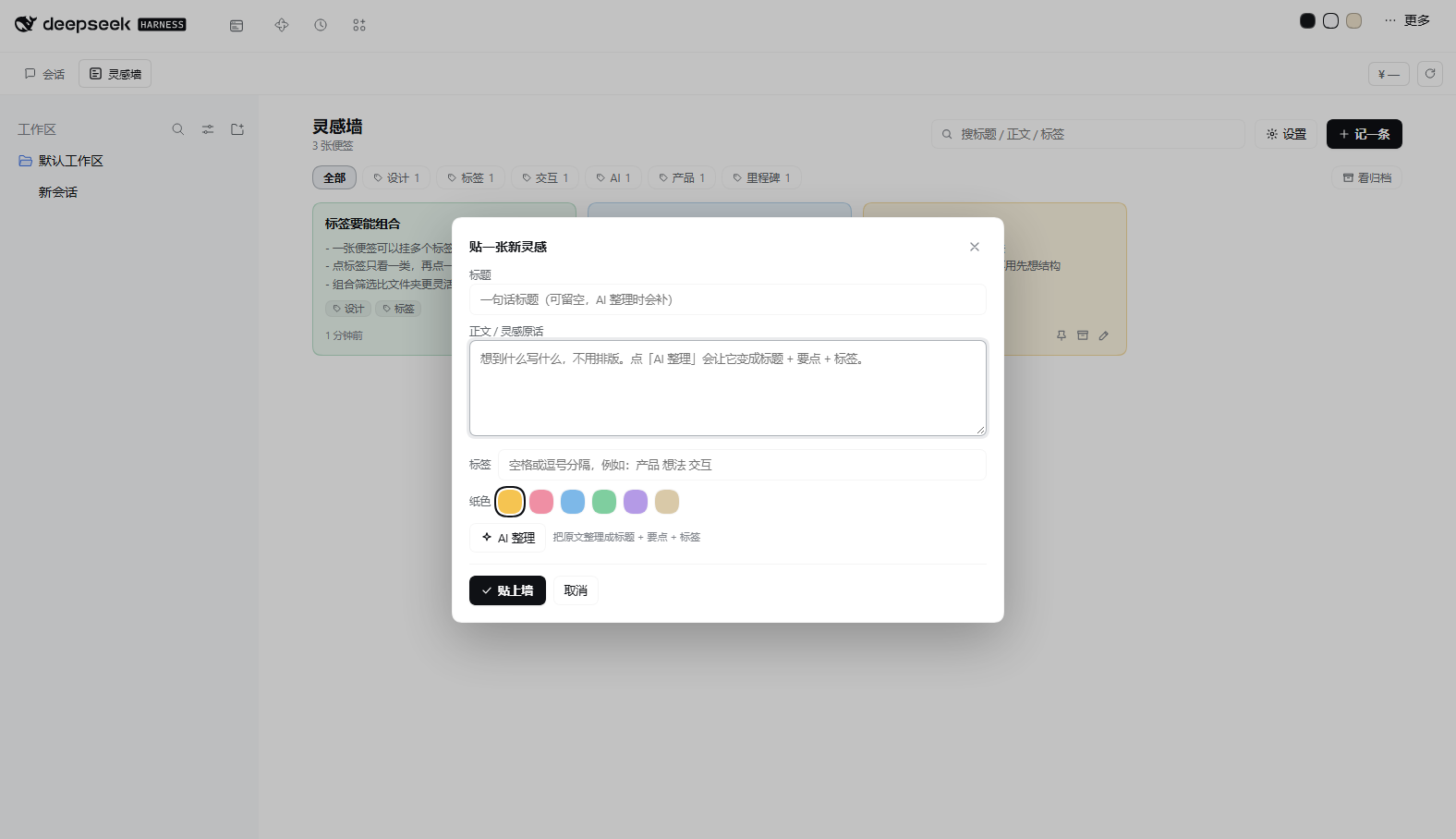
| 编辑弹窗 |
|---|
 |
功能 ✨
- 左栏一面墙:便签网格、六种纸色、自由多标签、搜索、标签筛选、置顶、归档。
- 会话自动捕获:在任意会话里说「我有一个灵感:xxx」「记一条灵感:xxx」「记到墙上:xxx」,插件抓这条消息,调一次模型归纳成「标题 + 要点 + 标签 + 纸色」,挂墙,并在会话里回一条
[灵感墙] 已自动挂上「…」的运行时快照,告诉模型不要再重复添加。 - AI 工具:
idea_wall_add / list / update / remove,模型也能主动挂、查、改、撕。 - 交互反馈:所有可点击元素都有 hover / active / focus-visible 反馈(注入式 CSS,便签卡有抬起阴影);图标全部是内联 SVG,不用字符。
- 工作台/原生侧栏双形态:装了 @philomelcc/dsh-workbench 就进顶部模块 tab;没装就退回原生侧栏入口。
- 数据本机:
$DSH_HOME/idea-wall/store.json(默认~/.dsh/idea-wall/store.json),原子写 + 损坏自动备份。
安装 📦
从 npm(推荐)
dsh plugin --profile web add @philomelcc/dsh-idea-wall
从 GitHub 源码
dsh plugin --profile web add github:philomelcc/dsh-idea-wall
本地开发
dsh plugin --profile web add link:/absolute/path/to/dsh-idea-wall
装完刷新页面即可(首次装新包不用重启;如果你改的是已装包的 client.js,重新装一次让 bundle 重建,或重启 DSH)。
使用 🖊️
- 打开工作台 → 顶部「灵感墙」tab(没装工作台时是左栏「灵感墙」图标)。
- 看右上角:搜索、设置、记一条。
- 手动贴一张:「记一条」→ 写标题/正文/标签/纸色;点「AI 整理」会把原文变成标题 + 要点 + 标签。
- 便签右下角:置顶、归档、编辑(编辑里有「撕掉」)。
- 在会话里说一句灵感,它会自动出现在墙上。
触发词
我有一个灵感 / 有一个想法 / 有一个点子 / 记一条灵感 / 记到墙上 / 灵感: / idea:,必须出现在消息开头 40 字内;正文中间提到「灵感」不会误触发。
数据格式 🗂️
$DSH_HOME/idea-wall/
├── store.json      # { version: 1, notes: [{ id, title, body, tags, color, pinned, archived, source }] }
└── settings.json   # { capture: boolean, model: { provider, model } | null }
- 便签是纯 JSON,随时可备份、可迁移。
- 写入先写临时文件再 rename;解析失败会改名成
store.corrupt-<时间>.json保留证据。
AI 工具 🤖
| 工具 | 说明 |
|---|---|
idea_wall_add | 挂一张便签(text 必填;title / body / tags / color 可选) |
idea_wall_list | 按关键词 / 标签筛选,返回便签列表 |
idea_wall_update | 改标题 / 正文 / 标签 / 颜色,置顶、归档 |
idea_wall_remove | 撕掉一张 |
自动捕获是 Host 侧 agent/pre-step 钩子实现的:命中触发词 → 调一次默认模型提炼 → 写墙 → 注入回执快照。提炼失败会退回「原文当正文」,不会丢灵感。
设置 ⚙️
墙页面右上角「设置」,或直接改 ~/.dsh/idea-wall/settings.json:
capture:会话里是否自动捕获(默认 true)。model:提炼模型覆盖;不填用当前默认模型。
开发 🛠️
node --check index.js
node --check client.js
node --test test/capture.test.mjs test/store.test.mjs
# 调试端点(本机):看 pre-step 最近处理了哪些消息、是否命中
GET /plugins/dsh-idea-wall/api/debug
改 Host 半(index.js / lib/):在插件里禁用+启用即热重载;改 Client 半(client.js):client bundle 在插件安装时组合,改完重新装一次(或重启 3080)才会重建。
已知限制 ⚠️
- 自动捕获每条灵感会调一次模型(约 3–10 秒),不想要可在设置里关。
- 单条正文上限 4000 字、标签最多 6 个、全墙最多 5000 条。
- 便签正文超过 170px 高度会截断显示,完整内容在编辑弹窗里看。
许可 📄
MIT © 2026 Philomel
Comments
Loading…
Similar plugins
by liaoangbo-droid
Sticky notes wall in the sidebar: rich text, images, ink, drag-to-reorder, per-note alarms, and scheduled delivery of a note into a session. Its read-only /state and /media routes have no authenticati
★ 49
MIT
JavaScript
Nov 13, 2026
dsh plugin --profile web add dsh-notewallby EiffelBS
Capture ideas, anywhere: the Ideas manager brings an idea backlog straight into the DSH Web GUI.
★ 0
MIT
JavaScript
Oct 28, 2026
dsh plugin --profile web add dsh-plugin-ideas-managerby boogoo619
Workspace-wide sticky notes on an infinite canvas: notes are plain Markdown files, created manually, captured from conversations, or distilled by the AI, and can be handed back as context; ships 12 mo
★ 3
↓ 270/wk
MIT
JavaScript
Nov 9, 2026
dsh plugin --profile web add dsh-noteboardby flyhigao
Workspace sticky notes for DSH, saved as multiple Markdown files under the current workspace.
★ 3
↓ 275/wk
MIT
JavaScript
Aug 31, 2026
dsh plugin --profile web add dsh-sticky-notesby latte03
Select text in the dsh web conversation to attach it as an annotation to your next message. The source text keeps a dashed highlight with an ordinal badge in place, and the composer summary lists, edi
★ 6
↓ 1.9k/wk
MIT
TypeScript
Nov 16, 2026
dsh plugin --profile web add dsh-select-quoteby renat3u
折叠对话当中众多的“无用消息”,例如Think、Bash等
★ 8
TypeScript
Aug 16, 2026
dsh plugin --profile web add dsh-web-archive