
dsh-prompt-manage
Manifest validReuse prompts you have typed across DeepSeek Harness conversations: a searchable palette beside the model selector in the composer, a magic-wand optimizer that rewrites the current draft with the sess

Prompt Manage


Prompt Manage is a DeepSeek Harness plugin that helps you reuse prompts you have already written and turn rough drafts into clearer prompts before sending them.
Features
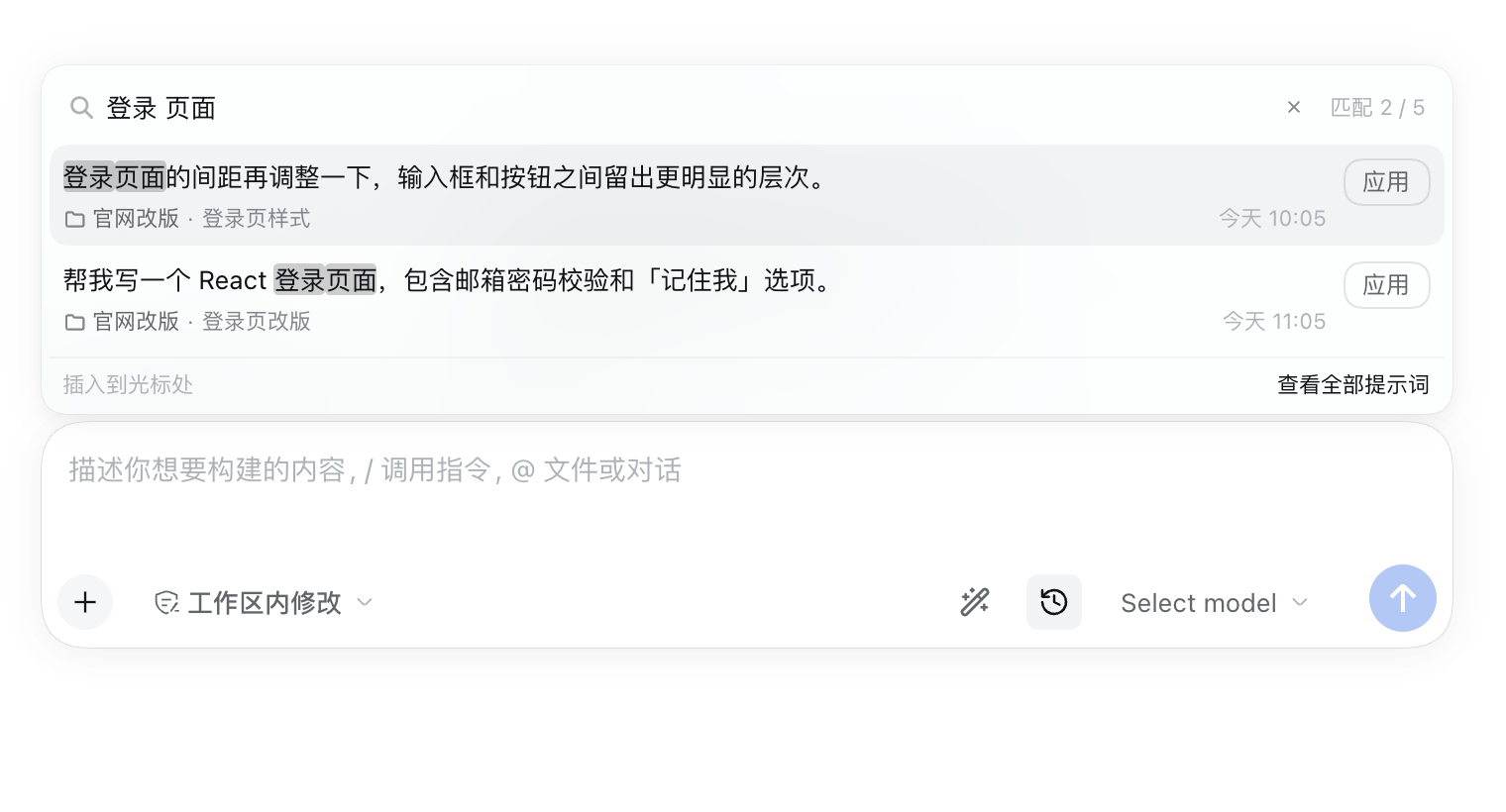
- Prompt palette. Click the clock icon in the composer to search every prompt you have written. Search prompt text, project names, and session titles; separate words with spaces to require all of them. Apply inserts a prompt at the caret.
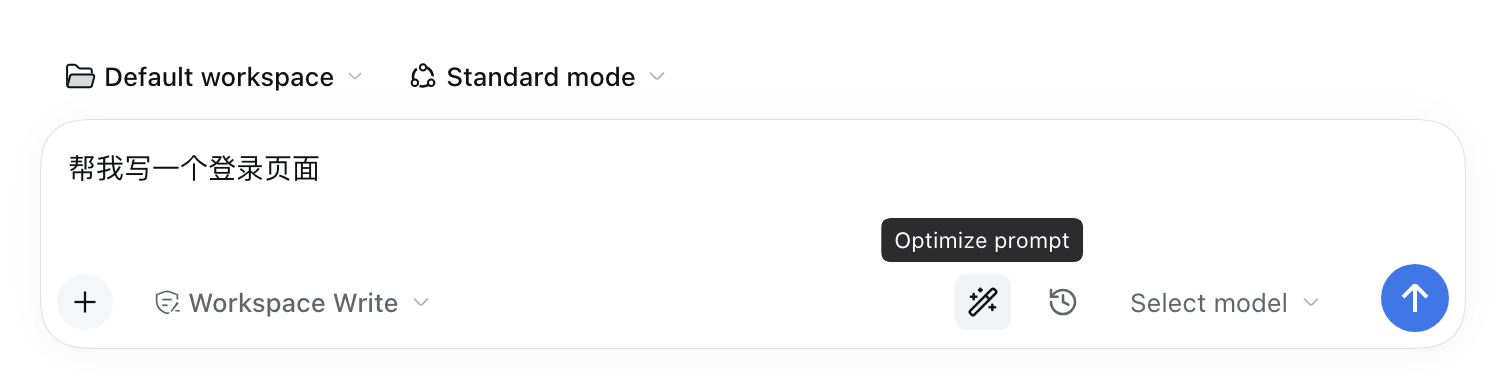
- Prompt optimizer. Click the magic-wand icon to rewrite the current draft with the model selected in the composer. Undo restores the original text.
- Prompt Manage page. Open it from the sidebar to browse every prompt with its project, session, and time. Copy any prompt with one click.
Screenshots
Installation
From npm
dsh plugin --profile desktop add dsh-prompt-manage
From a local checkout
In DeepSeek Harness, open Plugins → Add plugin and select the checkout directory.
Requirements
- DeepSeek Harness 0.2.2 or newer
- A Web or desktop profile
Usage
Reuse a prompt
- Open a conversation and click the clock icon next to the model selector.
- Search for a prompt, then click Apply or press Enter.
- Edit the inserted text before sending.
If you search with multiple words, every word must match. For example,
react 登录 finds prompts that mention both terms.
Optimize a draft
- Type or paste your draft in the composer.
- Click the magic-wand icon.
- Review the rewritten draft and press Undo if needed.
Browse prompt history
Open Prompt Manage from the sidebar to see all saved prompts, or choose View all prompts at the bottom of the composer palette. Each row shows the prompt's project, session, and time; use Copy to copy it.
Privacy
Prompt Manage reads local DSH session records only. Nothing is uploaded except the draft you choose to optimize, which is sent to the model selected in your composer in the same way as a normal message. The plugin never writes to your session history.
License
MIT. See LICENSE. Icon geometry adapted from Lucide is covered in THIRD_PARTY_NOTICES.md.
Comments
Loading…
Similar plugins
One-click prompt enhancement for the DeepSeek Harness composer: a chip beside the model selector rewrites the draft into a structured prompt using the session's own model.
★ 0
MIT
JavaScript
dsh plugin --profile web add dsh-prompt-enhancePrompt presets in the DeepSeek Harness (dsh) composer: pick one, it is inserted at the caret and focus returns to the input.
★ 0
MIT
JavaScript
dsh plugin --profile web add dsh-quick-promptsby huaguoxingkong
One-click prompt enhancement beside the DeepSeek Harness composer: rewrites a draft in place without sending it.
★ 294
↓ 1.6k/wk
MIT
JavaScript
Nov 19, 2026
dsh plugin --profile web add dsh-prompt-rewriterby BrambleXu
Reusable Markdown prompt profiles for DeepSeek Harness with per-turn model selection, argument substitution, and state restoration.
★ 1
MIT
TypeScript
Oct 10, 2026
dsh plugin --profile web add dsh-prompt-profileby ruiyukirin
DSH 输入框一键提示词增强按钮 | One-click prompt enhancement for the DeepSeek Harness composer: rewrite the unsent draft into a clearer, more specific prompt, restore the original with one click. Ported from Tencent WorkBuddy's EnhancePrompt design; independent model call that never touches the session log.
★ 2
MIT
JavaScript
Nov 19, 2026
dsh plugin --profile web add dsh-prompt-optimization-masterby markmuteki
DeepSeek Harness plugin: one composer button that rewrites your draft into a sharper prompt, shown beside your text before anything is replaced.
★ 0
MIT
JavaScript
Nov 13, 2026
dsh plugin --profile web add dsh-session-prompt-optimizer