

dsh-vibe-reading
Identified★ 1Vibe Reading: The paper-reading workspace in the right sidebar of DSH — renders PDFs exactly as-is; select any passage to highlight, annotate, or ask questions about it; annotations and notes are co-managed by human and machine and reused across sessions, @ injects the paper's table of contents, MinerU parsing built-in.
dsh-vibe-reading
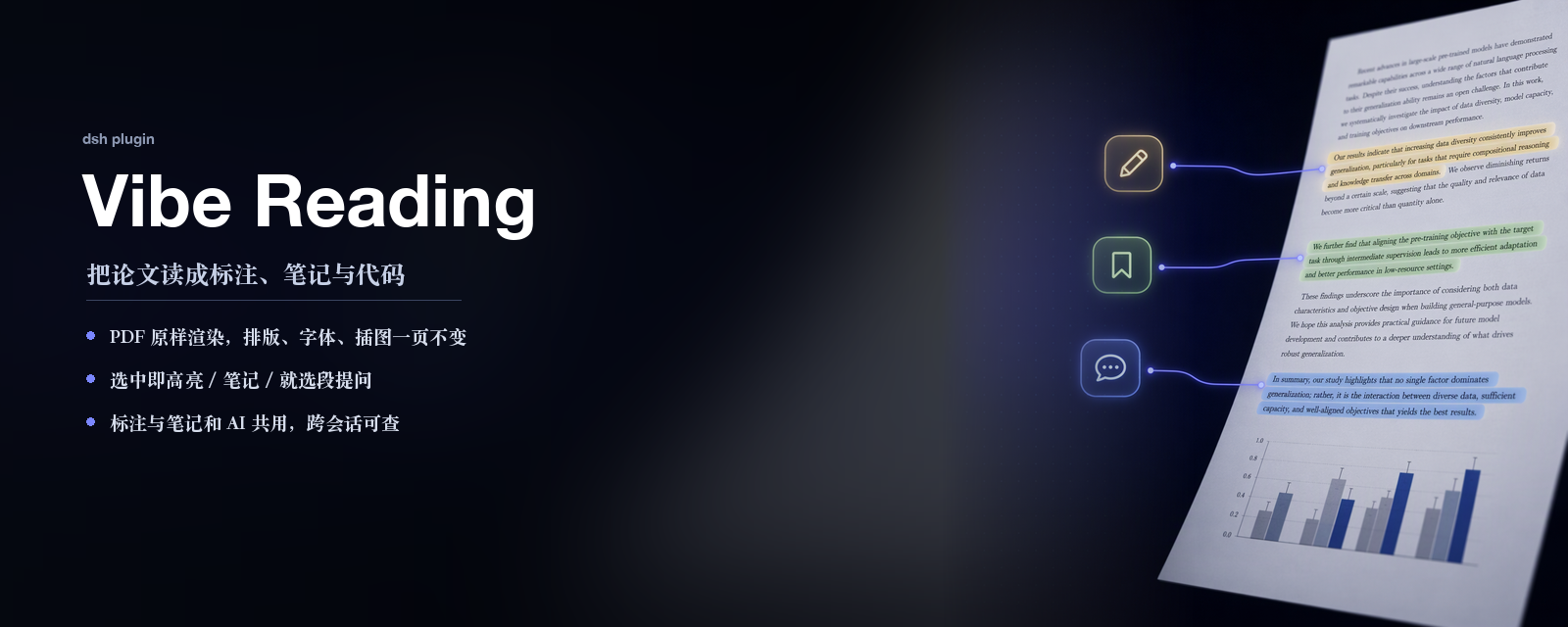
右侧边栏里的论文工作台:PDF 原样打开,读到的留下,AI 接着用。
Why use
- AI 伴读:AI 不替你思考,只是阅读伙伴。
- 论文连着实现:关键实现细节,AI 帮你找,帮你验证。
- 嵌入 DSH 生态:选中一段直接问,
@一下把这篇论文交给 agent;它记得你读过什么、判断过什么。
界面
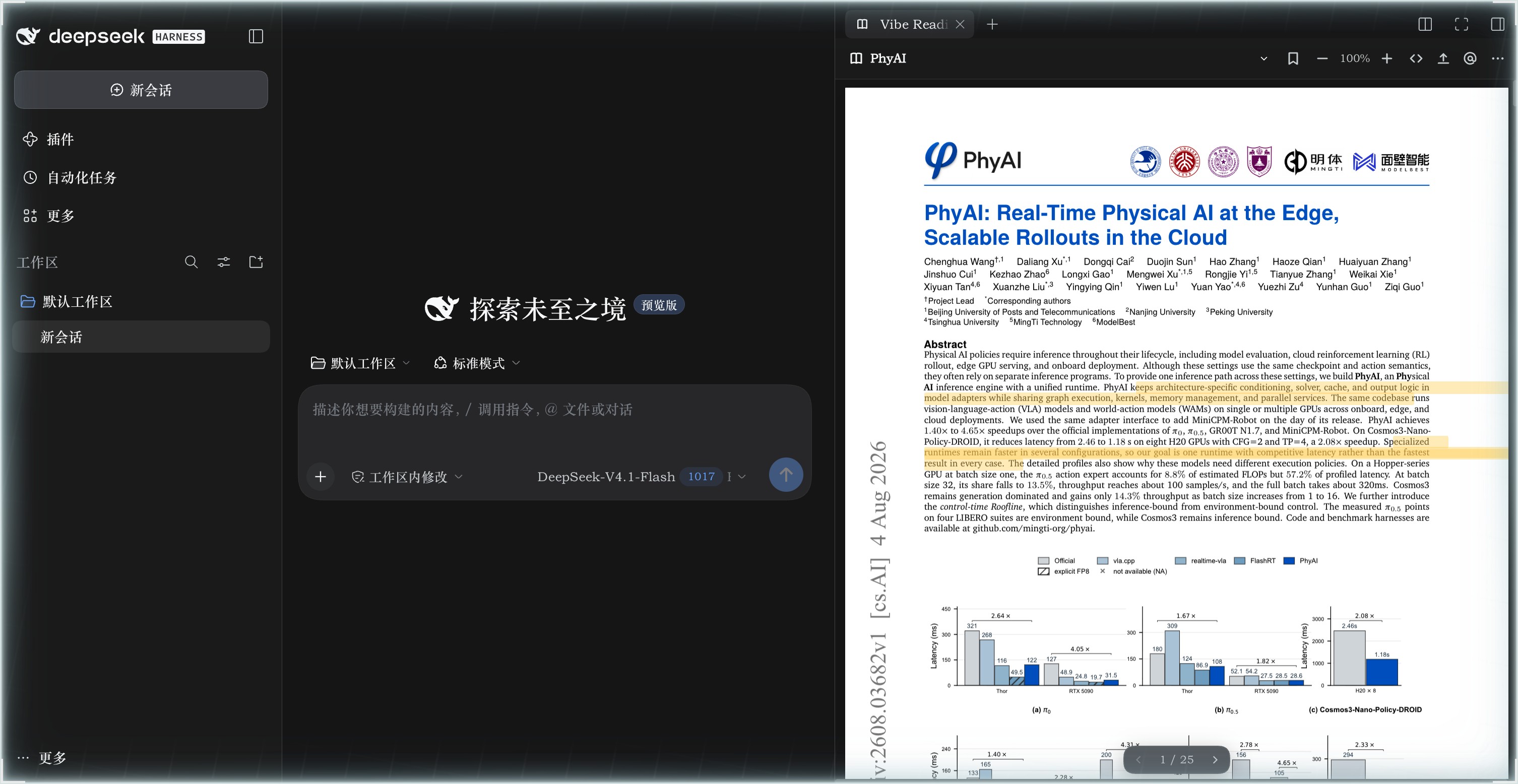
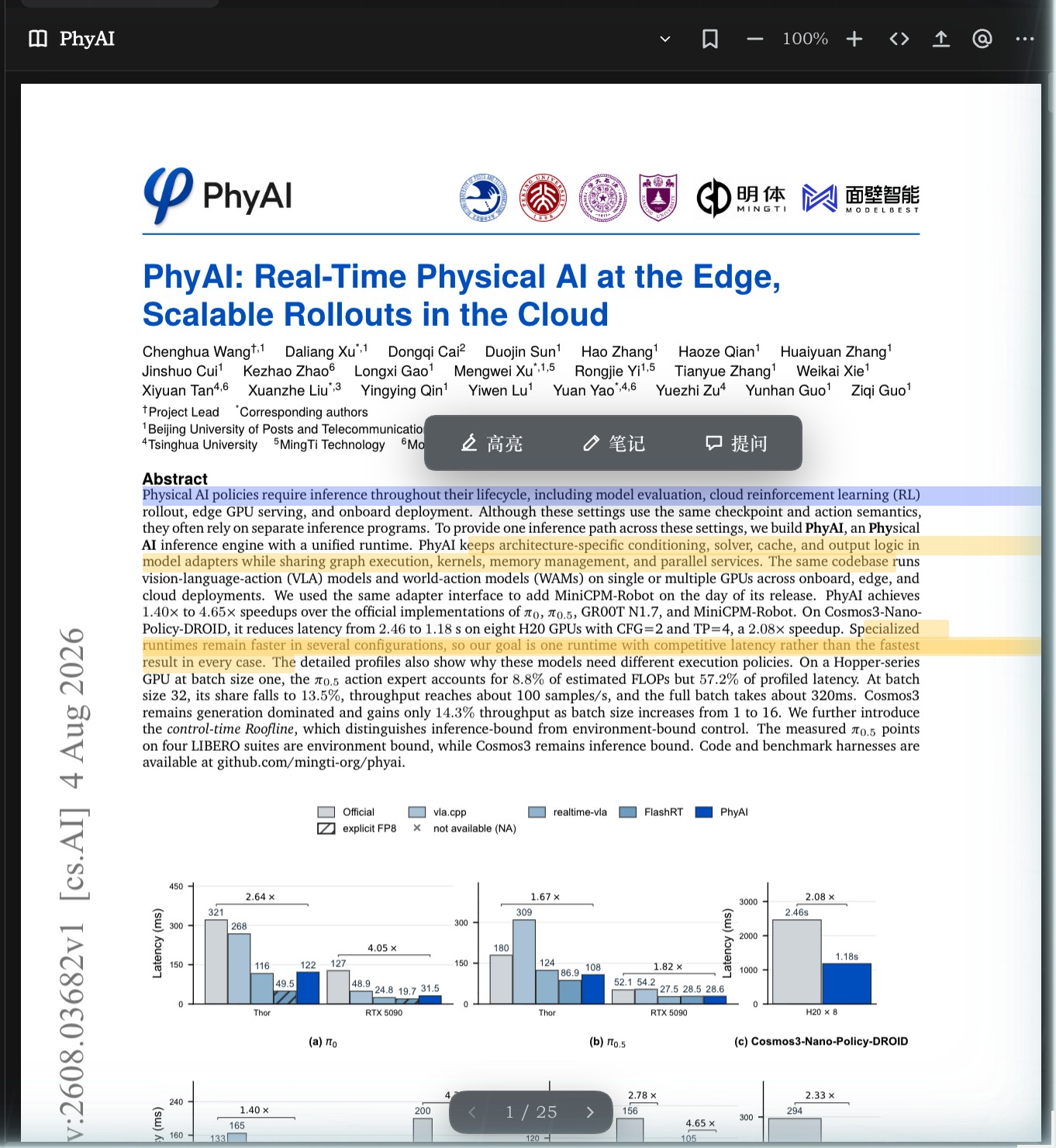
| 选中即用 | 标注与笔记 |
|---|---|
 | 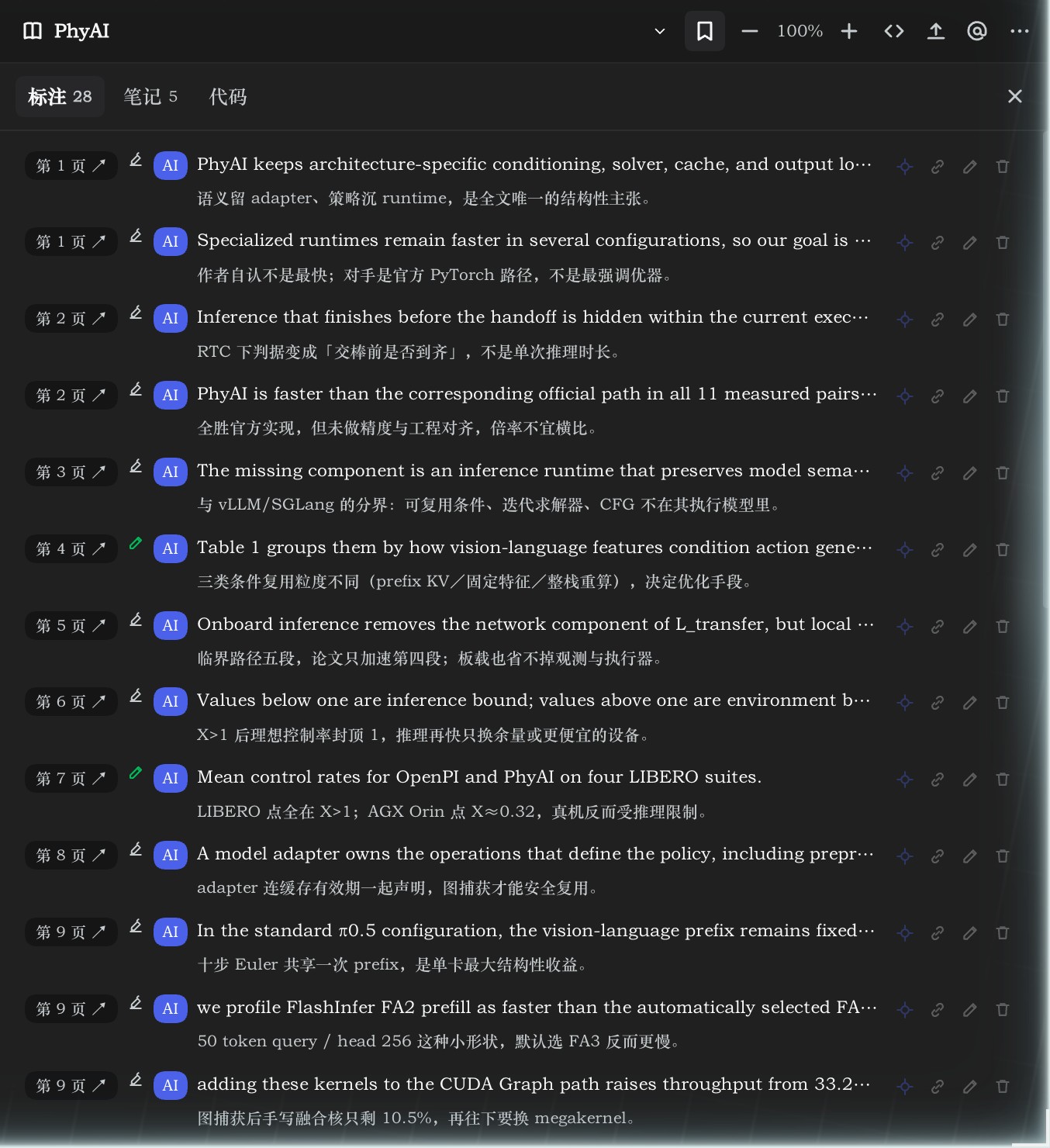 |
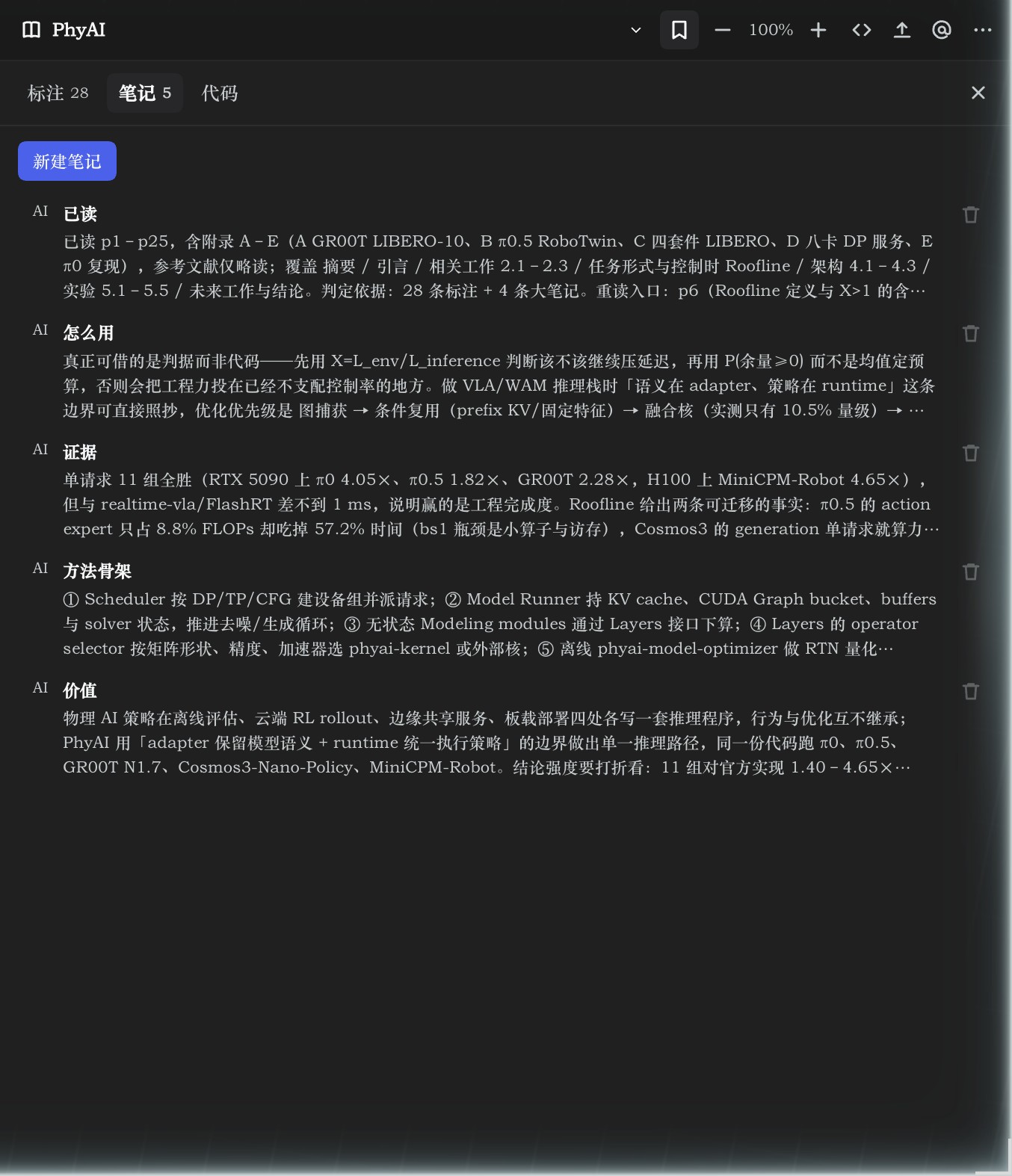
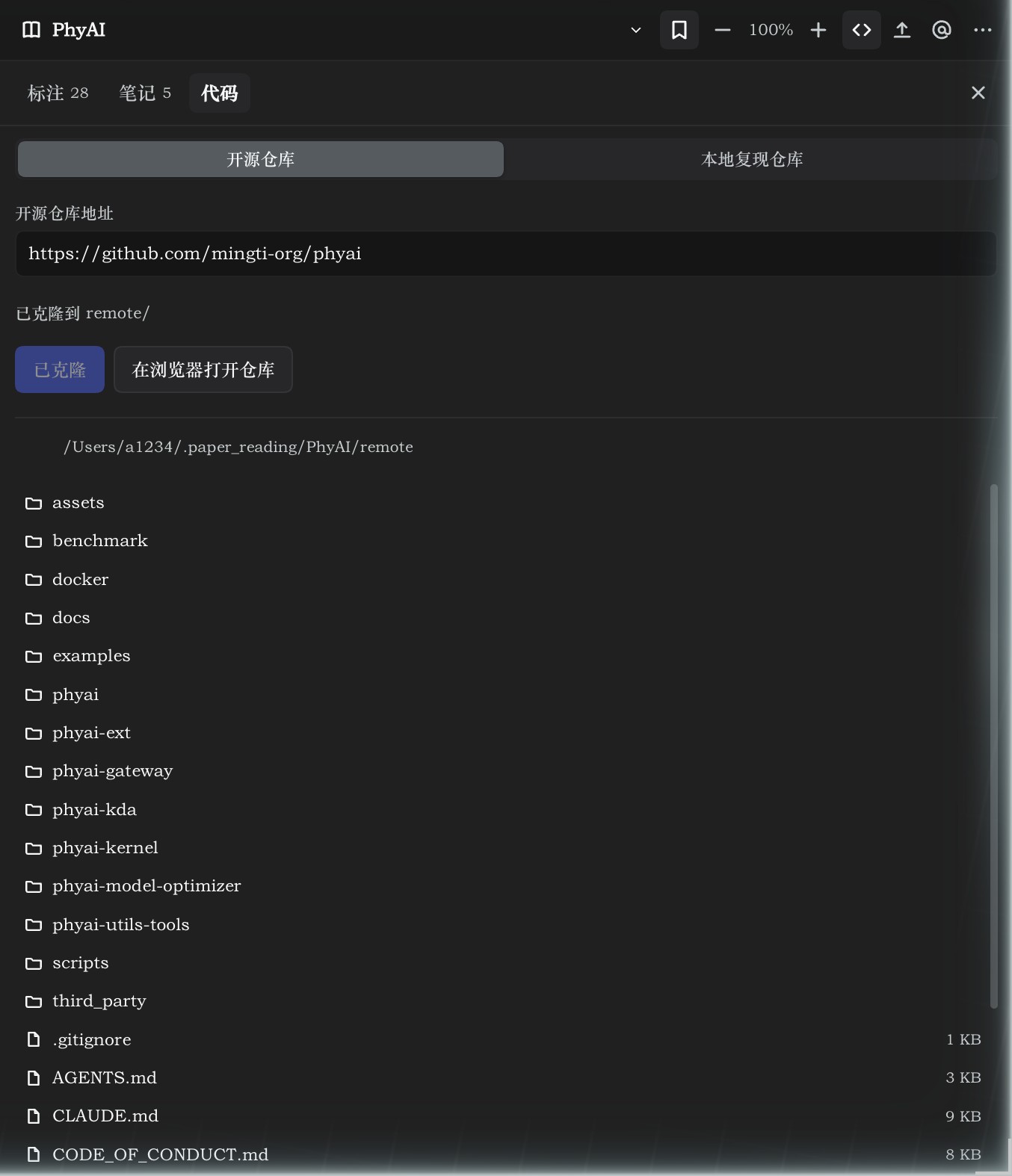
| 论文级笔记 | 代码:开源 / 本地两套目录 |
 |  |
安装
# 从 GitHub 安装
dsh plugin --profile web add github:jypjypjypjyp/dsh-vibe-reading

# 或在本地插件目录里 link 进去(开发调试)
dsh plugin --profile web add link:./projects/dsh-vibe-reading
装完重启一次 dsh web(Host 路由在启动时注册),右侧边栏的 + 里就有「Vibe Reading」。
阅读器的入口挂在 better-sidebar 上,所以插件把 dsh-better-sidebar 声明成依赖:pnpm 装插件时会一并装下来。若目标 profile 里它还没被激活(插件列表里没有 dsh-better-sidebar 这一层),插件页会出现一条「缺少依赖:右侧边栏」的横幅,点「安装依赖」会自动跑 dsh plugin --profile <名字> add dsh-better-sidebar 并把它写进 dsh.profile.bundles,重启后生效;没有侧栏时插件本身照常加载,只是没有入口。
使用
- 打开右侧边栏,点
+,选「Vibe Reading」。 - 点工具栏的上传按钮(或把 PDF 拖进面板)导入论文。导入后静默用 markitdown 转一份 Markdown;「更多 → 解析正文(MinerU)」会中断它、改用 MinerU(要 Token),底部进度条实时走。
- 选中正文文字,使用浮出菜单;工具栏的
</>打开「代码」页,@把/dsh-vibe-reading与论文目录写进输入框,⋯里有「解析正文(MinerU)」与「设置」。 - 面板三栏:标注(挂在某页某段原文上的高亮与批注,第二行显示它的笔记)、笔记(论文级的分块结论,可多条,随时增删改)、代码(再分「开源仓库 / 本地复现仓库」两个页签,各有目录浏览)。
设置(工作目录、MinerU Token、模型、语言)统一放在左侧「插件」→ dsh-vibe-reading 详情页,用 DSH 自带的设置表单渲染(@deepseek-ai/dsh-client-ui-primitives 的 SettingsForm / SettingsValueField / SettingsSecretField,与「网页搜索」等内置设置页同一套控件);阅读器里的「设置」直接跳到那一页。
结构
| 文件 | 作用 |
|---|---|
index.js | Host:/vibe-reading 路由(库、上传、元数据/标注、设置、双引擎解析、论文文件夹、目录浏览、PDF 字节、pdf.js 静态资源)与 vibe_reading 工具 |
client.js | Client:向 ctx.betterSidebar 注册 vibe-reading tab(阅读器、标注/代码面板),并向 plugins.detail.section 注册插件页里的「阅读器设置」 |
public/ | vendored pdf.js 3.11(pdf.min.js、worker、cmaps、standard_fonts),Apache-2.0,许可证见 public/LICENSE-pdfjs.txt |
存储:~/.dsh/vibe-reading/ 是内部库(<uuid>.pdf 原件、<uuid>.json 元数据、settings.json 设置);对外的论文文件夹在 ~/.paper_reading/<论文名>/,按 pdf/ 原件、markdown/ 解析结果(可能带 images/)、remote/ 开源实现、local/ 本地复现分开放,标注与笔记统一写 notes.md、元信息写 meta.md。
批注工具
vibe_reading 面向模型:action=list 不带 docId 列出论文库,带 docId 读该论文的全部标注与笔记;action=create 写一条标注(page + text + note,作者记为 AI);update / delete 按 id 改删;action=note / update_note / delete_note 管论文级笔记;action=code 读或写这篇论文的代码仓库(repo / path),阅读器「AI 查找仓库」按钮就是让 agent 走这条路自动回填。
跨会话记忆 skill
插件在 apply() 里用 ctx.inject(['skills']) + ctx.skills.register() 注册了一个运行时 skill dsh-vibe-reading:工具清单(vibe_reading 的每个 action)、论文目录里有什么、什么时候该写、每条写多短、什么不该写。
它出现在 agent 的 skill 目录里,模型可以自行调用;点阅读器的 @ 时,输入框里写的是 /dsh-vibe-reading 这个手势加论文目录信息,由 DSH 的 skill 机制按需加载正文(dsh-tool-skill 用 /(^|\s)\/([a-z0-9-]+)(?=\s|$)/ 扫描用户消息),而不是把正文粘进对话。
规则很短:标注挂原文、笔记记判断,每条一句话不超过 40 字,只写结论与依据,不写推测与过程。
损坏的 PDF
文件按原样保存,阅读器不会尝试改写。若 PDF 结构损坏(例如缺少 xref / %%EOF,常见于下载中断),打开时会给出说明,并提供「下载原件」和「重试」,方便用其它工具修复后再导入。
Comments
Loading…
From the same category
by awesome-dsh-plugin
A curated list of plugins for DeepSeek Harness (dsh) · DeepSeek Harness 插件精选列表
★ 23.4k
CC0-1.0
Python
Nov 6, 2026
by 0xsline
DeepSeek Harness (DSH) ecosystem: curated plugins, tools, and infrastructure from dsh-external/hub and the public dsh-plugin topic.
★ 1.3k
CC0-1.0
Python
Nov 6, 2026
by uumit-ai
Open dsh web from your phone or another computer through a UUMit account, without running your own server or installing another program: a built-in tunnel client connects to UUMit's hosted tunnel, and
★ 499
↓ 268/wk
MIT
JavaScript
Oct 21, 2026
dsh plugin --profile web add @uumit-ai/dsh-uumit-remoteby Yuuyuko-uu
DSH 鱼的记忆:给会话一份会淡忘的长期记忆,每条都带时间
★ 491
MIT
JavaScript
Nov 4, 2026
dsh plugin --profile web add dsh-fish-memoryby SAOS-3624
Scene-aware storyboard for DeepSeek Harness: 9-16 numbered cells with timestamps + transcript + an audio envelope, packed into ONE image (384 tokens). Two tools: video_storyboard and video_zoom.
★ 453
↓ 17k/wk
MIT
JavaScript
Nov 6, 2026
dsh plugin --profile web add dsh-video-storyboardby woniuniuniu
DeepSeek Harness 自媒体工作台插件:一句话记灵感,一键生成脚本、封面、配图和分镜
★ 367
↓ 1.2k/wk
MIT
JavaScript
Nov 6, 2026
dsh plugin --profile web add dsh-media-desk