

deep-projects
Manifest validProject rooms for the DeepSeek Harness (dsh) web GUI: a goal, memory, instructions and knowledge per project, auto-loaded into every chat. Claude-Desktop-style Projects for dsh.
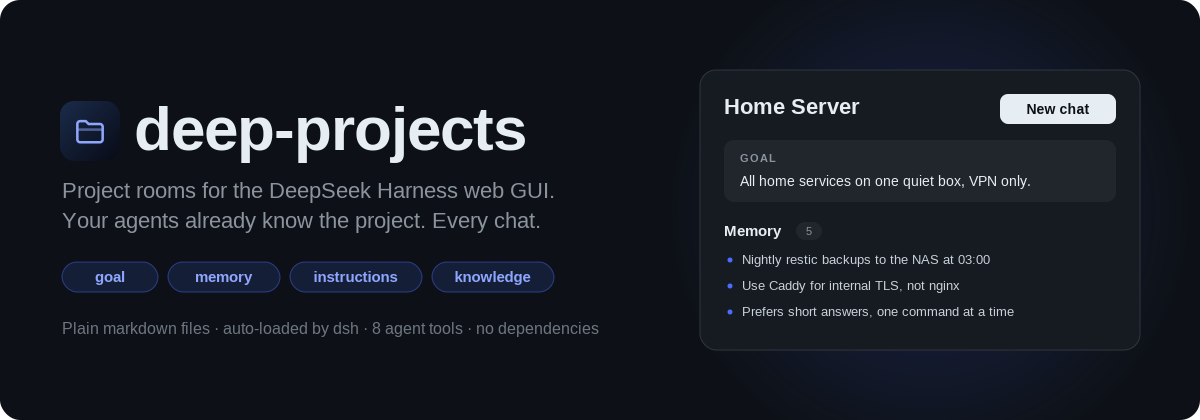






A DeepSeek Harness (dsh) web GUI plugin that gives every project its own room: a goal, custom instructions, knowledge files and a memory your agents keep up to date. Start a chat in the room and the agent already knows the project. You never explain it twice. Think Claude Desktop's Projects, built for dsh and your local models.
npx @deepseek-ai/dsh plugin --profile web add deep-projects
Then restart your dsh web server and reload the tab. Projects appears in the sidebar. Full details under Install.
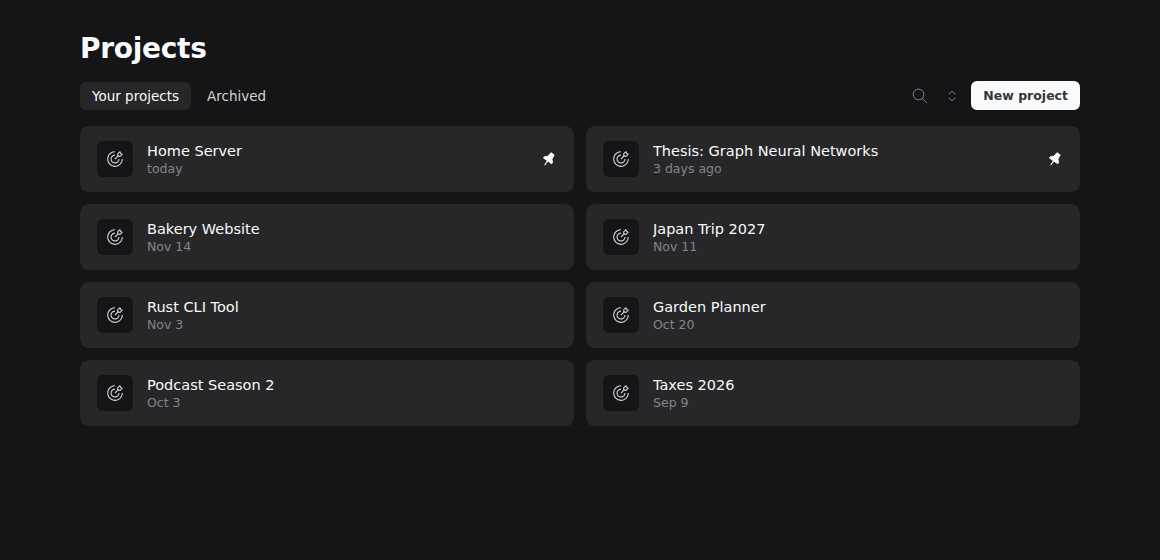
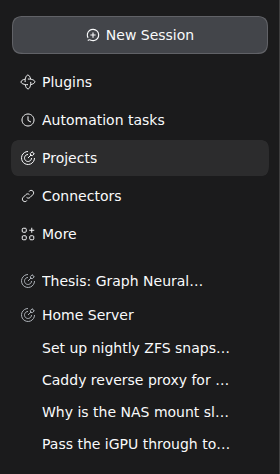
Pinned projects sit in the sidebar. The "…" menu opens, edits, pins, archives or deletes a project.
What's in a room
- Goal: what the project is for and what done looks like. Every chat sees it.
- Memory: facts, decisions and preferences, one bullet each. You add and edit them; agents add new ones as they learn and fix stale ones. Every chat sees it.
- Custom instructions: the project's
AGENTS.md, edited in place. - Knowledge files: drag and drop docs, specs and references for the agent to read.
- Chats: every chat started from the project runs in its folder and is listed under it.
Features
- Projects page with a filterable project list and one page per project.
- Pinned projects in the sidebar, styled like dsh's own rows. Click to open, or use the arrow to show the project's chats.
- "…" menus that match dsh's: open, new chat, edit, pin, archive, delete. Chat rows get dsh's usual chat menu.
- Edit in place: name, description and goal.
- Archive: hide finished projects without deleting anything. Restore any time.
- Project tab in the right sidebar of every chat that belongs to a project, plus a folder button in the chat header.
- 8 agent tools, so agents can read and maintain projects themselves (see below).
- English and Chinese, light and dark theme, works on narrow screens. No runtime dependencies.
How it works
Each project is a plain folder:
~/deep-projects/<slug>/
  AGENTS.md         custom instructions
  AGENTS.local.md   goal + memory
  README.md         description
  knowledge/        your files
dsh already loads AGENTS.md and AGENTS.local.md from a chat's working folder. Chats started from a project run in that folder, so the goal, memory and instructions reach the model natively, with no prompt injection. Everything is plain markdown: read it, edit it by hand, or commit it to git.
- Host: JSON routes under
/api/deep-projects/on the dsh web server, plus the agent tools. All file access stays inside the projects folder. - Client: one self-contained bundle. It uses dsh's own design tokens, icons and context menus, so it looks native in both themes.
Agent tools
| Tool | What it does |
|---|---|
projects_list | List projects |
projects_create | Create a project |
projects_read | Read goal, instructions, memory and the knowledge list |
projects_update | Change name, description, goal, instructions, pin or archive state |
projects_add_note | Add one memory |
projects_set_memory | Rewrite the memory list (fix, merge or remove entries) |
projects_add_knowledge | Copy a file into the project's knowledge |
projects_delete | Delete a project (its chats are kept) |
The memory file tells agents to keep it current, so they record new facts without being asked.
Install
Into your dsh web profile (web below is the profile name; use whichever profile backs your web GUI). From a source checkout, use pnpm dsh instead of npx @deepseek-ai/dsh:
npx @deepseek-ai/dsh plugin --profile web add deep-projects
Restart the dsh web server afterwards (the plugin adds a new profile entry), then reload the browser tab.
Other sources:
# straight from GitHub
npx @deepseek-ai/dsh plugin --profile web add github:JoblessJoe/deep-projects
# from a local checkout
npx @deepseek-ai/dsh plugin --profile web add file:/path/to/deep-projects
Projects folder: ~/deep-projects by default. Set DSH_PROJECTS_ROOT in the dsh server's environment to use another folder.
Requirements: the dsh web GUI, dsh 0.2.2 or newer (engines.dsh: >=0.2.2-rc.1 <0.4.0-0), Node 20+.
Sidebar chat tree (optional)
On stock dsh, pinned projects show up as plain sidebar rows that open the project. dsh has no plugin seat yet for a block between the panel rows and the workspace list, so the expandable version (arrow, chats underneath, "…" menu right in the sidebar) needs a small ui-sidebar patch: patches/ui-sidebar-projects-seat.patch. With it applied, the plugin switches to that view by itself. Everything else works without it.
A second small patch, patches/ui-conversation-cwd-hero.patch, gives project chats dsh's full input on the new chat screen. Stock dsh locks that input for chats outside a workspace, so without the patch the plugin shows its own simple box for the first message. I've asked dsh to drop the lock.
Let your agent do it: give your coding agent patches/AGENT-INSTRUCTIONS.md. It checks your dsh version, applies the patches, rebuilds the changed packages and tells you when to restart. The patch needs a dsh source checkout; it can't be applied to an npm-installed dsh.
Develop
npm install
npm run build              # lib/index.js (host) + lib/client.js (web)
node scripts/smoke.mjs     # routes + agent tools against a temp folder
DSH_REPO=/path/to/deepseek-harness node scripts/validate-tools.mjs   # dsh's real tool validator
License
MIT
Comments
Loading…
Similar plugins
by annkun
Deepseek harness memory
★ 4
↓ 471/wk
MIT
TypeScript
Oct 20, 2026
dsh plugin --profile web add @fooxe/dsh-memoryby qwert702
Project+global long-term memory for the dsh web GUI: split POST /items endpoints, tool-call context merged into memory items as compact summaries, with deduplication and session-scoped persistence.
★ 2
↓ 370/wk
JavaScript
Oct 17, 2026
dsh plugin --profile web add dsh-memoryby fatwang2
Project board for DeepSeek Harness — one goal, shared memory, parallel worker agents.
★ 11
↓ 1.1k/wk
MIT
JavaScript
Nov 19, 2026
dsh plugin --profile web add @fatwang2/dsh-projectsby santera-pixel
A project knowledge base for the DeepSeek Harness Web GUI: notes, media sandbox, canvas, mind graph, board and project mirroring.
★ 0
MIT
JavaScript
Nov 5, 2026
dsh plugin --profile web add dsh-scriptoriumby luyy9apples
Approval-gated workspace instructions and shared project memory for DeepSeek Harness
★ 0
MIT
TypeScript
Sep 2, 2026
dsh plugin --profile web add dsh-workspace-memoryby alwaysmid-19990
DSH Web Project Center — Cowork/WorkBuddy-style projects with CLAUDE.md memory sync
★ 0
MIT
JavaScript
Aug 19, 2026
dsh plugin --profile web add dsh-projects