
dsh-file-actions
Manifest validRight-click any file reference in the chat to open it, open it with an associated application, reveal it in the file manager, copy its path or contents, and save it.
dsh-file-actions
已发布 0.1.7:修复与 Toolgate 同时安装时的启动冲突,并让 GitHub 等网页链接也走同一个右键菜单。见安全说明和变更记录。
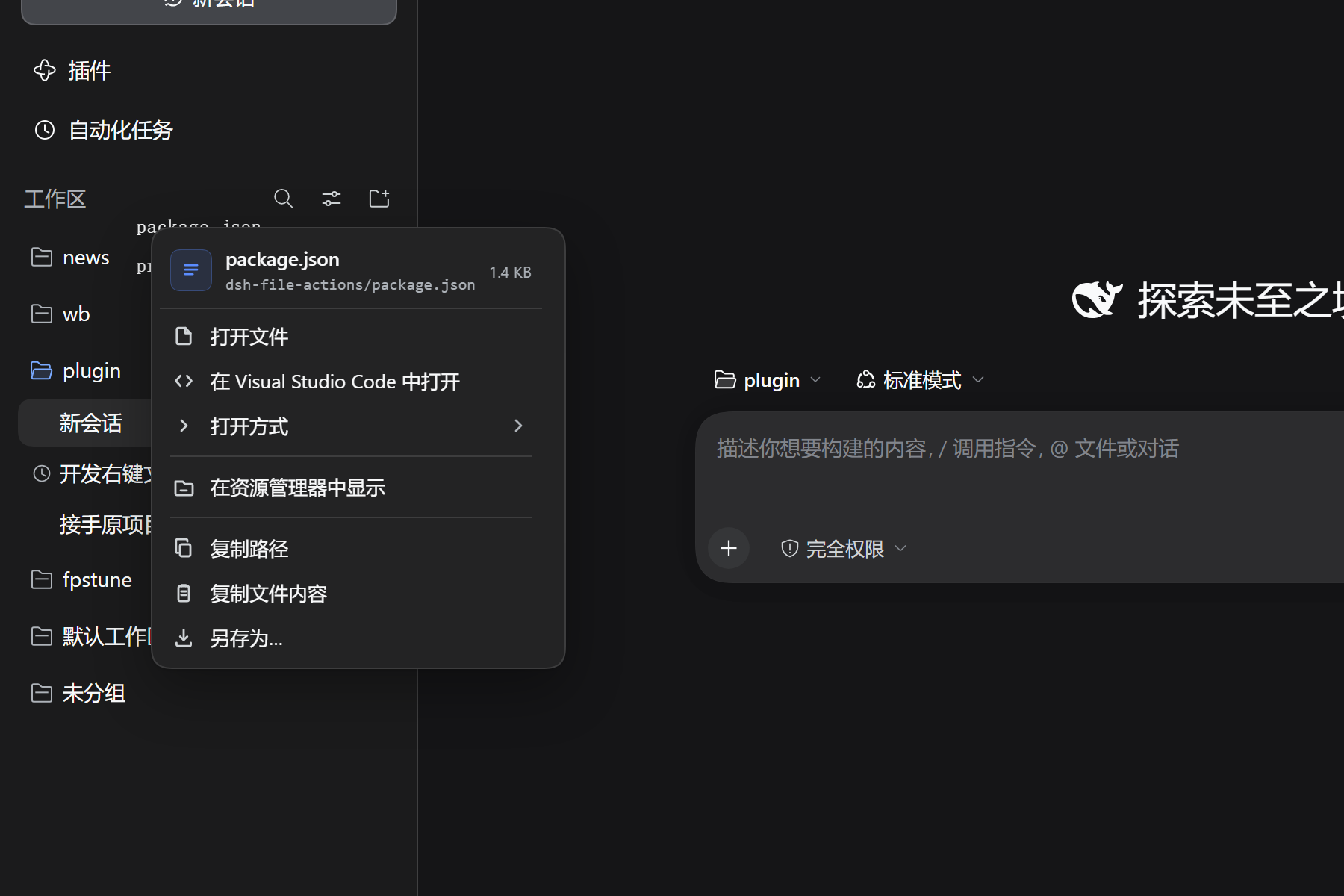
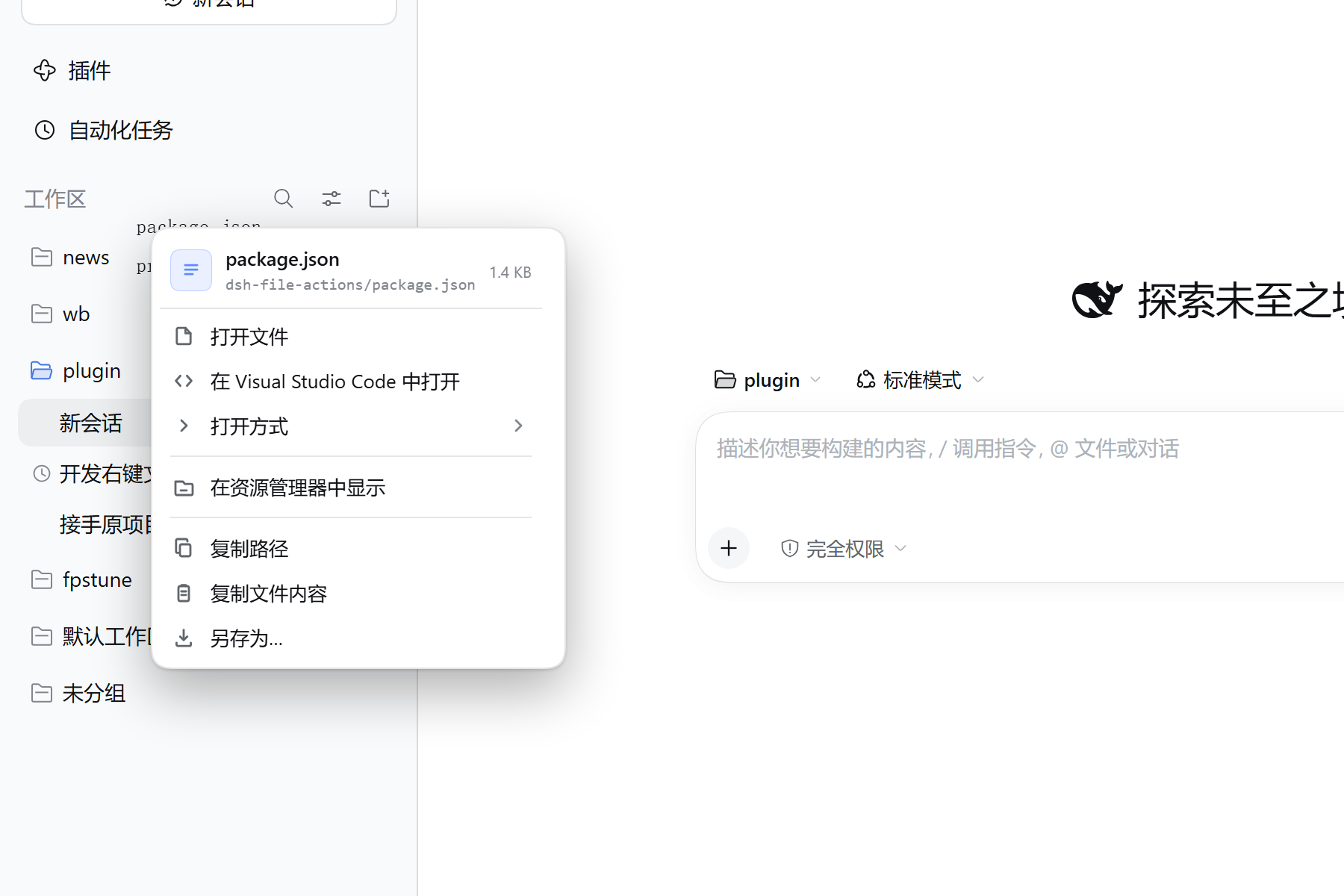
在 DSH 聊天里右键文件名,直接打开、用别的应用打开、在资源管理器里定位、复制路径或内容、另存为。
对齐 Codex 桌面端的文件引用菜单。Codex 的界面没有开源,这里是按它的行为重做的,不是移植代码。
安装
先完全退出 DSH 桌面端,再执行:
dsh plugin --profile desktop add https://github.com/jidekaixin2dian/dsh-file-actions/releases/latest/download/dsh-file-actions.tgz
装完重开 DSH 生效。未发布 npm,只提供 Release 包;想跟 main 源码走可以用 dsh plugin --profile desktop add github:jidekaixin2dian/dsh-file-actions。
卸载:dsh plugin --profile desktop remove @jidekaixin2dian/dsh-file-actions,然后重开 DSH。
怎么用
在聊天里右键这些位置的文件名:
- 正文里的行内代码(蓝色、点线下划线)
- 交付卡片和「已编辑」文件列表
- 工具调用行(读取、写入、编辑)里的文件链接
- 右侧文件树
- 文档预览标题
- GitHub 等网页链接(同一个蓝色样式)
菜单按文件类型给不同的项:
| 文件 | 能做什么 |
|---|---|
| 代码、文本、配置、字幕 | 打开、在编辑器中打开、打开方式、在资源管理器中显示、复制路径、复制相对路径、复制文件内容、另存为 |
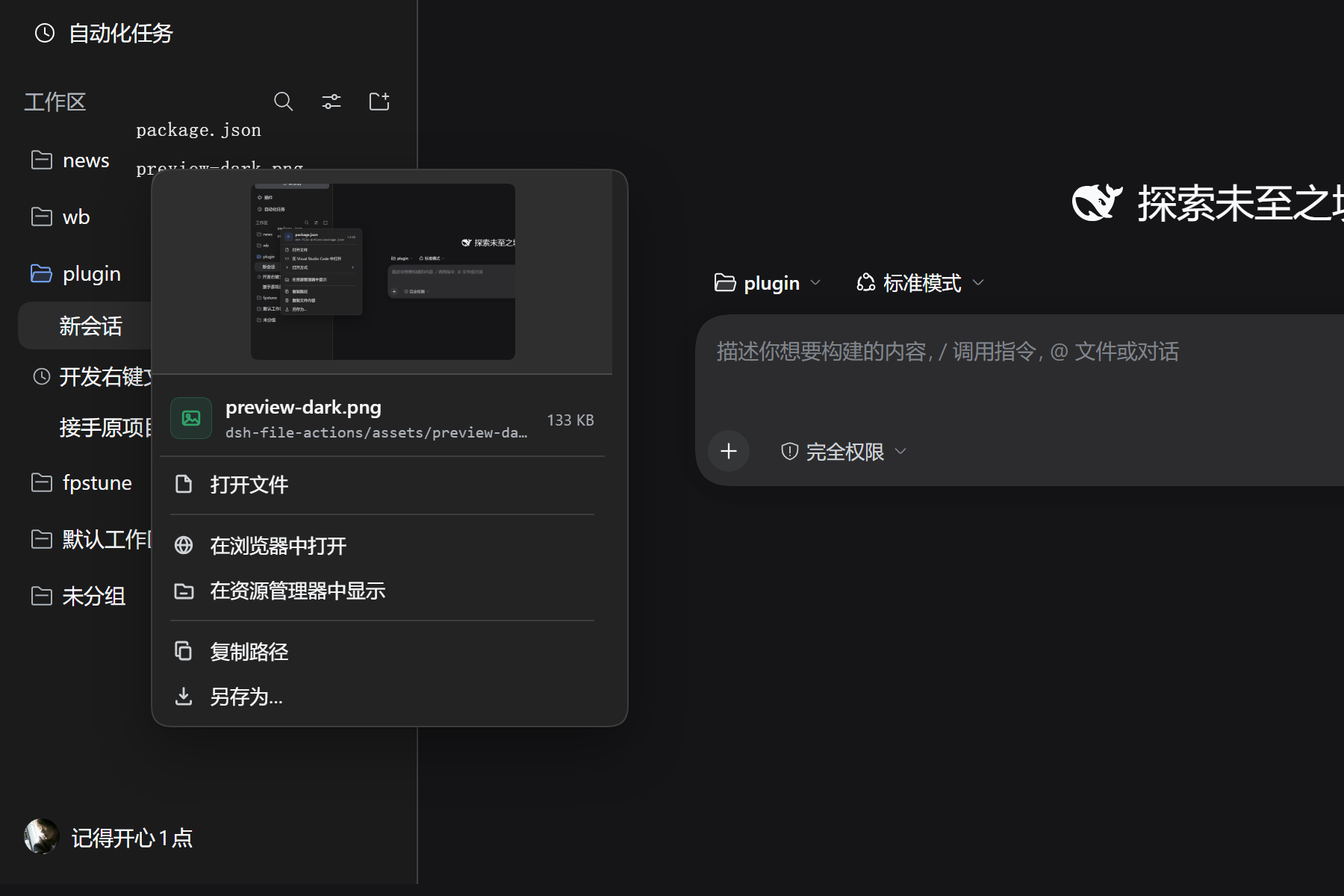
| Markdown、HTML、SVG、PDF、图片 | 同上,多一项「在浏览器中打开」;图片和 SVG 会在菜单里显示缩略图 |
| 视频、音频 | 打开、打开方式、在浏览器中播放(mp4 / mov / webm、mp3 / wav / flac 等)、另存为 |
| Office、压缩包、设计稿、3D、磁盘镜像、二进制 | 打开、打开方式、在资源管理器中显示、复制路径、另存为 |
| 文件夹 | 打开文件夹、在资源管理器中打开、复制路径、复制相对路径 |
| 网页链接 | 打开链接、复制链接、复制链接文字 |
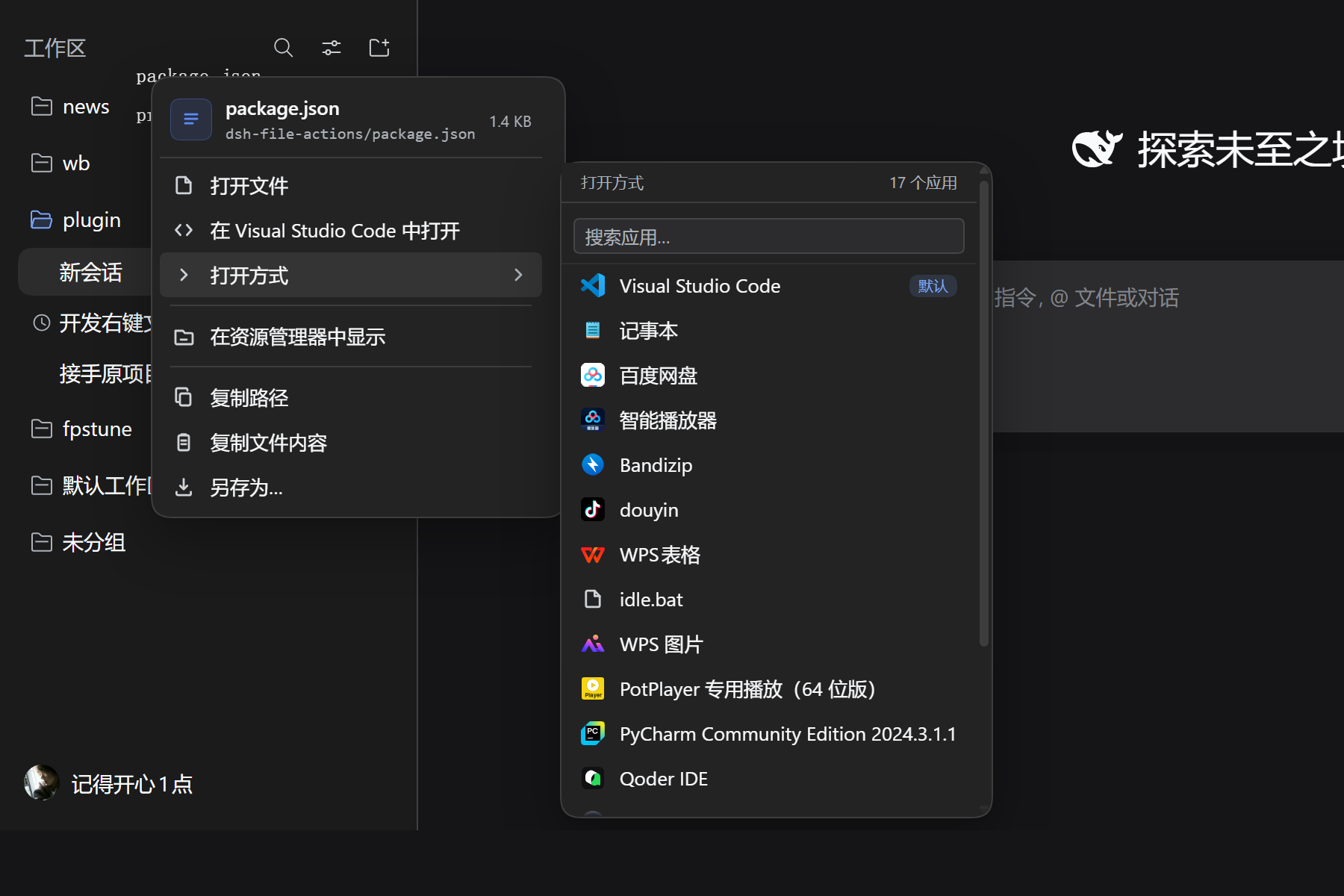
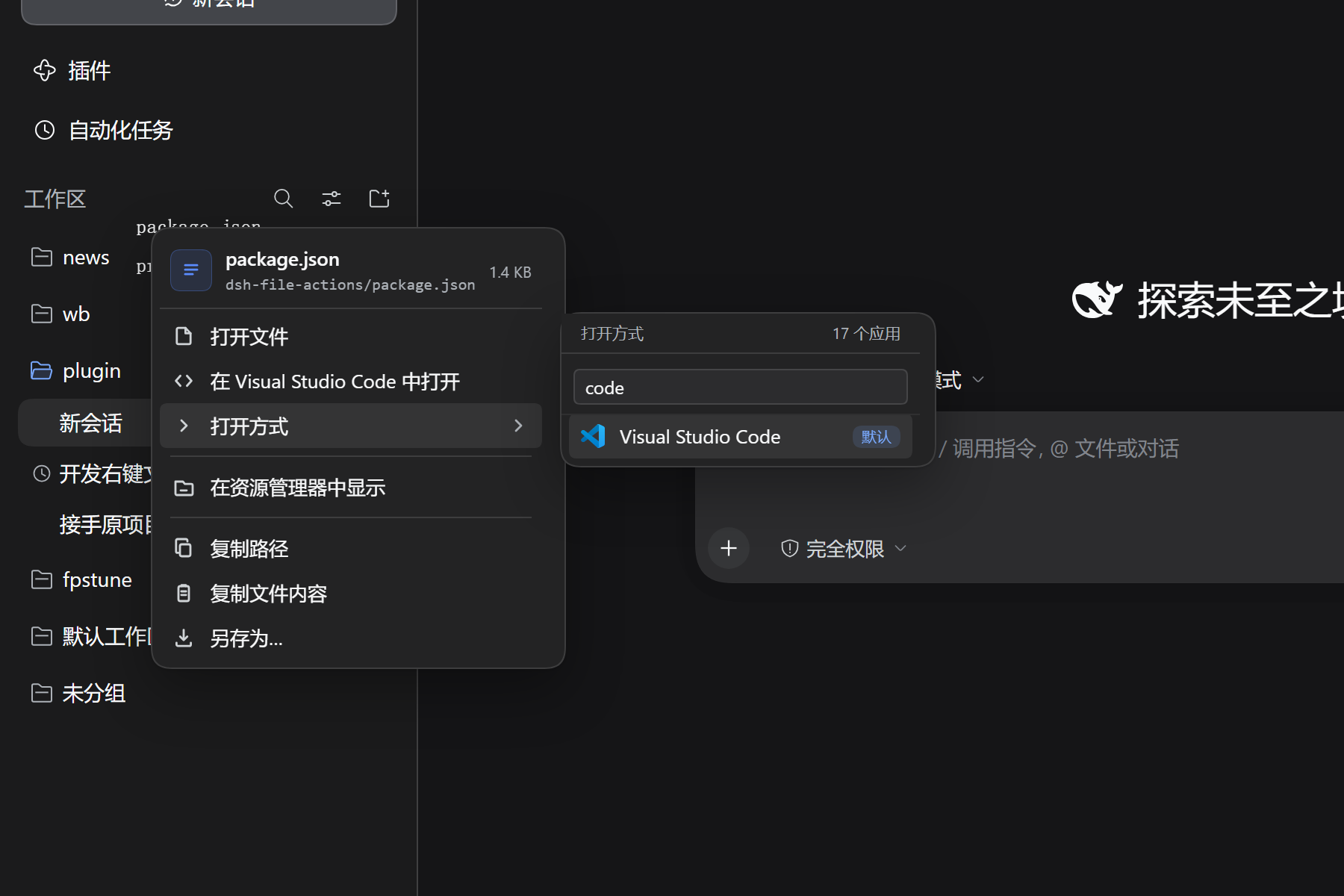
「打开方式」列出系统里注册的应用,带真实图标;应用超过 7 个会出现搜索框。
图片文件的缩略图:
键盘也能用:Shift+F10 或菜单键打开,↑ ↓ 移动,→ 进子菜单,Enter 执行,Esc 关闭。
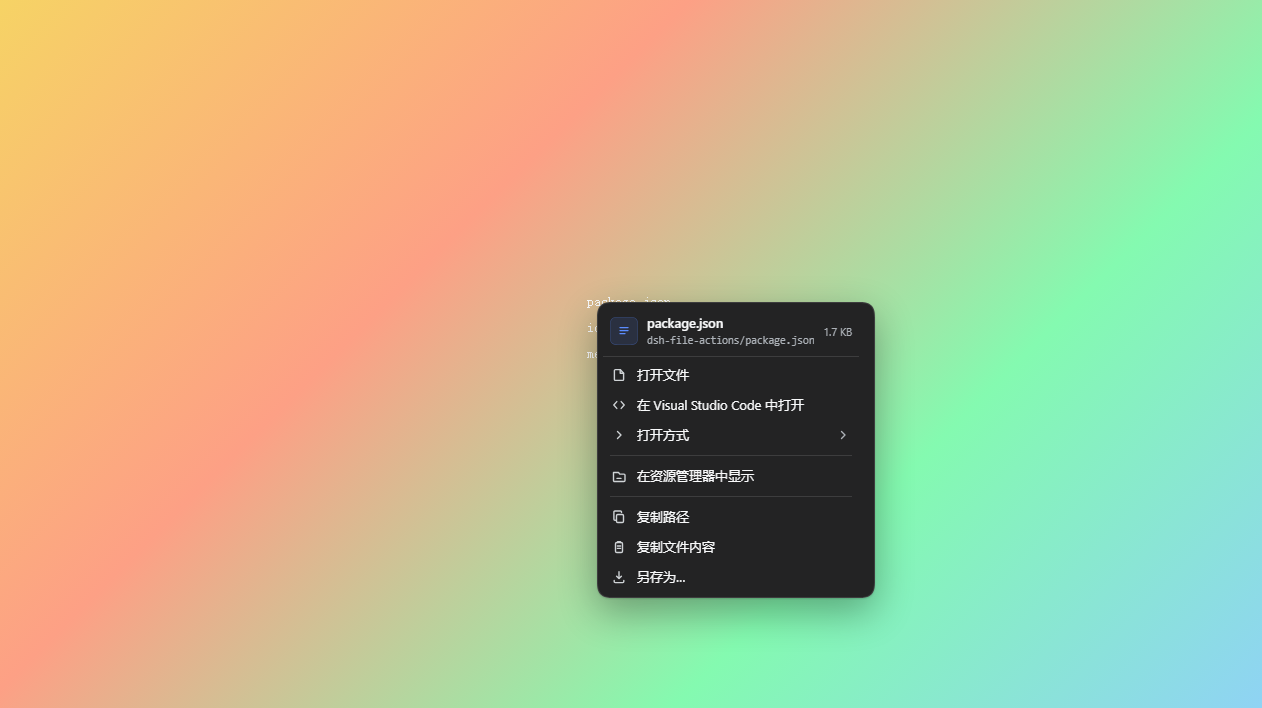
壁纸 + 液态玻璃主题下也能看清(菜单底下垫了一层接近不透明的底):
限制
- 不是系统原生菜单,不跟随系统的字体缩放。
- 「打开方式」只列系统已注册的关联应用。
- 另存为走浏览器的下载对话框,文件名固定为原文件名。
- 复制文件内容上限 2 MiB。另存为和浏览器预览受宿主整文件读取上限约束,DSH 0.2.1-rc.2 默认 32 MiB;更大的文件请使用外部应用。
- HTML/SVG 预览在独立来源的 sandbox iframe 内运行脚本,不能读取 DSH 页面或 Cookie;相邻文件的相对资源、顶层跳转和同源存储可能不可用。
- 只支持网页版界面,终端里的 DSH 没有可右键的元素。
常见问题
右键没有反应? 光标下的文字要对得上一个真实文件或网页链接。普通文字、输入框里的内容保留系统菜单。
菜单里没有「打开方式」? 系统没有为这个扩展名注册关联应用,或者关联查询还没返回——菜单会先出现,应用列表随后补上。
「在浏览器中打开」没反应? 浏览器可能拦了新窗口,允许弹窗后重试。
「在编辑器中打开」打开的不是我想用的编辑器? 它取的是系统关联里第一个能认出来的编辑器,其余都在「打开方式」里。
开发与验证
需要 Node >=24、Git、pnpm:
npm ci --ignore-scripts
npm test
npm run setup:host
npm run test:host
npm run pack:check
固定宿主为 DSH 0.2.1-rc.2(687f282e8625c6b8d11ff58211a90524be2e4317)。DFA_HOST 可复用相同 commit 的干净 checkout。Windows 使用 headless Edge;Linux 先运行 npx --no-install playwright install --with-deps chromium。CI 同时覆盖两种系统。插件仍无运行时依赖、无构建步骤。
浏览器套件把实际 client bundle 与真实 WorkspaceFiles 接到合成文件引用上,检查会话身份、预览脚本隔离、真实 3 MiB 下载及卸载行为;这不是完整 Desktop 或外部应用启动验收。可选完整 Web 驱动和历史断言计数见 test-e2e。
版本
许可
MIT
Comments
Loading…
Similar plugins
by XcodeFish
Adds a right-click menu on file references in chat output, listing registered applications with icons for open-with, revealing files in the file manager, and copying absolute or relative paths resolve
★ 1
MIT
JavaScript
Oct 1, 2026
dsh plugin --profile web add @codefisher798/dsh-file-link-menuby dreammaker2016
该仓库暂未提供项目说明。
★ 1
MIT
JavaScript
Sep 21, 2026
dsh plugin --profile web add @z1995418/dsh-file-menuCtrl+click file paths and links in chat: paths open their folder in the OS file manager (with the file selected), links open in a new browser tab.
★ 0
↓ 122/wk
dsh plugin --profile web add dsh-pathlinkby ruaibeite
Right-click a file or folder in the DSH right sidebar file tree to add it to the conversation as an @ reference, with multi-select batch insertion.
★ 0
MIT
JavaScript
Oct 13, 2026
dsh plugin --profile web add @ruaibeite/dsh-files-to-chatby sailoumili
DSH 插件:对话里的文件与目录路径点一下就打开——可预览的在右侧侧边栏显示,其余用系统默认程序打开。Click file and directory paths in DSH chat to preview them in the right sidebar or open them with the system default application.
★ 1
MIT
JavaScript
Oct 3, 2026
dsh plugin --profile web add dsh-file-openerby InnovationLou
Right-click menus for DeepSeek Harness chat links: open with an application, reveal in the file manager, copy the path, save a copy, and open or copy URLs.
★ 0
MIT
JavaScript
Oct 20, 2026
dsh plugin --profile web add dsh-link-actions