

dsh-client-ui-notifications
Manifest validDSH Web notifications: browser notifications, tab title flash, favicon badge, and native Windows toasts with a bilingual (zh/en) settings page.
@dsh-external/dsh-client-ui-notifications
中文 | English
DSH Web 的「等待 / 完成」通知插件:当你切去做别的事情时,DSH 需要你回来处理(等待批准 / 提问、回合完成、出错)会通过 浏览器系统通知、Tab 标题闪烁、favicon 红点、原生 Windows toast 提醒你,并可在 设置 → 通知 里逐项开关与配置。
截图
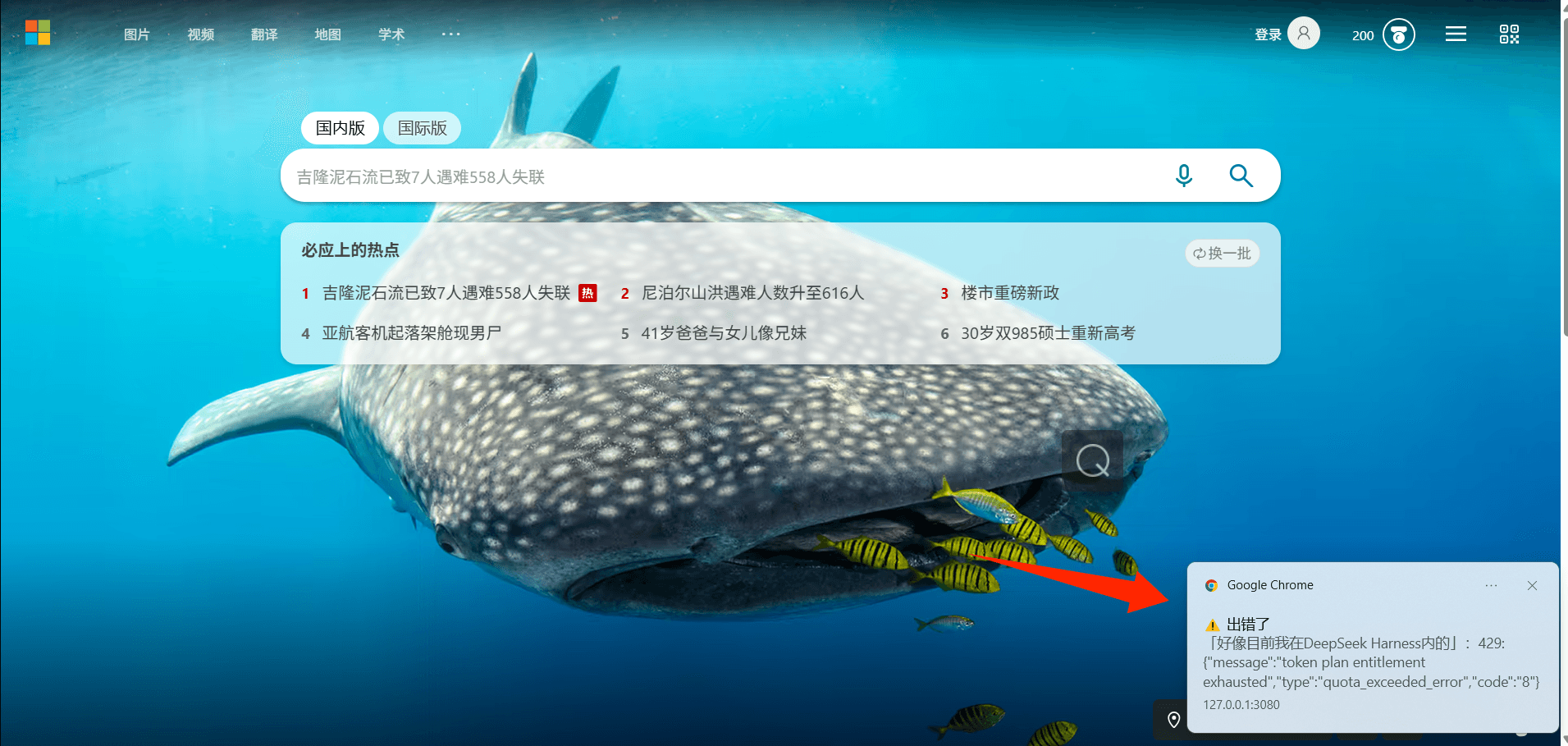
浏览器通知(Windows 通知中心,来源为浏览器):
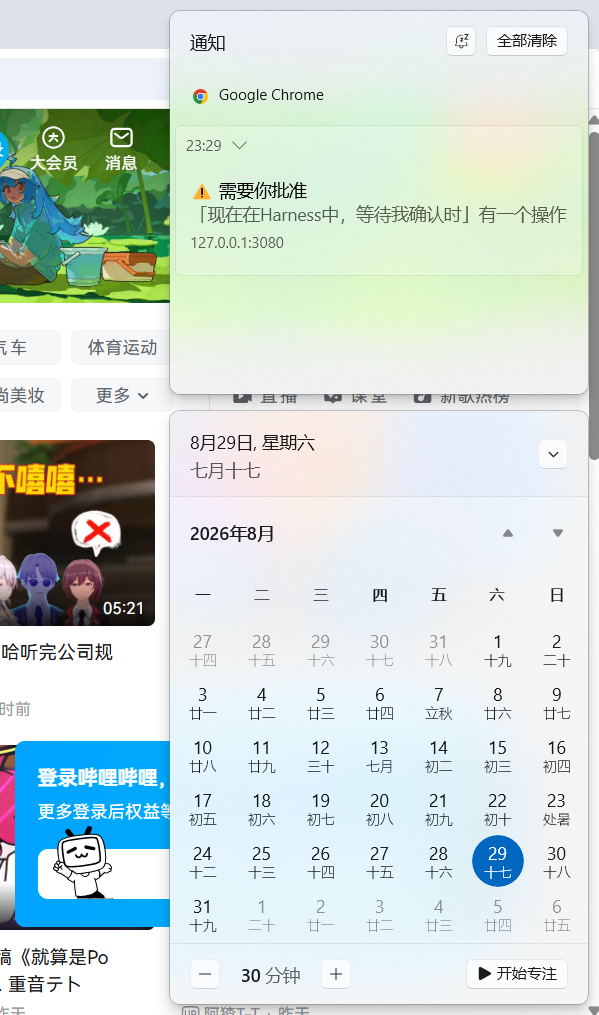
原生 Windows toast(由 DSH Host 进程弹出——浏览器整个关掉也能收到):
提醒机制(与生效条件)
| 场景 | 信号来源(全部是 DSH 原生契约,无需自定义通道) | 默认 |
|---|---|---|
| 等待批准 | 会话快照 pending 中出现 approval | 开 |
| 等待回答 | 会话快照 pending 中出现 question | 开(与批准同一开关) |
| 回合完成 | 会话快照 running: true → false | 开 |
| 出错 | 会话快照 lastAgentError 变为非空 | 开 |
呈现方式(均可配置):
- 浏览器系统通知(
NotificationAPI):开启时浏览器会请求「允许发送通知」权限——这就是你熟悉的「网站想发送通知」体验;允许后即使切到其他窗口,也会在系统通知中心收到。 - Tab 标题闪烁:后台标签页标题在「⚠ / ✅ 前缀 + 原标题」间交替,最多 30 秒,回到页面即恢复。
- favicon 红点:后台标签页的 favicon 覆盖红点,回到页面即恢复。
- 声音:WebAudio 短哔声(首次在页面点击/按键后自动预热,规避浏览器自动播放策略)。
- 原生系统通知(
nativeToast开关,默认关):由 DSH Host 进程直接弹 Windows toast——浏览器整个关掉也能收到。零依赖(内置 WinRT 实现,经 Windows PowerShell 5.1 调用);若安装了 BurntToast 模块则自动使用它获得更美观的样式。Host 半改动需重启生效。 - 冷却:同类通知默认 30 秒内只提醒一次,可调。
提醒只在窗口未被聚焦(后台标签或切到别的窗口)时触发,不打扰正在盯着 DSH 的你。
结构
src/index.ts—— Host 半源码(TypeScript):注册notifications设置命名空间(schemastery schema + 默认值),监听approval/request/agent/status/agent/error并弹原生 Windows toast(零依赖 WinRT,可选 BurntToast)。src/client/index.ts—— Client 半源码(TypeScript):监听sessions.list/ 各会话快照,检测上述信号并呈现通知;注册settings.section设置页;内置 zh/en 双语文案。build.mjs—— 构建脚本(esbuild):src/index.ts→lib/index.js(ESM),src/client/index.ts→lib/client.js(window.__ModuleLoader__bundle)。lib/—— 构建产物(已提交;安装时直接使用)。cordis.patch.yml—— 把本包的组合行插入 profile(与已安装的皮肤包同机制,dsh.bundle.patch自动生效)。
开发 / 构建
pnpm install        # 安装 esbuild / typescript 等 devDependencies
pnpm build          # 重新生成 lib/index.js + lib/client.js
pnpm typecheck      # tsc --noEmit(可选)
提交规则:lib/ 是构建产物且需要提交(github: 安装不跑构建)。改 src/ 后先 pnpm build 再提交;CI(.github/workflows/build.yml)会校验 lib/ 是否与构建一致。
安装
从 GitHub 安装(共享版)——在 ~/.dsh/profiles/<你的profile>/package.json 中:
{
  "dependencies": {
    "@dsh-external/dsh-client-ui-notifications": "github:huangDouP/dsh-client-ui-notifications"
  },
  "dsh": {
    "profile": {
      "bundles": [
        "@deepseek-ai/dsh-base",
        "@deepseek-ai/dsh-web-app",
        "@dsh-external/dsh-client-ui-notifications"
      ]
    }
  }
}
然后 pnpm install,重启 dsh(新增插件集合只在重启后生效)。
若仓库是 monorepo、包在子目录:用
github:<user>/<repo>#path:/<subdir>。 与皮肤包同机制——bundle 自身的cordis.patch.yml(dsh.bundle.patch)会在 profile 加载该 bundle 时自动插入组合行,不需要手工改 profile 的cordis.patch.yml。
本地开发安装:"@dsh-external/dsh-client-ui-notifications": "file:<本包绝对路径>",或复制进 node_modules/@dsh-external/。
重启后打开 设置 → 通知 即可看到全部开关并逐项配置(启用通知 / 等待批准 / 回合完成 / 出错 / 浏览器系统通知 / 原生系统通知 / Tab 标题闪烁 / favicon 红点 / 声音 / 冷却)。
卸载
- 编辑
~/.dsh/profiles/<你的profile>/package.json:- 从
dependencies删除"@dsh-external/dsh-client-ui-notifications": ...那一行; - 从
dsh.profile.bundles数组中删除"@dsh-external/dsh-client-ui-notifications"那一行。
- 从
- 在
~/.dsh/profiles/<你的profile>下执行pnpm install(把包从 node_modules 中清掉)。 - 重启 dsh —— 插件集合的增删只在重启后生效;bundle 自带的
cordis.patch.yml插入行会随 bundle 移除自动消失,无需手工改 profile 的 patch 文件。
可选清理:
- 设置残留:编辑
~/.dsh/settings.yaml,删除notifications:段(恢复出厂默认); - 浏览器通知授权:浏览器设置 → 网站设置 → 通知,移除对
127.0.0.1:3080的授权; - Tab 标题 / favicon 属于插件运行期改动,重启后自动恢复,无需处理。
已知限制
- 浏览器通知依赖页面处于打开状态(标签页可以后台,但不能关闭整个标签页);原生系统通知(
nativeToast开关)则由 Host 直接弹 Windows toast,浏览器整个关掉也能收到(零依赖 WinRT;装 BurntToast 模块可获得更美观样式)。 error检测依赖lastAgentError快照字段;子代理 / 工作流结束通知未纳入 v1(会话快照不含该信号)。- 设置页是「正式模块」级持久设置(写入
~/.dsh/settings.yaml),重启不丢;这与动态插件的临时设置不同。
Comments
Loading…
Similar plugins
by whoisDDD
DSH approval/question/completion notifier with native browser notifications and toast fallback. / DSH 审批、提问与完成提醒插件,支持浏览器原生通知和 toast 回退。
★ 0
TypeScript
Oct 12, 2026
dsh plugin --profile web add @whoisddd/dsh-approval-notifyby liujianqiao701
DSH web GUI plugin: a bottom-right reminder card when the agent is blocked waiting for your answer, plus a desktop notification and a flashing tab title when you are on another tab.
★ 0
MIT
JavaScript
Sep 24, 2026
dsh plugin --profile web add dsh-ask-notifyby bitterSmilezzz
Native desktop notifications for DSH — approvals, questions, turn completion, session end and errors — with click-to-session, per-event toggles, quiet hours, a privacy switch that keeps message text o
★ 3
↓ 135/wk
MIT
TypeScript
Oct 20, 2026
dsh plugin --profile web add @bittersmilezzz/dsh-notifyby chromoany
Desktop notifications, sounds and a tab-title marker when the agent needs your input or a reply finishes in the background.
★ 73
↓ 1.9k/wk
MIT
JavaScript
Oct 28, 2026
dsh plugin --profile web add dsh-notify-meby bululuburuarua666
Tri-channel task notifications: in-page toasts with chimes, browser OS banners, and host-direct OS toasts that keep working with the browser closed, plus a bell panel with persistent history.
★ 2
↓ 118/wk
MIT
JavaScript
Sep 6, 2026
dsh plugin --profile web add dsh-heraldby CoCoCoDeDeDe
Desktop notifications for DSH Web sessions: browser notifications plus Windows toast when a session finishes, fails, needs an approval, or asks a question. Clicking one opens the session; browser noti
★ 0
MIT
JavaScript
Oct 24, 2026
dsh plugin --profile web add dsh-session-notifier