

dsh-winterskin
Manifest valid★ 1Snow Ridge Skin — Turn a single photo into the background for the entire DeepSeek Harness GUI, and set the panels to a matching glass-texture theme. A photo skin for the DeepSeek Harness web GUI.
雪岭皮肤 · dsh-winterskin
把任意一张照片变成整个 DeepSeek Harness GUI 的底色,并把面板、边框、品牌色一并调成与照片配套的玻璃质感主题。
装上这个 DSH profile 插件,界面就"穿上"了你的照片:照片铺满整个窗口,左右两栏与浮层变成半透明玻璃,强调色从照片里取。右下角有一枚可拖动的胶囊控制台,设置 里还有一整页「雪岭皮肤」。
- 插件形态:DSH profile bundle 插件(
dsh.bundle.patch)+ Web 客户端插件(dsh.client.platform = web) - 许可证:MIT
- 当前版本:1.2.0(见 CHANGELOG)
目录
特性
| 能力 | 说明 |
|---|---|
| 照片底图 | background-size: cover 铺满窗口,background-attachment: fixed 滚动时照片不动 |
| 可读性保障 | 照片之上叠一层随明暗主题切换的冷色罩 + 径向暗角,正文对比度不会被照片破坏 |
| 面板玻璃化 | 覆写 13 个 --dsw-* 别名 token(背景/浮层/边框/品牌色/文字/三态色),浅色与深色各给一套值 |
| 不写死产品 DOM | 全局选择器只有 body 与 body[data-ds-dark-theme];其余全部走官方主题 token 层 |
| 两处控件 | 右下角胶囊(快捷开关 + 浮层控制台)与 设置 → 雪岭皮肤(完整设置页),同一套控件 |
| 浓淡连续可调 | 0–100% 滑块,同时影响照片色罩厚度与面板透明度 |
| 五套配色 + 自定义 | 松绿 / 暖阳 / 冷霜 / 墨色 / 夜蓝,另可用取色器覆盖强调色(自动按明暗分别压深或提亮) |
| 换图无需重启 | 拖拽或选择图片,浏览器内压缩(最长边 ≤ 2400×1500,WebP,回退 JPEG)后存入本地,立刻生效、重启仍在 |
| 取不到图就完全不介入 | 先探测图片可加载才绘制;图片缺失时产品 UI 保持原样 |
| 副作用全可回收 | 样式表、token 层、slot 注册都由插件的 fiber 持有,停用/卸载即全部回收 |
界面与操作
右下角胶囊
● 雪岭皮肤 │ 50% ▴
- 点 「雪岭皮肤」:穿上 / 脱下。脱下后界面完全恢复原样。
- 点 「50%」:展开 / 收起控制台浮层(点浮层外面或按
Esc关闭)。 - 整枚胶囊可拖动,位置随时挪。
- 圆点填充 = 已穿上,空心 = 已脱下。
设置 → 雪岭皮肤
| 控件 | 作用 |
|---|---|
| 穿上皮肤 | 总开关 |
| 浓淡 | 0–100% 连续滑块:照片上冷色罩的厚度 + 面板玻璃的透明度 |
| 配色 | 五套预设;每套同时提供浅色与深色两版 token 值 |
| 自定义强调色 | 取色器覆盖品牌色 |
| 图片 | 缩略图预览 + 当前来源;拖拽或点「更换图片」;「恢复内置」退回包内底图 |
| 恢复默认设置 | 以上全部复位 |
环境要求
- DeepSeek Harness(DSH) 的
webprofile,需要dshCLI 与pnpm。 - 已在 DSH
0.1.5-rc.2(@deepseek-ai/cordis4.0.2)的 web profile 上完整验证。 - 无需任何构建步骤:仓库里的
client/client.js已是可直接被浏览器加载的 bundle。
安装
从 GitHub 直接安装
需要 PATH 上有 git:
dsh plugin --profile web add github:hgp005/dsh-winterskin
等价的显式写法:
dsh plugin --profile web add "git+https://github.com/hgp005/dsh-winterskin.git"
没有 git 时:用 tarball 安装(同样一条命令)
dsh plugin --profile web add https://github.com/hgp005/dsh-winterskin/archive/refs/heads/main.tar.gz
已实测可用(pnpm 会直接把仓库快照装成 dsh-winterskin@1.2.0,不需要 git)。
也可以直接下载 ZIP 解压,然后走下面的"从本地目录安装"。
从本地目录安装(开发用)
git clone https://github.com/hgp005/dsh-winterskin.git D:\dsh-winterskin
dsh plugin --profile web add D:\dsh-winterskin
安装命令会自动把本包写入 profile 依赖,并因为包内声明了 dsh.bundle.patch 而自动追加到 dsh.profile.bundles。
本包没有
prepare构建脚本,所以 git 安装不需要在pnpm-workspace.yaml里配置allowBuilds。
让改动生效(最容易踩的坑)
安装或更新后必须两步都做:
- 重启 web profile —— 宿主在启动时就把客户端 bundle 快照进内存,重启前一直发的是旧字节;
- 重新加载页面 —— 服务器重启不会让浏览器重新加载 JavaScript(GUI 会自动重连,用的仍是旧代码)。
第二步请用 Ctrl + Shift + R 强制刷新(普通 F5 可能命中首页缓存,而整个插件启动图是内嵌在首页 HTML 里的,一旦命中缓存浏览器根本不会去请求新 bundle)。
判断是否成功:设置列表里出现「雪岭皮肤」、右下角出现胶囊。
设置项与持久化
选择保存在本机浏览器里(按来源隔离,即协议 + 主机 + 端口):
| localStorage 键 | 内容 |
|---|---|
dsh-winterskin:settings:v1 | 开关、浓淡、配色、自定义强调色 |
dsh-winterskin:image:v1 | 自定义图片(data URL)与尺寸信息 |
清掉这两个键(或点「恢复默认设置」)即回到出厂状态。
工作原理
┌─ 宿主半 (lib/index.js) ──────────────────────────────┐
│ 在 /dsh-winterskin/snow-ridge.png 上以 image/png     │
│ 提供包内底图(webServer 精确路由,随插件生命周期回收)│
└──────────────────────────────────────────────────────┘
                     │ 同源 URL
┌─ 浏览器半 (client/client.js) ────────────────────────┐
│ 1. 注入 <style>:照片底图 + 冷色罩 + 暗角            │
│ 2. theme.overrideTokens:13 个 --dsw-* token 的      │
│    浅色/深色两套值(面板玻璃化)                     │
│ 3. shell.overlay:右下角胶囊                         │
│ 4. settings.section:设置页「雪岭皮肤」              │
└──────────────────────────────────────────────────────┘
两条关键实现约定:
- 必须声明服务依赖。浏览器半导出
inject = ['slots', 'theme']。若不声明,Cordis 会在slots/theme就绪之前就调用apply,ctx.get('slots')取到undefined,结果是"插件已安装、界面毫无变化"——照片画在body上却被仍不透明的面板完全盖住。(这正是 1.2.0 修复的问题。) - 客户端 bundle 是提交进仓库的构建产物,形态为懒 CJS 工厂 +
window.__ModuleLoader__.load({ id, factory }),id必须等于包名;因此改代码后不需要构建,但需要重启 + 刷新页面。
目录结构
dsh-winterskin/
├── package.json         # bundle patch 与 dsh.client 声明、元数据
├── cordis.patch.yml     # 把插件行插入 profile 组合树
├── lib/
│   └── index.js         # 宿主半:图片资源路由
├── client/
│   └── client.js        # 浏览器半:样式 + token + 胶囊 + 设置页(已构建形态)
├── assets/
│   └── snow-ridge.png   # 默认底图(本仓库自制渐变图)
├── CHANGELOG.md
├── LICENSE
└── README.md
常见问题
装好了,但界面没有任何变化?
没有走完「重启 profile + 强制刷新页面」两步。注意:服务器重启 不会重新加载浏览器里的 JS,旧标签页只是自动重连;请用 Ctrl + Shift + R。
设置里找不到「雪岭皮肤」? 同上。另外确认它是真的装上了:
dsh --profile web --dump-config | Select-String winterskin
应该能看到 - id: dsh-winterskin 这一行。
照片没出现,只有一层灰蓝色?
说明底图没取到(此时插件按设计完全不介入,只是面板已被改色)。检查 http://127.0.0.1:3080/dsh-winterskin/snow-ridge.png 是否返回 200。
换了图片,但另一个端口/浏览器里还是旧的? 设置按浏览器来源隔离(协议 + 主机 + 端口),换端口打开会看到默认皮肤。
图片太大存不下? 控制台会明确提示(浏览器 localStorage 有配额)。此时图片在本次运行内仍生效,重启后回到上一张;建议换一张小一点的图。
和别的皮肤/主题插件冲突? 多个插件覆写同一批 token 时,后注册的层生效。建议同一时间只留一个皮肤插件。
开发
- 直接编辑
client/client.js(或lib/index.js)。 - 重启 web profile(宿主重新快照客户端 bundle)。
- 页面
Ctrl + Shift + R。
无构建步骤、无 TypeScript 转译 —— 提交前建议至少跑一次语法检查:
node --check client/client.js
node --check lib/index.js
卸载
dsh plugin --profile web remove dsh-winterskin
重启 profile 即完全移除;如还想清掉本机选择,再删掉上面两个 localStorage 键。
许可与素材
- 代码以 MIT 许可发布,见 LICENSE。
assets/snow-ridge.png是本仓库自制的默认底图(由 SVG 渐变与山脊路径生成),可自由使用。- 如果你把它换成自己的照片,请自行确认对该图片拥有相应权利后再公开分发。
English
dsh-winterskin is a DeepSeek Harness profile plugin that paints a photo across the whole web GUI and turns its panels into matching glass surfaces.
- Full-window background photo with a theme-aware scrim and vignette for readability.
- 13
--dsw-*alias tokens overridden with light and dark values — no product DOM selectors. - Controls in two places: a draggable pill in
shell.overlay, and a full settings page. - Density slider (0–100%), five palettes plus a custom accent colour, and image replacement that is downscaled in the browser and kept in
localStorage— no restart needed. - If the image cannot be loaded, the plugin does nothing at all.
dsh plugin --profile web add github:hgp005/dsh-winterskin
Then restart the web profile and hard-reload the page (Ctrl+Shift+R) — a server restart alone never re-fetches the page's JavaScript.
MIT licensed.
Comments
Loading…
Similar plugins
by noexcs
Frosted-glass skin for the DeepSeek Harness web UI: pick any image as background, theme colors extracted from it, glassmorphism surfaces.
★ 0
MIT
JavaScript
Aug 16, 2026
dsh plugin --profile web add dsh-skin-glass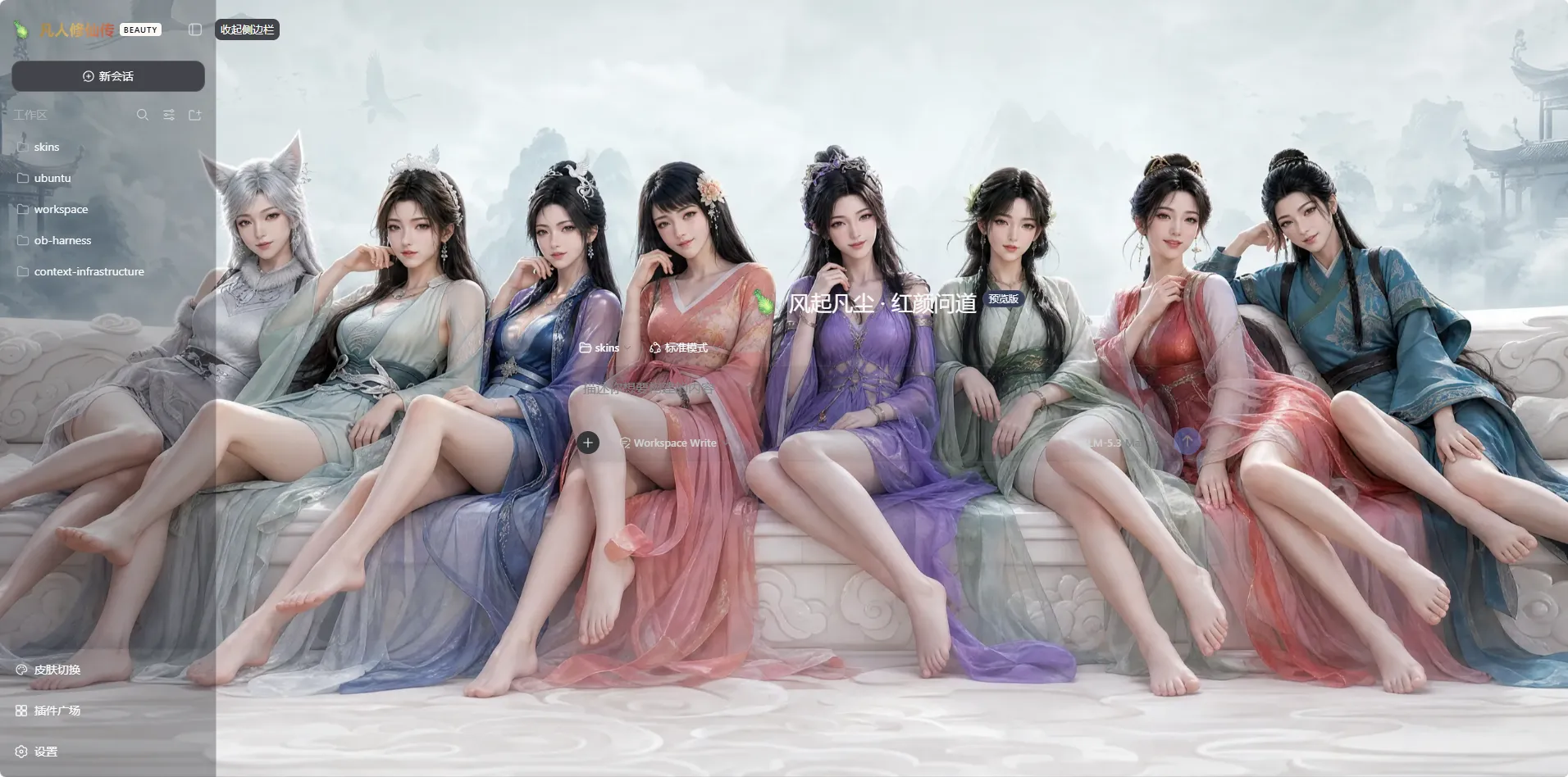 8
8No screenshots
by iasiv5
DeepSeek Harness Web 界面主题/皮肤管理插件,可切换多种视觉风格。
★ 5
↓ 2.6k/wk
MIT
JavaScript
Nov 5, 2026
dsh plugin --profile web add @iasiv5/dsh-skins✦
No screenshots
by Wizoiz
DSH 皮肤:壁纸皮肤 + 全窗铺开(侧栏与所有面板一起透出皮肤)+ 纯字体颜色标注 / Wallpaper skin for DeepSeek Harness with full-window spread
★ 0
MIT
JavaScript
Nov 2, 2026
dsh plugin --profile web add dsh-skin-keymarkby iasiv5
DeepSeek Harness Web 界面主题/皮肤管理插件,可切换多种视觉风格。(本仓库后续更新提交至:https://github.com/iasiv5/dsh-skins)
★ 0
↓ 48/wk
MIT
JavaScript
Sep 6, 2026
dsh plugin --profile web add dsh-skins✦
No screenshots
by RexCue
Wallpaper skin for the DeepSeek Harness (dsh) web UI: image background with opacity, mask and blur controls.
★ 4
↓ 479/wk
JavaScript
Aug 14, 2026
dsh plugin --profile web add dsh-wallpaper✦
No screenshots
by KinGao294
Skin switcher + custom wallpaper for DeepSeek Harness (dsh): curated --dsw-alias-* palettes, translucent wallpaper with opacity/blur controls, persisted per browser (like Codex themes) — 换皮肤 / 自定义背景插件
★ 18
↓ 291/wk
MIT
JavaScript
Aug 18, 2026
dsh plugin --profile web add dsh-skin