

dsh-background-by-model
Manifest valid★ 24Per-model appearance for the DSH Web UI: an ordered rule list matched against the current session model name, each rule carrying its own wallpaper, theme colour, layout mode, framing and wallpaper opa
dsh-background-by-model


English | 中文
Forked from
Tkingxiao/dsh-any-backgroundand renamed todsh-background-by-model.
A DeepSeek Harness appearance plugin built around an ordered list of model rules. Each rule carries its own wallpaper, theme color, layout mode, framing, opacity and blur — switch the model, and the background switches with it.
v0.3.0 is a breaking release. Video wallpapers, generated dynamic backgrounds and the single global theme color were removed. See Upgrading from 0.2.x.
How Model Rules Work
A rule is a match string plus one complete set of background settings. When you switch models, the plugin reads the current session's model name, scans the list top-down, and applies the first rule whose match string appears anywhere in that model name (case-insensitive). If nothing matches, rule 1 is used — rule 1 doubles as the fallback.
Example list:
| # | Match string | Wallpaper |
|---|---|---|
| 1 | deepseek | Image A |
| 2 | flash | Image B |
| 3 | glm | Image C |
| Current model | Result | Why |
|---|---|---|
DeepSeek-Flash | Rule 1 → Image A | deepseek matches first |
GLM-Flash | Rule 2 → Image B | flash is earlier in the list than glm |
Qwen-Flash | Rule 2 → Image B | flash matches |
GLM-Turbo | Rule 3 → Image C | only glm matches |
Kimi-K3 | Fallback → Rule 1 → Image A | no rule matches |
Notes:
- Order matters. The first match wins, not the best match — drag rules to reorder them.
- An empty match string makes a rule skip matching entirely and act purely as a fallback. A single rule with an empty match string is therefore "one wallpaper everywhere".
- The match string is compared against the concatenation of provider, model id and model display name, so any of the three can be used to select a rule.
- The current model is read from this session's durable model selection (the
modelSelectionprojection — the same value the composer's model picker renders), so switching the model inside a session takes effect immediately. The Model Background page shows which model was read, and labels it host default when only the host-wide default was available instead of this session's own selection.
Note: the example table above has no
kimientry, so switching to Kimi falls back to rule 1 = Image A, which looks like "nothing happened". Add a rule with the match stringkimito give Kimi its own wallpaper.
Screenshots
One interface, one config — only the current model differs:

DeepSeek V4.1 Flash · matched the rule whose match string contains deepseek: a light wallpaper with a matching theme color

Kimi K2.7 Code · matched the rule containing kimi: a dark wallpaper, a dark theme, and the whole interface reskinned with it

One rule on the Model Background tab · image, layout mode, theme color (wheel / HSL / RGB / extract from this image / pick from image), background opacity and background blur are all properties of that rule alone
Example wallpaper art from ZipZipPipe on bilibili
Features
Model rules
- Ordered Rule List — Add, remove, reorder and name rules. Each rule is matched by its own match string; the first hit wins and rule 1 is the fallback.
- Live Match Readout — The top of the Model Background tab shows the current state, e.g.
Current model deepseek-flash → matched · Rule 1, so you can verify a rule on the spot. If the current model can't be detected, a hint is shown instead. - Per-rule Appearance — Every rule owns its wallpaper, theme color, layout mode, framing, opacity and blur. Nothing is shared globally except the Interface tab.
- Import / Export — Export every rule including its wallpaper to a
dsh-background-by-model-theme.json(format version 3, images inlined as base64) and restore it anywhere. - File-based Persistence — All settings and images are stored on the filesystem under
~/.dsh/.dsh-background-by-model-data/, notlocalStorage. - Automatic Migration — Old single-wallpaper configs are upgraded in place on first read. See Upgrading from 0.2.x.
- Bilingual — Full Chinese / English UI with automatic locale detection.
- Theme Watchdog — Re-asserts the custom theme if the host resets it.
Per-rule settings
- Wallpaper — Upload any image as this rule's wallpaper; each rule keeps its own file.
- Theme Color — HSL wheel plus numeric input and an inspiration palette, with Extract from this image and an eyedropper. When a rule sets no theme color, the system theme is used. Generates the full CSS design-token set in real time.
- Layout Mode — Fit / Fill / Stretch / Tile / Center.
- Framing — Drag to pan and scroll to zoom inside a viewport-proportional editor; only editable in Fit mode, and the committed framing stays consistent across window resizes and cross-monitor moves.
- Background Opacity —
0–100%for the rule's wallpaper layer. - Background Blur —
0–60 px, applied to the wallpaper layer.
Global settings (Interface tab)
- Per-part Interface Opacity — Independent sliders for the main background, left panel, right panel, cards & panels (including the dropdowns and menus around the dialog), the input & controls (composer box, Cordis panel), plus the settings panel and the conversation text box.
- Per-part Interface Blur — Frosted-glass
backdrop-filterblur (0–60 px) for each interface part, including a real backdrop on the composer and Cordis panel via stable host selectors. - Conversation & Trajectory — The message list is wrapped in a translucent card automatically, and the trajectory page gets whole-page opacity & blur controls, letting the wallpaper shine through the content.
- Right Panel — The column that slides in from the right when you open a file now has a card of its own: its opacity follows Main background until you drag it (then this card owns it), and its blur stacks on top of the main-background blur. While closed it takes no space and costs nothing.
Settings
Settings → Theme now has three tabs:
| Tab | Scope | Contents |
|---|---|---|
| Interface | Global, shared by every model | Opacity & blur for the main background, left panel, right panel, cards & panels, input & controls, settings panel, conversation text box and trajectory page |
| Model Background | Per rule | The ordered rule list, the live match readout, and each rule's wallpaper, theme color, layout mode, framing, opacity and blur |
| Config | — | Import / export the whole rule set (dsh-background-by-model-theme.json) |
The old Color tab is gone — the theme color is now a property of each rule. The old Background tab became Model Background.
Storage & Migration
Data directory: ~/.dsh/.dsh-background-by-model-data/ (Windows: C:\Users\<you>\.dsh\.dsh-background-by-model-data\)
| File | Contents |
|---|---|
theme-config.json | The rule list plus the global Interface settings |
modelbg-<slot> | The image of each rule, stored as raw bytes without a file extension |
Upgrading from 0.2.x
v0.3.0 removed three things:
- Video wallpapers — no longer supported.
- Generated dynamic backgrounds — mesh gradients, Shader and geometric patterns are gone.
- The global theme color — it moved into each rule.
Upgrading is otherwise automatic and non-destructive: on first read, a legacy config (one without a rules array) is migrated so that the old single wallpaper.jpg becomes rule 1 with an empty match string (a pure fallback), inheriting the old theme color, layout mode, opacity, blur and framing. Leftover video files from the old version are cleaned up as well. Existing users keep the appearance they had — you only need to add more rules if you want a different background per model.
Installation
Method 1: npm install (Recommended)
dsh plugin --profile web add dsh-background-by-model
# or install straight from the repository:
dsh plugin --profile web add github:HarmlessFunny/dsh-background-by-model
Then restart dsh web.
The plugin appears as a "Theme" section in Settings.
Method 2: npx (No Global Install)
npx @deepseek-ai/dsh plugin --profile web add github:HarmlessFunny/dsh-background-by-model
npx @deepseek-ai/dsh web
Method 3: Local Build (Development)
The lib/ directory is committed, so installs need no build step. To rebuild after editing src/:
git clone https://github.com/HarmlessFunny/dsh-background-by-model.git
cd dsh-background-by-model
pnpm install
pnpm run bundle      # output goes to lib/
pnpm run typecheck
To mount a working copy into a profile instead, add it to the profile's package.json and register the bundle:
{
  "dependencies": {
    "dsh-background-by-model": "link:E:/DeepSeek/dsh-background-by-model"
  },
  "dsh": {
    "profile": {
      "bundles": ["dsh-background-by-model"]
    }
  }
}
After changing anything under src/, run pnpm run bundle again — the mounted profile loads lib/, so edits do not take effect until the bundle is rebuilt.
pnpm test builds and typechecks (tsdown && tsc -p tsconfig.json).
Compatibility
- dsh
>=0.1.7-rc.2— Declared inpeerDependencies(every@deepseek-ai/dsh-*entry) and mirrored inengines.dsh. The host evaluates those peers against its own runtime version, so an older host reports the plugin as incompatible instead of running it silently. dsh web— Full support on both the npm release and the new source build. The plugin auto-detects which client-module table the host ships (the new@deepseek-ai/dsh-client-storeor the legacy@deepseek-ai/dsh-client-runtime) and resolvesdefineStoreaccordingly at runtime.- deepseek-harness-desktop — Supported
FAQ
Every model looks the same — why? Your first rule probably has an empty match string, which makes it a pure fallback holding the whole list. Give rule 1 a match string (or add more specific rules above the fallback).
GLM-Flash picked the wrong rule.
Matching is first-hit, not best-hit. Put the more specific rule higher in the list, or reorder so the rule you want comes first.
Where are my wallpapers?
In ~/.dsh/.dsh-background-by-model-data/, one modelbg-<slot> file per rule plus theme-config.json.
Can I share a setup? Yes — export it from the Config tab; the JSON inlines every rule's image.
Are video or generated backgrounds supported? No. Both were removed in 0.3.0; each rule uses a static image.
Recent Optimizations
v0.5.0
- The host self-check is gone. Removed together with everything that fed it: the settings page's Host check tab, the contract table (
src/host-contracts.ts), the browser probe (src/client/judge.ts), the installed-file scan (src/host-scan.ts), thehostCheckRPC, thepnpm scanscript and its test suite. The plugin keeps only what it does: rules, wallpapers and interface opacity/blur. 0.5.0is implemented identically in0.5.1and0.5.2. Those two are publisher-side noise: the firstnpm publishreturned HTTP 202 and the version took a few minutes to appear on the registry, which was mistaken for a failure and re-published twice before the async publish landed. All three are live, byte-identical (12 files, same code), andlatestpoints at0.5.2. Install any of them — pin0.5.2if you want the tag's target by name.
v0.4.5
optionalWhenfinally means what its name says — The field is documented as "the check runs while this surface is on screen", but the probe was evaluating the exact opposite: an anchor that was not in the DOM produced n/a, and one that was produced the failure. Two of the three dock contracts and both conversation-view contracts were therefore testing the wrong state — which is how a healthy dock came back as停靠空位 失效with "no element matches[data-dockkit-empty]". The helper now reads the anchor as a positive predicate, and every anchor was renamed to say what it means (dockHasTab,dockHasNoTab,chatHasMessages,paneFloated, …) so an anchor named for an absence can no longer invert a check silently. Four tests pin the resulting state table in both directions.- A contract about the message column stops firing on a session that has no messages —
[data-chat-flow]is rendered only when the session has messages, so its absence is the normal state of a brand-new session (the host'sdata-content-phase="hero"screen) and of the trajectory tab. The anchor was "the conversation scrollport exists", which is true in all three states, so the check reported a rename on the hero screen and on 轨迹 — the second failure the panel showed. It is now keyed on[data-chat-turn], the host's own mark on every message row, which is the one thing that is present exactly when a column should exist. Measured: hero → 0 flow / 0 turn rows; after one message → 1 flow / 4 turn rows; trajectory tab → 0 flow / 0 turn rows. visible— presence is not the same question as "on screen" — A selector check markedvisible: truenow also requires the element to be on screen, so an element the host parks withvisibility:hiddencannot satisfy a contract about a surface the user is looking at. The dock's empty seat is deliberately not marked: the host keeps it rendered and hidden as tabs open and close, so asking whether it is visible would be asking about a state the host uses both ways.- One more anchor rule, written down — An anchor must name the state in which its attribute is expected, never a neighbour of it that happens to appear at the same time. All four false-red bugs in this feature have been the same mistake: a mounted surface that correctly renders nothing for the attribute to sit on.
v0.4.4
- The dock contracts stop asking a stylesheet question about JS attributes —
dockkit.contentanddockkit.floatwererulechecks ("does a host stylesheet mention this literal?"). The host sets both attributes from JavaScript —data-dockkit-contenton a tab host that has a tab,data-dockkit-floaton a pane the user has floated — and never writes a CSS rule for either, so that question could only ever be answered "no". Both are now presence checks, guarded by the host's own tab marker (data-dockkit-tab) and by float mode respectively, so a dock with no tab open reads as n/a rather than as a rename.dockkit.empty— the empty seat the host renders in place of a populated tab host — is a presence check too. Verified against a live host: with no tab opendata-dockkit-tab/data-dockkit-contentare absent; clicking the dock's+makes both appear (tab 0→1, content 0→1, empty 1→0), and the checks then answer instead of skipping. - Anchors no longer depend on combinators — The populated-tab anchor started out as
[data-dockkit-strip-tabs] > *, which a DOM stand-in cannot answer and which let the fixture and the browser disagree. It is now a plain attribute selector.
v0.4.3
- The Host check tab stops crying wolf — Its first real run on a healthy 0.1.7 install reported 9 failures out of 28 contracts (7 tokens "no longer declared", 2 attributes gone). Every one was the probe reading the wrong place, not the host: the tokens are published as
body{--dsw-…}while the probe askedgetComputedStyle(document.documentElement), anddata-plugin— which the host's own CSS modules set on every<style>they inject — was being used to mean "this plugin's sheet", so the check skipped the entire host theme and then called the tokens renamed. Both are fixed, and both now have tests that fail if they come back: the token root is a named part ofProbeEnv, and reading the plugin's own sheets goes through a marker the plugin writes itself (data-dab-side), viagetAttributerather thandataset—datasetonly exposes the camel-cased key, so a probe indexing it by the dashed name works in a fixture and silently returns nothing in a browser. rulechecks now say which side they are about — A token contract asserts two different things: that the host still declares the name, and that it resolves to a value. The first can only be answered from the host's rules, the second only from the live cascade, and the one entry whose other half is this plugin's own stylesheet (.dab-card) is now markedside: 'own'explicitly instead of being indistinguishable from a host rule. Every re-emitted token carries both checks, so a rename is reported as a renamed token rather than as an empty value.- A readable-but-empty host stylesheet is a failure, not a blind spot — The old code only asked whether some sheet was readable, so a host sheet that was readable yet mentioned nothing made every token check pass. Readability is now tracked per side.
v0.4.2
- New "Host check" tab — the plugin now reports what broke, instead of just breaking — A plugin that styles someone else's interface depends on values it does not own: the host's session and model services, the elements it hangs backdrop filters on, and the design tokens it re-emits. Every one of those can be renamed between dsh releases, and all three 0.1.7 breakages were silent — nothing threw, the interface simply stopped following the settings. Settings → Host check now evaluates each of those touch points against the running build — the live DOM, the host's own stylesheets and the Cordis services — and shows, per point, whether it holds, what its loss looks like on screen, the literal it depends on, the host file that should define it and the plugin file that reads it. Copy diagnostics turns both halves into one markdown block for an issue. A surface that is merely off screen (the conversation view while the settings dialog is open, the file-preview panel before a file has been opened) is reported as n/a, never as a failure.
- The same table is checked offline, with no browser —
pnpm scan(scripts/host-contract-scan.mjs) walks the installed dsh packages and fails non-zero the moment a contract target is gone, so a host rename turns into a red build right afternpm i -g @deepseek-ai/dsh@latest, before anyone looks at the interface. It also prints the host version it found and whether it satisfies this plugin's floor. - One contract table, three consumers —
src/host-contracts.tsdeclares every touch point exactly once; the browser probe, the node scan and the tests all read it, so a newly added selector cannot be forgotten by the check that is supposed to notice it changing.pnpm testcovers the table, the probe (against a fixture written in the shape of a host DOM), the UI stylesheet and the version floor. - A broken contract is no longer invisible in a log — Two and a half seconds after boot, if any contract fails, the browser console gets one line per failure naming the literal, the plugin file that reads it and the host file expected to define it.
v0.4.1
- The right panel stops painting a permanent frosted plate — dsh 0.1.7 no longer paints the file-preview panel itself: the container became the slide / fullscreen viewport, stays mounted at its full width for the whole session, and collapsing it only slides the dock out (
transform+visibility, neverdisplay). A background plus a backdrop-filter on that container therefore covered the empty right half of the frame whenever the panel was closed — the frosted plate 0.1.7 showed. The card now paints the elements the host actually paints (the dock's tab hosts:[data-dockkit-content],[data-dockkit-empty]) and rides the host's own open/close and slide transitions; the old panel selector survives behind a:has()guard for older hosts, and the backdrop-filter is gated on[data-sidebar-right-open]so a collapsed panel is never filtered. - Switching models switches the background again — 0.1.7's
sessions.listsnapshot no longer publishescurrent, so the plugin could not tell which session was on screen: no session id, nomodelSelectionprojection, empty model text, and every model fell through to rule 1. The session id now comes from the host's ownuiSession.current.keybinding, with the legacylist.currentand aretainedBy.mainViewrow as fallbacks — all optional, so the lookup also works whileuiSessionmounts late. Model switches remain instant, because they ride the per-sessionmodelSelectionprojection subscription rather than a poll. - Menu group headings stop reading as white bands — 0.1.7 split the menu surface in two: the shared
MenuSurfacematerial paints the new--dsw-menu-surface-fill, and every other overlay paints--dsw-specific-menu, which the host aliases to it. The plugin re-emitted only the latter, so a model-selector panel kept the host glass while its sticky provider headings took the plugin's near-opaque palette colour. Both tokens are now generated from one expression and read one plugin-owned variable, so the card slider fades them together and the alias can no longer break. - The card slider's label says what it owns — It covers menus as well as cards, so the Chinese label changed from 「对话框中选项面板」 to 「卡片与菜单面板」 and the English one from
Cards & panelstoCards & menus. - Declared host raised to
0.1.7-rc.2— Every@deepseek-ai/dsh-*peer andengines.dshnow require 0.1.7-rc.2 or later. The host's compatibility check matches those peers against its own runtime version (includePrerelease), so an older host reports the plugin as incompatible by name instead of running it silently. The code's own version fallbacks are unchanged.
v0.4.0
- Color extraction now measures brightness the way a display does — The auto light/dark band was decided from the average HSV value (the max channel), which reads every saturated pixel as bright: pure blue is
v = 1.0while its Rec.709 luma is0.072. A dark, saturated wallpaper was therefore pushed into the light band and got a light palette built on top of a dark picture. The extractor now averages Rec.709 luma — the same measure the wallpaper verdict always used. - Choosing an image now themes the rule — Picking or replacing a rule's image extracts its theme color automatically (global toggle, on by default). It only ever fills a rule that has no color, so a color you picked — or deliberately cleared — is never overwritten; because the decode is asynchronous the rule is re-checked on arrival, so a color chosen while it ran wins.
- Match test card replaces the "Active now" readout — The status card answered "what is active" and went stale between switches; the tester answers the better question one step earlier. Type any model name (the field follows the detected model until you type) and it reports which rule would match, or that the fallback would. The diagnostics it could not express — the value being host default rather than this session's model, and a sessions service that is not up yet — moved into the card as hints, so a broken lookup still cannot masquerade as a correct read.
- Config — The one new persisted field (
autoExtract) landed in the shared schema, so both halves sanitize it identically.
v0.3.3
- The config shape is declared once, for both halves — The node half (which sanitizes every write to disk) and the browser half (the UI's own view of the same file) used to spell the shape out separately: the key lists appeared 6 times across the two halves plus two sets of defaults, so a field added to one side only was silently dropped by the other side's sanitizer — the slider stayed live in memory,
writeConfigwrote a config without it, and the next load fell back to the default. That is exactly howblurs.rightbar/rightbarOpacitywere lost in 0.3.2. The types, the key lists, the defaults and the pure normalizers now live in one shared module (src/schema.ts) that both halves import, and both run the same sanitizer, so the UI and the disk copy can no longer disagree. - Unknown config fields are now reported — While sanitizing a write, the node half logs one warning per key the shared shape does not declare (
ignoring unknown config field "blurs.produced" (declared in one half only?)), so this class of drift shows up in the host log instead of quietly discarding a setting. Legacy pre-0.3 top-level keys are exempt (the migration consumes them). - No behaviour change — Defaults, clamps, migration and the persisted file stay byte-for-byte what they were; this release only removes the duplication.
v0.3.2
- New "File preview panel" card — The column that slides in from the right when you open a file now has opacity and blur sliders of its own. Its only surface was
--dsw-alias-bg-base— the very token the Main background slider rewrites — so it used to be an unnamed second copy of the main background with no control of its own. The new card's opacity follows Main background by default and only takes over on the first drag, so nothing changes on upgrade; its blur stacks on top of the main-background blur. While the panel is closed it is merely slid off-screen, so the card costs nothing. - Host-side config keeps the new fields —
theme-config.jsongainedrightbarOpacityandblurs.rightbar. A missing field (any config written before this version, including an imported one) means "follow the main background".
v0.3.1
- Docs and screenshots refreshed — The screenshots now show the current three-tab UI: one config under DeepSeek and under Kimi, plus a single rule's editor. The seven old captures (still showing the removed Color tab and the old Background page) are gone, and the image folder dropped from 3.6 MB to 220 kB.
- Screenshots ship inside the npm package —
example_img/is part of the published tarball now, so the README rendered on npm has no broken images. - Art credit — The example wallpaper art comes from ZipZipPipe on bilibili.
v0.3.0
- Model rules replaced the single global wallpaper — The background is now driven by an ordered list of rules, each selected by a match string against the current session's model name (first match wins, rule 1 falls back). The match string is compared against the provider, model id and display name together.
- Appearance moved from global to per rule — Wallpaper, theme color, layout mode, framing, background opacity and background blur are now properties of each rule, so different models can look completely different.
- New tab layout — Settings now has Interface (global), Model Background (the rule list) and Config (import/export). The Color tab was removed with the global theme color, and the old Background tab became Model Background.
- Live match readout — The Model Background tab reports the current model and the rule it resolved to (for example
Current model deepseek-flash → matched · Rule 1), or a hint when the model can't be detected. - Export format v3 —
dsh-background-by-model-theme.jsonnow carries the full rule set and every rule's image (base64 inlined). - Breaking removals — Video wallpapers, generated dynamic backgrounds (mesh gradient / Shader / geometric patterns) and the global theme color are gone.
- Automatic legacy migration — A pre-0.3.0 config becomes rule 1 with an empty match string, inheriting the old appearance, and stale video files are cleaned up.
- Smoother switching, with a cross-fade — Wallpapers are painted from an object URL, so one image is decoded once instead of being re-decoded on every switch, and a rule change now cross-fades (320 ms: the new image fades in over the old one, which stays fully opaque so the backdrop never brightens mid-transition). The drag-time low-resolution wallpaper swap was removed: it re-decoded and re-scaled the whole photo on every change, and its low-res frame was overwritten by the next repaint anyway.
- Fixed: switching the model did nothing — three things stacked up: (1) the old code read
ctx.modelDirectories, which is not visible from a plugin context (it is registered in ui-model-selection's own scope), so it silently fell back to the host-wide default model; (2) this plugin's client bundle loads beforeapi-session-controller, soctx.get('sessions')is normally still undefined duringapply()— and the old code gave up at that point and never retried, which is why nothing happened at all; (3) the readout passed a global default off as this session's model. It now reads this session's own durable model selection (ctx.sessions.binding(id).session.projections.faceOf('modelSelection')— the same value the model picker renders), waits for thesessionsservice at 400 ms intervals (up to 2 minutes), keeps a 1.5 s safety poll and rebinds on session switches; it labels the value host default when only the host-wide default was available, and the readout names the failing hop (not mounted / no current session / no projection / projection empty).
v0.2.4
- dsh 0.1.5 persistence fixed — The theme/wallpaper RPC channel is now registered directly in the plugin's own
webServerscope as a prefix route (keeping the same Host/Origin auth fence), instead of throughconnection.rpc.handle, whose effect binds to the connection service's context and never mounted on some 0.1.5 hosts — requests that previously dropped to the SPA fallback with 405 and never reached the disk now persist again. Verified working on both 0.1.2 and 0.1.5. - Host compatibility declared — Added
engines.dsh: ">=0.1.2-rc.1"to declare which DeepSeek Harness host versions the plugin supports. - Dark badge tokens fixed (issue #9) — In the dark preset, the
*-tertiarybadge surfaces (trajectory tool/context badges, connection pill, plan chip) were tinted nearly the same as their background, making light label text unreadable. They now use the native dark 800/900 steps, so bright text sits on a properly dark badge.
Star History
License
MIT
Compatibility
Versions
| Latest version | Published | Size |
|---|---|---|
| 0.7.6 | — | — |
| 0.7.7 | — | — |
| 0.7.8 | — | — |
| 0.7.9 | — | — |
| 0.7.10 | — | — |
| 0.8.0-test.1 | — | — |
| 0.2.4 | — | — |
| 0.3.2 | — | — |
| 0.4.0 | — | — |
| 0.4.1 | — | — |
| 0.4.2 | — | — |
| 0.4.3 | — | — |
| 0.4.4 | — | — |
| 0.4.5 | — | — |
| 0.5.0 | — | — |
| 0.5.1 | — | — |
| 0.5.2 | — | — |
| 0.5.3 | — | — |
| 0.5.4 | — | — |
| 0.5.5 | — | — |
Comments
Loading…
Similar plugins
 4
4No screenshots
by rinDBeans
DSH Web 的 Codex 化界面插件 · A Codex-style interface plugin for DSH Web
★ 4
↓ 108/wk
MIT
CSS
Oct 1, 2026
dsh plugin --profile web add codex-ui 3
3No screenshots
by HaoyueQin
Custom background image for the DSH Web UI: upload a picture or paste an image URL behind the whole app surface, with opacity, theme-aware scrim, panel transparency, frosted-glass and wallpaper blur,
★ 9
↓ 768/wk
MIT
TypeScript
Oct 23, 2026
dsh plugin --profile web add deepseek-harness-background✦
No screenshots
Wallpaper skin for the DSH Web UI: presets, image URL or upload, and an opacity slider that fades the interface to reveal the wallpaper.
★ 0
dsh plugin --profile web add dsh-wallpaper
No screenshots
Dockable Markdown preview for the DSH Web UI: side-by-side with the conversation, a per-session recently-read .md list, local relative-path images render in place, and clicking an in-chat .md referenc
★ 0
dsh plugin --profile web add dsh-md-preview 3
3No screenshots
by Au1314
Theme studio for the DeepSeek Harness web GUI: eight switchable preset styles, accent and panel-translucency fine-tuning, host-side wallpapers painted on the first frame, and a one-click fix when the
★ 0
MIT
TypeScript
Sep 26, 2026
dsh plugin --profile web add dsh-style-hub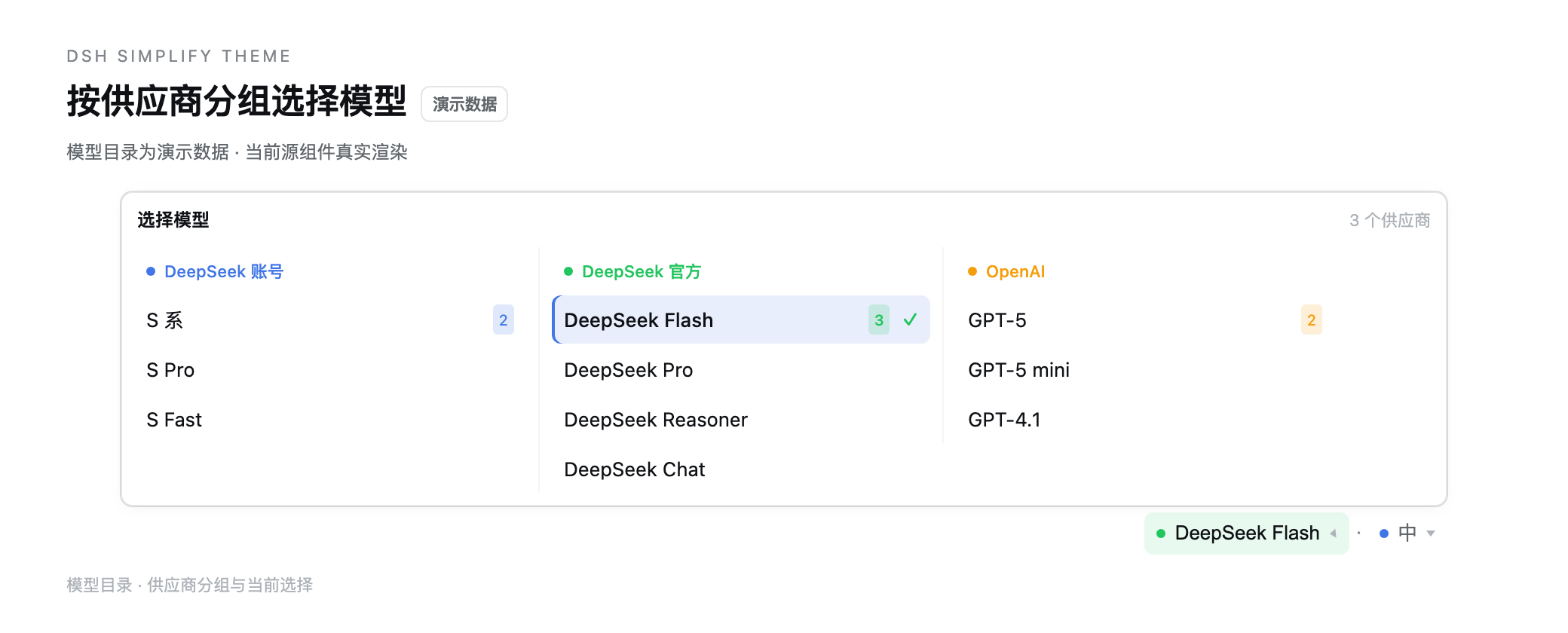 6
6No screenshots
by zdt3476
Minimal theme for dsh that removes shadows, glass blur, and brand tinting while tightening radii, plus UI extras: sidebar archive tabs with type-to-filter, model and reasoning-effort controls under th
★ 1
MIT
TypeScript
Oct 29, 2026
dsh plugin --profile web add dsh-simplify-theme