

dsh-mcp-installer
Manifest valid★ 1告别繁琐的手动配置!本插件支持从 Claude Desktop、Cursor、VS Code、YAML 或网页中直接导入 MCP 配置。在写入前,它会自动帮你进行安全审查和风险提示,只需点一下确认,就能把第三方工具无缝接入 DSH,您可从「设置 → MCP 安装」中管理相应信息。
DSH MCP Installer
在 DSH「设置 → MCP 安装」中导入并管理 MCP 服务器,配置写入当前 profile 的 cordis.patch.yml。
快速开始
检查 npm 上当前发布版本:
npm view dsh-mcp-installer version
普通 DSH CLI 用户可安装到 web profile:
dsh plugin --profile web add dsh-mcp-installer
将 web 替换为你实际使用的非 Desktop profile。安装后打开或重启该 profile,在 设置 → MCP 安装 中使用。
DSH Desktop 的 desktop profile 由 Desktop 自带的 DSH 命令管理。先启动 Desktop 初始化 profile,再在 Desktop 提供的命令环境中运行:
dsh plugin --profile desktop add dsh-mcp-installer
不要用单独安装的通用 dsh CLI 管理 Desktop 的保留 profile。
使用 MCP 安装器
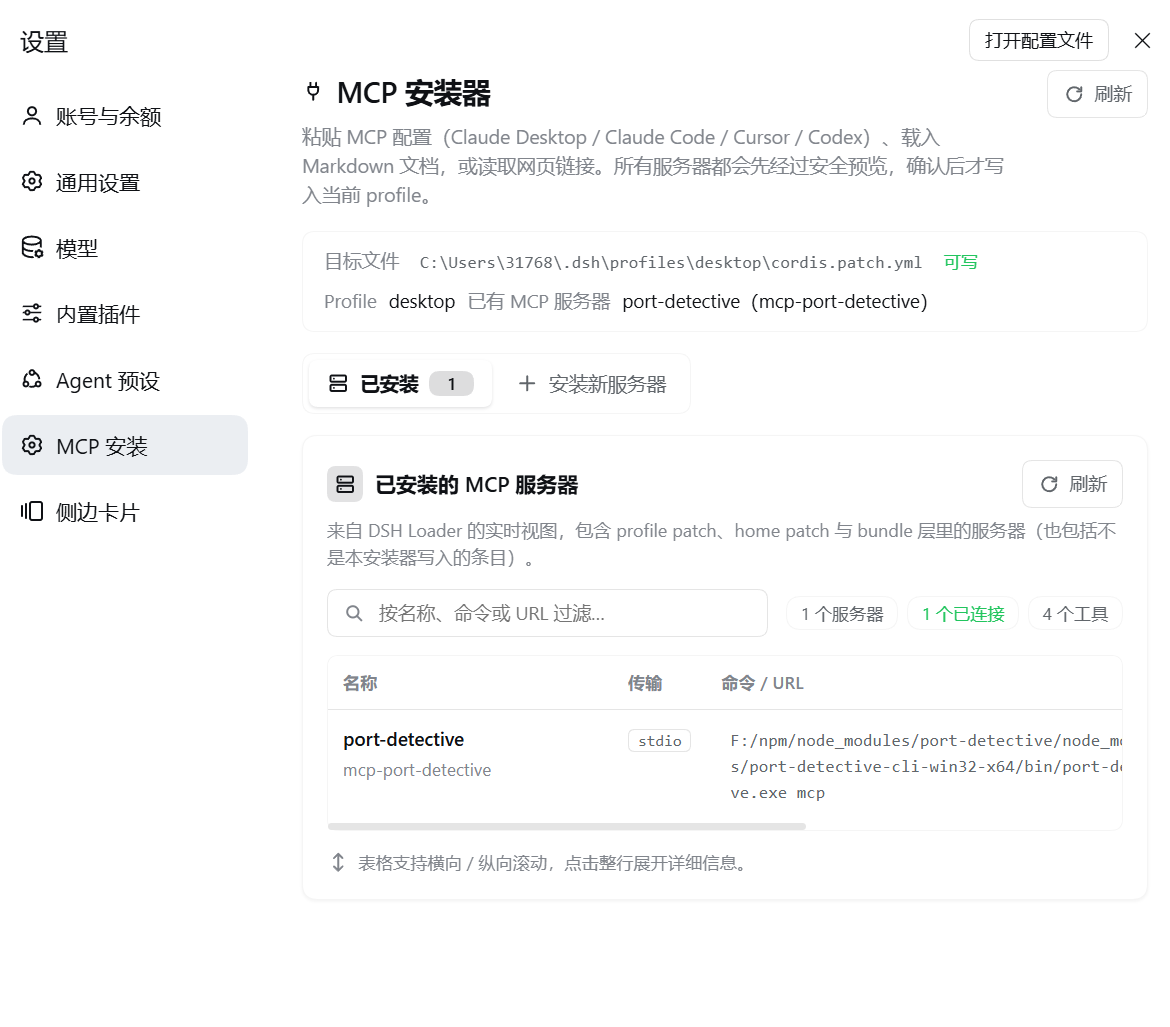
打开 DSH 设置 → MCP 安装。页面顶部会显示当前 profile 的目标配置文件和可写状态。
查看已安装服务器
「已安装」页展示当前 DSH Loader 中生效的 MCP 服务器,包括来源层、传输方式、连接状态和工具数。可按名称、命令或 URL 搜索;点击一行可展开详情。刷新可重新读取实时状态。
添加服务器
- 选择 安装新服务器。
- 粘贴 MCP 配置,或选择
.json、.yaml、.yml、.toml、.md、.markdown、.txt文件。也可输入文档或配置网页链接并选择 读取并解析。 - 选择 解析文本(链接导入会自动解析),检查每个服务器的传输方式、命令或 URL 和安全风险;按需确认风险提示,并选择要安装的服务器。
- 选择 安装所选服务器。配置写入当前 profile 的
cordis.patch.yml;完成后回到「已安装」查看运行状态。新会话或重启后生效;启用 HMR 时会自动重载。
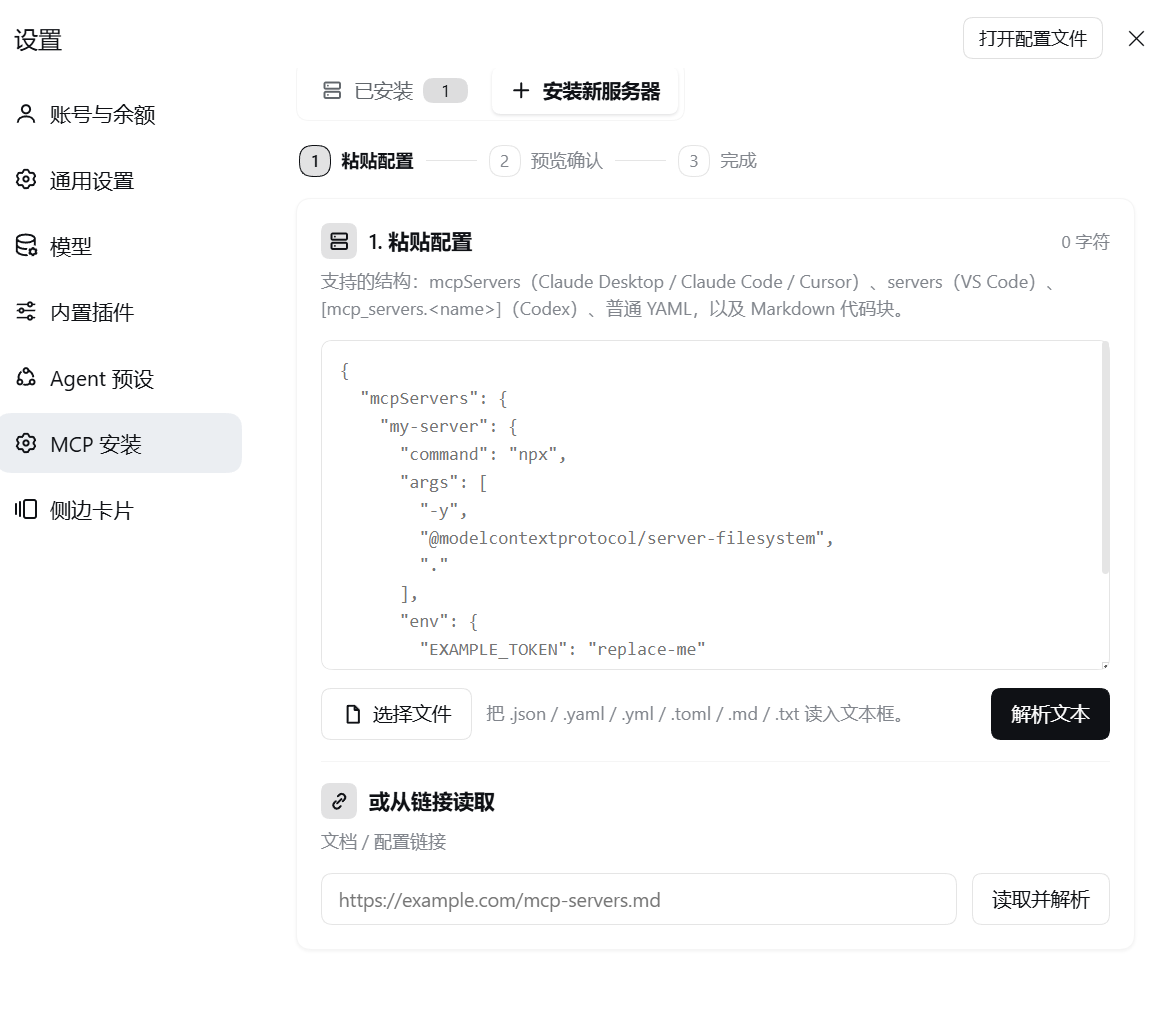
支持 mcpServers(Claude Desktop / Claude Code / Cursor)、servers(VS Code)、[mcp_servers.<name>](Codex)、普通 YAML 和 Markdown 代码块,也支持 Claude/Codex CLI 命令。支持 stdio 与 streamable-http,不支持 SSE。
编辑或删除仅适用于当前 profile patch 中可唯一定位的服务器。来自 home patch、bundle 等其他来源的服务器需在所属配置层管理。
示例:
{
  "mcpServers": {
    "filesystem": {
      "command": "npx",
      "args": ["-y", "@modelcontextprotocol/server-filesystem", "."]
    }
  }
}
安全说明
- 导入的 env/header 值会写入 profile patch;敏感值建议使用 DSH 支持的
!!js环境变量表达式。页面只显示键名,编辑时保留原值。 - 高风险命令或 URL 需要确认;网页导入会拒绝本机和内网地址。
开发
npm install
npm run build
npm run typecheck
npm test
许可证:MIT
Comments
Loading…
From the same category
by Ebony-Vinyl
在 dsh 里装上这个插件即可,无需登录、注册或填 API Key,就能使用包括 Muse Spark 1.3、MiMo V2.6 在内的前沿模型——完全免费,不限量。 All you do is install this plugin in dsh: no login, no sign-up, no API key — the frontier models are just there, Mu
★ 25.7k
↓ 7.9k/wk
MIT
JavaScript
Oct 19, 2026
dsh plugin --profile web add dsh-our-free-modelby corrinehu
将 WorkBuddy 桌面 App 包含的模型自动接入 DeepSeek Harness,零配置使用。Bring the models in the WorkBuddy desktop app into DeepSeek Harness with zero configuration.
★ 1.4k
↓ 20.9k/wk
MIT
TypeScript
Oct 19, 2026
dsh plugin --profile web add dsh-workbuddy-connectby V1ki
Use ChatGPT (Codex), Claude, and Grok (X Premium) subscriptions as DeepSeek Harness LLM providers — OAuth login in the web UI, no API keys
★ 478
↓ 1.7k/wk
MIT
TypeScript
Oct 19, 2026
dsh plugin --profile web add dsh-plugin-subscriptionsby Mars-Sea
Command Code provider plugin for DeepSeek Harness (dsh). Adds Command Code model access, live model catalog, plan-aware model selection, reasoning effort, image input, web search, and multi-account su
★ 409
↓ 1.9k/wk
MIT
TypeScript
Oct 18, 2026
dsh plugin --profile web add @mars-sea/dsh-commandcode-providerby FishBottle7
DSH plugin — free OpenCode Zen models for DeepSeek Harness (DSH). Free LLM API, no API key needed. 在 DSH 中使用 OpenCode Zen 免费模型,无需 API key
★ 272
MIT
TypeScript
Oct 14, 2026
dsh plugin --profile agent add opencode2dshAdds a deepseek-web provider that uses chat.deepseek.com web models in DSH, with browser login capture, PoW request signing, SSE streaming, and prompting-based tool calls.
★ 223
↓ 2.3k/wk
Apache-2.0
JavaScript
dsh plugin --profile web add dsh-deepseek-web-login