

dsh-workspace-categories
Manifest valid★ 2Group DSH sidebar workspaces: custom categories, three views (All/Recent/Categories), two-level collapsible sections, and long-press drag to organize. Say goodbye to endless scrolling to find conversations.
dsh-workspace-categories
English · 简体中文
Tired of a workspace list that has grown out of control? Tired of scrolling for ages every single time you need to find a session?
This plugin fixes both. File your workspaces into custom categories, then reach any session without hunting: All / Recent / Categories tabs, a fold on every level, and long-press drag to move things where they belong.
It exists because this was a real pain point — and it is almost certainly the same pain point for most DSH users.



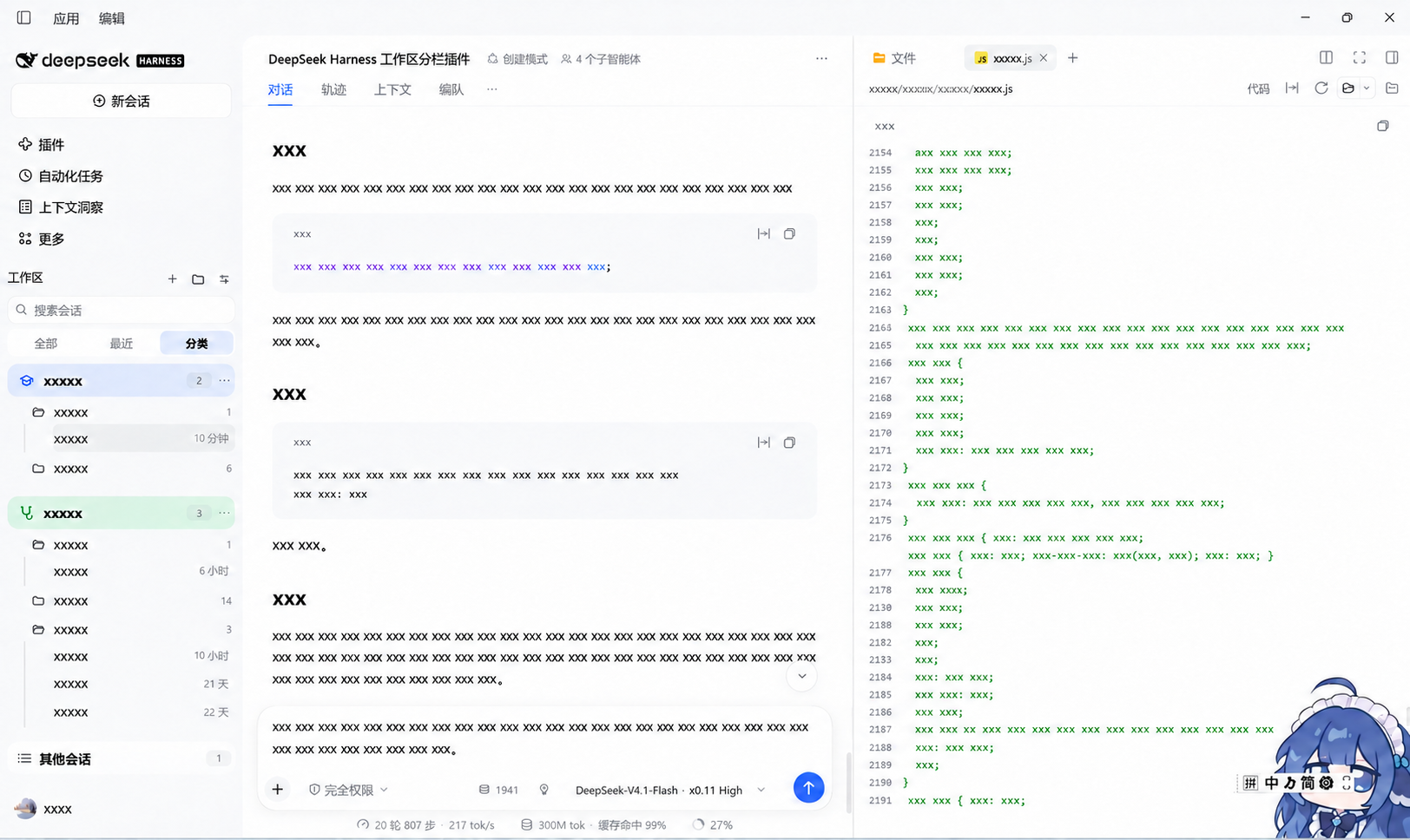
Why not just use the built-in list?
The built-in sidebar is one flat list of workspaces. That is fine at five workspaces and unusable at fifty: every workspace expands all of its sessions inline, so the list grows without bound and finding anything means scrolling.
This plugin keeps the same data but changes how you reach it:
| Built-in | This plugin | |
|---|---|---|
| Grouping | none — one flat list | your own categories, pinned and re-ordered |
| Finding a session | scroll the whole list | All (flat session list), Recent (recently used), or fold to a category |
| Visual weight | every workspace expanded | fold any category or any workspace |
| Long lists | scroll past everything | sessions are nested under their workspace, one indent guide deep |
Nothing is removed: search, archived filtering, add/rename/delete workspace, and the full right-click session menu all still work.
Requirements
- DeepSeek Harness desktop
>= 0.2.0-rc.2. Developed and verified against0.2.2-rc.3. - No build step, no network access, no extra dependencies. The plugin is plain JavaScript and a manifest.
Install
The plugin is a local bundle: DSH links the directory into the active profile rather than copying it.
From the Plugins page (recommended)
- Get the files. Either
git clone https://github.com/Znk1314/dsh-workspace-categories.gitor use the repository's Code → Download ZIP and extract it. - In DSH open Settings → Plugins → Add plugin.
- Select the repository directory — the folder that contains
package.jsonandcordis.patch.yml, not a parent folder and not a file. - The entry Workspace categories appears in the plugin list. Make sure it is enabled; the sidebar updates immediately.
Verify it loaded
Open the sidebar. You should see the Workspaces header with All / Recent / Categories tabs under the search box, and the + button beside the header creates your first category.
If the sidebar looks unchanged, the plugin did not activate. Check Settings → Plugins that the entry is present and enabled, then reload the window. A plugin that throws while rendering silently falls back to the built-in sidebar, so an enabled-but-broken plugin looks identical to a disabled one.
Updating
After replacing client.js (or pulling a new version), remove and re-add the
plugin. A local install is a link, and DSH does not hot-swap an already loaded
client module. Your categories live on the Host, so they survive the reinstall.
Uninstalling
Remove the plugin in Settings → Plugins. Your data stays at
<DSH_HOME>/plugin-data/dsh-workspace-categories/categories.json; delete that
file to remove it too. No session, workspace, or message is ever deleted by this
plugin.
Features
- Rounded tinted category rows — the category's own row is one rounded rectangle filled with a light tint of its accent, carrying its icon, name, and count; its workspaces and sessions hang below on the plain sidebar surface, joined by an indent guide.
- Three filters — All (one flat session list), Recent (recently used workspaces), and Categories (your groupings). The selected filter is a tinted pill.
- Fold by icon — click a category's icon to collapse the category, or a workspace's folder to collapse just that workspace (closed folder while folded, open folder while shown).
- Live status — a running session shows a spinner where its timestamp normally sits.
- Long-press drag — hold a workspace title for a moment and drag it into any category.
- Free re-ordering — drag with the same gesture to change a workspace's position inside a category.
- Category ordering and pinning — drag a category row, or use Move up / Move down; pinned categories always render first.
- Pick an icon and a colour — 30 line glyphs and 9 swatches per category, chosen from one picker that previews the change live. The colour tints the category row and its glyph; text stays in the theme ink.
- Nothing disappears — workspaces with no category fall into an Unassigned entry at the foot of the list, and sessions with no workspace into an Other sessions entry.
- Keeps built-in power features — search (auto-expands folded categories), archived-row filtering, add/rename/delete workspace, and the full right-click session menu.
- Durable — categories are stored on the Host, not in browser storage, so they survive restarts and port changes.
Usage
| Action | How |
|---|---|
| Create a category | the + beside the sidebar's Workspaces title |
| New workspace directly in a category | hover the category row and click its + — the workspace is created and filed in one step |
| File a workspace | press and hold its title, then drag into a box — or use its ⋯ menu → Move to category |
| Re-order inside a box | press and hold, then drop on the upper/lower half of another workspace row; the box tail shows an insertion line |
| Re-order categories | press and hold a category header, or its ⋯ menu → Move up / Move down |
| Pin a category | category ⋯ menu → Pin category (pinned boxes stay on top) |
| Change icon or colour | category ⋯ menu → Icon and colour, then pick a glyph and a swatch |
| Collapse / expand a category | click the category's icon; expand shows it open, collapse hides its workspaces |
| Collapse / expand one workspace | click its folder icon (open folder = expanded, closed = folded), or its ⋯ menu → Collapse workspace |
| Remove a workspace from a category | drag it into Unassigned, or its ⋯ menu → Remove from category |
| Delete a category | category ⋯ menu → Delete category (its workspaces return to Unassigned; no session is deleted) |
| Switch view | the All / Recent / Categories tabs under the search box |
| Archived filter | the sliders button at the right |
Every drag-only action also has a menu path, so a keyboard or touch user can do all of it.
Gesture details
- Dragging starts after a 180 ms hold; moving more than 6 px first is treated as a scroll or a click instead.
- Press
Escmid-drag to cancel. Losing window focus or a cancelled pointer also ends the drag cleanly — no stuck ghost, no locked text selection. - Dropping into the gap between boxes, or into empty space, is not a valid target and changes nothing. Only the Unassigned box unfiles a workspace.
- Dropping a row onto itself does nothing rather than jumping to the end.
- Pinned and unpinned categories never interleave; a cross-group drop is refused instead of silently discarded.
Data
Categories live in one JSON document, served by the Host half over an
authenticated route (/api/workspace-categories.doc; only the owner peer may
reach it):
<DSH_HOME>/plugin-data/dsh-workspace-categories/categories.json
Writes are debounced 240 ms and serialised through a temporary file plus rename. A failed save shows a notice in the panel and is retried every 5 seconds; the notice clears once a write succeeds.
{
  "version": 1,
  "categories": [
    { "id": "c1", "name": "Client work", "color": "blue", "icon": "briefcase",
      "pinned": true, "collapsed": false, "workspaceIds": ["w1", "w2"] }
  ],
  "view": { "tab": "categories", "archived": "default" },
  "unassignedCollapsed": false,
  "collapsedWorkspaces": ["w3"]
}
color accepts ink | red | orange | amber | green | blue | violet | pink | slate;
view.tab accepts categories | recent | all; view.archived accepts
default | show | only; collapsedWorkspaces lists folded workspace ids; icon names one of the 30 built-in glyphs
(folder, book, graduation, briefcase, terminal, palette, brain, plant, …) and falls back to folder.
The Host repairs malformed or hostile input, so a
damaged file never takes the sidebar down.
How it works
sidebar.workspacesis asingleslot. This plugin registers into it withpriority: -1000; the slot keeps the lowest priority, so it replaces the shipped browser instead of sitting beside it.- The sidebar's scroll region declares
container-type, which makesposition: fixedresolve against the sidebar. Menus, dialogs, and the drag ghost therefore portal intodocument.body. - Session rows raise the built-in session menu through the shared
useContextMenuseat, and the shipped rename/archive dialogs keep working because they live inshell.overlay, outside the replaced region. - All colours and surfaces come from theme tokens (
--dsw-alias-*,--dsw-radius-*), so light and dark themes both work.
Compatibility with other sidebar plugins
DSH's sidebar browsing region (sidebar.workspaces) is a single slot: only
one occupant renders. That is the framework's design, not a choice this plugin
makes, and it has two consequences you should know before installing.
One sidebar plugin at a time
Any other plugin that also takes over the browsing region — a different grouping UI, a tabbed sidebar, a replacement session list — competes for the same seat. Exactly one of them renders; the others do nothing, and nothing reports the conflict. If the sidebar does not look the way you expect, disable one of the two and reload.
This plugin registers at a negative shadowing priority, below the shipped browser's implicit 0, which is what makes it win the seat. If you fork it and remove that value, the shipped browser takes the sidebar back — the plugin then looks uninstalled even though it is loaded.
Extensions that seat inside a session row still work
The browsing region declares child seats that other plugins register into. A plugin that replaces the region must forward those seats itself, or every extension seated there silently disappears. This plugin forwards all three:
| Seat | Where it renders |
|---|---|
sidebar.session.row.leading | before the session title |
sidebar.session.row.trailing | after the title, before the timestamp |
sidebar.workspaces.session.row.action | in the row's action strip |
Each is offered with the sessionId (and the display title for the action seat)
that the shipped browser passes, so an extension cannot tell the difference.
A seat with nothing registered adds no DOM, and a seat that throws is skipped
rather than taking the sidebar down.
Known gaps
Two seats the shipped browser offers are not forwarded, because this plugin does not build the UI they belong to:
sidebar.session.row.hover— session rows have no hover card here.sidebar.workspaces.directoryFlow— there is no directory-flow step.
Extensions that target those two specific seats will not render. Everything in
the right-click session menu (contextMenu) is unaffected and works normally.
Limitations
- A workspace belongs to at most one category; categories do not nest.
- Only the workspace browsing region is replaced. Per-row hover buttons (pin/archive) go with the shipped browser; both actions remain in the session right-click menu.
- State is per machine and per profile; there is no sync.
Development
See CONTRIBUTING.md. The verification harness is in tools/:
node tools/check-keys.js client.js
node tools/test-gestures.cjs client.js
node tools/test-regressions.cjs client.js
node tools/test-host.mjs
License
MIT © 2026 Znk1314
Comments
Loading…
From the same category
by awesome-dsh-plugin
A curated list of plugins for DeepSeek Harness (dsh) · DeepSeek Harness 插件精选列表
★ 25.1k
CC0-1.0
Python
Nov 18, 2026
by woniuniuniu
DeepSeek Harness 自媒体工作台插件:一句话记灵感,一键生成脚本、封面、配图和分镜
★ 1.5k
↓ 8.2k/wk
MIT
JavaScript
Nov 18, 2026
dsh plugin --profile web add dsh-media-deskby 0xsline
DeepSeek Harness (DSH) ecosystem: curated plugins, tools, and infrastructure from dsh-external/hub and the public dsh-plugin topic.
★ 1.4k
CC0-1.0
Python
Nov 6, 2026
by keli-wen
Hire Google's Antigravity CLI (agy) as a fast Gemini staffer for Claude Code, OpenAI Codex, and DeepSeek Harness.
★ 893
MIT
JavaScript
Nov 16, 2026
dsh plugin --profile agent add agy-staffby Roland0511
MarkText (muya) WYSIWYG Markdown editor for the DeepSeek Harness right sidebar
★ 840
↓ 2.8k/wk
MIT
JavaScript
Nov 7, 2026
dsh plugin --profile web add dsh-marktextby SAOS-3624
Scene-aware storyboard for DeepSeek Harness: 9-16 numbered cells with timestamps + transcript + an audio envelope, packed into ONE image (384 tokens). Two tools: video_storyboard and video_zoom.
★ 575
↓ 17k/wk
MIT
JavaScript
Nov 16, 2026
dsh plugin --profile web add dsh-video-storyboard