

dsh-deepseek-webdesk
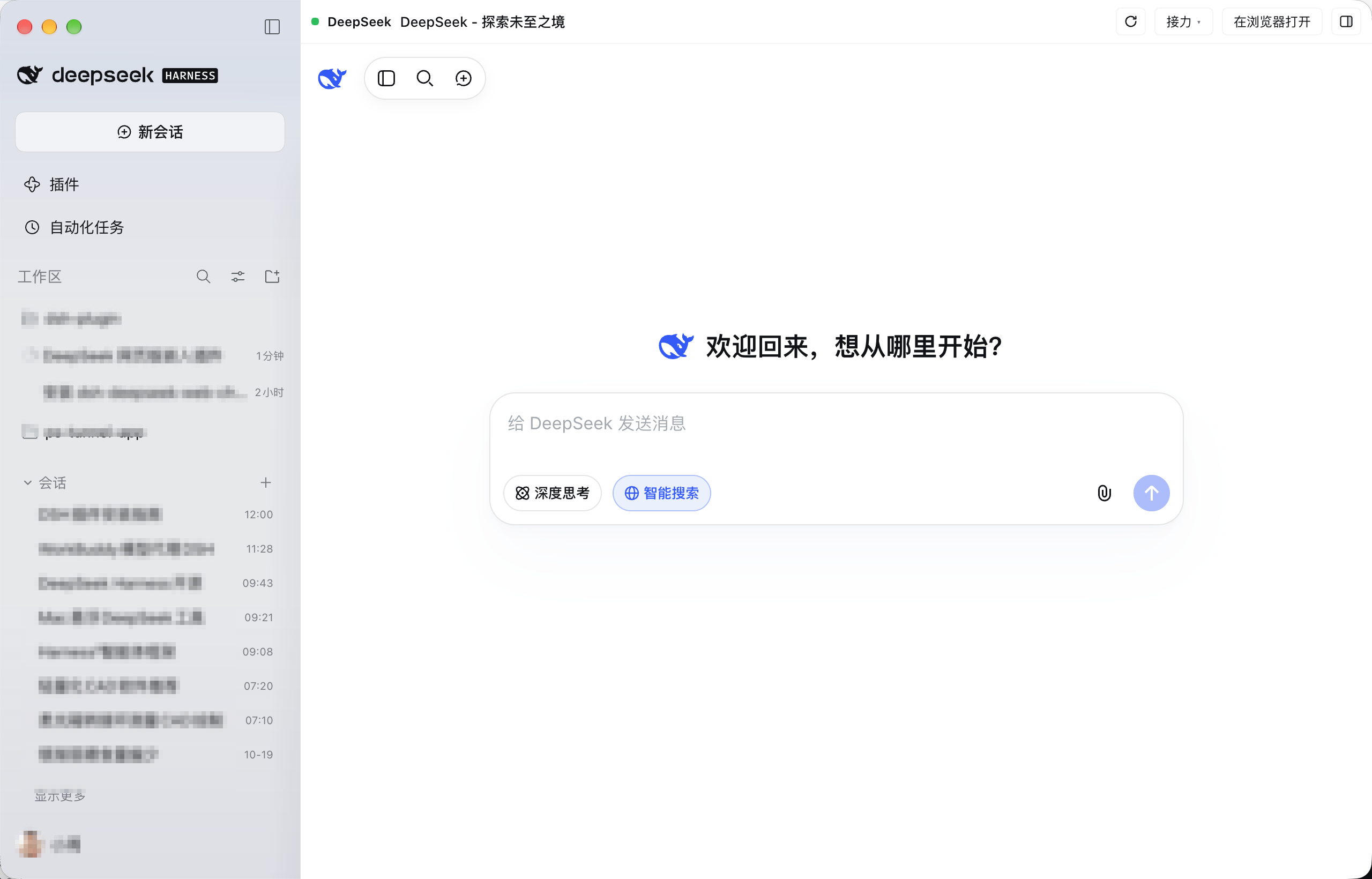
Manifest validDeepSeek Web Workspace for DSH — Lists DeepSeek web sessions in the sidebar. Click to open a complete web conversation, with support for handing off to the current or a new task.
dsh-deepseek-webdesk
DeepSeek 网页工作台 for DeepSeek Harness (DSH) — 把 DeepSeek 网页版的会话列表搬进 DSH 侧栏,点开就是完整的网页对话,并支持把对话接力到当前任务或新建任务。



它是什么
DSH(DeepSeek Harness)桌面端插件。安装后,左侧栏「工作区」下面会多出一块 「会话」,直接列出你 DeepSeek 网页版里的历史会话;点任意一条,主区域打开完整的 chat.deepseek.com,并自动跳到那条对话。
不是浮层、不是侧栏面板、也不是新开浏览器——它复用 DSH 自带的内嵌浏览器租约,并把网页登录态一起带过来。
功能
- 侧栏会话列表:网页版历史会话(标题 + 时间),20 秒自动刷新。
- 悬停行显示 置顶 / 删除(与 DSH 工作区会话行同款交互;置顶同步 DeepSeek 云端,删除有确认弹窗)。
- 点「会话」标题行任意位置折叠/展开;「显示更多」是会话列表内容的最后一行(跟着列表滚动,不固定),每次多加载 20 条。
- 未登录网页版时列表里显示「未登录,点击登录」按钮;登录态过期(
INVALID_TOKEN)时显示「登录已过期,点击重新登录」;其他网络/WAF 失败显示「读取失败,点击重新加载」。
- 用量与余额行(可开关):左侧栏账号头像/昵称正上方一行:
今日 312M · 总计 312M · 余额 ¥0.98。- token 用量由 Host 半折叠本机全部会话日志得出,口径与对话页右下角用量 pill 一致(含缓存读 token);悬停看输入/输出/缓存读/合计明细,点一下立即刷新,60 秒自动刷新。
- 余额取自当前 DSH 登录的 DeepSeek 账号(充值余额 + 赠金,按币种展示;悬停看拆分),120 秒自动刷新;余额低于 ¥1 时数值加粗、低于 ¥0.1 时变红(token 数值不受影响)。
- 在 设置 → 通用 → 侧栏显示用量与余额 里开关;侧栏收起成 56px 轨道时自动隐藏。
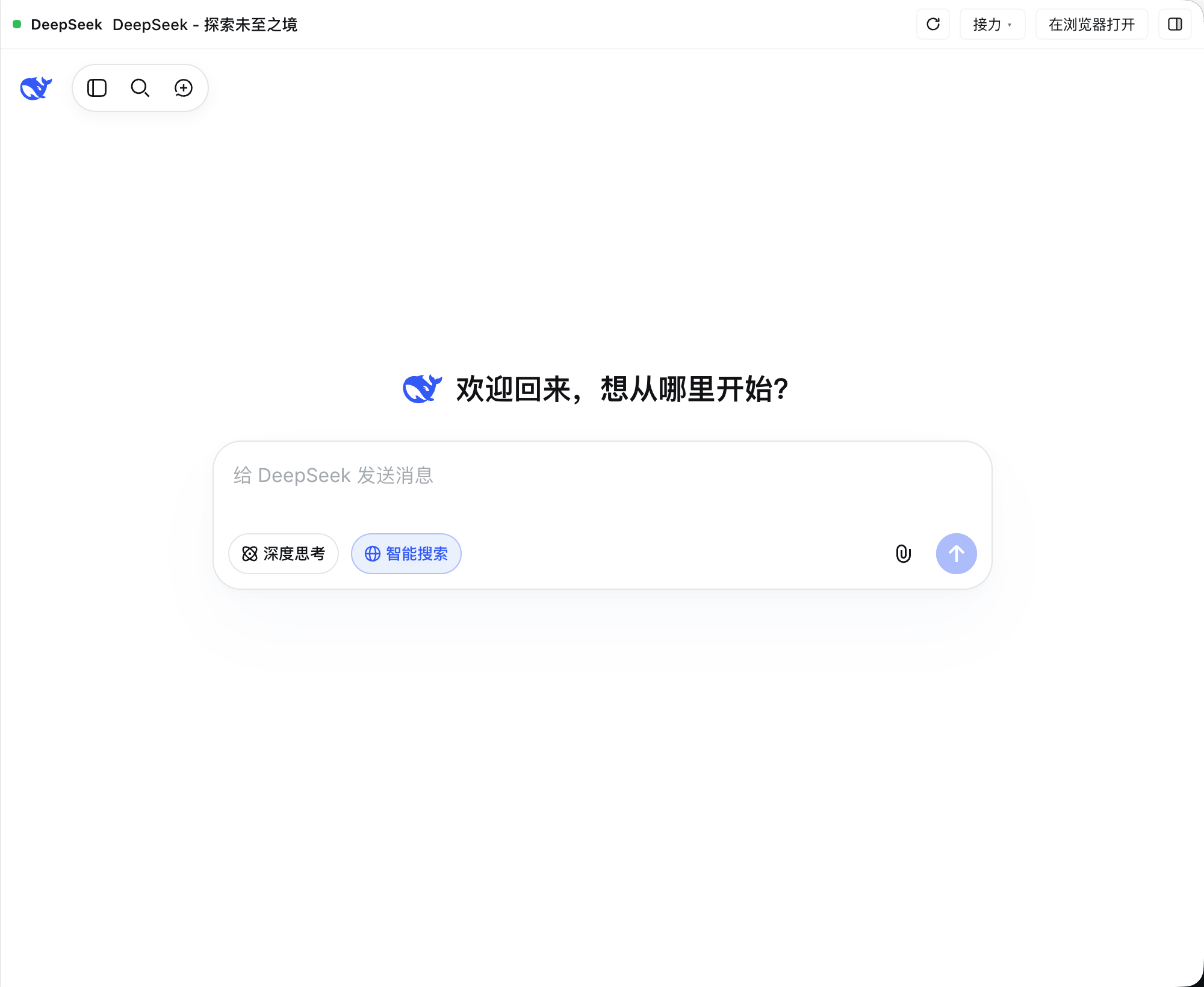
- 完整网页对话:点会话进入独立 DeepSeek 页,页面铺满主内容区。
- 顶部是插件自己的头部:
DeepSeek · 当前会话标题+ 刷新 / 接力 / 在浏览器打开 / 右侧栏。 - 中文界面(DSH 渲染进程默认
--lang=en-US,插件会强制 DeepSeek 网页使用zh_CN)。
- 顶部是插件自己的头部:
- 自带登录态持久化(默认):第一次在 DeepSeek 页里正常登录后,插件会把网页的
localStorage(含userToken)、可读 cookie 和真实 UA 存到本机~/.dsh/deepseek-webdesk/session.json(权限 600);之后打开网页、重启 DSH 都会自动装回,不需要额外插件、也不用反复登录。- 兼容回退:如果本机装了
dsh-deepseek-web-login且还没有自己的快照,会先用它的登录态完成首登,然后自动落盘到上面那份快照。 - 读会话列表时优先用自己的快照(它随页面刷新,是最新 token),快照 token 被站点拒绝后再自动回退到 web-login 账号库。网页端会轮换
userToken,账号库里那份过期也不会导致列表一直读失败。
- 兼容回退:如果本机装了
- 接力到 Harness:两种去向,各支持「最后一条回复 / 整段对话 / 当前一轮问答」:
- 插入到刚才的任务:切回原会话,把内容作为草稿插入输入框并聚焦(失败复制到剪贴板)。
- 新建任务继续:在当前工作区新建一个 Harness 任务,内容直接填进新任务输入框。
- 单选中态:进入 DeepSeek 页时工作区会话会取消选中,不会出现两个选中状态;点工作区任务即离开 DeepSeek 页。
- 可拖动窗口:DeepSeek 页顶部工具条是窗口拖动区域(按住拖动即可移动整个 DSH 窗口);侧栏「会话」标题行整行可点击收起/展开列表,
+按钮开新对话。 - 全局唤出快捷键(可选附加组件):在 设置 → 通用 → 全局唤出 DSH 里开启/关闭、点「修改」录制新组合;默认 macOS
⌥ Space、WindowsAlt+Space。任意页面按一下唤出 DSH,再按一下隐藏。⌘W关掉窗口后也能唤回:助手检测 DSH 是否有可见窗口,没有就用dsh://open让 DSH 重新创建/聚焦主窗口(已实测)。- 实现:插件 Host 会编译并启动一个本地原生小助手(macOS 用 Swift 的 Carbon 全局热键,Windows 用 PowerShell + WinForms 全局热键),由它显示/隐藏整个 DSH 窗口;不需要给 DSH 主程序提权,也不依赖系统“聚焦”功能。
- 助手二进制只在首次启用时编译到
~/.dsh/deepseek-webdesk/helper/(本机),卸载/停用插件后进程退出。
安装
需要 DSH 桌面端(>= 0.2.1-rc.2)。
从插件市场安装(推荐)
DSH 桌面版默认不内置插件市场,需要先启用实验性的「自定义插件市场」:
-
侧栏 插件 → 实验性插件 旁的 更多 → 找到 自定义插件市场 并打开开关;
-
打开 插件 → 发现 → 添加索引源,填入:
https://zneoxlab.github.io/dsh-deepseek-webdesk/market/index.json(GitHub Pages 尚未生效时,可先用 raw 地址:
https://raw.githubusercontent.com/zneoxlab/dsh-deepseek-webdesk/main/docs/market/index.json) -
搜索「DeepSeek 网页工作台」,确认来源是 npm 包
dsh-deepseek-webdesk后安装。
从 npm 安装
npm 包:dsh-deepseek-webdesk(MIT)
dsh plugin --profile desktop add dsh-deepseek-webdesk@0.12.2
从 GitHub 安装
dsh plugin --profile desktop add git+https://github.com/zneoxlab/dsh-deepseek-webdesk.git
本地开发(link)
"/Applications/DeepSeek Harness.app/Contents/Resources/runtime/cli/bin/dsh" \
  plugin --profile desktop add \
  "link:/path/to/dsh-deepseek-webdesk"
安装完成后重启 DSH(或等插件热加载),左侧栏会出现「会话」。
依赖与联动
- 必需:DSH 桌面端的内嵌浏览器能力(
globalThis.dshDesktop.browser)。 - 可选:
dsh-deepseek-web-login—— 仅作为首次登录态的兜底来源,不是必需依赖。 - 插件 Host 半 优先用自己保存的
~/.dsh/deepseek-webdesk/session.json,没有时再读~/.dsh/web-login/的账号;拿到 token 后调用 DeepSeek 官方接口chat_session/fetch_page拉会话列表,通过同源路由/dsh-deepseek-webdesk/api/sessions交给客户端。token 只在本机请求头内使用,不打印、不上报。
开发
cd dsh-deepseek-webdesk
npm test        # node --test,Host 映射 + 用量折叠/余额 + 客户端槽位注册
文件结构:
| 文件 | 作用 |
|---|---|
client.js | 侧栏会话列表、用量与余额行、主区域网页页、内嵌浏览器租约、共享登录、中文强制、接力 |
index.js | Host 半:读网页登录账号、拉取/置顶/删除 DeepSeek 会话列表的 API;折叠会话日志出今日/总计 token 用量;经 DSH 账号服务查 DeepSeek 余额 |
cordis.patch.yml / package.json | DSH bundle 与客户端模块清单 |
locale/*.json | 插件管理器中显示的名称与说明 |
docs/ | 截图(会话标题已打码) |
隐私
- 会话列表与对话内容只在本机 DSH 进程与 DeepSeek 网页之间流转;登录快照只存本机
~/.dsh/deepseek-webdesk/session.json(chmod 600)。 - 删除/置顶走 DeepSeek 网页端同款接口,操作的是你自己的账号数据。
- 仓库里的截图已对个人会话标题打码。
License
English
dsh-deepseek-webdesk is a DeepSeek Harness (DSH) desktop plugin that lists your chat.deepseek.com conversations in the DSH sidebar and opens the full web chat in the main area. It reuses DSH's embedded-browser lease and the web session captured by dsh-deepseek-web-login, forces the Chinese locale, and hands conversations off to the current Harness task or a brand-new one.
Comments
Loading…
Similar plugins
by FrostLeafKEE
Switch between DeepSeek web chat and workspaces in DeepSeek Harness. Web history sidebar and one-click conversation import. / 网页聊天、历史侧栏与工作区一键导入。
★ 9
MIT
TypeScript
Oct 12, 2026
dsh plugin --profile web add dsh-chat-bridgeby c-ling
DeepSeek Harness Web GUI 工具箱插件:打开工作区目录并置顶会话。
★ 3
MIT
JavaScript
Aug 21, 2026
dsh plugin --profile web add dsh-plugin-toolboxby ytftu
DSH(DeepSeek Harness)插件:侧边栏底部动作区加「问助理」按钮,一键用内置浏览器打开 DeepSeek 网页版,随手问事不消耗会话 token。
★ 0
MIT
JavaScript
Oct 18, 2026
dsh plugin --profile web add dsh-ask-assistantby acdsh4869
Adds a native sidebar menu item in DSH that opens chat.deepseek.com in a standalone browser window with persistent login, and supports bidirectional text selection transfer between DSH and the web pag
★ 1
MIT
JavaScript
Oct 10, 2026
dsh plugin --profile web add dsh-deepseek-web-relayby Waverly-W
Quick temporary conversation and workspace manager for DeepSeek Harness Web GUI.
★ 3
↓ 19/wk
MIT
JavaScript
Aug 21, 2026
dsh plugin --profile web add dsh-scratchpadby zerorigin-studio
Web chat entry for DeepSeek Harness: a sidebar button opening chat.deepseek.com in a dedicated desktop window under dsh-desktop, with in-webview fallback for plain web environments.
★ 6
↓ 146/wk
MIT
JavaScript
Sep 23, 2026
dsh plugin --profile web add @zerorigin-studio/dsh-deepseek-chat