
dsh-quickshot
Manifest validGlobal-hotkey screenshots for DeepSeek Harness: press the shortcut over any window, drag a region, and the image lands in the current session composer without switching back to DSH. The overlay offers
dsh-quickshot · 快捷键截图
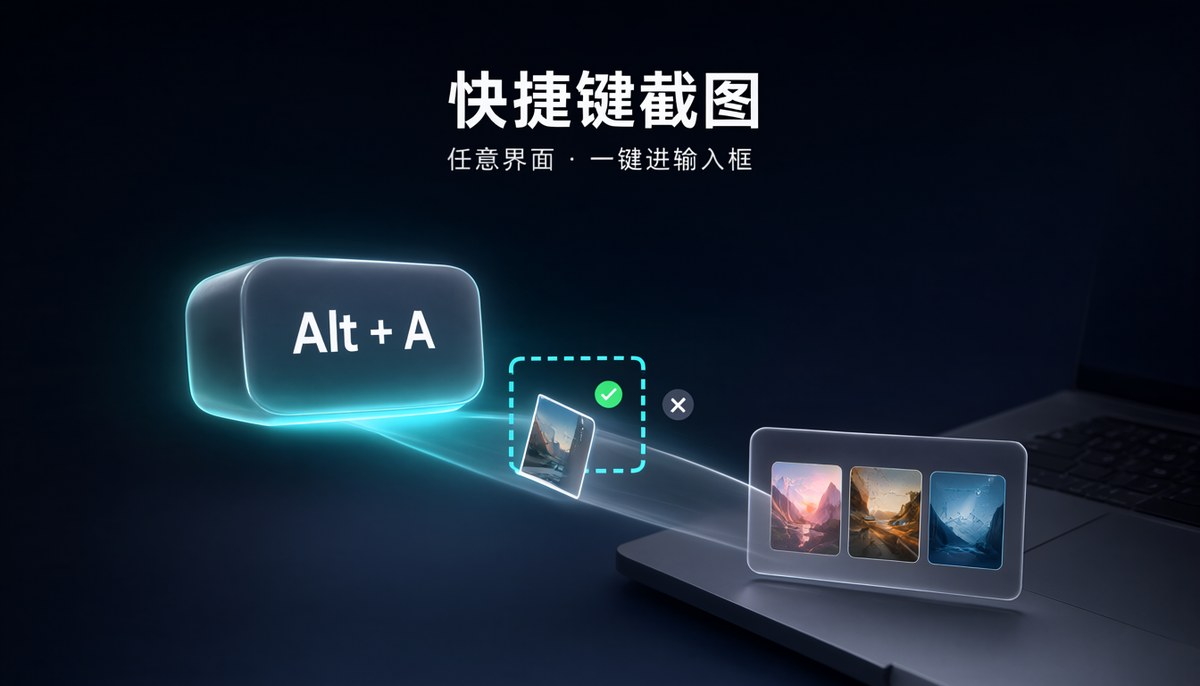
在任意界面按一下快捷键,框选一块屏幕,截图直接进入 DSH 当前会话的输入框——不用切回 DSH,不用找文件,不用拖拽。
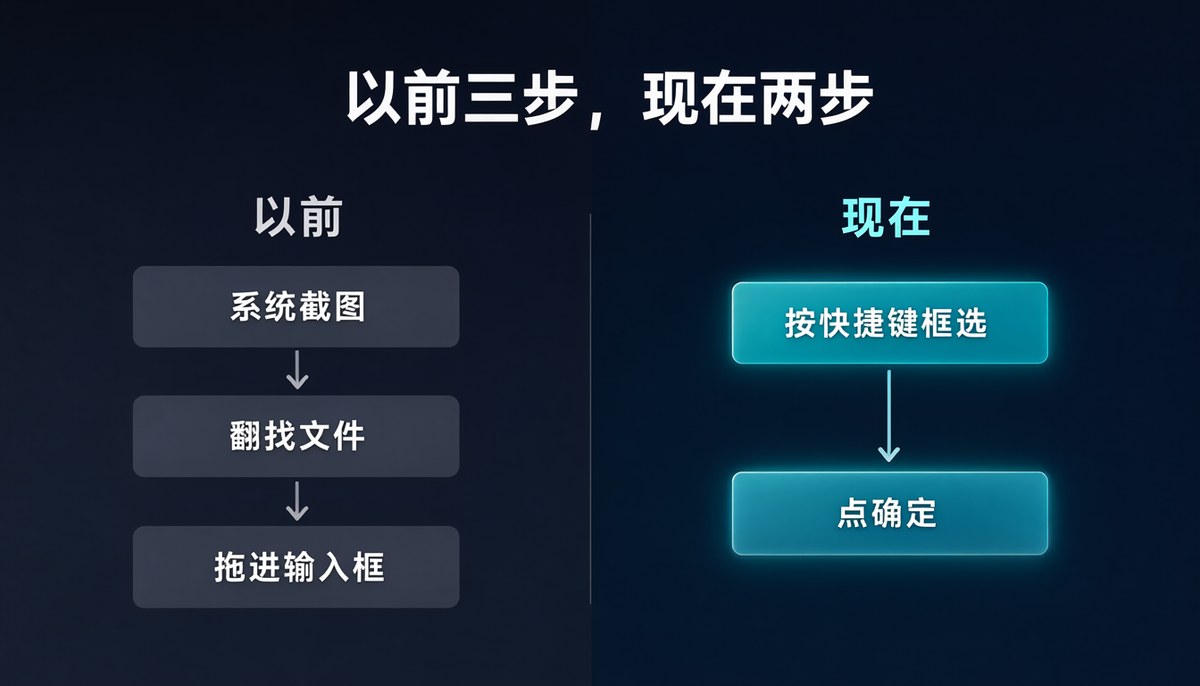
三句话说完它好在哪
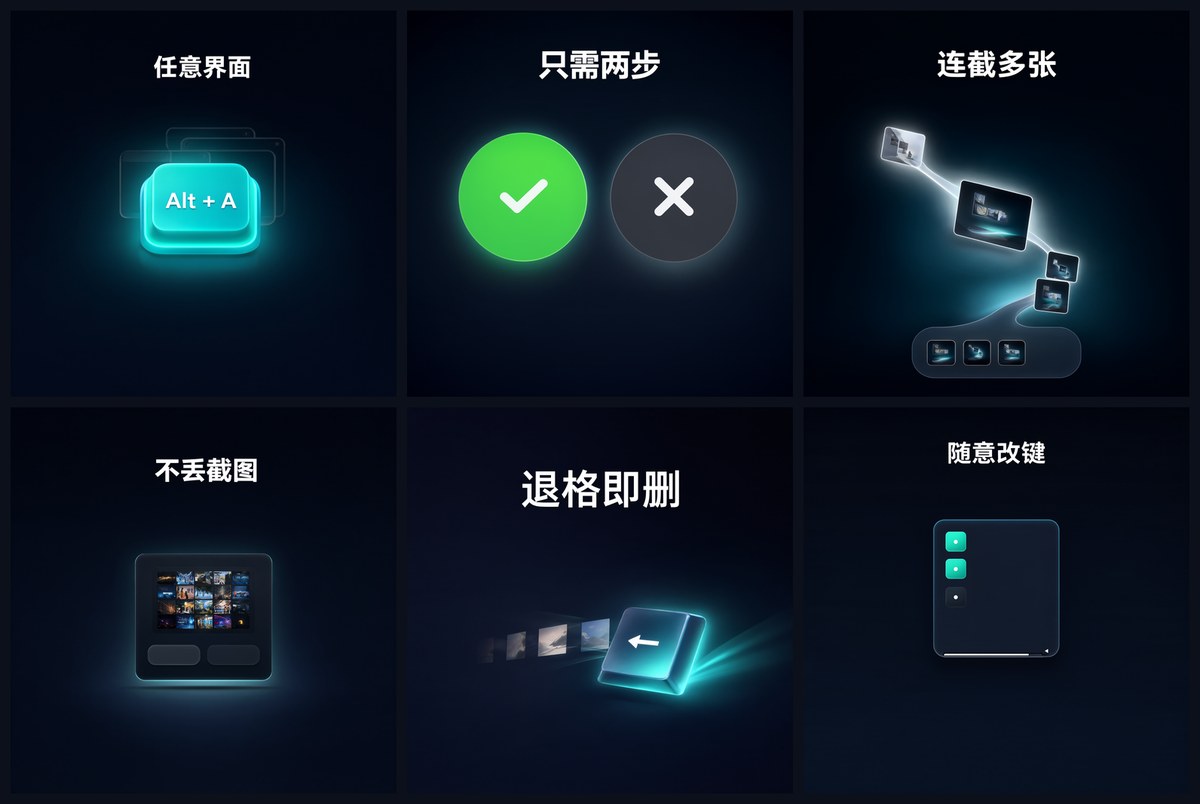
一、哪儿都能截。
你在浏览器、文档、聊天软件、远程桌面、任何窗口前面,按 Alt+A 就能框选。截完 DSH 不会跳出来抢你的画面,你还是停在刚才那个窗口。
二、只有两个按钮。
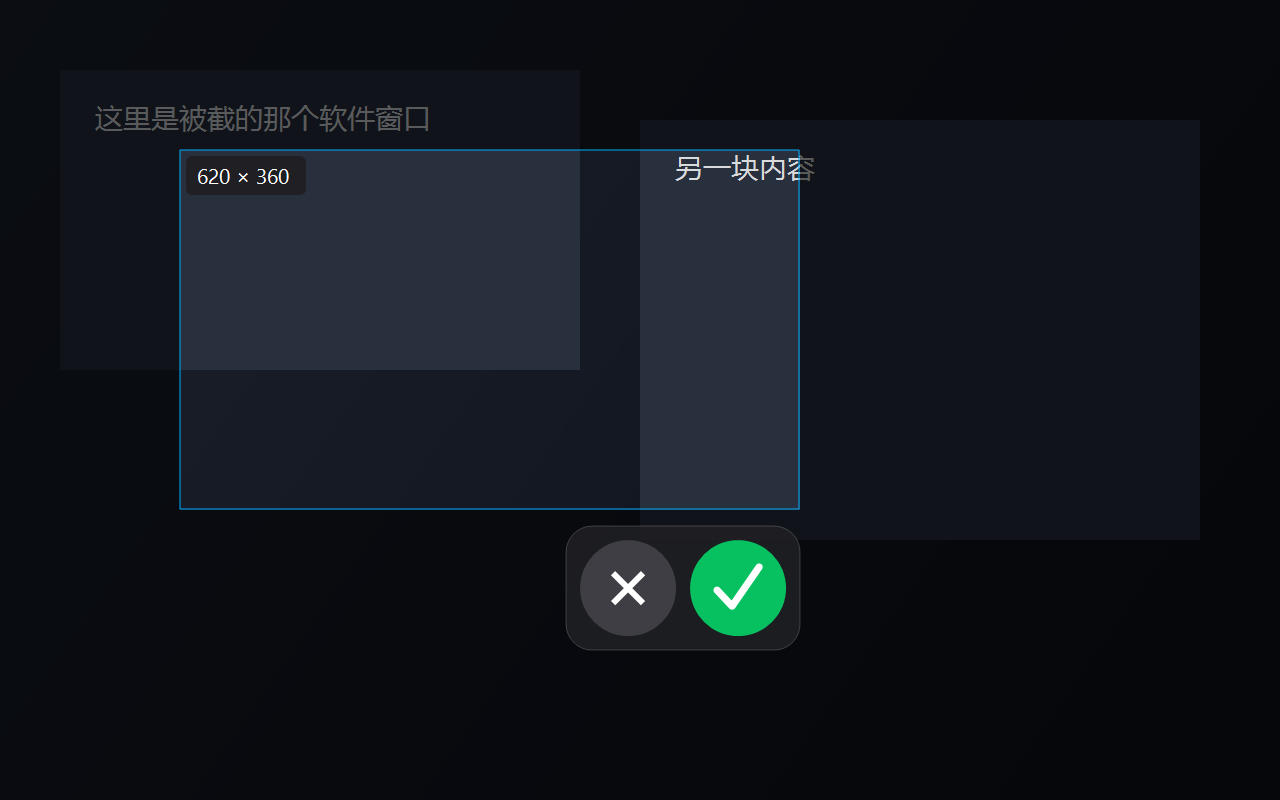
框选完,选区右下角只有绿色对钩(确定)和红叉(取消)。没有工具条、没有二级菜单,不用学。按回车等于确定,按 Esc 或点右键等于取消。
三、可以一直截。 截一张不满意?再按一次。截三张一起发?连按三次,三张会依次堆在同一个输入框里,最后打一段话一起发出去。DSH 单条消息最多挂 20 张图,在这个数量以内随便连。
实际长什么样
框选的时候:屏幕定格变暗,拖出选区后左上角显示尺寸,右下角只有两个按钮——绿勾确定、红叉取消。
截完之后:图直接躺在输入框里,可以继续截、继续打字,最后一起发。

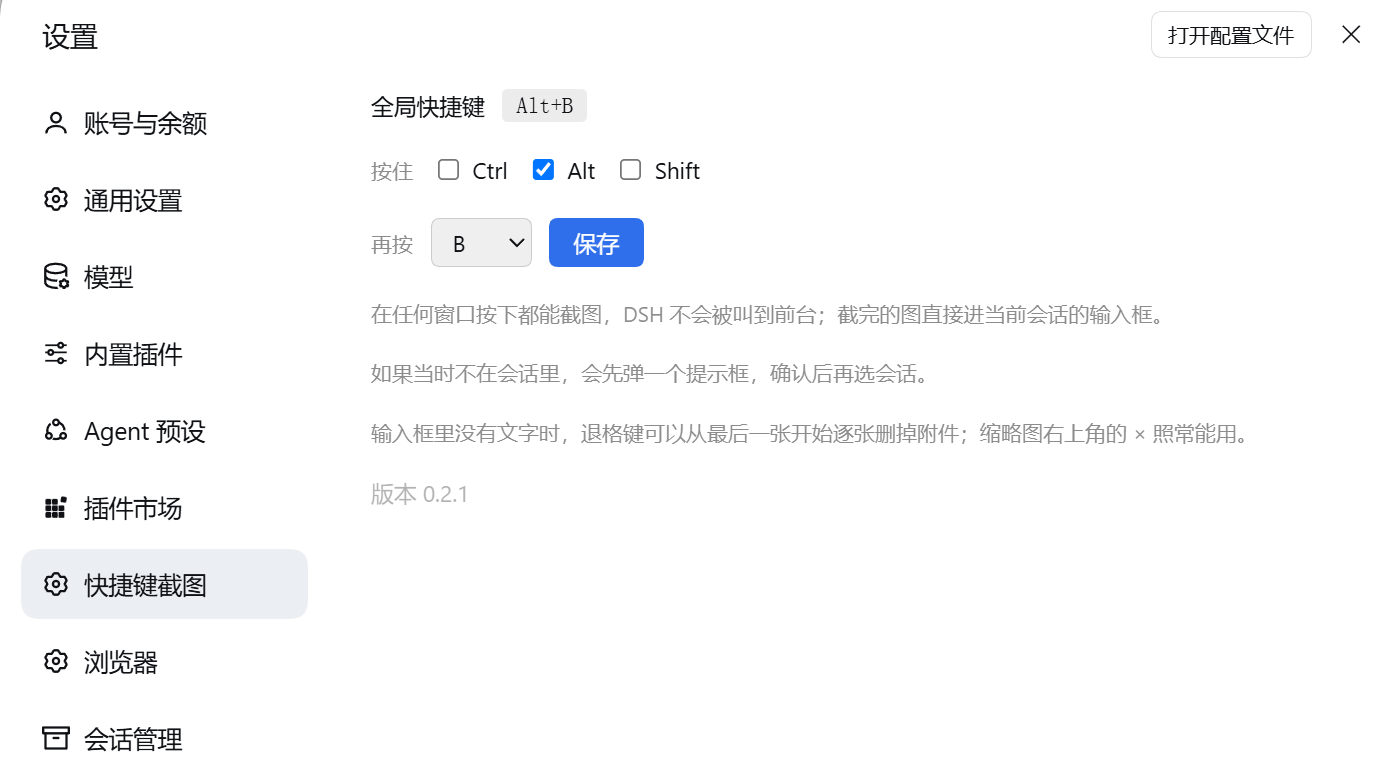
想换快捷键:设置 → 快捷键截图,勾修饰键、选按键、保存,立即生效。
另外两个别人常丢掉的场景
不在会话里也能截,而且不会白截。 你当时如果停在插件页、设置页,或者根本没打开会话,截图不会丢:会弹一个系统提示框「请选择截图输入的会话」,点确定后 DSH 到前台,你切回任意一个会话,刚才的截图会自动放进那个会话的输入框;点取消这张图丢掉,DSH 也不会弹出来。
输入框空的时候,退格键能逐张删图。
连着截了五张发现只要最后一张?输入框里没有文字时按一下 Backspace 删最后一张,连按连删。右上角那个 × 照常能用。
快捷键可以改
设置 → 快捷键截图,勾选 Ctrl / Alt / Shift,再选字母、数字或 F1–F12,点保存立刻生效,不用重启。
如果你选的组合已经被别的软件占了(微信的截图默认也是 Alt+A),界面上会直接提示「这个组合被别的软件占用了,换一个试试」。
安装
从 npm 安装(推荐):
dsh plugin --profile desktop add dsh-quickshot
从 GitHub 安装:
dsh plugin --profile desktop add https://github.com/zhaoqiminggg/dsh-quickshot
装完重启 DeepSeek Harness。首次使用会花几秒钟,用系统自带的 C# 编译器现场生成截图小程序,不需要另装任何运行库。
常见叫法
截图输入、快捷截图、任意界面截图、截图插件、全局截图、截图进输入框、框选截图、screenshot hotkey、region capture。
它是怎么工作的
插件由三部分组成,全部在本机运行:
| 部分 | 作用 |
|---|---|
native/quickshot.cs | 原生小程序:常驻监听快捷键、全屏冻结框选、弹出选择会话的提示框。首次使用时编译到 DSH 数据目录,不放在插件目录里(Windows 不允许改写正在运行的程序)。 |
index.js | 宿主半边:拉起上面那个小程序,提供取图接口,改快捷键时重启监听。 |
client.js | 网页半边:把取到的图放进输入框,处理"不在会话里"的提示流程,以及退格删图。 |
隐私与安全
- 截图只在本机处理,不联网、不上传、无遥测。
- 不读取剪贴板,不记录键盘输入内容;退格删图只在输入框为空时生效,且只作用于输入框里已有的附件。
- 系统级快捷键由插件自带的小程序注册,DSH 退出时它自行退出,不留后台进程。
- 取图接口只接受带插件标记的请求,不是公开端口。
兼容性
- 仅 Windows 10 / 11(依赖 Win32 与 Windows 自带的 .NET Framework 4 C# 编译器)。
- 需要 DeepSeek Harness 0.2.x(
>=0.2.0-rc.2 <0.3.0-0)。 - 多显示器、高 DPI 已处理:整个虚拟桌面合成一张图。
已知限制
- 独占全屏的游戏、UAC 安全桌面等强制最上层画面可能截不到。
- DSH 单条消息最多 20 张图片,超过的部分会被拒绝(图不会丢,会留在排队里等下一次)。
- 框选界面的按钮尺寸是固定的,4K 屏上会显得偏小,后续会跟随系统缩放。
- 快捷键若与其他软件冲突,注册会失败,设置页会显示提示,换一个组合即可。
许可
MIT
Comments
Loading…
Similar plugins
by EasySSHCN
Screenshot capture plugin for DeepSeek Harness (DSH): region/window/fullscreen capture with a fullscreen overlay selector, the screenshot tool, the /shot command, a Ctrl+Alt+A global hotkey and a comp
★ 0
MIT
C#
Nov 4, 2026
dsh plugin --profile web add dsh-shotby deepseekbluefish
WeChat-style in-app screenshot button: drag a region, fine-tune with 8 resize handles, Enter to capture and Esc to cancel; auto-numbered PNGs plus a [Shot N HH:mm] marker written into the composer. Wi
★ 0
MIT
PowerShell
Aug 24, 2026
dsh plugin --profile web add dsh-screenshot-pluginby loftspire
Windows-only screenshot button for the DSH composer: freezes the desktop and dims it, selects a whole window by hovering or a region by dragging, marks it up with rectangles, ellipses, arrows and pen
★ 0
MIT
JavaScript
Nov 17, 2026
dsh plugin --profile web add @loftspire/dsh-shotby baibaiyi
Screenshot a desktop region with a global hotkey, then recognise its text with Windows OCR or attach it to the DeepSeek Harness chat draft.
★ 1
MIT
JavaScript
Oct 28, 2026
dsh plugin --profile web add dsh-shot-ocrby JackEngineer
One-click DSH screenshot: capture the DeepSeek Harness window (or the whole desktop) and drop the PNG straight into the composer draft
★ 0
MIT
JavaScript
Oct 17, 2026
dsh plugin --profile web add dsh-quick-screenshotby Alain-Prot0s5
Screenshot-to-input for DeepSeek Harness: composer camera button + global hotkey (Alt+A) + listener bound to the app lifecycle, configurable in settings. 截图自动粘贴到 DSH 输入框:相机按钮 + 全局快捷键 + 生命周期绑定 + 设置页配置。
★ 2
↓ 45/wk
MIT
PowerShell
Aug 24, 2026
dsh plugin --profile web add @alain-prot0s5/dsh-screenshot