
dsh-pomodoro
Manifest validClassic 25/5/15 pomodoro timer for DSH that ties each run to the current session task or a manual project name, with a stats panel, a 365-day heatmap, a draggable floating timer and a corner pill, loc
🍅 dsh-pomodoro
DeepSeek Harness(DSH)番茄钟插件:经典 25/5/15 计时,可关联当前会话任务或手动输入项目名,自带统计面板与全年热力图,数据本地持久化并支持导出 CSV(Excel 双击可直接打开)。
非官方第三方插件,独立于 DeepSeek / DSH 官方。插件问题请开在本仓库,不要报到 DSH 官方。
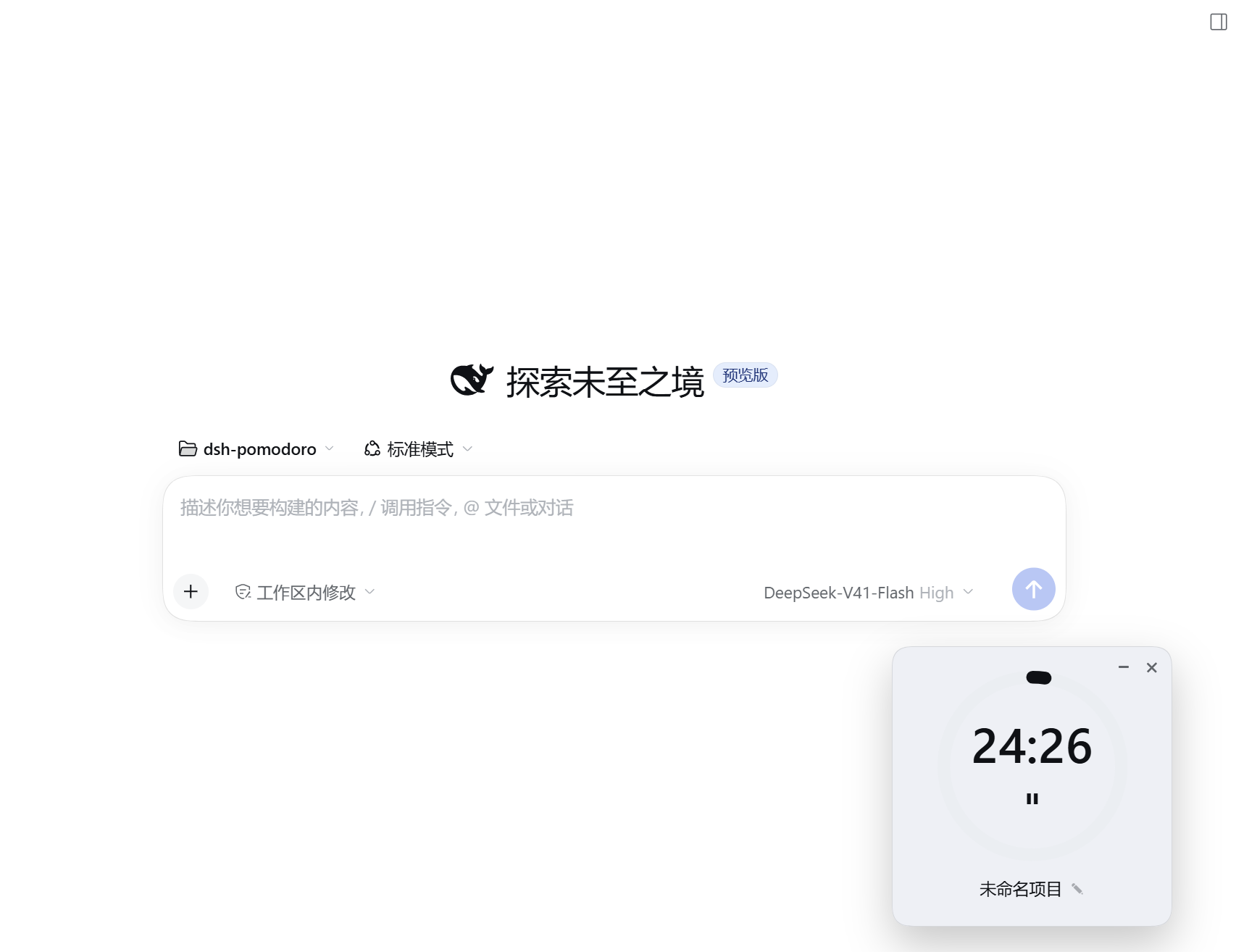
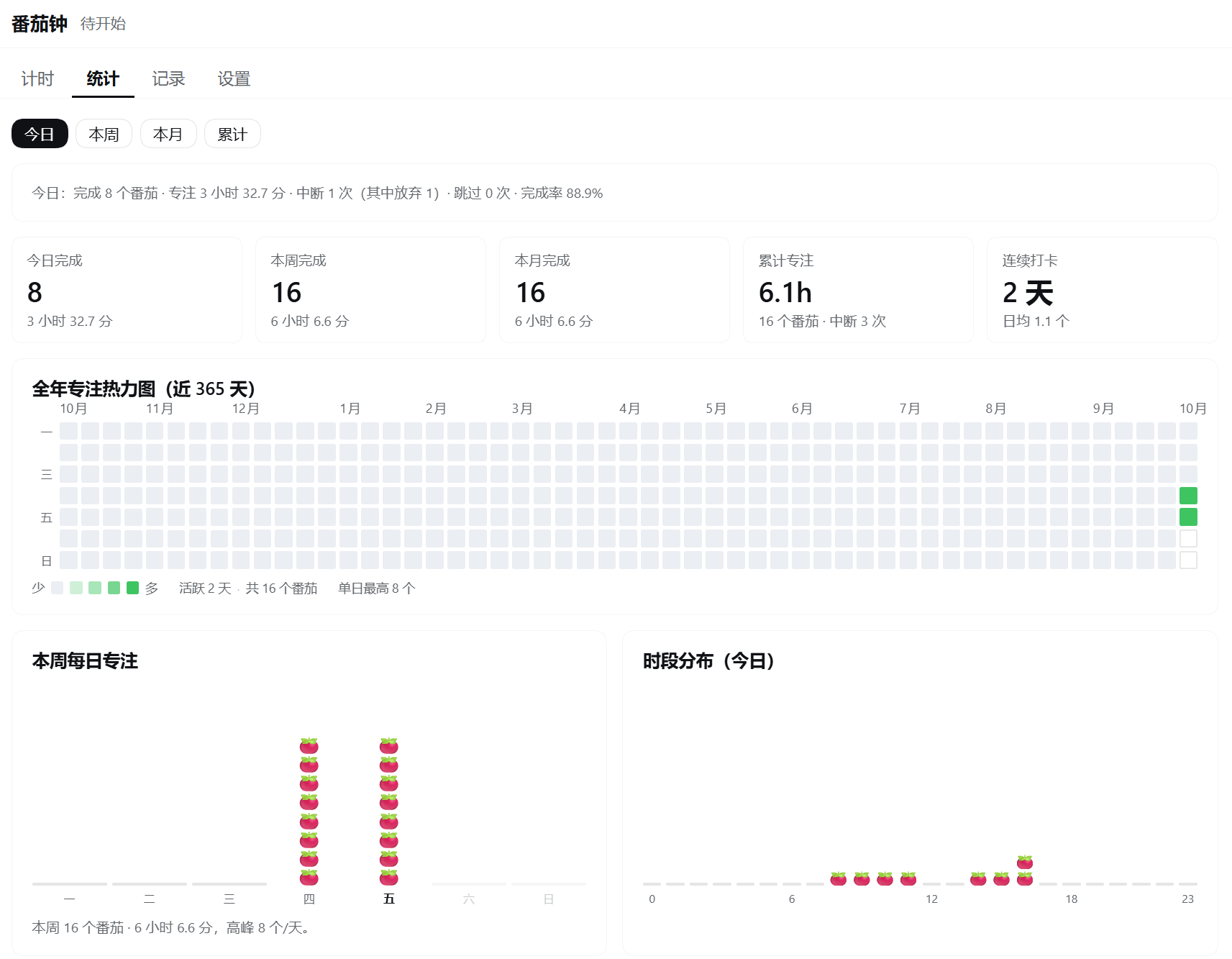
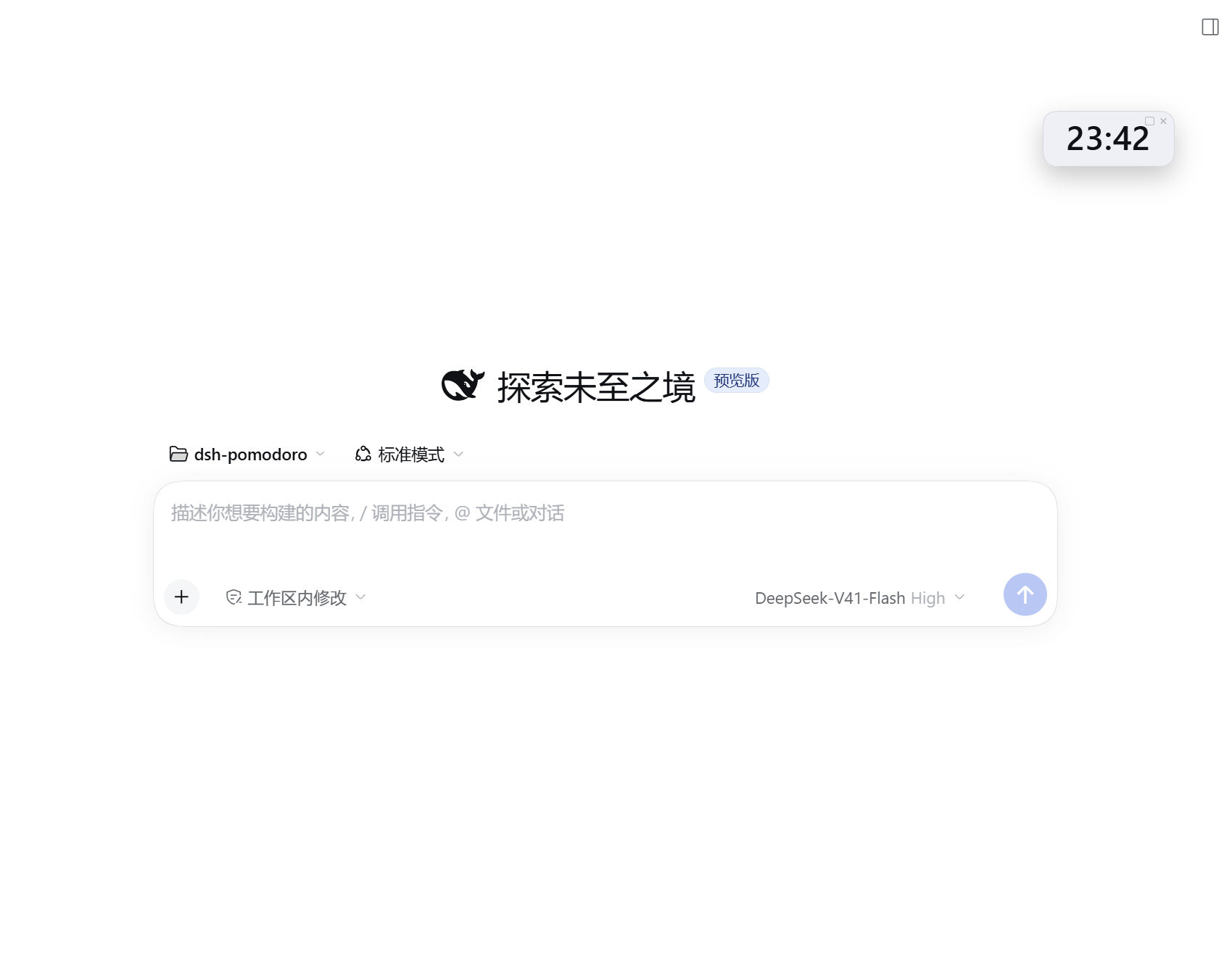
界面预览
| 计时面板 | 统计面板 | 角落迷你药丸 |
|---|---|---|
 |  |  |
功能
- 经典番茄钟:专注 25 / 短休息 5 / 长休息 15 分钟,时长与"每几个番茄进长休息"都可改。倒计时按截止时间戳走,后台节流回前台自动校正,不漂移。
- 关联任务:打开某会话后,面板自动解析其工作区名 / 会话标题作为一键候选;也可从最近项目挑、或手输任意项目名。
- 三处入口:侧边栏番茄图标 → 整屏面板(计时 / 统计 / 记录 / 设置四页);一个可拖动的悬浮计时卡;角落一个只显示跳动时间的迷你药丸。
- 全年热力图:仿 GitHub 贡献图,覆盖近 365 天,跟随深浅主题;图例直接给出「今日 X 个番茄 · 连续活跃 X 天 · 共活跃 X 天 · 共 X 个番茄」四口径。
- 完成卡片:专注结束自动开始休息并弹卡;休息结束弹卡但默认不自动开下一个专注。
- 可信的中断记账:完成 / 中断 / 放弃 / 跳过分开统计,中断不计入完成数,所以完成率是可信的;中断还能"继续"、最终仍算一个完成。
- 本地 + 可导出:数据存本机一份全局 JSON,原子写入、损坏留档;可导出带 BOM 的 CSV,Excel 直接打开中文不乱码。
- 零运行时依赖:不引入 xlsx 等库,整包复制即可用。
前置条件
这是 DSH 的插件,不是独立应用。装它之前你需要:
- 已安装 DSH 并至少成功运行过一次(插件往 DSH 的 profile 里注册,DSH 没跑过就没有可写入的 profile)。
- Node.js
^22或>=24(跑测试 / 安装脚本的 JSON 处理用)。 - Windows 用自带的
pwsh;macOS / Linux 用bash+node。
安装
✅ npm 包
@yongfanbeta/dsh-pomodoro已发布到 npmjs,方式 A 与方式 B 都可用。
方式 A · 官方 CLI(推荐)
# 桌面端(desktop profile)
dsh plugin --profile desktop add @yongfanbeta/dsh-pomodoro
Web 端把 --profile desktop 换成 --profile web,再 dsh web。
方式 B · 从源码装
在插件目录里执行对应平台的脚本:
# Windows(含桌面端)
pwsh -File scripts/install.ps1
# macOS / Linux
bash scripts/install.sh
脚本会自动定位你正在运行的 profile(桌面端即 desktop),把插件复制进该 profile 的 node_modules、登记 bundle 与 dependency。重启 DSH 后左侧栏出现 🍅 即生效。想显式指定:pwsh -File scripts/install.ps1 -Profile desktop。
⚠️ 装错 profile 是"装了却看不见"的头号原因:只有正在运行的那个 profile 会加载插件。请在 DSH 会话内跑脚本(脚本会读
$env:DSH_PROFILE自动选对),或先确认$env:DSH_PROFILE;装完用npm run check:install复核(它会打印实际校验的 profile 名)。
卸载:pwsh -File scripts/install.ps1 -Uninstall / bash scripts/install.sh --uninstall;npm 装的也可 dsh plugin --profile desktop remove @yongfanbeta/dsh-pomodoro。数据文件会保留。
使用
- 重启 DSH,点左侧栏番茄图标进入面板「计时」页。
- 要关联当前任务就先打开对应会话、回到面板点候选项;或直接手输项目名。
- 点「开始专注」。到点自动记录并切到休息。
- 「统计」页看热力图与汇总,「记录」页导出 CSV。
- 悬浮计时卡和角落药丸都能就地开始 / 暂停 / 停止。
数据与隐私
数据全部存在本机:${DSH_HOME:-~/.dsh}/storages/pomodoro/state.json。无遥测、无统计上报、不联网、不上传任何数据。导出 CSV 也在本地完成。
已知限制
- 提示音依赖浏览器
AudioContext(需先与页面交互过);系统通知需授权,未授权时静默跳过。 - 会话标题来自 host 的
sessionTitle服务;不可用时退化为工作区名 / 目录名。 - 数据为全局一份,不按工作区隔离(已确认的取舍)。
- 导出为 CSV(非多工作表
.xlsx)。
更多
- 想看设计与实现细节(进程边界、中断记账、挂载点、自检脚本、npm 发布流程、二次开发),见 CONTRIBUTING.md。
- 版本变更见 CHANGELOG.md。
许可证
Comments
Loading…
Similar plugins
by atzx
Pomodoro focus timer plugin for DeepSeek Harness (DSH): a floating overlay timer with a Plugins-page configuration page, break cycles and desktop notifications. Browser-only DSH client plugin.
★ 0
MIT
JavaScript
Oct 19, 2026
dsh plugin --profile web add dsh-plugin-pomodoroby cuznmop
Pomodoro timer for the DeepSeek Harness Web UI: a sidebar page with focus/short-break/long-break cycles plus a countdown pill beside the composer. · DSH Web 番茄钟:侧栏整页(专注/短休息/长休息)+ 输入框旁倒计时胶囊。
★ 0
MIT
JavaScript
Oct 16, 2026
dsh plugin --profile web add dsh-pomodoro-timerby magicOF2
Local long-term schedule panel: top-bar "日程" text button, today/week/history month-calendar views with stats, completion checkmarks with per-day history, schedule↔conversation links with click-to-jump
★ 3
↓ 44/wk
MIT
JavaScript
Sep 7, 2026
dsh plugin --profile web add dsh-scheduleby zhaoyuntao-wl
Decision-and-goal memory with lineage: explicit commands and a model tool record decisions deterministically, a status card re-anchors them across compaction, a lossless event stream with BM25+jieba r
★ 2
↓ 208/wk
MIT
TypeScript
Oct 19, 2026
dsh plugin --profile web add dsh-threadby alpacachen
Runs one-time and RFC 5545 recurring Agent tasks in fresh DSH sessions, with visual schedule editing and session-linked history.
★ 4
↓ 1.4k/wk
MIT
TypeScript
Oct 8, 2026
dsh plugin --profile web add @alpacachen/dsh-automationby Paimonshen
Coding-learn floating panel: edits and runs Python/JavaScript/TypeScript/PowerShell with exit code and timing, grades JSON course lessons with progress export, keeps Markdown notes and snippet library
★ 3
MIT
JavaScript
Oct 4, 2026
dsh plugin --profile web add dsh-coding-plugin