
dsh-doubao-image
Manifest validRegisters native doubao_generate_image and doubao_image_status Agent tools to automate Doubao Web (doubao.com) via Tabbit Browser, automatically extracting watermark-free 2.7K wm0 original images into
dsh-doubao-image
豆包网页版 AI 生图 Agent 原生工具插件(Doubao Web AI Image Generation Agent Tool Plugin for DeepSeek Harness)
dsh-doubao-image 为 DeepSeek Harness (DSH) 提供免 API Key、基于真实浏览器会话的 豆包网页版(doubao.com)AI 文生图原生工具能力。安装后,Agent 将自动获得 doubao_generate_image 与 doubao_image_status 两个原生工具:当你向 Agent 提出任何画图、制作海报、生成文章封面或配图需求时,Agent 会直接调用工具操控 Tabbit 浏览器中的豆包网页版完成生成,并自动优选下载 2730×1536(2.7K)wm0 无水印超清原图 落盘及注入当前对话。
🏗️ 工作流架构
flowchart LR
  subgraph Agent["DeepSeek Harness Agent"]
    U["用户自然语言画图指令"] --> T["调用原生工具<br/>doubao_generate_image"]
  end

  subgraph Studio["Tabbit 浏览器 · 豆包网页版自动化"]
    T --> M["自动检测登录态 &<br/>切换极速『豆包』生图模式"]
    M --> P["注入比例/风格增强 Prompt<br/>提交 Seedream 5.0 渲染"]
    P --> F["按 /rc_gen_image/ 哈希去重<br/>优选 cgen_wm0 无水印 2.7K 原图"]
  end

  subgraph Output["本地落盘与多模态回传"]
    F --> D["Node.js 携带 Referer 下载原图<br/>保存至 doubao_images/"]
    D --> A["注入 ctx.attachments<br/>对话内直接渲染超清大图"]
  end

  style Agent fill:#e3f2fd,stroke:#1565c0,color:#0d47a1
  style Studio fill:#fff8e1,stroke:#ff8f00,color:#e65100
  style Output fill:#e8f5e9,stroke:#2e7d32,color:#1b5e20
✨ 核心特性
- 原生 Agent 工具调用(
doubao_generate_image&doubao_image_status)- 无需手动操作繁琐面板,直接对 Agent 说出画图需求(如:“帮我用豆包生成一张 16:9 赛博朋克风格的机械橘猫封面图”),Agent 即会自动调用
doubao_generate_image工具。 - 支持
1:1、16:9、9:16、4:3、3:4、3:2、2:3、21:9全画幅比例,内置cinematic-cg(电影级 CG)、photorealistic(写实摄影)、cyberpunk(赛博朋克)、chinese-ink(国风水墨)、anime(动漫二次元)、3d-isometric(3D 盲盒潮玩)、minimal-editorial(极简插画)等风格预设。
- 无需手动操作繁琐面板,直接对 Agent 说出画图需求(如:“帮我用豆包生成一张 16:9 赛博朋克风格的机械橘猫封面图”),Agent 即会自动调用
- 自动优选
cgen_wm02730×1536 无水印原图- 自动过滤渐进式模糊缩略图(
-cthumb)、静态图标(/rc/icon/)与历史缓存图片; - 按
/rc_gen_image/<hash>唯一内容键自动去重,并智能优选豆包画布底层的cgen_wm0.png/cgen_wm0.webp2730×1536 纯净无水印原图(告别右下角水印与模糊缩略图)。
- 自动过滤渐进式模糊缩略图(
- 自动模式切换与全链路防呆
- 自动检测并关闭豆包网页版「下载豆包电脑版」等推广弹窗;
- 若检测到当前处于耗时的「豆包·工作(云电脑)」模式,自动切换回极速「豆包」标准对话模式(约 20~25 秒即可出图);
- 若豆包网页尚未登录,自动呼出扫码/飞书登录窗口并截图返回给用户。
🖼️ 实机运行效果
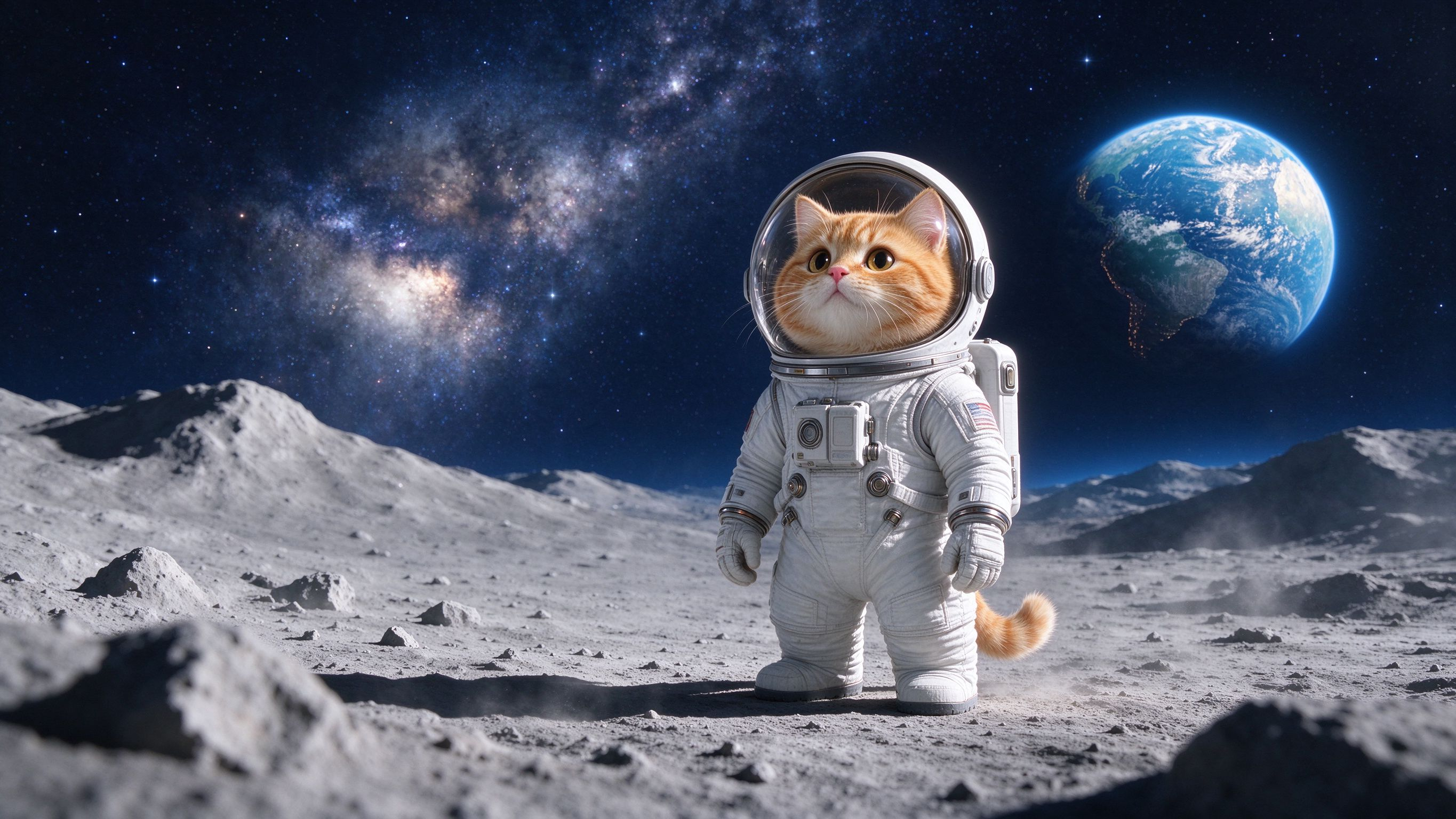
1. 由 doubao_generate_image 自动提取的 2730×1536 无水印超清原图
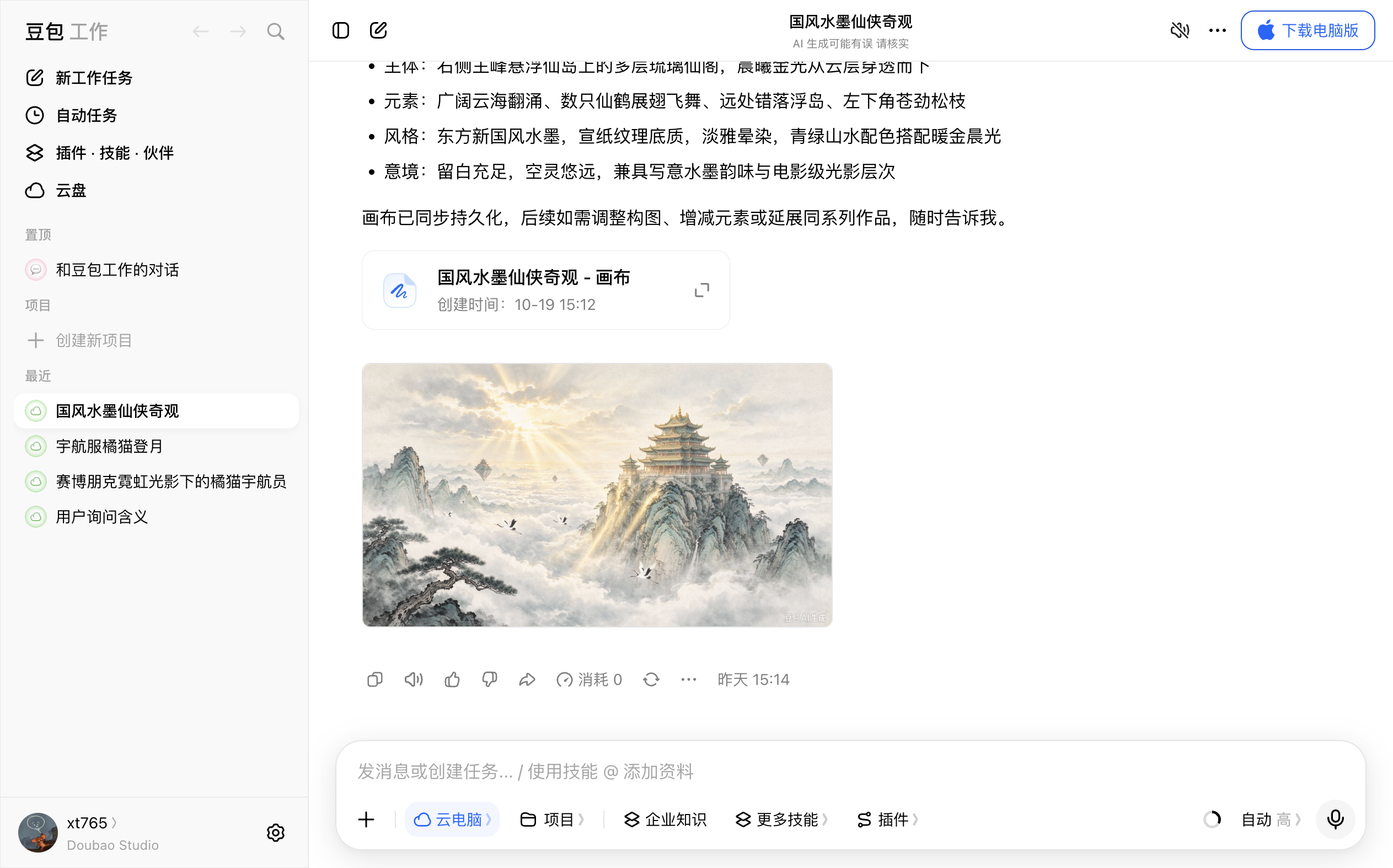
2. Tabbit 浏览器豆包网页版自动化生图现场
📦 安装方式
# 方式一:通过 npm 官方源一键安装(推荐)
dsh plugin add dsh-doubao-image

# 方式二:针对 Desktop 桌面端 Profile 安装
dsh plugin --profile desktop add dsh-doubao-image

# 方式三:本地源码链接安装
dsh plugin --profile desktop add link:/path/to/dsh-doubao-image
🛠️ 注册的 Agent 工具参数说明
doubao_generate_image
| 参数名 | 类型 | 必填 | 默认值 | 说明 |
|---|---|---|---|---|
prompt | string | 是 | - | 画面主体、构图、光影、材质与氛围的详细描述 |
aspectRatio | string | 否 | "16:9" | 画面比例:1:1, 16:9, 9:16, 4:3, 3:4, 3:2, 2:3, 21:9 |
style | string | 否 | "auto" | 视觉风格预设(如 cinematic-cg, cyberpunk, chinese-ink, photorealistic, anime, 3d-isometric, minimal-editorial) |
negativePrompt | string | 否 | "" | 需要避免出现的画面元素 |
outputDir | string | 否 | "doubao_images" | 原图下载保存目录(相对路径基于当前工作区解析) |
filenamePrefix | string | 否 | "doubao" | 保存文件名前缀 |
maxImages | integer | 否 | 4 | 单次最多提取保存的生成图数量(1~4) |
newConversation | boolean | 否 | false | 是否在发送前点击开启新对话 |
keepTab | boolean | 否 | true | 生图完成后是否保留豆包标签页以便连续追问改图 |
doubao_image_status
| 参数名 | 类型 | 必填 | 默认值 | 说明 |
|---|---|---|---|---|
openLoginIfNeeded | boolean | 否 | true | 若豆包网页未登录,是否自动在 Tabbit 中打开登录弹窗并截图 |
⚙️ 插件配置项(Settings -> Plugins)
| 配置项 | 类型 | 默认值 | 说明 |
|---|---|---|---|
enabled | boolean | true | 是否启用豆包网页生图工具插件 |
tabbitCliPath | string | "" | tabbit-cli 路径(留空自动解析 ~/.local/bin/tabbit-cli) |
doubaoUrl | string | "https://www.doubao.com/chat/" | 豆包网页版入口地址 |
taskName | string | "Doubao AI Image Studio" | Tabbit 浏览器中的任务标签组名称 |
defaultAspectRatio | string | "16:9" | 默认生图画面比例 |
defaultStyle | string | "auto" | 默认视觉风格预设 |
outputDir | string | "doubao_images" | 高清原图本地保存目录 |
timeoutMs | number | 120000 | 单次生图最大等待毫秒数(30000~180000) |
keepTab | boolean | true | 生图完成后是否保留豆包标签页供后续连续追问 |
injectSystemPrompt | boolean | true | 是否向 System Prompt 注入豆包生图工具指引 |
🧪 运行测试
node --test test/*.test.js
📄 License
MIT © xt765
Comments
Loading…
Similar plugins
by Practice019
DSH 插件:通过本地 Quicker 转发(doubao web2api) 提供 `doubao_ask` 动态搜索/图片生成/多模态识图工具, 并支持**粘贴图片 → 本地路径**(paste-to-path)。
★ 1
MIT
JavaScript
Aug 28, 2026
dsh plugin --profile web add doubao-dsh-plugin控制已登录的网页版 ChatGPT 生成图片并下载到本地 — DSH bundle 插件。
★ 0
dsh plugin --profile web add dsh-gpt-imageby Link-h1j
DSH desktop right-sidebar infinite canvas: collect any opened image on one pannable board, annotate it, hand the notes to the Agent, and edit/generate with local ComfyUI.
★ 0
MIT
JavaScript
Oct 19, 2026
dsh plugin --profile web add dsh-image-canvasby Pappet
Text-to-image and image-to-image generation via OpenRouter's unified Image API: configurable model aliases with parameters gated against the live model capability listing, reference-image inputs, a se
★ 1
MIT
JavaScript
Aug 31, 2026
dsh plugin --profile web add dsh-tool-imagegenText-to-image and image-to-image generation inside DSH through OpenAI-compatible endpoints, with an agent tool, multi-provider fallback, and a side-panel workspace with history.
★ 0
dsh plugin --profile web add @xiaoyuink/dsh-image-createby fancyui
DSH plugin v2: a standalone image-generation workspace (sidebar entry + its own main view) for the OpenRouter Image API — chat-style prompt column, picture area with history, draggable parameters.
★ 0
MIT
JavaScript
Oct 17, 2026
dsh plugin --profile web add dsh-openrouter-imagen-v2