
dsh-docs-manager
Manifest validMarkdown document manager panel: one card row per folder, rich-text editing saved as Markdown, search, pin, sort, and capture from chat. Its HTTP routes require DSH browser authentication, so other pa
dsh-docs-manager
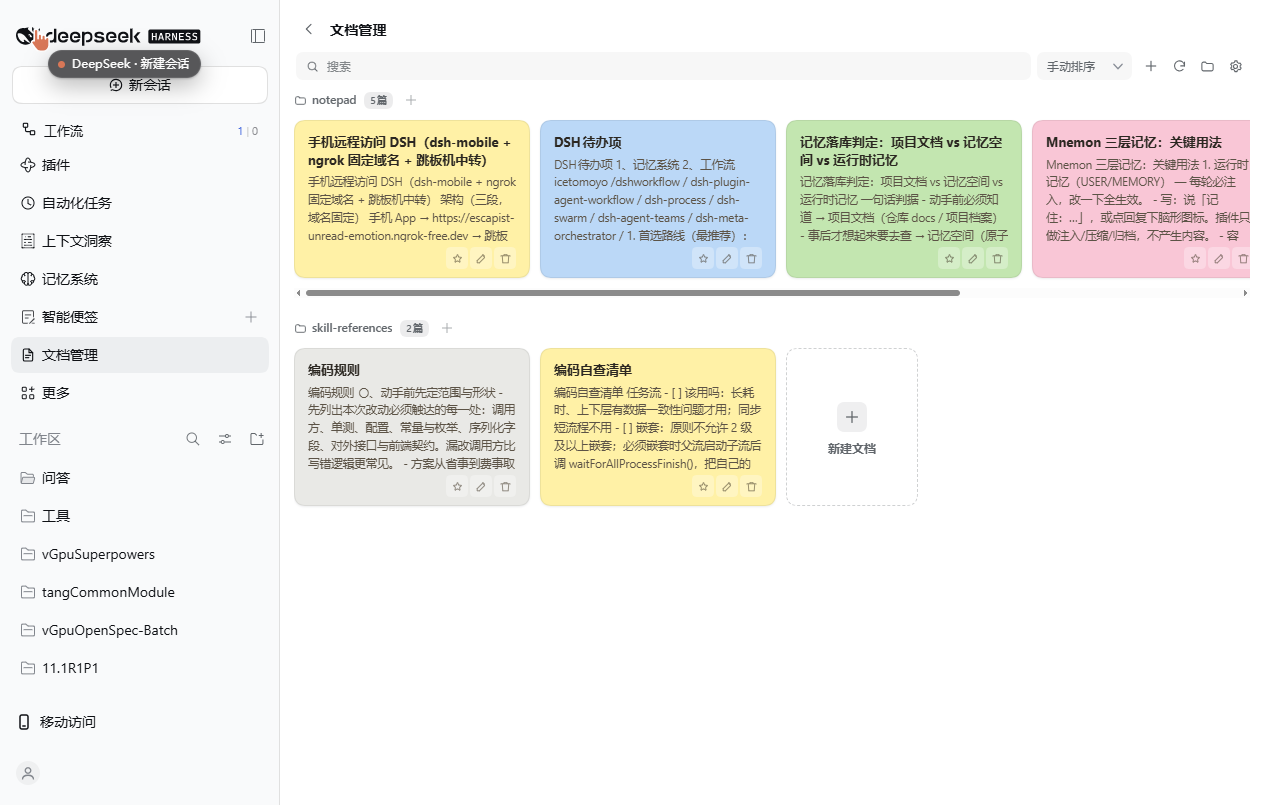
A DeepSeek Harness plugin that turns a folder of Markdown files into a card wall inside the app: one row per directory, one card per document, with create / edit / delete / pin / sort and one-click capture from a conversation.
What it does
- Sidebar entry — a 【文档管理 / Documents】 item in the left sidebar opens the panel in the main content area; the
‹next to the title goes back to the conversation. - One row per directory — documents under the root are grouped by their folder; each group is a single horizontal row of cards that scrolls sideways when a folder holds more cards than fit. A search box on the toolbar filters by file name, path, title or body excerpt.
- Recursive scan, depth-limited — reads
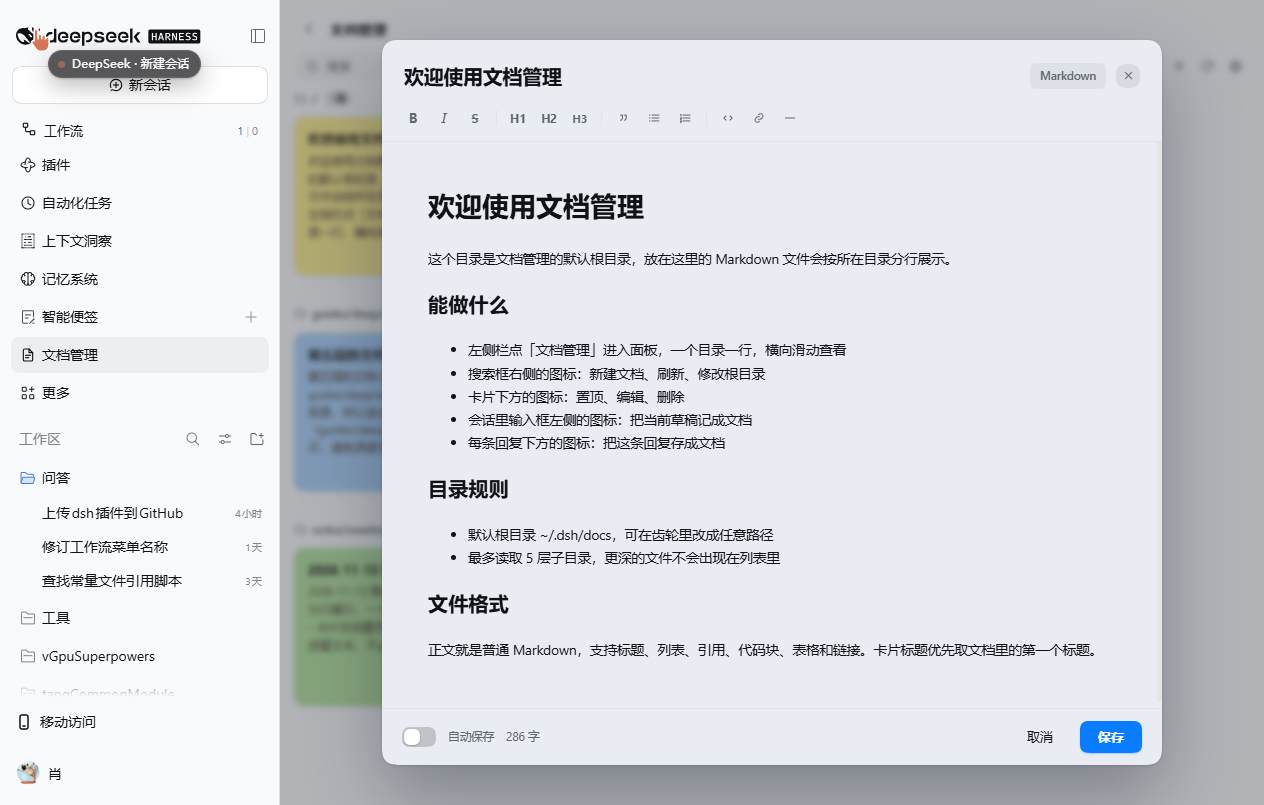
.md/.markdownfiles up to 5 directory levels below the configured root. - Rich-text editing — clicking a card opens the editor directly (no separate read-only page). The body is a WYSIWYG
contenteditablearea; the toolbar offers bold, italic, strikethrough, H1–H3, quote, bulleted/numbered lists, code, link and horizontal rule, and the header toggles between Markdown source and formatted view. - Titles come from the document — the card title is the document's first heading when it has one, otherwise the file name. Editing the title rewrites that heading line; if the file has no heading, the file is renamed on disk.
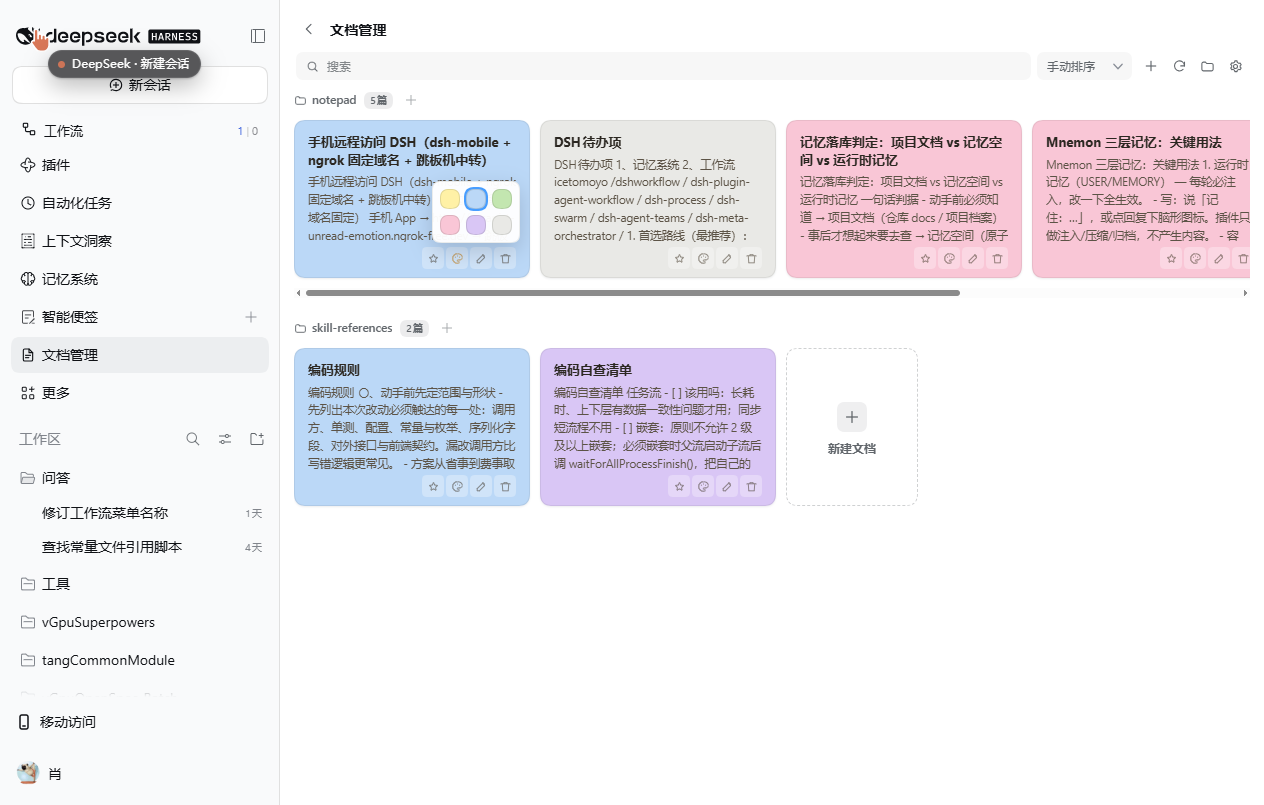
- Colors are stable — each card gets a sticky-note color (yellow / blue / green / pink / purple / gray) hashed from its path, so sorting or dragging never changes colors. The palette button on a card lets you pick another color; picking the current one again restores the automatic color.
- Pin and sort — pinning keeps a card first inside its own directory. The toolbar's sort dropdown switches between name (Chinese by pinyin), last-modified, and manual ordering, where cards can be dragged within their row.
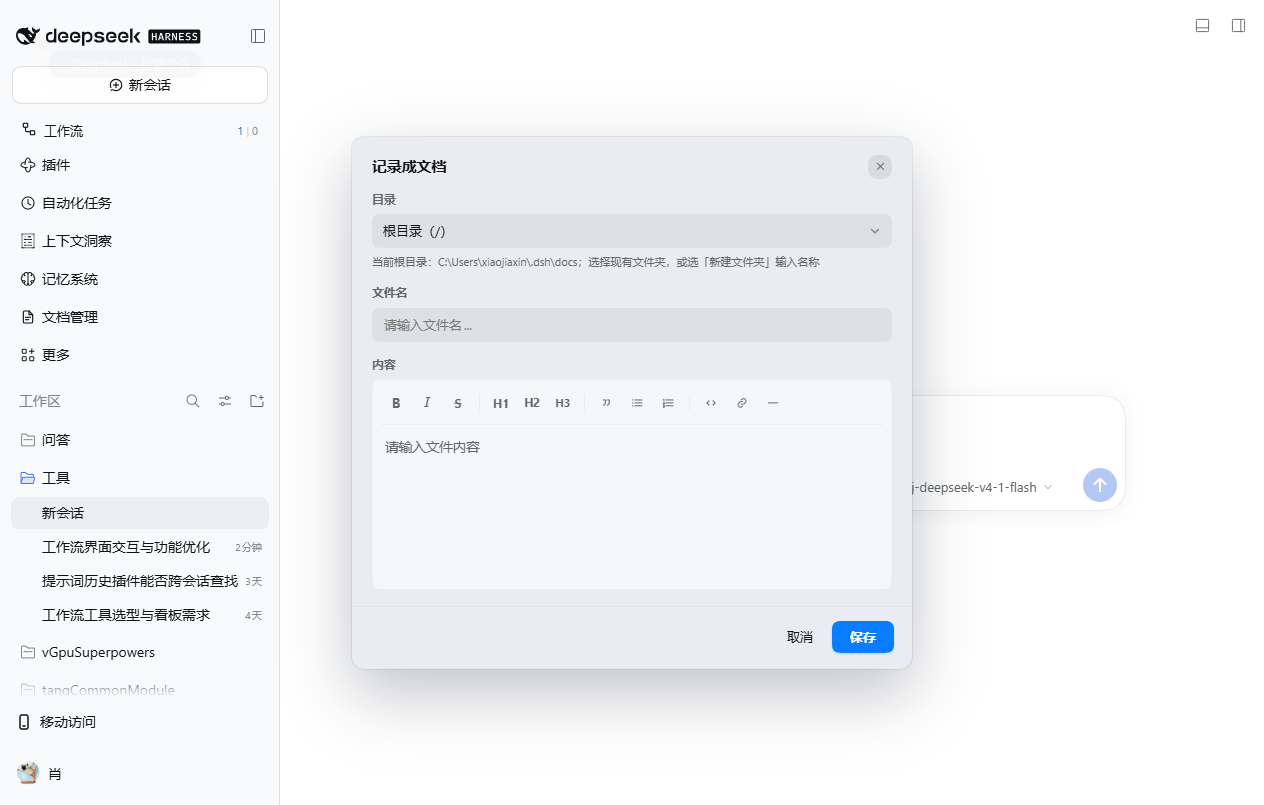
- Capture from chat — an icon at the left of the composer saves the current draft as a new document, and an icon under each assistant reply saves that reply's text with a derived title. The capture card floats over the page (no full-screen dimming), uses the same folder picker and rich-text editor as the new-document dialog, and writes Markdown.
- Configurable root — defaults to
~/.dsh/docs; the gear next to the search box changes it to any absolute path (or~-prefixed). A folder icon opens the current root in the system file manager. - Safe paths — every request is resolved inside the root and restricted to
.md/.markdown; writes are UTF-8 and create parent directories as needed.
Install
dsh plugin --profile <profile> add dsh-docs-manager
Or install it from the plugin market in the app. After install, restart the app once so the Host half registers its HTTP routes; Client-side changes afterwards only need a page refresh.
Configuration
| Item | Value |
|---|---|
| Default root | ~/.dsh/docs |
| Config file | ~/.dsh/storages/dsh-docs-manager/config.json |
| Scan depth | 5 directory levels |
| Accepted files | .md, .markdown |
Pin / sort / color preferences live in the browser's localStorage (dsh-docs-manager:pinned, dsh-docs-manager:order, dsh-docs-manager:tones).
Host API
The Host half registers /docs-manager/api/* on the webServer service:
| Path | Method | Body / result |
|---|---|---|
/state | GET | root path plus documents grouped by directory, each with title and excerpt |
/read | POST | { path } → { content } |
/write | POST | { path, content } → creates or overwrites, creating parent directories |
/delete | POST | { path } |
/config | GET / POST | read or change the root directory |
/open-root | POST | opens the root in the system file manager |
Every request passes the Connection service's Host/Origin checks and browser authentication first (ctx.connection.requestRejection), so a web page open in the same browser cannot call these routes.
Screenshots
| Capture from chat | Card colors |
|---|---|
 |  |
Known trade-offs
- The panel opens in the main content area rather than the native right sidebar: a plugin tab there only renders its body once a session surface is mounted, so it could not be shown reliably.
- Overlays cover the panel, not the whole window — the desktop window's own title bar would otherwise stay bright next to a dimmed page.
- Styles are injected as the plugin's own
<style>element instead of the Client'sstyles.insert, which silently does nothing on some versions.
License
MIT
Comments
Loading…
Similar plugins
为模型展示交付成果和下达精细微调指示的dsh desktop面板
★ 0
MIT
JavaScript
dsh plugin --profile web add dsh-plugin-middle-panelby caihua8669
Document review workbench: select text in a Markdown file, leave comments saved as MRSF sidecar files next to it, and let the agent read them with doc_review_* tools and propose edits you accept or re
★ 1
MIT
JavaScript
Oct 17, 2026
dsh plugin --profile web add @caihua/dsh-doc-reviewDrag documents into the dsh web chat; the agent reads them directly from the local filesystem and the right sidebar lists the outputs and file paths.
★ 0
dsh plugin --profile web add dsh-doc-quickby zhxnix
WYSIWYG Markdown notes editor in the DSH right sidebar, with tabbed documents, table editing, chat integration, assistant read/write tools, and local file export.
★ 0
MIT
JavaScript
Nov 1, 2026
dsh plugin --profile web add dsh-madedownby sevenhsu7
Codex-like Markdown editing for the DSH right Sidebar: a rendered document you edit in place, including table cells.
★ 0
MIT
JavaScript
Oct 13, 2026
dsh plugin --profile web add dsh-codex-like-markdownby LeslieWylie
Render Markdown to a standalone, self-contained HTML page: an `md_html_render` tool that works in a headless profile, plus a web drawer to browse, preview, edit and export local `.md` files; both shar
★ 1
MIT
JavaScript
Aug 18, 2026
dsh plugin --profile web add dsh-md-html-render