

dsh-codex-subscription
Manifest valid★ 297Connect your ChatGPT / Codex subscription to DeepSeek Harness: OAuth, models, quotas, search, and image generation — no API Key or Codex CLI required.
DSH Codex Subscription
English · 简体中文
Connect your ChatGPT / Codex subscription directly to DeepSeek Harness
Log in to ChatGPT and use your Codex subscription directly in DeepSeek Harness. No OpenAI API Key required, and no Codex CLI dependency; models, search, quotas, and image generation all stay within DSH.





Get started in three steps · Installation · Contributing · Updates & Uninstall
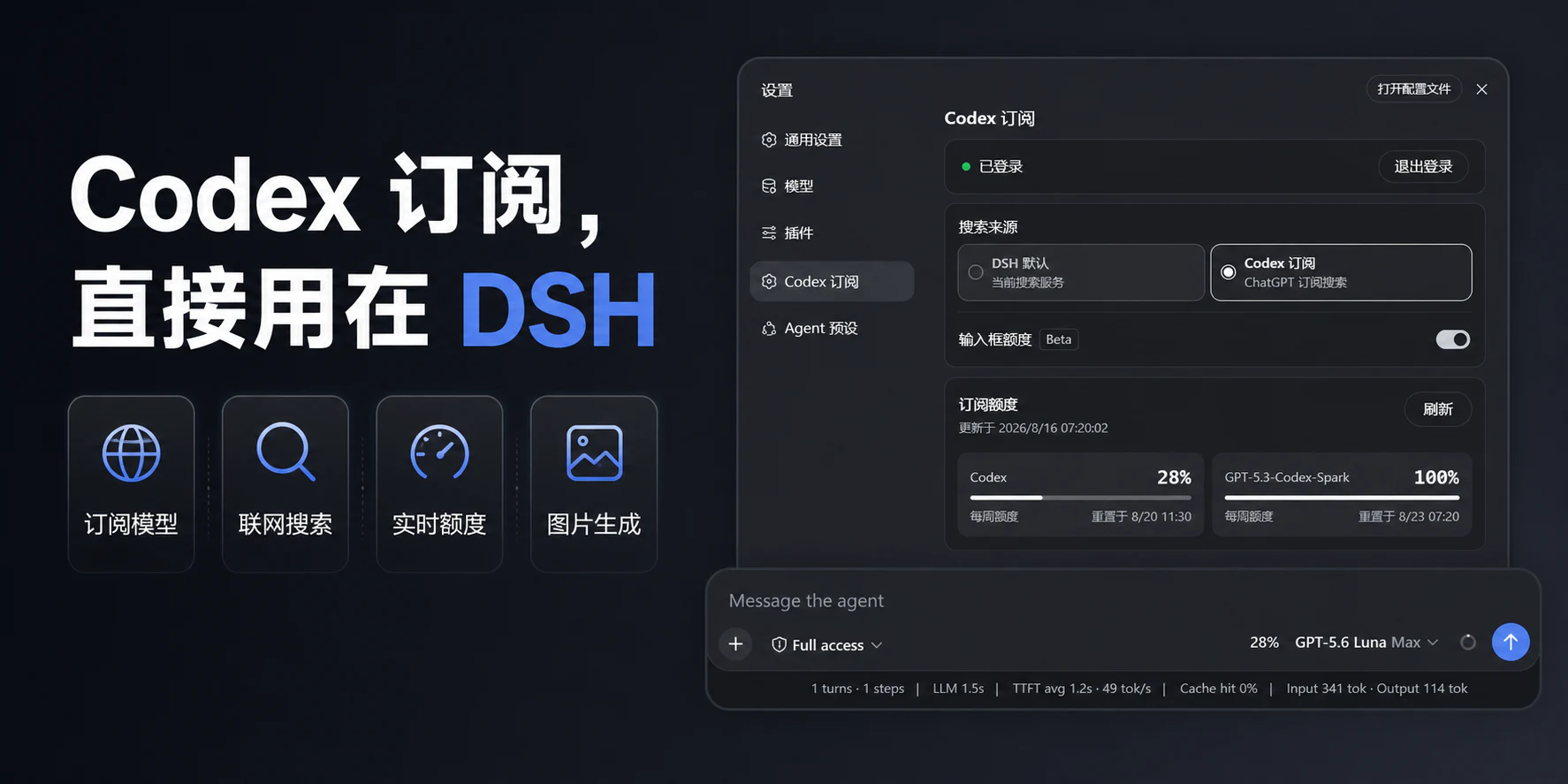
3-Step Start
-
Install the plugin: Run the standard DSH bundle command directly:
dsh plugin --profile web add dsh-codex-subscription -
Log in to your subscription: Manually restart DSH, open Settings -> Codex Subscription, and click to log in via the browser. No Codex CLI required, and do not paste tokens.
-
Start using it: Select Codex in the model picker; quotas, subscription search, image generation, and high-speed mode are all used within DSH.
DSH-Portable also provides the same standard plugin commands, so use the commands above as well. See below for the full official npm, update, and uninstall instructions.
Key Advantages
| Capability | What you get |
|---|---|
| Direct subscription model access | After logging into ChatGPT, use Codex directly without an OpenAI API Key or Codex CLI |
| Recoverable & diagnosable | Login state is automatically reconciled; on read failures you can retry in place, timeouts and stale account responses won't overwrite the current state; the settings page can generate support reports that exclude credentials and account identifiers |
| Visible quotas | Quotas actually returned by the server for services like standard Codex, Spark, etc. are displayed separately |
| Input box quota | Choose compact percentage, progress bar, Beta endurance prediction, or disable display |
| Safe quota reset | Each reset card is displayed individually, with active reset attempts requiring a cool-down period and informed confirmation |
| Subscription search | Route search for all models explicitly to DSH's default search or your logged-in Codex subscription |
| Codex image generation and editing (Beta) | Generate new images without a reference, or explicitly select session images to continue editing; supports preview, zoom, region annotations, original image download, and provides the original image path on the DSH host for newly generated or edited images |
| High-speed mode | Toggle standard or high-speed directly in the input box, without leaving the current session |
| Model-aware context | Keep directory defaults, enable extended windows per model, or fill in complete numeric Token limits for each model; the settings page refreshes the model catalog on open, account switch, or connection reset, allowing retry on failure without overwriting unsaved drafts |
| Headless tasks | Run one-off DSH tasks using the same logged-in Codex Provider, outputting the answer and then automatically exiting |
These features share one local ChatGPT login. Subscription routing failures report clear errors, never silently switching to other paid routes.
Actual Interface
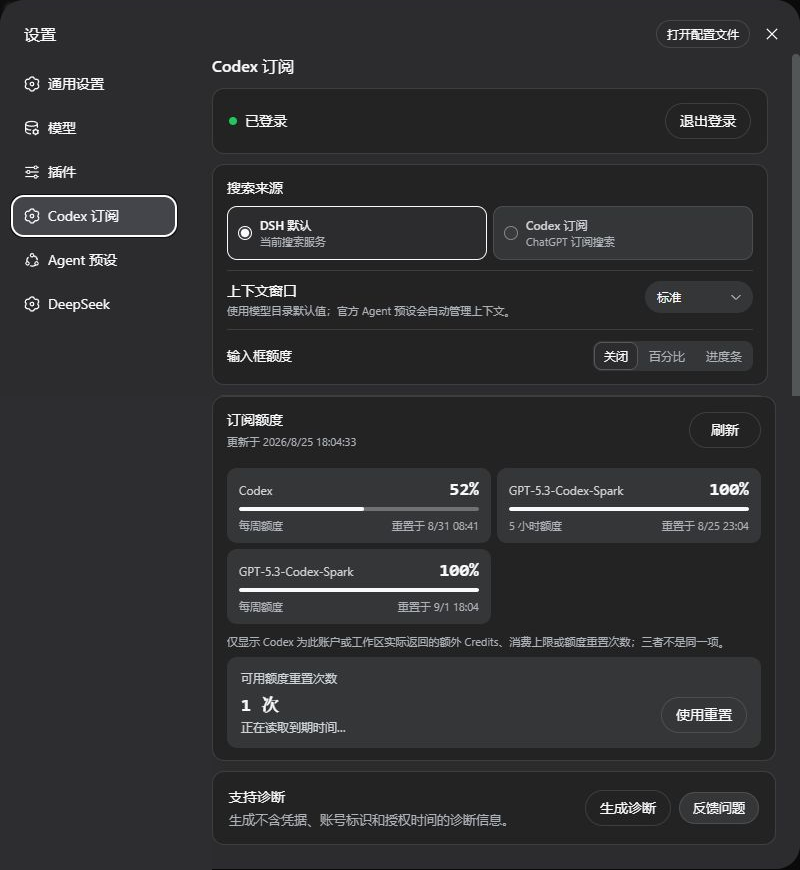
Version 2.0.0 settings are divided into "Account & Preferences" and "Advanced & Diagnostics". Screenshots have account information hidden and scrollable content expanded for readability; view the advanced page.

Prepare DSH
This plugin supports the latest DeepSeek Harness version recorded in the package metadata, and requires a ChatGPT account that currently has Codex access eligibility.
- Don't want to configure Node.js: use DSH-Portable. This is a community portable desktop distribution for Windows, macOS, and Linux;
- Want to run the official way: see DeepSeek Harness official instructions.
Installation
DSH Standard Command
dsh plugin --profile web add dsh-codex-subscription
Target selection, profile locks, dependency resolution, and bundle activation are all handled by DSH; this is the only installation path for the plugin.
Headless
First complete login in Web and select a Codex model once, then install the same plugin to DSH's standard Headless profile:
dsh plugin --profile headless add dsh-codex-subscription
dsh --profile headless "只回复:ok"
官方 npm 方式(已安装 Node.js)
The official npx @deepseek-ai/dsh web does not create a global dsh command, so keep the full npx prefix when installing the plugin:
npx -y @deepseek-ai/dsh@0.1.5-rc.1 plugin --profile web add dsh-codex-subscription
npx -y @deepseek-ai/dsh@0.1.5-rc.1 plugin --profile web list dsh-codex-subscription --depth 0
npx -y @deepseek-ai/dsh@0.1.5-rc.1 --profile web --dump-config
已经能运行 dsh
dsh plugin --profile web add dsh-codex-subscription
dsh plugin --profile web list dsh-codex-subscription --depth 0
dsh --profile web --dump-config
The installation list should contain only one dsh-codex-subscription, and the configuration should have only one codex-subscription entry.
After installation, manually restart DSH, then:
- Open Settings -> Codex Subscription;
- Log in to a ChatGPT account with Codex access eligibility;
- Select the search source;
- Choose a Codex model in the model picker.
Features
- ChatGPT OAuth login, credentials kept locally; accounts distinguished by email (partially hidden by default, click to toggle full display); can add, switch, and remove multiple accounts manually, no auto-rotation or quota merging;
- Codex models and Beta image gen/editing appear directly in DSH sessions;
- Search source is a global setting, switchable between DSH default search and Codex subscription search; applies to all models and sessions, does not auto-switch with current model;
- Settings page shows server-returned quotas, reset times, and update times;
- Quotas for standard Codex, Codex-Spark, Credits, etc. displayed separately;
- Each reset card shows name and expiry individually; allows proactive attempts even when quota isn't fully used up, with layered confirmation and no auto-retry;
- Input box can show remaining quota for current Codex model via percentage, progress bar, or optional Beta endurance prediction (off by default);
- Input box can toggle standard or high-speed mode for supported Codex models;
- Context window offers standard, extended, and per-model custom; custom mode takes full Token values directly, handled within reviewed model capacities by DSH native Agent compression;
- Settings page can generate and copy non-sensitive support diagnostics, and open the feedback entry directly; reports include limited request stages, HTTP/network classifications, duration ranges, and route source types, but exclude OAuth credentials, account identifiers, or authorization timestamps;
- When subscription routing is unavailable, errors are reported clearly, no silent switching to other paid routes.
GPT-6 Astra Context
When the official model catalog provides GPT-6 Astra, standard mode keeps the catalog's default window; extended mode uses 872000 Tokens, and custom mode allows 128000–872000 Tokens (initial value 272000). This limit is based on the Codex official model catalog, not the total context capacity of the API model. These settings only adjust DSH's local context budget, do not grant model access, and do not guarantee server-side account capacity; actual availability depends on the server.
Input Box Quota
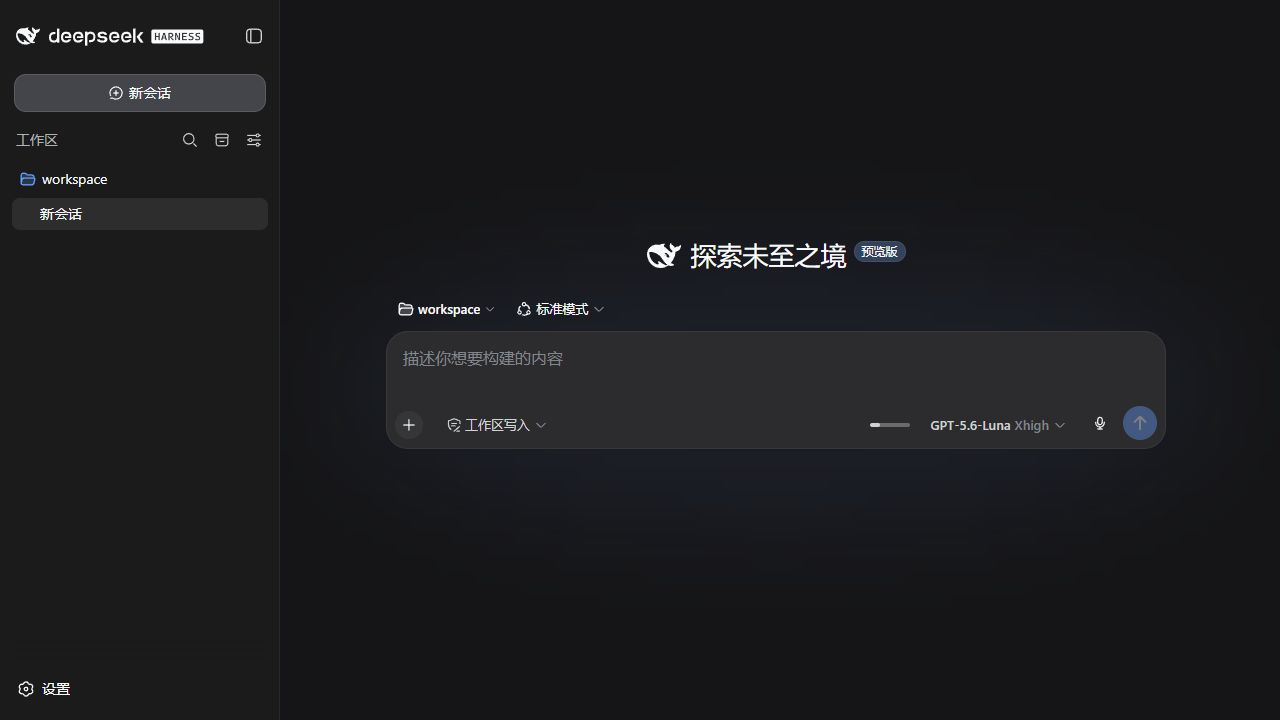
Real example: GPT-6-Astra · Max (highest reasoning tier) · High-speed mode (lightning icon), remaining quota displayed directly on the left.
In “Account & Preferences”, choose off, percentage, progress bar, or Beta endurance prediction. With a 5-hour quota present, the input box shows only the short window; full weekly details stay in hover. With only weekly quota, the “Weekly” label is omitted, using compact 36% · ≈10h–12h format.
Runtime predictions use the last two hours of official readings; unchanged-quota samples count too. When eligible, the consecutive-jump constraint paces usage; sparse readings or shifting intensity fall back to a conservative estimate. The range does not guarantee available time; still Beta. History is stored locally with limits; reset, long offline gaps, or disabling predictions triggers recalibration. Spark uses a separate quota. Weekly-only accounts show weekly figures only — no invented 5-hour window, Credits, or cap.
Safely Using Quota Resets
When ChatGPT returns available reset cards, the settings page shows each as a compact row with server-provided name and expiry. You can proactively use a card even before 100% quota; whether a reset is actually needed is up to ChatGPT, which may return "no reset needed" without consuming a use. The final action requires an acknowledgment checkbox and a 5-second wait. Cancelling does not consume a use; rapid clicks allow only one request, and no auto-retry occurs on uncertain network results.
Image Generation and Editing (Beta)
The subscription plugin includes a built-in viewer based on dsh-image-viewer, no extra install needed. Its image tool cards use this viewer so annotation and continue-editing work. You can zoom, pan, fit-to-window, add region notes, and download. Standard "Download" fetches the verified exact original by default; only older sessions without an exact original fall back to the session preview.
Newly generated or edited images return the original path on the current DSH host in the tool result; a model or Agent can read or copy it. This path is on the DSH host, not a browser download link; downloads remain governed by session authorization. Uninstalling the plugin does not delete generated originals.
"Continue editing in the input box" does not auto-send. With annotations, a clean source and a numbered-marker reference are attached; the draft carries numbers, coordinates, notes, and a rule not to draw markers into the final image. Without annotations, only the current image attaches. Each marker needs a note; backfill aborts if the reference fails. Enter saves/collapses, Shift+Enter newlines. Reopening the image on the current DSH page keeps annotations.
New image requests do not silently carry history images. GPT Image 2 can take longer than text; complex text, precise composition, or continuous character consistency may need re-tuning.
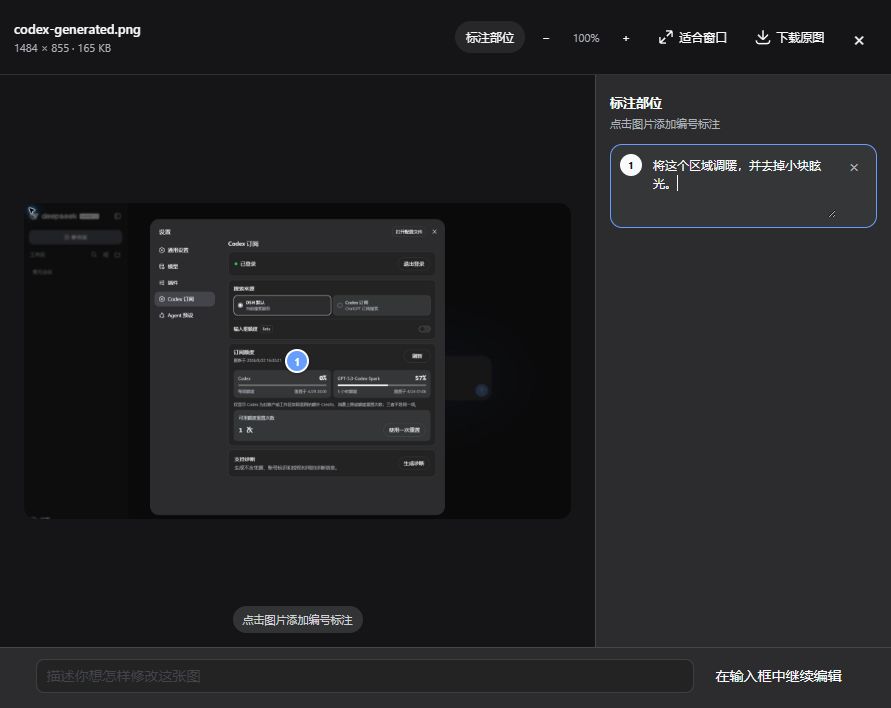
The image above shows basic viewing and annotation interactions; buttons vary by image and viewer version.
Sketch Canvas (Beta)
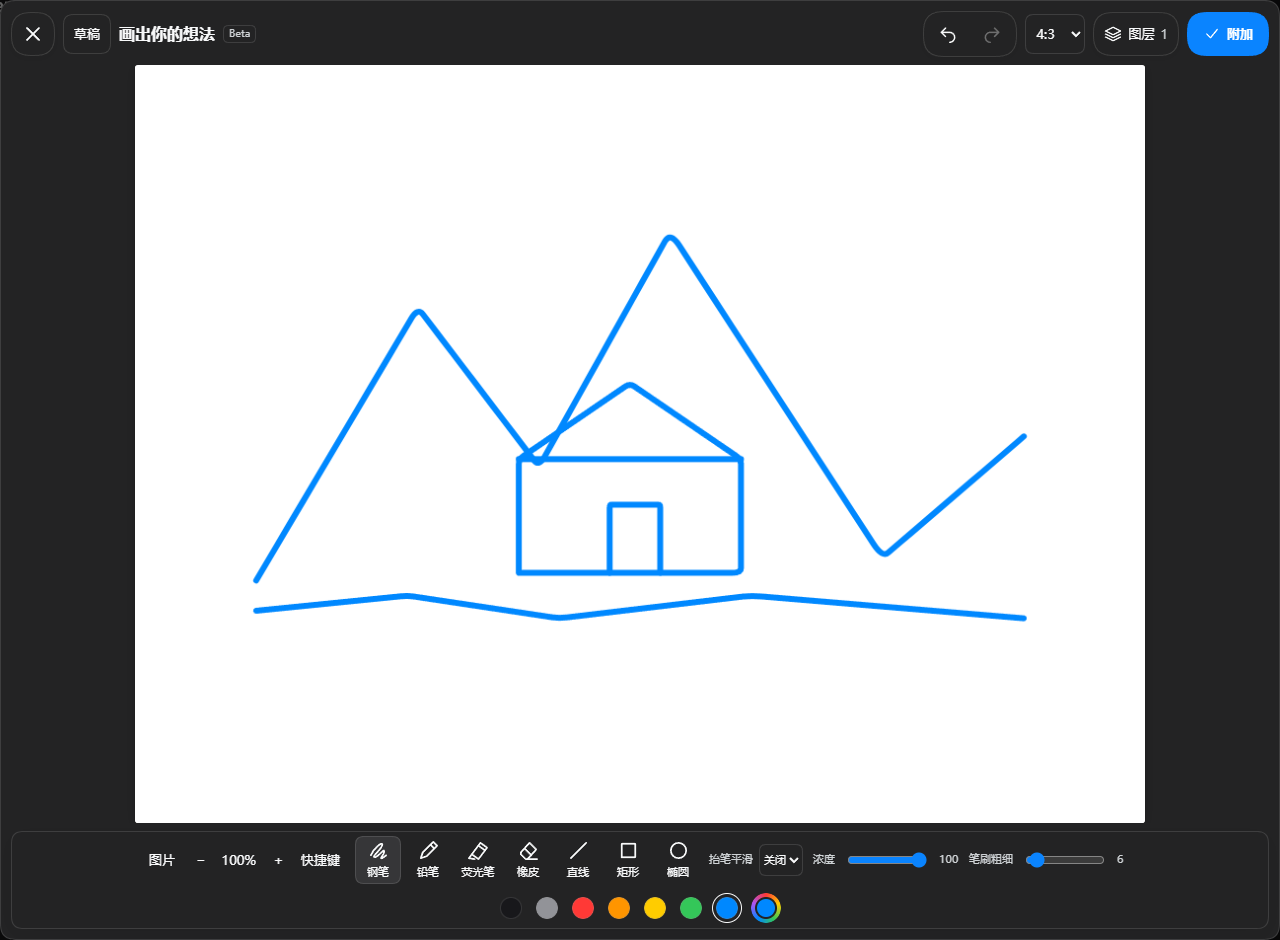
Click the sketch button in the input box to draw by hand. @sketch is the Agent drawing entry: selecting it only fills the input box; the Agent opens the canvas after you send a drawing request. Image previews offer "Enter Sketch"; uploading, pasting, and removing attachments are still handled by DSH native components.
Sketches support multiple local drafts, image layers, canvas ratio, three brushes (solid pen, textured pencil, translucent highlighter), lines/shapes, two erasers, undo/redo, pan-zoom, and configurable shortcuts. Smoothing applies after pen-up to the whole stroke without lagging the cursor. Max 20 drafts, stored only in this browser; attaching does not auto-send. The left image panel manages only this sketch's images, not a session library.
Supports selectable/editable shapes and text, native curves, and side thickness/opacity controls. While the Agent draws, panels can be viewed/zoomed/closed; editing locks temporarily. A top control stops drawing, then editing resumes. Auto-complete preview is off by default, enable in advanced settings. Switching sessions preserves canvas, history, and state. Background drawing in other sessions is not guaranteed; save before refresh/exit, unsaved content may be lost.
Sketch-to-image in practice: After drawing, click "Attach", describe the effect in the input box, then send.
| Original sketch | Actual plugin-generated result |
|---|---|
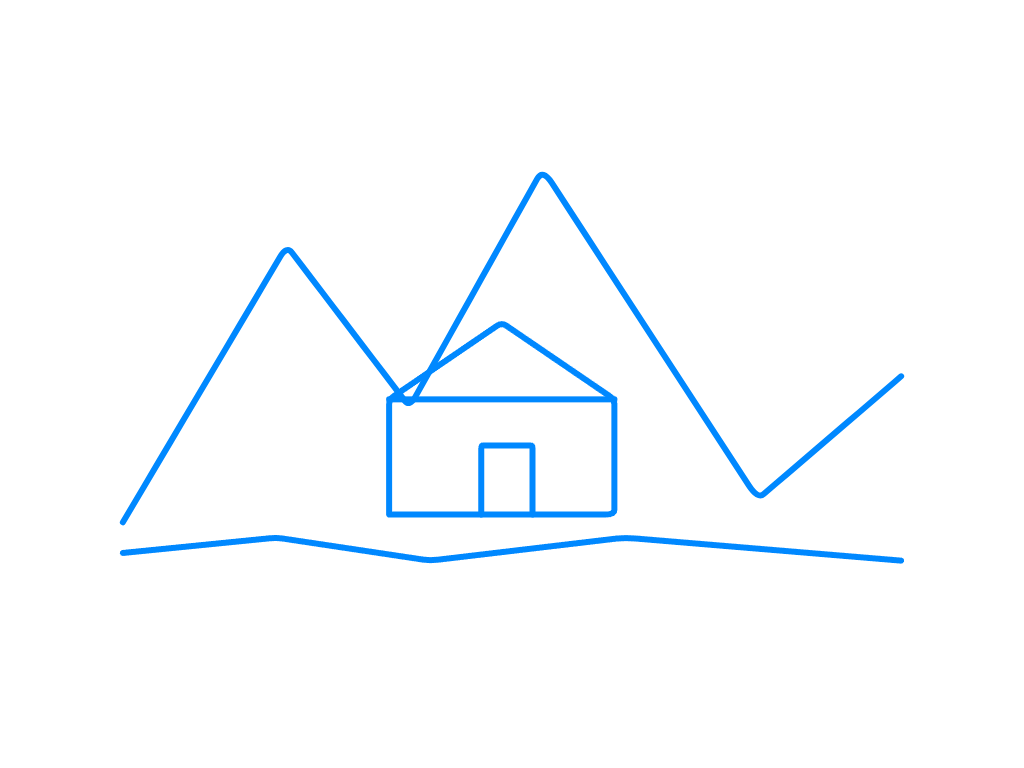 |  |
Requirements: keep the peak-and-cabin composition, produce a warm watercolor travel illustration with blue-green peaks, orange roof, grass, stream, soft morning light, no blue lines. One image tool call via GPT-5.6-Luna at low quality; Luna is the conversation model — the backend picks the actual image model.
进阶展示
"Someone Behind the Canvas"
Astra drew the sketch, GPT Image 2 generated the final image. Astra completed a 6-layer, 427-stroke drawing via the native codex_sketch interface, then Luna called the subscription image tool for refinement. The image request used gpt-image-2, low quality tier; the server did not report the actual model used. Beta adds PNG export, layered PSD import/export, and editable draft files; PSD preserves pixel layers, native drafts preserve strokes. The sketch canvas and Agent drawing are both off by default and can be enabled separately in advanced settings. Drawing tools are only provided to the model after Agent drawing is enabled.
| Native sketch | Actual generated result |
|---|---|
 |  |
Sketch reproduction prompt
The original was drawn by Astra in stages; below is a same-theme starting point, no guarantee of an identical result.
@sketch 用 4:3 横版画板绘制《画布背面有人》:中央偏上是一处撕开的纸洞,洞内是深蓝星空和一位拿颜料桶的小画师;蓝色颜料从桶中流出,形成 S 形河流,流向下方城市。左侧城市保持未上色线稿,右侧城市被暖色点亮,加入纸船与飞鸟。按纸面、洞内世界、颜料河流、城市、画师和细节分层绘制,保留原生可编辑笔画。
Actual image prompt
请基于本条附加草图实际调用订阅图片工具一次,生成成品插画。quality=low,模型使用当前默认,不切换型号,不额外生成。主题《画布背面有人》:保留4:3横构图、中央偏上的撕纸洞口、洞内拿颜料桶的小画师、流出成为S形河流的蓝色颜料、下方左侧未上色城市与右侧被点亮城市、纸船飞鸟。精修为惊艳的立体纸艺与精细手绘结合的编辑插画,纸张纤维、真实撕边及柔和投影,深靛蓝洞内星月,丰富青蓝颜料层次和流动质感,赭橙画师与暖色建筑,微小清晰的叙事细节。不重构为风景,不添加文字水印。必须使用本条参考图片编辑,不能仅凭文字生成。生成后简短说明完成即可。
Original case first release: Beta v2.1.0-beta.2
"Mona Lisa": Astra Sketch → GPT Image Generation
Case version: 2.1.0-beta.5
A user on another machine: first had Astra draw on a portrait canvas, then used GPT image generation to convert it to an oil painting.
| Astra native sketch | GPT image generation: oil painting effect |
|---|---|
 | 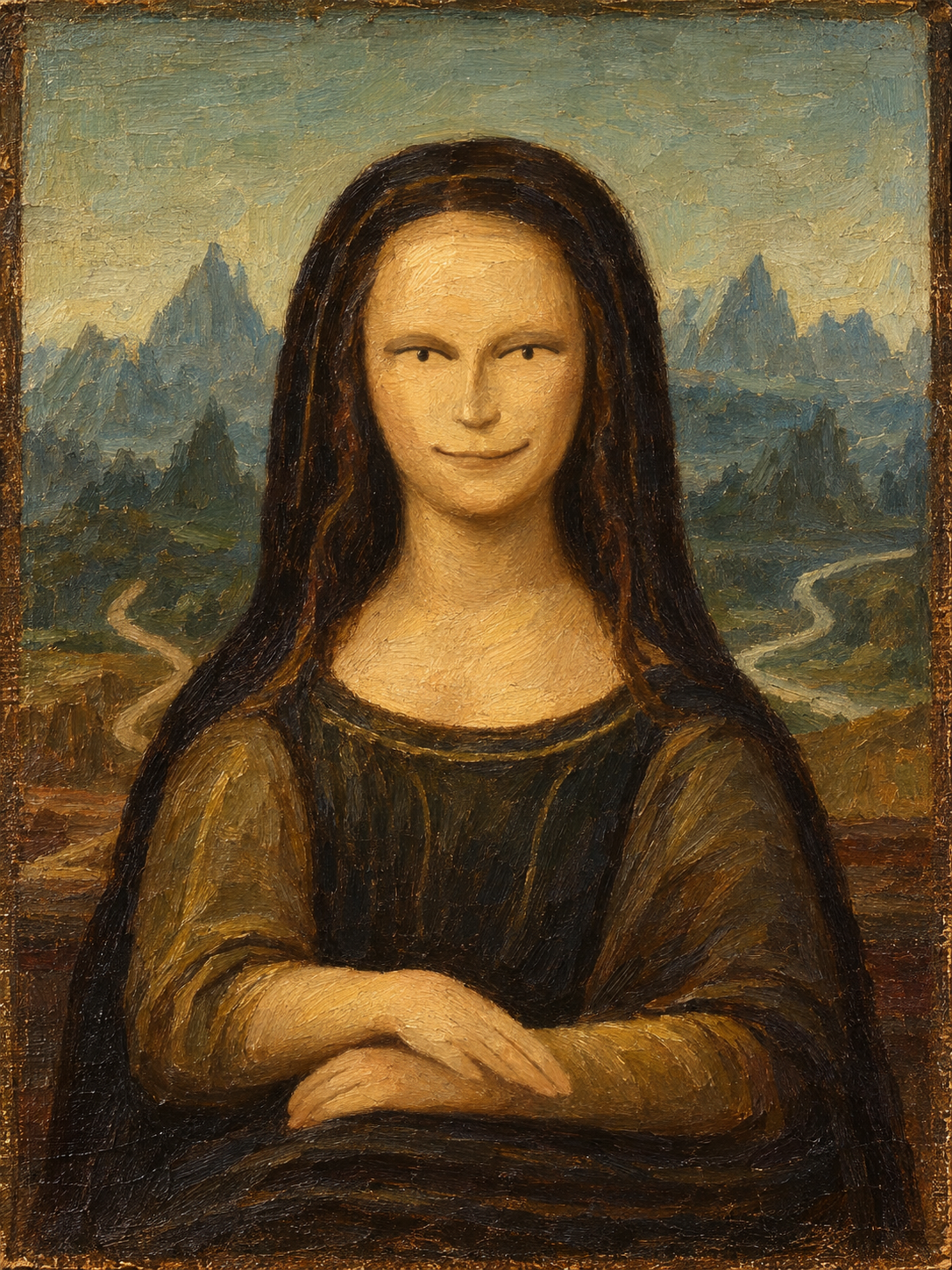 |
草图提示词:@sketch 用竖版画板画一幅《蒙娜丽莎》
生图提示词:帮我变成油画
Flare / Sunburst model options in image requests are experimental. A successful generation does not confirm the backend adopted the requested model or quality; request parameters are not treated as the actual returned model.
Input Box Speed
After selecting a supported Codex model, you can toggle between standard and high-speed in the model menu of the input box. Standard mode adds no icon; only high-speed mode shows a lightning bolt to the left of the model name; Spark does not show a speed entry. High-speed mode increases speed but consumes more Credits; see the specific rules in the OpenAI Codex Speed docs.
Advanced Experimental Options (2.1.1 Beta)
Enable as needed in Advanced & Diagnostics; defaults still use SSE and DSH subtasks:
- WebSocket: Reuses connections and context transfers; failed handshake falls back to SSE, interrupted responses error without auto-replay. Next request only; no context capacity gain, not guaranteed faster.
- Codex standalone subtasks: Reuses subscription login and the official DSH Codex runtime, no separate login/CLI. Default inherits the subscription model and workspace permissions. After enabling DSH subtask model selection, configuring allowed models, and creating a new session, specify the subtask model and reasoning tier in chat; non-subscription sessions must explicitly pick a subscription model. Shared-context subtasks still go to DSH.
Update and Uninstall
Update and Check
dsh plugin --profile web update dsh-codex-subscription
dsh plugin --profile web list dsh-codex-subscription --depth 0
dsh --profile web --dump-config
Uninstall
Confirm removal, then run:
dsh plugin --profile web remove dsh-codex-subscription
These operations preserve the DSH profile, other plugins, and login information.
官方 npm 备用方式
Update and Check
npx -y @deepseek-ai/dsh@0.1.5-rc.1 plugin --profile web update dsh-codex-subscription
npx -y @deepseek-ai/dsh@0.1.5-rc.1 plugin --profile web list dsh-codex-subscription --depth 0
npx -y @deepseek-ai/dsh@0.1.5-rc.1 --profile web --dump-config
Uninstall
npx -y @deepseek-ai/dsh@0.1.5-rc.1 plugin --profile web remove dsh-codex-subscription
FAQ
dshnot recognized: The official npm method does not create a globaldshcommand; use the fullnpx -y @deepseek-ai/dsh@0.1.5-rc.1 ...command above;- Multiple DSH installations on the computer: Run the standard command from the target DSH environment, letting that product select the corresponding profile;
- Installation still fails: Confirm the command is run in the target DSH environment; do not delete the profile or modify system PATH arbitrarily.
- Need to report an issue: Generate a "Support Diagnostics" at the bottom of the settings page, then open the issue form. The report includes system/runtime, limited login stages, and safe request failure classifications, but no credentials, account identifiers, raw responses, or full logs; paste it into the required diagnostics field, and do not attach login links, authorization codes, or browser callback URLs.
Boundaries & Support
The ChatGPT Codex backend and DSH may change independently; this project is a community project with no affiliation or endorsement from DeepSeek or OpenAI.
For issue reports on this project, please use the issue form; For clear product suggestions, please use the feature request form; We welcome focused fixes and compatibility improvements; see CONTRIBUTING.md for specific requirements; DSH plugin discussions are available at DeepSeek Harness Discussions. Please read SECURITY.md before reporting sensitive issues.
If this project helps you, giving it a Star can help more DSH users discover it.
Compatibility
Versions
| Latest version | Published | Size |
|---|---|---|
| 1.7.4 | — | — |
| 1.8.0 | — | — |
| 1.9.0 | — | — |
| 1.10.0 | — | — |
| 1.13.0 | — | — |
| 1.14.2 | — | — |
| 2.1.0-beta.1 | — | — |
| 1.12.1-beta.1 | — | — |
| 2.1.0-beta.3 | — | — |
| 2.1.0-beta.5 | — | — |
| 2.1.0-beta.2 | — | — |
| 2.1.0 | — | — |
| 1.12.1-beta.0 | — | — |
| 2.1.0-beta.4 | — | — |
| 2.5.3-beta.0 | — | — |
| 2.5.3 | — | — |
| 2.5.1 | — | — |
| 2.1.1-beta.1 | — | — |
| 2.2.8 | — | — |
| 1.7.3 | — | — |
Comments
Loading…
Similar plugins
by Player-MINEPIG
在 dsh(DeepSeek Harness)里使用你的 ChatGPT / Codex 订阅。插件通过 OpenAI Codex 的 OAuth 流程登录 ChatGPT 账号,把订阅额度暴露成 dsh 的 `codex-oauth` 模型提供方。
★ 8
MIT
JavaScript
Aug 16, 2026
dsh plugin --profile web add dsh-llm-codex-oauthby yequ172672
DSH 插件:直接复用 Codex CLI 本地登录订阅凭证,在 DeepSeek Harness 中使用 ChatGPT 订阅模型,无需 API Key | DSH plugin: reuse your Codex CLI local subscription login to use ChatGPT subscription models in DeepSeek Harness, no API
★ 18
↓ 45/wk
NOASSERTION
JavaScript
Aug 17, 2026
dsh plugin --profile web add dsh-llm-codexby imMamdouhaboammar
Use ChatGPT and Codex subscriptions in DeepSeek Harness with OAuth, quota runway forecast, safe resets, web search, image generation, and Fast mode.
★ 1
↓ 278/wk
MIT
JavaScript
Sep 7, 2026
dsh plugin --profile web add dsh-codex-subscription-enby stoneface10
Use your ChatGPT subscription in DeepSeek Harness to access Codex models and generate or edit images with gpt-image-2—no OpenAI Platform API key required.
★ 4
↓ 161/wk
Apache-2.0
TypeScript
Aug 29, 2026
dsh plugin --profile web add dsh-codex-connect-plusby solstice621
OpenAI / Codex ChatGPT subscription auth for DeepSeek Harness Desktop, with native account and quota UI.
★ 0
MIT
JavaScript
Oct 27, 2026
dsh plugin --profile web add dsh-openai-authby diwer
ChatGPT subscription model provider for DeepSeek Harness desktop, with image input and host tool calling. Community plugin; not affiliated with OpenAI or DeepSeek.
★ 0
MIT
JavaScript
Oct 17, 2026
dsh plugin --profile web add dsh-codex-official-adapter