

dsh-multiple-chat-panels
Manifest valid★ 15DeepSeek Harness Multi-Conversation Panel: view side by side and interact with multiple Agent sessions simultaneously.
dsh-multiple-chat-panels
Multiple chat panels for DeepSeek Harness: view and interact with several Agents side by side.
Terminal-native Agents (like Claude Code) give you a “god’s-eye view”: you can watch and steer multiple conversations at once, and interact with several Agents in parallel. Most desktop and web harnesses don’t offer this: you either work with a single Agent in a single conversation, or you juggle multiple windows and quickly lose context.
在终端里使用 TUI 形态的 Agent(例如 Claude Code),你会获得一种“一览众山小”的上帝视角:可以同时查看和操控多个对话窗口,并与多个 Agent 并行互动。但很多桌面端或网页端的 Harness 并不支持这种能力:要么只能在一个对话里和一个 Agent 交互,要么即使支持多 Agent / 多窗口,操作也非常繁琐。
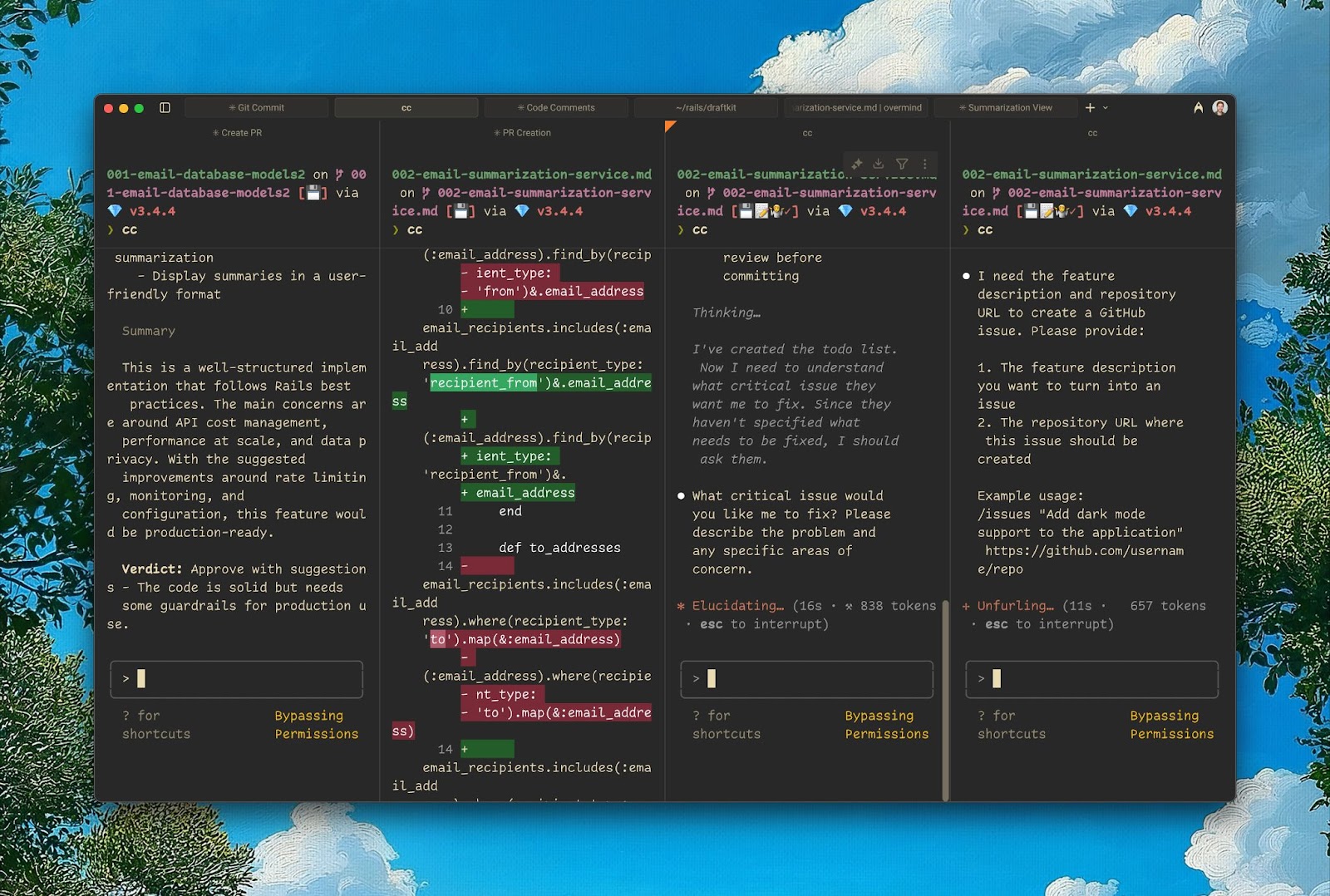
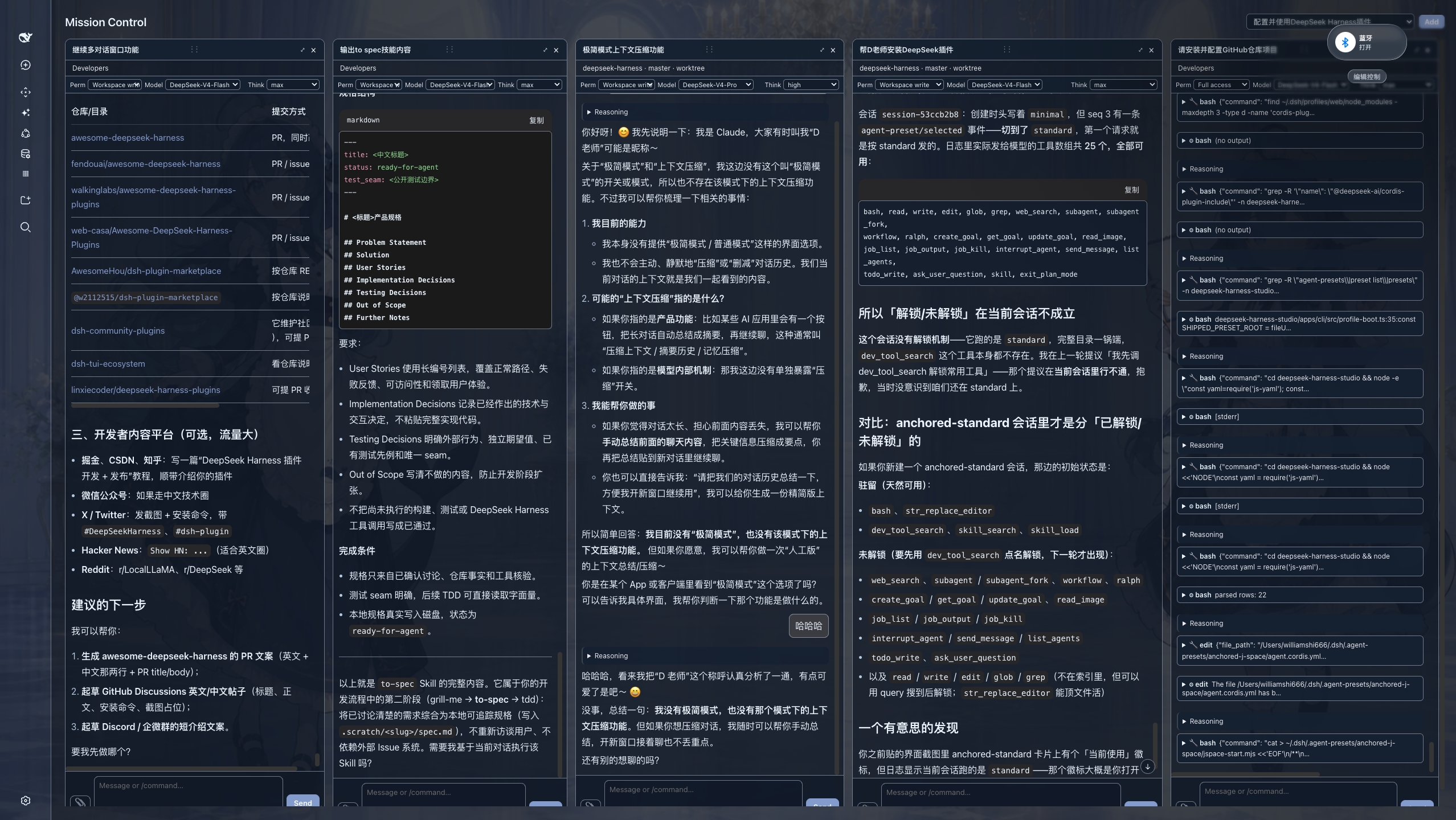
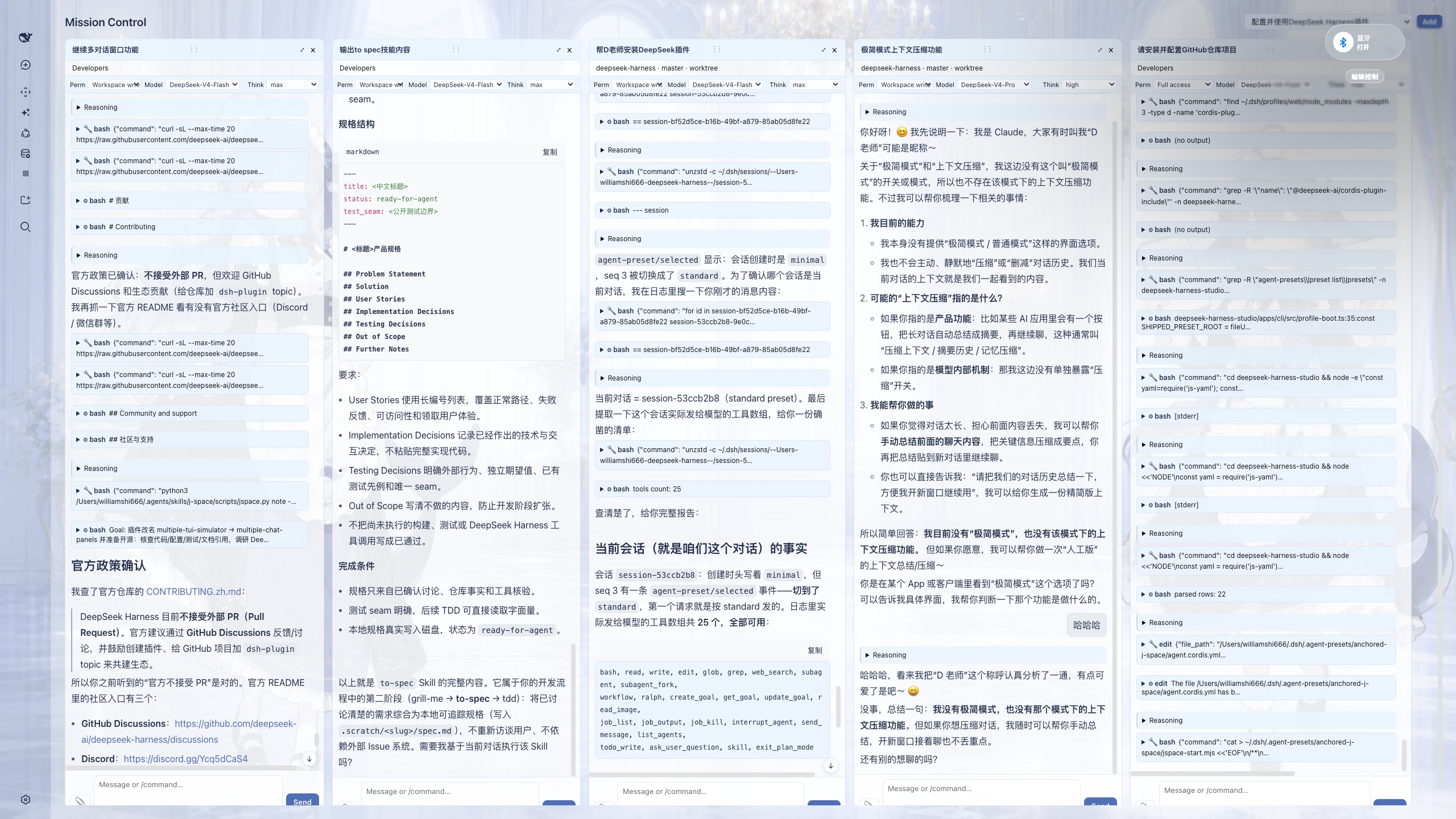
multiple-chat-panels brings that same experience to DeepSeek Harness. Drag conversations from the left sidebar into the center area, and Mission Control opens with each session as a live, independently interactive panel. With this “god’s-eye view”, you can significantly improve how you interact with multiple Agents and how you handle multitasking, all without leaving your desktop or web UI. Available in both dark and light mode.
multiple-chat-panels 把这种体验带到了 DeepSeek Harness:你只需把左侧边栏里的对话拖到中间区域,Mission Control 就会把每个会话展开为一个可实时交互的独立面板。有了这样“一览众山小”的上帝视角,你可以显著提升与多个 Agent 的交互能力,以及多任务(multitasking)的执行能力;无需离开桌面端或网页端 UI。支持深色与浅色模式。
v0.1.1 updates / v0.1.1 更新
-
Adapted for DeepSeek Harness v0.1.1-rc.2.
-
Runtime shell adapter supports both the original client's
sidebar.primary.action+main.pagelayout and the official Harnesssidebar.footer.action+shell.overlaylayout. -
Cross-row pane moves now preserve the live conversation view instead of rebuilding it, making drag-and-drop noticeably more responsive for long chats.
-
已适配 DeepSeek Harness v0.1.1-rc.2。
-
运行时外壳适配器同时支持原客户端的
sidebar.primary.action+main.page布局,以及 Harness 官方版的sidebar.footer.action+shell.overlay布局。 -
跨行拖拽面板时会保留原有对话视图,不再重建长对话内容,拖拽响应速度明显提升。
安装
dsh plugin --profile web add multiple-chat-panels
也可以直接从 GitHub 安装:
dsh plugin --profile web add github:WilliamShi666/dsh-multiple-chat-panels
安装后重启 DSH,把侧边栏中的会话拖到中间区域即可打开 Mission Control。
链接
- GitHub: https://github.com/WilliamShi666/dsh-multiple-chat-panels
- npm: https://www.npmjs.com/package/multiple-chat-panels
- 完整功能与开发状态: docs/FEATURES.md
- 发布/开源操作: RELEASING.md
License
MIT
Compatibility
Versions
| Latest version | Published | Size |
|---|---|---|
| 0.1.1 | — | — |
| 0.0.1 | — | — |
| 0.1.0 | — | — |
| 0.1.2 | — | — |
Comments
Loading…
Similar plugins
by omdsh-dev
将多个 DeepSeek Harness 对话融合为一个可继续的会话,支持 Agent 智能剪枝、话题分组、内容排序和界面操作
★ 3
MIT
TypeScript
Aug 14, 2026
dsh plugin --profile web add @deepseek-ai/dsh-fusionby duanyunlun
DeepSeek Harness(DSH)对话互通插件:同一进程里的对话可以互相发现、直接发消息、盯进度、设护栏——不用先绑定,也不用开子代理。多对话协作 / 跨会话通信 / 监工。Peer messaging, supervision & tool guards between conversations.
★ 3
↓ 151/wk
MIT
JavaScript
Sep 17, 2026
dsh plugin --profile web add dsh-conversation-linkby softspark
Processes tab for DeepSeek Harness: every agent and subagent of a conversation as a live console with paired tool requests and responses, installed as one profile bundle.
★ 0
Apache-2.0
TypeScript
Sep 26, 2026
dsh plugin --profile web add @softspark/dsh-process-consoleby JinkaiLiu
Switch between Chat and Agent without leaving your DeepSeek Harness session.
★ 6
↓ 218/wk
MIT
TypeScript
Oct 18, 2026
dsh plugin --profile web add dsh-autonomyby SuperWheel
DeepSeek Harness 多 CLI 智能体侧栏插件:独立对话、账号管理、角色预设与任务续聊
★ 29
↓ 248/wk
MIT
TypeScript
Oct 27, 2026
dsh plugin --profile web add dsh-cliworker-nowby realguan
在 DeepSeek Harness (dsh) 桌面端内嵌 chat.deepseek.com:双入口聊天面板(中央主面板 + 右侧栏标签页)、多桌面宿主自适应驱动、持久登录会话,零运行时依赖。
★ 4
MIT
JavaScript
Oct 17, 2026
dsh plugin --profile web add dsh-deepseek-chat-embed