
dsh-tokener-provider
Identified★ 1Use Tokener models in DeepSeek Harness (dsh): install the plugin, connect your API key, and pick a model.
Tokener provider for DeepSeek Harness
Use Tokener models in DeepSeek Harness.
Install
dsh plugin --profile web add @tokener-ai/dsh-tokener-provider
dsh web
- Open Settings → Tokener.
- Paste your Tokener API key and select Connect.
- Select a Tokener model in the conversation.
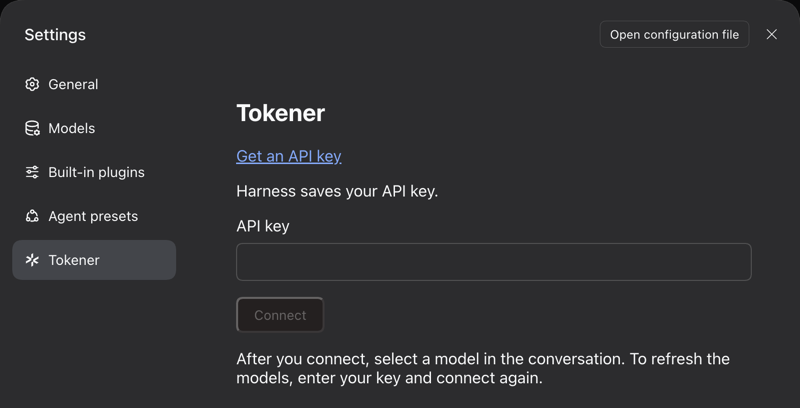
If Tokener is not in Settings, restart Harness. To refresh the models, enter your API key and connect again.
Update
In Harness, open Plugins → Tokener → Versions and select Update. For a beta version, select Show prereleases first.
From the command line, name the version, then restart Harness:
dsh plugin --profile web add @tokener-ai/dsh-tokener-provider@<version>
Without a version, the command can skip a release that is less than one day old.
Your API key
Your API key goes only to Tokener. Harness saves it. Do not assume that Harness encrypts it.
Uninstall
dsh plugin --profile web remove @tokener-ai/dsh-tokener-provider
Harness keeps your saved Tokener models and API key. To remove the models, delete the Tokener entries in Settings → Models. To stop the key from working, revoke it in your Tokener account.
License
Comments
Loading…