
dsh-screenshot
Manifest validRegion screenshot tool with annotations, a magnifier colour picker and clipboard output, following the DSH UI language. Windows only.
DSH 内置截图工具
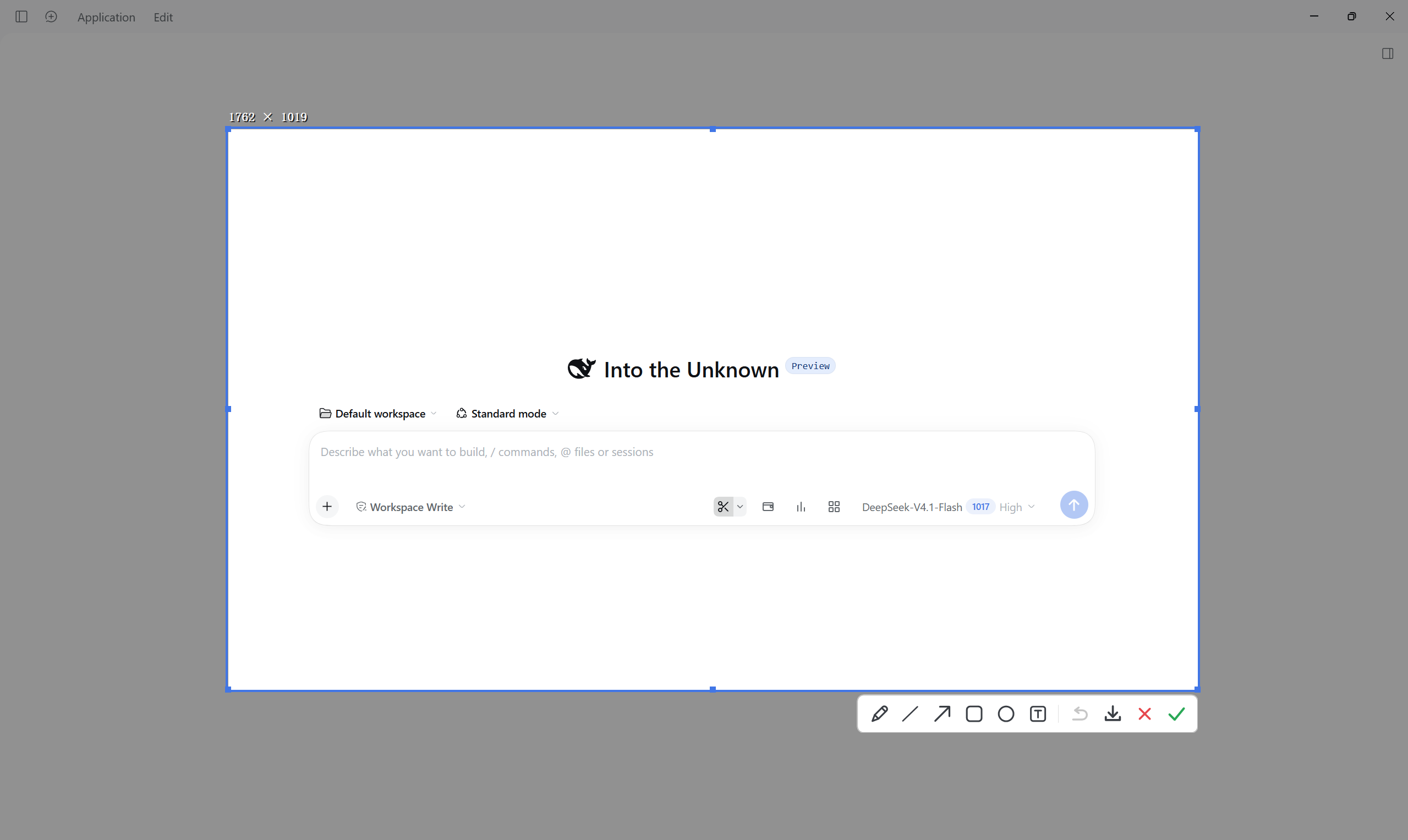
给 DeepSeek Harness 的截图工具:框选、标注、取色,确认即进剪贴板。




English | 中文
特性
| 约 0.2 秒弹出 | 常驻预热进程,不用等启动 |
| 拖动框选 | 窗口自动识别,尺寸实时显示 |
| 标注 | 画笔、直线、箭头、矩形、椭圆、文字,Ctrl+Z 撤销 |
| 颜色 | 三档粗细、取色板、纯色填充 |
| 放大器 | 显示指针处坐标与色值,按 C 复制色号 |
| 贴边吸附 | 选区、控制点、文字都夹在屏幕内 |
| 右键取消 | 不会露出桌面右键菜单 |
| 跟随界面语言 | DSH 中文 → 中文,DSH 英文 → 英文 |
| 占用低 | 空闲约 6 MB、0.5 % CPU,空闲自动退出 |

安装
需要 Windows 10/11 和 DeepSeek Harness。不需要管理员权限,也不需要额外运行库
(.NET Framework 4.0 系统自带)。
-
把仓库放到插件目录,例如
D:\dsh-home\plugins\dsh-screenshot。 -
在 DSH profile(
<DSH_HOME>/profiles/<name>/package.json)里加入 bundle 与链接:{ "dsh": { "profile": { "bundles": ["@deepseek-ai/dsh-base", "@deepseek-ai/dsh-web-app", "dsh-screenshot"] } }, "dependencies": { "dsh-screenshot": "link:D:/dsh-home/plugins/dsh-screenshot" } } -
重启 DSH,输入框右侧会出现这个按钮:

快捷键
| 操作 | 效果 |
|---|---|
| 点按钮或拖动 | 开始截图 |
| 单击 | 选中指针下的窗口 |
| 拖控制点 | 调整选区(放大器保持开启) |
Ctrl+Z | 撤销上一笔 |
C | 复制指针处色号(#RRGGBB) |
回车 或 ✓ | 复制并退出 |
Esc、右键、✕ | 取消 |
隐私与常驻进程
不联网、无遥测、不上传:图片只进剪贴板。你不点按钮它就不会截屏;空闲三分钟自动退出,
DSH 退出后随之退出。排错时设置 DSH_SNIP_DEBUG=1 写 %TEMP%\dsh-text.log,默认不写任何文件。
实现
插件 host 保持一个常驻 SnipTool.exe,通过命名管道(\\.\pipe\dsh-snip-show)唤醒并等待显式
ack:进程僵死能被立刻发现。主题与界面语言随请求下发。界面全部手绘:双缓冲位图负责压暗层与
高亮选区,分层窗口负责工具栏,小窗口负责放大器。
bin/SnipTool.exe      预编译原生工具
src/SnipTool.cs       全部 C# 源码(单文件)
lib/index.js          插件 host:唤醒、主题、语言、路由
lib/client.js         网页按钮与菜单
cordis.patch.yml      插件注册
| 指标 | 实测 |
|---|---|
| 预热后弹出 | 170–200 ms |
| 空闲预热后首次 | 330–390 ms |
| 冷启动 | ≈ 1.1 s |
| 空闲内存 | ≈ 6 MB |
唤醒重试四次;若无响应,host 侧守护只杀存活超过 8 秒的进程再重启。定时器与鼠标钩子回调都 检查对象是否已释放,关闭中的会话不会抛"无法访问已释放的对象"。
已知限制
仅在单屏 / 150% 缩放下验证;混合 DPI 与多屏未测试;仅支持 Windows;界面语言读取 DSH profile 里的
locale 配置,DSH 调整该结构时需同步更新;标注只能逐笔撤销,不能单独删除。
开发
csc /nologo /target:winexe /optimize+ /out:bin\SnipTool.exe `
    /r:System.dll /r:System.Drawing.dll /r:System.Windows.Forms.dll src\SnipTool.cs
许可证
MIT
Versions
| Latest version | Published | Size |
|---|---|---|
| 1.0.5 | — | — |
Comments
Loading…
Similar plugins
by Silentforfar
DSH bundle: capture a screen region with QQ's screenshot tool and hand the image to the model.
★ 0
MIT
JavaScript
Oct 21, 2026
dsh plugin --profile web add @silentforfar/dsh-qq-screenshotby deepseekbluefish
WeChat-style in-app screenshot button: drag a region, fine-tune with 8 resize handles, Enter to capture and Esc to cancel; auto-numbered PNGs plus a [Shot N HH:mm] marker written into the composer. Wi
★ 0
MIT
PowerShell
Aug 24, 2026
dsh plugin --profile web add dsh-screenshot-pluginby Very12345
Windows desktop control with window-bound screenshots and accessibility state, text readback, DSH approvals, and activity overlays.
★ 0
MIT
PowerShell
Oct 3, 2026
dsh plugin --profile web add @very12345/dsh-computer-use-windowsby HsgtLgt
面向模型的「截图」工具插件(DeepSeek Harness,Windows 宿主)。 注册一个 screenshot 工具,让会话里的 AI 能真正「看见」并展示你的屏幕。
★ 0
MIT
JavaScript
Oct 8, 2026
dsh plugin --profile web add dsh-plugin-screenshotby TangerineSplendor
Windows screenshot plugin for DeepSeek Harness: live desktop selection, annotations, global hotkey, and direct image insertion.
★ 0
MIT
JavaScript
Oct 24, 2026
dsh plugin --profile web add dsh-plugin-live-shotby WSL043
Upgrades DSH image viewing with pointer-centered zoom, pan, galleries, downloads, keyboard support, and inline region notes (Beta).
★ 2
↓ 2k/wk
MIT
JavaScript
Oct 23, 2026
dsh plugin --profile web add dsh-image-viewer