
dsh-turn-dial
IdentifiedRenders the chat turn navigator as a clock-like half dial: one graduation per turn, a purple graduation every fifth turn, and a blue needle on the current turn.
dsh-turn-dial
Turns the chat turn navigator — the thin vertical rail on the right edge of a DeepSeek Harness conversation — into a clock-like half dial: one graduation per turn, a purple graduation every fifth turn, and a thin blue needle that points at the turn you are reading.
What it does
- One graduation per turn. The rail's own marks are reused, so a conversation with fourteen turns gets fourteen graduations — no more, no fewer.
- Every fifth turn is purple. The fifth, tenth, fifteenth… graduation is longer, thicker and purple; the rest stay thin silver.
- The needle tracks the current turn. It swings to the graduation of the turn the rail marks as current, so scrolling through a conversation and switching turns move the hand.
- The graduations are still the rail. Clicking a graduation jumps to that turn, hovering one opens the usual preview card beside the dial, and keyboard focus still reaches every mark.
- An instrument face. A double bezel outside the scale, a chapter ring at the graduations' inner ends, a dashed inner scale, sector rays and a hub collar; all drawn in one inline SVG.
- Quiet about it. No host API calls, no network requests, no storage, no configuration.
Install
From the DeepSeek Harness plugin market: open Plugins → Market, search for Turn Dial, install, then restart Harness.
Or install the package through the plugin manager (dsh plugin add), which reads dsh.bundle from package.json and applies cordis.patch.yml for you.
Manual install, for a profile without the plugin manager:
-
copy this package into
<profile>/node_modules/dsh-turn-dial, and -
add to
<profile>/cordis.patch.yml:- insert: - id: turn-dial name: dsh-turn-dial
Compatibility
DeepSeek Harness 0.2.1-rc.1 and later (@deepseek-ai/dsh-client-ui-conversation peer). The dial follows the host's own responsive rule and stays hidden when the chat column is narrower than 900px.
How it works
The rail is a virtualised column: ten-pixel rows, only the visible window mounted, each row positioned by an inline transform: translateY(index * 10px). The plugin
- reads the list height the virtualiser writes on the marks container to learn the real turn count, then grows the scroll box to that height, which makes the virtualiser mount every mark;
- rotates each mark about a hub on the dial's right edge and pushes it out to the dial radius, so a mark becomes a radial graduation;
- draws the graduations with CSS on the marks themselves and the face with one SVG layered under the pointer events;
- rotates the needle with a single inline transform whenever the current turn changes.
Press Esc-free: it adds no keyboard handlers, it only paints.
Development
dev/preview.html renders a fake conversation rail (same DOM shape as the host's) and loads client.js, so the dial can be worked on without starting Harness. Adjust the number of turns and the current turn in the page's turns array.
How it scales
- Up to 260 turns the rail's scroll box is grown to the list height, so the virtualiser mounts every mark: each graduation is a real button with native click, hover preview and keyboard focus.
- Beyond 260 turns the graduations move to three SVG paths, one per style (normal / every fifth / current), and only the rail's own window of marks stays in the DOM. The scale is drawn as hairlines about 3 px apart, so a three-thousand-turn chat costs a few hundred path commands instead of thousands of buttons. Clicking the scale maps the pointer angle to a turn, scrolls that turn into the rail's window and clicks its mark.
- The dial is sized from the conversation viewport: about 40 % of its height, between 190 and 272 px tall (104 × 196 px at the low end), re-measured when the window changes.
License
MIT.
Manual install (no market)
Copy index.js, client.js into ~/.dsh/profiles/<profile>/node_modules/@local/turn-dial/ and add to that profile's cordis.patch.yml:
- insert:
    - id: turn-dial
      name: '@local/turn-dial'
For that layout the local package.json must use "name": "@local/turn-dial" (matching both the entry name and the loader id in client.js) and must not declare dsh.bundle — that field is for bundle installs (market / dsh plugin add), where the package name is dsh-turn-dial.
Comments
Loading…
Similar plugins
Turn timer for DSH: reports how long the current turn has been running, injects wrap-up prompts on a /set-time schedule so the agent starts finishing instead of running on, and shows run-time cards ab
★ 0
dsh plugin --profile web add dsh-time-watchdogby hu669293657
Adds deliverable-file buttons to the end of each agent turn (opens files with the OS default app) and a floating dot rail for jumping between conversation turns.
★ 0
MIT
JavaScript
Aug 29, 2026
dsh plugin --profile web add dsh-turn-toolsTurn-handoff reminders in the DSH Web UI with a modal or top banner, six browser-synthesized chimes, configurable auto-dismiss, and a sidebar speaker toggle with an unread session list.
★ 0
dsh plugin --profile web add @wu5/dsh-your-turn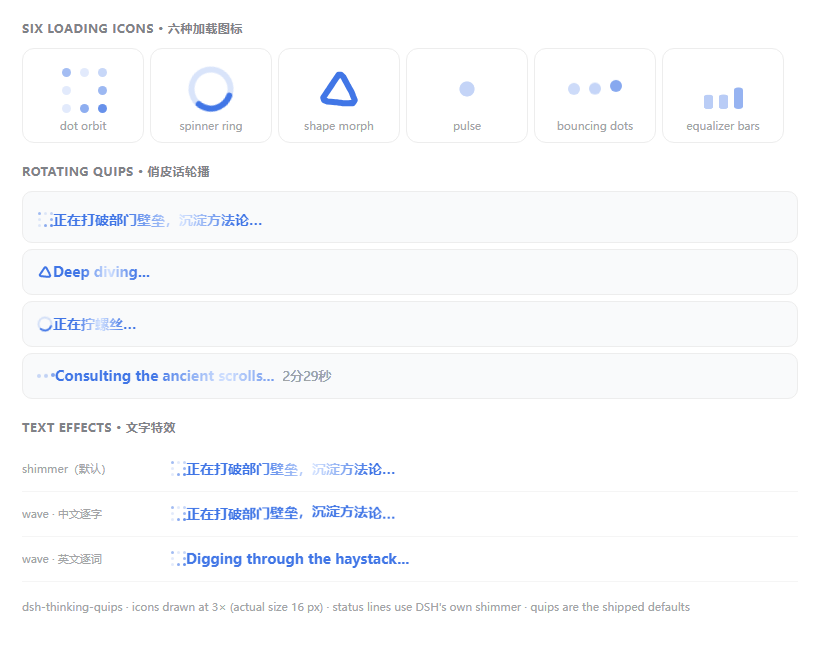
No screenshots
by Saknutella
Personalises the DSH running-turn status line: rotating bilingual quips, a configurable animated loading icon (5 styles x 3 sizes) and one-click matching to the active theme colour, all in a General-s
★ 3
MIT
JavaScript
Oct 2, 2026
dsh plugin --profile web add dsh-thinking-quipsby wjingshan
Floating cost dial for the DSH web GUI: a 24-hour rate dial with a model-colored needle, a balance ring with an alarm threshold, drag-to-resize, and a minimized status-lamp mode.
★ 1
NOASSERTION
JavaScript
Nov 1, 2026
dsh plugin --profile web add dsh-cost-gaugeby john-walks-slow
Per-turn clock context for DeepSeek Harness: one-line current-time reading at every turn start and a Turn ended reading at close, so the model always knows what time it is.
★ 4
↓ 462/wk
MIT
TypeScript
Oct 26, 2026
dsh plugin --profile web add dsh-message-datetime