
dsh-mise
Manifest validRequires mise installed on the host. A mise-backed toolchain manager for the host machine — a settings page listing the active, installed and available versions, with .mise.toml-driven install, use, u
dsh-mise
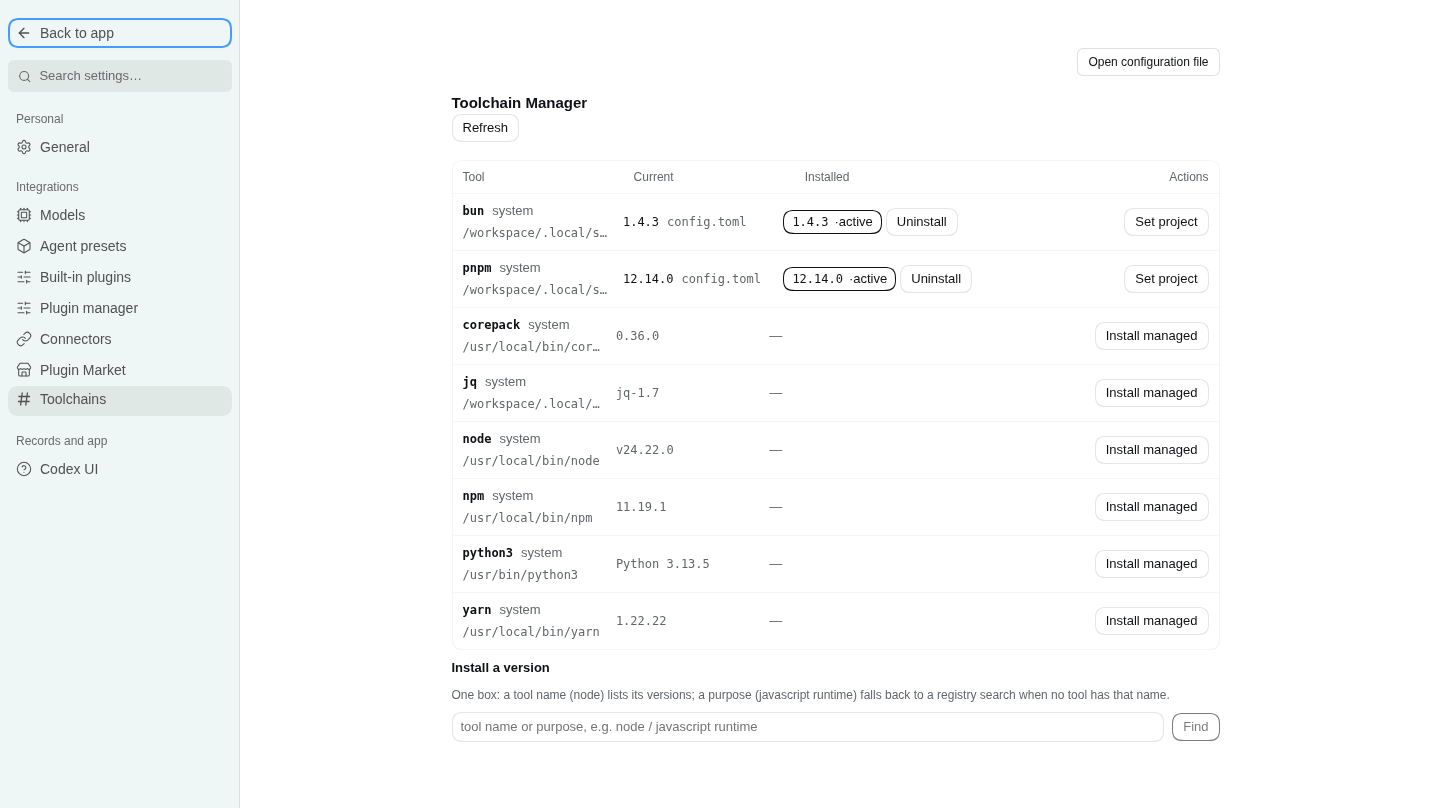
Toolchain manager for DeepSeek Harness (dsh), backed by mise. One settings page shows what is installed and what is available, and installs, pins, uninstalls and prunes by directory (.mise.toml-driven). Nine agent tools expose the same surface to the model, so an agent can see the machine, pick a version, install it, pin it and clean up afterwards without guessing.
English | 中文
- Host half (
src/index.ts+src/mise.ts, built todist/): everymiseinvocation, JSON parsing, the write gate, and a set of endpoints on the plugin's own/miseRPC channel. - Client half (
src/client.ts, built todist/client.js): asettings.sectionpage (order 48) that talks only to that channel — it serves no HTTP route of its own and never touches a binary.
No @deepseek-ai/* package is imported at runtime: the host half is plain ESM, the browser half is one self-contained bundle whose React comes from the harness module table.
Install
dsh plugin --profile web add github:SOVLOOKUP/dsh-mise
Requires dsh >= 0.2.0-rc.2 and a mise binary on the host (or miseBin pointing at one). The build output in dist/ is committed, so a source install needs no build step; mise itself is not bundled — install it from mise.jdx.dev first.
What the page shows
| Capability | Where |
|---|---|
| One table: the active version, how many versions are installed, what PATH resolves to | Settings → mise |
| Tools the image ships that mise does not manage | one folded row under the table (System-provided · N), read-only, collapsed by default |
| Manage a tool's versions | the ▸ in front of the tool name opens a version sub-table: version, status, install path, and the per-version actions (use / uninstall, two-step confirm) |
| Newer version available | a dashed ↑1.8.2 marker after the active version only, fed by mise outdated --inactive --bump --json; comparisons are mise's own, never re-implemented |
Requested by .mise.toml but not installed | not installed in the current column, with install x.y.z in the sub-table and a table-wide "install everything the config asks for" |
| Search | one box: a tool name lists versions, tool@prefix (pnpm@12) narrows to that prefix, anything else falls back to a mise registry search |
| Live install output | the panel polls the running write command every 0.7 s and renders mise's own lines with \r redraws collapsed in place |
The nine tools
| Tool | What it does |
|---|---|
mise_status | mise version/path, target directory, config files on the directory chain, active versions, missing versions, and whether CLI activation is on |
mise_versions | installed / active / latest / remote versions for a tool, or a registry search for a query |
mise_system | read-only PATH scan of 18 common dev commands: the hit path and version, whether mise also manages that tool, and the image-provided copy after skipping mise's shims |
mise_install | install tool@version; background: true returns a task id immediately |
mise_use | write into the project mise.toml or the global config (installs first if missing) |
mise_prune | remove versions no config references; dryRun: true by default |
mise_uninstall | remove one installed version, plus the config request that points at it |
mise_activate | switch PATH activation on/off for this host process |
mise_progress | read the live progress of one write command (what is running, for how long, recent lines, whether it finished) |
Writes are recorded as tasks because tool calls are request/response: the panel polls the running one, an agent starts with background: true and polls mise_progress. A large toolchain download therefore does not pin a single call for fifteen minutes.
Configuration
Set in the plugin row (or the settings form):
| Field | Default | Meaning |
|---|---|---|
miseBin | '' | empty probes PATH, ~/.local/bin/mise, /usr/local/bin/mise, /opt/homebrew/bin/mise, ~/.local/share/mise/bin/mise |
cwd | '' | default directory for the panel and the tools; empty = the host process cwd |
env | {} | extra environment for every mise child process |
timeoutMs | 20000 | timeout for read commands (ls / ls-remote / registry) |
longTimeoutMs | 900000 | timeout for install / use / prune |
writeMode | auto | readonly refuses every write; ask routes agent writes through DSH's approval seam (and denies when no approver exists); auto runs them |
remoteLimit | 30 | remote versions returned per call |
registryLimit | 40 | registry search hits |
activate | true | prepend mise's shims directory to the host PATH on load, so tool commands work in any shell the host spawns |
Write boundaries
- Only mise's own install directory and config files are touched;
prunealways runs with--tools, so mise's config-tracking table is left alone. - Uninstall takes an explicit
tool@versionand is two steps:mise uninstallremoves the files, thenmise unuse --path <source.path> --no-pruneremoves the request that pointed at it — otherwise the row would linger as "not installed". - A request that was never installed (or is left over from an earlier uninstall) gets its own "remove from config" action, a bare
mise unuseat the same explicit path. - A real prune always runs the dry run first; the returned
removedlist is that preview, not a guess. - Panel buttons are user clicks and skip approval; agent write tools follow
writeMode. MISE_AUTO_INSTALLis not set: installs happen only when asked for.
Activation and persistence
On load the plugin puts <data dir>/shims at the front of the host process PATH — the effect of mise activate, without editing shell config. It applies to that process and the shells it spawns; a terminal outside the host is untouched. Managed versions win where a config pins one, and shims fall back to the system copy otherwise, so a command never disappears.
If the image points XDG_CONFIG_HOME / XDG_DATA_HOME at /tmp, mise's state would be wiped on restart. Every load therefore re-creates the persistent copies under $HOME (~/.config/mise, ~/.local/share/mise) and symlinks the /tmp defaults at them; a non-empty directory is only reported as drift, never deleted.
Build from source
npm install        # types only: typescript, @types/*, @deepseek-ai type packages, react for the tests
npm run build      # tsc -p tsconfig.json → dist/, then scripts/finish-client.mjs
npm run typecheck  # sources + tests
npm test           # build, then test/host.ts and test/client.ts
npm run check      # the delivery gate: build + typecheck + both tests
test/host.ts drives the channel with a fake ctx (method matrix, readonly refusal, approval gate, progress-line merging, background task polling). test/client.ts fakes window.__ModuleLoader__ and document, then really renders the page with react-test-renderer and asserts that it only uses the /mise channel and paints the host's data.
Harness loads the built files, not the sources: dist/ has to be committed.
License
MIT
Comments
Loading…
Similar plugins
by songer522
macOS menu bar app for the DSH web server, plus the host plugin it reads: the plugin writes the running server's port, PID and tokenized URL to ~/.config/dsh-launcher/runtime.json and removes it on sh
★ 1
MIT
Swift
Sep 12, 2026
dsh plugin --profile web add dsh-menubar-launcherDSH environment management: auto-installs a Rust/Tauri desktop host (downloaded per-OS from dsh-desktop-host releases, source build as fallback), one-click runtime updates, Windows platform compatibil
★ 0
↓ 133/wk
dsh plugin --profile web add dsh-desktop-toolsby peng456
Discovers other DSH instances on the local network by UDP multicast or port scan, lists them in a sidebar panel together with the capabilities each one reports, and dispatches tasks between machines i
★ 5
↓ 924/wk
MIT
JavaScript
Oct 20, 2026
dsh plugin --profile web add dsh-plugin-meshby fufengyuan
Nine consolidated tools that give agents full access to the stool ops CLI: server management, database query/redis, log search/tail, CI/CD deploy and history, MFA codes, git operations, notes, todos,
★ 2
MIT
JavaScript
Sep 24, 2026
dsh plugin --profile web add dsh-stool-pluginby zdjmrq
DSH 用户插件管理器:在 设置→插件 统一管理插件目录散件、运行树插件与 npm 插件包——挂载/卸载/启用/停用(cordis.patch.yml 补丁层 + HMR 热生效)
★ 4
MIT
JavaScript
Oct 4, 2026
dsh plugin --profile web add dsh-pluginmanagerby fazhu4
DSH plugin manager: official/community grouped plugin list with localized descriptions, one-click enable/disable and uninstall, plus a GitHub dsh-plugin market tab.
★ 4
↓ 203/wk
MIT
TypeScript
Aug 18, 2026
dsh plugin --profile web add dsh-plugin-studio