
dsh-reading-focus
Manifest validReading aids for the DSH chat transcript: gradient text, a reading ruler, line and block focus, and colour bands. Visual overlays only; the message text, selection and copy are untouched.

DSH 阅读辅助
在 DeepSeek Harness 的聊天正文里,提供渐变文字、阅读尺、行/段聚焦和色块分段。


为什么做这个
我每天在 Agent 里花的时间越来越长。它的输出很长,还会一直往后堆:一条回答上千字,聊几轮就是一整屏接一整屏的记录;用它的节奏又是断断续续的——发任务、等结果、再回来接着读。这种时候读长文容易累,注意力也容易散。
浏览器里早就有阅读尺、行聚焦、色块这类辅助,本来就是为了让长文读起来轻松一点。Agent 的正文更长、更密,我想这个场景更需要它们,所以把其中几种搬进了 DSH 的聊天正文。
功能
- 渐变阅读 —— 按视觉行推进的渐变文字,每两行换一次色相。
- 阅读尺 —— 跟随指针的一条淡色带,上下各一条实线。
- 多行聚焦 —— 指针附近的几行保持清晰,其余压暗。
- 段落聚焦 —— 当前段落保持原样,其余文字变淡或压暗。
- 色块分段 —— 相邻内容用轮换的色块分开,代码和标题保持原样。
截图
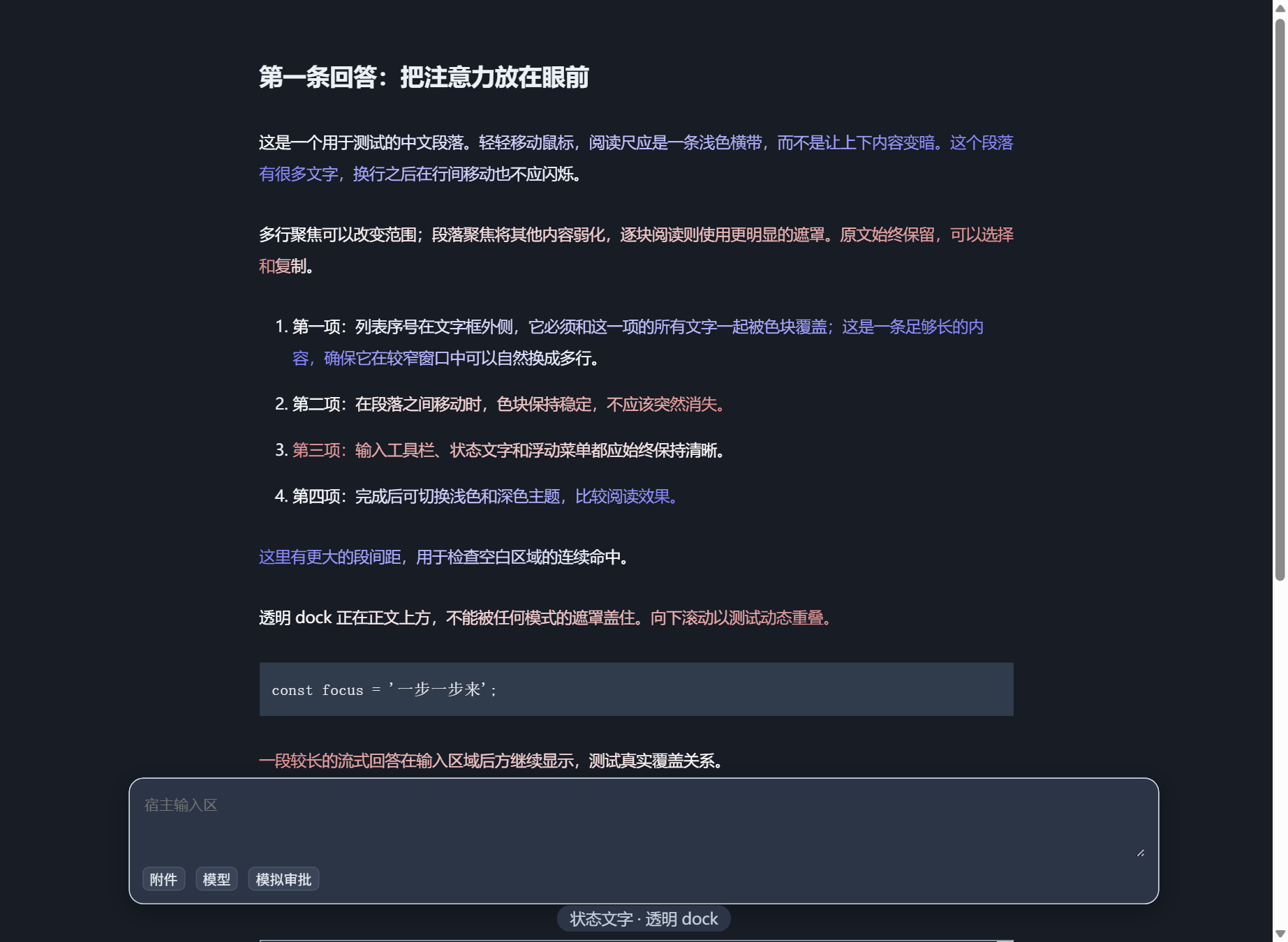
渐变阅读:只给正文着色,逐行推进。
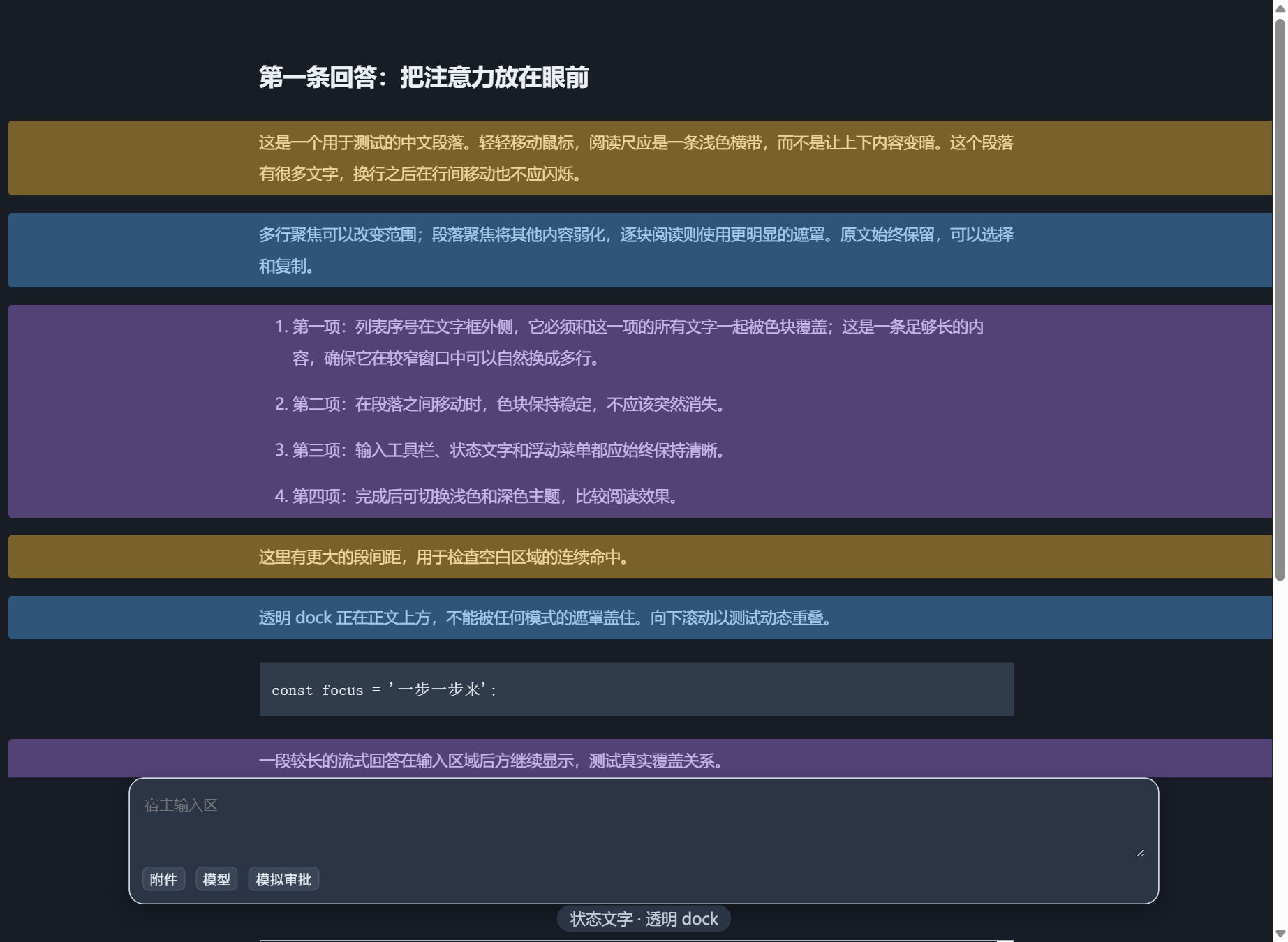
色块分段:相邻内容用轮换的色块分开,代码和标题保持原样。
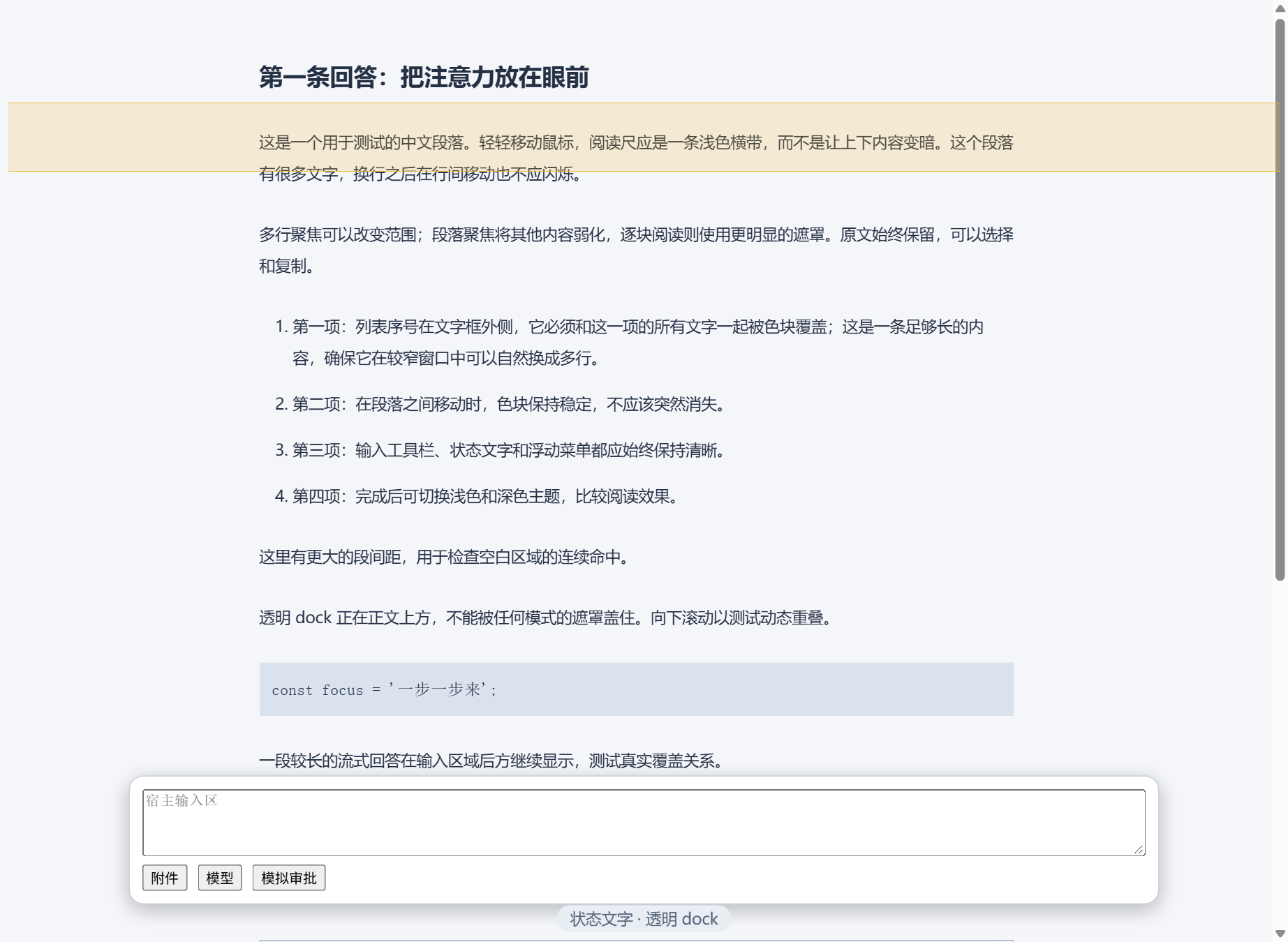
阅读尺:跟随指针的淡色带,上下各一条实线。
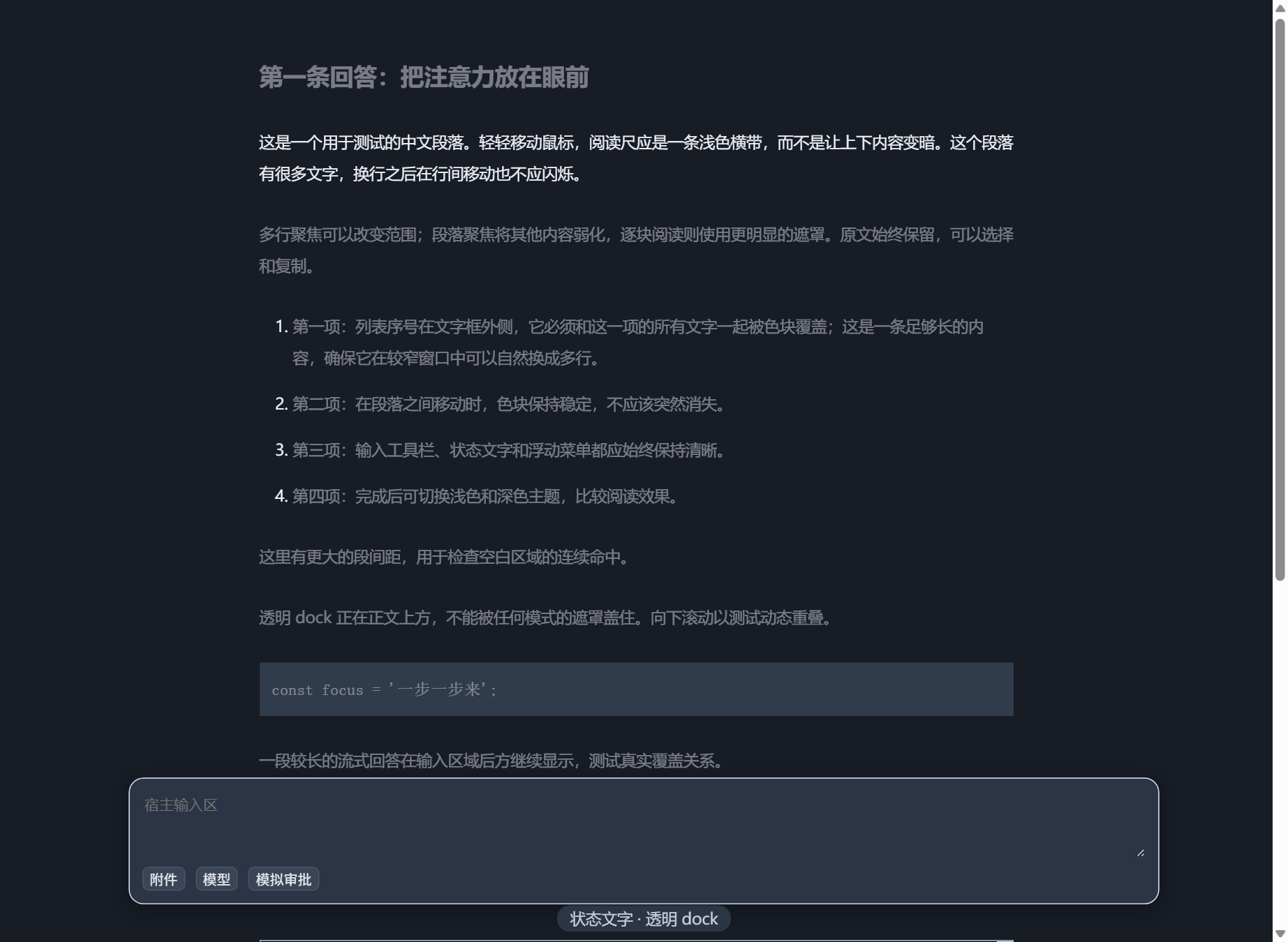
段落聚焦:当前段落保持原样,其余内容变淡或压暗。
截图来自仓库自带的本地预览页 preview.html,仅作效果示意。
安装
DSH Desktop:打开 Settings → Plugins → Add plugin,输入 dsh-reading-focus,安装后刷新页面。
命令行:
dsh plugin --profile <profile> add dsh-reading-focus
需要 DSH 0.2.x(已在 0.2.2-rc.5 上验证)。也可以从 Release 下载 tarball 安装。
使用
- 打开 设置 → 阅读辅助,打开右上角开关。
- 选一种效果,下面只出现它用得上的参数。
- 想边读边调,点「在正文中实时调节」。
- 所有设置都会自动保存,下次打开恢复上次的状态。
深浅主题都适配。代码、表格和标题始终保持原样。
说明
- 五种效果可以随时切换,不需要重开对话。
- 遇到问题或有建议,欢迎在 Issues 里提。
许可证
MIT,详见 LICENSE。

Comments
Loading…
Similar plugins
Adds lightweight selected-text references to DSH assistant replies: selections stay outside the editor as removable draft contexts, remain marked beside the source, and render as hoverable annotations
★ 0
dsh plugin --profile web add dsh-add-to-chatby latte03
Select text in the dsh web conversation to attach it as an annotation to your next message. The source text keeps a dashed highlight with an ordinal badge in place, and the composer summary lists, edi
★ 6
↓ 1.9k/wk
MIT
TypeScript
Nov 16, 2026
dsh plugin --profile web add dsh-select-quote✦
No screenshots
Immersive read-only reading panel for DeepSeek Harness. The model delivers pre-formatted Markdown via the `reading_pad_send` tool into a better-sidebar tab: three low-blue-light themes (Paper/Sepia/Ni
★ 0
dsh plugin --profile web add dsh-reading-padSelect text in the chat transcript, right-click, and quote it into the composer. The quote travels as an atomic chip and renders as a collapsible card, while the model receives the full block with mes
★ 0
dsh plugin --profile web add dsh-quote-selectionby Lone-Jade
Parallel side chat in the right sidebar: reads the main conversation as background and stays read-only, without interrupting it.
★ 0
MIT
JavaScript
Nov 18, 2026
dsh plugin --profile web add @lonejade/dsh-side-chatby tobyberry666
读到哪里,问到哪里。A Markdown reader for DSH with selection-to-chat, full-document context and native AI conversations.
★ 0
JavaScript
Oct 23, 2026
dsh plugin --profile web add dsh-md-reader