
dsh-spend-wallpaper
IdentifiedPaints the DSH Web UI with a wallpaper chosen by the DeepSeek balance spent in the last rolling hour, with per-tier custom images or videos and a draggable button that opens a quick settings panel. It
dsh-spend-wallpaper · Balance wallpaper


A DeepSeek Harness bundle that paints the DSH Web UI with a wallpaper chosen from the DeepSeek balance spent during the last rolling hour. It ships a five-tier chibi scene set, lets every tier use its own uploaded image or video, and exposes a draggable whale button for a quick settings panel.
The same package also contains a terminal CLI (status / render).
Install
# Desktop app profile (default desktop installation)
dsh plugin --profile desktop add github:sleeping112/dsh-spend-wallpaper

# Web profile
dsh plugin --profile web add github:sleeping112/dsh-spend-wallpaper
Restart DSH (or let HMR finish), then look for the 🐋 button in the bottom-right corner of the window. The plugin appears under Settings → Plugins as Balance wallpaper / 余额壁纸.
Local development install:
dsh plugin --profile desktop add link:/absolute/path/to/dsh-spend-wallpaper
How it works
- The host samples a balance source and keeps the values in a rolling window.
- The hourly spend is
balance(now) − balance(now − 60 min); it is mapped to a tier with hysteresis and a minimum dwell time so the scene does not flicker at a boundary. - The client polls the host snapshot and renders the selected scene as a
full-bleed fixed background. Panels, the chat composer, file-edit/code boxes
and the document preview use semi-transparent theme tokens so the wallpaper
stays visible;
surfaceOpacity,scrimanddimtune readability.
Data sources, in auto order:
| Order | Source | When it works |
|---|---|---|
| 1 | dsh-cost-meter local usage estimate | When dsh-cost-meter is installed; works for subscription or zero-wallet accounts |
| 2 | Signed-in desktop account wallet | When DSH is signed in |
| 3 | https://api.deepseek.com/user/balance | When DEEPSEEK_API_KEY is available |
| — | manual | Fixed value for testing |
Only source 3 performs a network request, and only to the official API origin.
Features
- Full-bleed wallpaper with translucent DSH surfaces (shell panels, chat composer, file-edit boxes, code blocks, document preview).
- Rolling 1-hour spend, not "spent today": a recharge or bonus reversal is treated as zero spend.
- Configurable tiers: 2–8 tiers, every threshold editable from the panel or
POST /config; default thresholds are0 / 0.05 / 0.30 / 1.50 / 6.00 ¥/h. - Per-tier scenes: the built-in five scenes can be replaced independently by uploading a PNG/JPEG/WebP/GIF/AVIF image or a WebM/MP4/MOV video.
- Display settings per tier: cover / contain / stretch, focal point X/Y (with top/center/bottom presets) and 100–300% zoom, applied to images and videos.
- Per-tier scene names editable from the panel; tier labels are saved.
- Static/dynamic media:
auto,static,dynamic; honorsprefers-reduced-motionand pauses videos while the window is hidden. - Draggable quick panel: the 🐋 button can be moved anywhere; the position is remembered and the panel opens beside it.
- Preview, lock, refresh, reset: preview any tier for 15 seconds, lock a tier, refresh the source, or clear all presentation overrides.
- Terminal surface:
dsh-spend-wallpaper statusandrenderwork from a terminal without the GUI. - Persistence: samples, tier and scene overrides live in
$DSH_HOME/storages/spend-wallpaper/state.json; uploaded media lives under$DSH_HOME/storages/spend-wallpaper/scenes/.
Screenshots
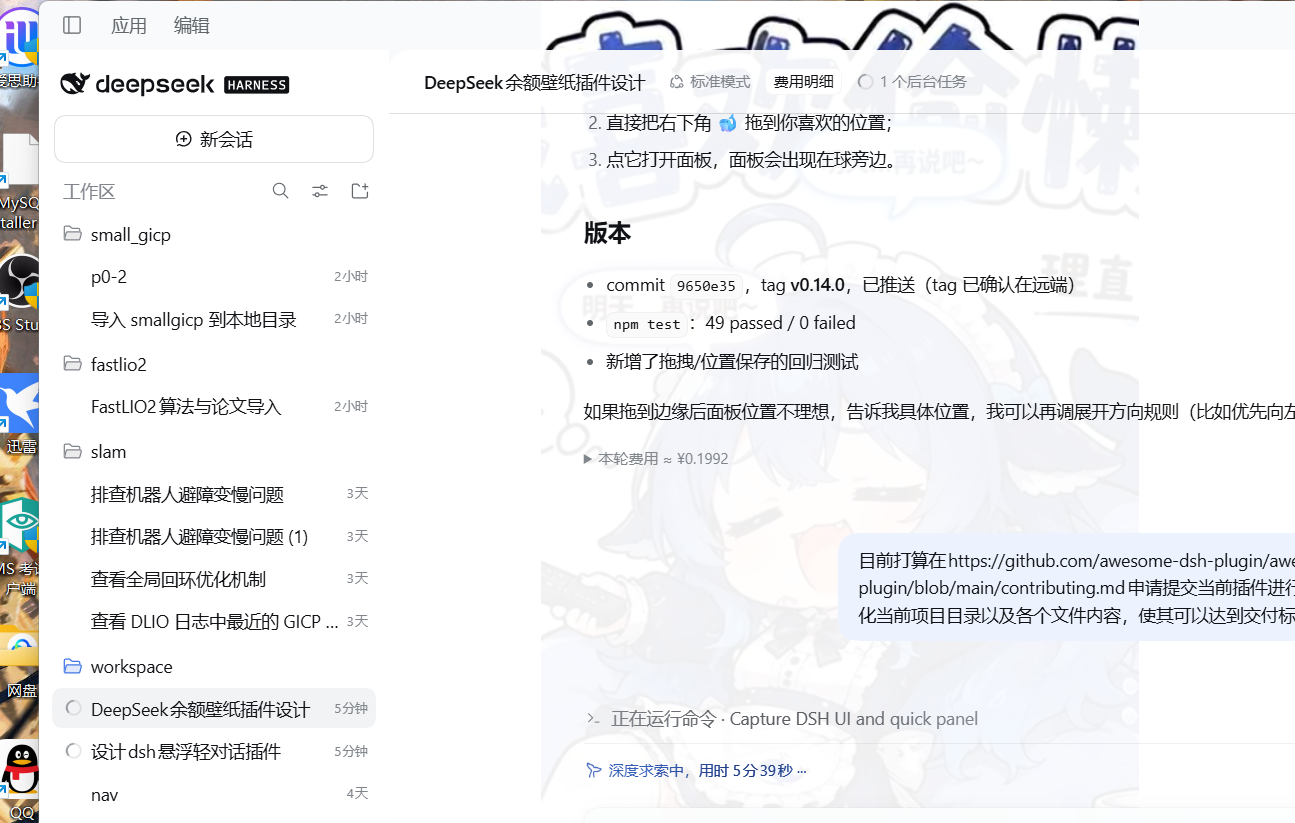

Screenshots are declared in screenshots.json. The first is a capture of the desktop UI; the second is the built-in tier-0 scene.
Quick panel
Open the panel with the 🐋 button (or Enter/Space after focusing it):
- 当前场景画面: when the active tier is a custom scene, fit/focal/zoom controls are shown immediately;
- 档位与阈值:
−/+changes the tier count, each threshold is a number field; - 每档场景: editable name, 上传, 清除 and 调整画面 per tier;
- 外观: panel opacity, wallpaper scrim, extra dim, blur;
- 动画, 采样间隔, 统计窗口, 防抖;
- 预览档位, 锁定, 刷新数据, 关闭壁纸, 恢复默认.
Changes apply immediately and persist. The panel title carries the package version, which makes it easy to tell a stale client bundle from a fresh one.
Scenes and uploads
Built-in scenes live in lib/assets/scenes/ and are copied on startup to:
$DSH_HOME/storages/spend-wallpaper/scenes/
├─ builtin-0.webp / builtin-0.webm
├─ custom-0.png
└─ ...
Uploads accept images (png, jpg, jpeg, webp, gif, avif) and videos
(webm, mp4, mov, m4v). See docs/scenes.md for the
display settings, the HTTP routes and the storage layout.
Configuration
All fields are volatile Cordis Config fields. Most are also available from the
panel. Advanced users can patch the profile:
- id: spend-wallpaper
  config:
    source: auto
    windowMinutes: 60
    sampleSeconds: 180
    thresholds: ["0", "0.05", "0.30", "1.50", "6.00"]
    media: auto
    scrim: 0.10
    dim: 0.03
| Field | Default | Meaning |
|---|---|---|
enabled | true | Master switch |
source | auto | auto / cost-meter / account / api / manual |
currency | CNY | Display currency and threshold unit |
apiBase | https://api.deepseek.com | Official origin only |
apiKeyEnv | DEEPSEEK_API_KEY | Resolved through ctx.credentials or the environment |
windowMinutes | 60 | Rolling window, 5–180 |
sampleSeconds | 180 | Sampling interval, 60–600 |
media | auto | auto / static / dynamic |
scrim / dim / blur | .10 / .03 / 0 | Readability and atmosphere |
surfaceOpacity | .45 | Shell/inner-surface opacity (lower = more wallpaper) |
transitionMs | 600 | Cross-fade duration |
hysteresis | .25 | Fraction of a threshold that must be crossed |
minDwellSeconds | 600 | Minimum time in a tier |
thresholds | ["0","0.05","0.30","1.50","6.00"] | 2–8 ascending decimal strings, first is 0 |
manualSpend | "0" | Fixed value for source: manual |
lockedTier | "" | Tier id/index to pin, empty = auto |
HTTP routes
All routes are under /plugins/dsh-spend-wallpaper/ and enforce a same-origin
fence. The host binds to loopback by default.
| Method and path | Purpose |
|---|---|
GET .../state | Current snapshot (no-store) |
GET .../scenes/<tier>?kind=image|video | Current scene file (built-in or uploaded; supports Range) |
POST .../scenes/<tier> | Upload an image/video as raw body + Content-Type |
POST .../scenes/<tier>/reset | Remove the uploaded scene and return to the built-in one |
POST .../refresh | Sample immediately (10 s throttle) |
POST .../config | Thresholds, media, opacity, sampling and other presentation overrides; {reset:true} clears overrides |
Terminal
node bin/dsh-spend-wallpaper.mjs status
node bin/dsh-spend-wallpaper.mjs render
node bin/dsh-spend-wallpaper.mjs render --tier 4 --once
The CLI only reads the persisted snapshot; it does not need the GUI to be open. See docs/terminal.md.
Development
npm test                       # host + client + assets + terminal tests
node scripts/build-client.mjs  # validate the client bundle wrapper
npm run demo                   # render one ANSI frame
The client is a single self-contained lib/client.js Module Loader bundle; host
code is plain ESM. There is no compile step for the plugin itself. The built-in
artwork is generated by scripts/gen-anime-assets.py (Pillow + numpy + ffmpeg).
Project layout:
bin/                  terminal CLI entry
lib/                  host modules, client bundle, scenes, terminal renderer
locale/               Plugin Manager metadata (en/zh)
assets/               icon and README screenshots
test/                 node --test suites
docs/                 quickstart, scenes, terminal, design
scripts/              build-client.mjs, gen-anime-assets.py
cordis.patch.yml      bundle patch (one host row)
Known limitations
- The rolling window is account-wide: usage from another device signed into the same account is included.
- Balance APIs have minute-level billing delay; the value is approximate.
cost-meteris a local estimate based ondsh-cost-meter's counter and can differ from the official bill by a small amount.- Native window-control transparency depends on Electron/Windows support; the in-app titlebar strip and the wallpaper are handled by the client.
- This is a DSH Web UI background, not a Windows desktop wallpaper.
- The terminal
rendercommand draws an ANSI approximation, not terminal emulator artwork.
Security
The API key stays in the host process and is never included in snapshots or the browser bundle. See SECURITY.md for the full boundary.
License
Plugin code: MIT. Built-in procedurally generated artwork: CC0-1.0.
Comments
Loading…
Similar plugins
✦
No screenshots
把图片、视频或内置渐变铺成 DSH 整个界面的背景,并可调主题色与面板透明度。
★ 0
MIT
JavaScript
dsh plugin --profile web add dsh-wallpaper-studio✦
No screenshots
Wallpaper skin for the DSH Web UI: presets, image URL or upload, and an opacity slider that fades the interface to reveal the wallpaper.
★ 0
dsh plugin --profile web add dsh-wallpaper✦
No screenshots
Wallpaper skin for the DeepSeek Harness UI: image URLs, local files and Wallpaper Engine libraries with opacity, blur, slideshow and shortcuts.
★ 0
MIT
JavaScript
dsh plugin --profile web add dsh-skin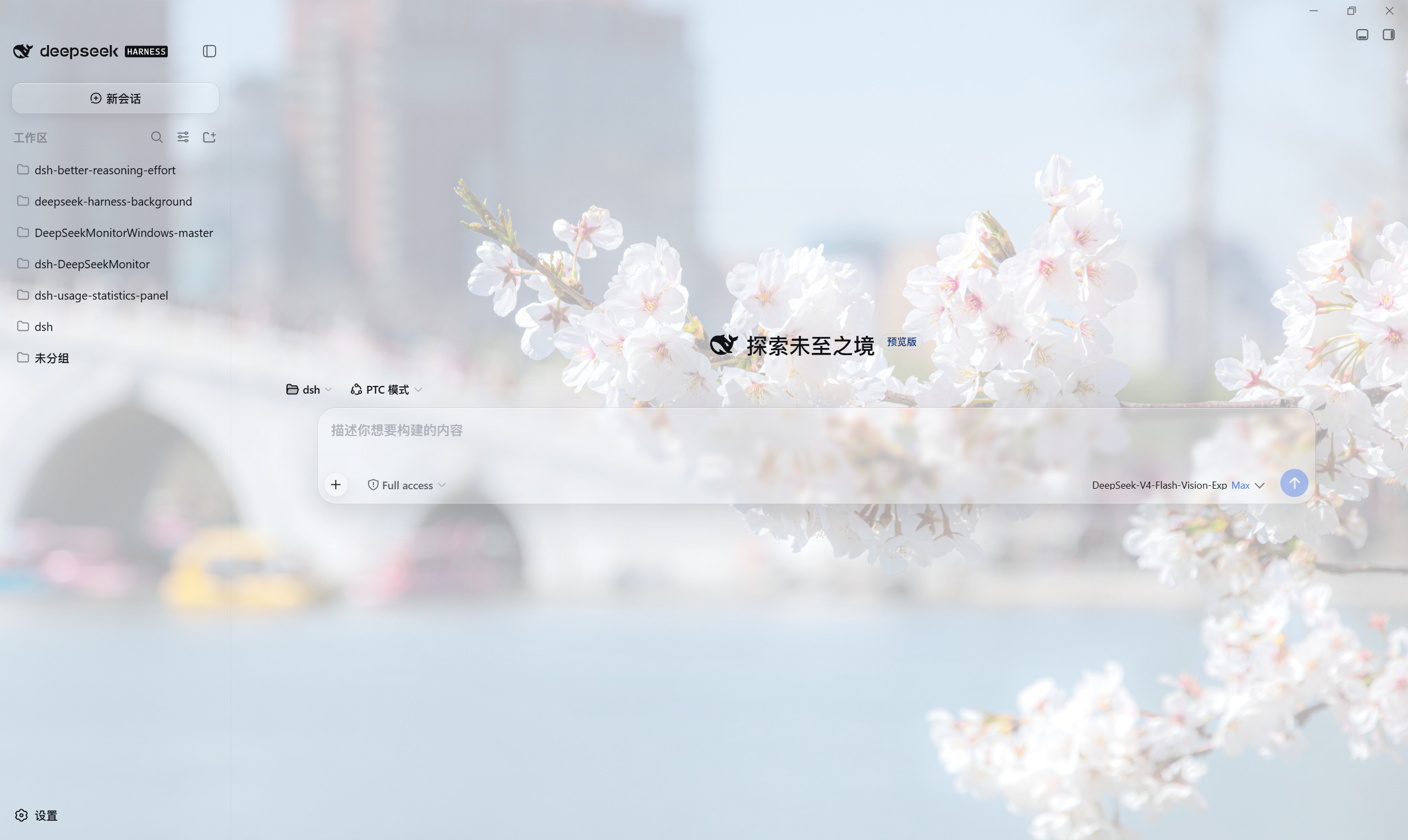 3
No screenshots
by HaoyueQin
Custom background image for the DSH Web UI: upload a picture or paste an image URL behind the whole app surface, with opacity, theme-aware scrim, panel transparency, frosted-glass and wallpaper blur,
★ 10
↓ 441/wk
MIT
TypeScript
Oct 23, 2026
dsh plugin --profile web add deepseek-harness-backgroundby zoyluoblue
Wallpaper theming plugin for DeepSeek Harness (dsh): upload images in Settings and use one as the web UI background, with readability veil, blur, and fill controls
★ 0
MIT
TypeScript
Aug 18, 2026
dsh plugin --profile web add @zoytown/dsh-avatar✦
No screenshots
by ddbj-hub
Persistent wallpaper skin for the dsh web profile: static image or muted looping video as the app background, with translucent panels and a floating picker panel.
★ 1
↓ 62/wk
MIT
JavaScript
Aug 17, 2026
dsh plugin --profile web add dsh-wallpaper-skin