

dsh-ui-zoom
Manifest validCtrl+wheel page zoom (60–180%, remembered) for the whole DSH UI, plus a bottom-right Settings entry that opens the host settings panel, with Ctrl+0 to reset.
dsh-ui-zoom · DSH 界面缩放



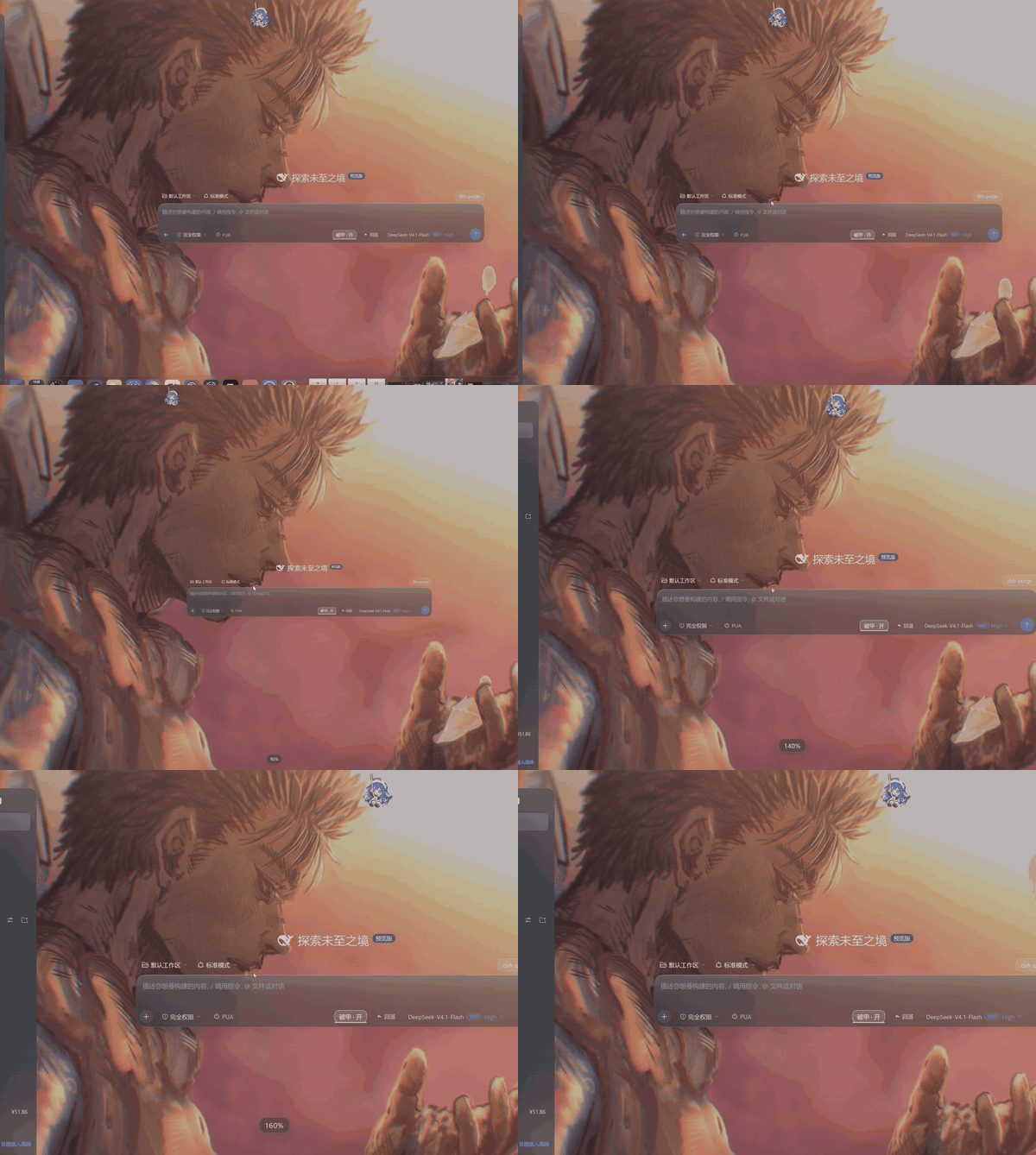
一条住在 DeepSeek Harness 里的蓝色小鲸鱼,替主人把整块界面调大调小。 不是只把字放大——侧栏、输入框、弹层、图标一起缩放,弹层还不会跑偏。
这只蓝色的大肥鱼(误)帮主人做的小插件,用着顺手的话,给颗星星当投喂 🐋
适用于 DeepSeek Harness (DSH) 的客户端插件,不改宿主代码。
✨ 功能特性
- 🔍 等比整体缩放(60%–180%):侧栏、消息、输入框、按钮、图标、间距一起变,10% 一档,不是只改字号。
- ⌨️ 三种手势:
Ctrl+ 滚轮、Ctrl+=、Ctrl+-;Ctrl+0一键回到 100%。 - 🎯 浮层不错位:DSH 用 JS 量出来的坐标(
innerWidth/innerHeight/getBoundingClientRect/clientX)会同步除以缩放比,模型选择器、推理强度菜单、账户菜单都贴在原来的位置。 - 🛡️ 滚到底不会推走整页:缩放期间锁住文档根滚动(记住原本的内联样式,回到 100% 时原样还原),消息列表滚到底继续滚,界面钉住不动。
- ⚙️ 右下角常驻「设置」:不依赖快捷键;先调宿主的
settings.open,失败再走账号菜单,最后兜底合成Ctrl+,。 - 💾 记住比例:存在
localStorage的dsh-ui-zoom:level,刷新和重启都还在。 - 🖥️ 终端不受影响:
Ctrl+ 滚轮落在 xterm 上时直接放行,交给终端自己调字号。 - 🪶 小而干净:客户端插件,无网络请求、无文件访问,只写一个 localStorage key。
🎛️ 和其他缩放方案的区别
| 方案 | 整页缩放 | 弹层 / 输入区不错位 | 滚到底不推页 | 常驻设置入口 |
|---|---|---|---|---|
| 只改字号 | ✗ | — | — | — |
纯 CSS zoom(无垫片) | ✓ | ✗ 放大后弹层跑出屏幕 | ✗ | 不一定 |
| 分区缩放(只放大某几块) | 部分 | ✓ | — | 看实现 |
| dsh-ui-zoom | ✓ | ✓ 度量垫片 | ✓ 根滚动锁定 | ✓ |
📦 安装方式
方式 1:一条命令(推荐)
dsh plugin --profile desktop add github:sjrslh/dsh-ui-zoom
Web 版把 desktop 换成 web。装完按 Ctrl + R 或重开 DSH 生效。
方式 2:从 Release 下压缩包(离线 / 锁版本)
到 Releases 下 dsh-ui-zoom-0.4.0.tgz,然后:
dsh plugin --profile desktop add /path/to/dsh-ui-zoom-0.4.0.tgz
方式 3:克隆后本地安装(想改代码)
git clone https://github.com/sjrslh/dsh-ui-zoom.git
dsh plugin --profile desktop add ./dsh-ui-zoom
改完 lib/client.js,Ctrl + R 就生效,不需要构建。
方式 4:手动挂进 profile(排查用)
// ~/.dsh/profiles/desktop/package.json
"dependencies": { "dsh-ui-zoom": "link:E:/path/to/dsh-ui-zoom" }
再在 dsh.profile.bundles 里加上 dsh-ui-zoom。不推荐日常使用,除非在排查插件冲突。
怎么选
| 你的情况 | 选哪个 |
|---|---|
| 只是想用 | 方式 1 |
| 公司网络连不上 GitHub / 想固定版本 | 方式 2 |
| 想改代码、提 PR | 方式 3 |
| 插件冲突排查 | 方式 4 |
卸载
dsh plugin --profile desktop remove dsh-ui-zoom
卸载时插件会先把缩放恢复到 100%,不会留一个放大的界面没法还原。
🚀 使用指南
| 操作 | 效果 |
|---|---|
Ctrl + 滚轮上 / 下 | 放大 / 缩小,10% 一档 |
Ctrl + =(或 +) | 放大 10% |
Ctrl + - | 缩小 10% |
Ctrl + 0 | 回到 100% |
| 右下角「设置」 | 打开 DSH 设置面板 |
- 缩放时屏幕中间浮一个百分比胶囊,900ms 后自己消失
- 范围 60%–180%,超出会被夹住
- 滚轮有 60ms 节流,一次一格,不会跳档
🧱 项目结构
dsh-ui-zoom/
├─ lib/
│  ├─ index.js            # host 端入口(空实现,让包成为合法的 Cordis 插件)
│  └─ client.js           # 全部逻辑:缩放、度量垫片、滚动锁、设置按钮
├─ scripts/
│  ├─ smoke.mjs           # 加载 bundle,跑一遍 overlay 渲染
│  └─ zoom.test.mjs       # 150% 下的度量断言与停用还原
├─ cordis.patch.yml       # Cordis 编排补丁
├─ package.json
├─ CHANGELOG.md
├─ README.md              # 中文(本文件)
└─ README.en.md           # English
❓ 常见问题
为什么不直接改字体大小? 只改字号,按钮、图标、间距还是原来大小,界面会更挤;这里缩放的是整块布局。
放大后弹层会不会跑到屏幕外?
不会。浏览器原生缩放会连布局视口一起缩小,而 CSS zoom 只缩放绘制,所以插件把 JS 读到的尺寸同步除以缩放比,弹层和输入区按同一套坐标计算。
为什么滚到底不会把整页推走?
zoom 会把根盒子按比例放大,文档因此多出一截可滚动区域;插件在缩放时锁住根滚动,回到 100% 时把原来的样式还回去。
会影响性能吗? 只在缩放时设一次样式,外加一次 localStorage 写入;没有轮询、没有 MutationObserver。
支持哪些 DSH 版本?
engines.dsh >= 0.1.0-rc.6,dshTarget 0.2.0-rc.2。更老的版本没有 shell.overlay 槽位,跑不起来。
📝 更新记录
见 CHANGELOG.md。最近两次:v0.3.2 修「滚到底推页」并加固垫片;v0.4.0 补 Ctrl + = / Ctrl + - 快捷键。
📄 许可证
MIT。随便用,提 PR 更欢迎。
Comments
Loading…
Similar plugins
by Centaurea5547196
DeepSeek Harness Web UI 页面缩放插件:Ctrl+滚轮与 Ctrl+=/-/0 快捷键,25%-300%,本地持久化;悬浮栏默认隐藏。
★ 1
MIT
JavaScript
Oct 1, 2026
dsh plugin --profile web add dsh-page-zoomby Aafff623
Keyboard shortcuts for the DSH Web UI: Ctrl+Q toggles the left sidebar, Ctrl+E toggles the right panel, and Ctrl+S opens Settings. Physical key codes can be overridden in the profile patch.
★ 1
MIT
JavaScript
Sep 9, 2026
dsh plugin --profile web add dsh-keyboard-managerInterface scale setting (50% to 200%) for the DeepSeek Harness (dsh) Web UI and desktop app
★ 0
MIT
TypeScript
dsh plugin --profile web add dsh-ui-scaleby DC-507
Global UI zoom for the DeepSeek Harness web client: Cmd/Ctrl +/-, 0 — scales the whole interface, not just conversation text.
★ 1
MIT
JavaScript
Oct 1, 2026
dsh plugin --profile web add dsh-zoomWindow-like controls for every Web UI modal: drag by title bar, eight-way resize, pin against outside clicks, maximize to the full viewport, removable backdrop blur, and per-dialog persistent state.
★ 0
dsh plugin --profile web add dsh-modal-enhancerby harmless0819-dev
Close / restart DSH buttons in Settings > General, plus an opt-out auto-close that waits until every browser page has stopped beaconing.
★ 0
MIT
JavaScript
Sep 21, 2026
dsh plugin --profile web add dsh-power-controls