

dsh-ssh-workspace
Discovereddsh-ssh-workspace
Operate remote DeepSeek Harness web sessions from one local DSH web page.
dsh-ssh-workspace is a two-plugin bundle:
dsh-ssh-workspaceruns in the local DSH web profile. It discovers SSH hosts, opens tunnels, proxies remote DSH APIs, and replaces the local workspace sidebar with a unified local/remote workspace browser.dsh-ssh-workspace-companionruns in each remote DSH web profile. It validates iframe control messages from the local page, opens requested remote sessions, and hides the embedded remote sidebar.
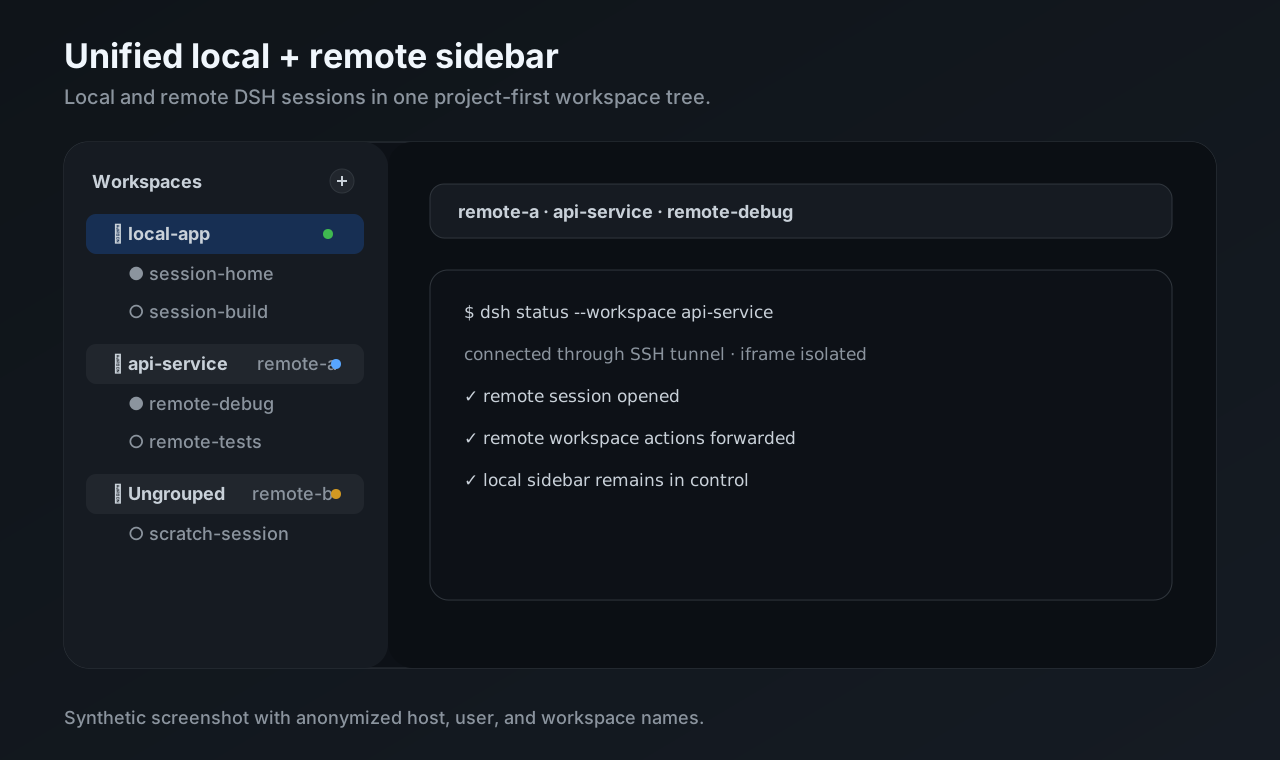
The result is a project-first sidebar where local workspaces and connected remote workspaces appear in one list. Remote projects show a compact host marker such as win-wsl or xsn, and remote sessions open inside an isolated iframe.
Features
- Unified local + remote workspace sidebar for DSH Web.
- SSH-based host discovery from concrete
Hostentries in~/.ssh/config. - Per-host loopback tunnel and browser proxy.
- Remote session open, new session, rename, fork, archive, search, and workspace mutations routed to the owning host.
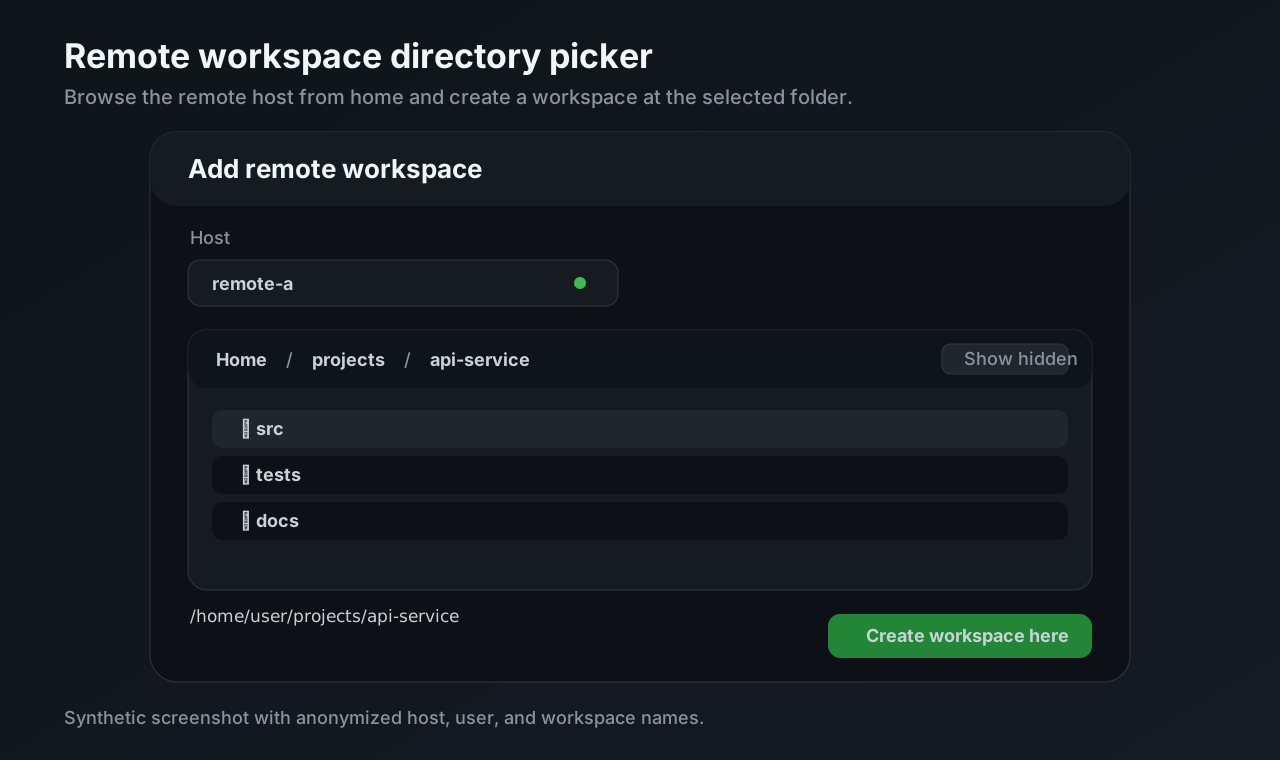
- Add remote workspace flow with a remote directory picker starting at the SSH user's home.
- Source-aware Ungrouped buckets, including per-host
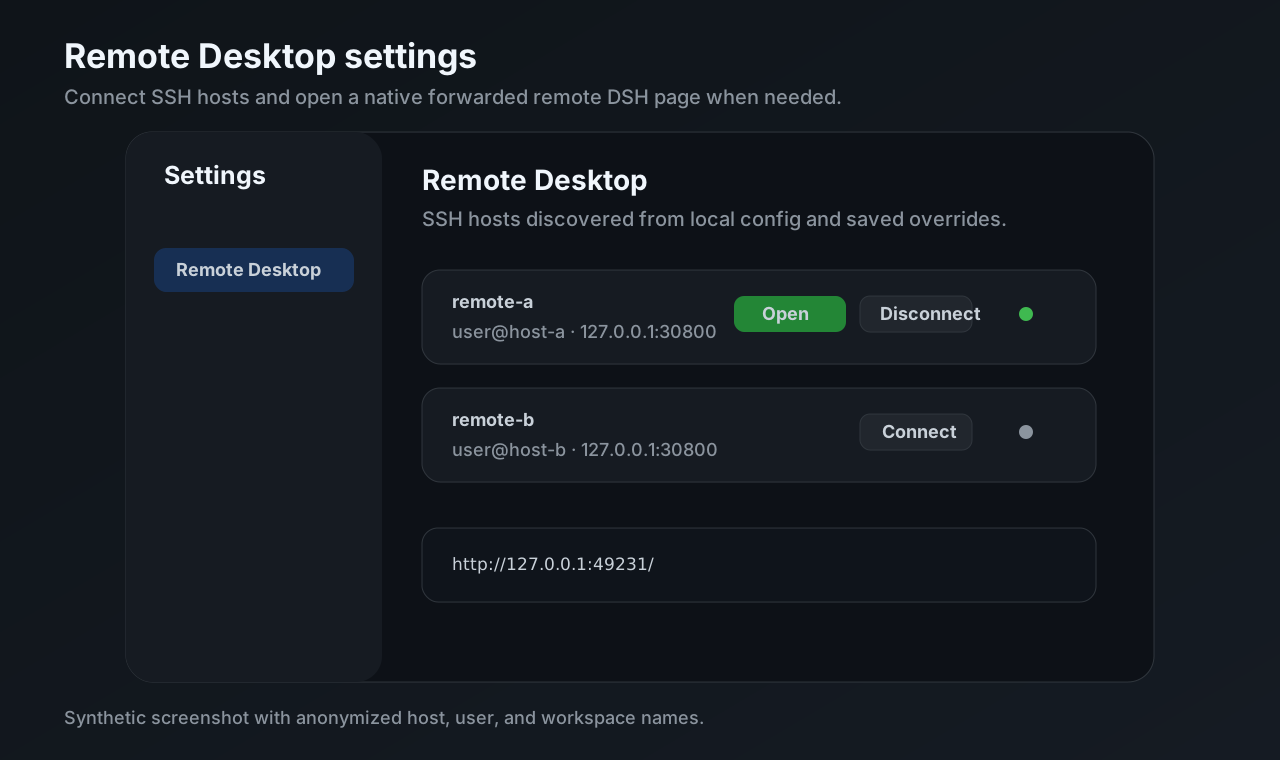
Archive all sessions. - Official Settings integration for Remote Desktop host management.
Feature screenshots
All screenshots below are synthetic and use anonymized host, user, workspace, and session names.
Unified local + remote sidebar
Remote workspace directory picker
Remote Desktop settings
Compatibility
Plugin versions 0.2.x target DSH 0.2.0-rc.2 (the npm latest release verified on 2026-10-08). Upgrade the local controller and every remote companion together. DSH 0.1.x is no longer supported by this plugin version. Restart the local and remote DSH processes after replacing installed plugin packages.
Install
Install the local controller into the local DSH web profile:
dsh plugin --profile web add dsh-ssh-workspace
Install the companion into every remote DSH web profile that should be controlled from the local page:
dsh plugin --profile web add dsh-ssh-workspace-companion
For local development, clone this repository and install the package directories explicitly:
git clone https://github.com/sincerity711/dsh-ssh-workspace.git

dsh plugin --profile web add /path/to/dsh-ssh-workspace/packages/local
# On each remote host/profile:
dsh plugin --profile web add /path/to/dsh-ssh-workspace/packages/companion
From a DeepSeek Harness source checkout, replace dsh with the checkout wrapper, for example pnpm dsh.
AI-assisted remote installation
Give your terminal-capable AI assistant the ready-to-copy prompt in the check/install/verify guide. It verifies the actual local DSH runtime and plugin versions before installing matching versions remotely. The repository also includes a reusable setup-remote skill.
Remote host setup
- Start DSH Web on the remote machine, bound to remote loopback.
- Install
dsh-ssh-workspace-companionin that remote web profile. - Add a concrete SSH
Hostalias on the local machine. - Open local DSH Web, go to Settings → Remote Desktop, and connect the host.
Minimal remote command:
DSH_HOME=$HOME/.dsh-remote-desktop \
  dsh --profile web \
  --host 127.0.0.1 \
  --port 30800 \
  --trusted-host 127.0.0.1:30800
Minimal local SSH config:
Host win-wsl
  HostName win-wsl
  User your-user
See Remote server setup for the full setup checklist.
Architecture reference
- Architecture — package roles, SSH/proxy lifecycle, remote APIs, iframe bridge, sidebar projection, Add workspace flow, and fork inventory.
- Acceptance standard — P0/P1/P2 validation scope and isolated test-home rules.
Community plugin discovery
This repository is prepared for the current DeepSeek Harness community plugin discovery flow. Add these GitHub topics to the public repository:
dsh-plugin
deepseek-harness
dsh
remote-desktop
remote-workspace
The publishable packages also carry matching npm keywords.
Development
npm run build
npm run check
Browser client release files under packages/*/lib/client.js are generated.
Edit packages/local/src/client/ or packages/companion/src/client.js; the
static gate rejects stale generated output.
For local acceptance on macOS, use Apple container:
npm run acceptance:container:up
npm run acceptance:container:p0
npm run acceptance:container:p1
Start a retained canary system for manual play with local and remote seeded sessions:
ollama pull minicpm-v4.6:1b
npm run acceptance:container:canary
The canary requires the host Ollama service and configures minicpm-v4.6:1b as the routable default model for the local DSH instance and both remote DSH instances. Its isolated processes also receive DSH_RD_OLLAMA_API_KEY=ollama-canary-dummy-key, because the OpenAI-compatible client requires a credential even when the local Ollama endpoint does not validate it. Set DSH_RD_OLLAMA_MODEL, DSH_RD_OLLAMA_BASE_URL, or DSH_RD_OLLAMA_API_KEY to override these canary values.
The Apple container remotes stay running until explicitly stopped:
npm run acceptance:container:down
npm run acceptance:container:clean
External SSH-host acceptance remains available when intentionally validating a real remote host:
npm run acceptance:p0
npm run acceptance:p1
npm releases
See npm publishing for the first release, Trusted Publishing setup, and version-tag releases through GitHub Actions.
Comments
Loading…