
dsh-conversation-search
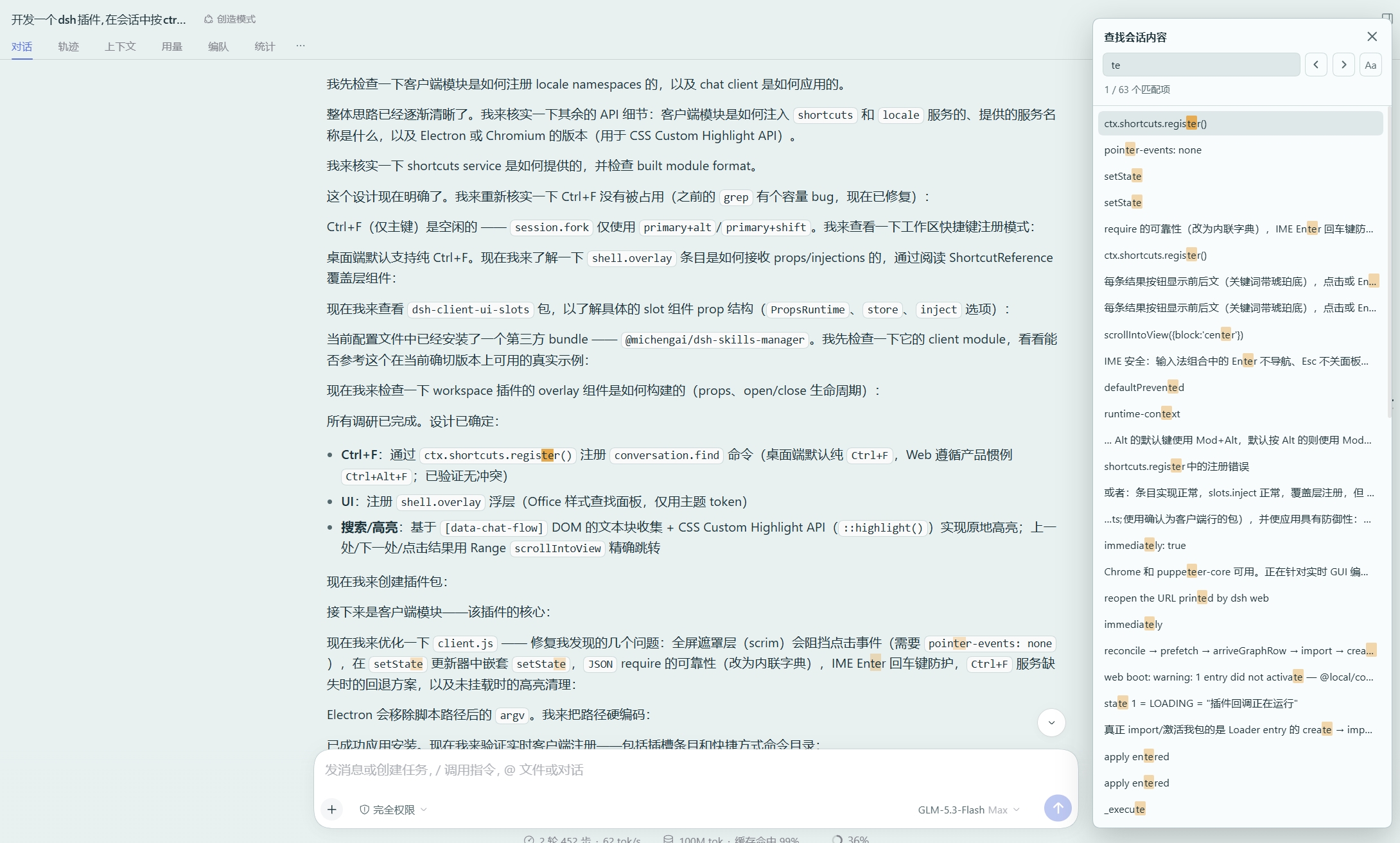
IdentifiedAdds a Ctrl+F find panel to the conversation: lists matches with context, highlights every match in place, and jumps to the exact position via Previous, Next, or clicking a result.
dsh-conversation-search
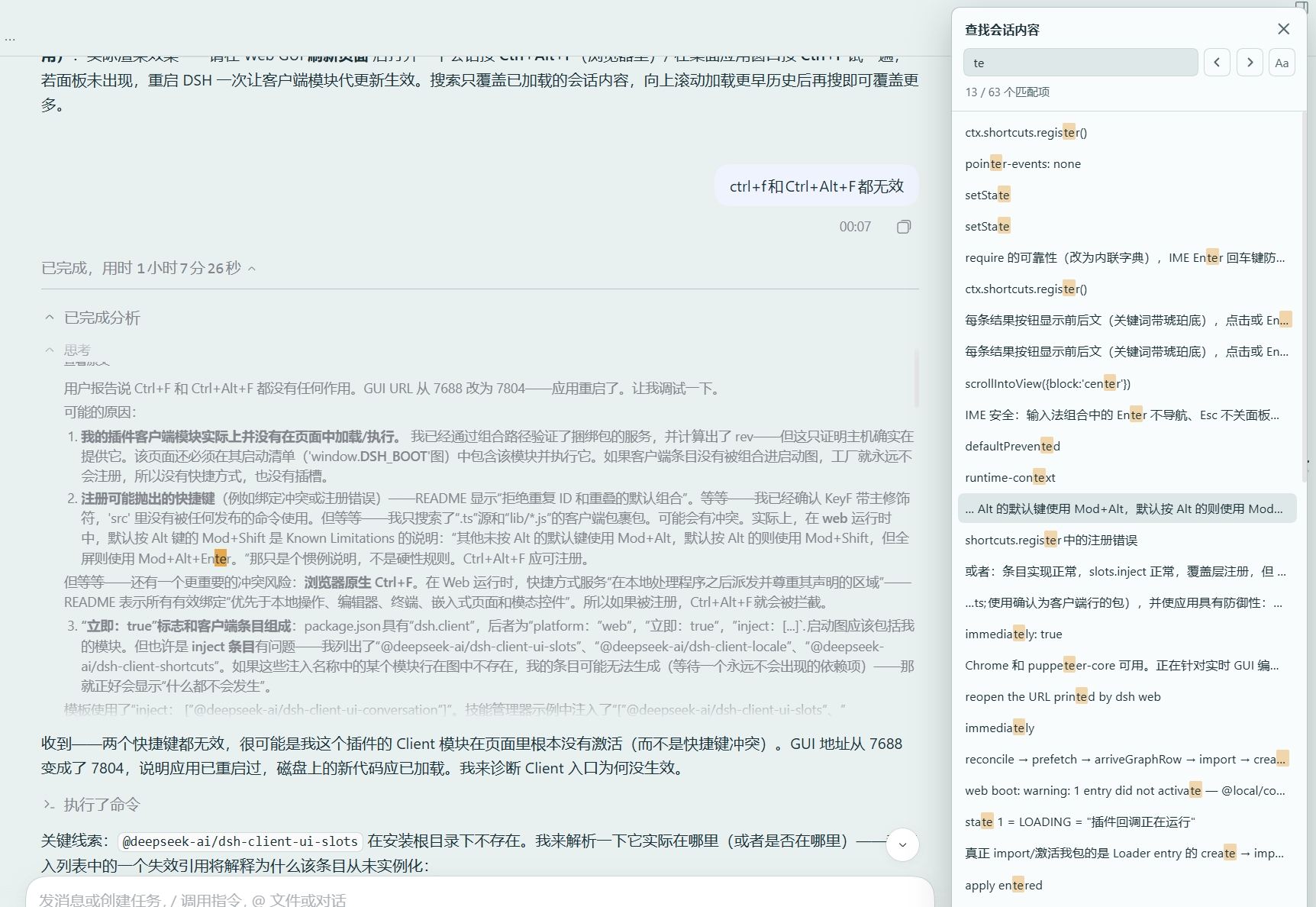
Press Ctrl+F in a DeepSeek Harness session to search the conversation transcript. An Office-style find panel lists every match with context; all matches are highlighted in the transcript, and Previous, Next, or clicking a result jumps to that exact position and highlights it.
在会话中按 Ctrl+F 搜索 DeepSeek Harness 的会话内容:仿 Office 的查找面板列出全部 匹配项,所有匹配在原文处高亮,点击上一处、下一处或某条结果会精确滚动并高亮到对应位置。
Features
- In-place highlighting of every match (CSS Custom Highlight API), with a stronger mark on the active match.
- Office-style panel: query input, Previous / Next, match-case toggle, position indicator (
3 / 27 matches), and a result list showing the text around each hit. - Exact navigation: Previous, Next, Enter / Shift+Enter, and clicking a result all scroll the transcript to the exact match and highlight it. Navigation wraps around both ends.
- IME-safe: composition Enter confirms input instead of navigating; Esc dismissal never closes the panel.
- Streaming-safe: a re-search never waits more than 700 ms even while the agent is still writing, and detached matches are skipped or recomputed instead of silently failing.
- Keyboard: Enter next, Shift+Enter previous, Esc closes, and focus returns to where it was.
Install
In DeepSeek Harness: Plugins → Add plugin, and install from this repository
(dsh plugin add shskyc/dsh-conversation-search works from the CLI as well).
Shortcut
| Shell | Default |
|---|---|
| Desktop (Windows / Linux) | Ctrl+F |
| Desktop (macOS) | ⌘F |
| Web (browser) | Ctrl+Alt+F (browser find keeps Ctrl+F) |
Rebind it anytime in Settings → Shortcuts (conversation.find). On Linux Web the command ships unbound
(the harness only accepts a fixed set of web bindings there) and can be assigned in the same place.
Scope and limits
- Search covers text already loaded in the conversation view. Scroll history up (or click "Load earlier") to bring older turns in, then search again.
- Folded/collapsed subtrees (hidden tool details) are not searched until revealed.
- Matches beyond the first 500 are cut off with a visible "refine the query" hint.
Compatibility
- Requires DeepSeek Harness
0.2.xwith the client-plugins runtime. - Declares
@deepseek-ai/dsh-client-localeand@deepseek-ai/dsh-client-shortcutsas its only client dependencies; no other harness internals are touched.
License
Comments
Loading…
Similar plugins
by ACGNnsj
Adds a Ctrl+F-style find bar to the DSH interface: highlights every match in the conversation or on the current page, and steps between them.
★ 0
MIT
JavaScript
Nov 6, 2026
dsh plugin --profile web add dsh-conversation-findby Ernesto-yuan
A floating in-conversation find bar docked over the DSH composer (Ctrl/⌘+F or the magnifier beside the input): hits list with a match counter as you type, Enter jumps to the next hit, hovering a hit p
★ 0
MIT
JavaScript
Nov 10, 2026
dsh plugin --profile web add dsh-conversation-toolsby Ryuu-64
DSH web plugin: a Cmd/Ctrl+F find bar for the DeepSeek Harness desktop shell that searches the WHOLE conversation, not just the rendered tail.
★ 9
MIT
JavaScript
Nov 17, 2026
dsh plugin --profile web add dsh-find-allby fomalhaut1998
Ctrl+F find-in-session for the conversation, powered by the session store rather than the DOM - labels every hit by source (you / assistant / reasoning / tool call / tool result / system), groups resu
★ 4
↓ 359/wk
MIT
JavaScript
Oct 19, 2026
dsh plugin --profile web add dsh-session-findby secyborg
Browser-style in-page find bar (Cmd/Ctrl+F) for the desktop app, with highlight-all, a match counter, and a scope picker for the conversation or the right panel.
★ 4
MIT
JavaScript
Oct 24, 2026
dsh plugin --profile web add dsh-find-barby P1gG0dG0d
Opens a dedicated question chat in the right sidebar for text selected in a DSH conversation, so follow-up questions do not push the main conversation away and never appear in the session list.
★ 0
MIT
JavaScript
Oct 30, 2026
dsh plugin --profile web add dsh-study-ask