
dsh-screenshot-button
IdentifiedOne-click screenshot for the DSH composer: a scissors button (Shift+click hides the window first) opens a native full-screen crop overlay with window detection, drag-to-move and 8-direction border res
DSH Screenshot Button
English | 中文
DeepSeek Harness 桌面客户端的截图插件:输入框工具行剪刀按钮唤起原生全屏裁剪遮罩,选区确认后裁剪图进入输入框附件栏。以 dsh bundle 形式安装,不修改 DSH 源码。
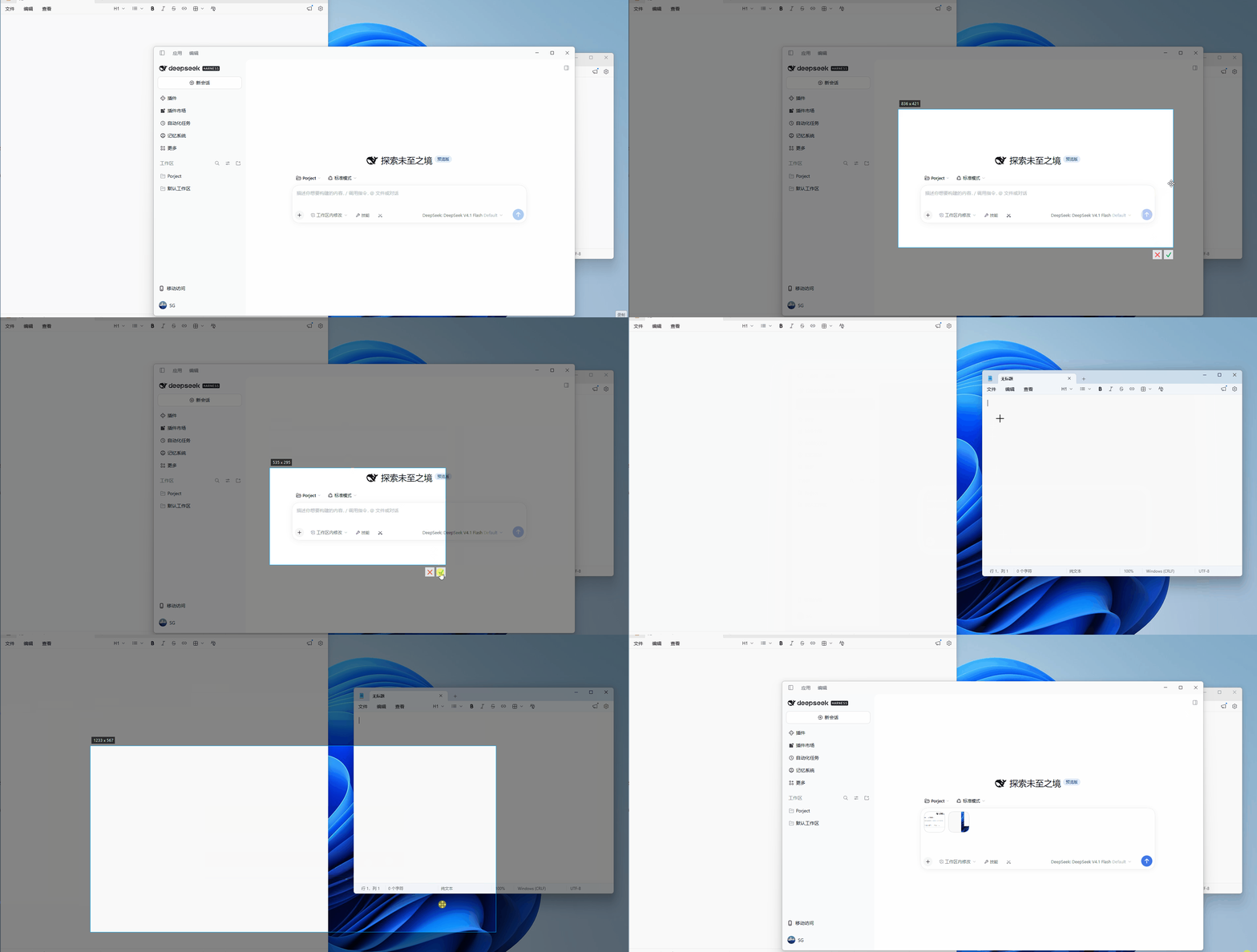
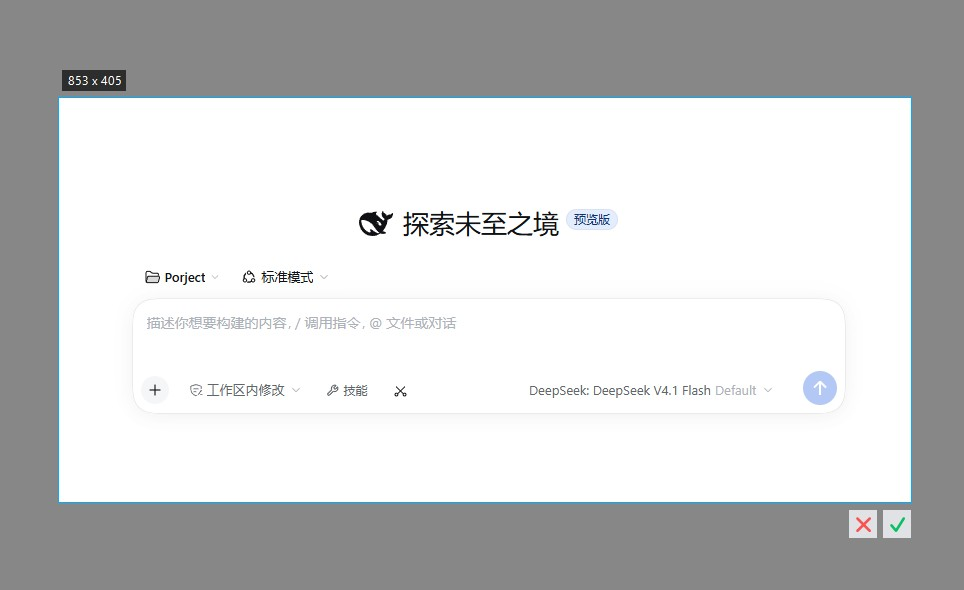
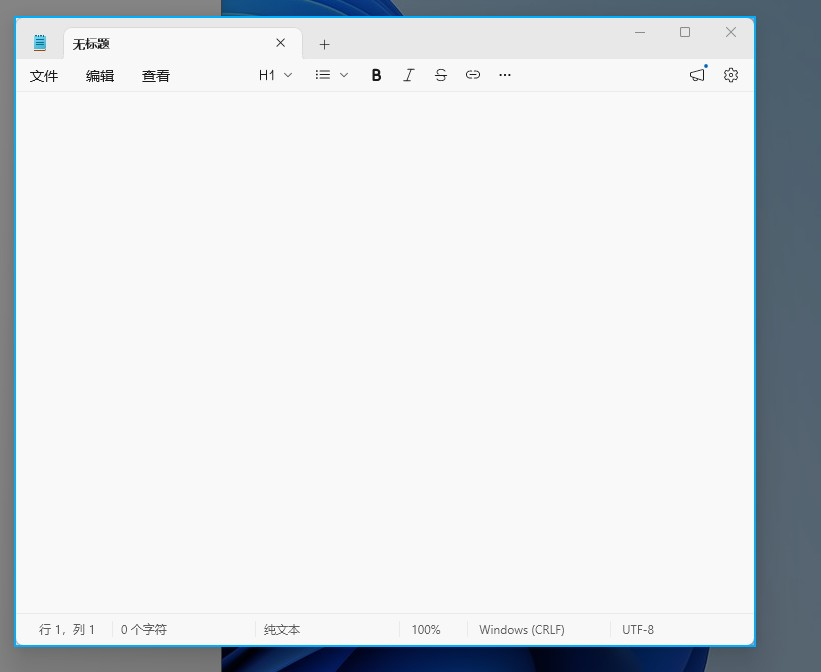
| 选区与确认按钮 | 窗口识别高亮 |
|---|---|
 |  |
使用
- 点击剪刀按钮:弹出全屏遮罩(独立置顶窗口,覆盖整个屏幕),拖拽选区后松开,选区右下角出现确认/取消按钮(双击选区或 Enter 也可确认,Esc 或右键取消),确认后裁剪图自动进入输入框;
- Shift+点击剪刀按钮:先隐藏 DSH 窗口,遮罩出现后画面中不包含 DSH,整个选区过程窗口保持隐藏,确认后窗口恢复;
- 遮罩内移动鼠标:所在窗口整块提亮显示边界,单击直接选中该窗口区域;
- 选区内按住拖动:移动整个选区;选区边缘(内外约 10px)按住拖动:调整选区大小,光标随方向变化。
安装
dsh plugin --profile web add dsh-screenshot-button
或在 dshmarket 插件市场搜索 screenshot。
要求:Windows 10 及以上(系统自带 Windows PowerShell 即可运行,检测到 PowerShell 7 时优先使用)、DSH 桌面版 ≥ 0.2.1。
从源码安装:
git clone https://github.com/shegan1/dsh-screenshot-button
dsh plugin --profile web add ./dsh-screenshot-button
配置
配置在安装后的 cordis.patch.yml 中对应 insert 条目的 config 段修改,全部可省略:
| 键 | 默认 | 说明 |
|---|---|---|
windowMatchTitle | DeepSeek | 隐藏窗口模式的标题校验子串(窗口定位按进程链进行,标题仅作最终校验与回退过滤) |
hideDelayMs | 400 | 隐藏窗口后等待其从屏幕消失的最长时间(120–5000ms,窗口提前消失则提前继续) |
maxBase64Bytes | 16777216 | 截图数据大小上限 |
实现说明
插件分两部分:
- client.js(浏览器侧):注册输入框工具行按钮与全屏遮罩界面;确认选区后把裁剪结果合成 paste 事件派发给输入框,走 DSH 官方粘贴管线进入附件栏;
- index.js(宿主侧):启动一个常驻 PowerShell 进程(
crop-server.ps1),隐藏窗口、抓屏、显示遮罩(crop-form.cs编译加载的 WinForms 窗体)、裁剪在同一个进程内完成;每次截图通过 stdin 命令下发,结果以 JSON 返回。隐藏窗口按进程祖先链定位(从插件宿主进程上溯到应用主进程),不依赖标题匹配;抓屏前重新声明 Per-Monitor-V2 DPI 感知上下文,屏幕尺寸取自GetSystemMetrics,Windows 缩放比例变更后无需重启即可正确工作。C# 窗体的编译引用集来自 PowerShell 安装目录扫描,兼容 .NET 9/10;未安装 PowerShell 7 时截图会得到明确错误提示,宿主不受影响。
诊断信息写入 %TEMP%\dsh-screenshot-debug.jsonl(仅事件元数据,不含截图内容)。
已知限制
- 仅支持 Windows(抓屏与遮罩依赖 WinForms/GDI);
- 隐藏窗口模式需要能沿进程链定位到 DSH 主窗口;定位失败时报错说明原因,普通截图不受影响。
Comments
Loading…
Similar plugins
by deepseekbluefish
WeChat-style in-app screenshot button: drag a region, fine-tune with 8 resize handles, Enter to capture and Esc to cancel; auto-numbered PNGs plus a [Shot N HH:mm] marker written into the composer. Wi
★ 0
MIT
PowerShell
Aug 24, 2026
dsh plugin --profile web add dsh-screenshot-pluginby sfunction-guo
Snipping tool for the composer: freeze the screen, drag a region, annotate it, and drop the result into the message box. Windows only; the selector is a bundled WinForms binary (rebuilt from the inclu
★ 0
MIT
C#
Oct 30, 2026
dsh plugin --profile web add @sfunction/dsh-screenshot在 DSH 输入面板下方添加截图按钮:点击调用系统自带截图工具(Windows/macOS/Linux),截图后 Ctrl+V 粘贴进输入框
★ 0
MIT
JavaScript
dsh plugin --profile web add dsh-screenshot-buttonby JackEngineer
One-click DSH screenshot: capture the DeepSeek Harness window (or the whole desktop) and drop the PNG straight into the composer draft
★ 0
MIT
JavaScript
Oct 17, 2026
dsh plugin --profile web add dsh-quick-screenshotby EasySSHCN
Screenshot capture plugin for DeepSeek Harness (DSH): region/window/fullscreen capture with a fullscreen overlay selector, the screenshot tool, the /shot command, a Ctrl+Alt+A global hotkey and a comp
★ 0
MIT
C#
Nov 4, 2026
dsh plugin --profile web add dsh-shotby 19north
Composer screenshot control for DeepSeek Harness: box-select and annotate a capture in an in-window overlay, optionally hiding the DSH window while capturing.
★ 0
MIT
JavaScript
Oct 6, 2026
dsh plugin --profile web add dsh-shot