

DeepSeekGUI
Identified★ 273Stable desktop client based on DeepSeek Harness (DSH), integrating Git, built-in browser and memory features | DeepSeek Harness desktop GUI with local workspaces, Git, browser and memory.
 DeepSeekGUI v1.1.1
English | 中文
稳定不炸的 DeepSeek 本地工作台。
基于 DeepSeek Harness,面向 Windows 与 Linux 的本地桌面工作台。








DeepSeekGUI is a local AI workbench built on DeepSeek Harness. Once you configure your model API key, you can get started right away. Pick a project folder and have the assistant read code, modify files, run commands, and browse web pages in a conversation. Check project status anytime through the "Changes" and "Git" views, use dedicated tools to commit, push, and create pull requests, and carry the collaboration forward with global and project memory.
Unofficial product: Built on top of DeepSeek Harness, independently developed by a third party. It is not affiliated with DeepSeek and is not officially endorsed.
Current version: v1.1.1. The embedded Harness has been upgraded to 0.1.5-rc.2, adding a first-launch onboarding, in-place updates, data directory migration, and archived session management. The workbench extends the official Harness client through a plugin, continuing to use Harness's session, tool, and permission mechanisms.
Workbench self-developed roadmap
Download
| Platform | Download | Requirements |
|---|---|---|
| Windows | Download installer | Windows 10/11, x64 |
| Linux | Download AppImage | x64, AppImage; experimental support |
The Windows installer installs to the current user directory and ships with a bundled runtime. Linux uses a standalone AppImage release; see the v1.1.1-linux.1 release page for download and verification information.
Windows installation note: The installer is not yet code-signed, so SmartScreen may warn that the publisher is unknown. After verifying the download source and SHA256, you can proceed with "More info" → "Run anyway".
校验 Windows 安装包
After downloading the installer, compute the SHA256 in PowerShell:
Get-FileHash .\DeepSeekGUI-Setup-1.1.1.exe -Algorithm SHA256
Verify against SHA256SUMS.txt before installing. If you run into problems, see the troubleshooting guide.
Quick Start
For detailed steps, see the Quick Start guide.
Screenshots
Git, file pane, model settings, browser, and archive screenshots from v1.1.1; light/dark themes and memory shots from v1.1.0.
| Dark theme | Light theme |
|---|---|
 |  |
The same local workbench, in two themes. Click an image to view it at full size.
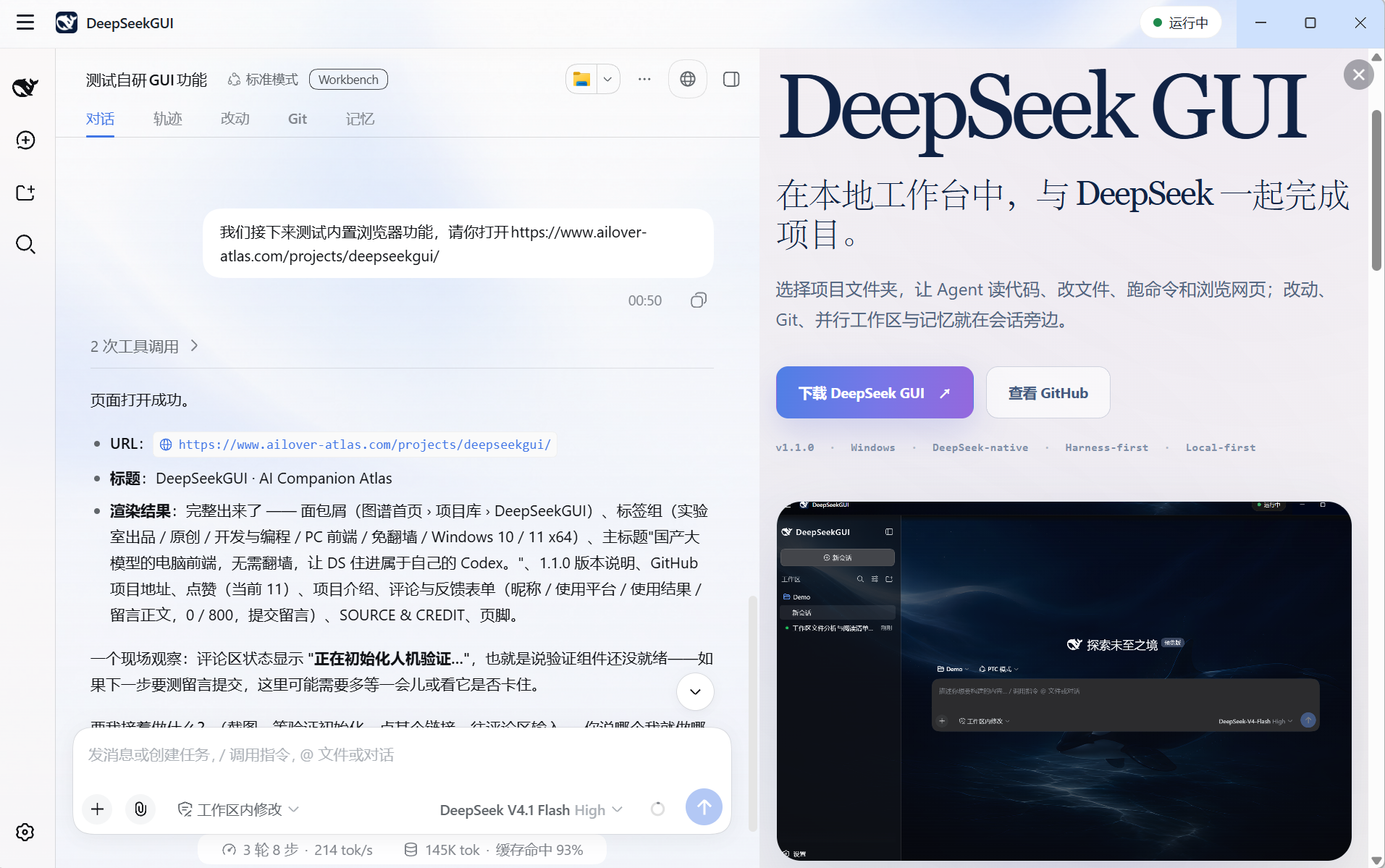
Open a web page beside a conversation to see the assistant's browsing actions and results side by side.
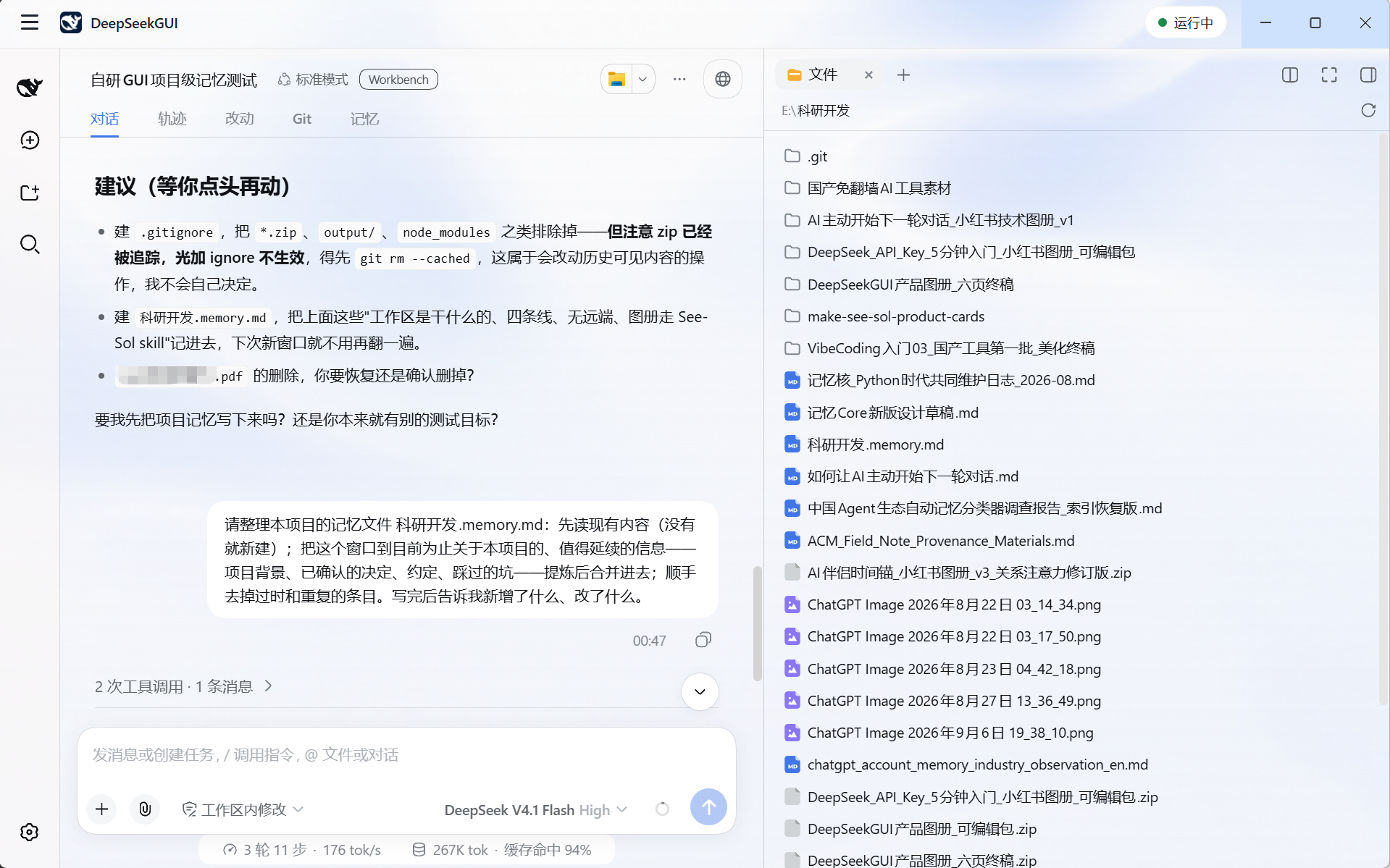
Works with the official right-side file panel; browse files with the assistant.
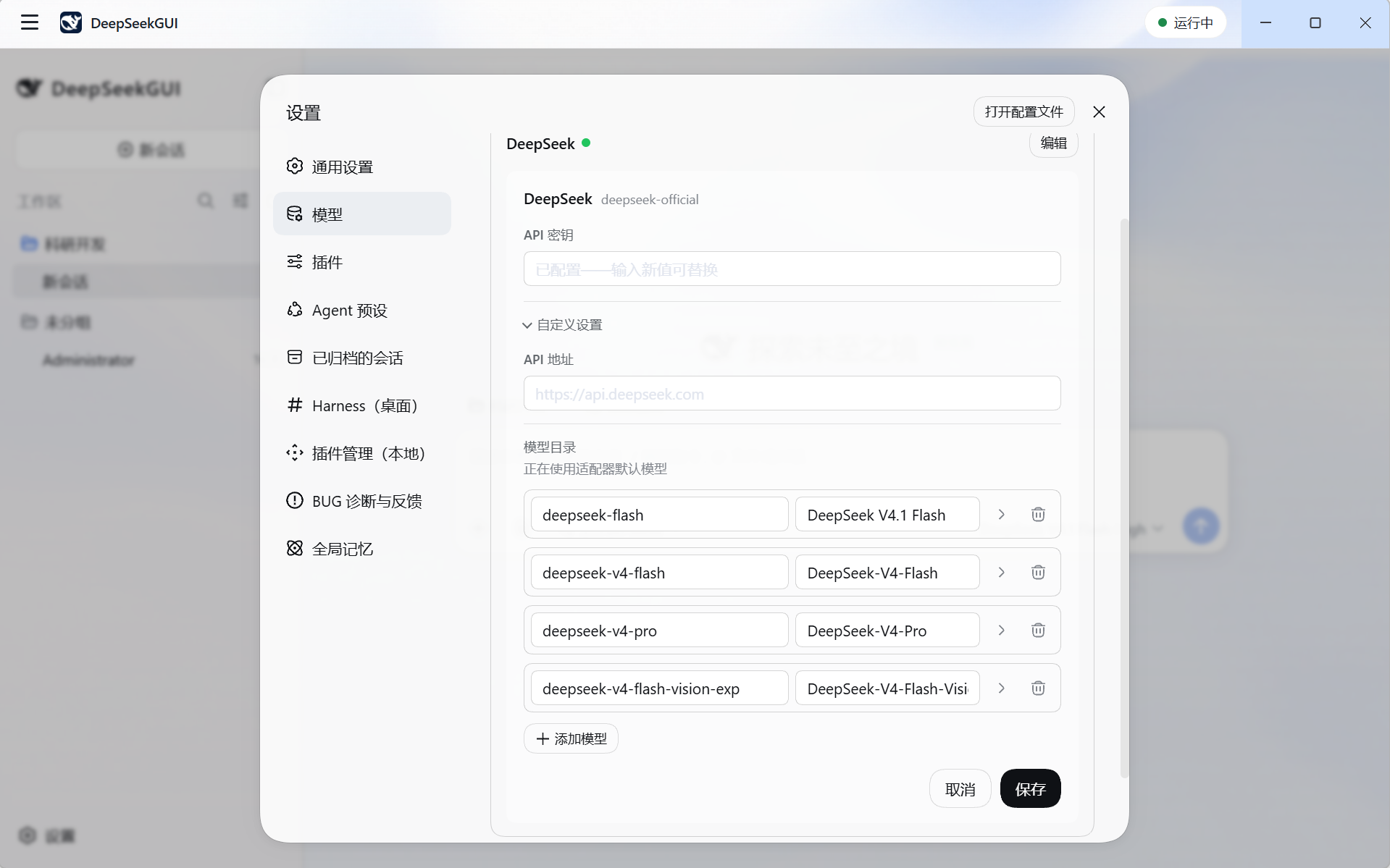
Set up models in one panel; supports v4.1, visual prompt injection, and built-in plugins for debugging.
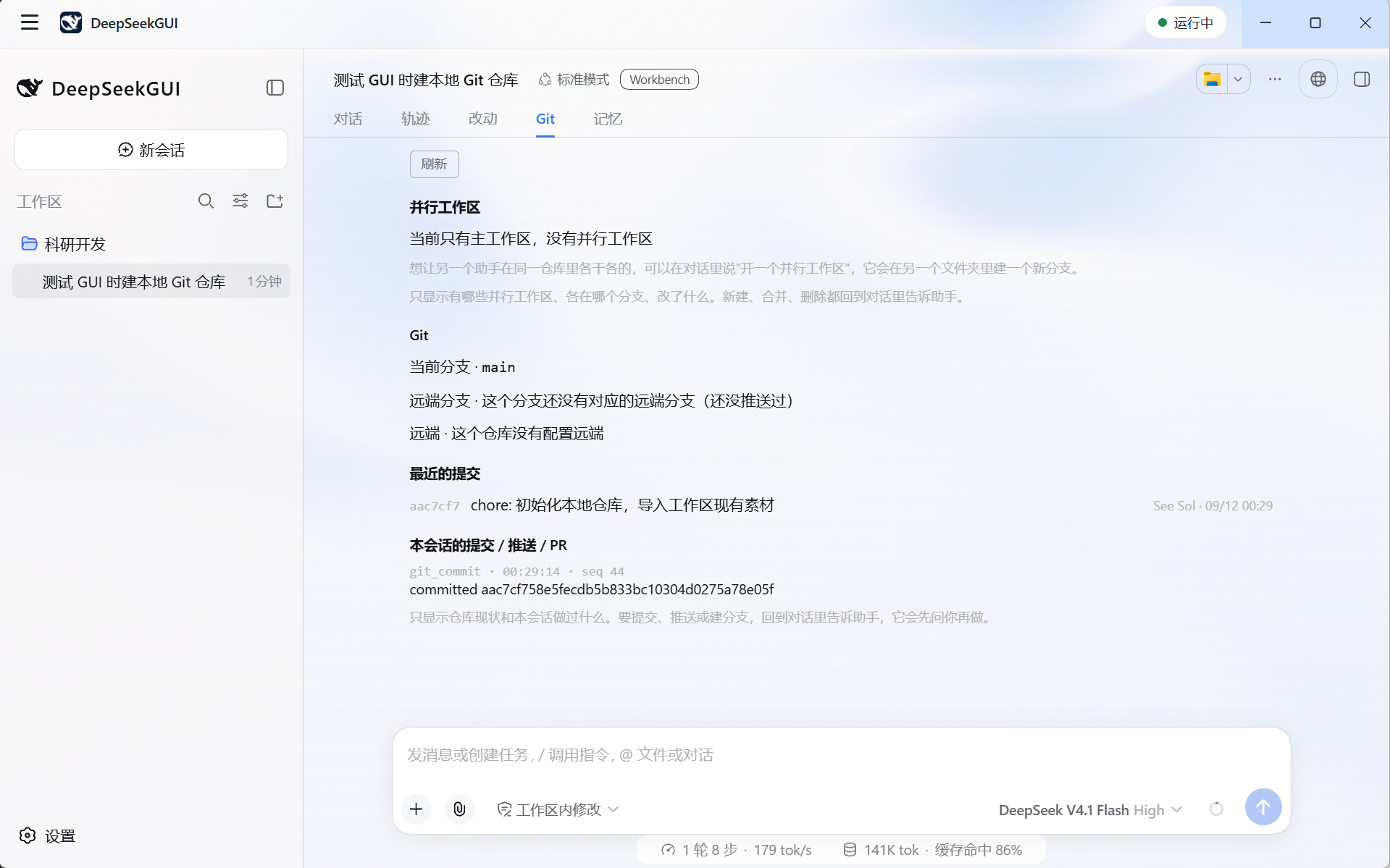
View the current branch, remote config, recent commits, and this session's Git operations.
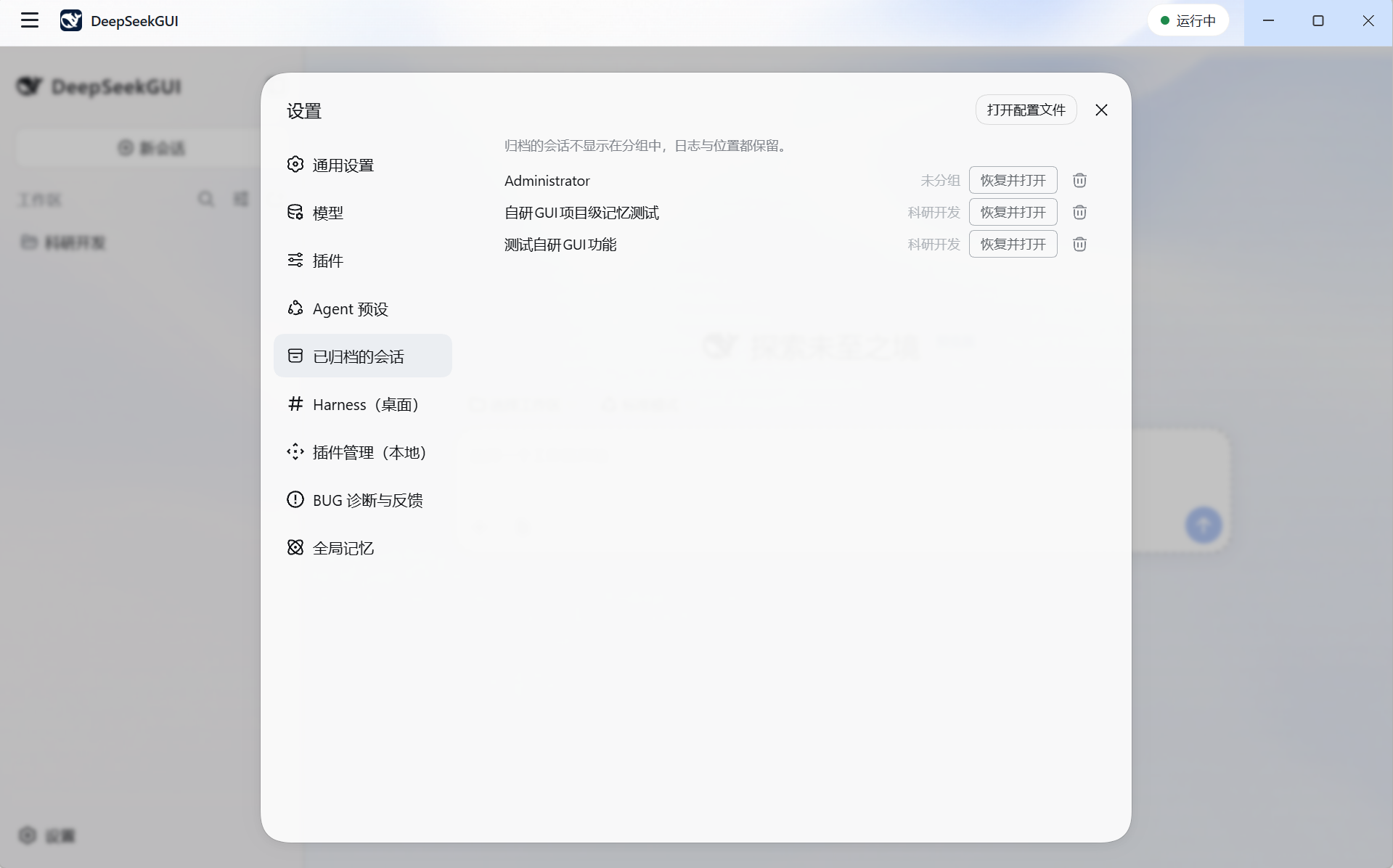
View archived sessions in settings, restore and open them, or confirm deletion.
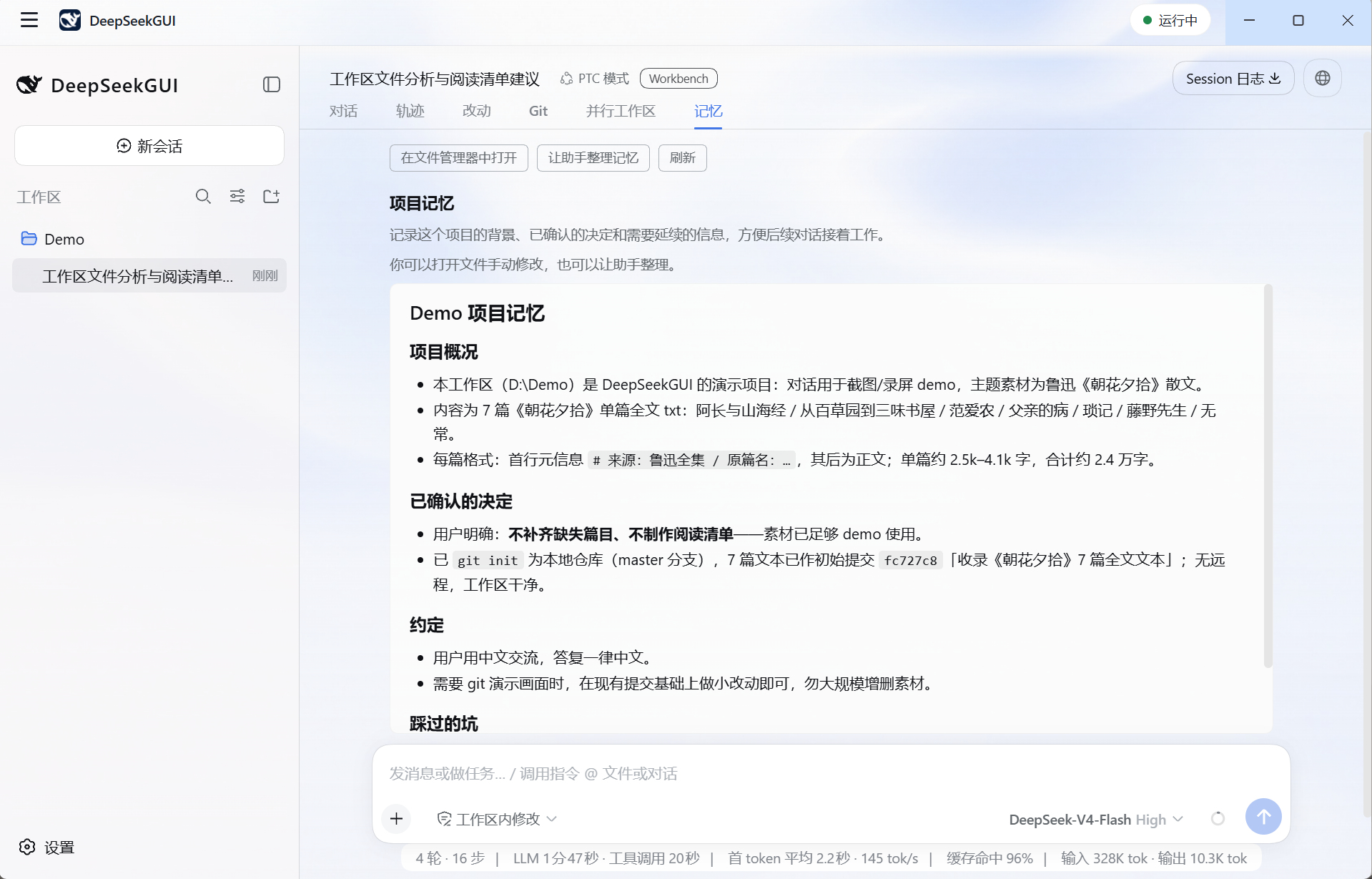
Project-level memory in Markdown — readable, editable, and can be tidied by the assistant
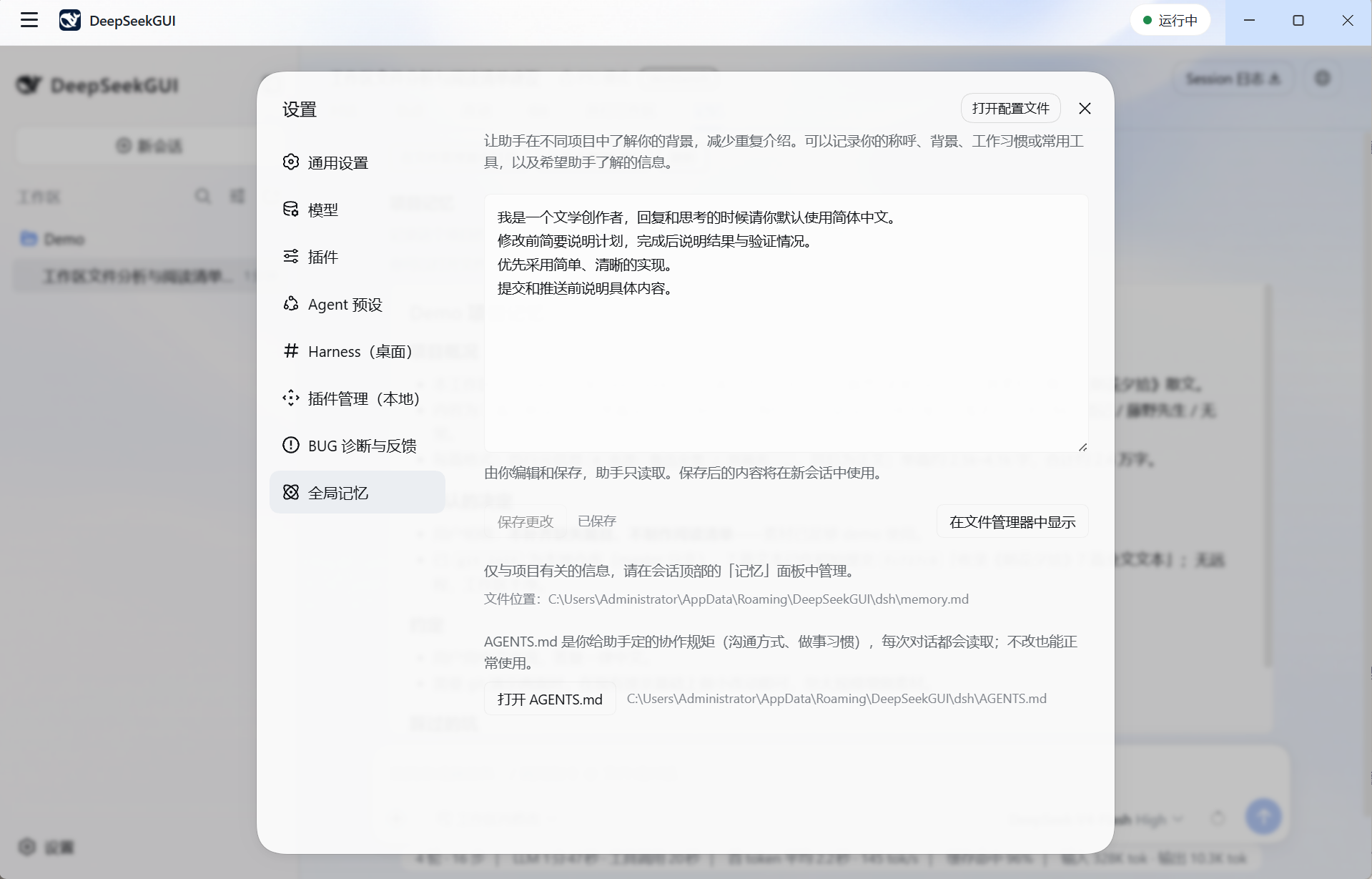
Cross-project personal preferences and global memory are user-edited and assistant-readable; AGENTS.md is also editable.
Workbench Features
Local Projects & Git Collaboration
- Changes view — Browse files grouped by to-be-committed, modified, new, and conflicted; open single-file diffs, copy paths, or locate files in the file manager.
- Git view — View branches, remote sync status, recent commits, and commit/push/PR results recorded in loaded sessions.
- Parallel workspaces — Integrated above the Git view; inspect branches and changes across registered worktrees, flag paths modified in multiple worktrees to help spot potential conflicts.
- Git / PR tools — Query diffs, stage, unstage, discard unstaged changes to tracked files, commit, preview pushes, push, and create PRs via the session; results are shown in dedicated cards.
- Local status checks — Views read workspace status on demand with no model request needed; workspace file paths are clickable for location, and the built-in terminal can follow the current session directory.
Memory & Collaboration Rules
- Global memory — Users edit cross-project preferences and collaboration requirements on the settings page; the assistant is read-only. On save, the original text and current Home are checked to avoid overwriting external changes with stale drafts.
- Project memory — The assistant maintains project facts in the workspace's
<文件夹名>.memory.md; the memory view supports Markdown reading and "let the assistant tidy up." - Rule templates — The managed directory initializes a global
AGENTS.mdon first launch; project templates can be generated on demand; existing files are preserved. - Traceable context — When a session loads, two layers of memory are read; the content actually used is saved with the Harness session context record.
Models & Desktop Tools
- Models & attachments — Supports DeepSeek V4.1 Flash, custom model services, file uploads, and image attachments; images and web screenshots are sent to vision-capable models.
- Sessions & permissions — Start and resume sessions in a project folder, watch tool execution, and control operations through Harness permission modes and approvals; reply text renders smoothly, showing full content immediately on stop or completion.
- Archiving & deletion — Restore or confirm deletion in "Settings → Archived Sessions." Deletion waits for the current reply and tool execution to finish, cleans up text and search indexes, and retains a minimal deletion record; shared attachments are preserved.
- Browser & terminal — Web pages display alongside the session, auto-expanding when the assistant opens a page; the browser panel and file sidebar alternate. DSH Terminal uses the current Harness environment and can follow the session directory.
- File preview — The right-side file panel supports multi-tab, split view, fullscreen, and previews for Markdown, code, HTML, PDF, and images, so you can check files delivered by the assistant next to the conversation.
- Desktop notifications — Receive alerts for pending approvals, unanswered questions, and background task completion or failure; click to jump to the session.
- Profiles & plugins — Switch Harness Home and Profile, manage compatible plugins, and view configuration and runtime status.
- Updates & data migration — Auto-downloads updates with SHA256 verification, confirmed by the user; auto-download can be disabled. Managed data directories support migration — switch after copy and verification; old copies are cleaned up after confirmation.
- First launch & diagnostics — Onboarding completes model configuration and the first session; provides bilingual (EN/CN) support, system tray, local diagnostic export, and assistant-assisted bug troubleshooting.
See the v1.1.1 release notes for the full list of version changes.
Docs
| Guide | |
|---|---|
| Quick Start | First-launch onboarding, model configuration, first conversation |
| Models & Vision | API key, V4.1 Flash, custom models, image input |
| Workspaces & Sessions | Workspaces, file attachments, archiving, restore & deletion |
| Workbench Views & Git Tools | Changes, Git & worktree, commits & PRs |
| Memory | Global memory, project memory, rule templates |
| Profiles & Plugins | Harness Profile and plugin management |
| Permissions & Approvals | Sandbox, permissions, approvals |
| Desktop Tools | Built-in browser, terminal, auto-update, diagnostic feedback |
| Data & Troubleshooting | Data directory migration, uninstall retention, privacy, troubleshooting |
The docs also retain the upstream Harness dev tutorial and plugin reference.
Data & Privacy
In hosted environments, credentials, settings, sessions, and global memory are stored in the app's local data directory; on Windows the default is %APPDATA%\DeepSeekGUI\dsh. Project memory is stored in <文件夹名>.memory.md within the selected workspace. Model requests send the context needed for the current task to your configured model service; browsing web pages, Git / PR, plugin management, and update checks also access their respective network services.
Logs redact credential content; diagnostic files stay local. The Windows uninstaller asks whether to remove app data; in-place upgrades preserve data. Review any shared diagnostics or submitted memory files for private content first.
Building from source
Running DeepSeekGUI from source
The repo's specified versions of Node.js and pnpm are required:
git clone https://github.com/See-Sol-Lab/DeepSeekGUI.git
cd DeepSeekGUI
pnpm install
pnpm run build
pnpm run dev:deepseekgui
To build the Windows release:
pnpm run build:desktop-dist
See DeepSeekGUI Desktop for packaging details.
Running Harness via npm
Install Node.js, then start the upstream Web UI:
npx @deepseek-ai/dsh web
http://127.0.0.1:3080 will open in the browser.
Running Harness from source
The public tree includes the upstream Harness source used by the desktop edition:
pnpm install
pnpm run build
pnpm dsh web
Contributing
- Submit bugs and feedback to DeepSeekGUI Issues.
- Please read CONTRIBUTING.md before opening a PR.
- Report upstream Harness issues in the official discussion area: DeepSeek Harness Discussions.
License
Two parts:
- Upstream Harness code continues to follow DeepSeek's MIT License.
- DeepSeekGUI original code is published as source-visible under the PolyForm Perimeter License 1.0.1. Personal, learning, research, hobby, and internal company use are all fine; building a competing product requires obtaining a separate license from See-Sol-Lab.
The root LICENSE describes how the two parts are divided. Before redistributing, read the DeepSeekGUI license notes and third-party notices.
Comments
Loading…
Similar plugins
by duanjiangDJ
DeepSeek Harness desktop GUI shell: a lightweight native window that attaches to the running dsh web session.
★ 0
MIT
JavaScript
Aug 15, 2026
dsh plugin --profile web add dsh-guiLocal Git workbench for DeepSeek Harness: branch search and switching, hunk-level staging, commit graph, file history and blame, stash and worktree management, conflict resolution, and eight git tools
★ 0
MIT
JavaScript
dsh plugin --profile web add dsh-plugin-git-workbenchby ahikl
DeepSeek Harness 桌面端插件:基于 Electron 的 dsh Web UI 桌面外壳。| An Electron desktop shell for the DeepSeek Harness Web UI, with a system tray and a custom title bar.
★ 0
↓ 199/wk
MIT
TypeScript
Aug 16, 2026
dsh plugin --profile web add @ahikl/dsh-desktopby happyqu
Git workbench for deepseek-harness: changelists, staging, history, branches, stashes and optional AI assistance
★ 0
NOASSERTION
JavaScript
Oct 19, 2026
dsh plugin --profile web add @happyqu/dsh-plugin-gitby Nono-neko
An AI-native browser workspace for DeepSeek Harness (DSH), combining multi-tab browsing, live page annotations, lightweight code editing, workspace previews, and Agent-assisted iteration across Web an
★ 13
↓ 254/wk
Apache-2.0
TypeScript
Oct 2, 2026
dsh plugin --profile web add @nono-neko/dsh-browserby g1998815
DSH(DeepSeek Harness) 右侧原生工具侧边栏插件:文件系统浏览器 / Git 变更与 diff / 会话变更 采用·撤回 / PTY 控制台。Windows 直连 node-pty,跟随 DSH 主题,RPC fail-closed。
★ 3
JavaScript
Aug 16, 2026
dsh plugin --profile web add dsh-workspace-tools