

dsh-notify-sound-plus
Manifest valid★ 1DSH Sound Notification Plugin: Web Audio real-time synthesized sound notifications for four event types — task completed, needs response, needs authorization, and error. Select a sound per event in General Settings, upload custom audio, and access a temporary mute speaker in the bottom-left corner of the conversation; compatible with desktop and web versions.
简体中文 | English
dsh-notify-sound-plus
一款类官方风格的系统通知提示插件,它能给 DeepSeek Harness 加一套提醒。 在任务完成 / 需要回答 / 需要授权 / 运行出错时 设置通知与提示音,并可通过系统通知在后台提醒。适配网页端与桌面端。
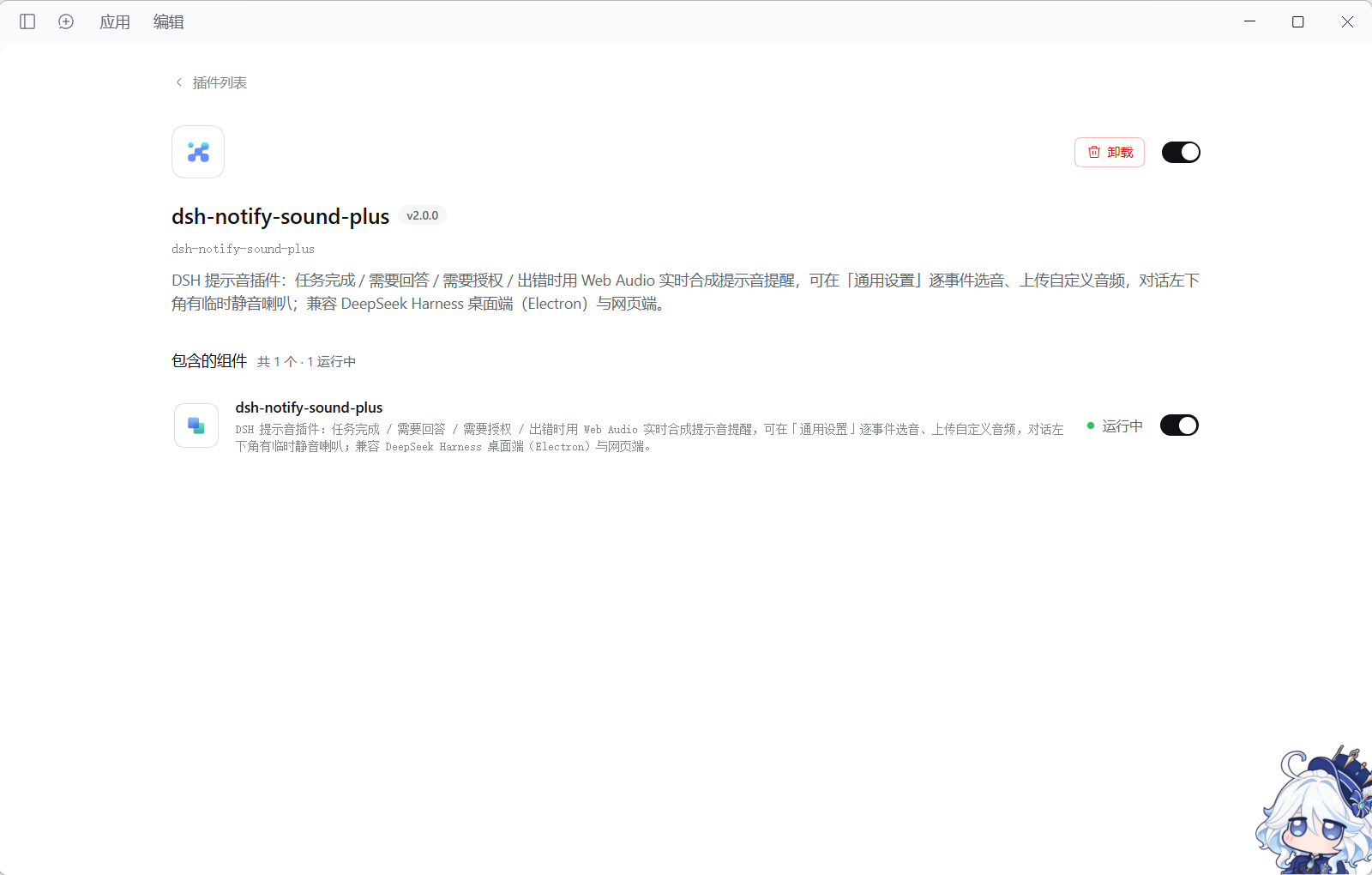
插件能做什么
- 系统通知:需要回答 / 授权 / 任务完成时发送系统通知,可在设置里自行设置
- 在设置里直接选:哪个事件要提醒、用哪个声音,都能单独调,选完自动试听。
- 换成你自己的声音:可以上传 mp3 / wav 等音频文件当提示音。
- 智能判断:如果开启了小鲸鱼挂件提醒将不提示(未开启事件由本插件提醒),避免重复提醒。
- 一键静音:对话框小喇叭,点一下即可快速静音。
- 默认不吵你:子任务不提醒,自行终止不提醒,刷新页面也不提醒。
插件设置
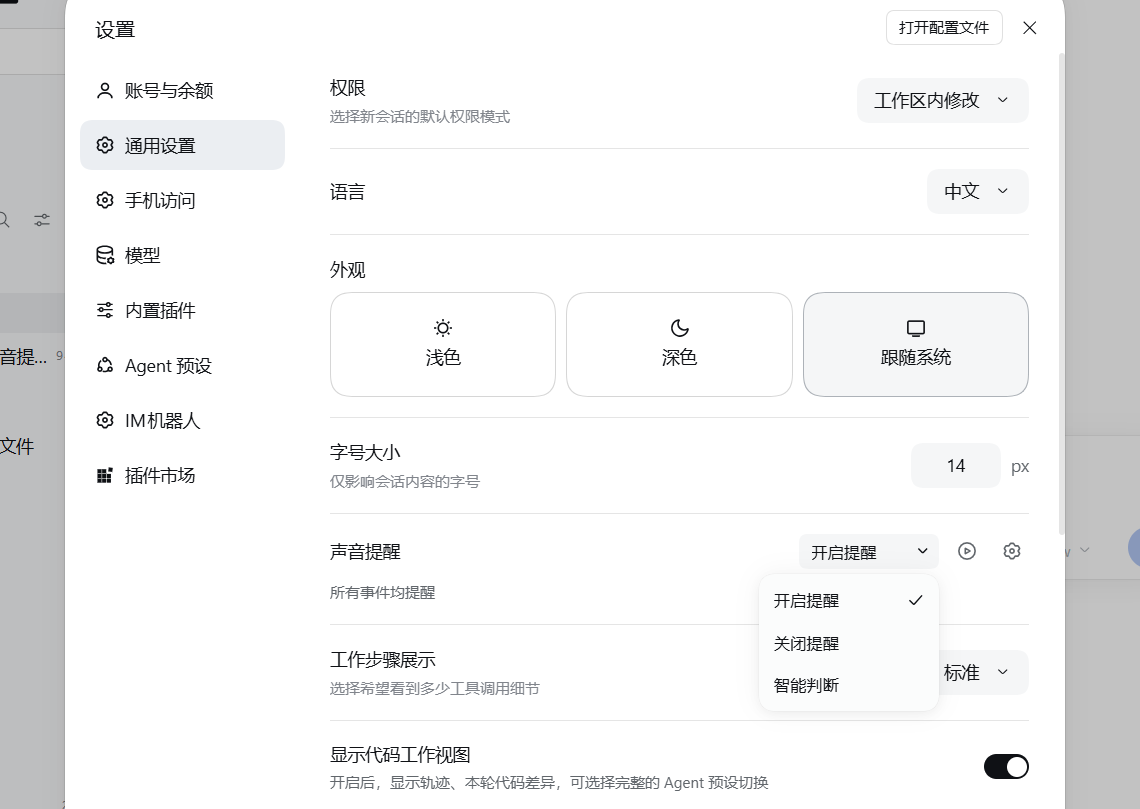
通用设置 —— 设置入口如图,可以选择模式与详细设置
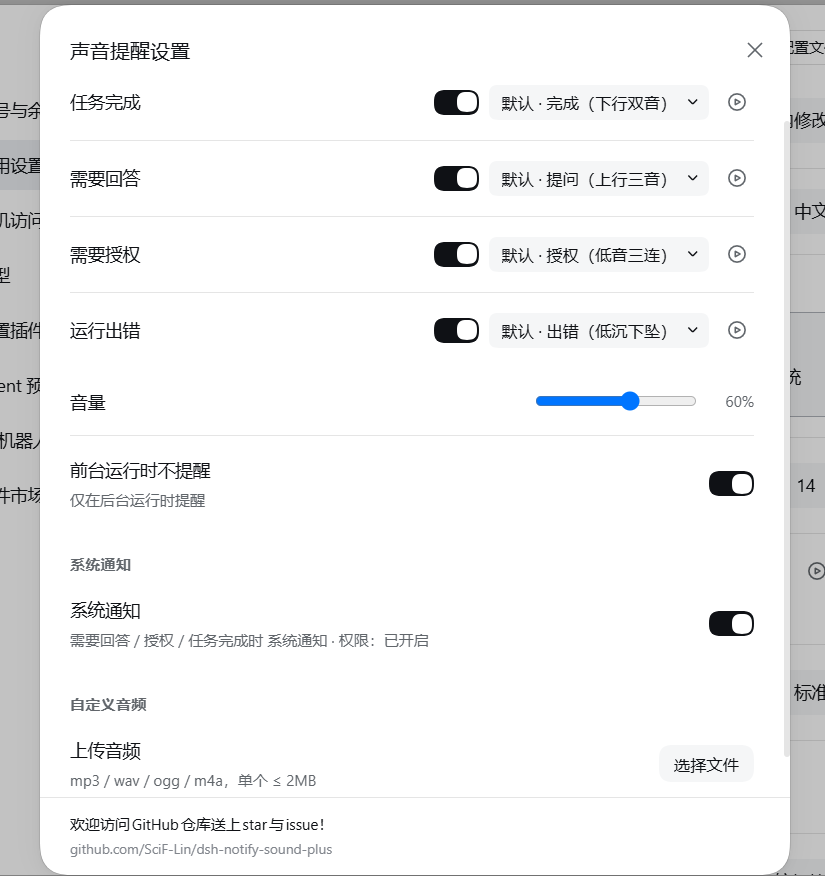
详细设置窗口 —— 逐事件开关与选音、音量、前台策略、系统通知、自定义音频:
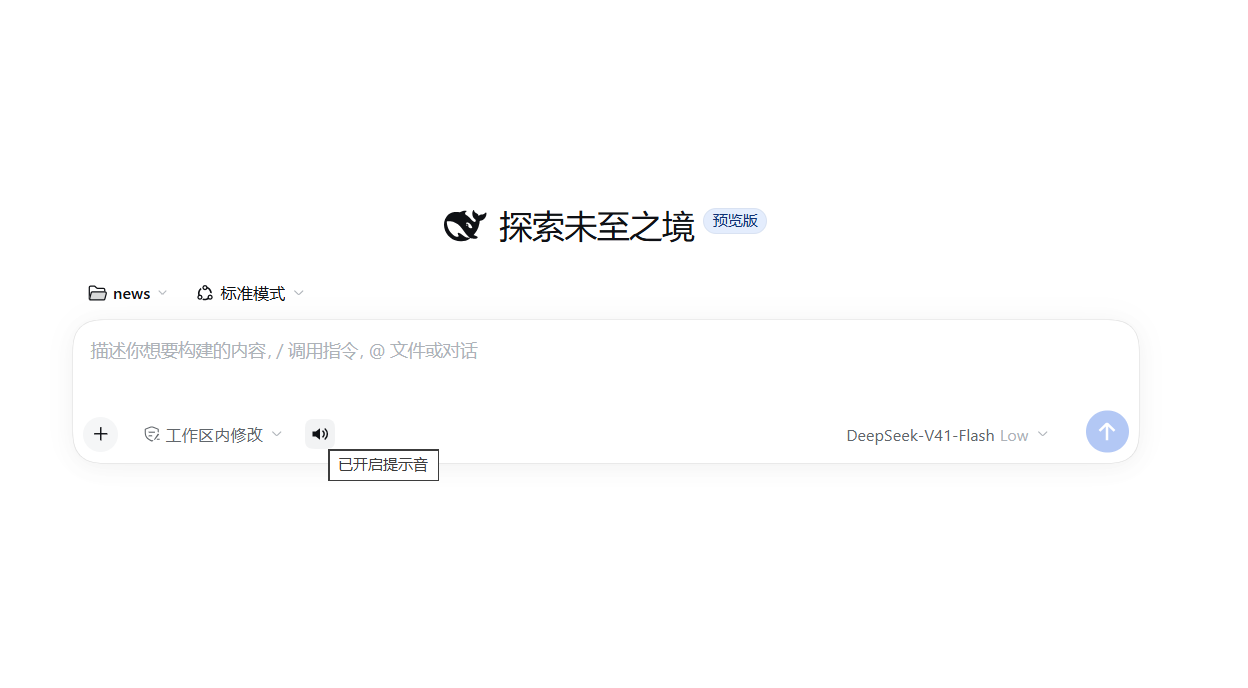
对话左下角的静音喇叭 —— 只静声音,不影响系统通知:
四种提醒
| 什么时候 | 推荐声音 |
|---|---|
| 任务完成 | 下行双音,清脆的"叮——咚" |
| 需要回答 | 上行三音,像在追问 |
| 需要授权 | 低音三连,有点敲门的感觉 |
| 运行出错 | 低沉下坠,一听就知道不对 |
另外内置「叮咚 / 铃音 / 轻柔 / 警示」四种可换。
下载方式
1. 安装
三种方式任选,推荐第一种(直接从 GitHub 安装,不需要等上架 npm):
# ① 从 GitHub 仓库直接安装(推荐)
dsh plugin --profile web add github:SciF-Lin/dsh-notify-sound-plus

# ② 用 Releases 里的安装包
dsh plugin --profile web add https://github.com/SciF-Lin/dsh-notify-sound-plus/releases/download/v2.0.0/dsh-notify-sound-plus-2.0.0.tgz

# ③ 从 npm 安装
dsh plugin --profile web add dsh-notify-sound-plus
桌面端把 --profile web 换成 --profile desktop 即可:
dsh plugin --profile desktop add github:SciF-Lin/dsh-notify-sound-plus
其他方法:复制上述地址喂给ai,让ai帮忙安装 装完重启 DSH 就生效。
2. 通用设置里的那一行
打开「设置 → 通用」,会看到「声音提醒」:
-
模式下拉框:
开启提醒—— 所有事件均提醒关闭提醒—— 所有事件均不提醒智能判断—— 与小鲸鱼挂件协助提醒(未开启事件由本插件提醒)
-
播放图标:试听。
-
齿轮图标:打开完整设置窗口。
3. 完整设置窗口(点齿轮)
界面与 DSH 官方设置窗口一致。里面分成三组:
- 提醒:四个事件各配一个开关 + 声音下拉 + 试听按钮; 音量滑杆;「前台运行时不提醒」(仅在后台运行时提醒)。
- 系统通知:一个总开关(打开时会申请系统通知权限)。 打开后,需要回答 / 授权 / 任务完成时发送系统通知;运行出错不发送,避免噪音。 系统通知与声音是两条独立通道——临时静音只静声音,不影响系统通知。
- 自定义音频:上传自己的音频(mp3 / wav / ogg / m4a,单个 ≤ 2MB)。
窗口底部附有 GitHub 仓库地址。
4. 临时静音
对话输入框左下角的小喇叭:
- 点一下 → 已关闭提示音
- 再点一下 → 已开启提示音
这里的「提示音」只指声音:静音不会关闭系统通知。
这个开关重启就恢复,不用担心忘了打开。
常见问题
1.完全没声音?
检查浏览器或桌面端是否开启了声音,设置里模式是不是 关闭提醒,或者喇叭是不是静音了。
2.担心和其他插件提醒重复?
把模式设为「智能判断」即可。
3.声音能换成自己的吗?
可以。设置里「上传音频」选文件,支持 mp3 / wav / ogg / m4a,单个 2MB 以内。
许可
MIT
Comments
Loading…
From the same category
DeepSeek Harness plugin for Reactive Resume: bridges your resumes and job applications into a Harness session over MCP.
★ 41.7k
↓ 156/wk
MIT
Aug 24, 2026
dsh plugin --profile web add dsh-plugin-reactive-resumeby Tencent
Let AI agents use your real, logged-in browser without interrupting your work. CLI + extension for browser automation across any shell-capable AI agent.
★ 8.6k
↓ 6.1k/wk
MIT
TypeScript
Oct 10, 2026
dsh plugin --profile terminal add @wxg-prc-cpg/browser-skill-dsh-pluginby yjh051108
dsh-routing-suite — injector + router-standard kit: install the runtime injector first, then the task-aware reasoning-mode router preset (measured P1-P23).
★ 7k
MIT
JavaScript
Sep 18, 2026
dsh plugin --profile web add @dsh-external/dsh-super-injectorby Q00
Agent OS: the agent gets smarter on its own. We just hold the line: Interview-gated, staged evaluation, budgeted evolution loop. MCP server, 14 runtimes: Claude Code, Codex CLI, Gemini CLI, OpenCode,
★ 6.2k
MIT
Python
Oct 7, 2026
by dsh-market
The plugin market inside DeepSeek Harness — browse, search, one-click install · DSH 可视化插件市场
★ 6.1k
↓ 112.4k/wk
MIT
TypeScript
Oct 10, 2026
dsh plugin --profile web add dshmarketby superdesigndev
OpenRouter for agent tools. Join community here: https://discord.gg/6mQYYfFMAn
★ 5k
NOASSERTION
Python
Oct 11, 2026
dsh plugin --profile web add treg-dsh