

dsh-turn-clock
Manifest validRight-sidebar tab that lists every turn of a DSH session with its date and start time, and jumps the conversation to it.
dsh-turn-clock
English | 中文
A right-sidebar tab for DeepSeek Harness that lists every turn of the current session with the date and time it started, and jumps the conversation to the turn you click.
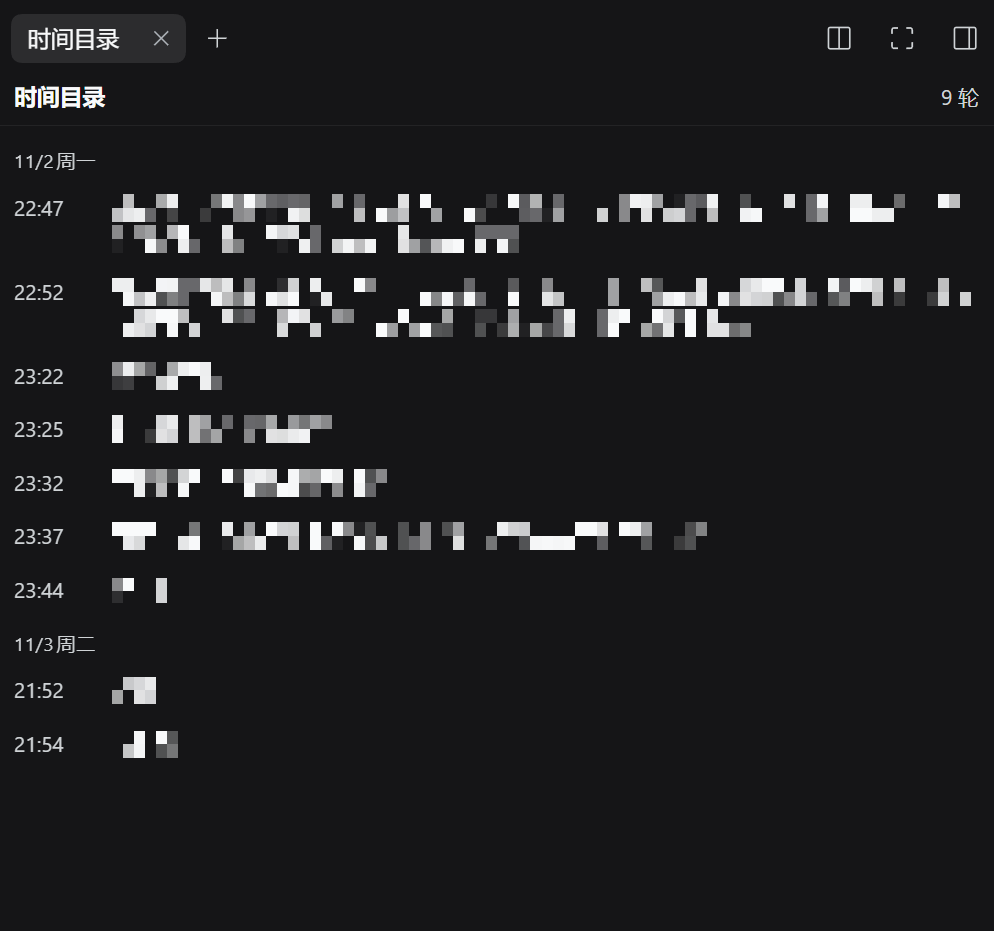
Prompt text is mosaicked so a real conversation stays private; the dates, times and layout are unedited.
Why
DSH already has a turn rail on the right edge of the conversation, and it is good: it lists turns, previews them, and jumps. Two things it does not do:
- It carries no time. The
turnOutlineprojection it renders has onlyturn / seq / prompt / response, so there is nothing to date a turn with. - It disappears when the transcript is narrow. The rail is not rendered at all when the transcript's available width is ≤ 900 px — which is exactly when you open a sidebar.
This plugin is the second surface for the same question: a real page in the right Sidebar, grouped by calendar day, one row per turn, each row showing HH:mm plus the start of that turn's prompt. Click a row to go there.
How this compares
Turn navigation is a crowded corner of the DSH plugin ecosystem. Being precise about what differs is more useful than claiming novelty:
| Surface | Dates/times | Depends on | |
|---|---|---|---|
| dsh-turn-clock (this) | A tab in the official right Sidebar | Per-turn date + HH:mm, grouped by day, from the whole log | Nothing beyond DSH itself |
| Built-in turn rail | Strip on the conversation's right edge | None | — (but hidden when the transcript is ≤ 900 px wide) |
| dsh-conversation-timeline | Horizontal dock above the composer | Turn start time on each capsule | Nothing |
| dsh-turn-outline | Right-sidebar tab | None (folds input + tool steps + output) | Peer dsh-better-sidebar |
| dsh-timeline | Axis on the conversation's right edge | None advertised | Nothing (much larger: pins, favourites, prompt library, export) |
The one-line version: a dated outline in the official right sidebar, with no other plugin required.
Features
| Feature | Detail |
|---|---|
| Dated outline | One row per turn, grouped under 11月2日 周日-style day headers, newest last |
| Click to jump | Pages history in through the turn's turn/start seq, then scrolls the turn's transcript row into view |
| Whole-log coverage | Times come from a Host projection folded over the entire session log, so turns the browser never loaded are still listed |
| Keyboard | Rows are focusable; Enter and Space jump |
| Locale | Chinese and English copy, following the app locale |
| No other plugin needed | Uses the official right Sidebar — no dsh-better-sidebar peer |
Install
dsh plugin --profile web add github:saltedfish-T/dsh-turn-clock
Then restart DSH (or refresh the page). From a local checkout:
dsh plugin --profile web add file:/path/to/dsh-turn-clock
Built and tested against DSH 0.2.1-rc.5. The plugin uses documented extension seams plus two internal contracts listed below, so a future DSH release can break the jump (see What this depends on).
Use
Open the right Sidebar → Start (指南 / Guide) → the Turn timeline (时间目录) card. The first turn of a session is the top row; the list opens scrolled to the newest turn.
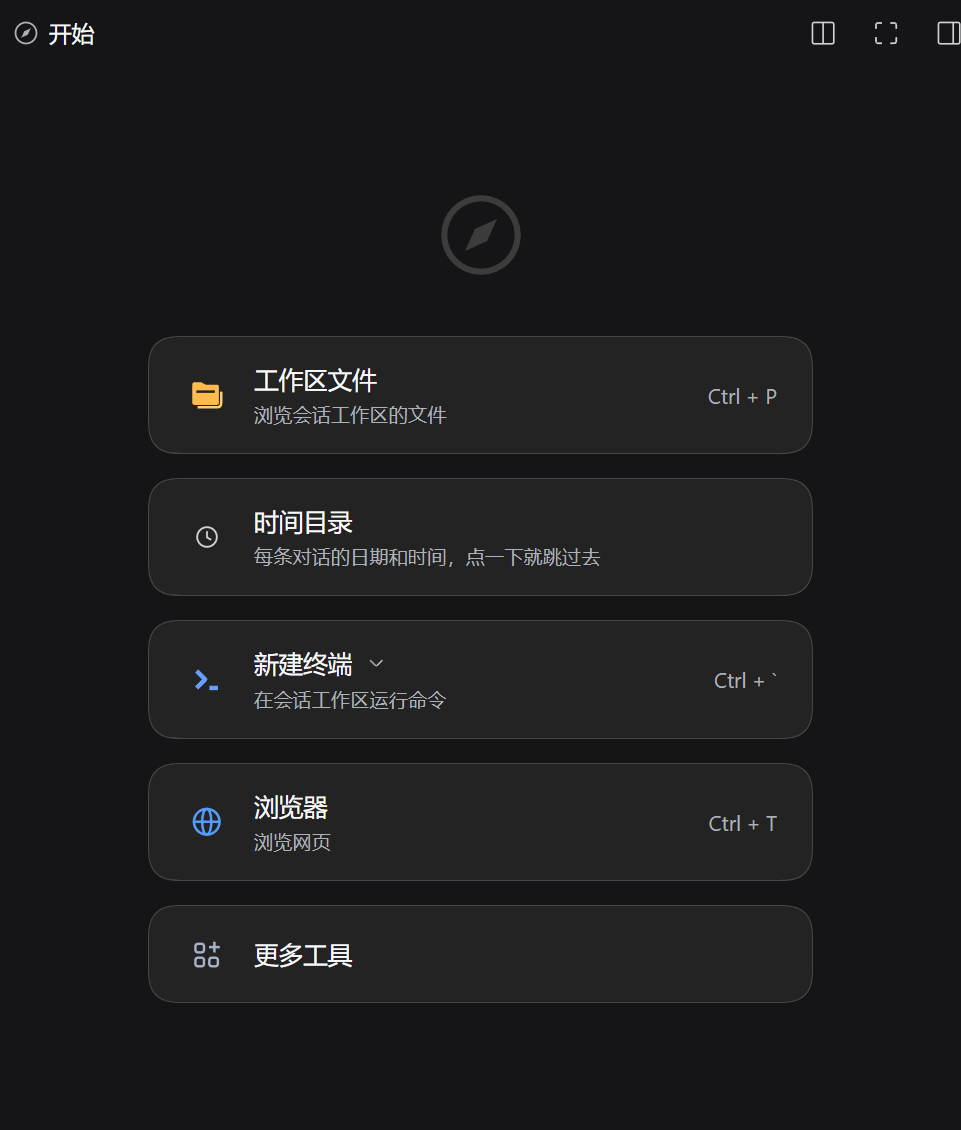
Where it lives: the guide's card list, one card among the shipped tools.
How it works
Host half (index.js) registers one turnClock projection unit on ctx.sessionProjections:
turn/startappends{ turn, t: event.time, s: event.seq, p: '' }- the first human
user/messageof that turn fillspwith a 120-character preview (injected context and tool results are excluded by checkingsource.kind === 'user') wire.viewreturns the state object itself, so an unchanged fold publishes nothing
Client half (client.js):
- registers a tab type through
ctx.sidebarRightTabs.register()and its body under the keyedsidebar.right.pane.tabslot, plus a guide entry - reads the projection with the standard
useProjection('turnClock')keyed hook - jumps with
ctx.sessions.binding(sessionId).session.loadThrough(seq), thenscrollIntoViewon the transcript row
What this depends on
This is a third-party plugin, not a first-party seam. Two internals are load-bearing, and both are named here on purpose:
data-chat-turn="<n>"— Chat puts the turn number on every transcript row. The jump finds its target with this attribute. Chat uses the same attribute for its own reading-position tracking.binding.session.loadThrough(seq)— the jump loader Chat's own rail calls when a turn is not loaded yet. Accessed throughctx.sessions.binding(sessionId).
If either changes upstream:
- Times and the list keep working — they only depend on the projection seam and the slot system.
- The jump degrades gracefully — the panel shows a one-line reason at its foot instead of throwing.
A turnOutline projection is read as a fallback source of per-turn seqs, so a jump still works when this package's own projection predates a field.
Known limitations
- Turns removed by compaction cannot be jumped to. Once a turn is no longer part of the session surface it has no row in the DOM; the row stays listed (the projection still knows it started) but clicking it reports that it could not be found. The built-in rail has the same limit.
- Centered, not top-aligned. The jump centers the turn; Chat's own rail aligns it 24 px below the top edge.
- No view switching. If you are in the Trajectory view rather than Chat, there are no transcript rows to scroll; the panel says so instead of switching views for you.
- Day labels follow the browser locale via
Intl.DateTimeFormat, which is usually but not always the app locale. - Timestamps are turn starts. The time is the
turn/startevent, i.e. the moment the loop began the turn right after your prompt — not when a message first painted.
Development
No build step: the client half is hand-written in the window.__ModuleLoader__.load({ id, factory }) format and depends on nothing but react from the module table.
node --check index.js
node --check client.js
node test/fold.test.mjs      # drives the projection fold with synthetic events
test/fold.test.mjs covers the time/seq anchoring, whitespace normalization, injected-context exclusion, same-turn second messages, stale turn boundaries, and the preview budget.
Working on this repository as an agent? Read AGENTS.md first: it carries the install and verification checklist, what each failure string in the panel means, and how to re-check the two internal contracts against a newer DSH release.
Uninstall
dsh plugin --profile web remove dsh-turn-clock
License
MIT — see LICENSE.
Comments
Loading…
Similar plugins
by Andor-Z
Adds a sidebar tab that folds a session into user turns (input, tool steps, output) with one-click jump back into the conversation.
★ 2
↓ 192/wk
MIT
TypeScript
Oct 1, 2026
dsh plugin --profile web add dsh-turn-outlineby XiLuovo
Session timeline down the left of the conversation: every user message at a glance, current-message tracking, hover preview of the message and its reply, click to jump, collapsible.
★ 4
↓ 163/wk
MIT
JavaScript
Aug 24, 2026
dsh plugin --profile web add dsh-session-timelineby WuHututu
Opens a temporary side conversation in the right Sidebar that reuses the host conversation UI, so answers render with the same markdown, tool steps, timing and token usage as the main thread. The side
★ 0
JavaScript
Oct 30, 2026
dsh plugin --profile web add dsh-side-chatby P1gG0dG0d
Opens a dedicated question chat in the right sidebar for text selected in a DSH conversation, so follow-up questions do not push the main conversation away and never appear in the session list.
★ 0
MIT
JavaScript
Oct 30, 2026
dsh plugin --profile web add dsh-study-askby john-walks-slow
Per-turn clock context for DeepSeek Harness: one-line current-time reading at every turn start and a Turn ended reading at close, so the model always knows what time it is.
★ 4
↓ 462/wk
MIT
TypeScript
Oct 26, 2026
dsh plugin --profile web add dsh-message-datetimeSession and turn wall-clock timing for the DeepSeek Harness Web UI: per-session total, per-turn duration, and period aggregates.
★ 0
MIT
JavaScript
dsh plugin --profile web add dsh-session-timing