

dsh-more-details
Manifest valid★ 4Bring the classic Codex More details experience to DSH: select text, explore it in DeepSeek Web Chat, reopen history to continue, and return the discussion to your main conversation with reference car
More Details · DSH Web Chat
English | Simplified Chinese
The classic Codex “More details” experience, brought to DeepSeek Harness.
Select a passage, explore it in a bottom-right DeepSeek Web Chat, and return to your main conversation with a reference. Start fresh chats, reopen history, and keep asking questions without losing your place.
Download v0.3.13 · User guide · Release notes
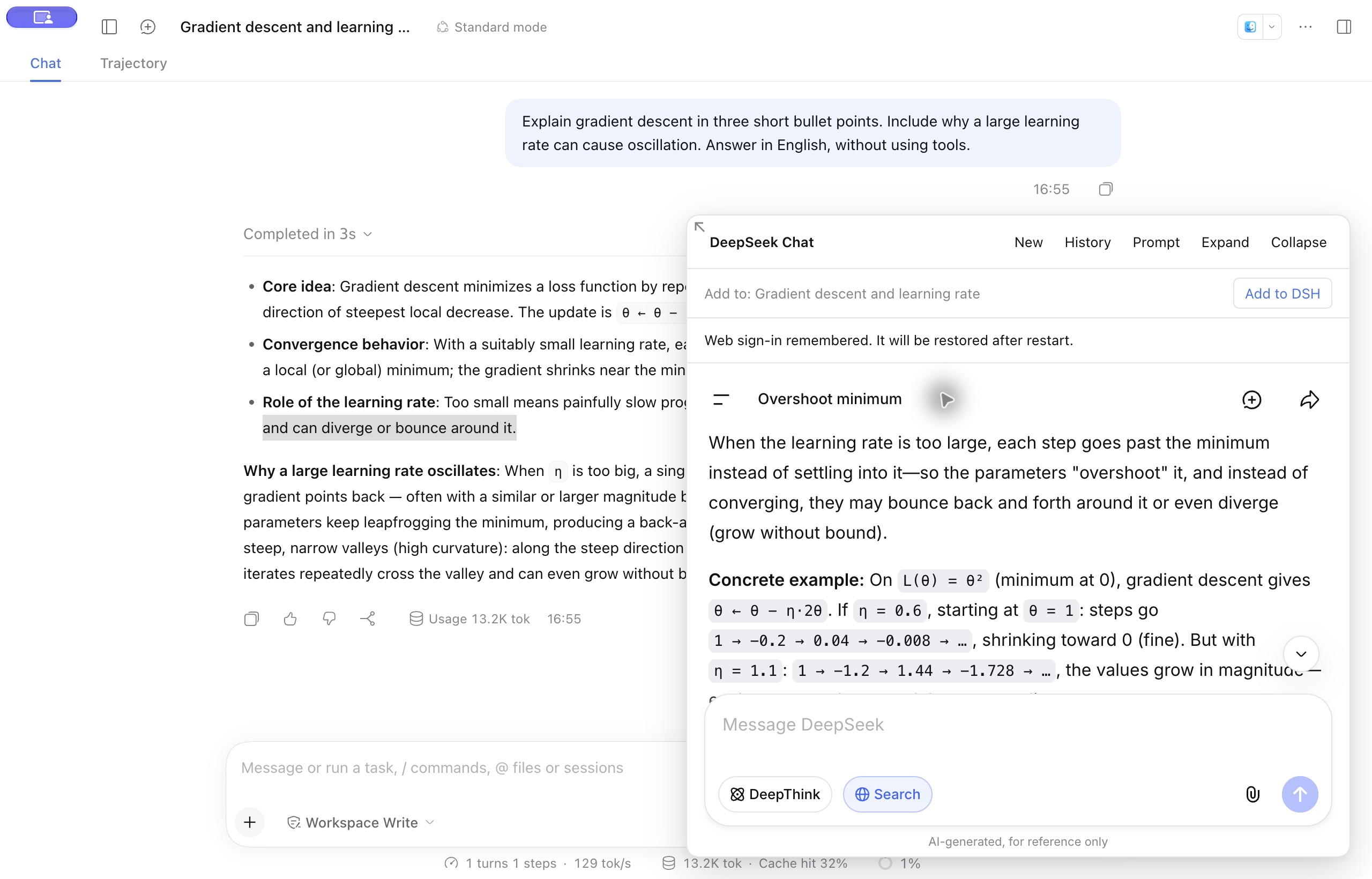
Actual DSH interface on macOS: explore a passage in Web Chat while keeping the main conversation in view.
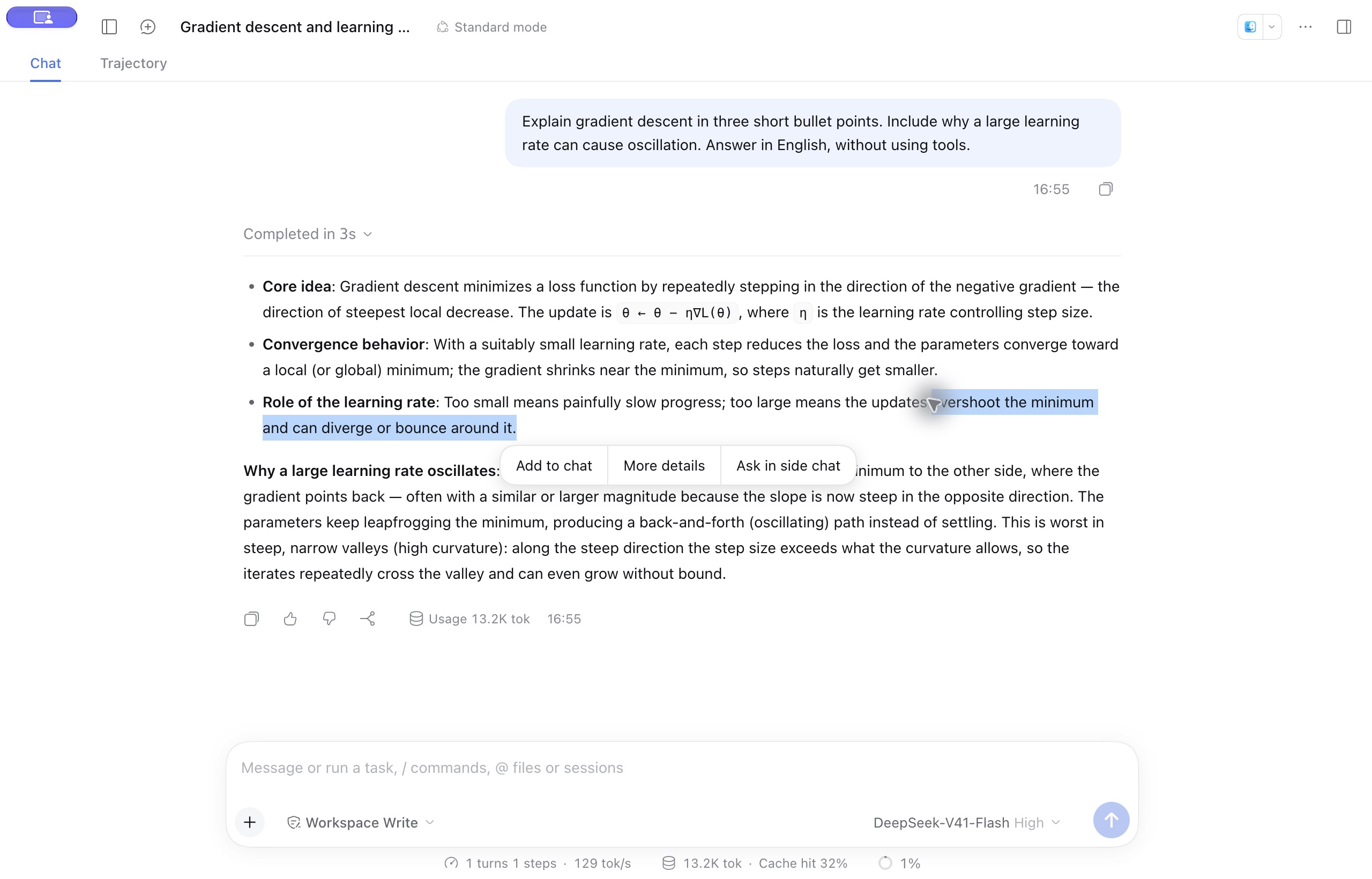
See the flow: select a passage → discuss it → bring it back
Select text in a response and click More details to open a web discussion with the passage and its context sent automatically.
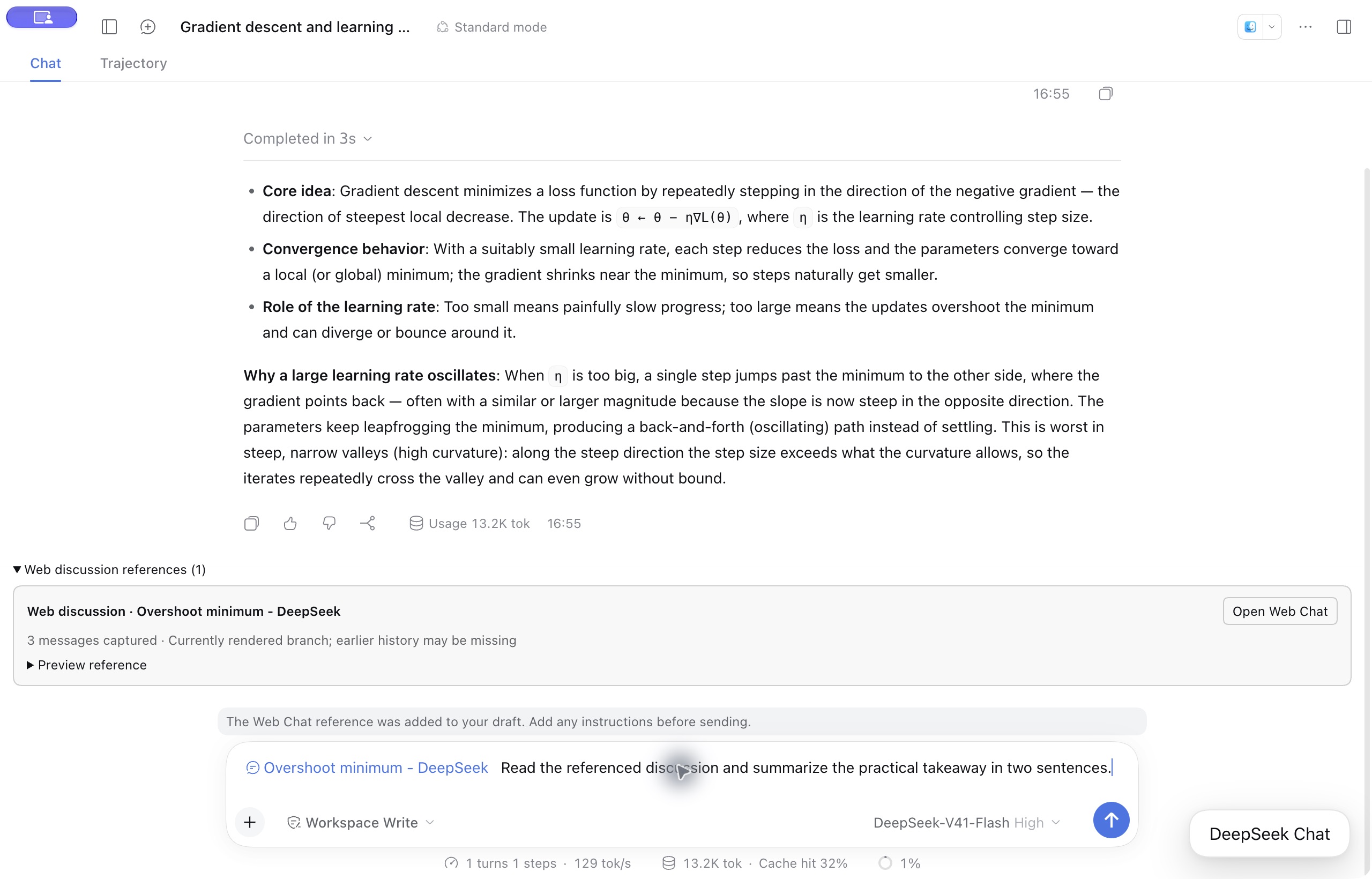
Click Add to DSH to attach a reference to your main draft. Send it with a question so the model can read the saved discussion on demand.
Features
- Explore a selection. More details automatically sends the selected text and source context to the real DeepSeek website. Customize the instruction in Prompt.
- Start or continue a chat. Open a blank chat with New Chat, or use History to reopen a discussion and follow up.
- Bring the discussion back. Add to DSH places a reference card in your current main draft. Preview it, send it with your question, or click it to reopen the web chat.
- Read saved text on demand. The main model can retrieve the captured discussion through
read_webchat_reference, including after a restart. - Keep your setup. Restore a valid web login, website language, and panel size. Drag to resize, expand, or collapse; plugin controls follow DSH’s English or Chinese setting.
- Use other selection actions. Add to chat attaches a quote and comment. Ask in side chat opens a temporary discussion with your choice of DSH-configured model.
Get started
Supports DSH Desktop 0.2.0-rc.2 and 0.2.1-alpha.4. Validated on macOS arm64; Windows and Linux are unverified. The web panel requires Desktop.
- Download
dsh-more-details-0.3.13.tgzfrom the release, then install it through Plugins → Add plugin. Disable the original AHGGG plugin if installed to avoid duplicate selection menus. - Fully quit and reopen DSH. Click New Chat and sign in inside the panel. This website login is separate from your DSH model configuration.
- Select text in a completed message and click More details. Use Prompt to save your preferred instruction; the bundled default is in Chinese.
- Continue in the panel, reopen a discussion from History, or choose New for a fresh chat.
- Click Add to DSH, check the target conversation, and send the reference with your question. Click the card later to reopen the original chat.
For Discover installation, Desktop CLI commands, and upgrades, see the installation guide.
How your data is used
More details sends your selection and source context to DeepSeek. References save a snapshot of the currently rendered text, rather than the entire account history. You decide when to send the main draft; saved snapshots remain unchanged as the web chat continues. Data and privacy details.
Documentation
- User guide and FAQ · Build and contribute
- Compatibility · Validation · Related projects — detailed records in Chinese
Credits
The interaction is inspired by the earlier Codex desktop More details feature and its small Chat window. Built on AHGGG/dsh-side-chat, with web integration references from Ckarefulon/dsh-deepseek-webchat and FrostLeafKEE/dsh-chat-bridge.
MIT license, with upstream copyright retained. See source attribution and third-party notices. This is a community plugin, unaffiliated with DeepSeek or OpenAI.
Comments
Loading…
Similar plugins
by AHGGG
Codex-style Side Chat for DeepSeek Harness — select text, ask follow-up questions in a focused side conversation, and keep the main chat uninterrupted.
★ 11
↓ 178/wk
MIT
JavaScript
Sep 30, 2026
dsh plugin --profile web add @ahggg/dsh-side-chatMulti-tab side chat for DeepSeek Harness. Quote a whole message or text selected from a still-streaming reply into a side chat without waiting for the reply to finish, and dock the panel over the bett
★ 0
↓ 93/wk
dsh plugin --profile web add dsh-side-chat-plus-plusby 643048695
Pick the DeepSeek Harness conversation-compaction summarizer in the Web settings page, and give it a fallback model
★ 0
MIT
JavaScript
Sep 27, 2026
dsh plugin --profile web add dsh-compaction-routeby acdsh4869
Adds a native sidebar menu item in DSH that opens chat.deepseek.com in a standalone browser window with persistent login, and supports bidirectional text selection transfer between DSH and the web pag
★ 1
MIT
JavaScript
Oct 10, 2026
dsh plugin --profile web add dsh-deepseek-web-relayby Wine-Red
Codex-style turn timeline and local conversation search for DeepSeek Harness Web | Codex风格的对话节点时间线导航栏,提供会话内容搜索等增强
★ 9
↓ 390/wk
MIT
JavaScript
Sep 28, 2026
dsh plugin --profile web add dsh-codex-timelineby FrostLeafKEE
Switch between DeepSeek web chat and workspaces in DeepSeek Harness. Web history sidebar and one-click conversation import. / 网页聊天、历史侧栏与工作区一键导入。
★ 9
MIT
TypeScript
Oct 12, 2026
dsh plugin --profile web add dsh-chat-bridge