

deepseek-harness-docker
Manifest valid★ 137Community Docker and Kubernetes packaging for DeepSeek Harness (@deepseek-ai/dsh), with a hardened image, Compose stack, Helm chart, Web UI, and headless CLI.
DeepSeek Harness Docker
English | Simplified Chinese







This is a ready-to-build community container solution for DeepSeek Harness, running the official @deepseek-ai/dsh Web UI by default. It does not build or modify DeepSeek Harness source code; it only packages the official npm release into a slim, non-root Node.js 24 runtime.
Current baseline:
@deepseek-ai/dsh@0.1.6-alpha.1. DeepSeek Harness is still in pre-release; re-run the build and Smoke Test in this document before upgrading.
0.1.6-alpha.1 corresponds directly to the official dsh-v0.1.6-alpha.1 Release and the @deepseek-ai/dsh@0.1.6-alpha.1 on the npm Registry; it is not a version defined by this project. This project wraps the npm artifact rather than building from source, so it uses the installable official release as its baseline and deliberately does not publish a drifting Docker latest tag.
Upstream has published an installable, explicit npm version; Registry mirror and dist-tag updates may lag briefly, so this project always pins the full version to avoid dist-tag drift. 0.1.6-alpha.1 adds a Web sidebar terminal, archived session recovery, MCP Resources, resumable Headless sessions, and experimental Browser Use, Computer Use, and Auto review; it also improves file preview, trajectory viewing, persistent Bash, and the long-task experience.
Upgrade reminder: The
0.1.5series uses Session Format V3; restoring supported legacy sessions from the old format generates V3 logs while preserving the original logs. Migrated sessions can no longer be read by older DSH versions. Upgrading from0.1.5-alpha.1or later remains V3 and will not re-migrate; it is still recommended to back updsh-homebefore upgrading, and custom log readers will also need to adapt to V3.
Compatibility reminder:
0.1.6-alpha.1switches to the DeepSeek Messages protocol by default, disables Ralph by default, removes the built-in E2B backend, and renames PTC and workflow services; custom Providers, plugins, or Cordis patches that depend on old API/service names need to be updated in line with the official Release.
Upstream version tracking: the daily Upstream DSH version watch checks both GitHub Releases and npm. If a new Release has been published but the npm artifact is not yet available, the workflow creates or refreshes a waiting Issue and keeps the current installable baseline; once the same-version npm package becomes installable, the Issue automatically switches to an upgrade reminder and auto-closes after the pinned version catches up.
📖 Further reading: Deep Dive into the DeepSeek Harness GitHub Repository · Practical Deployment with Docker, Compose, and Helm
🤖 Agent Skill: The SKILL.md at the repository root has been published as deepseek-harness-docker on Tencent Cloud SkillHub and can be installed and used by clients that support Agent Skills. It guides Agents through Docker Compose/Helm deployment, verification, upgrading, and troubleshooting within this project's security boundaries; this is a deployment assistance Skill, not a DSH runtime plugin.
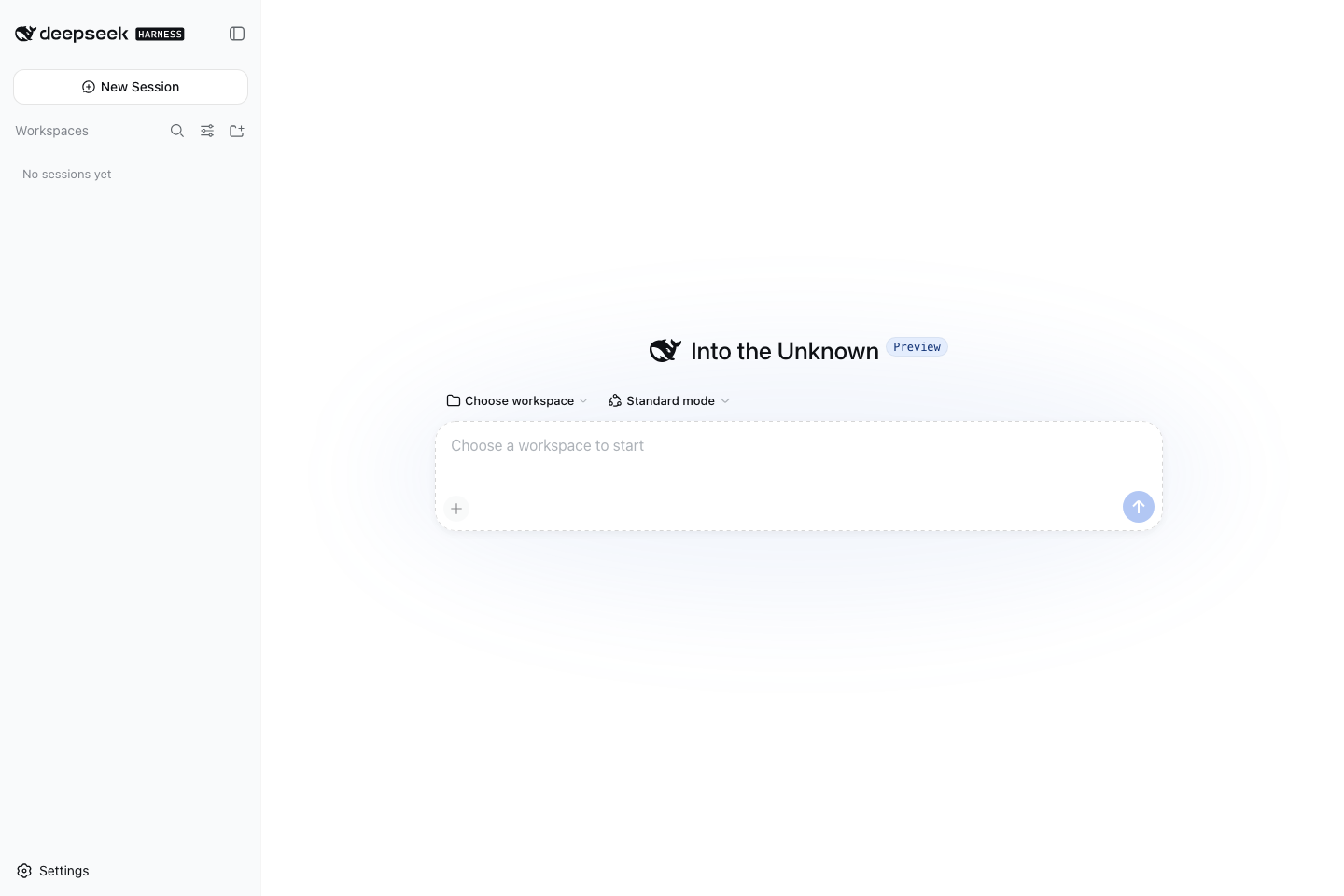
Project Status
| Capability | Status | Verification Result |
|---|---|---|
| Dockerfile | Available | linux/arm64 and linux/amd64 builds and native PTY actual launch verified |
| Docker Compose | Available | Web token/cookie auth, healthy, loopback ports, and restart persistence verified |
| Rootless Podman | Available | keep-id user mapping, bind mount writes, named volume persistence, and loopback ports covered in CI |
| Helm | Available | Single-replica StatefulSet, PVC, Headless Service, NetworkPolicy; helm lint --strict passed |
| Web UI | Local default; optional protected LAN | Loopback-only access by default; LAN overlay provides HTTPS, Basic Auth, DSH token/cookie, and same-origin noVNC |
| Headless | Available | Runtime-injected provider Secret; actual model calls and sandbox must be verified in target environment |
| Chromium | Default + optional privacy variant | Debian Chromium default image; standalone ungoogled-chromium dual-architecture image verifies no GCM :5228 activity |
Deep Dive into DeepSeek Harness
This section is a condensed version of the companion technical articles. See Deep Dive into the GitHub Repository for the Cordis architecture, Agent rounds, and event-sourcing persistence; see Practical Deployment with Docker, Compose, and Helm for image design, security model, and the container verification matrix.
What It Is, and What It Isn't
DeepSeek Harness is not the DeepSeek model weights or an inference engine, but a TypeScript AI Agent Runtime. It assembles model adapters, sessions, tools, permissions, workspaces, plugins, Web UI, and Headless entry points, ultimately published as the @deepseek-ai/dsh CLI. A more appropriate categorization is "cloud-native packaging of an AI Agent Runtime" rather than "LLM inference deployment."
As of 2026-08-13, the upstream repository has no Dockerfile, Compose, or Kubernetes manifests; and CONTRIBUTING.md explicitly states that external Pull Requests are not accepted at this time, encouraging the community to create ecosystem projects and tutorials. Therefore this project adopts an independent community implementation rather than impersonating an official image.
Runtime Layers
flowchart TB
  CLI["dsh CLI"] --> PROFILE["Profile + Bundle + --patch layers"]
  PROFILE --> CORDIS["Cordis plugin graph"]
  CORDIS --> CORE["Agent / Session / Model / Tool / Sandbox"]
  CORDIS --> WEB["Web surface :3080"]
  CORDIS --> HEADLESS["Headless surface"]
  CORE --> WORKSPACE["/workspace"]
  CORE --> HOME["DSH_HOME: profiles / settings / credentials / sessions / storage"]
- CLI and Profiles.
dsh webis a shortcut to the Web profile, whiledsh --profile headlessis for one-off or automated scenarios. A profile is not a closed configuration file but the result of sequentially layering a base bundle, interface bundle, user patches, and command-line--patch. - Cordis composition layer. Harness uses the Cordis Loader to assemble capabilities such as models, sessions, tools, Web Server, and directory selectors into a plugin graph; dependency injection determines activation order, and configuration patches override target entries via stable
id. This project does not fork the source code but reuses this official extension seam to override the container listen address. - Agent core. Model routing, system prompts, session persistence, tool invocation, goals/plans, sub-Agents, and workspaces are all composed on the Host side. The Web UI is just a browser client, not a separate Agent implementation.
- Surfaces. The Web surface provides browser interaction, while the Headless surface is suited for CLI, CI, and batch processing. Both share the core plugins and
$DSH_HOMEdata model.
Data and Persistence Boundaries
DSH_HOME is the critical boundary for containerization. This project explicitly sets it to /home/node/.dsh, which contains:
profiles/: profile package manifests, Cordis configurations, and user patches;settings.yamland credential files: model settings and Secret references/managed credentials;sessions/: session logs;storages/: domain state such as Workspaces.
Working code lives in /workspace, separated from the internal state volume. Compose uses a dsh-home named volume plus a workspace bind mount; Helm uses a dsh-home PVC and allows mounting a separate workspace PVC via workspace.existingClaim. This separation lets the image be rebuilt without sessions and configurations disappearing when the container is removed.
Why Containerization Isn't Just npx
| Challenge | Upstream Behavior | This Project's Decision |
|---|---|---|
| Node / glibc | Requires Node 22.19+ or 24+; some user binaries need a newer glibc | Pinned to official node:24-trixie non-slim, Debian 13 / glibc 2.41 |
| Native dependencies & Agent tools | node-pty or third-party plugins may require local builds; Agent needs common dev commands | Multi-stage install of DSH; runtime intentionally retains the buildpack-deps toolchain and adds jq, less, ripgrep, rsync, zip, etc. |
| Web listen | CLI explicitly rejects --host 0.0.0.0 | Uses a Cordis overlay; 3080/6080 bind to 127.0.0.1 only, optional LAN gateway binds to a specified NIC |
| Web security | Has startup token auth and Host/Origin checks, but native ports have no TLS; noVNC has no auth, tools can trigger code execution | Loopback publish by default; optional Caddy HTTPS + Basic Auth; no public Ingress/LoadBalancer provided |
| HMR | Mounts a config watcher at startup, requires Node internals | Passes --expose-internals only to the DSH main process, not propagated to Agent child processes via NODE_OPTIONS |
| Directory selector | Browse mode uses os.homedir() as the home page | Points HOME to a writable /workspace to avoid EROFS on the read-only /home/node |
| Signals & child processes | Agent creates shell/PTY child processes | Uses tini to forward signals and reap orphan processes |
| Permissions | Tools need workspace write access but should not get host privileges | UID 1000, read-only root filesystem, drop ALL, no-new-privileges, minimal mounts |
Choosing the non-slim base image by default is a deliberate trade-off for coding agents rather than pursuing minimum size. Debian 13 Trixie upgrades glibc from Bookworm's 2.36 to 2.41, enabling more binaries built for newer systems to run; the official Node non-slim variant is based on buildpack-deps and ships compilers, make, git, curl, file, unzip, wget, xz, and other dev tools, with this project explicitly installing jq, less, ripgrep, rsync, and zip on top. The cost is roughly 330 MB more compressed image size compared to slim; the Smoke Test checks Trixie, glibc 2.41, and the full command list to prevent accidental regressions during future upgrades.
The most critical point here is the Web listen address: Docker bridge port forwarding requires the container process to listen on a non-loopback address, but the Harness CLI rejects --host 0.0.0.0 to prevent a code-execution-capable Web surface from being accidentally exposed. This project only modifies the listen address inside the container using the official patch mechanism and brings security responsibility back to the deployment boundary: the default Compose publishes only to 127.0.0.1, and Kubernetes only recommends kubectl port-forward. For trusted LAN access, explicitly stack compose.lan.yaml so that Caddy terminates HTTPS on a specified LAN address, adds Basic Auth, and routes noVNC into the same authenticated entry point; DSH still enforces its own startup token, signed cookies, and Host/Origin checks. Simply changing to -p 3080:3080, NodePort, LoadBalancer, or a public Ingress would still break this security model.
Container vs. Harness Sandbox
Containers do not replace Harness's internal permissions; the two layers protect different things:
- Docker/Kubernetes restricts which host directories, Linux capabilities, and resources the process can see;
- The Harness sandbox restricts what Agent tools can execute within the file system already inside the container.
The availability of Linux Landlock, user namespaces, and native helpers depends on the host kernel and container runtime. This project will not mask sandbox failures with --privileged, the Docker socket, or extra capabilities. Before release, in addition to “the page opens,” you must verify one real bash/file tool invocation on the target platform.
Why Kubernetes Uses a StatefulSet
Harness profiles, model settings, credentials, sessions, and Workspace indexes are all stateful. A single-user web app is not suitable for horizontal scaling without session coordination. The Helm Chart therefore pins one StatefulSet replica: it mounts the dsh-home PVC stably, preserves state across upgrades, keeps the PVC on uninstall, and explicitly rejects “adding replicas” as a fake high-availability story. Multi-replica serving should only be considered once upstream provides external identity, multi-tenant isolation, and a shared/concurrency-safe state backend.
Why Not Just FROM node + npx
Handles four easily missed container boundaries:
- Pins the DSH version and verifies the actual CLI version at build time;
- Pins the pnpm version so that
dsh plugin addcan manage community plugins at runtime; - Runs as a non-root user with
tini, correctly handling the Agent's child processes and exit signals; - Persists configuration, credentials, sessions, and storage uniformly under
/home/node/.dsh; - Points the container user's interactive home directory to
/workspaceso that new-file creation from the Web directory picker lands in the writable workspace; - Listens on the container network via a container-specific Cordis overlay while publishing the host port only on
127.0.0.1.
DeepSeek Harness Web exchanges the startup token for a signed browser Cookie and checks Host/Origin; however, the native port has no TLS, the Web API can execute code, and this image's noVNC port has no authentication. The default setup is therefore a local single-user development environment. LAN access requires the explicitly enabled protected entry point below; public internet exposure is not supported.
Quick Start
Run in this dir:
docker compose pull
DSH_WORKSPACE=/absolute/path/to/your/project docker compose up -d --no-build
docker compose ps
docker compose logs --no-color deepseek-harness | grep 'dsh web:'
Open the full http://127.0.0.1:3080 address with ?token=... that follows dsh web: in the log. Harness will exchange the current process's startup token for a signed Cookie and then redirect to the clean root path; opening the root address directly without the token will return 401. After entering, configure your models and credentials on the Settings page. The "Browser" button in the sidebar opens an interactive container Chromium directly inside the Harness WebUI; configuration and browser Profile are written to the named volume dsh-home and will persist after container rebuilds.
When DSH_WORKSPACE is not set, Compose uses a separate dsh-workspace named volume to prevent Agents from accidentally modifying this repository. Only once you have a clearly defined project directory ready, switch to a bind mount via DSH_WORKSPACE=/absolute/path/to/project.
The default image revision is runzhliu/deepseek-harness:0.1.6-alpha.1-r1 on Docker Hub; the same multi-architecture artifact is also published to GitHub Container Registry: ghcr.io/runzhliu/deepseek-harness:0.1.6-alpha.1-r1. r1 is the first container revision number for this upstream version; the image continues to use a versioned noVNC static asset path to avoid incompatible ES Module mixes caused by browser cache after upgrades. Compose also retains a build configuration for review and to reproduce the image from this directory; for local builds, run docker compose build --pull before starting.
Rootless Podman
Podman 4.5 and podman-compose 1.6.0 or later can use the dedicated compose.podman.yaml overlay. Older podman-compose 1.0.x cannot properly replace mounts with the same target path in multi-file Compose; if your distribution's version is too old, run pipx install 'podman-compose>=1.6.0' first. This overlay maps the current rootless user to node UID/GID 1000 inside the image and adds a private SELinux label to the workspace; this means DSH does not need to run as root, and there's no need to recursively modify host project ownership:
podman version
podman-compose version
podman info --format '{{.Host.Security.Rootless}}'  # 应为 true

DSH_WORKSPACE=/absolute/path/to/your/project \
  podman-compose -f compose.yaml -f compose.podman.yaml pull
DSH_WORKSPACE=/absolute/path/to/your/project \
  podman-compose -f compose.yaml -f compose.podman.yaml up -d --no-build
podman-compose -f compose.yaml -f compose.podman.yaml ps
podman-compose is used explicitly here to avoid podman compose automatically selecting the wrong external provider when Docker Compose is installed. The overlay disables Pod mode (unnecessary for single-service deployments) via x-podman.in_pod: false, because keep-id user namespaces cannot be used together with --pod. Only mount project directories dedicated to this instance; :Z will mark that directory as private to this container on SELinux-enabled hosts — do not use it for shared home, repository caches, or system directories. Use make podman-down to stop services; named volumes will not be deleted. Maintainers can run make podman-smoke to verify rootless identity, host file ownership, restart persistence, and loopback ports.
If you prefer to continue using the Docker Compose client, start the rootless Podman API socket and point the Docker CLI at it; the compose.podman.yaml overlay must still be applied:
systemctl --user enable --now podman.socket
export DOCKER_HOST="unix://${XDG_RUNTIME_DIR}/podman/podman.sock"
DSH_WORKSPACE=/absolute/path/to/your/project \
  docker compose -f compose.yaml -f compose.podman.yaml up -d --no-build
When pulling from GHCR, just set the image registry; the rest of the Compose configuration remains unchanged:
DSH_IMAGE_REPOSITORY=ghcr.io/runzhliu/deepseek-harness docker compose pull
DSH_IMAGE_REPOSITORY=ghcr.io/runzhliu/deepseek-harness \
  DSH_WORKSPACE=/absolute/path/to/your/project docker compose up -d --no-build
Optional HTTPS LAN Access
Do not publish 3080/6080 directly. The optional compose.lan.yaml provides Caddy HTTPS + Basic Auth on a specified LAN IP, preserves DSH token/cookie and Host/Origin validation, and proxies noVNC same-origin.
Create config and hash first:
cp .env.lan.example .env.lan
docker run --rm -it caddy:2.11.4-alpine caddy hash-password
Edit .env.lan: fill in the exact LAN IP (0.0.0.0 is not allowed), the internal domain or IP resolvable by clients, a bcrypt hash wrapped in single quotes, and optional workspace, then start:
make lan-up
make lan-logs
Caddy uses an internal CA by default. Install the root cert into the trusted client's system trust store:
docker compose --env-file .env.lan -f compose.yaml -f compose.lan.yaml \
  cp lan-gateway:/data/caddy/pki/authorities/local/root.crt ./dsh-lan-root.crt
Take ?token=... from the dsh web: log URL and open https://DSH_LAN_HOST:8443/?token=... for the first time. After completing both authentication layers, you can use the clean address. make lan-down preserves data volumes. Port 8443 is compatible with rootless runtimes.
Not multi-tenant: logged-in users share sessions, credentials and Agent permissions; untrusted users must use separate instances and volumes. Restrict firewall sources, never forward to the public internet. make lan-smoke verifies boundaries.
WebUI Built-in Browser
The image ships with Debian Chromium, CJK fonts, Xvfb/Openbox desktop, and noVNC. The public plugin @runzhliu/dsh-browser-desktop provides an always-visible "Open Browser" entry via Harness's sidebar.footer.action and shell.overlay extension points; clicking it opens an interactive embedded desktop directly in the WebUI, or you can open http://127.0.0.1:6080/novnc-debian-1.6.0-2/vnc.html?autoconnect=1 in a new window. The embedded panel takes up about 68% of the page by default, is draggable via its title bar, resizable by dragging the bottom-right corner, and supports maximize/restore. The plugin also registers a browser_open Agent tool; saying "open https://example.com in the browser" in a conversation creates and activates a Chromium tab, then automatically expands the embedded panel. If the browser crashes or is closed unexpectedly, it restarts automatically; the Profile persists to /home/node/.dsh/chrome-profile.
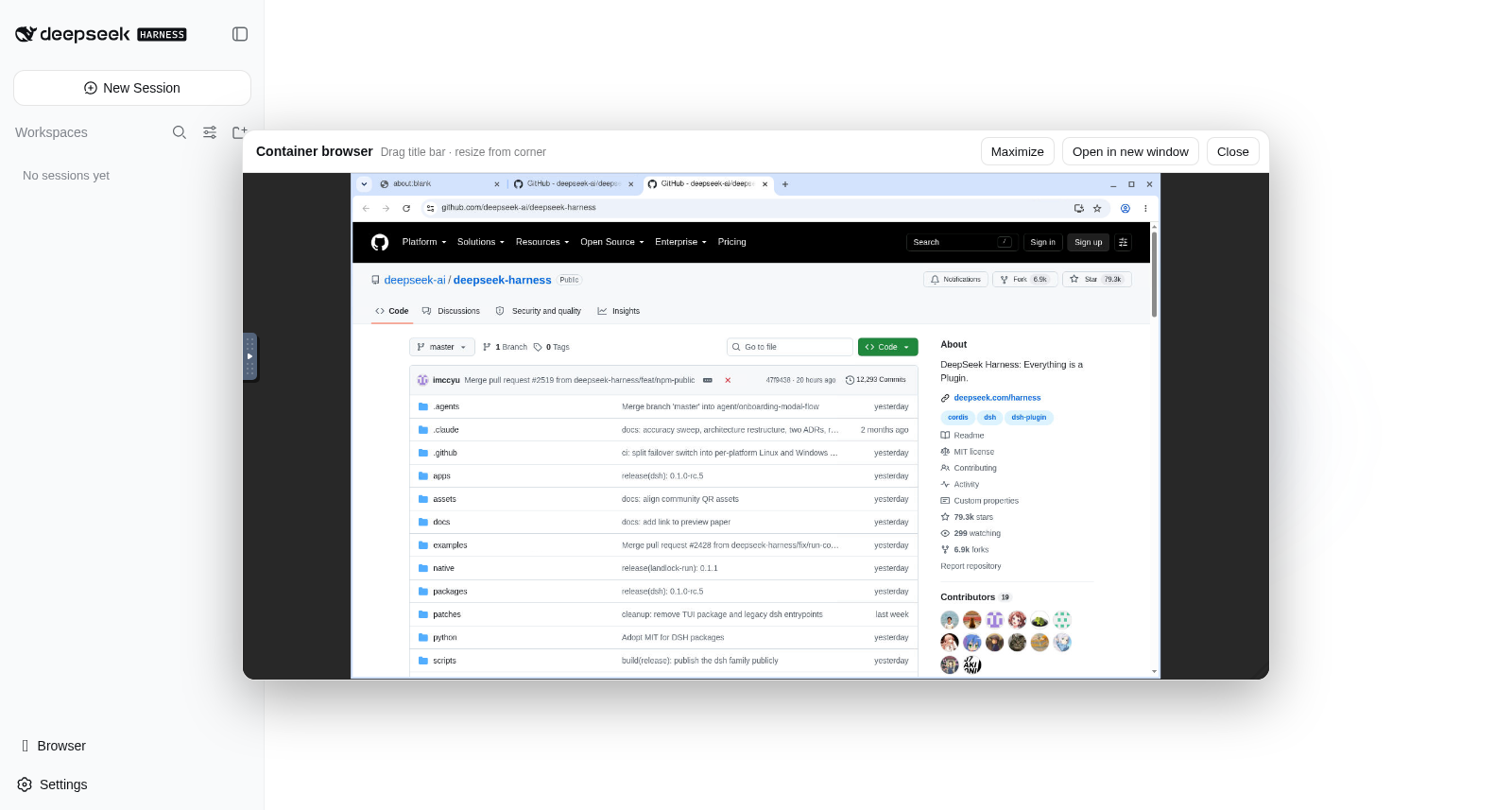
Actual running demo: the browser floating window is inside the Harness WebUI; shown here is the public GitHub repository for DeepSeek Harness.
This implementation is inspired by the visual desktop concept in docker-antigravity, but does not use its amd64 base image or Selkies; instead it uses Debian native-architecture packages, so it works on both Apple Silicon and x86 Linux. Port 6080, like 3080, is bound only to the host's loopback address; noVNC's native port has no authentication and must not be exposed directly. The optional LAN overlay places the versioned /novnc-* path under the same HTTPS and authenticated entry point as the WebUI.
docker compose exec deepseek-harness chromium-docker --version
docker compose exec deepseek-harness \
  chromium-docker --headless=new --dump-dom https://example.com
Compose configures 1 GB of /dev/shm for Chromium. The launcher only appends --no-sandbox to the browser process to accommodate the container's existing cap_drop: ALL and no-new-privileges policies, without loosening the entire container's permissions. Agents and scripts can still use chromium-docker --headless=new for headless rendering.
Optional ungoogled-chromium Image
The default image continues to use Debian Chromium to retain Debian security updates and distribution supply chain. If you have strict requirements regarding the browser's idle background connections, you can explicitly choose the separate runzhliu/deepseek-harness:0.1.6-alpha.1-r1-ungoogled.1 variant:
export DSH_IMAGE_VERSION=0.1.6-alpha.1-r1-ungoogled.1
docker compose pull
DSH_WORKSPACE=/absolute/path/to/your/project docker compose up -d --no-build
This image pins ungoogled-chromium@152.0.7977.82-1 and verifies the SHA256 of the amd64 and arm64 download packages separately. The Smoke Test boots the full Harness/noVNC desktop, invokes browser_open, then asserts that no GCM 5228 connections exist and that google_apis/gcm log entries are absent. It also automatically uses /home/node/.dsh/chrome-profile-ungoogled and will not mix Profiles with the default Debian Chromium. GHCR uses the same tag; Helm can explicitly set --set image.tag=0.1.6-alpha.1-r1-ungoogled.1.
This variant adopts the community portable build from ungoogled-chromium-portablelinux and is not an official Debian package. The upstream binary index explicitly notes that contributor binaries may not be reproducible and authenticity cannot be fully guaranteed; additionally, Google Safe Browsing, Sync, Push, Widevine, and Extension Store integrations may be missing or require manual configuration. Therefore it does not replace the default image and is not published as latest. Local reproduction and verification:
make ungoogled-build
make ungoogled-smoke
Standalone Browser Plugin
The plugin has been split into a standalone DSH bundle at plugins/dsh-browser-desktop and can be packaged independently:
npm pack ./plugins/dsh-browser-desktop --pack-destination /tmp
dsh plugin --profile web add /tmp/runzhliu-dsh-browser-desktop-0.1.2.tgz
The 0.1.2 plugin adapts to the client module system introduced in DSH 0.1.2-alpha.3; older DSH 0.1.0/0.1.1 RCs should continue to use plugin 0.1.1. After publishing to npm, you can run dsh plugin --profile web add @runzhliu/dsh-browser-desktop directly. This npm package only handles Harness Host/WebUI integration and does not install Chromium, Xvfb, or noVNC on its own; the Docker image in this repository is the complete reference runtime. Official DSH discovers community plugins via npm/GitHub and the dsh-plugin GitHub topic.
Optional Community Plugin Market
The default image, default Compose, and Helm Chart do not include or load a plugin marketplace; they only follow the official @deepseek-ai/dsh releases. If you need a graphical way to browse and install community plugins, you can explicitly choose the separate dshmarket variant:
docker compose -f compose.yaml -f compose.market.yaml pull
DSH_WORKSPACE=/absolute/path/to/your/project \
  docker compose -f compose.yaml -f compose.market.yaml up -d --no-build
This variant uses the clearly distinct runzhliu/deepseek-harness:0.1.6-alpha.1-r1-market.1 tag, pins dshmarket@1.38.1, and does not replace the default DSH tag or latest. It is a community-optional integration, not a DeepSeek official component, and does not imply that this project endorses or reviews marketplace entries.
The marketplace itself is pinned and baked into the optional image at build time; plugins installed via the marketplace and the pnpm store are written to the persistent dsh-home volume. Installation requires the container to have network access to npm/GitHub; build scripts from third-party packages should still be individually authorized after review. One-click restart within the marketplace is disabled; changes require docker compose restart or a Kubernetes rollout to take effect in a new process.
Verify variant locally:
make market-build
make market-smoke
Helm still defaults to the official DSH image; the marketplace variant is only used when explicitly setting --set image.tag=0.1.6-alpha.1-r1-market.1.
If the reused dsh-home volume was previously processed by a different pnpm major version, you may see ERR_PNPM_UNEXPECTED_STORE during install. Stop DSH first, then run a one-time explicit migration:
docker compose -f compose.yaml -f compose.market.yaml stop deepseek-harness
docker compose -f compose.yaml -f compose.market.yaml run --rm --no-deps \
  --entrypoint dsh-market-repair-store deepseek-harness
docker compose -f compose.yaml -f compose.market.yaml up -d --no-build
The migration only re-links dependencies based on the existing package.json, uses /home/node/.dsh/pnpm-store with a fixed path, and passes --ignore-scripts. Old node_modules are preserved under /home/node/.dsh/backups/pnpm-store-*; clean them up manually after confirming plugins work correctly.
The optional image also checks any existing profiles/web/cordis.patch.yml at startup: if it is a regular file but unwritable due to an old UID, the entry script replaces it with an identical copy owned by the current running user, restoring the plugin toggle; it does not recursively modify the entire volume, and symbolic links or non-regular files only produce a warning.
This public branch does not package any company-internal models, credentials, Skills, or personal workspace mounts. Models are configured on the Harness Settings page; additional credentials and private extensions should go in runtime Secrets, an ignored .env, or a local compose.local.yaml.
View logs and stop services:
docker compose logs -f deepseek-harness
docker compose down
docker compose down does not delete named volumes. Only explicitly running docker compose down --volumes will delete persisted configuration, credentials, sessions, and all workspace data in the default dsh-workspace volume; back up anything you need to keep before using that flag.
Using Docker Directly
Build:
docker build -t runzhliu/deepseek-harness:0.1.6-alpha.1-r1 .
Start the Web UI:
docker volume create dsh-home
docker run --rm \
  --name deepseek-harness \
  --publish 127.0.0.1:3080:3080 \
  --publish 127.0.0.1:6080:6080 \
  --shm-size 1g \
  --mount type=volume,src=dsh-home,dst=/home/node/.dsh \
  --mount type=bind,src="https://github.com/runzhliu/deepseek-harness-docker/blob/HEAD/$PWD",dst=/workspace \
  runzhliu/deepseek-harness:0.1.6-alpha.1-r1
The start command prints the full access URL with a token — open that full address. Do not change the port mapping to -p 3080:3080, and do not deploy it to a public Ingress; the Web has no TLS, and noVNC on 6080 has no authentication.
Headless Mode
The entrypoint is equivalent to dsh, so you can override the default Web command with runtime args:
docker run --rm \
  --env DEEPSEEK_API_KEY \
  --mount type=volume,src=dsh-home,dst=/home/node/.dsh \
  --mount type=bind,src="https://github.com/runzhliu/deepseek-harness-docker/blob/HEAD/$PWD",dst=/workspace \
  runzhliu/deepseek-harness:0.1.6-alpha.1-r1 \
  --profile headless "summarize this repository"
API Keys should only be passed at runtime via environment variables, Secrets, or Web Settings; never write them into the Dockerfile, image layers, or build arguments.
Kubernetes / Helm
charts/deepseek-harness uses a single-replica StatefulSet. /home/node/.dsh is persisted via PVC; the workspace can use a separate existing PVC; the Chart does not create an Ingress or LoadBalancer and defaults to a NetworkPolicy that denies inbound Pod traffic.
By default it uses the published Docker Hub image; install the Chart directly:
helm upgrade --install deepseek-harness charts/deepseek-harness \
  --namespace deepseek-harness \
  --create-namespace \
  --set image.repository=runzhliu/deepseek-harness \
  --set image.tag=0.1.6-alpha.1-r1
A local development cluster can also pull the default runzhliu/deepseek-harness directly, or import the same-named local image first with kind load docker-image / minikube image load.
Securely forward through the API Server to a local browser:
kubectl -n deepseek-harness rollout status statefulset/deepseek-harness
kubectl -n deepseek-harness port-forward service/deepseek-harness 3080:3080 6080:6080
In another terminal, run kubectl -n deepseek-harness logs statefulset/deepseek-harness | grep 'dsh web:', then open the full http://127.0.0.1:3080 address with the token from the log; the embedded desktop is forwarded to http://127.0.0.1:6080 via the same command. Do not change the no-TLS Web surface or unauthenticated noVNC to NodePort, LoadBalancer, or connect them directly to an Ingress.
To inject provider environment variables via a Secret:
kubectl -n deepseek-harness create secret generic dsh-provider-credentials \
  --from-literal=DEEPSEEK_API_KEY='replace-me'

helm upgrade deepseek-harness charts/deepseek-harness \
  --namespace deepseek-harness \
  --reuse-values \
  --set credentials.existingSecret=dsh-provider-credentials
To persist the workspace, create a PVC first, then set workspace.existingClaim. If not set, /workspace is an ephemeral emptyDir. After uninstalling the Chart, the dsh-home PVC created by the StatefulSet is retained by default; manually delete it only after confirming you no longer need the configuration, credentials, and sessions.
helm uninstall deepseek-harness --namespace deepseek-harness
kubectl -n deepseek-harness get pvc
Upgrading Versions
Build arguments control the installed DSH version:
docker build \
  --build-arg DSH_VERSION=0.1.6-alpha.1 \
  --build-arg IMAGE_VERSION=0.1.6-alpha.1-r1 \
  -t runzhliu/deepseek-harness:0.1.6-alpha.1-r1 .
Compose uses the upstream version and an immutable image revision separately:
DSH_VERSION=0.1.6-alpha.1 DSH_IMAGE_VERSION=0.1.6-alpha.1-r1 docker compose build --pull
Maintainers can use make push to build and push both linux/amd64 and linux/arm64 manifests under the same immutable revision tag. If the target tag already exists, the command refuses to overwrite it and will not create a latest tag.
The optional marketplace variant uses a separate make market-push, publishing only the dual-architecture tag with the -market.1 suffix, without changing the default image.
The Mirror Docker Hub images to GHCR workflow creates a GHCR carbon copy from existing Docker Hub manifests without rebuilding the image. When a GitHub Release starting with image-v is published, the base tag is synced automatically; maintainers can also specify a version manually and choose to sync the -market.1 variant at the same time. After syncing, all platform manifest digests between source and target are compared, and no latest tag is created.
Do not install latest by default. RC versions change rapidly; pinning a version ensures issues are reproducible.
Security
- The container runs as the
nodeuser (UID/GID 1000) inside the image by default; if the host workspace rejects writes from that UID, adjust directory permissions or build a derivative image adapted to the local UID. - The "home directory" in the Web directory picker is
/workspace, not/home/nodewhere internal configuration is stored; workspaces mounted via Compose or Kubernetes must be writable by UID 1000. - The DSH service drops all Linux capabilities; the LAN gateway retains only
NET_BIND_SERVICEdue to the official Caddy binary's file capabilities. Both enableno-new-privileges, a read-only root filesystem, and a dedicated/tmptmpfs. - Only mount workspaces that the Agent needs to operate on. Do not mount the host root,
~/.ssh, cloud credential directories, or the Docker socket. - Docker isolation is not a multi-tenant security sandbox. Do not hand this instance to untrusted users, and do not install unaudited plugins into the persistent configuration volume.
- The LAN overlay only adds transport encryption and outer authentication for a trusted internal network; it does not provide user-level authorization or session isolation. Always bind to an exact LAN IP, restrict firewall sources, and deploy separate instances for mutually untrusted users.
- DeepSeek Harness's own Linux sandbox capabilities are affected by the host kernel and container runtime; the image does not bypass failures via
--privilegedor extra capabilities. Keep its default permission model and verify real tool invocations.
Smoke Test
After every upgrade, complete at least:
docker run --rm --entrypoint dsh runzhliu/deepseek-harness:0.1.6-alpha.1-r1 --version

docker run --rm --entrypoint dsh runzhliu/deepseek-harness:0.1.6-alpha.1-r1 \
  web --patch /opt/deepseek-harness/web.cordis.patch.yml --dump-config

docker compose up -d
test "$(curl --silent --output /dev/null --write-out '%{http_code}' http://127.0.0.1:3080/)" = 401
make smoke
make lan-smoke
docker compose ps
docker compose logs --no-color deepseek-harness
Passing criteria include: CLI version equals build version; after dump, webserver.config.host is 0.0.0.0; unauthenticated homepage returns 401, and the startup token can be exchanged for a Cookie to load the homepage; container becomes healthy; no configuration or plugin loading errors in logs; container does not attempt to invoke the host's default browser. Before actually publishing an image, also build and actually spawn a PTY on both linux/amd64 and linux/arm64, because terminal and sandbox-related dependencies include native modules. The repository provides make verify, make build, and make smoke as default entry points; the optional marketplace additionally uses make market-build and make market-smoke, and verifies that marketplace packages are absent in the default image.
FAQ
If the Web throws EROFS: read-only file system, mkdir '/home/node/...' when creating a new folder, the container is still running an early image or an old container. The current image sets the directory picker's home to /workspace. Rebuild and force-recreate the container:
docker compose build
docker compose up -d --force-recreate
docker compose exec deepseek-harness node -e "console.log(require('node:os').homedir())"
The last command should output /workspace. If the error changes to EACCES under /workspace, it is a permission mismatch between the host bind mount and container UID 1000; fix workspace ownership/permissions or build a derivative image with the matching UID — do not switch to running as root.
Files
| 文件 | 用途 |
|---|---|
Dockerfile | 固定版本的非 root DSH 运行时,默认启动 Web UI |
Dockerfile.market | 从默认镜像派生、固定第三方市场版本的可选镜像 |
web.cordis.patch.yml | 只用于 Docker bridge 网络的 Web 监听覆盖 |
compose.yaml | 持久化、回环端口和收紧后的运行时配置 |
compose.market.yaml | 显式选择第三方社区市场镜像的可选 Compose overlay |
compose.podman.yaml | rootless Podman 的 keep-id 与 SELinux workspace overlay |
compose.lan.yaml | HTTPS、Basic Auth、trusted-host 和同源 noVNC 的可选 LAN overlay |
config/Caddyfile.lan | 受保护局域网入口的 Caddy 配置 |
.env.lan.example | 不含 Secret 的 LAN 配置模板 |
web.market.cordis.patch.yml | 只由可选市场派生镜像使用的 profile 配置 |
plugins/dsh-browser-desktop/ | 可独立发布的 DSH 浏览器桌面 bundle |
charts/deepseek-harness/ | 单副本 StatefulSet、PVC、Service 和 NetworkPolicy |
scripts/smoke.sh | CLI、配置、原生 PTY 和 HTTP 启动验证 |
scripts/lan-smoke.sh | LAN gateway 的 TLS、认证、Origin、noVNC 与端口边界验证 |
scripts/podman-smoke.sh | rootless 用户映射、持久化、Web/noVNC 和端口边界验证 |
.github/workflows/ci.yml | Compose/Helm 校验和双架构镜像 Smoke Test |
.dockerignore | 把构建上下文限制到镜像真正需要的文件 |
本目录是社区实现,不代表 DeepSeek 官方发布的容器镜像。
Comments
Loading…
Similar plugins
by wbin0001
DSH+ComfyUI画布插件dsh-comfyui-canvas embeds your ComfyUI instance as a split-screen canvas inside DeepSeek Harness Web. The agent writes prompts and edits nodes right in chat, applies them live to the ca
★ 10
↓ 260/wk
MIT
JavaScript
Sep 28, 2026
dsh plugin --profile web add dsh-comfyui-canvasby Dominic789654
A curated list of plugins, skills, MCP servers, patch/profile layers, orchestrators & UIs for DeepSeek Harness (DSH). Visualization · PPT · Coding · Agents · Loops (auto-research) and more. #dsh
★ 193
↓ 85/wk
NOASSERTION
TypeScript
Aug 25, 2026
dsh plugin --profile web add dsh-code-reviewby ZSeven-W
DeepSeek Harness plugin for browser automation, headless first. Every agent gets its own throwaway Chrome/Edge/Chromium profile, short-lived semantic references instead of CSS selectors, scoped subtre
★ 1
MIT
JavaScript
Sep 24, 2026
dsh plugin --profile web add @zseven-w/dsh-browserby NinjaSln-labs
DeepSeek Harness 插件:Cursor-as-subagent 提供方——一次本地 @cursor/sdk one-shot 运行、摘要优先结果、可无人值守的 Profile Bundle
★ 0
↓ 353/wk
MIT
TypeScript
Oct 2, 2026
dsh plugin --profile web add dsh-subagent-cursorby john-walks-slow
DeepSeek Harness OS: turn the DSH Web home page into a cyberpunk terminal desktop — ASCII backgrounds, boot POST sequence, live system/Harness telemetry HUD.
★ 0
MIT
TypeScript
Oct 23, 2026
dsh plugin --profile web add dsh-osAll-in-one UI enhancement layer for DeepSeek Harness web: prompt library with quick-insert and management, two-step AI polish, predicted-reply dock with click-to-send, MCP tool management, scheduled a
★ 0
dsh plugin --profile web add dsh-enhance-tool