

SearchSieve
Manifest valid★ 1DeepSeek Harness Plugin: evaluates the semantic relevance of search results page by page, intelligently filters out irrelevant noise, quantifies information coverage, making every AI search transparent and trustworthy.
🔍 SearchSieve — 搜索结果覆盖度「筛子」
搜索完了,结果到底够不够?SearchSieve 帮你把搜索结果筛一遍:答得全不全、留得准不准、重复多不多,一张卡片全看清。


English · 更新日志
安装
dsh plugin add search-sieve
装完重启 dsh web,下一次网络搜索后覆盖度卡片就会自动出现。需要 dsh web 0.1.0-rc.x 或更新版本。
功能一览
- 三个指标一次说清 —— 选中占比(留了几条)、回答完整度(答全没有)、代表性与冗余(留得值不值、重不重),外加未覆盖要点和补搜建议,一张卡片全给你。
- 搜索完卡片自动来 —— 每次
web_search结束,SearchSieve 自动接上评估,不用手动拼参数,覆盖度随手可见。 - 三套皮肤随意换 —— 粉白、蓝白、纯白三种卡片风格,展开卡片右上角一点就换,选择自动记住。
- 零模型开销 —— 纯规则算法,不调模型、不要 API key、确定性输出,快且透明。
- 中文原生态 —— 中文无需分词词典,按语义要点逐点核对,
expectedPoints传得越准,评估越到位。 - 边界全兜住 —— 空结果、零选中、提不出关键词,都有明确提示和建议,绝不崩溃。
用法介绍
1. 怎么看
随便发起一次网络搜索,结果里就会出现 SearchSieve 的覆盖度卡片——点一下折叠行展开详情:
| 粉白(默认) | 蓝白 | 白色 |
|---|---|---|
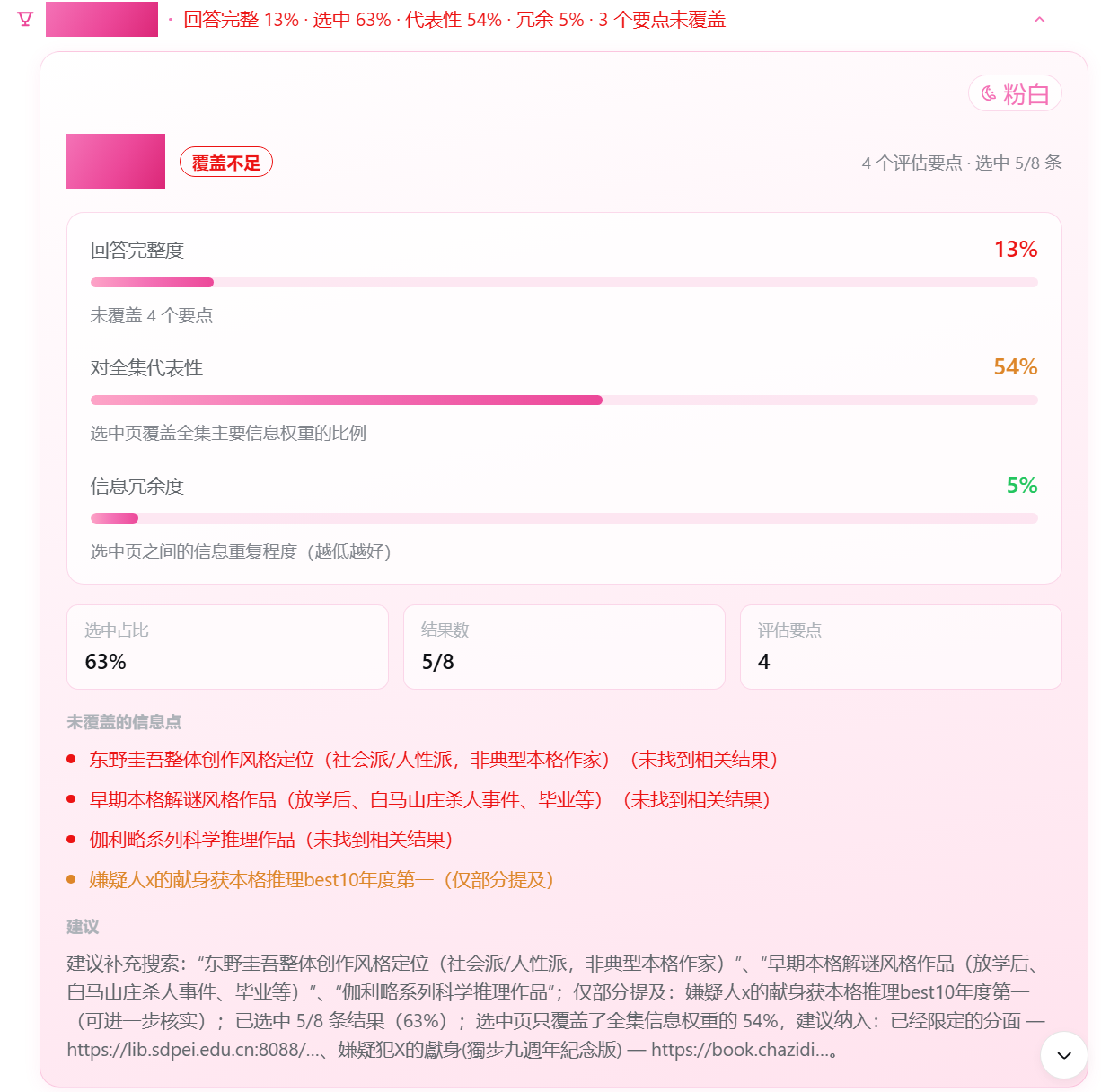 | 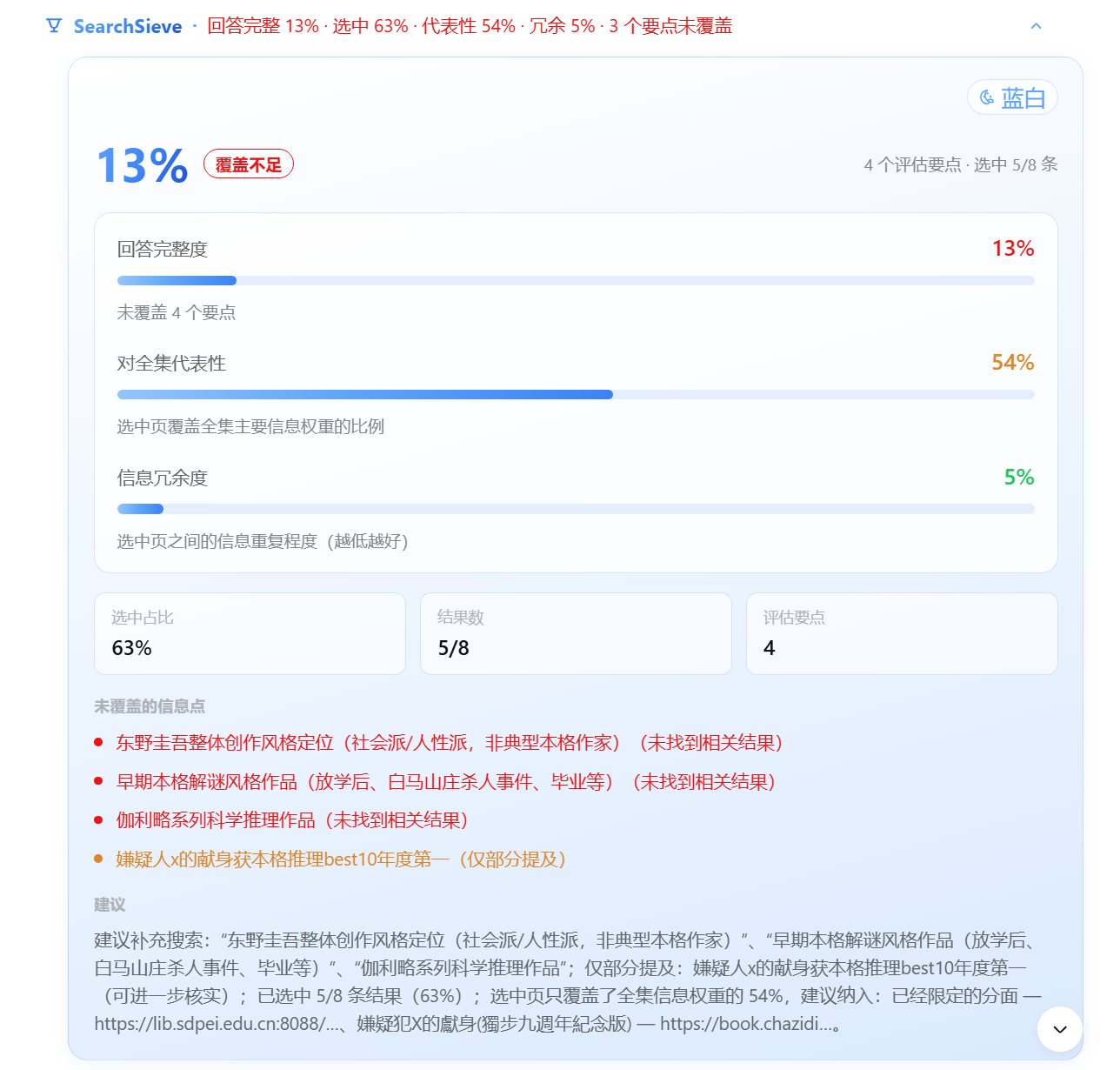 | 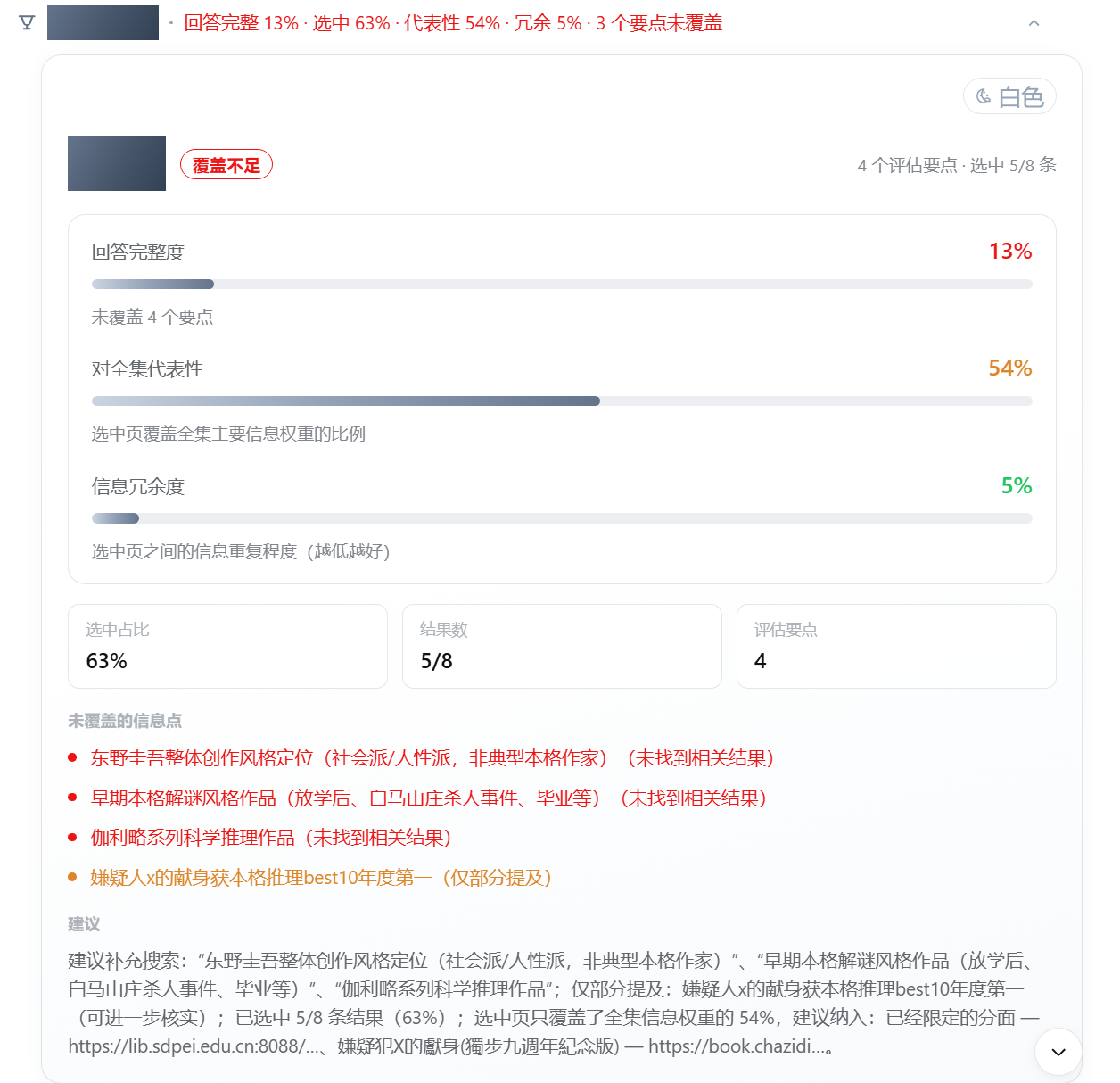 |
顶部大号百分比是回答完整度,旁边是覆盖等级徽标(覆盖良好 / 部分覆盖 / 覆盖不足);下面三根进度条分别对应回答完整度、对全集代表性、信息冗余度;再往下是选中占比、结果数、评估要点,以及未覆盖的信息点和建议。
2. 怎么换风格
展开卡片后,右上角有个调色板按钮,点击在粉白 / 蓝白 / 白色之间循环切换,选完自动记住,下次还是它。
3. 想评估得更准
工具接受 expectedPoints(期望的回答要点)。你把"答到什么程度算好"说清楚,SearchSieve 就逐点核对给你看;不传也行,它会自动从问题里提取关键词。
{
  "query": "村上春树一共写了几本书",
  "expectedPoints": ["作品数量", "最新作品", "诺贝尔奖经历", "代表作书名"],
  "searchResults": [
    "村上春树共出版 14 部长篇小说,最新作品《城市及其不确定的墙》 https://example.com/a",
    "村上春树多次入围诺贝尔文学奖但未获奖 https://example.com/b"
  ],
  "selectedResults": [
    "村上春树共出版 14 部长篇小说,最新作品《城市及其不确定的墙》 https://example.com/a"
  ]
}
返回示例(卡片渲染的就是它):
{
  "selectionRatio": "50%",        // 留用 1/2 条
  "answerCompleteness": "50%",    // 4 个要点:命中 1、部分命中 2
  "representativeness": "62%",    // 留用页覆盖全集信息权重的 62%
  "redundancy": "0%",             // 单页无重复
  "gaps": ["代表作书名(未找到相关结果)", "作品数量(仅部分提及)", "诺贝尔奖经历(仅部分提及)"],
  "suggestion": "已覆盖期望要点:最新作品;建议补充搜索:“代表作书名”……"
}
本地开发
git clone https://github.com/rangrongg/SearchSieve.git
cd SearchSieve
pnpm install        # 或 npm install
npm run build       # tsc 编译服务端 + esbuild 打包客户端

# 在仓库【父目录】把插件装进 profile
cd ..
dsh plugin --profile web add ./SearchSieve

# 回仓库启动
cd SearchSieve
npm run web         # = npm run build && dsh web
浏览器打开 **http://127.0.0.1:3080**,启动日志出现 [search-sieve] registered "search_sieve" — listed=true 即注册成功。
Windows PowerShell 报"禁止运行脚本"时,用
dsh.cmd/npm.cmd代替。
许可证
MIT © rangrongg。
Versions
| Latest version | Published | Size |
|---|---|---|
| 0.3.0 | — | — |
Comments
Loading…
From the same category
by tt-a1i
Agent skill for beautiful, verifiable architecture, workflow, sequence, data-flow, and lifecycle diagrams—self-contained HTML with motion and crisp export.
★ 71.6k
↓ 3.5k/wk
MIT
JavaScript
Sep 25, 2026
dsh plugin --profile agent add @tt-a1i/archify-dshDeepSeek Harness plugin for Reactive Resume: bridges your resumes and job applications into a Harness session over MCP.
★ 41.7k
↓ 236/wk
MIT
Aug 24, 2026
dsh plugin --profile web add dsh-plugin-reactive-resumeby Tencent
Open-source LLM knowledge platform: turn raw documents into a queryable RAG, an autonomous reasoning agent, and a self-maintaining Wiki.
★ 30k
↓ 838/wk
NOASSERTION
Go
Sep 25, 2026
dsh plugin --profile web add @wxg-prc-cpg/dsh-weknoraby anywhere-labs
为 DeepSeek Harness (DSH) 插件生态打造的现代化桌面端解决方案。万物皆「插件」,桌面本身也是「插件」。
★ 29k
↓ 167/wk
MIT
TypeScript
Sep 25, 2026
dsh plugin --profile web add dsh-plugin-desktopdeepseek-harness-desktop is a interface plugin for DeepSeek Harness. See the repository documentation for its documented capabilities.
★ 28.6k
MIT
by titanwings
Distilly — Distill how they think into reusable Skills for any Agent or Bot. Formerly Colleague Skill(原同事 Skill).
★ 25k
MIT
TypeScript
Sep 22, 2026