

dsh-mobile-ux
Manifest validDeepSeek Harness mobile: CSS-only UI plugin, password-protected Cloudflare tunnel and a tiny Android WebView app - use DSH on your phone.
dsh-mobile-ux — DeepSeek Harness Mobile UX & Access Kit


The mobile experience pack for DeepSeek Harness: use the Harness web UI on your phone. A three-part kit, each usable on its own:
| Part | Where | What it does |
|---|---|---|
| Mobile UI plugin | client.js / styles/mobile.css | Below 1024px: zero-space sidebar (floating pill + drawer), full-width conversation, tighter gutters. Pure CSS — dsh itself is untouched. |
| Public tunnel kit | tunnel/ | Password-protected public access via cloudflared + a local Caddy gateway, launchd-managed, URL change tracking built in. |
| Android app | apk/ | A fullscreen WebView shell that remembers your credentials and opens the tunnel URL — no password prompts, no browser chrome. |
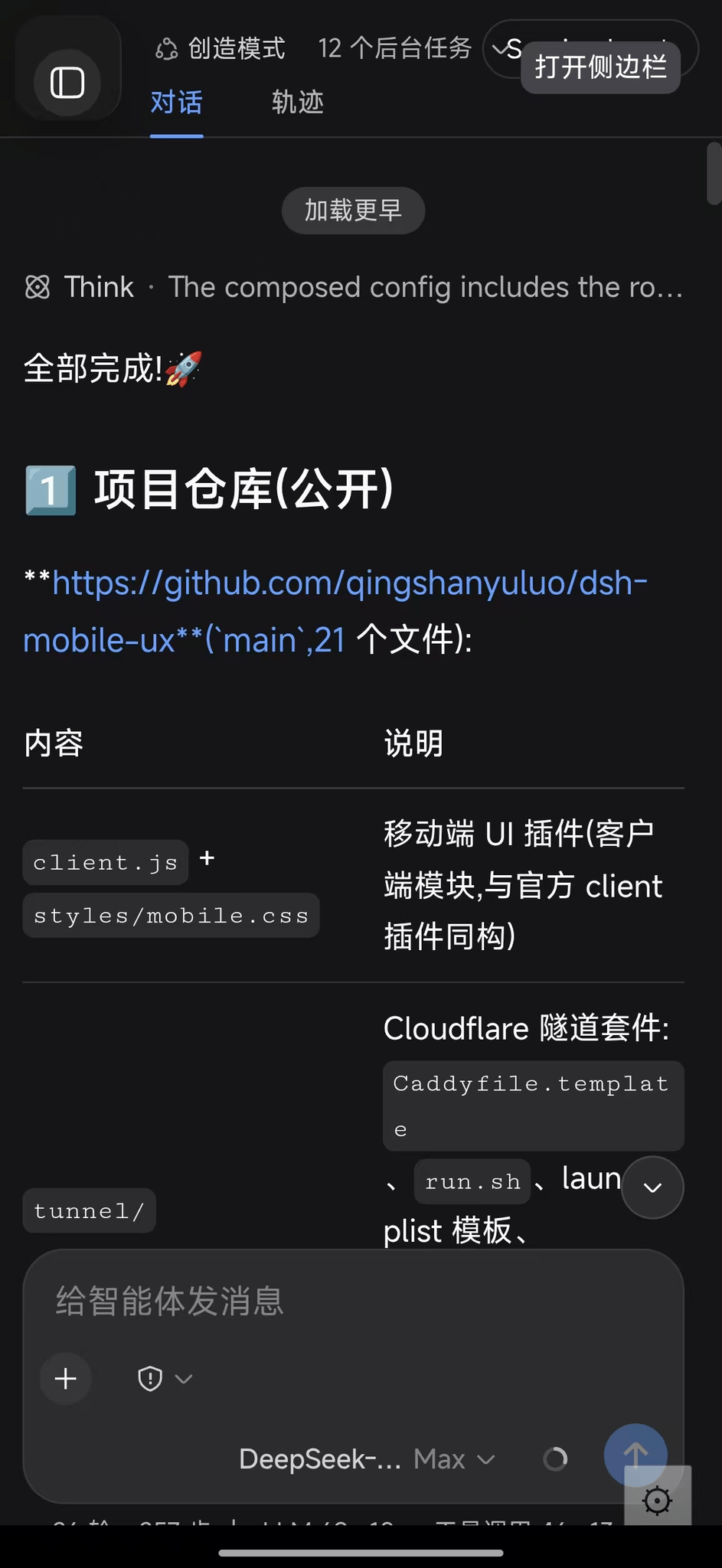
Real capture on a phone (943×2048):
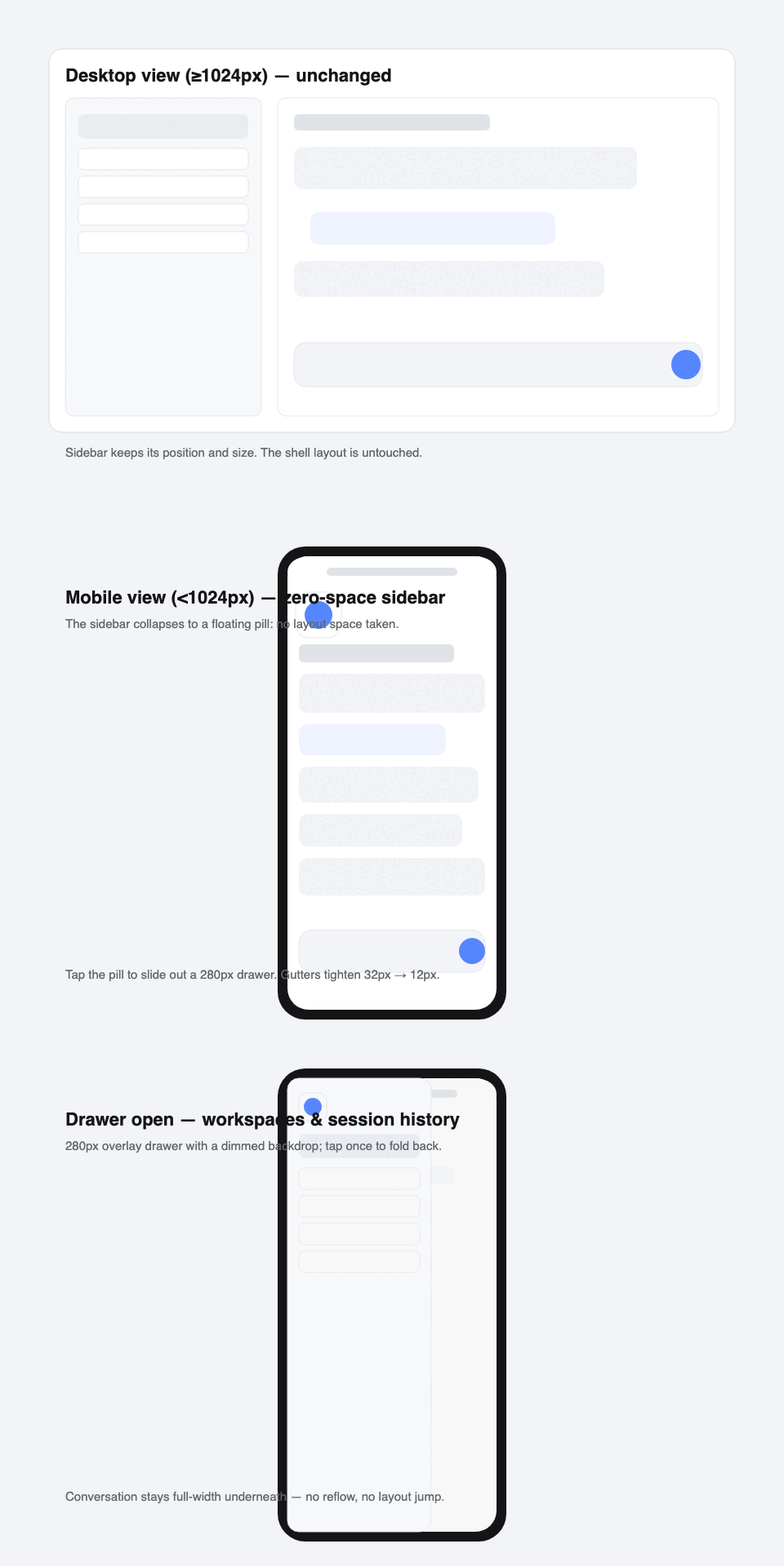
Mobile UI plugin
Below the shell's own narrow breakpoint (1024px) the plugin:
- forces the three-column grid to a full-width center column — the sidebar and details stop allocating layout space;
- collapses the sidebar into a 56px floating pill (tap to slide out a 280px drawer with a dimmed backdrop);
- tightens conversation gutters from 32px → 12px, hides the column drag handles;
- hides the session header strip (title bar + chat/trajectory tabs) — the whole surface belongs to the conversation;
- leaves desktop view (≥1024px) and everything upstream untouched.
Known limitation: the details panel cannot open on phones — the shell's column math hard-forces it to 0 in narrow mode and CSS cannot override JS. The trajectory view tab is also hidden on narrow screens, so tool-call details are desktop-only until upstream adds narrow-mode support.
Install as a real dsh plugin (recommended)
-
Install the package into your deployment profile's out-of-tree dependencies:
cd ~/.dsh/profiles/<profile> pnpm add @qingshanyuluo/dsh-client-ui-mobile -
Append one row to the profile's user patch layer (
cordis.patch.yml):- insert: - id: ui-mobile-ux name: '@qingshanyuluo/dsh-client-ui-mobile' -
Restart
dsh web. Check the composed tree first withdsh --profile <profile> --dump-config.
The client half mirrors the shape of the official dsh-client-ui-* modules (exports./client), so no dsh installation files are changed — only the user-level profile. Full details: docs/dsh-plugin.md.
⚠️ CSS selectors (
.pI_x6G_*,.wSkVaW_*,.Md3f7G_*, …) are pinned to the frontend build they were extracted from; re-pin them afterdsh-web-frontend/dsh-client-ui-*upgrades.
Public tunnel (no domain required)
Random *.trycloudflare.com hostname + basic auth — the URL changes on every process start, so a small launchd agent records the current URL and shows a desktop notification.
brew install caddy cloudflared
bash tunnel/install.sh
cat ~/.dsh/public-tunnel/url.txt   # current public URL
Chain: Cloudflare edge → cloudflared (QUIC) → Caddy gate (127.0.0.1:3081, localhost-only, basic auth) → dsh web (:3080). Caddy rewrites Host/Origin to the loopback authority, which passes dsh's /api browser-trust fence (anti-DNS-rebinding) without touching dsh config — and keeps working when the tunnel URL changes.
For a stable hostname use your own domain on Cloudflare (free) with a named tunnel; this kit intentionally stays account-less.
Android app (DSHViewer)
Fullscreen WebView, HTTP Basic Auth answered automatically from saved credentials:
- first run asks for URL / username / password; stored in SharedPreferences;
- half-transparent ⚙ (bottom-right) reopens the tiny settings dialog (tunnel URLs change);
- back button = browser back.
brew install --cask android-commandlinetools gradle
export ANDROID_HOME=/opt/homebrew/share/android-commandlinetools
yes | sdkmanager --sdk_root="$ANDROID_HOME" --licenses
sdkmanager --sdk_root="$ANDROID_HOME" "platform-tools" "platforms;android-35" "build-tools;35.0.0"
cd apk && bash build.sh    # -> app/build/outputs/apk/debug/app-debug.apk
Security
- A public tunnel exposes the whole Harness (it can run commands). Share only with people you trust; rotate the password from time to time; consider your own domain + Cloudflare Access for per-user, per-person audit.
- This repository contains no real passwords, no tunnel URLs, no certificates.
License
MIT
Versions
| Latest version | Published | Size |
|---|---|---|
| 0.1.0 | — | — |
| 0.1.1 | — | — |
| 0.1.2 | — | — |
| 0.1.3 | — | — |
Comments
Loading…
Similar plugins
by Yui-Little
Mobile shell UI plugin for DeepSeek Harness web: overlay drawer, full-width conversation, settings sheet, marketplace with hot-load installs.
★ 7
MIT
TypeScript
Aug 21, 2026
dsh plugin --profile web add dsh-mobile-shellby loeissu
Mobile-first UI for the DeepSeek Harness web client — an official slot client plugin. 让 DSH 在手机上好用:抽屉导航、命中区、键盘适配、横屏。不改宿主源码,不 fork tether,不接管 sidebar。
★ 0
MIT
JavaScript
Sep 14, 2026
dsh plugin --profile web add dsh-plugin-mobile-uiby jackuh105
Responsive mobile CSS plugin for DeepSeek Harness (dsh): turns the web settings panel into a full-screen sheet with a top tab bar and pinned close button on small screens.
★ 0
MIT
JavaScript
Aug 15, 2026
dsh plugin --profile web add dsh-mobile-uiby Hotsteel2901
Your DeepSeek Harness web UI, rebuilt for the phone in your hand. Built for developers who code in Termux on Android: single-column layout, sidebar drawer, one-line composer, fullscreen scrollable set
★ 10
MIT
JavaScript
Sep 26, 2026
dsh plugin --profile web add dsh-client-ui-mobile-adaptby Raiyan007-gb
Scan a QR code in Settings to open the DeepSeek Harness web UI on your phone inside the active session via a cloudflared quick tunnel.
★ 1
MIT
JavaScript
Sep 5, 2026
dsh plugin --profile web add dsh-remote-tunnel-easyby Perederey
Mobile-UI responsive layout plugin for DeepSeek Harness Web GUI: viewport detection, touch-friendly controls, bottom navigation bar, and adaptive conversation scaling
★ 0
TypeScript
Aug 18, 2026
dsh plugin --profile web add dsh-mobile-ui