

dsh-image-slider
DiscoveredDSH Image Slider
A left-sidebar image comparison panel for DeepSeek Harness. Load two images, overlay them, and move the pointer left/right to wipe between A and B with a smooth, eased reveal.
Renamed from
dsh-image-compareto avoid a package-name collision with another community plugin.
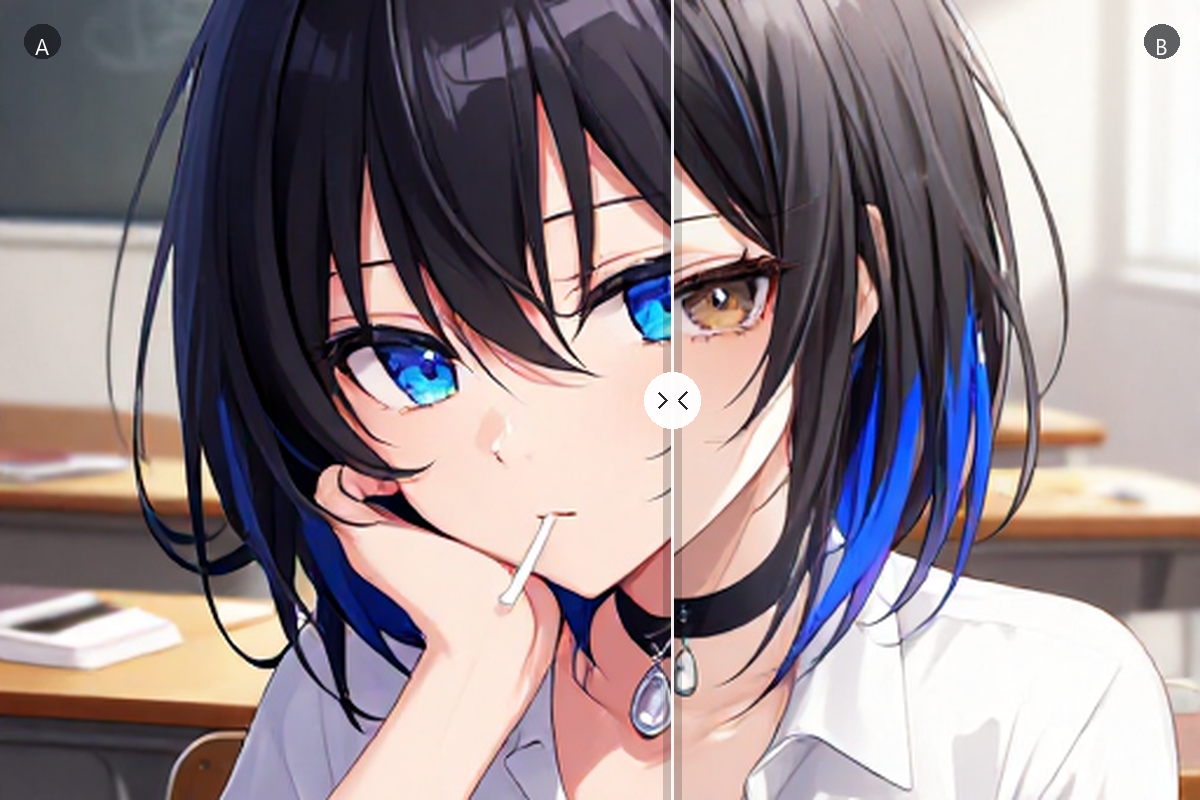
给 DeepSeek Harness 加一个「图片对比」侧栏页面:两张图重叠,鼠标左右移动即可丝滑擦除对比。
Features
- Native left-sidebar entry — registers through
sidebar.panellistplus the matchingmainpanel key. No iframe, no separate app. - Load images three ways — click a card, drag & drop, or paste from the clipboard with
Ctrl/⌘ + V. - Smooth pointer reveal — the split follows the pointer and is eased with
requestAnimationFrame, so hover and drag both feel fluid. - Clean divider by default — just a thin line, with no handle or number; toggle 百分比 in the toolbar to show the draggable handle and live split percentage.
- Draggable divider — grab the split line at any time; double-click the canvas to reset to 50%.
- Keyboard support —
←/→for 2% steps,Shiftfor 10%,Home/Endfor the extremes. - Fit or fill — toggle between
containandcoverwithout reloading either image. - Swap and reset — exchange A/B or restore the default view from the toolbar.
- Theme aware — uses DSH theme tokens (
--dsw-alias-*) and a neutral checkerboard stage. - Remembers the last comparison — switch to the conversation and back; both images and the split position are still there.
- Local only — images are read from the file picker or clipboard into object URLs. Nothing is uploaded or sent to a model.
Install
From GitHub
dsh plugin --profile your-profile add github:PaleLand/dsh-image-slider
Then restart DeepSeek Harness and click 图片对比 in the left sidebar.
From a local folder
- Clone or download this repository.
- Open DSH → Plugins → Add plugin and choose the repository folder (it contains
package.json). - Restart DSH if the sidebar does not refresh.
The package is a plain local bundle: no build step, no server, no extra runtime dependencies.
Usage
- Open 图片对比 from the left sidebar.
- Add an image to 图 A and another to 图 B — click the cards, drop files on them, or paste an image.
- Move the pointer across the canvas to compare. Drag the divider to pin a position, or use the keyboard for precise steps.
- Use 适配 / 填充 to switch between contain and cover, 交换 to swap the layers, and 复位 to return to 50%.
How it works
| File | Purpose |
|---|---|
package.json | Bundle manifest; declares dsh.bundle.patch and the Web client entry. |
cordis.patch.yml | Inserts the image-slider plugin row. |
index.js | Host half — intentionally empty. |
client.js | Browser half: slot registrations, the panel UI, pointer/keyboard handling, and styles. |
icon.svg | Sidebar icon. |
The client registers sidebar.panellist with id: image-slider and the matching main panel key. The panel keeps two object URLs, draws both images in the same stage, and clips the top layer with inset(0 0 0 P%). A small requestAnimationFrame loop eases the displayed position toward the pointer target.
Compatibility
Built and tested against DSH 0.2.2-rc.3 on Windows. The plugin relies on the client slot contract from that release; older DSH versions may not expose the same sidebar and main-panel slots.
Privacy
The plugin has no network calls. Images are opened locally through the browser file picker or clipboard and kept as in-memory object URLs for the current page session.
License
MIT — see LICENSE.
Comments
Loading…