
dsh-agfs
Manifest validFile-browser web app for DSH: React frontend and REST API served by the host webserver, a /dsh-agfs command that opens at the current session workspace, and a browse_files model tool.
@open-agfs/dsh-agfs
English | 中文
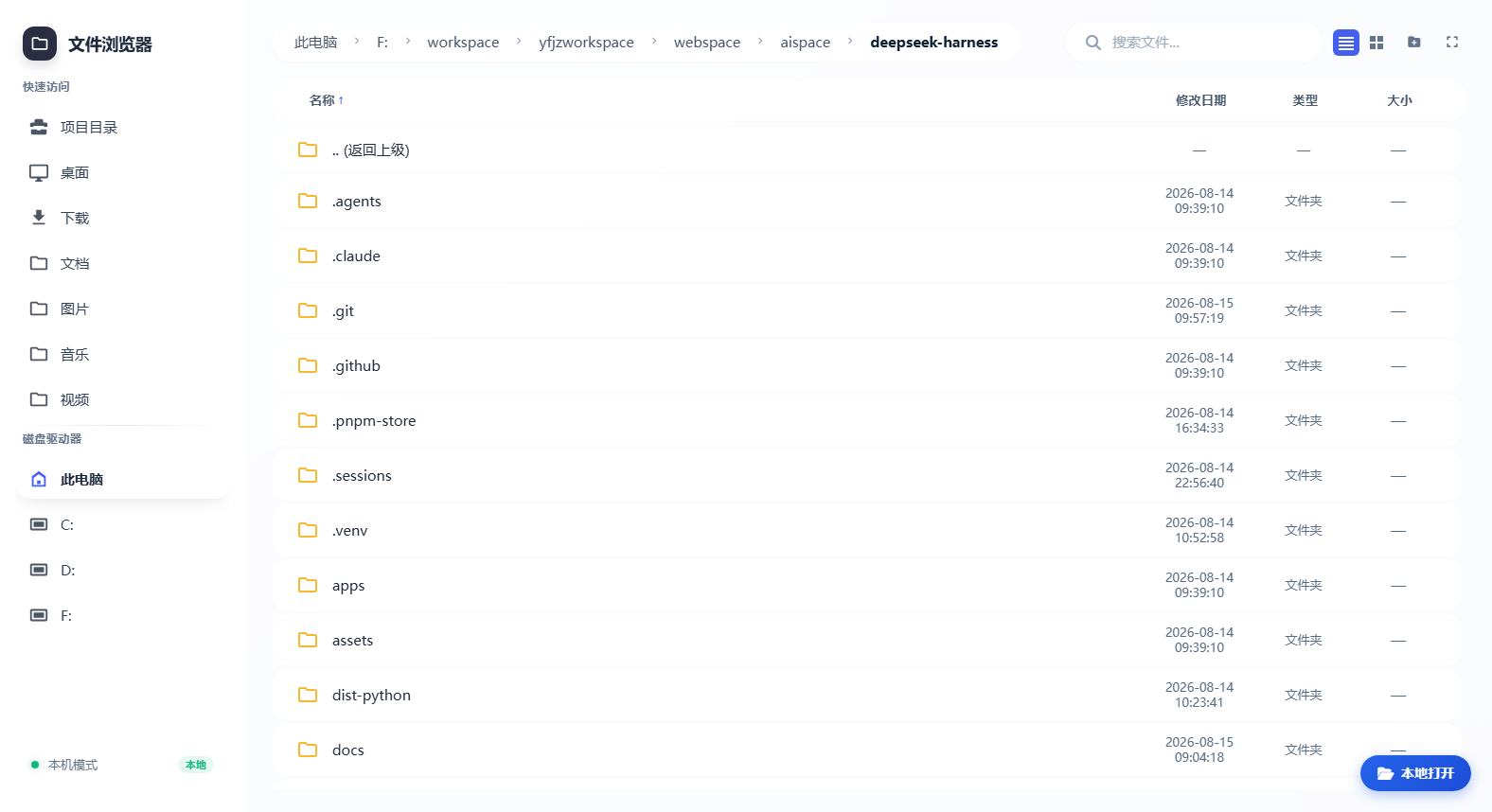
A file-browser web app for DeepSeek Harness — a React frontend and REST API served by the host webserver, plus a /dsh-agfs command and browse_files/read_file model tools. It rides the composing dsh web server: no separate port, no subprocess.
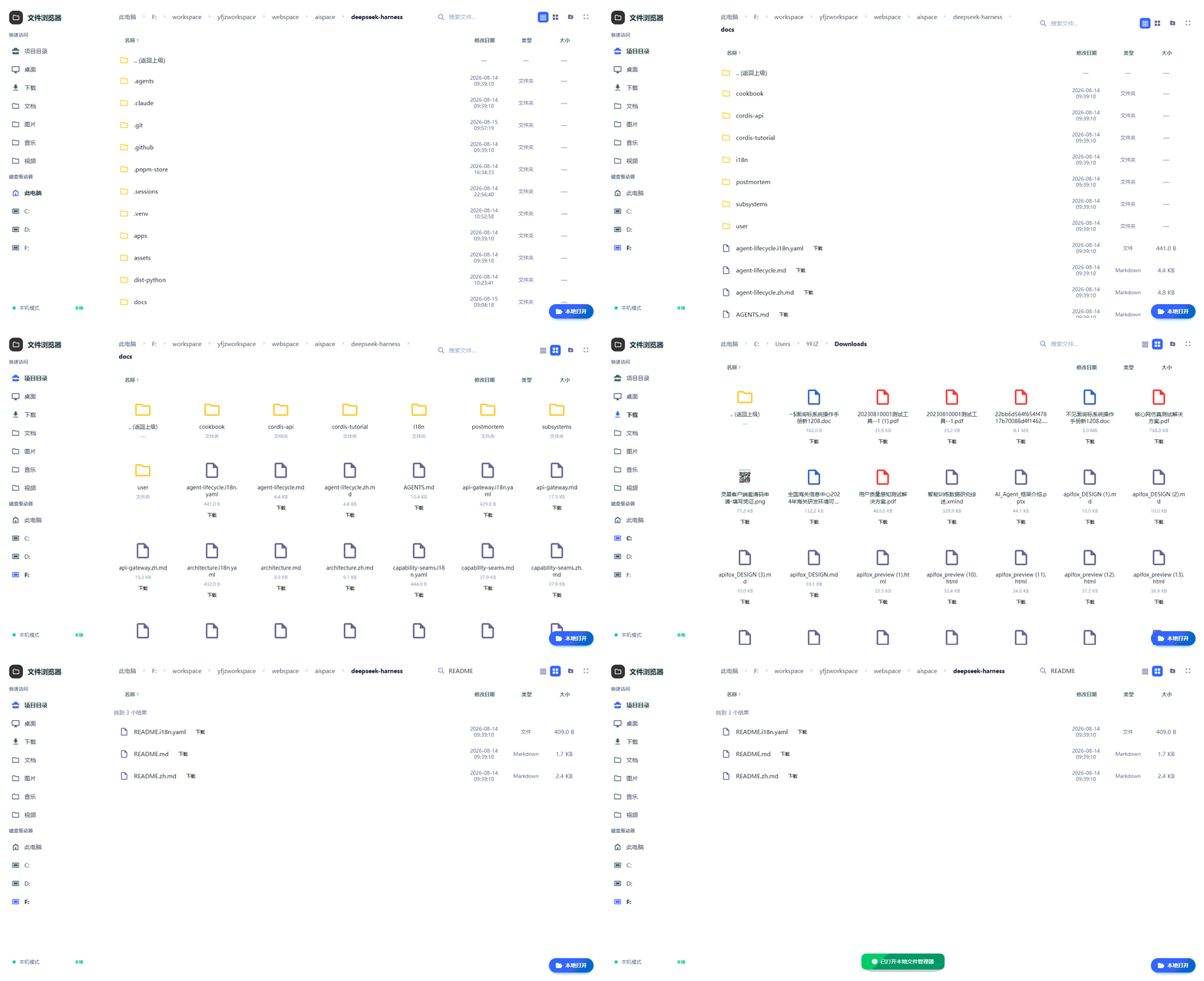
Features
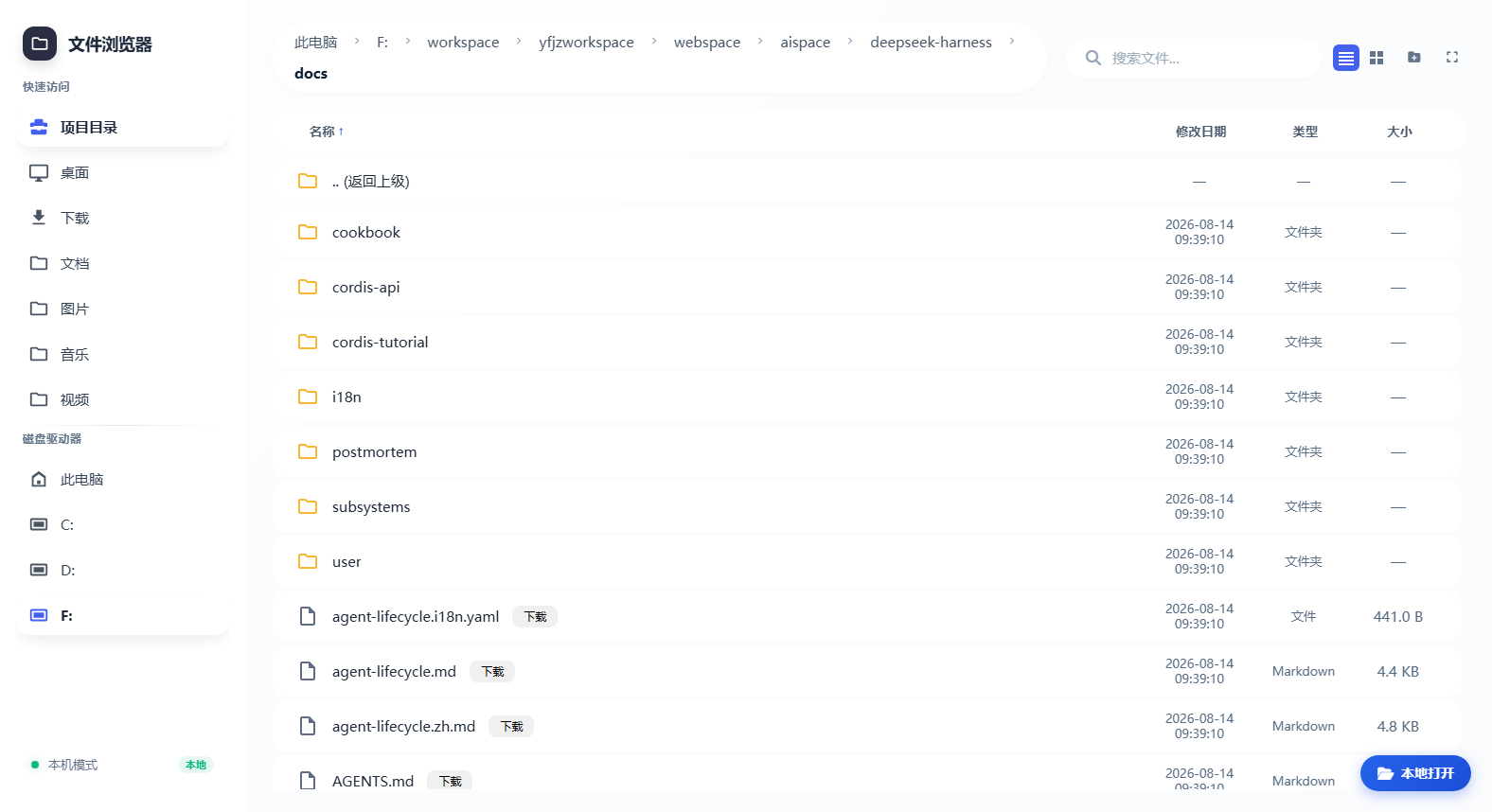
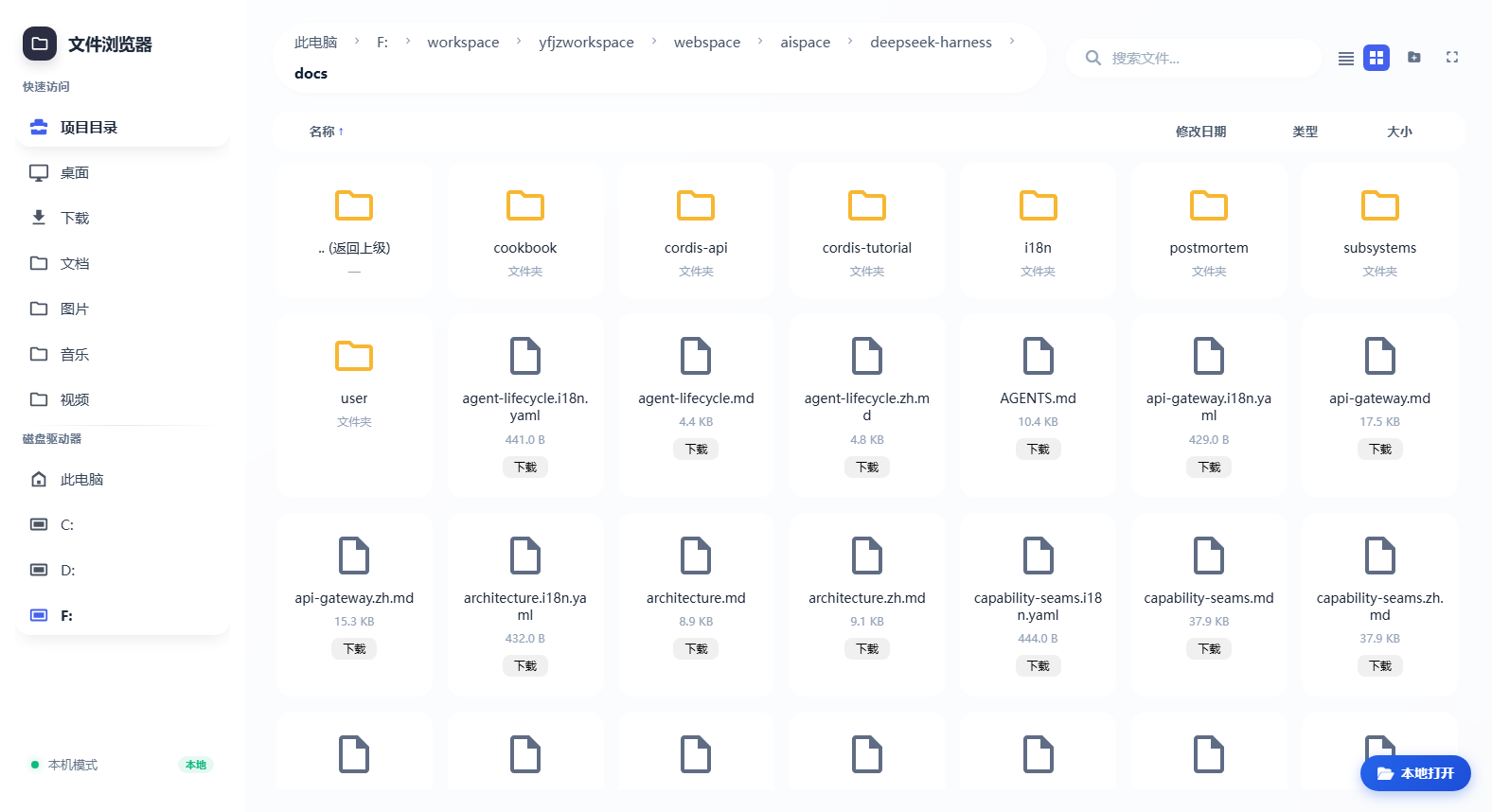
| 面包屑导航 Breadcrumbs | 视图切换 View switch | 侧边栏 Sidebar |
|---|---|---|
 |  |  |
| 搜索 Search | 本地打开 Local open |
|---|---|
 |  |
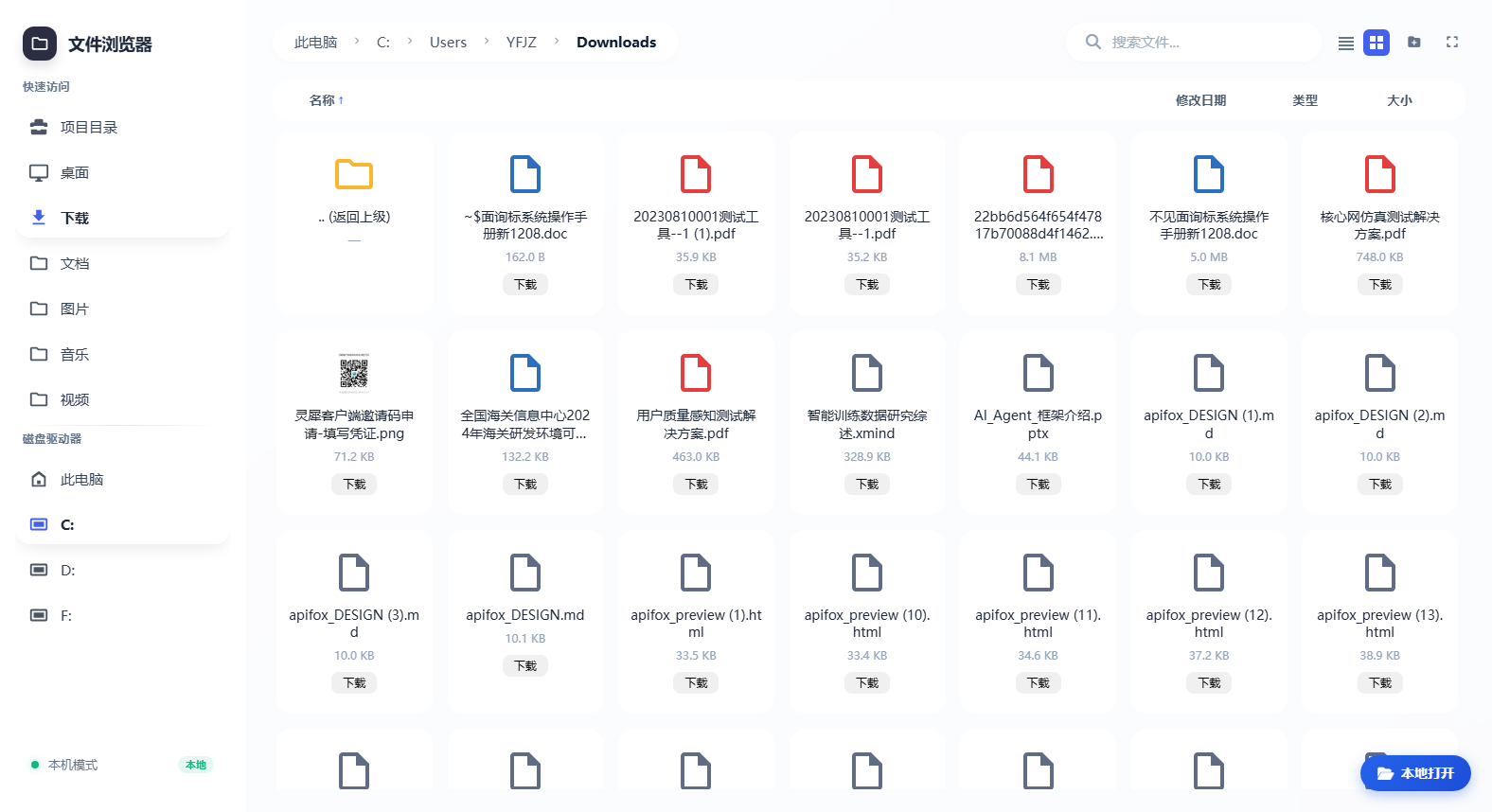
- 面包屑导航 — clickable breadcrumbs navigate every level of the current path back to the root.
- 视图切换 — list and card (grid) views, one click apart.
- 三种显示尺寸 — a toolbar button (showing the current mode) cycles 视图大小 (windowed panel, the default) → 整个视图 (fills the viewport) → 全屏 (browser fullscreen).
- 侧边栏 — project directory, quick access (Desktop/Downloads/Documents…), custom roots, and drives.
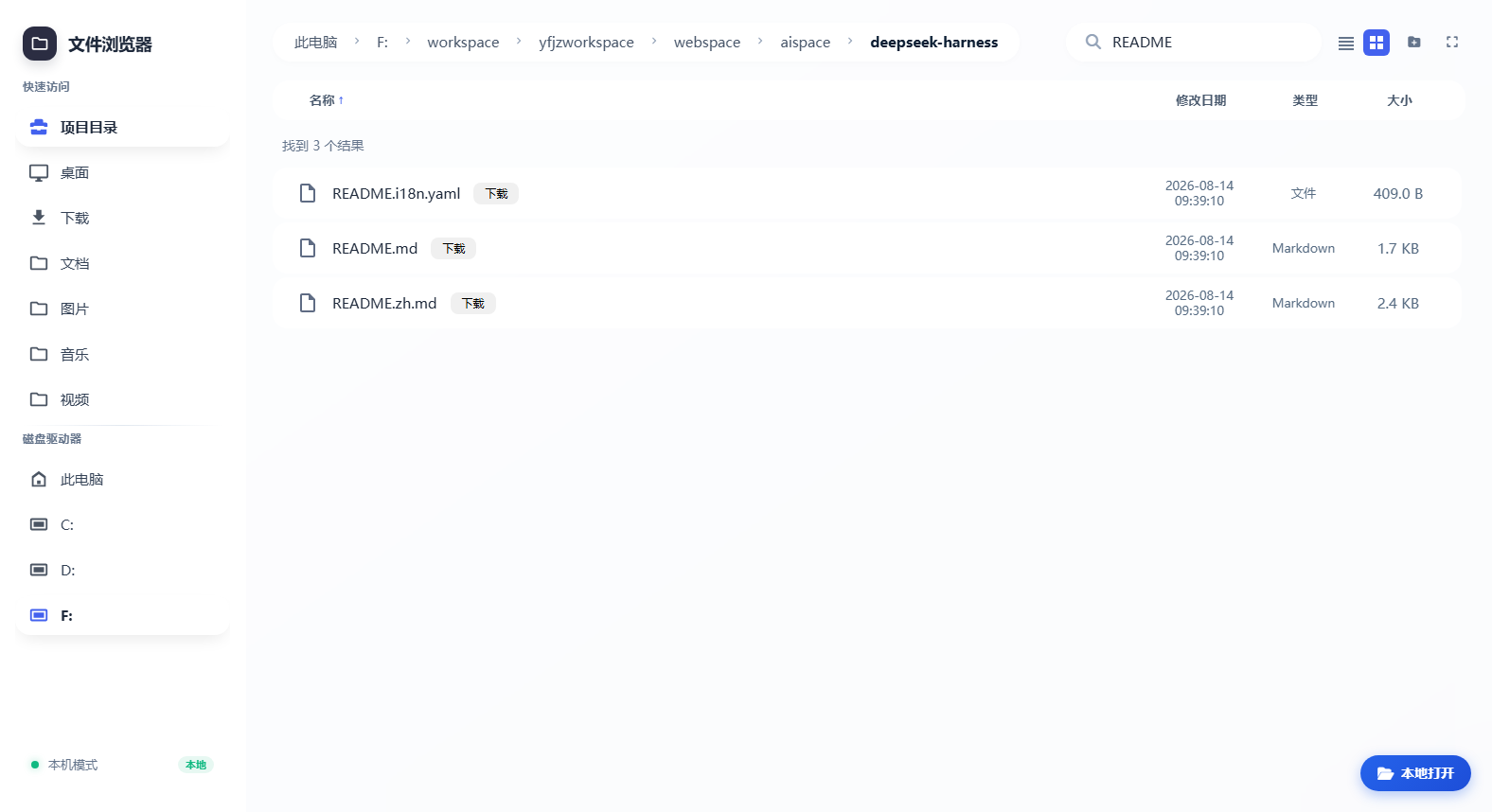
- 搜索 — toolbar search with optional recursive mode (200-hit cap).
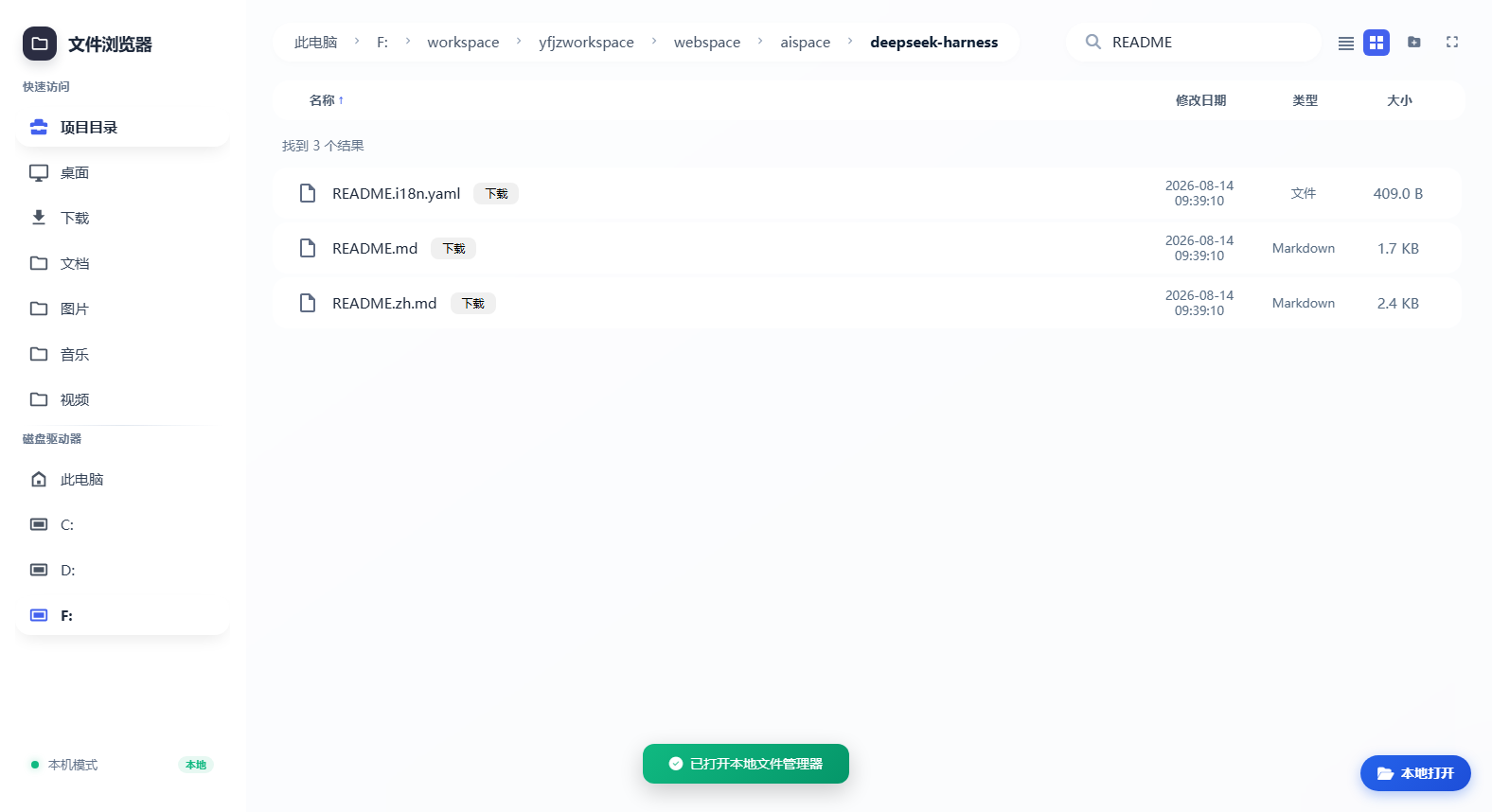
- 本地打开 — in local mode, a floating button in the bottom-right opens the system file manager at the current directory.
- 一键AI分析 — right-click a file/folder → enter a requirement → dsh creates a workspace for that directory and wakes a fresh session whose agent analyzes it (local mode only). The analysis session uses the host's default model and joins the same agent preset as a manually created session, so it gets the full standard tool set (read/write/glob/grep, shell, goal, web search, …), not just the browser tools.
- Full file browser — list/search, text preview (markdown, code, logs), image preview, and create/rename/copy/delete folders.
/dsh-agfscommand — opens the file browser in the system default browser and automatically navigates to the current session's workspace directory (session cwd); switch workspaces and it follows.browse_files/read_filemodel tools — the model can list or recursively search the browser root, and read text files under it, directly.- Path safety — browsing confined to the root,
strictRootreal-path checks, symlink/junction escape interception (clean 400 envelope),readOnlymode,remoteMode. - Offline frontend — React/ReactDOM ship in the package; boots without a CDN or Babel.
- Security headers —
X-Content-Type-Options: nosniff,X-Frame-Options: DENY,Referrer-Policy: no-referrer. dsh.bundleone-line install — activates as a profile layer.
Install
Option 1: one-click via natural language in the dsh dialog (recommended)
In the DeepSeek Harness web dialog, ask the agent directly, for example:
Install the file-browser plugin
dsh-agfs
Install the npm package
@open-agfs/dsh-agfs
The agent invokes a shell tool to run:
dsh plugin --profile web add @open-agfs/dsh-agfs
Then restart dsh web (or ask the agent to restart it) and run /dsh-agfs in the dialog to open the file browser.
Prerequisite: this flow needs the agent's shell tools (
bash/pwsh) enabled and permitted. The web profile disables shell tools by default — enable them under Settings → tools/permissions, or approve the command when the agent asks. Without shell tools, use Option 2.
Option 2: one-line CLI install
dsh plugin --profile web add @open-agfs/dsh-agfs
After the install, restart dsh web and run /dsh-agfs in the dialog.
Upgrade to the latest version:
dsh plugin --profile web add @open-agfs/dsh-agfs@latest
Option 3: source overlay (for development)
From a checkout of this repository, mount the source through a --patch overlay:
- insert:
    - id: dsh-agfs
      name: 'file:///absolute/path/to/dsh-agfs/src/index.ts'
then dsh web --patch ./overlay.yml. Plugin code changes need a dsh restart; frontend assets are served from disk per request.
Usage
- Run
/dsh-agfsin the dialog: the system default browser opens the file browser and reports its URL; when the current session carries a workspace directory (session cwd), the browser boots directly at that workspace. - With
openOnCommand: falsethe URL is only reported, the browser is not opened. - Click a file to preview text/images; use the toolbar search (recursive, 200-hit cap); the sidebar offers quick access (Desktop/Downloads/Documents…), custom roots, and drives; right-click for create folder / rename / copy / delete (subject to
readOnly).
Config
| Key | Default | Meaning |
|---|---|---|
basePath | /dsh-agfs | Webserver route prefix serving the app and its API; must start with / and have no trailing slash. |
fileRoot | current working directory | File-browser root; drives stay reachable through the sidebar. |
projectRoot | working directory | Project root shown in the sidebar. |
remoteMode | false | When true, the open, open_location, and copy endpoints are disabled. |
readOnly | false | When true, the delete, create_folder, rename, and copy endpoints answer 403; browsing stays fully readable. |
strictRoot | false | When true, browsing is locked inside fileRoot: absolute paths are rejected and symlink/junction escapes fail with a 400 envelope. |
roots | {} | Named browse roots shown in the sidebar as name -> path; entries that do not resolve to an existing directory are dropped. |
openOnCommand | true | Whether /dsh-agfs opens the system default browser. |
debug | false | When true, API calls and system-open results are logged to the dsh process stderr with a [dsh-agfs:debug] prefix. |
Config lives in the profile's user patch layer ($DSH_HOME/profiles/<name>/cordis.patch.yml):
- id: dsh-agfs
  config:
    fileRoot: 'D:/projects/my-project'
    readOnly: true
API
The frontend calls the endpoint set under ${basePath}/api/file_browser/: list, read, download, open, open_location, search, info, workspace, sidebar, thumbnail, mode, debug, delete, create_folder, rename, copy, and analyze (one-click AI analysis, local mode only). Paths are confined under the browsable root. search accepts recursive=1 (also true/yes) with a 200-hit cap and a directory-depth cap of 5. Every response carries the security headers; static assets answer GET/HEAD only.
Model tools
The plugin registers two model tools over the same pure core the HTTP layer uses:
browse_files(parameterspath,keyword,recursive) — list a directory or search entry names (optionally recursively). Returns a canonical{ items: [...] }value rendered asTYPE<TAB>SIZE<TAB>PATHtext lines; a blankkeywordfalls back to a plain listing.read_file(parameterpath) — read one UTF-8 text file (markdown, code, logs) under the browser root and return its content, so an analysis agent can inspect file contents, not only names.
The parameter schemas and descriptions flow into the assembled prompt like every other registered tool.
Known Limitations
- Font Awesome icons load from cdnjs — boot no longer needs a CDN (React/ReactDOM are vendored and Babel is eliminated by the precompiled
app.js), but the toolbar icons still come from cdnjs; without network access the app works without icons. - Shallow search only —
searchmatches entry names in one directory (200-hit cap); recursive content search is not implemented. - Thumbnails stream the original image — no resize is performed; large images are sent in full and scaled by CSS.
openOnCommandspawns on the host — the browser opens on the machine running dsh, which is correct for a loopback deployment but surprising for remote clients.
Development
pnpm install
pnpm test        # vitest: unit suites plus the real-Loader composition suite (94 tests)
pnpm typecheck   # tsc --noEmit
pnpm lint        # oxlint
pnpm build       # tsc types + tsdown bundles -> lib/
pnpm run build:frontend   # regenerate assets/app.js after editing assets/app.jsx
The frontend source is assets/app.jsx; its compiled form assets/app.js (classic JSX runtime, no Babel at runtime) and the vendored React/ReactDOM UMD builds under assets/vendor/ ship in the package so the app boots without a CDN.
Publishing
Releases are tag-driven: pushing a v* tag triggers GitHub Actions (.github/workflows/publish.yml) to publish to npm. Tags are cut manually — the script never tags on its own:
pnpm run release                    # report release state only (no writes)
pnpm run release -- --do            # cut a release now (patch bump): commit + tag + push
pnpm run release -- --do --version 0.2.0   # cut a release at a chosen version
pnpm run release -- --do --dry-run  # preview without writing or pushing
scripts/release.mjs without flags prints the current version, the last v* tag, and the commit count since it; with --do it bumps the version, commits chore: release vX.Y.Z, creates the tag, and pushes main + the tag. The repository needs an AGFS secret (a granular npm publish token with bypass-2FA). The package declares the published @deepseek-ai/dsh-* harness packages as peers, so a published install resolves them from npm.
Star History
Links
- npm: https://www.npmjs.com/package/@open-agfs/dsh-agfs
- Source: https://github.com/openAGFS/dsh-agfs
- Requirements: Node
^22.19 || >=24; peers@deepseek-ai/dsh-*(rc.6)
Compatibility
Versions
| Latest version | Published | Size |
|---|---|---|
| 0.1.0 | — | — |
| 0.1.1 | — | — |
| 0.1.2 | — | — |
| 0.1.3 | — | — |
| 0.1.4 | — | — |
| 0.1.5 | — | — |
| 0.1.6 | — | — |
| 0.1.7 | — | — |
| 0.1.8 | — | — |
| 0.1.9 | — | — |
Comments
Loading…
Similar plugins
by leanderli
DSH Web UI 的文件与变更面板插件:为当前会话的工作区目录提供一体化的 文件浏览 / 搜索 / 预览 / 编辑与 Git 操作(状态、暂存、提交、拉取、推送、 分支、历史、diff 等),在浏览器里以居中模态面板呈现,无需离开 WebUI 即可完成 日常文件与版本控制操作。
★ 2
MIT
JavaScript
Oct 10, 2026
dsh plugin --profile web add dsh-files-gitExposes the DSH workspace as an HTTP API: browse, search and read files, and run natural-language agent tasks that answer with cited sources.
★ 0
↓ 61/wk
dsh plugin --profile web add dsh-workspace-apiby wszhoho
File attachments for the dsh web GUI: toolbar upload button (multi-select) plus drag-and-paste add files to the chat input; images follow the native draft-image flow, documents are saved into the sess
★ 3
MIT
JavaScript
Oct 26, 2026
dsh plugin --profile web add @wszhoho/dsh-file-attachmentby xing-shuyin
Developer tools panel for the DSH web UI: file browser with preview, edit, and path-only file mentions; multi-tab terminals with quick commands; Git panel with commit, push, pull, and branch switching
★ 6
↓ 142/wk
JavaScript
Aug 19, 2026
dsh plugin --profile web add dsh-ui-toolsDrag documents into the dsh web chat; the agent reads them directly from the local filesystem and the right sidebar lists the outputs and file paths.
★ 0
dsh plugin --profile web add dsh-doc-quickby QinpanWan
Drag documents into the dsh web chat for direct local-file processing; a right sidebar lists outputs and file paths. 拖拽文档进 Web 对话框快速处理,右侧侧栏展示产出。
★ 1
MIT
JavaScript
Aug 25, 2026
dsh plugin --profile web add dsh-doc-quick