

dsh-file-actions
Manifest validDSH Web Plugin: Adds a right-click menu to file mentions (open file / locate in Explorer / preview in browser / copy path). Right-click actions for file mentions in DeepSeek Harness.
dsh-file-actions
给 DeepSeek Harness Web 界面里的文件引用加右键菜单。
Right-click menu for file references in the DeepSeek Harness web UI.



装不上、报错、或者行为和文档对不上,直接发邮件到 1992335297@qq.com,比开 Issue 更快被看到。
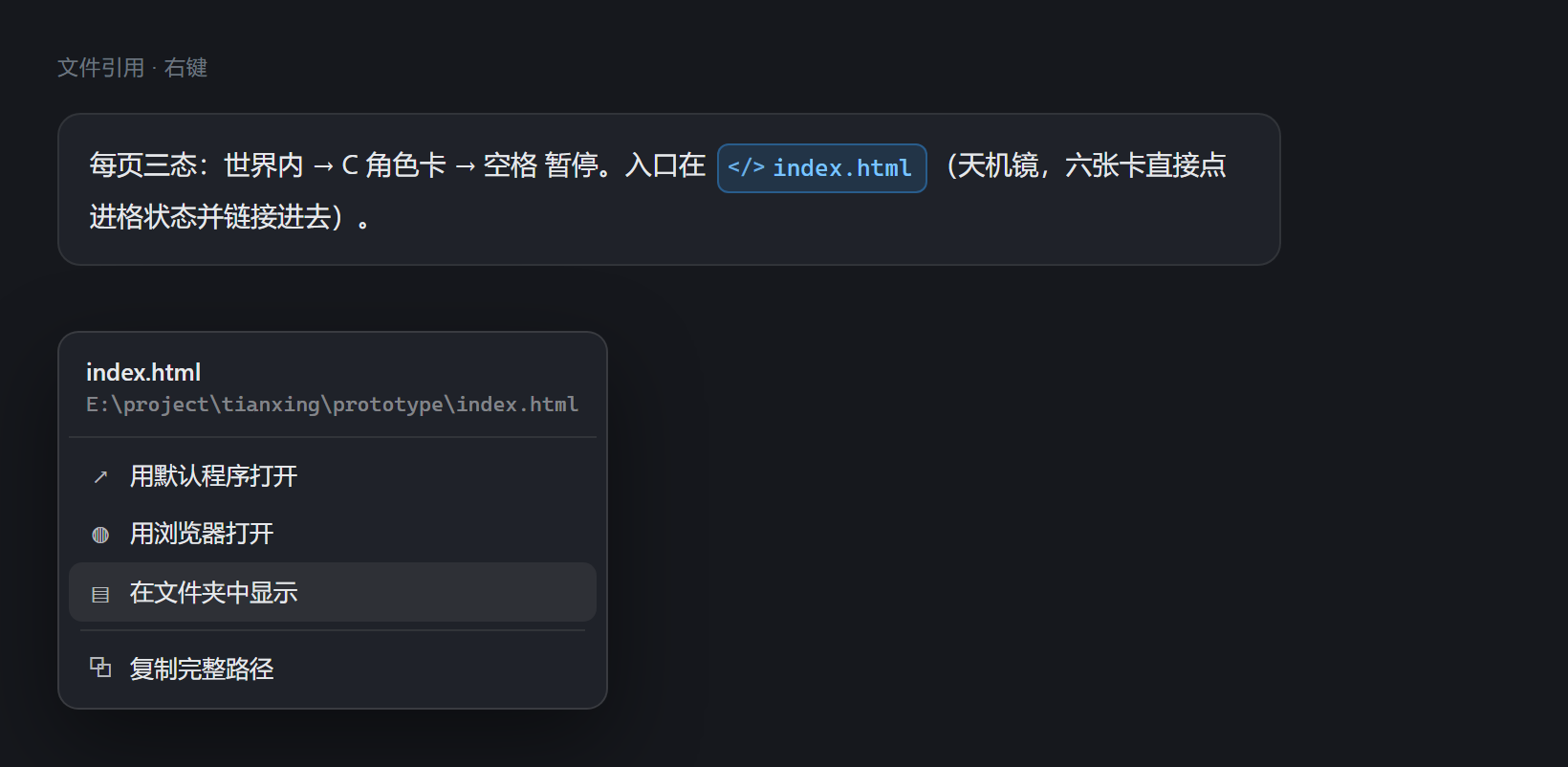
它解决什么问题 / The problem
DSH 会把消息里的文件引用渲染成蓝色 chip,例如 index.html、@src/app.tsx。它们看起来像可以点的链接,实际只能看,想打开文件还得手动去资源管理器里翻。
dsh-file-actions 让这些引用支持右键:直接打开文件、在资源管理器里定位、用浏览器预览、复制完整路径。
DSH renders file mentions as blue chips (index.html, @src/app.tsx). They look clickable but are not. This plugin adds a context menu so you can open the file, reveal it in Explorer, preview it in a browser, or copy its absolute path.
功能 / Features
| 菜单项 | 适用文件 | 行为 |
|---|---|---|
| 用默认程序打开 | 全部 | 交给 Windows 文件关联 |
| 用浏览器打开 | html / svg / md / txt / json / xml / yaml / css / js / ts 等文本类 | 以 file:/// URL 交给默认浏览器 |
| 在文件夹中显示 | 全部 | 打开资源管理器并选中该文件 |
| 复制完整路径 | 全部 | 写入剪贴板 |
菜单头部显示文件名与完整路径,长路径左侧渐隐,方便确认打开的是哪一个。
以下三种引用形态都能识别:
[data-ref-chip]元素(DSH 渲染的蓝色文件 chip)file:///形式的链接- 内容像本地路径的行内代码(
code元素)
被引用的是网页地址(http:// / https://)时,菜单换成网址专用:用浏览器打开、复制链接。网页地址不会被当成本地路径去定位。
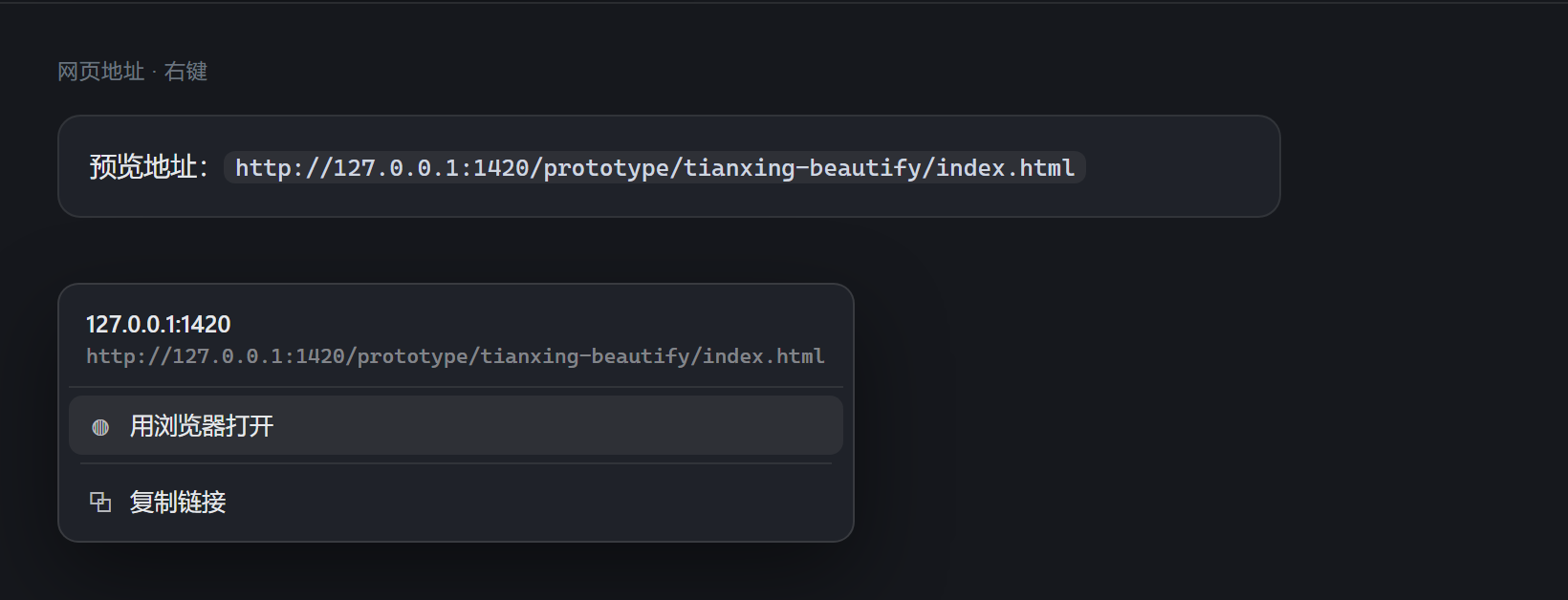
两张图是界面示意,按插件
lib/client.js里同一套菜单样式与 DSH 消息区样式渲染,不是运行截图。可用node scripts/make-screenshots.mjs重新生成(源码在scripts/demo/menus.html)。
更新记录
- 0.1.1 — 修复网页地址被误当作相对路径解析、报
path does not exist的问题;新增网址专用菜单与open-url动作(只放行 http/https,拒绝含双引号的地址)。自检改为真实加载客户端模块,去掉new Function,用例从 12 项增至 17 项。 - 0.1.0 — 首个版本。
安装 / Install
一条命令
dsh plugin --profile desktop add "github:nubeslove/dsh-file-actions"
随后在 $DSH_HOME/profiles/desktop/package.json 的 dsh.profile.bundles 里追加 "dsh-file-actions",重启桌面应用。插件是纯 JS,没有构建步骤,也没有运行时依赖。
本地开发:手工 link(路径含空格时)
- 在
profiles/<profile>/package.json的dependencies加一条:"dsh-file-actions": "link:E:/path/to/dsh-file-actions" - 在
dsh.profile.bundles追加"dsh-file-actions"。 - 在
profiles/<profile>/node_modules/下建一个指向本目录的目录联接(Junction):New-Item -ItemType Junction -Path "<profile>/node_modules/dsh-file-actions" -Target "E:\path\to\dsh-file-actions" - 重启 DSH 桌面应用。
$DSH_HOME 默认是 ~/.dsh。桌面端使用 desktop profile,纯 Web 端使用 web profile。
卸载
删掉 node_modules/dsh-file-actions 与 bundles 里的那一行即可。插件不修改任何既有文件。
权限与安全边界 / Permissions & safety
这是一个会执行本机命令的插件,装之前请明确知道它做了什么。
- 三个动作,白名单:
reveal/open/browser。接口不接受任意命令字符串。 - 路径必须真实存在:宿主在执行前做
existsSync与stat校验,不存在的路径直接返回 400。 - 不做 shell 字符串拼接:全部通过
spawn的参数数组传递,路径不会被当作命令解释。 - 不读文件内容:宿主只做定位与打开,不读取、不上传任何文件正文。
- 无外部网络请求:客户端只向同源的
/api/file-actions/exec发 POST。 - 无依赖:
dependencies为空,没有生命周期脚本(preinstall/install/postinstall/prepare都不存在)。
This plugin spawns local Windows processes. It exposes exactly three whitelisted actions, validates that the target path exists, passes arguments as arrays (never shell-interpolated strings), never reads file contents, and makes no outbound network requests.
兼容性 / Compatibility
- 在 DeepSeek Harness
0.1.1-rc.2+ Windows 上开发与验证。 - 依赖 DSH 把文件引用渲染为
[data-ref-chip]、file://链接或code元素。三者任一变体都可识别;若上游渲染结构整体更换,右键会失效,需要在lib/client.js的resolveFromEvent里补选择器。 - 系统动作部分使用 Windows 的
explorer.exe与cmd.exe /c start,其他平台需要替换lib/index.js里的launch调用。
已知限制 / Known limitations
- 相对路径引用(如
index.html)按宿主进程当前工作目录解析,解析不到会提示path does not exist。 - 菜单样式跟随 DSH 设计 token,深浅色主题自动适配。
- 未做键盘全流程导航(Esc 关闭已实现,方向键在菜单项间移动尚未实现)。
- 系统动作(真的弹出资源管理器/浏览器)没有自动化测试覆盖,需要人工点一次确认。
开发 / Development
lib/index.js         宿主侧:注册 /api/file-actions 路由,执行系统动作
lib/client.js        客户端侧:捕获 contextmenu,识别引用,渲染菜单
scripts/verify.mjs   自检
自检:
node scripts/verify.mjs
覆盖包元数据、客户端语法、路由注册、健康检查,以及未知动作 / 不存在路径 / 空路径 / 非法路由四个拒绝分支。共 12 项。
健康检查接口:
GET /api/file-actions/health
许可证 / License
如果这个插件帮你省了几次在资源管理器里翻文件的时间,点个 Star 会让更多人看到它。
反馈与联系 / Feedback & Contact
遇到 bug、安装失败、行为和文档不一致,或者想要某个功能,都可以直接发邮件。
邮件里带上这三样,定位会快很多:
- 插件版本(
package.json里的version) - DSH 版本(
dsh --version) - 报错的完整文字或截图
也可以在 GitHub Issues 提,但邮件更快。
Comments
Loading…
Similar plugins
by SJcun
Right-click menu for the DSH (DeepSeek Harness) Web GUI: open a workspace project or file reference in the file manager, and a link in the external browser. | 为 DSH(DeepSeek Harness)Web GUI 补上右键菜单:工作区
★ 0
MIT
JavaScript
Oct 12, 2026
dsh plugin --profile web add dsh-right-click-menuby dreammaker2016
该仓库暂未提供项目说明。
★ 1
MIT
JavaScript
Sep 21, 2026
dsh plugin --profile web add @z1995418/dsh-file-menuby a903067276-rgb
Clickable file paths in DSH replies: Codex-style inline open, 📂 reveal in file manager, mentioned-files chip list. DSH web plugin (zero-dependency).
★ 15
MIT
JavaScript
Oct 17, 2026
dsh plugin --profile web add dsh-file-mentionsby whitefirer
dsh(DeepSeek Harness)插件:让 agent 读写浏览器所在机器的本地文件——File System Access 授权 + WS 中继,含非安全上下文兼容模式
★ 4
↓ 319/wk
MIT
JavaScript
Aug 23, 2026
dsh plugin --profile web add dsh-browser-fsby XcodeFish
Adds a right-click menu on file references in chat output, listing registered applications with icons for open-with, revealing files in the file manager, and copying absolute or relative paths resolve
★ 1
MIT
JavaScript
Oct 1, 2026
dsh plugin --profile web add @codefisher798/dsh-file-link-menuby miao-ge
DSH plugin: right-click menu on the left sidebar workspace rows - rename, delete workspace, open in VS Code, reveal in File Explorer, plus open in a new tab when dsh-project-tabs is installed.
★ 0
MIT
JavaScript
Oct 5, 2026
dsh plugin --profile web add dsh-sidebar-context-menu