
dsh-grok-byapi
Manifest validGrok model provider for DeepSeek Harness with model discovery, image and video generation, text-to-speech tools, and durable local media tasks over an OpenAI-compatible gateway.
dsh-grok-byapi
Native Grok for DeepSeek Harness: a chat provider plus image, video, and TTS tools over your own OpenAI-compatible Grok gateway.






English | 中文
Early alpha (
0.2.0-alpha.2). Not on npm yet — install from git (or from a release tarball once published). Use a separate test profile first. See VALIDATION.md for what was actually verified and CHANGELOG.md for changes.
One plugin, one gateway connection. Chat models appear in the model picker; image, video, and TTS models stay out of it and are used through tools instead. Any chat model — Grok or another provider — can call those tools. The plugin talks to a Grok gateway you already run (CLIProxyAPI by default), keeps the API key in the dsh credential service, and saves generated media locally. It is not an OAuth client, does not provide an account or quota, and does not read the Grok CLI OAuth token.
Demo
| Plugins page | Settings page |
|---|---|
 |  |
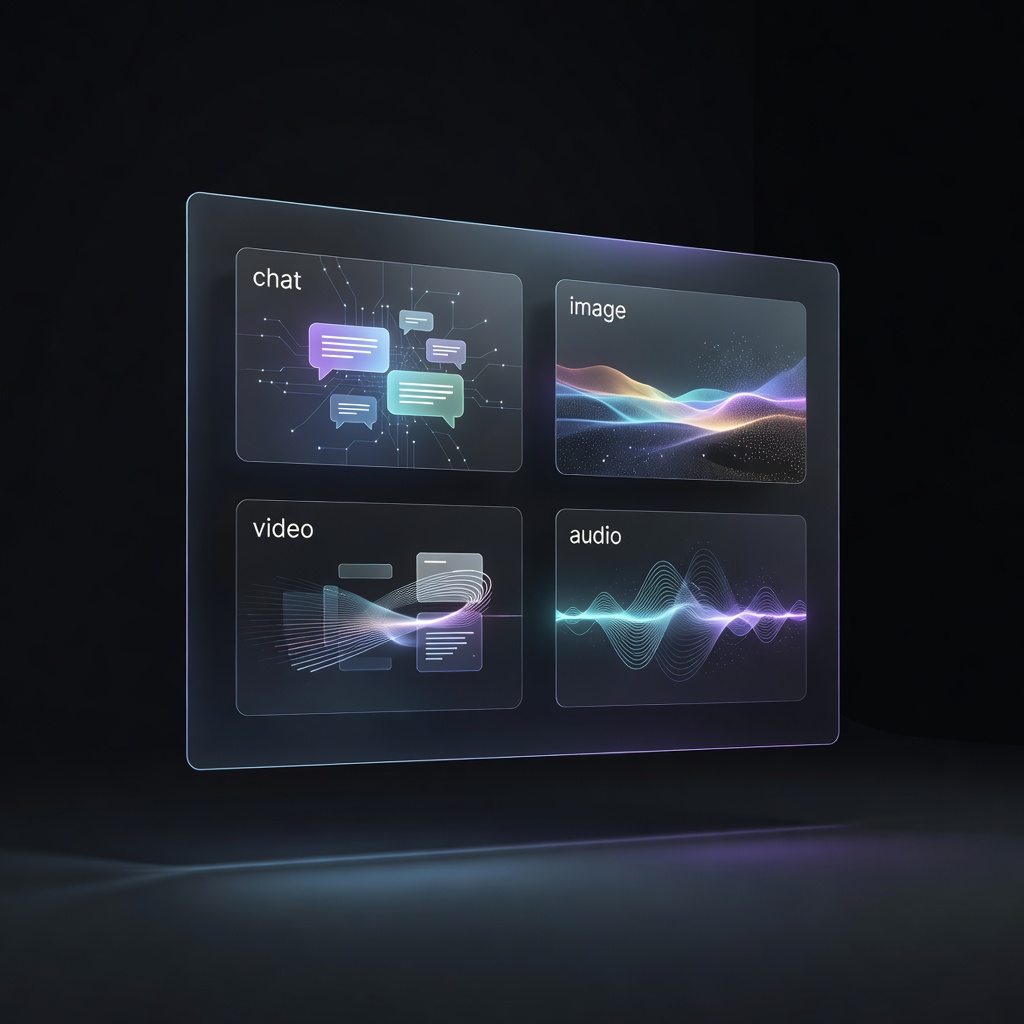
An image generated by Grok through the image tool:
Features
| Area | Current scope |
|---|---|
| Chat provider | Registers a native dsh LLM provider: route xAI-CLIProxyAPI, display name Grok. Streaming text and tool calls go through the official pi-ai adapter. |
| Model catalog | GET /models discovery, auto-categorized as chat, image, video, speech, research, or unknown. Only chat models enter the picker; unknown models do not. Per-model overrides are available. |
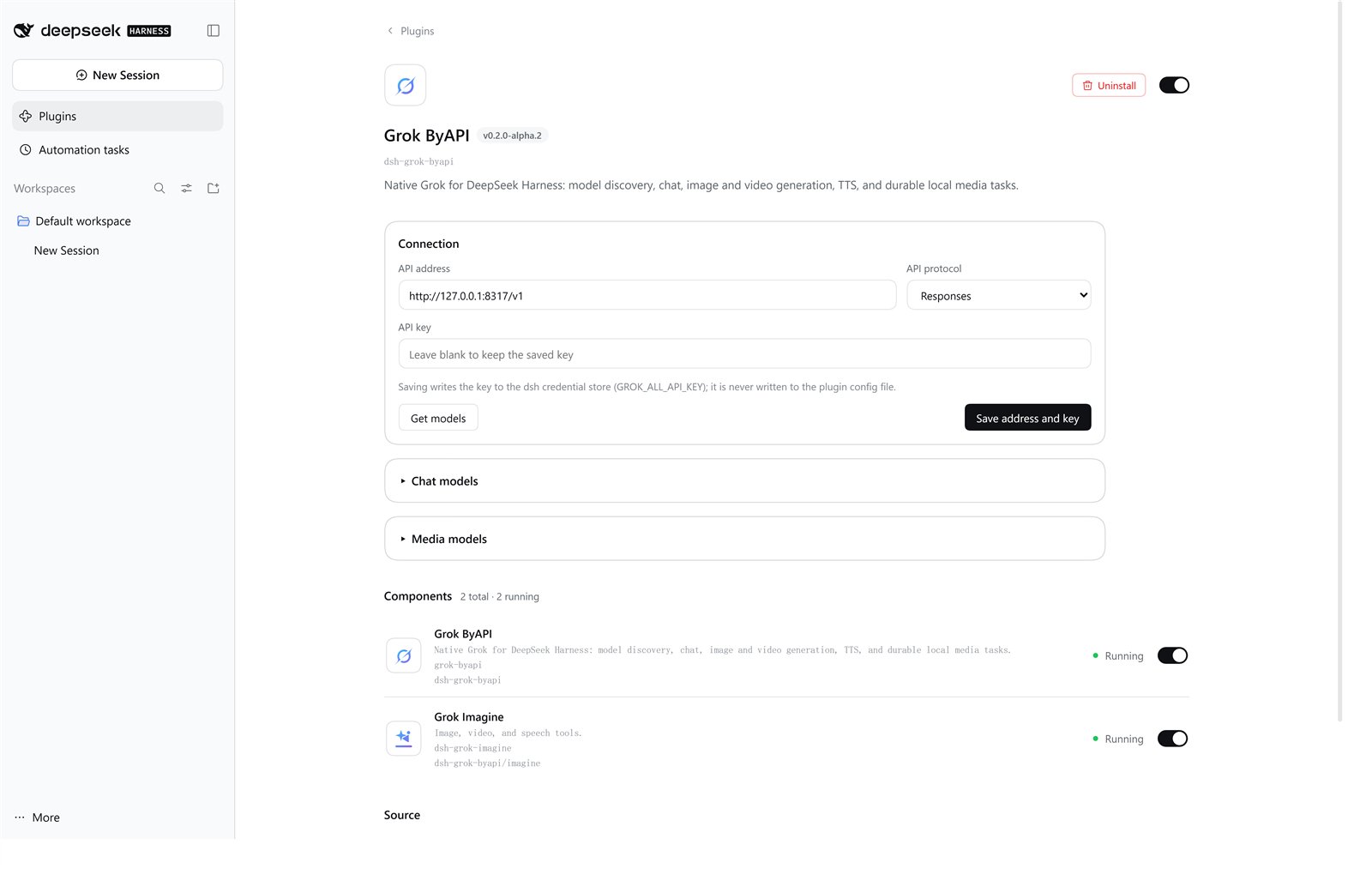
| Settings page | Connection, API key, verification, timeout, the chat-model table (the picker's source of truth), and media-model selection. Copy follows the dsh language (English or Chinese). |
| Durable media tasks | Task records are per session and survive restarts. Downloads write .part files and are renamed after validation. Storage is isolated by connection and task. |
| Results in chat | Tool result cards, file preview, and a sidebar player for MP4, MP3, and WAV. Tool cards and the player follow the dsh language. |
Together, the plugin's two components register seven tools:
| Tool | What it does |
|---|---|
grok_models | Refreshes the catalog and returns models grouped by capability. Optional verify_key checks address and key with one GET /models. |
grok_generate_image | Generates and saves images: prompt, optional model, n (1–4, default 1). |
grok_generate_video | Submits a video job: prompt, optional model, duration (1–15 s, default 2). Fetch it with grok_media_status. |
grok_speak | Text to speech saved as MP3: input, optional model and voice. |
grok_media_list | Lists media tasks created in the current session. |
grok_media_status | Checks a task and downloads the result when ready: task_id. |
grok_media_retry_download | Retries a failed download without regenerating: task_id. |
Not implemented yet: image editing, video editing or extension, automatic background polling or completion notifications, a live task dashboard, speech-to-text, realtime voice, and direct OAuth. Classification is rule-based, not a guarantee, and model counts depend on your gateway.
Compatibility
| Component | Requirement | Verified |
|---|---|---|
| dsh | >=0.2.1-rc.2 <0.3.0-0 via engines.dsh | 0.2.1-rc.2 end to end (chat, image, video, TTS, playback) |
| Node.js | >=22.19.0 | Node 24 on Windows; CI runs Node 22.19 and 24 on Linux and Windows |
| Gateway | OpenAI-compatible /v1 endpoint; CLIProxyAPI recommended | CLIProxyAPI v8.0.30 |
| Other dsh 0.2.x | Inside the engines.dsh range | Not individually verified |
engines.dsh is the compatibility gate; peerDependencies pin the SDK packages the source uses but do not decide compatibility, so rerun the integration tests after a dsh upgrade. A direct xAI or other compatible endpoint can serve chat, but image, video, and TTS need the gateway to expose the matching Grok endpoints.
Install
npm is not published yet:
npm install dsh-grok-byapianddsh plugin add dsh-grok-byapido not work. Use one of the paths below.
From git, pinned to a tag (recommended):
dsh --profile grok-byapi-test --from-default-profile web --dump-config
dsh plugin --profile grok-byapi-test add "git+https://github.com/NingYuanLee/dsh-grok-byapi.git#v0.2.0-alpha.2"
--dump-config creates the profile from your default profile and prints the merged configuration without starting a server. dsh plugin add records the bundle in that profile — no manual YAML edit. The package has no prepare or postinstall script, so installation runs no build code and needs no allowBuilds entry.
From a GitHub Release tarball (once the release is published):
dsh plugin --profile grok-byapi-test add "https://github.com/NingYuanLee/dsh-grok-byapi/releases/download/v0.2.0-alpha.2/dsh-grok-byapi-0.2.0-alpha.2.tgz"
From local source (development):
git clone https://github.com/NingYuanLee/dsh-grok-byapi.git
cd dsh-grok-byapi
npm install --ignore-scripts
dsh --profile grok-byapi-test --from-default-profile web --dump-config
dsh plugin --profile grok-byapi-test add "$PWD"   # bash/zsh: "$(pwd)"
Start dsh with that profile:
dsh --profile grok-byapi-test --no-open
Keep the plugin in a dedicated profile until you are satisfied; this keeps the provider, tools, and settings out of your daily environment. For a fully isolated trial, point DSH_HOME at a scratch directory.
Update and uninstall
Updating a tag-pinned git install means removing it and adding the new tag; local installs update with git pull and npm install --ignore-scripts; tarball installs are removed and replaced with the new .tgz. Restart dsh afterwards.
dsh plugin --profile grok-byapi-test remove dsh-grok-byapi
Removing the plugin takes its layer out of the profile: the provider, the seven tools, and its settings page are gone. Generated media and task records are not deleted — remove the data directory yourself if you want them gone. A credential created for the plugin is also not removed by uninstall; delete it in dsh if you no longer need it.
Configuration
Use the plugin settings page for normal setup. Manual configuration in the profile's cordis.patch.yml is possible but optional:
- id: grok-byapi
  name: dsh-grok-byapi
  config:
    connection:
      baseURL: http://127.0.0.1:8317/v1
      api: openai-responses
      apiKeyEnv: GROK_ALL_API_KEY
      timeoutMs: 60000
    media:
      imageModel: grok-imagine-image-2.0
      videoModel: grok-imagine-video-1.5
      speechModel: grok-tts
      dataDir: ''
| Key | Default | Notes |
|---|---|---|
connection.baseURL | http://127.0.0.1:8317/v1 | Gateway base URL. 127.0.0.1 is the machine running dsh; use your own HTTPS URL for a remote gateway. |
connection.api | openai-responses | Chat protocol; openai-completions is the alternative. |
connection.apiKey | empty | Direct key override for local testing; takes precedence over the credential. Leave empty in normal use. |
connection.apiKeyEnv | GROK_ALL_API_KEY | Credential reference name in the dsh credential service. |
connection.verify | true | Verify GET /models with the saved key when settings are saved. |
connection.timeoutMs | 60000 | Request timeout in milliseconds (1000–600000). |
media.imageModel | empty | Image model used when a call omits model. |
media.videoModel | empty | Video model used when a call omits model. |
media.speechModel | empty | TTS model used when a call omits model. |
media.dataDir | empty | Media output directory; empty means $DSH_HOME/plugins/dsh-grok-byapi. |
modelOverrides | [] | Per-model overrides written by the settings page: category, display name, image support, context window, max output, reasoning efforts. Applied on the next refresh. |
The settings page writes the API key into the dsh credential service under the reference name above; the configuration keeps only the reference. Do not hand-write a key into YAML. The media model IDs in the example come from the test gateway — run grok_models and use the IDs your gateway reports.
Security and privacy
- Network: only the gateway you configure. Discovery calls
GET /models, chat uses the configured OpenAI-compatible route, and media tools call image, video, and TTS endpoints on the same base URL. No telemetry. - Credentials: the key lives in the dsh credential service; it is not written to YAML, logs, task records, or the repository. Third-party media downloads are requested without the gateway key.
- Files: generated media goes to
$DSH_HOME/plugins/dsh-grok-byapi(ormedia.dataDir). Task records may contain signed upstream URLs; treat them as private. - Not done by this plugin: reading or reusing the Grok CLI OAuth token, installing or running other plugins, fetching runtime dependencies at install time.
Installing any dsh plugin runs third-party code with your user permissions, and tool approvals do not sandbox plugin code — review the source before installing. Please report security issues through SECURITY.md.
Usage
- Chat: choose Grok in the model picker. Only chat models are listed; the settings page's model table is what the picker shows, so delete a row and save to hide that model.
- Images: one call generates and saves; inline the result with an absolute local path —
. dsh Web serves it through/api/file; the limit is 20 MiB per file. - Video: submits a job (1–15 s). Call
grok_media_statuswith the returnedtask_iduntilsavedorfailed;submission-unknownmeans do not submit again. There is no automatic polling or completion notification. - Speech:
grok_speakwrites an MP3;grok_media_retry_downloadretries only the download and never regenerates. - Display: video and audio appear in the tool result card player. Do not inline them with Markdown image syntax — the chat does not render them and shows a broken image instead.
Troubleshooting
Installation is successful when all four checks pass:
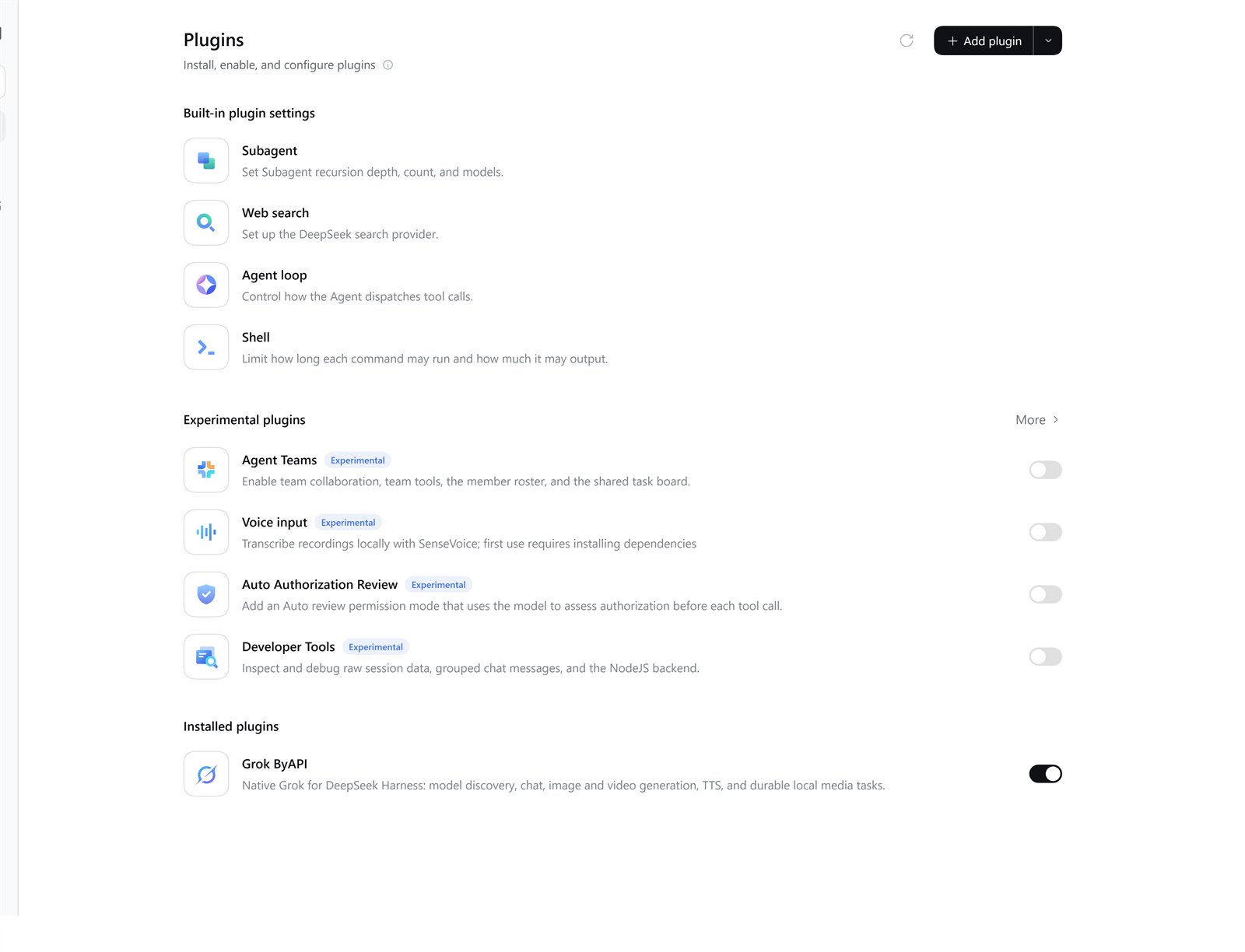
dsh --profile grok-byapi-test --dump-configlists thegrok-byapilayer.- The Plugins page shows this plugin with both components (the provider and
dsh-grok-imagine) running. grok_modelsreturns categorized model IDs.- After
dsh plugin --profile grok-byapi-test remove dsh-grok-byapi, the layer and components are gone.
| Symptom | Fix |
|---|---|
dsh plugin add fails or reports 404 | npm is not published; use the git or tarball path above. |
| Plugin is listed but does not load | Your dsh is outside >=0.2.1-rc.2 <0.3.0-0. Upgrade to a 0.2.x build. |
| 401 or 403 in settings | Wrong key or base URL. Re-save the key and check the /v1 suffix. |
| Connection refused or timeout | Gateway not running or unreachable; 127.0.0.1 means the dsh host. |
| No Grok models in the picker | /models returned nothing classified as chat; refresh grok_models and add overrides. |
| Model not discovered or wrong category | Refresh grok_models, then correct the category in the settings page. |
| Image, video, or TTS fails while chat works | The gateway does not expose the matching Grok endpoints; the plugin cannot add them. |
| Video stays generating | Query grok_media_status; do not resubmit a submission-unknown task. |
More measured behavior and limits: VALIDATION.md.
Development
npm install --ignore-scripts
npm test             # 64 automated tests
npm run check        # syntax checks for the source files
npm run build        # rebuilds lib/client.js from src/client.js
npm pack --dry-run
CI (.github/workflows/ci.yml) runs on Linux and Windows with Node 22.19 and 24: install, tests, syntax checks, build, a check that lib/client.js matches the build output, and a pack dry run. Pushing a v* tag runs .github/workflows/release.yml, which verifies that the tag matches package.json, repeats the checks, attaches the packed tarball to a GitHub Release, and publishes to npm only if an NPM_TOKEN secret is configured. npm publishing is currently blocked, so releases are git/tarball only. See ROADMAP.md for planned work and CHANGELOG.md for changes.
Community, license, and disclaimer
- Bugs and feature requests: Issues (bug report and feature request templates are provided).
- Security: SECURITY.md — please use GitHub's private vulnerability reporting.
- License: MIT. Copyright (c) 2026 NingYuanLee.
- Repository: https://github.com/NingYuanLee/dsh-grok-byapi. This is a community plugin project, not an official DeepSeek or xAI product. "ByAPI" means the plugin reaches Grok through your own API gateway; it does not implement every Grok web feature.
Comments
Loading…
Similar plugins
by GodD6366
Connect a sub2api gateway to DeepSeek Harness: OpenAI-compatible multi-provider routes (OpenAI / Claude / Grok / Gemini) behind one base URL, with per-key model discovery, usage lookup, and global vis
★ 3
↓ 417/wk
MIT
TypeScript
Sep 8, 2026
dsh plugin --profile web add @godd6366/dsh-sub2apiby wesleyel
DeepSeek Harness plugin: serve every gpt-load model from one provider group, each model on its own wire protocol (OpenAI Chat Completions or Anthropic Messages), synced from /api/models
★ 0
MIT
TypeScript
Sep 30, 2026
dsh plugin --profile web add dsh-plugin-gpt-loadby launchmaniac
OpenRouter image, video, and speech generation as deepseek-harness tools — an out-of-tree profile bundle, no fork required
★ 1
↓ 127/wk
TypeScript
Aug 24, 2026
dsh plugin --profile web add @launchmaniac/dsh-media-toolsby DPH-1121
OpenCode Go model provider for DeepSeek Harness - a maintained fork that keeps the model catalog reachable and configures itself from Settings > Models
★ 4
MIT
JavaScript
Oct 19, 2026
dsh plugin --profile web add dsh-opencode-go-plusby deepseek-harness-plugins-1121
OpenCode Go model provider for DeepSeek Harness - a maintained fork that keeps the model catalog reachable and configures itself from Settings > Models
★ 4
MIT
JavaScript
Sep 28, 2026
dsh plugin --profile web add dsh-opencode-go-plusby dickpy
DSH (DeepSeek Harness) Web GUI AI image generation plugin: text-to-image & image-to-image via OpenAI-compatible endpoints (gpt-image-2), with shared cross-device history.
★ 125
Apache-2.0
TypeScript
Oct 19, 2026
dsh plugin --profile web add @dickpy/dsh-imagegen