

herdr-themes
Manifest validdsh plugin: the 18 herdr themes as Settings > Themes with live swatch cards and persistent selection
dsh-herdr-themes
Settings → Themes. Adds every theme that ships with herdr (18 built-ins) to the DSH web GUI, and a Themes settings page where each theme shows its real color swatches, previews live on a click, then persists on Use theme. The saved choice re-applies on every reload.
Themes
| Theme | Scheme |
|---|---|
| Catppuccin Mocha (herdr's default) | dark |
| Catppuccin Latte | light |
| Terminal (ANSI approximation) | dark |
| Tokyo Night | dark |
| Tokyo Night Day | light |
| Dracula | dark |
| Nord | dark |
| Gruvbox | dark |
| Gruvbox Light | light |
| One Dark | dark |
| One Light | light |
| Solarized Dark | dark |
| Solarized Light | light |
| Kanagawa | dark |
| Kanagawa Lotus | light |
| Rosé Pine | dark |
| Rosé Pine Dawn | light |
| Vesper | dark |
How it works
DSH's own theme system (dsh-client-ui-theme) is the registry. The plugin's browser half registers each herdr palette as a ThemeDefinition (id + color scheme + --dsw-alias-* token overrides) with ctx.theme.register(...), so the theme swatch, tokens, and presenter machinery are all the shipped ones. Herdr palettes map onto DSH tokens by role (accent → brand-primary, text → label-primary, panel background → bg-base, surfaces → bg-layer-, states → state-), and derived values (borders, hovers, scrollbars) are computed with color-mix from the same palette so they stay legible on dark and light bases alike.
Persistence lives in the plugin's own host-side namespace (herdr-themes → themeId, $DSH_HOME/settings.yaml under the shipped file provider). The built-in ui-theme preference schema only accepts light/dark/system, and third-party ids deliberately stay out of it, so the plugin stores its own choice and re-applies it on boot.
One upstream behavior needs a guard. ThemeRuntime re-adopts the durable built-in preference (light/dark/system) whenever the settings document re-derives, which happens on any settings write or push, not just this plugin's. That reset is what made a saved theme vanish right after saving. The plugin therefore treats a saved herdr theme as the user's explicit choice and re-applies it after every such reset; it only suppresses that re-apply for the user's own apply/preview actions, so previewing or saving the system option still works.
Install
git clone --recurse-submodules https://github.com/n0pe-sled/deepseek-harness.git ~/deepseek-harness

dsh plugin --profile web add ~/deepseek-harness/plugins/herdr-themes
# restart dsh web, then Settings → Themes
Usage
- Open Settings → Themes. Each card previews the theme's own palette (base, surface, accent, text, red, green, yellow).
- Click a card to apply it immediately. That's the preview; the whole GUI repaints through the standard theme presenter.
- Click Use theme to save it (the host confirms the write, so a refused write is reported instead of silently lost). Cancel reverts to the saved choice.
- Follow the OS returns to the built-in system behavior and clears the saved theme.
- Closing settings while previewing keeps the preview for the session but does not save it; the saved choice returns on the next reload.
Verification
cd herdr-themes
pnpm install
pnpm build        # builds lib/index.js (node) and lib/client.js (browser bundle)
node tests/smoke.mjs        # node half + catalog + bundle shape
node tests/client-smoke.mjs # real client bundle against a stubbed context
After installing to the profile, a running dsh web serves the bundle and the host registers the namespace (checked on a second instance):
curl -s -o /dev/null -w "%{http_code}\n" \
  http://127.0.0.1:<port>/plugins/dsh-herdr-themes/client.js   # 200
Notes and limits
- Terminal theme uses a fixed ANSI-looking set. Herdr's Terminal theme references the host terminal's 16 palette colors; the web GUI has no terminal palette, so the plugin substitutes a standard near-black xterm-style approximation (
README-documented insrc/shared/themes.ts). - Remote browsers cannot save. Selection for the session only; the host settings RPC is loopback-only (same rule as the built-in Appearance row).
- The Appearance row stops overriding a saved theme. Clicking light/dark/system there changes the built-in preference for a moment, but the saved herdr theme is immediately re-applied; the Themes page is where the theme gets cleared (Follow the OS or Use system). The Appearance cubes show the built-in preference, not the active third-party theme.
- Not every
--dsw-*token is overridden. Masks, a few niche button fills, and inverted surfaces stay on the base palette; the overridden set covers surfaces, text, brand, states, markdown, scrollbars, and the sidebar seats.
Files
src/shared/themes.ts— herdr palettes (verbatim fromherdrdev/herdr/src/app/state.rs) + the DSH token builder.src/index.ts— host half: registers theherdr-themessettings namespace.src/client/index.ts— registers themes, adopts the saved choice, registers the Themes section.src/client/ThemesPanel.tsx— the settings page.
Comments
Loading…
Similar plugins
 8
8No screenshots
by mykeura
18 minimalist color themes for DeepSeek Harness. Pick one with a single click — it's just another plugin.
★ 1
MIT
TypeScript
Sep 17, 2026
dsh plugin --profile web add @mykeura/dsh-minimalist-themes✦
No screenshots
by Smith-yue
Adds two switchable themes, built-in and local-folder background slideshows, and per-session token usage details to DeepSeek Harness Web and Desktop.
★ 1
↓ 119/wk
MIT
TypeScript
Aug 23, 2026
dsh plugin --profile web add dsh-skin-token-dashboard✦
No screenshots
by Xliecc
DSH web plugin: show every session's theme in the left sidebar on load
★ 3
↓ 68/wk
MIT
JavaScript
Aug 20, 2026
dsh plugin --profile web add dsh-session-theme 6
6No screenshots
by Slymaster
Unofficial modular themes and starter kit for DeepSeek Harness.
★ 0
MIT
TypeScript
Aug 24, 2026
dsh plugin --profile web add dsh-theme-labby dac114514
DeepSeek Harness 主题中心 · Theme Center for dsh web UI:精选主题画廊(浅色/深色分组)、一键切换、自定义壁纸、dsh-theme 导入导出
★ 0
MIT
JavaScript
Aug 15, 2026
dsh plugin --profile web add dsh-theme-center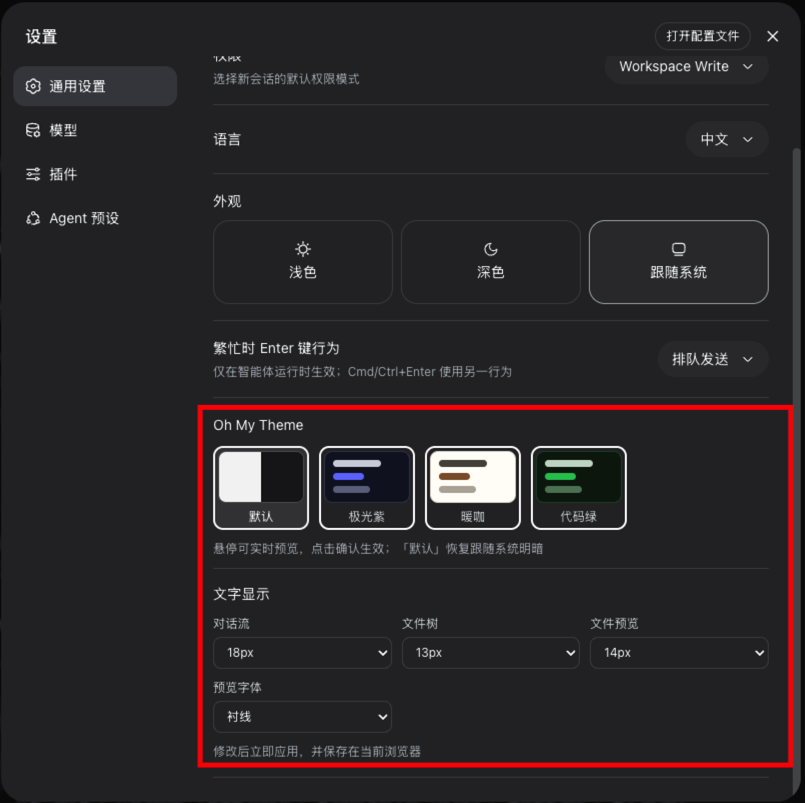 7
7No screenshots
by zhxqc
DeepSeek Harness (dsh) web plugin with themes, global typography, @file mentions, project file tree, and Markdown preview.
★ 7
↓ 305/wk
MIT
JavaScript
Aug 17, 2026
dsh plugin --profile web add dsh-oh-my-theme