

dsh-glass-sidebar
Manifest validFrosted, wallpaper-backed translucent sidebar for the DeepSeek Harness Web GUI - blur and opacity in Settings > General
dsh-glass-sidebar
Frosted, translucent left sidebar for the DeepSeek Harness Web GUI (Desktop and Web), with all three controls in Settings → General.
What it does
The sidebar column becomes a translucent surface over your current Windows
wallpaper, blurred by the browser's backdrop-filter — the same picture the
macOS vibrancy sidebar shows. The centre and right columns keep painting their
own opaque surfaces, so readable content is untouched: only the sidebar (and the
Windows caption band) reveal the backdrop. Changing the wallpaper changes the
glass with it.
Three preference rows appear in Settings → General:
| Row | Range | Default |
|---|---|---|
| Sidebar glass (switch) | on / off | on |
| Frost blur | 0–40 px | 18 px |
| Sidebar opacity | 20–100 % | 62 % |
Changes apply immediately. Turning the switch off restores the stock sidebar exactly: the document attribute and both custom properties are removed, and every rule in the stylesheet stops matching.
The wallpaper backdrop
The window itself stays opaque, so the wallpaper is painted behind the shell rather than seen through the window (that would need Electron window material, which the plugin layer does not expose):
- The Host half reads the applied image from
%APPDATA%\Microsoft\Windows\Themes\TranscodedWallpaper(the file Windows keeps for the current wallpaper, including slideshow rotations), detects its format from magic bytes, and republishes it aslib/assets/wallpaper.<ext>. It re-checks the source every 20 s and rewrites the asset only when the source changed. - The package exports
./assets/*, so the client asset route serves it atplugins/dsh-glass-sidebar/assets/wallpaper.<ext>. - The browser half points
--dsh-glass-wallpaperat that URL — the Host bakes an absolute URL into the page head, and the Client re-probes on window focus with a fresh cache token, so a wallpaper change reaches an open page without a reload (the Host serves the asset withno-store).
When no wallpaper is readable (non-Windows, a solid-colour background, an unreadable file) the backdrop falls back to a painted blue wash, and the plugin never fails: the glass still works.
Storage
The preferences are three .volatile() fields of this plugin's Host Config.
The Client reads and writes them through ctx.configForms, so they persist in the
profile's cordis.patch.yml (the same seam ui-theme uses for the theme and font
sizes) and survive app restarts. Volatile fields update in place, so dragging a
slider never restarts the plugin.
localStorage is deliberately unused: the Desktop app starts the Web server with
--port 0, so the page origin changes between launches.
Implementation notes
- The effect is one stylesheet gated on
html[data-glass-sidebar='on']. It targets the sidebar column through its CSS-module local name (_sidebarCol,_scrollFade), anchors the frame with:has(> [class*='_sidebarCol']), and clears the occupant's own fill through the slot outlet wrapper ([data-slot='sidebar'] > *). Those local names and that wrapper are the only internal details it depends on; if a future release renames them the rules stop matching and the plugin degrades to no visual change, with the switch row showing a "sidebar container not found" note. - The blur never lands on a shell element.
filterandbackdrop-filtermake an element the containing block forposition: fixeddescendants, and the sidebar's Windows caption controls (the collapse toggle and the New Session button) are exactly that: fixed to the window. A blurred column pushed both into the column, where collapsing clipped them away. The blur therefore lives on a fixedbody::beforelayer over the whole window, and the tint sits on the frame, not on the column: one glass surface behind every column means the centre column's rounded corner reveals glass rather than the raw wallpaper, and the caption band is the same surface as the sidebar. - The fallback wash uses the palette tokens
--dsw-static-deepseek-500and--dsw-static-blue-500(both palettes define them) instead of the brand alias, which resolves to a near-neutral in this design system. It only shows when no wallpaper could be published; like the wallpaper, it is painted across the window, so surfaces over the sidebar that use translucent fills (menus, the settings mask) can pick up the tint while the centre and right columns stay opaque. - The switch copies the shipped
Switchprimitive's markup and CSS exactly; the two sliders are nativeinput[type=range]controls using the sameaccent-colorand focus-ring treatment the shell uses for checkboxes. - The Host half injects a tiny
webserver/index-injecthead script with the persisted values so the first paint already has the right state. It contains no CSS; the stylesheet ships with the browser bundle. - A page that receives the plugin without a reload keeps the shell's cached settings document, so the mirror may not serve this namespace until the page is reloaded. The surface still paints with the seeded values; persistence starts working after the reload. Restarting the app always loads everything fresh.
Known limitations
- The backdrop is the wallpaper this plugin paints behind the shell, not the live desktop: the window stays opaque. Reaching Windows Mica/Acrylic would require Electron window control, which the plugin layer does not expose.
- Following a wallpaper change without a reload costs one asset fetch (~the wallpaper's size) at most once a minute, on focus; a page reload always picks the current file up immediately.
- Windows only for the wallpaper itself (it reads the Themes folder). Other platforms keep the painted wash, which still gives a working glass surface.
- A wallpaper whose format changes (
png→jpg) keeps the old asset extension until the page is reloaded; the image then simply falls back to the wash for that session. - Left sidebar only; the right sidebar, terminal and conversation surfaces are out of scope.
- On macOS the shell already has native vibrancy glass; enabling this plugin lays its own tint and blurred wash over that, so the result is a blend of both rather than a replacement.
- The min/max/close strip is Electron's native window-controls overlay: the window paints it above the page with a background chosen when the window is created, so no plugin can make that strip translucent. Everything below it — the caption row and the sidebar — is this plugin's glass.
- Narrow Web windows switch the sidebar to a drawer overlay, where the effect falls back to the stock solid fill on purpose; a collapsed Windows sidebar keeps its stock zero-width behaviour and its controls in the caption row.
prefers-reduced-transparency: reducedrops the wash and the blur and uses a 92 % opaque, blur-free surface.
Install
git clone https://github.com/MrMark019/dsh-glass-sidebar.git
cd dsh-glass-sidebar
npm install        # the Host half imports @deepseek-ai/schemastery
Then install the directory as a local bundle (Plugins → Add plugin, or the profile's plugin manager) and reload the page once so the new browser bundle is served.
A directory/link: install does not install a bundle's own dependencies, so the
npm install step is required: without it the Host row fails to import
@deepseek-ai/schemastery and the plugin stays inactive.
lib/assets/ is generated at runtime from your own desktop wallpaper and is
never committed.
License
MIT — see LICENSE.
Comments
Loading…
Similar plugins
by JianHeShui
Frosted-glass look for the DeepSeek Harness desktop app (translucent page + Windows acrylic window material)
★ 3
MIT
JavaScript
Oct 10, 2026
dsh plugin --profile web add dsh-desktop-glassby omorisunn
Frosted-glass (acrylic) surfaces for the DeepSeek Harness Desktop app - a plugin-only wallpaper blur, no shell change required
★ 0
MIT
JavaScript
Sep 25, 2026
dsh plugin --profile web add dsh-vibrancyby noexcs
Frosted-glass skin for the DeepSeek Harness web UI: pick any image as background, theme colors extracted from it, glassmorphism surfaces.
★ 0
MIT
JavaScript
Aug 16, 2026
dsh plugin --profile web add dsh-skin-glass✦
No screenshots
by H2CO3w
DSH (DeepSeek Harness) plugin — turn an image folder into a frosted-glass global wallpaper, keeping the official palette. 一个 DSH壁纸插件。
★ 1
MIT
JavaScript
Oct 17, 2026
dsh plugin --profile web add dsh-theme-frostby blockman0321
Floating sidebar overlay for DeepSeek Harness: independently rendered workspace/session browser in the official shell.overlay seat, without touching the official sidebar or grid.
★ 1
MIT
JavaScript
Oct 27, 2026
dsh plugin --profile web add dsh-sidebar-overlay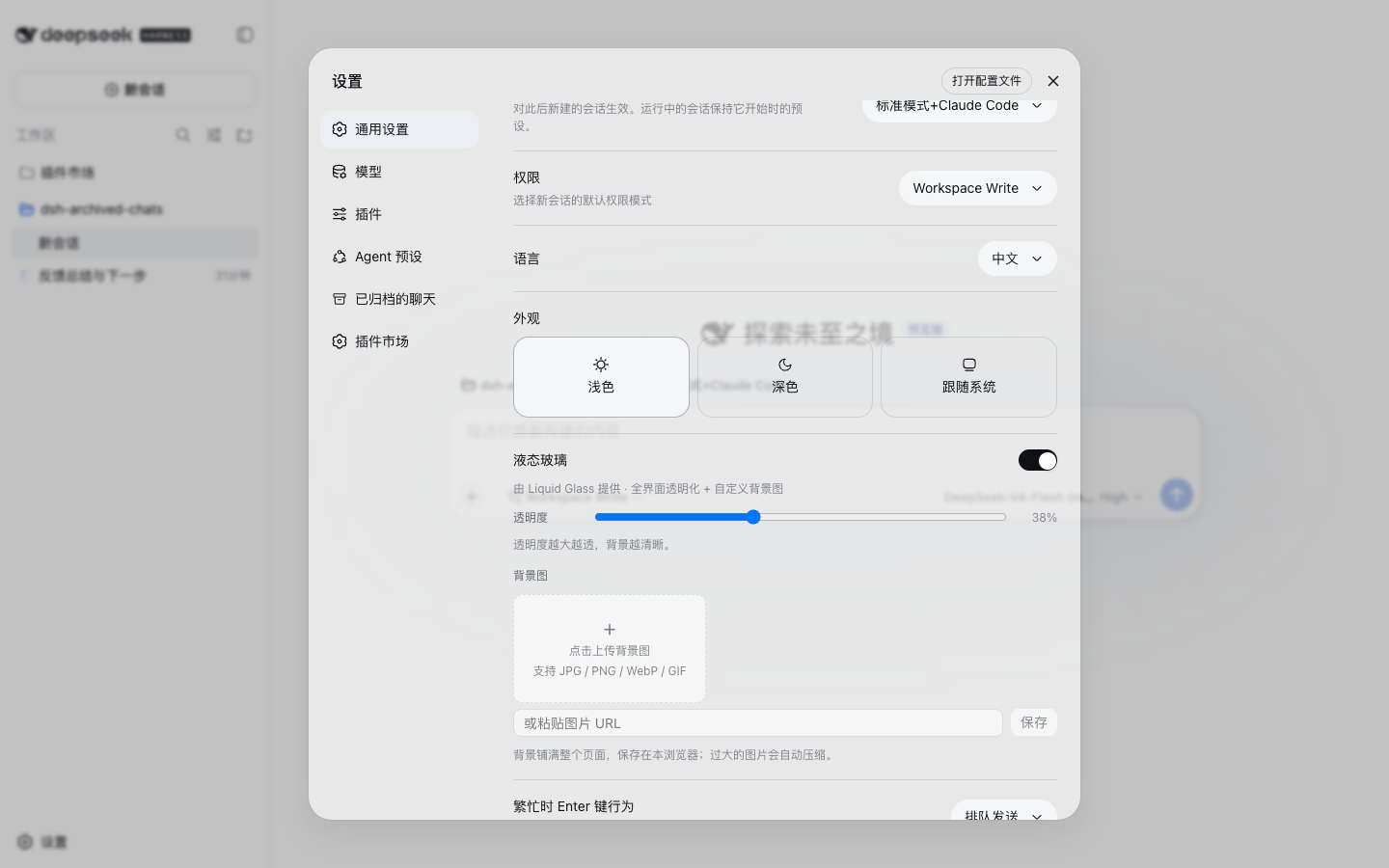 3
No screenshots
by Ultronen
Liquid glass for DeepSeek Harness: full-shell translucency, adjustable opacity, and custom wallpapers.
★ 3
↓ 136/wk
MIT
JavaScript
Sep 4, 2026
dsh plugin --profile web add dsh-liquid-glass