

dsh-mobile-shell
DiscoveredMobile shell layer for the DeepSeek Harness Web GUI: drawer overlay, page lock, no iOS focus zoom, keyboard-aware composer, crypto.randomUUID polyfill.
dsh-mobile-shell
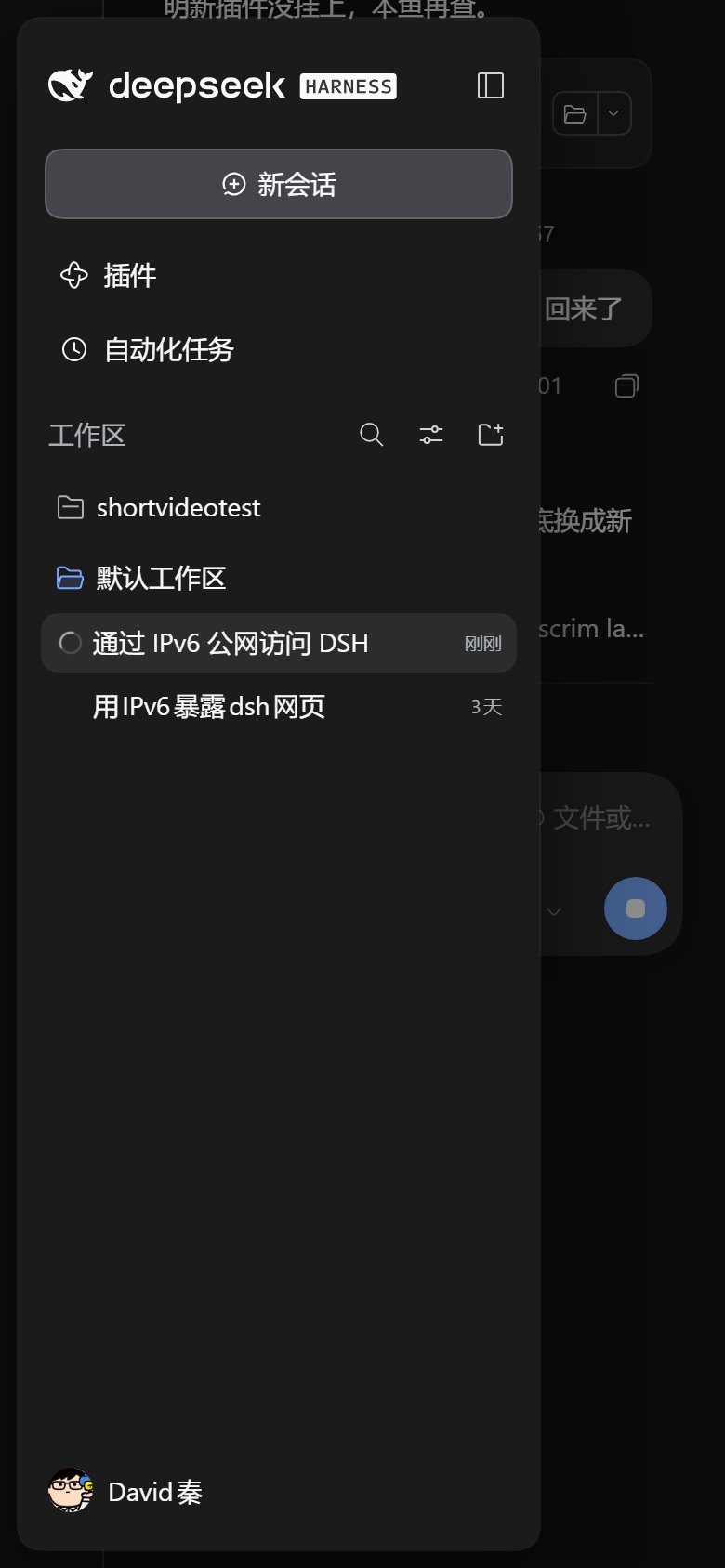
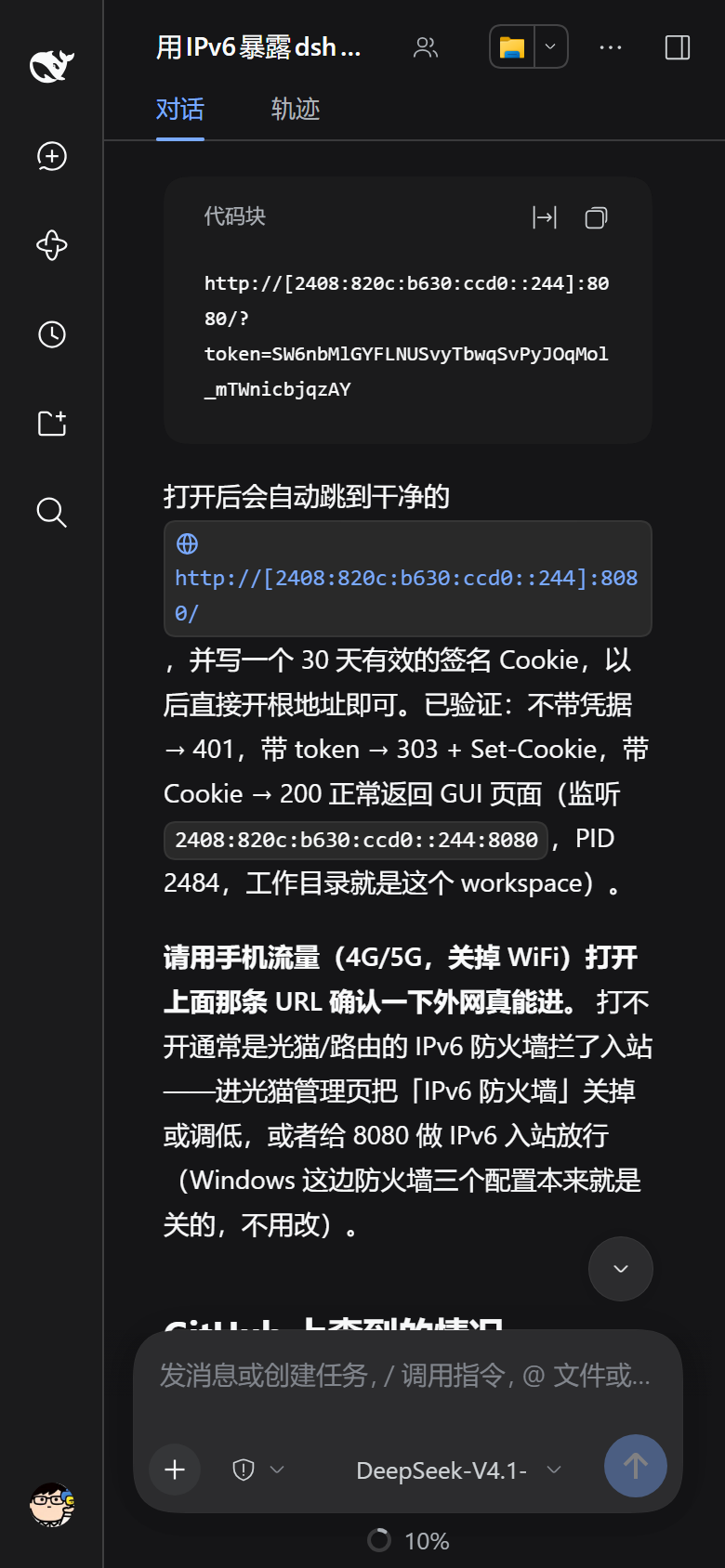
把 DeepSeek Harness 的 Web GUI 在手机上真正用起来:悬浮式侧栏、页面锁死只滚对话、
点输入框不放大、切会话不抢焦点、键盘弹出时输入框贴着键盘上移,并给非安全上下文补上
crypto.randomUUID。顺带还有一个工作区文件浏览器:在手机浏览器里浏览工作区、
下载任意文件、在宿主机的资源管理器里打开当前文件夹。
English: A mobile shell layer for the DeepSeek Harness Web GUI — drawer overlay,
page lock, no iOS focus zoom, keyboard-aware composer, the
crypto.randomUUID polyfill that plain-HTTP (non-secure context) browsing needs,
plus a cookie-authenticated workspace file browser with download and
"reveal in file manager".
为什么需要它
DSH 的 Web GUI 是按桌面设计的:打包后的前端 CSS 里没有任何宽度 media query。 在手机上(尤其是通过公网 IPv6 + 明文 HTTP 打开时)会遇到这些问题:
| 问题 | 原因 | 本插件的做法 |
|---|---|---|
| 前端 RPC 全失败、会话列表空白 | 浏览器只在安全上下文(HTTPS / localhost)暴露 crypto.randomUUID,明文 HTTP 下没有 | 注入标准 UUID v4 polyfill(crypto.getRandomValues) |
| 侧栏展开把对话挤成一条缝 | 外壳是 CSS grid,列宽写在内联样式里,且 grid item 有 overflow: hidden | 固化列宽,侧栏改为覆盖式悬浮卡片 + 遮罩,点外面收起 |
| 上下滑动时整页跟着动 | iOS 页面级回弹 / 地址栏收起;插件统计行还把滚动容器横向撑宽 30px | html/body 钉成视口、页面不可滚,只有对话滚动;隐藏统计行 |
| 点输入框整页被放大 | 输入框是 contenteditable 的 div,字号 14px(< 16px 即触发 iOS 聚焦缩放) | 强制 16px、改写 meta viewport、拦 gesturestart |
| 切会话自动弹键盘 | 会话视图挂载时会 focus() 输入框 | 只保留「用户自己点进去」的聚焦,其余立刻 blur() |
| 键盘挡住输入框 | iOS 不为软键盘缩小布局视口 | 用 visualViewport 算键盘 inset,对话列整体上移 |
另外:切会话时抽屉自动收起、设置弹窗改为全屏 + 顶部分组横滑、触控目标 ≥ 32px。
工作区文件浏览器
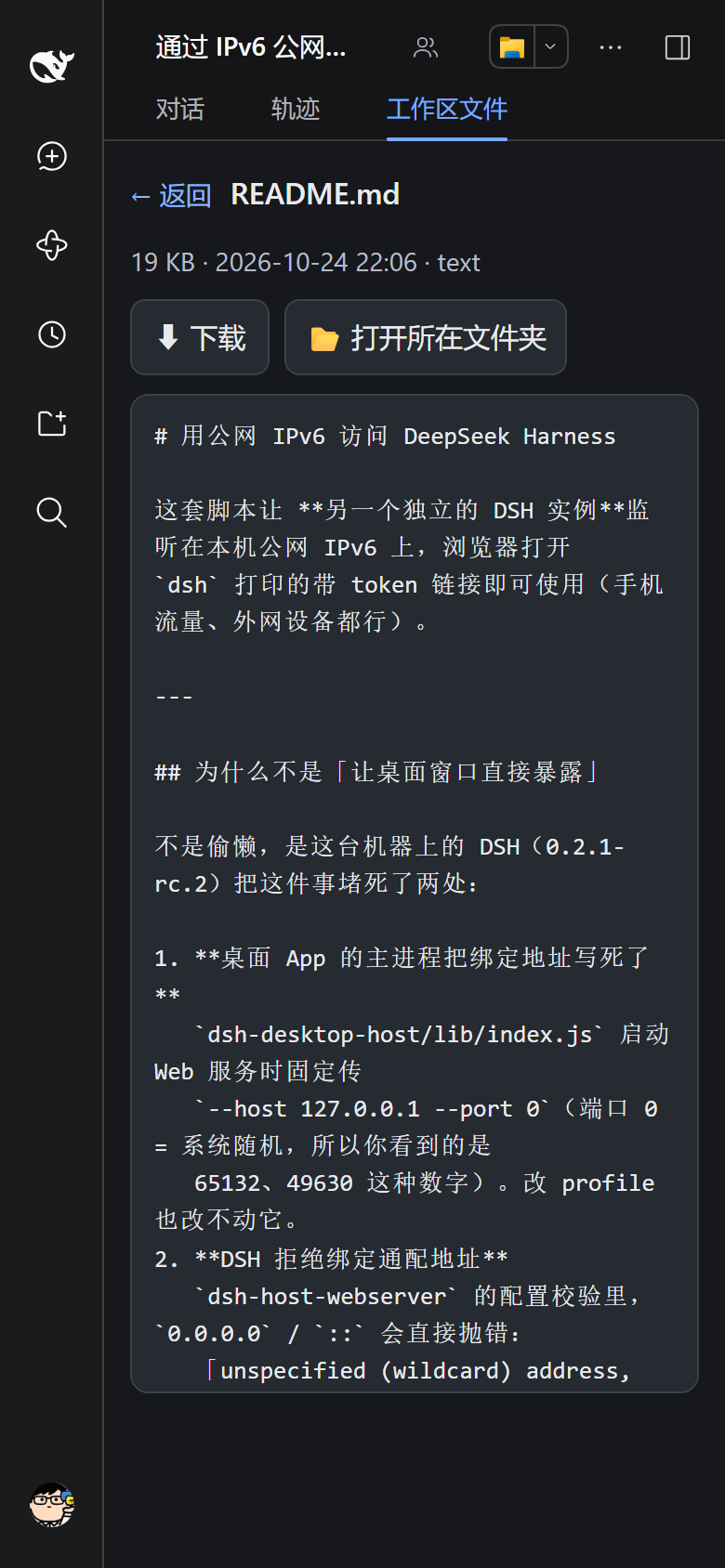
对话区顶部原本是「对话 / 轨迹」两个标签,插件在它们后面追加了第三个: 工作区文件。点它会在对话区里内嵌打开文件浏览页(iframe),点「对话 / 轨迹」就切回去。
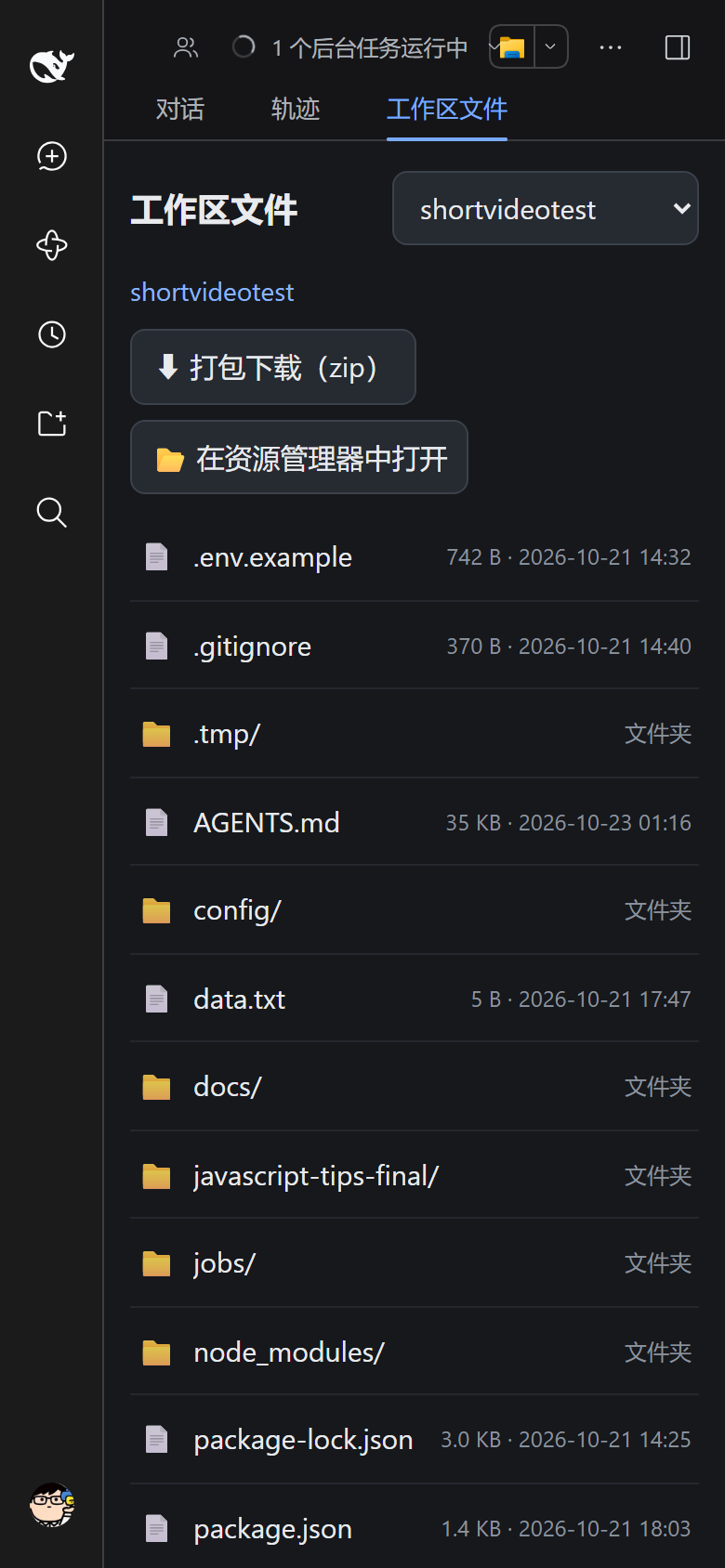
也可以绕过标签直接访问 http://<你的地址>/api/workspace-files。
默认定位到当前会话的工作区:GUI 半边把 dsh.sessions.current 里的 session id 通过
?session= 传给页面,服务端用 workspaceRegistry 的 sessionIds 反查,于是在哪个工作区
聊天就打开哪个工作区(想换就点右上角下拉框;w= 显式指定优先;找不到/超界则回落到第一个)。
标题和 GUI 一致:注册表里默认工作区的标题还是自动生成的 default-workspace,GUI 会用
workspaceDisplayTitle() 把它显示成本地化名称。页面照同一规则处理,所以下拉框里显示的是
「默认工作区」而不是那个英文目录名;其它工作区仍按标题原样显示(标题为空时用目录名)。
页面会跟随 DSH 的主题:它被 GUI 以 iframe 嵌在同一个源里,所以直接读父页面的
body[data-ds-dark-theme] 标记切换深/浅配色(独立打开时退回系统偏好),每秒同步一次,
你在界面里换主题它也会跟着换。页面骨架本身的模板在 assets/files-page.html,和
mobile-fix.css / shell.js 一样每次请求读盘,改样式只需刷新。
| 路由 | 作用 |
|---|---|
GET /api/workspace-files | 网页版文件浏览:工作区切换、面包屑、目录列表;点文件进入预览页 |
GET /api/workspace-files.view?w=&p= | 行内流(content-disposition: inline)+ HTTP Range,给 <img> / <video> / <audio> / PDF 用 |
GET /api/workspace-files.download?w=&p= | 以附件下载文件(content-disposition,中文名走 filename*=UTF-8'') |
GET /api/workspace-files.zip?w=&p= | 把当前文件夹流式打包成 zip(无依赖实现:zlib + 自写 ZIP 容器;文本走 DEFLATE,>64 MB 的媒体走 STORE) |
POST /api/workspace-files.open?w=&p= | 在宿主机的资源管理器 / Finder 里打开该文件夹 |
w 是工作区序号(页面下拉框里的顺序),p 是相对工作区根的路径。
预览
点文件不再直接下载,而是进入预览页(左上角「← 返回」回目录,「⬇ 下载」随时可存):
| 类型 | 预览方式 |
|---|---|
| 文本/代码(md、json、js、ts、css、yml、csv、py、ps1 …) | 内联 <pre>(等宽、可滚动,上限 2 MB) |
| 图片(png/jpg/gif/webp/svg/bmp/avif) | <img> |
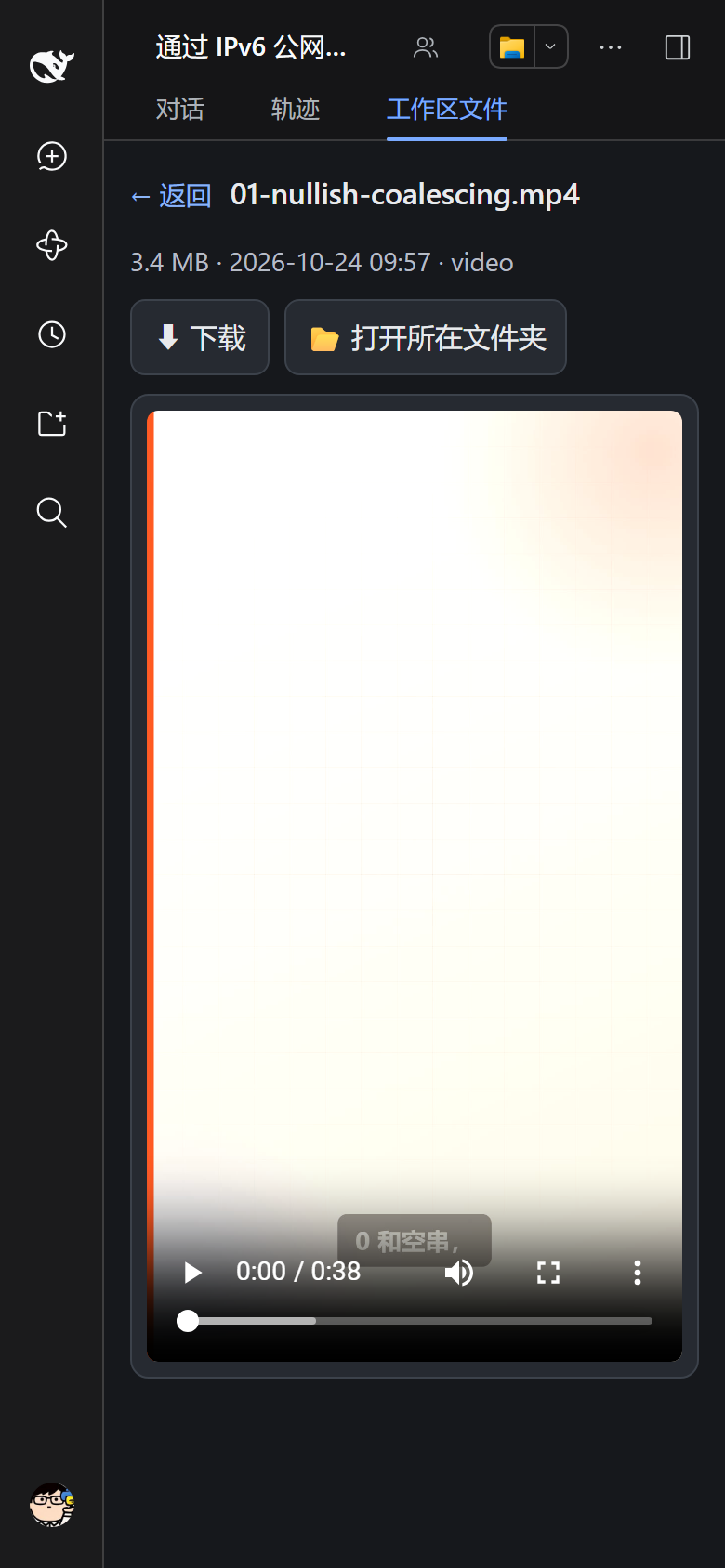
| 视频(mp4/mov/webm/ogv) | <video controls playsinline preload=metadata> |
| 音频(mp3/wav/m4a/ogg/flac) | <audio controls> |
内嵌 <iframe>(Safari 原生渲染) | |
| 其它 | 提示不支持预览 + 下载按钮 |
视频不难,难的是 Range:<video> 要拖动进度条就得有 206 Partial Content,Safari
甚至不给 Range 就不播。workspace-files.view 实现了单区间 Range(bytes=a-b、bytes=a-、
bytes=-n,越界回 416 + Content-Range: bytes */size),所以能直接拖进度条。
zip 的边界(都是明确的报错,不会吐半截坏包):条目数 ≤ 20000、总大小 ≤ 3.5 GiB、不支持
ZIP64;打包前先扫描,超限直接 413。实测 8.7 MB / 177 个文件的目录耗时约 0.5 秒,用
Windows 自带解压器解开后文本逐字节一致、PNG 完好。
安全设计:
- 三个路由都注册在 Connection 的
/api传输上,自动继承同一套 cookie 鉴权与 Host/Origin 栅栏——没有会话 cookie 一律 401,伪造 Host 403; - 每次请求都用
realpath解析并校验「仍在工作区根内」,..、符号链接、跨盘符都会被拒; - 页面标题/文件名全部 HTML 转义,目录列表上限 2000 条;
open只启动宿主机上的explorer.exe/open/xdg-open,不做任何 shell 拼接。
所以它的暴露面和 GUI 本身一致:能登录 GUI 的人,本来就能让 agent 读这些文件。
安装
插件就是一个普通的 DSH bundle(dsh.bundle.patch → cordis.patch.yml),不修改 DSH 本体。
# 从本地目录
dsh plugin --profile web add file:/path/to/dsh-mobile-shell

# 或从 Git
dsh plugin --profile web add git+https://github.com/mengqinlol/dsh-mobile-shell.git

# 开发时用 link:,profile 直接跑源码
dsh plugin --profile web add link:/path/to/dsh-mobile-shell
安装后重启 DSH 服务;之后打开 Web GUI 即生效(没有配置项)。
只针对窄屏(
max-width: 820px)生效,桌面端观感不变。建议配合 HTTPS 使用; 明文 HTTP 下插件只是「让界面能用」,并不会加密流量。
结构
dsh-mobile-shell/
├── package.json             # dsh.bundle.patch → cordis.patch.yml
├── cordis.patch.yml         # 只插入自己这一行,不动任何其它行
├── lib/index.js             # index tap:polyfill + <style> + <script>;挂载文件路由
├── lib/workspace-files.js   # /api/workspace-files(.download|.zip|.open) 四个路由
├── lib/zip.js               # 无依赖流式 ZIP 写入(CRC32 + zlib DEFLATE + central directory)
├── assets/files-page.html   # 文件浏览页模板(每次请求读盘)
├── assets/mobile-fix.css    # 移动端样式(每次请求读盘)
├── assets/shell.js          # 移动端行为 + 抽屉里的「工作区文件」入口(每次请求读盘)
└── test/smoke.mjs           # 挂载插件,断言注入内容 + 文件路由/zip/越权拦截
lib/index.js 通过 webserver 的 tapIndex 钩子改写 index.html;两个资源文件在每次
请求时读盘,所以改样式/前端行为只需刷新页面,不必重启服务。改 lib/*.js(路由、注入
逻辑)需要重启(Node 的 ESM 模块缓存)。
兼容性
- 在 DSH
0.2.1-rc.2(Windows / Electron)上实测。 - 选择器优先用 DSH 的稳定属性(
data-slot/data-composer-card/role="dialog"), 再用:has()做结构定位;个别 hash 类名(BynINW_*、Dc7zOa_*)作为兜底。 DSH 更新后若布局变化,最坏情况是某条修饰失效,不会让页面打不开。 - 不绑定端口、不改 webserver 行:绑定地址始终由
dsh web --host/--port决定。
开发
npm test # 无需依赖:挂载插件 + 断言注入内容
许可
MIT。crypto.randomUUID polyfill 的思路与实现源自
dsh-lan-access(MIT © Leon0555),其余为本项目实现。
Comments
Loading…
Similar plugins
by ericleoo
Mobile-first overlay for the DeepSeek Harness web UI: full-width chat, sidebar-as-drawer, thumb-friendly composer, and safe-area/overscroll polish on touch devices.
★ 0
JavaScript
Sep 9, 2026
dsh plugin --profile web add @ericleoo/dsh-mobileby Yui-Little
Mobile shell UI plugin for DeepSeek Harness web: overlay drawer, full-width conversation, settings sheet, marketplace with hot-load installs.
★ 8
MIT
TypeScript
Aug 21, 2026
dsh plugin --profile web add dsh-mobile-shellby lan450
Mobile layout adaptation for the DeepSeek Harness Web UI — no overflow on phones: overlay sidebar, bottom-sheet pickers, two-row question/plan-review cards, safe-area handling. 手机端 UI 适配插件.
★ 0
MIT
JavaScript
Oct 17, 2026
dsh plugin --profile web add dsh-mobile-uiby ghbhiee
Narrow-viewport drawer shell for the DeepSeek Harness web UI
★ 0
MIT
TypeScript
Aug 18, 2026
dsh plugin --profile web add dsh-plugin-mobile-shellby kaijia323
DSH Web 的移动端外壳插件:抽屉式导航、触控尺寸控件、安全区适配、对话区占满整屏,桌面端行为不变。
★ 1
MIT
JavaScript
Oct 23, 2026
dsh plugin --profile web add dsh-mobile-uiby crwsr124
Mobile experience suite for the DeepSeek Harness web UI — responsive reading layout, composable glass skinning, download affordances for the built-in 0.1.5 files sidebar, and session-state healing. Zero package dependencies.
★ 0
MIT
JavaScript
Sep 22, 2026
dsh plugin --profile web add dsh-mobile-layout