

Deepseek-harness-SSH-toolkit
Manifest valid★ 1SSH remote workspaces for DeepSeek Harness
DeepSeek Harness SSH Toolkit
Run DeepSeek Harness sessions on a remote machine over SSH. Pick any folder on that machine as a workspace, and every shell / file / search tool call executes there instead of on your laptop.
An independent, DSH 0.2-native continuation of dsh-ssh/dsh-ssh — see CREDITS. Not a mirror of upstream commits.
Why this one
- Works on current DSH (0.2.x). Hosts live in a real storage domain, the client uses the 0.2 Typert + primitives contracts, and the settings page is built from the current component set.
- Import the hosts you already have. The scanner reads
~/.ssh/config,~/.ssh/config.d/*andIncludechains — the same file VS Code Remote-SSH uses — and imports user, port and key path in one click. - One package, no monorepo. Host code, client bundle, tests and docs in a small, navigable tree.
- Same-name tools, zero prompt surgery.
bash,read,write,edit,read_image,globandgrepkeep their official names and arguments; routing depends only on the session's cwd.
Features
| Host manager | Add, edit, test, remove hosts from Settings → SSH Connections, including an optional jump host. Password is write-only in the UI. |
| Jump hosts | Chain hops through ProxyJump host references (cycle-checked), or run an OpenSSH-style ProxyCommand locally; the terminal follows the same chain with ssh -J / -o ProxyCommand. |
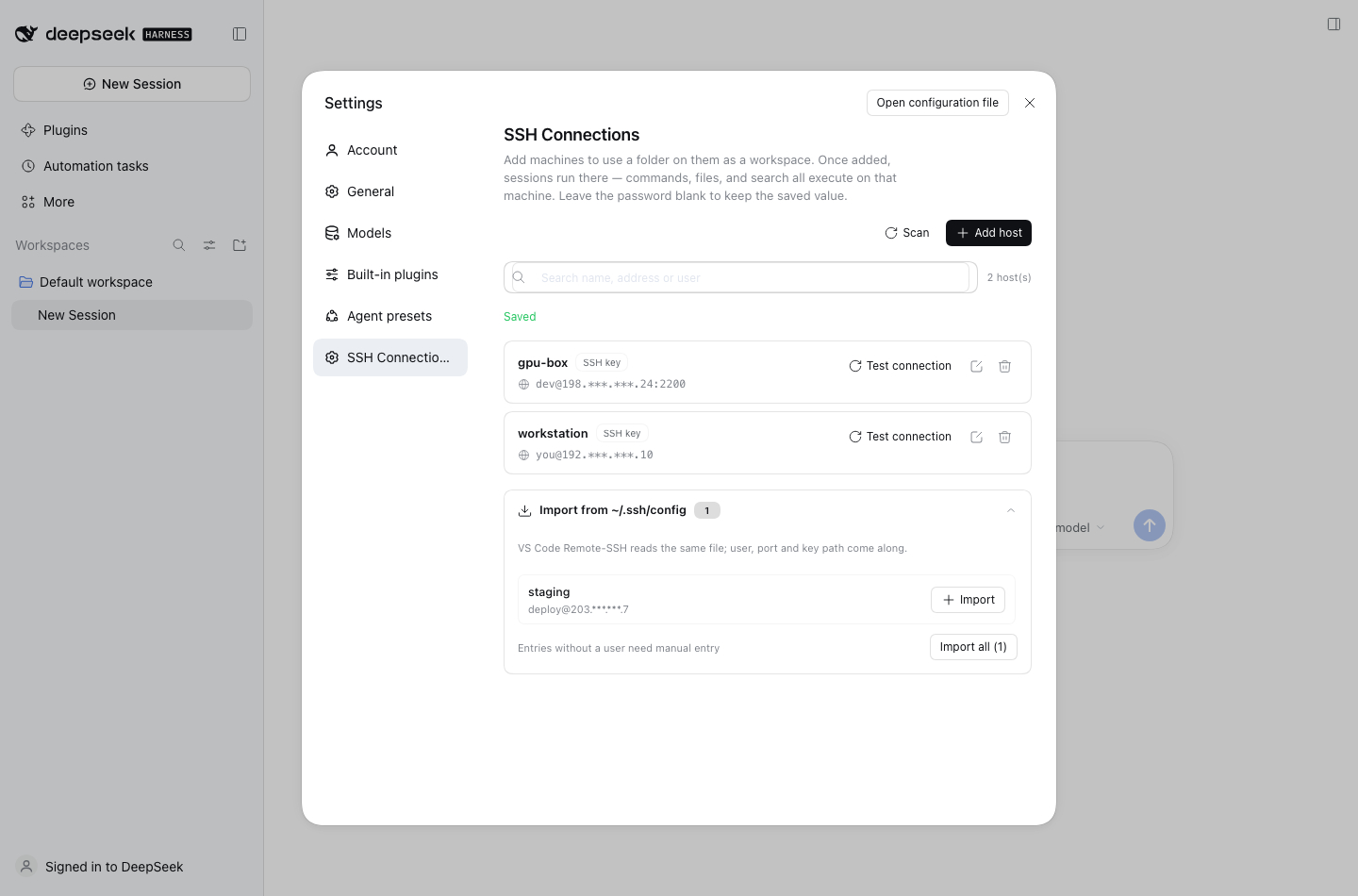
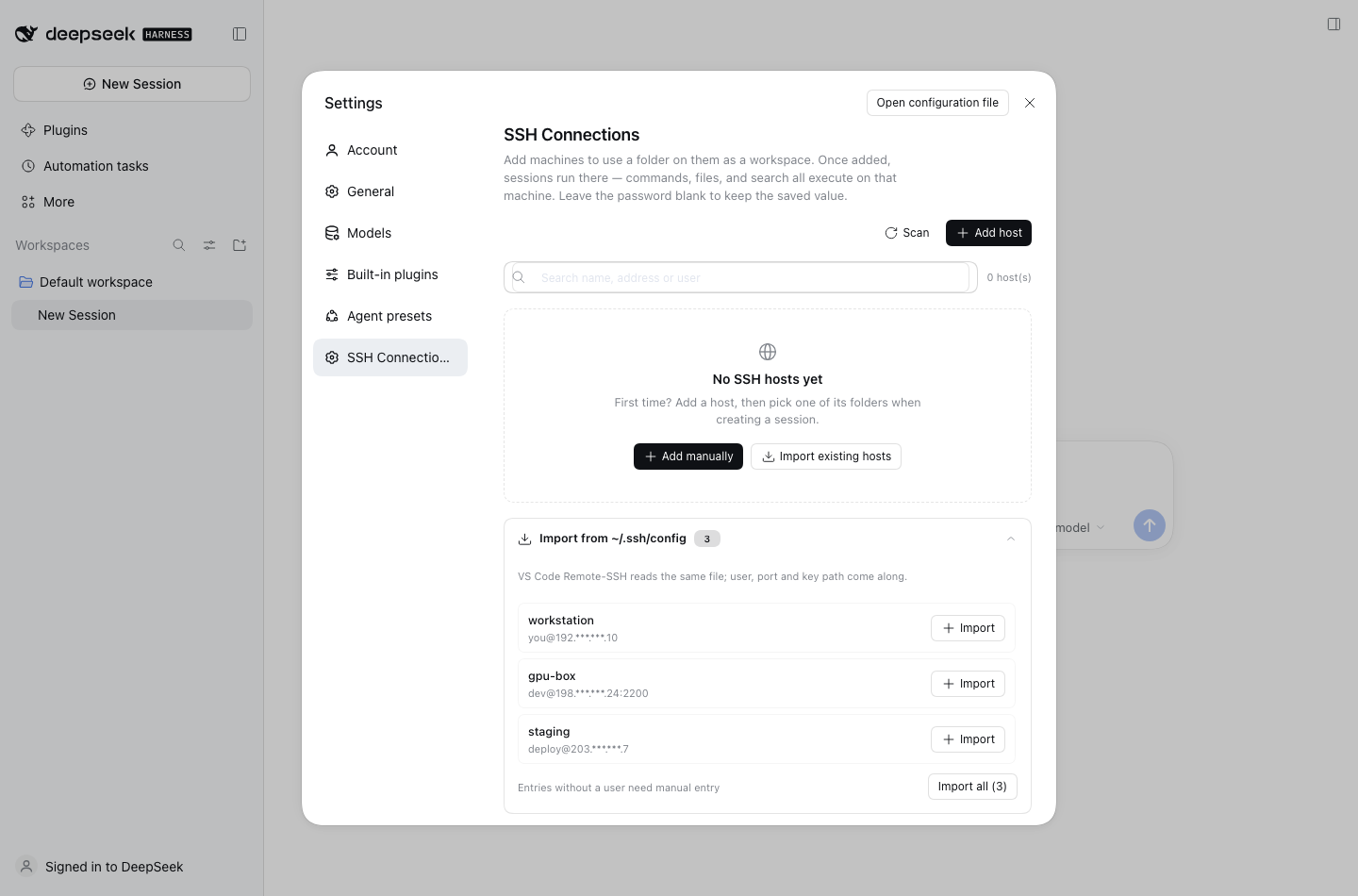
| Config import | Scans ~/.ssh/config (+ config.d, Include) and imports in bulk; entries without a User are flagged instead of silently broken. |
| Seven routed tools | bash, read, write, edit, read_image, glob, grep — same schemas, executed over SSH. |
| Remote workspaces | Browse a remote directory, pick it, get a local placeholder workspace; deleting the workspace cleans the placeholder up. |
| Uploads | Attaching a file in a remote workspace writes the bytes into the remote directory (collision-safe names) while keeping the message attachment card. |
| UI parity | The Files sidebar lists/previews the remote tree over SFTP, and the Terminal panel opens a remote shell (ssh -tt), reusing the official terminal for resize/scrollback. |
| Background jobs | run_in_background plus job_list / job_output / job_kill run on the remote host. |
| Sandbox parity | The three sandbox modes fence remote tool calls the same way they fence local ones. |
| Trust on first use | Unknown host keys show a fingerprint dialog; later connections verify known_hosts. |
| Resilient transport | Connection pool with reconnect, atomic remote writes, SFTP → exec+base64 fallback. |
Requirements
| DSH | 0.2.1-rc.5 (desktop and web profiles) |
| Node | ≥ 22 |
| Remote OS | Linux or macOS (sshd only, no agent to install) |
| Auth | key (path or ssh-agent) or password |
| Topology | multi-hop via ProxyJump or ProxyCommand |
Install
From a checkout:
git clone https://github.com/MaiwulanjiangMaiming/Deepseek-harness-SSH-toolkit.git
dsh plugin --profile desktop add ./Deepseek-harness-SSH-toolkit
or straight from GitHub:
dsh plugin --profile desktop add github:MaiwulanjiangMaiming/Deepseek-harness-SSH-toolkit
Use --profile web for a headless web setup. If pnpm reports
ERR_PNPM_ADDING_TO_ROOT, append -w. Then fully restart DSH and open
Settings → SSH Connections.
The plugin is additive: local workspaces behave exactly as before, and removing
it (dsh plugin --profile desktop remove dsh-ssh-toolkit) leaves DSH untouched.
Quick start
- Settings → SSH Connections → Import from ~/.ssh/config (or Add host).
- Test the connection once; confirm the host key fingerprint on first use.
- New session → pick the host → browse to a folder → it becomes the workspace.
- Everything the agent runs now happens on that machine.
How it works
index.js              host entry: sshPool service, hosts domain, routing hook
client.js             Settings page (settings.section slot, Typert client)
cordis.patch.yml      profile bundle row
src/hosts/            domain.js (schema + storage), model.js (merge/redact),
                      config-scan.js (~/.ssh/config importer)
src/ssh/              pool.js (ssh2 pool, TOFU, reconnect), exec-fs.js
src/tools/            tool registration + bash/fs/search implementations
src/remote/           Typert contract + host service (settings-page RPC)
src/workspace/        router.js (placeholder paths), placeholder.js
src/jobs.js           remote background jobs
src/policy.js         sandbox fence
src/compat/           UI bridge: remote Files sidebar + terminal
test/                 307 unit tests (node:test)
Hosts are stored as records in the dsh_ssh_hosts storage domain
(~/.dsh/storages/dsh_ssh_hosts.json). The settings page talks to the host over
a small Typert remote (ssh/listHosts, saveHost, deleteHost,
testConnection, scanSshConfig, plus the remote-workspace calls), so no
settings namespace is exposed to the wire.
Notes and limits
- Passwords are stored in plaintext in
dsh_ssh_hosts.json(same trade-off as upstream). Prefer keys; the private key itself is never copied. - Terminal jump chains use the local
ssh -J, so hop credentials come from your system ssh config/agent (the stored password applies to the target only). ProxyCommandruns a local/bin/shcommand from your host configuration — the same trust model as OpenSSH. It is never executed for a host you did not configure.- Remote
grepuses GNU grep, so ignore rules differ slightly fromrg. - Windows remotes are not supported.
- The Files header still shows the local placeholder path (reads/writes go to the remote path); the terminal uses the local
sshclient. - Uploads write into the remote workspace; the attachment card still references the local staged copy for the model.
Troubleshooting
Connection test fails
Check host, port and user; confirm sshd runs and the port is reachable. Keys must be 600 and
paths should avoid spaces. A desktop app launched from Finder may lack SSH_AUTH_SOCK; the plugin
then falls back to ~/.ssh/id_ed25519 → id_ecdsa → id_rsa. Set an explicit key path if neither
is available.
Files sidebar stays on "Reading…" Confirm the plugin loaded with the profile (restart DSH), the directory exists and is readable. The panel polls metadata every 3s, so a slow link takes a moment on first load.
Terminal asks for a password or a host-key confirmation
It is a plain local ssh -tt; OpenSSH handles auth. Key/agent auth does not prompt. The terminal's
known_hosts is the system one — separate from the plugin's TOFU dialog in Settings.
Does opening a huge file download all of it?
No. Text previews fetch the current page with a remote awk window (falling back to a 32 MB-capped
full read); image/PDF previews are bounded full reads.
Where does an uploaded file go?
Into the remote workspace root, with collision-safe names (report (1).pdf). A local staged copy is
kept for the model's attachment card. Uploads are buffered in memory and capped at 256 MiB.
Roadmap
See TODO.md for the prioritized backlog: Windows remote support, streaming uploads/downloads, credential storage, multi-hop terminal credentials, E2E with a Docker sshd, and release automation.
Development
pnpm install
pnpm test          # node --test test/*.test.js
pnpm selfcheck     # validates the client bundle + Typert descriptors
pnpm pack          # produces the publishable tarball
The client bundle is hand-authored (client.js) and mirrors the Typert
contract in src/remote/contract.js; pnpm selfcheck fails if the two drift.
License
MIT — see LICENSE. Original work Copyright (c) 2026 dsh-ssh; this continuation Copyright (c) 2026 Maiwulanjiang Maiming.
Comments
Loading…
From the same category
DeepSeek Harness plugin for Reactive Resume: bridges your resumes and job applications into a Harness session over MCP.
★ 41.7k
↓ 215/wk
MIT
Aug 24, 2026
dsh plugin --profile web add dsh-plugin-reactive-resumeby dsh-market
The plugin market inside DeepSeek Harness — browse, search, one-click install · DSH 可视化插件市场
★ 10.1k
↓ 361.7k/wk
MIT
TypeScript
Nov 1, 2026
dsh plugin --profile web add dshmarketby Tencent
Let AI agents use your real, logged-in browser without interrupting your work. CLI + extension for browser automation across any shell-capable AI agent.
★ 9.9k
↓ 12.3k/wk
MIT
TypeScript
Nov 1, 2026
dsh plugin --profile terminal add @wxg-prc-cpg/browser-skill-dsh-pluginby yjh051108
dsh-routing-suite — injector + router-standard kit: install the runtime injector first, then the task-aware reasoning-mode router preset (measured P1-P23).
★ 7k
MIT
JavaScript
Sep 18, 2026
dsh plugin --profile web add @dsh-external/dsh-super-injectorby superdesigndev
OpenRouter for agent tools. Join community here: https://discord.gg/6mQYYfFMAn
★ 7k
NOASSERTION
Python
Nov 1, 2026
dsh plugin --profile web add treg-dshby Q00
Agent OS: the agent gets smarter on its own. We just hold the line: Interview-gated, staged evaluation, budgeted evolution loop. MCP server, 14 runtimes: Claude Code, Codex CLI, Gemini CLI, OpenCode,
★ 6.3k
MIT
Python
Nov 1, 2026