
dafish-clean
IdentifiedUnofficial graphical panel for the local Mole CLI on macOS: live system health, cleanup previews with explicit confirmation, disk analysis, app inventory, maintenance, cleanup history, and a guided Ho
大肥鱼 clean
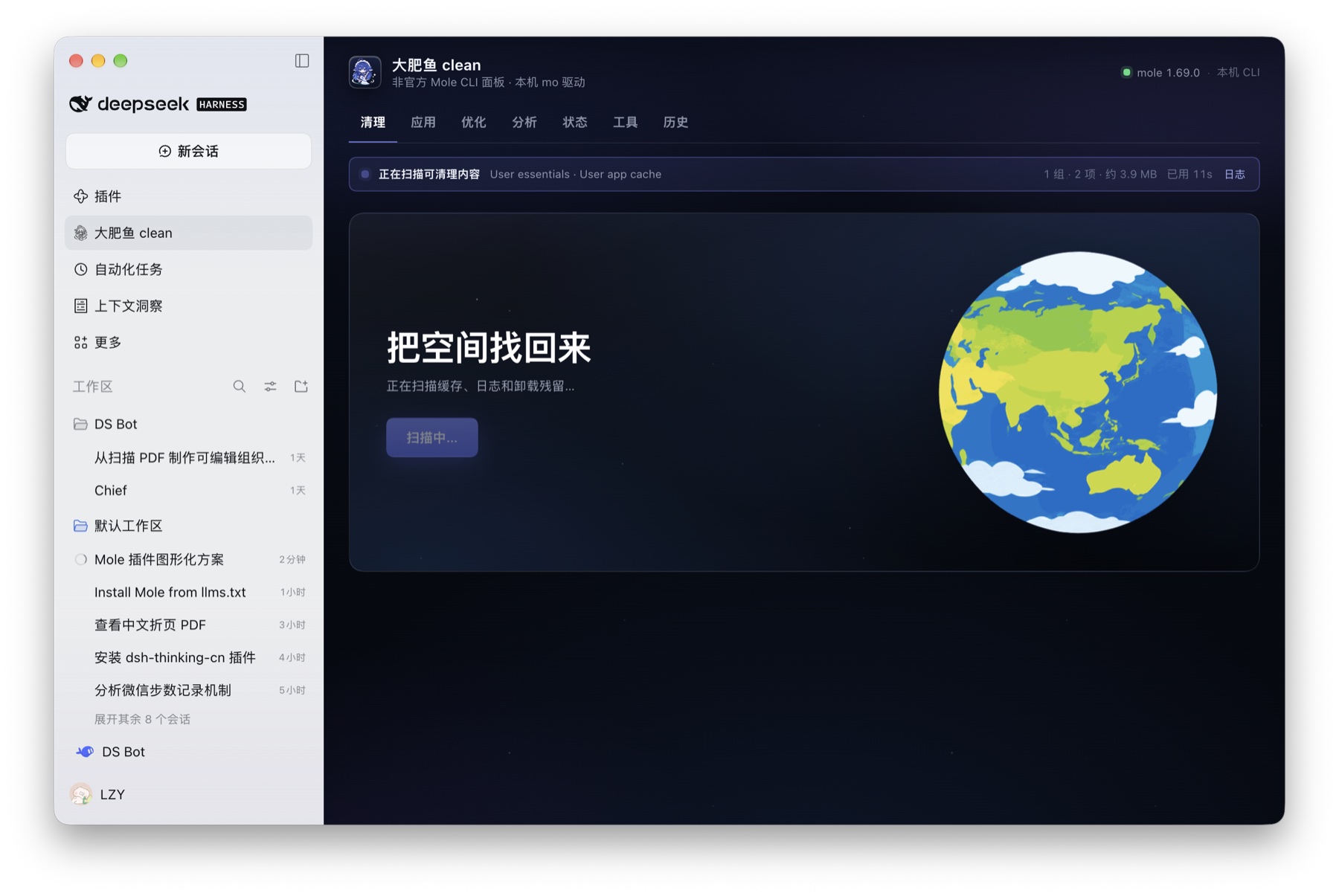
Big Fat Fish clean — an unofficial, immersive panel for the local Mole CLI inside the DeepSeek Harness Web UI. It covers the same ground as the CLI from one dark panel: system health, cleanup previews with explicit confirmation, disk analysis, app inventory, maintenance, cleanup history, and a guided Mole CLI install.
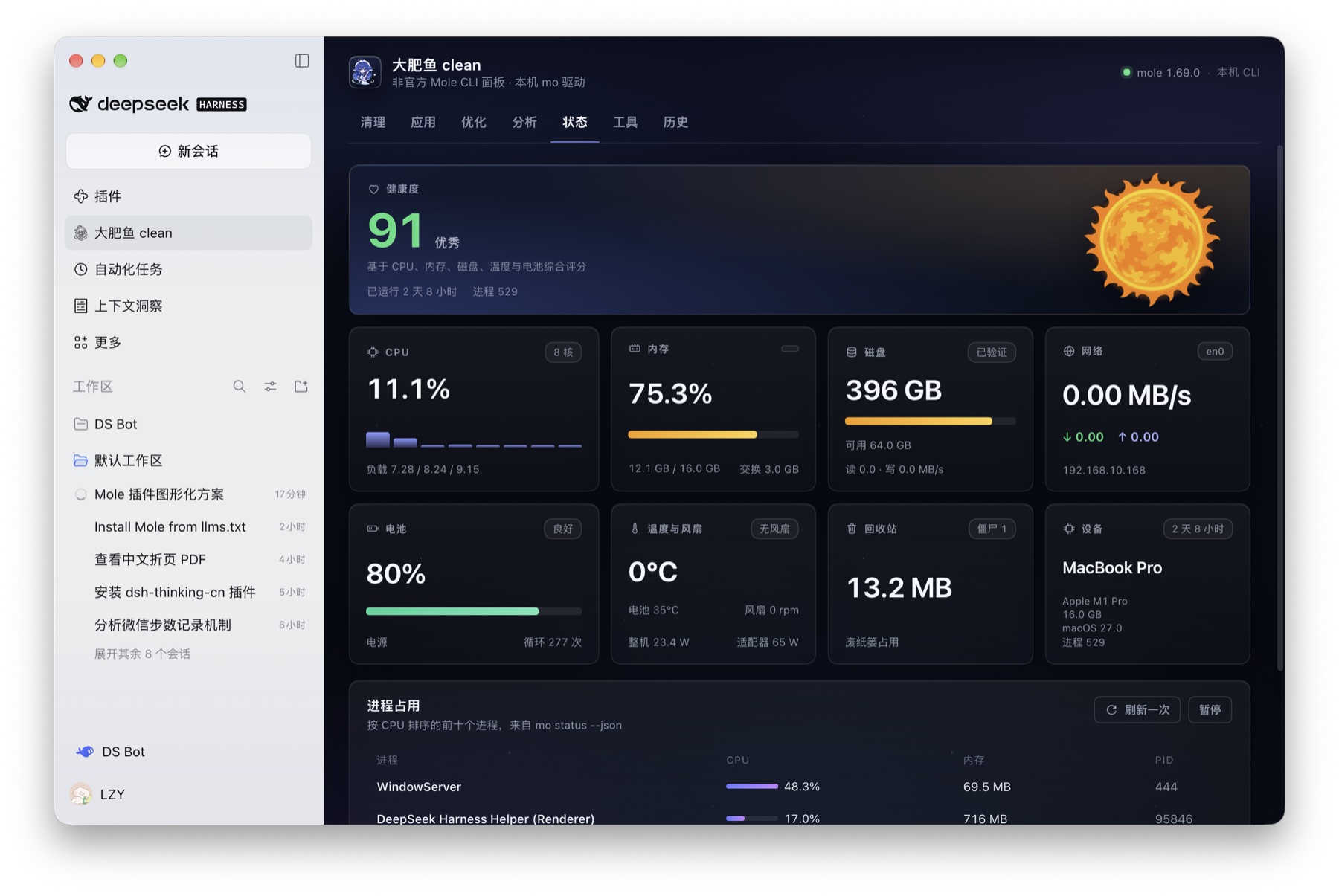
Unofficial and not affiliated with the Mole project. The display name is intentionally distinct from Mole; Mole CLI is credited below. No Mole code or assets are bundled — the plugin runs the
molebinary you install yourself.
Install
dsh-market / Plugins (after listing): open Plugins → Plugin Market, search for Big Fat Fish clean / 大肥鱼 clean, and click install.
From GitHub source (no build scripts):
dsh plugin --profile <profile> add github:lzyxczw-cyber/dafish-clean
Or install the release tarball:
dsh plugin --profile <profile> add https://github.com/lzyxczw-cyber/dafish-clean/releases/download/v1.0.1/dafish-clean-1.0.1.tgz
npm: the package name is reserved as dafish-clean; npm publication is
pending this account's npm login. Until then use one of the GitHub sources above.
After installing, refresh the DSH page (restart the host if it asks to) and open 大肥鱼 clean from the sidebar.
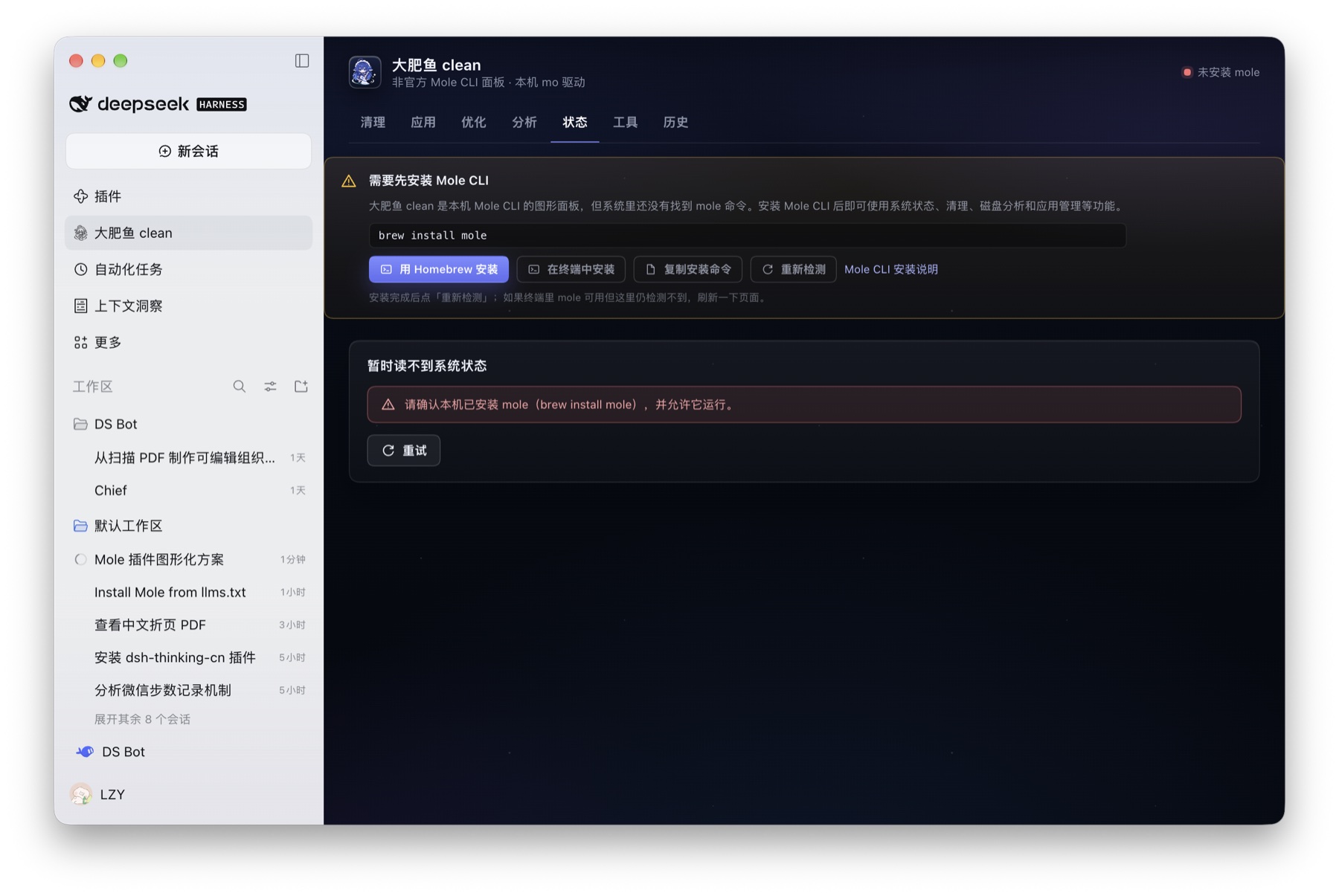
Requirements and guided install
- macOS and the Mole CLI. The panel looks for
molein Homebrew,/usr/local/bin,~/.local/bin, orMOLE_BIN. - When the CLI is missing, the panel shows an install guide instead of failing:
- One-click install with Homebrew: runs
brew install moleas a background job, streams Homebrew's own output in the live progress line and re-checks automatically. It never runssudo. - Fallbacks: install in Terminal, copy
brew install mole, or (without Homebrew) copy Mole's official install script, then Check again.
- One-click install with Homebrew: runs
- The plugin is macOS-only today (terminal hand-off uses
open/ Terminal).
Tabs
| Tab | What it runs | Safety |
|---|---|---|
| Status | mole status --json, refreshed every 3 s | read-only |
| Clean | mole clean --dry-run, then an explicit confirm to run mole clean | preview before removal |
| Apps | mole uninstall --list and mole uninstall --dry-run <app> | removal handed to Terminal |
| Optimize | mole optimize --dry-run, then an explicit confirm to run mole optimize | preview before maintenance |
| Analyze | mole analyze --json <path> with a treemap and drill-down | read-only |
| Tools | mole purge / installer / slim --dry-run | removal handed to Terminal |
| History | mole history --json --limit 60 | read-only |
Design
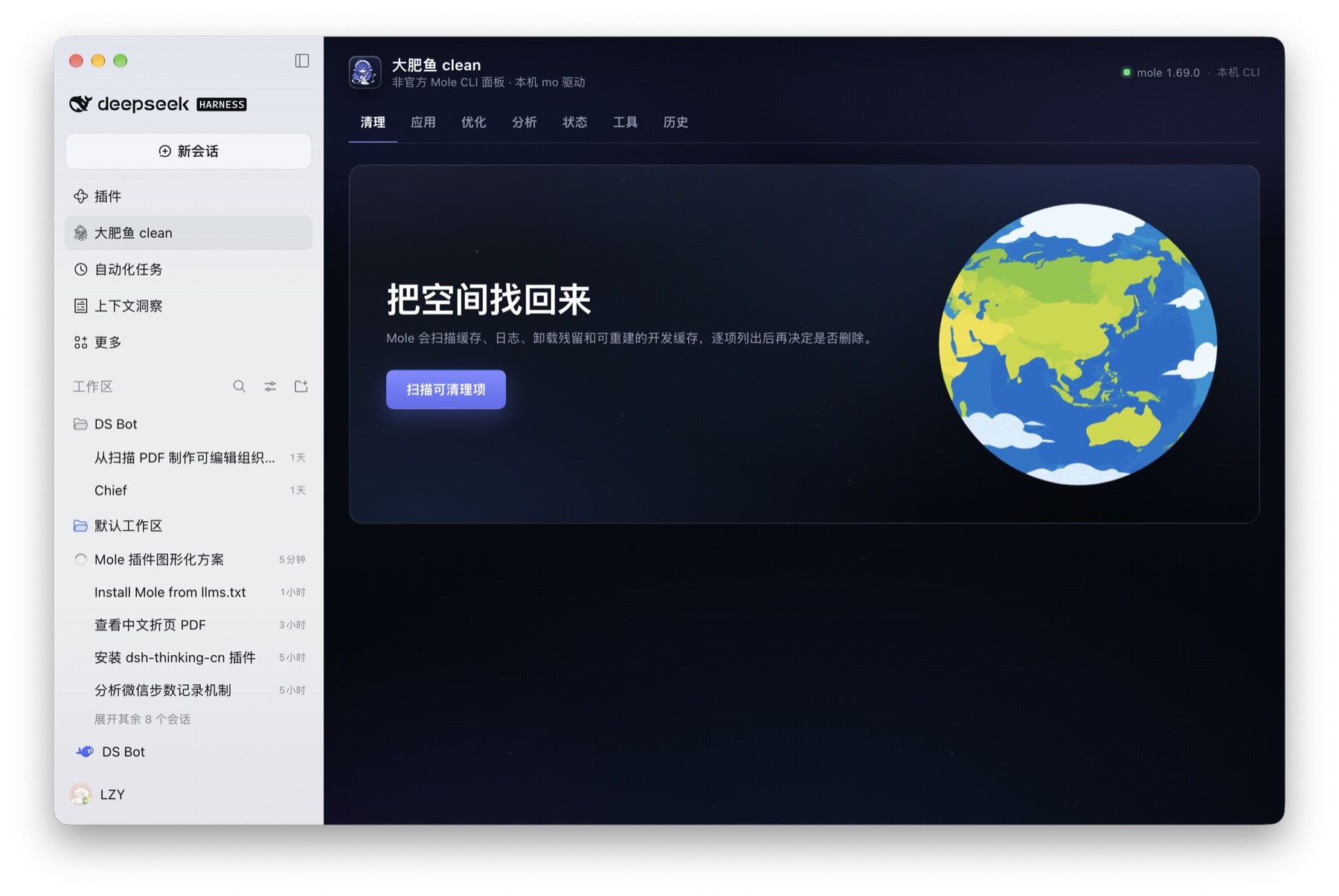
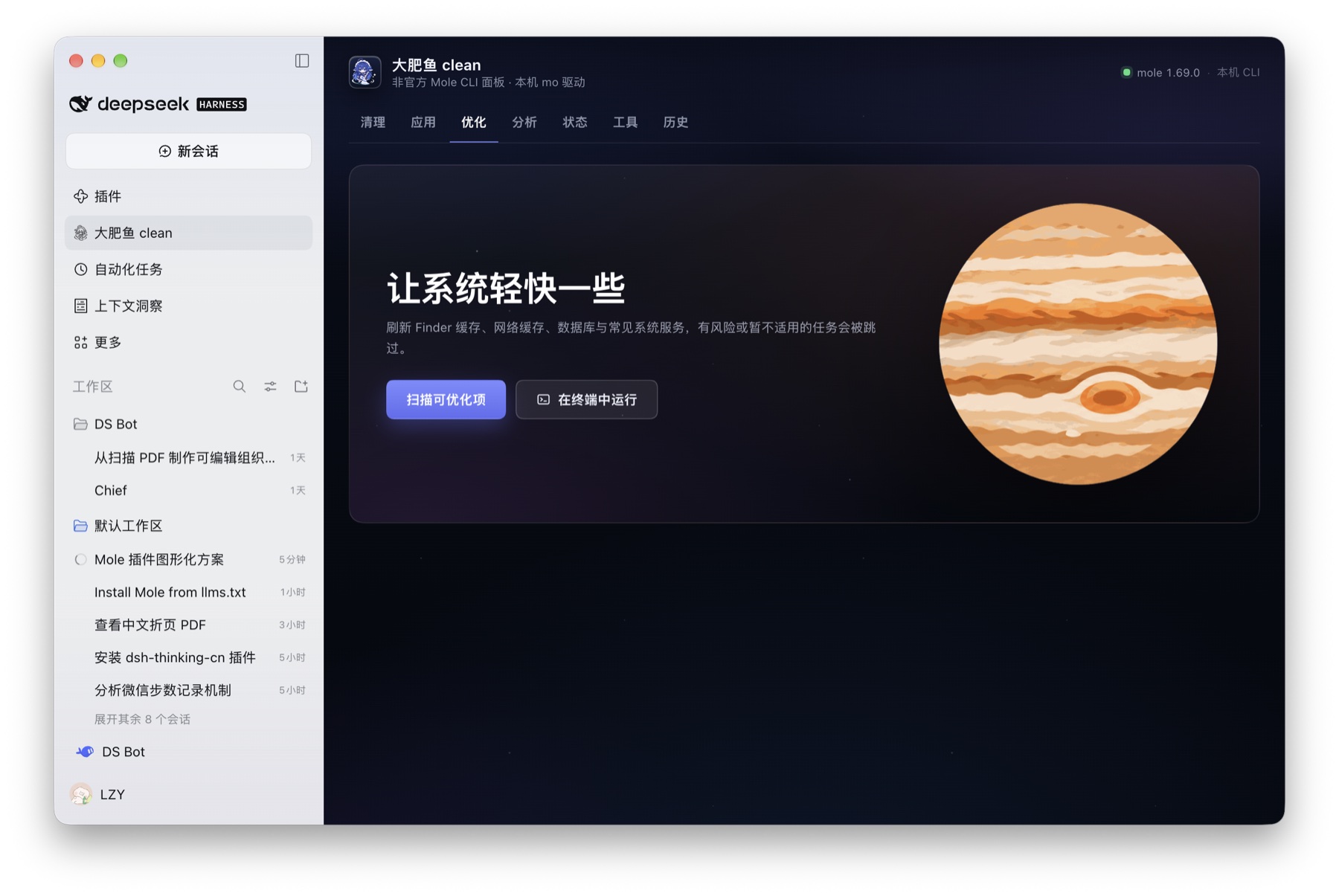
The panel is built to feel like a page of the Harness window rather than a separate application: a Harness-style page header with an underline tab row, the same spacing and type rhythm as host pages, fluid card grids that adapt to the main column, and a full-bleed dark space background with user-supplied planet illustrations. It does not copy Mole for Mac's window chrome or tab bar.
- Live progress: every long operation (previews, real clean/optimize, disk analysis, Mole CLI install) starts a background job. A single status line shows the current group/item from Mole's own output, counters, and a continuously updating elapsed time; a log toggle expands the recent output.
- Scan and analysis results are localized to Chinese: the CLI only prints English, so the panel maps Mole's own group names, task names, statuses and summaries to Chinese while leaving real file paths, app names and process names untouched.
- Tab switching keeps the running state and completed results: the panel state lives in a persistent store, so leaving a tab or the panel and coming back does not reset buttons or lose results.
- Artwork (Earth/Jupiter/Sun, mascot/line-art icons) was supplied by the plugin owner and embedded in the client bundle; no Mole application assets are redistributed.
Safety model
- Reads run automatically; every destructive surface is previewed with
--dry-run. clean,optimizeandpurge --yesonly run after an explicit confirmation dialog. The panel never runssudo; system-level cleanup is left to the user's Terminal.- App uninstall, installer removal, slim and whitelist editing open a generated
.commandfile in Terminal.app instead of pretending those steps can be automated. - A job lock prevents overlapping destructive or same-kind scans.
- Mutating local routes require same-origin requests plus the
x-dsh-moleheader.
Trademark, licensing and asset provenance
This is an unofficial integration, not a fork of Mole and not affiliated with or endorsed by the Mole project.
- Mole CLI belongs to tw93/Mole and is
licensed under GPL-3.0. This package bundles no Mole code, binary, skill,
logo or Mole-for-Mac assets. It executes the user's own installed
molebinary as a separate process and reads its JSON/text output. - "Mole" name: the Mole project states that its name and logo are trademarks and that GPL covers code, not the brand. This package uses the name only descriptively ("for the Mole CLI") and is not published as an official Mole product.
- Mole for Mac (
mole.fit) is a separate proprietary app with its own reserved name and assets. No assets from that app are included. - User-supplied artwork:
assets/mascot*.png,assets/planet-*.pngandicon.pngcome from images provided by the plugin owner. Their rights are not established by this package; confirm the license before redistributing.
License
MIT for this plugin's code. Mole CLI is GPL-3.0 and is not part of this package.
Versions
| Latest version | Published | Size |
|---|---|---|
| 1.0.3 | — | — |
Comments
Loading…
Similar plugins
by zsyu9779
Unofficial cross-platform desktop app for DeepSeek Harness. Native Wails shell for the DSH Web UI on macOS, Windows, and Linux.
★ 8
↓ 83/wk
MIT
Go
Aug 21, 2026
dsh plugin --profile web add @aaravarr/dsh-subagent-maxby kingcharleslzy-ai
Community-maintained dsh-purge fork with host-policy patches, prompt and rule settings, diagnostics, separate update-check and install controls, and local backup/rollback.
★ 6.3k
MIT
JavaScript
Nov 8, 2026
dsh plugin --profile web add dsh-purge-communitymacOS desktop shell for the DSH web UI: a plugin plus a small Tauri/WKWebView window over the loopback web surface — real macOS fullscreen, single instance, external links delegated to the system brow
★ 0
dsh plugin --profile web add dsh-desktop-kitDSH environment management: auto-installs a Rust/Tauri desktop host (downloaded per-OS from dsh-desktop-host releases, source build as fallback), one-click runtime updates, Windows platform compatibil
★ 0
↓ 133/wk
dsh plugin --profile web add dsh-desktop-toolsby Icather
DSH 纯净桌面壳:双击像普通软件一样一键启动,后端活性实时监测 + 托盘快捷启停,零视觉改造。Clean desktop shell for DSH — one-click launch like a normal app, live backend monitoring with quick tray start/stop, zero visual changes.
★ 7
↓ 244/wk
MIT
JavaScript
Nov 10, 2026
dsh plugin --profile web add dsh-clean-desktop-shellby wangyong1972
Native macOS computer-use plugin for DeepSeek Harness with trusted mouse/keyboard control, screenshots, and multi-display selection.
★ 0
MIT
TypeScript
Aug 23, 2026
dsh plugin --profile web add @wangyong1972/dsh-computer-use-macos