

dsh-sidebar-buttons
Manifest valid★ 3A plugin for managing the buttons in the lower-left sidebar of DeepSeek Harness: drag to reorder, show/hide controls, hide buttons into the "More" menu, and unify button height.
dsh-sidebar-buttons
English | 简体中文
A DeepSeek Harness plugin. Takes over the buttons at the bottom of the left sidebar: drag to reorder them, put each one into one of three display states, and give them all the same height.
Compatibility
Tested on DSH 0.1.5-rc.1 (web profile). Also runs on 0.1.2-rc.1 — those two
releases are what dsh.engines.dsh in package.json declares, so a host or
plugin manager can read the same range without parsing this file.
Everything happens in the browser. The plugin re-registers entries in the
sidebar.footer.action slot — a documented slot — and never touches the DSH
core or another plugin's files, so uninstalling it restores the original
sidebar.
Install
-
Add the plugin:
dsh plugin --profile web add github:lywusichen/dsh-sidebar-buttons -
Restart DSH.
-
Open Settings → Sidebar Buttons.
What it does
- Lists every button currently registered in the sidebar foot. Drag a row to change the order; the sidebar updates as you drop it.
- Each button has three display states:
- Show — pinned in the sidebar, as usual.
- Fold into More — moved into a "More" button above Settings. The More button only exists while at least one entry is folded, and folded buttons stay fully usable from its menu.
- Hide — gone from both the sidebar and the More menu. Only the settings page can bring it back.
- Buttons from different plugins come in different sizes. Pick one height for all of them, keep each button's own size, or type a custom pixel value.
Screenshots
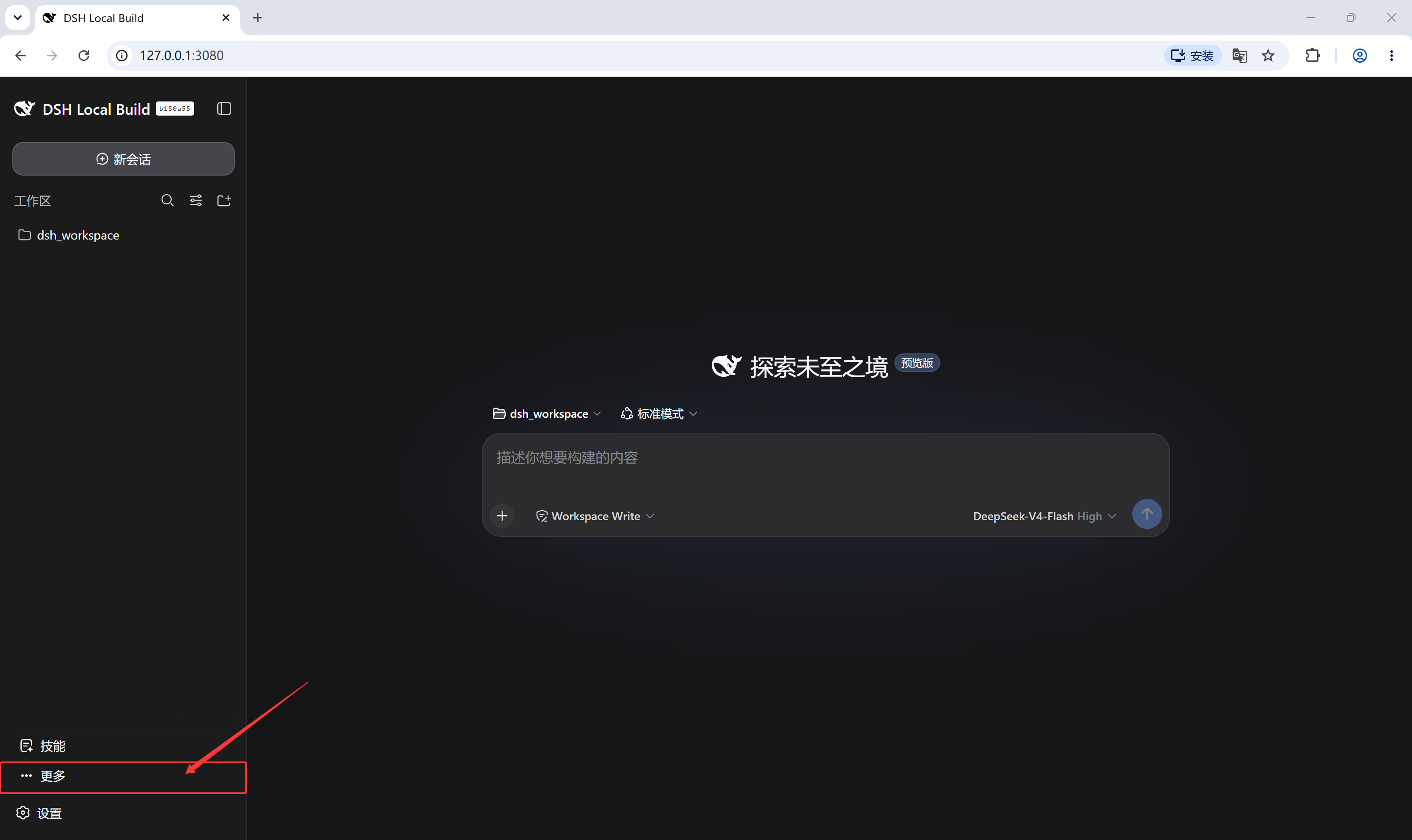
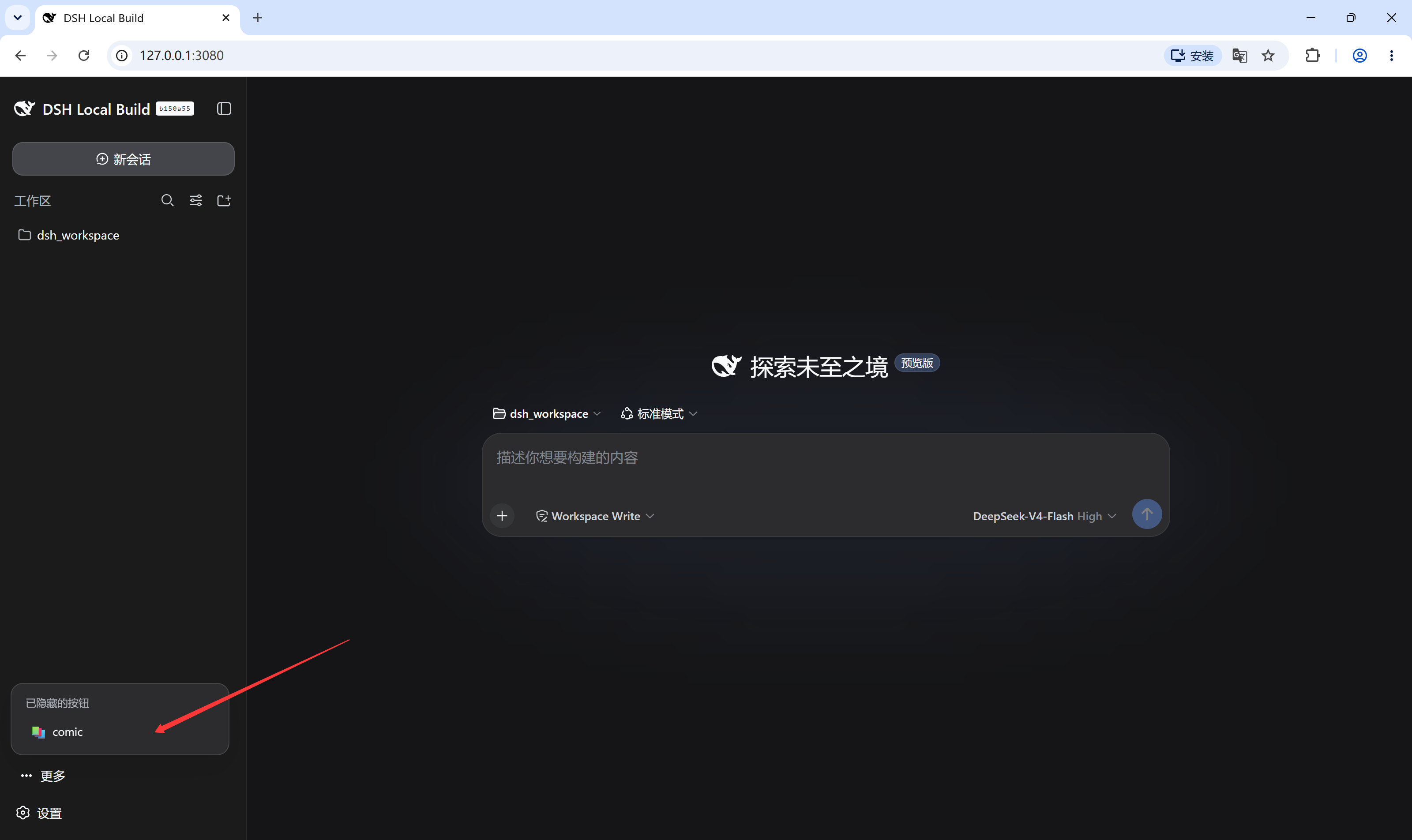
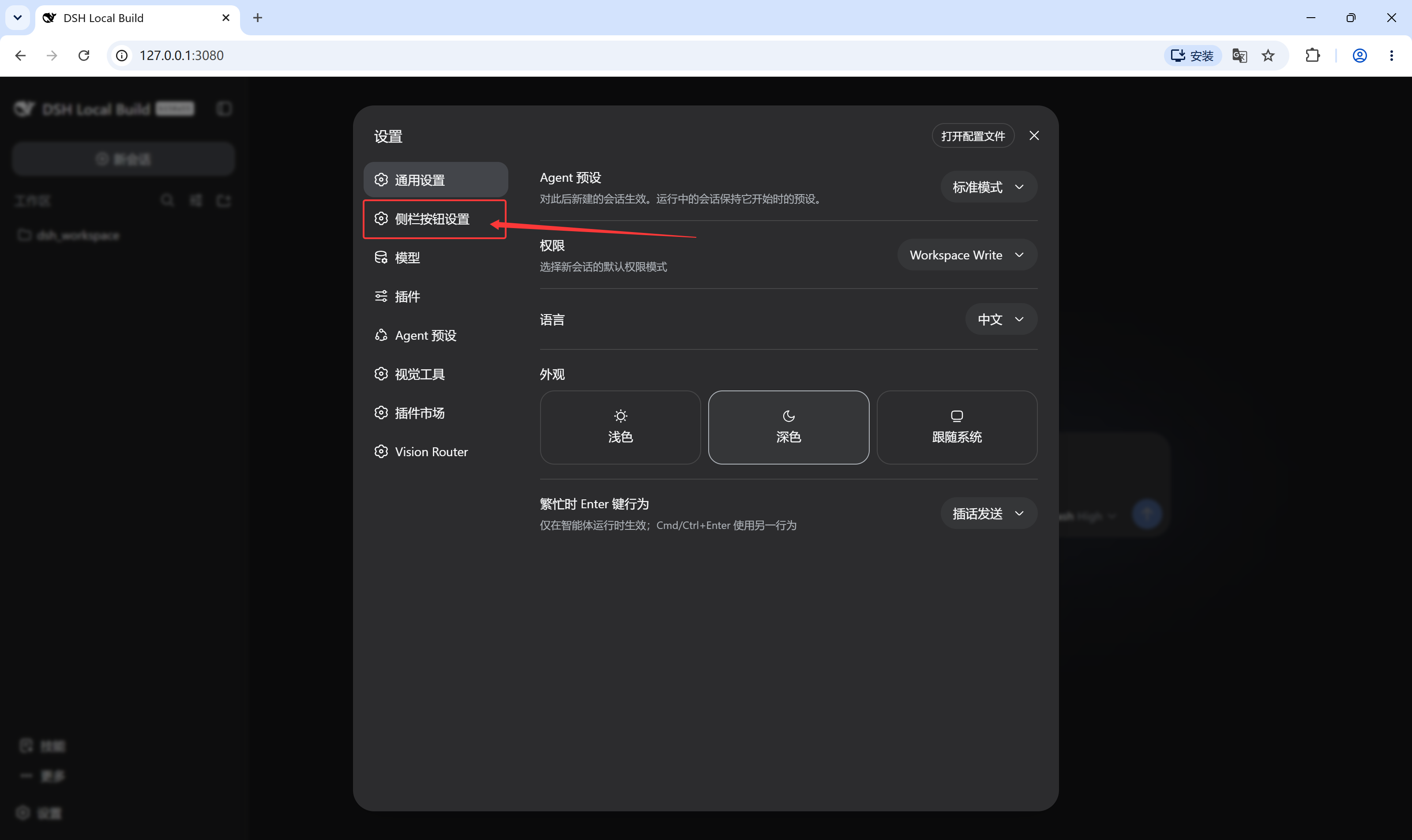
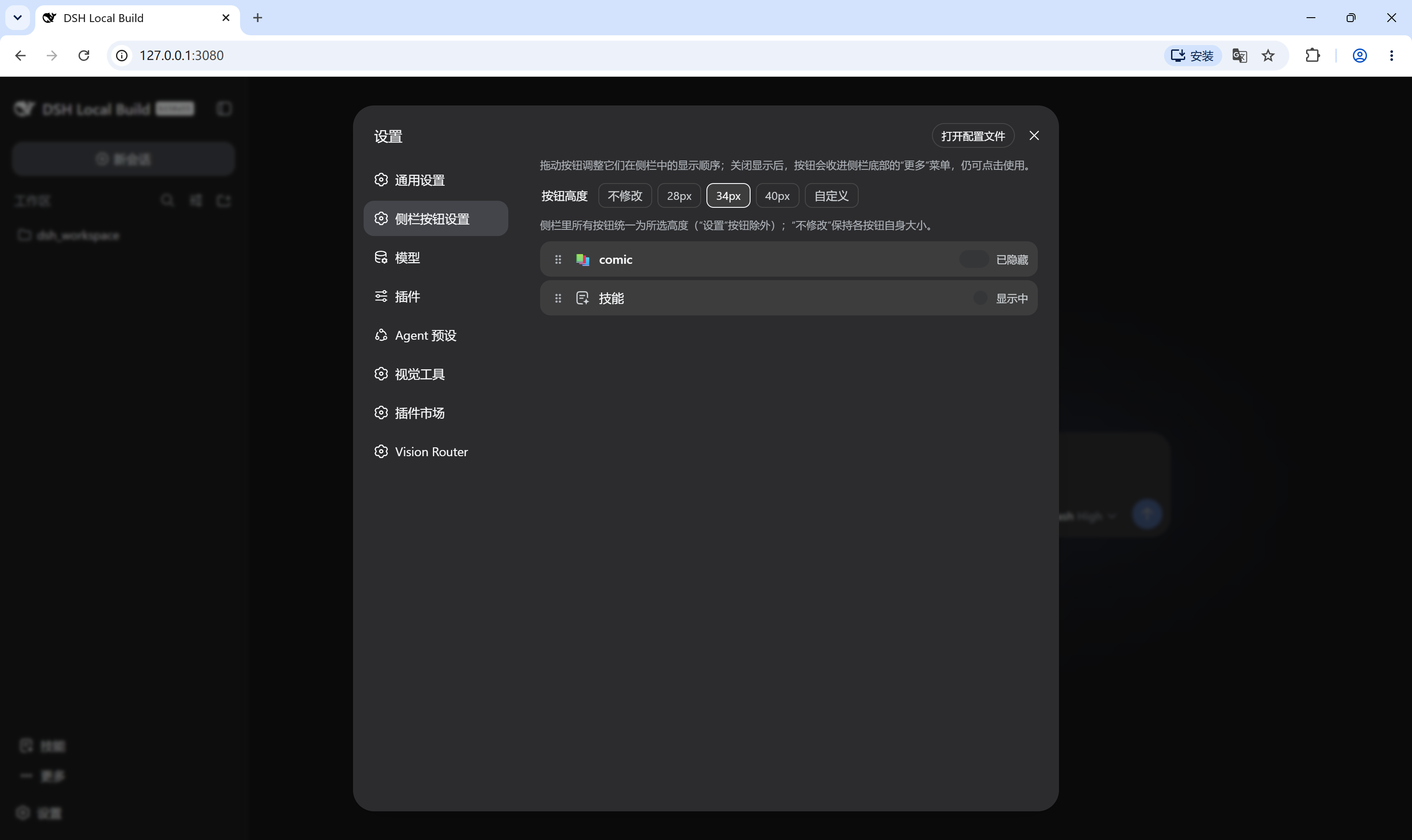
How it works
The sidebar foot is a list slot, so a plugin can register more than one entry
under the same id and the renderer sorts them by priority. This plugin
re-registers each existing entry with priority: -1, which puts its copy in
front of the original, and renders its own wrapper around the original
component. Order, visibility, and size then come from a shared store that every
wrapper reads. Nothing is unregistered, so turning the plugin off returns
control to the originals immediately.
One kind of button does not fit that model: the slot entry is only an anchor and the plugin renders the real button elsewhere in the sidebar, so re-rendering it inside another container moves nothing. Those buttons are relocated as their real DOM node instead — the component stays mounted and the node moves between the sidebar, the More menu, and a hidden park, depending on its state.
Known limitations
- When a slot entry is only an anchor and the plugin draws the real button
elsewhere in the sidebar, this plugin finds that node through a
data-plugin-entrymarker or a built-in declaration table. With neither, it cannot tell the button apart and leaves it alone. - Reordering and the More menu depend on
slots.entriesandslots.subscribe, which the plugin relies on to stay aligned with registrations made after it loads. If a future DSH release changes the list-slot contract, this plugin needs an update. - The three states are stored per button id. Two plugins registering the same id share one state.
Build
npm install   # esbuild
npm run build # generates lib/client.js
Commit lib/client.js. Git-hosted installs consume the built artifact directly.
License
Compatibility
Versions
| Latest version | Published | Size |
|---|---|---|
| 0.1.6 | — | — |
Comments
Loading…
Similar plugins
by linguiyii
DeepSeek Harness 客户端插件:把设置入口放到侧边栏底部,一键打开设置页。 / A DSH client plugin that puts a settings button at the bottom of the sidebar.
★ 1
MIT
JavaScript
Oct 18, 2026
dsh plugin --profile web add dsh-sidebar-settingsby Alail691
把 DSH 侧栏的「插件」整体收进设置:在「设置 → 插件」里新增一个「插件管理」标签页,内嵌官方插件面板的全部能力(浏览 / 安装 / 开关 / 卸载)。Bring the sidebar's Plugins page into Settings as a tab, embedding the official plugin manager.
★ 0
MIT
JavaScript
Oct 16, 2026
dsh plugin --profile web add dsh-plugins-in-settingsby zizhongfeiyang
A DeepSeek Harness web UI plugin for customizing and managing the settings navigation drawer. DeepSeek Harness 设置抽屉插件,用于自定义和管理设置页左侧导航栏,可隐藏/显示各设置栏目,修改即时生效。
★ 3
MIT
JavaScript
Sep 30, 2026
dsh plugin --profile web add dsh-settings-drawerby Tinnikx
DeepSeek Harness 客户端增强插件:侧边栏多选与右键菜单、对话起点导航列、逐行开始时间戳、活跃标记配色、选区右键菜单、思考区限高、设置页 Harness 高级配置面板。仅占一个 slot,不发布。
★ 0
JavaScript
Oct 28, 2026
dsh plugin --profile web add github:Tinnikx/dsh-operation-improveby zhaoruizhe81
dsh Web GUI 插件:给右侧栏标签的右键菜单补上固定标签、关闭其他/左侧/右侧/所有标签。
★ 0
MIT
JavaScript
Oct 15, 2026
dsh plugin --profile web add dsh-sidebar-tab-actionsby Biobuilder-ai
deepseek-harness的插件,可以在web页面直接开关插件,轻量方便
★ 0
MIT
JavaScript
Aug 20, 2026
dsh plugin --profile web add dsh-plugin-ui-toggle