
dsh-diagram
Manifest validFour model-callable tools that render HTML to PNG, screenshot a page or element, annotate an existing image, and return a style guide, using the installed Chrome or Edge.
English | 简体中文
Big Fat Fish
Render diagrams, page screenshots and annotated images to PNG inside DSH answers.
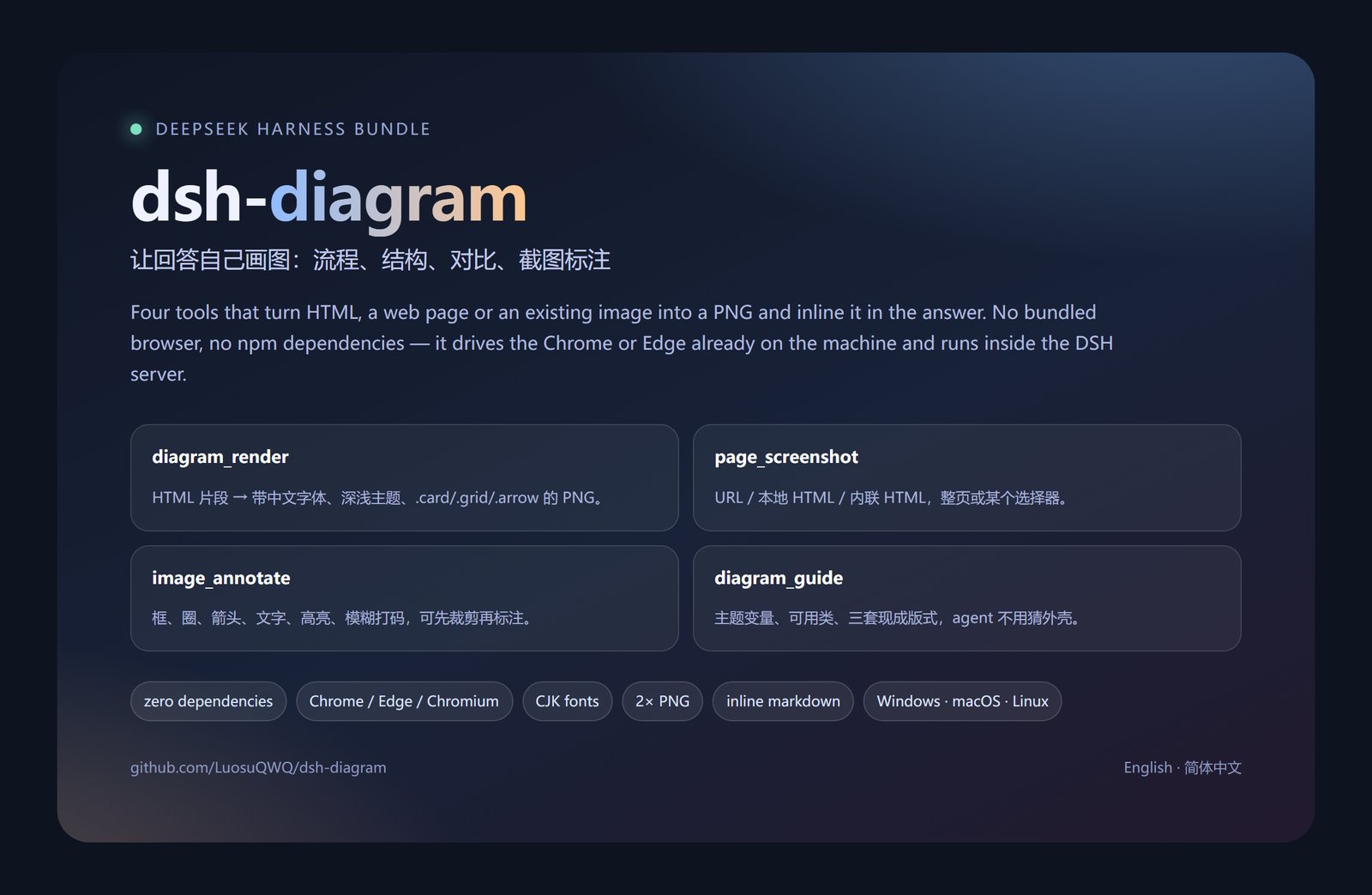
A DeepSeek Harness answer is text, but some explanations are really about a flow, a structure, a comparison or "where exactly in this screenshot". This bundle gives the agent four tools that turn HTML, a web page or an existing image into a PNG file and inline it in the conversation. Rendering uses the Chrome or Edge already installed on the machine: no bundled browser, no npm packages, no external service.
Features
- Diagrams from HTML.
diagram_renderwraps a fragment in a shell with a CJK font stack, a dark or light theme and.card.grid.arrow.pilltableutility classes, then crops to the content height and renders at 2× by default. - Page screenshots.
page_screenshotcaptures anhttp(s)URL, a local HTML file or inline HTML — the whole page or just the element matched by a CSS selector. - Annotations.
image_annotatedraws boxes, ellipses, arrows, lines, text labels, highlights and blur redaction on an existing image, optionally after cropping it. - Built-in style guide.
diagram_guidereturns the theme variables, available classes and three ready-made layouts, so the agent does not have to guess the shell. - Inline in chat. Every tool returns a
markdownline served from the bundle's own asset route; paste it as-is and the picture appears in the answer. - Real files on disk. Each render is also saved as a file, by default under
.dsh/diagram/in the session working directory.

One image_annotate call per step: the focal point, the gaze line, the body diagonal, negative space, then the warm/cool accent — all shapes, arrows and labels are drawn at render time.
Example
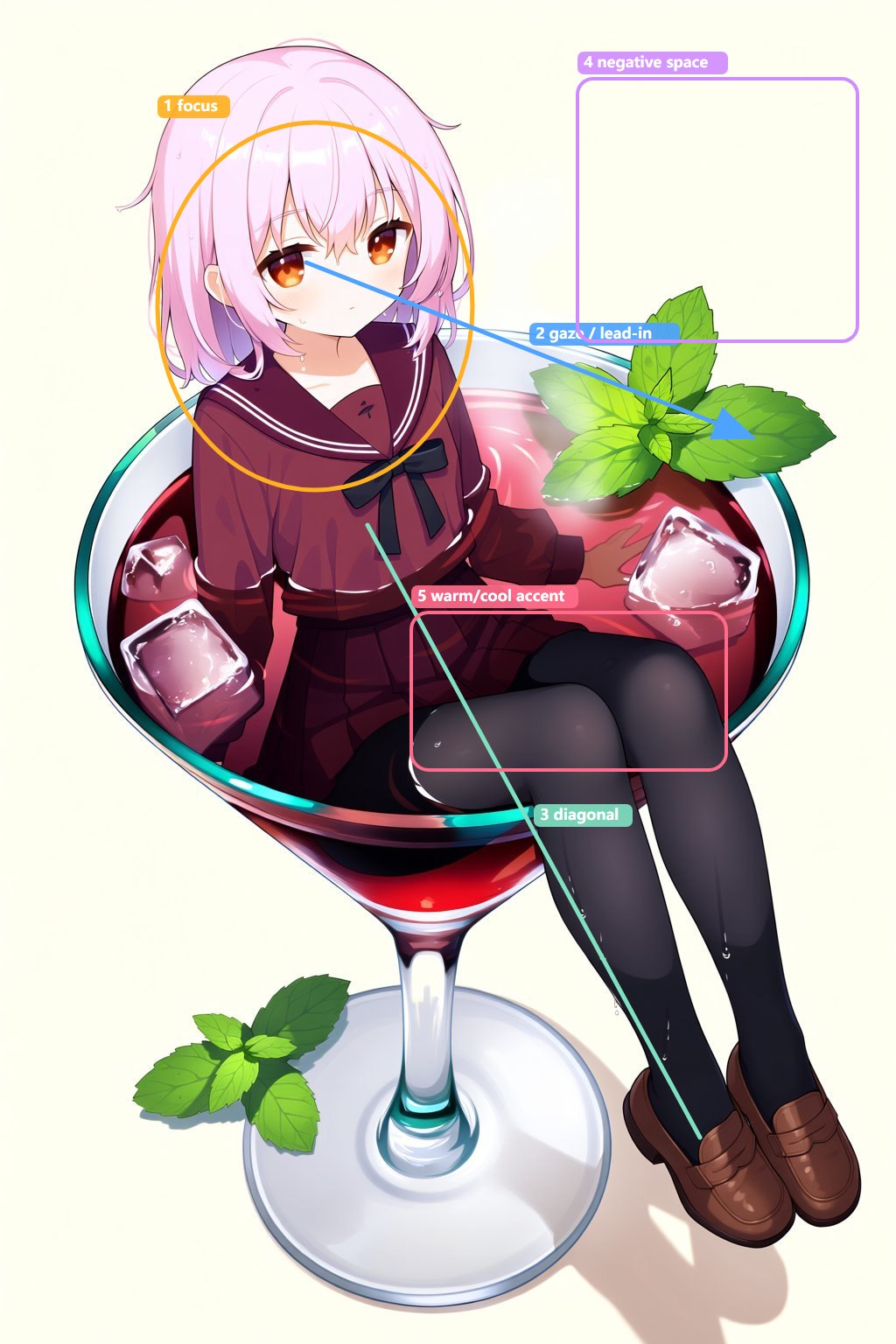
One call to image_annotate produced all five marks on this picture: 1 the face as the focal point, 2 the gaze / visual lead-in toward the mint, 3 the body diagonal, 4 deliberate negative space, 5 the warm-red vs cool-green accent. Coordinates are original pixels; shapes, arrows and labels are drawn on the fly.
After installing, tell the owner: restart DSH; the four tools are mounted with no settings page. If no Chrome/Edge is found, set
DSH_DIAGRAM_BROWSER.
Requirements
- DeepSeek Harness 0.2.x (developed against 0.2.2-rc.5).
- Node.js 21 or newer, as declared in
engines; the Node runtime that ships with DSH satisfies it. - Chrome, Edge or Chromium installed on the same machine. The engine probes the usual Windows, macOS and Linux locations; set
DSH_DIAGRAM_BROWSERwhen it cannot find one. - A CJK font for Chinese labels — Microsoft YaHei on Windows, PingFang on macOS, Noto Sans CJK or Source Han Sans on Linux. The font stack falls back to
system-ui. - Nothing else: apart from the DSH tool API, the renderer imports only Node built-ins, and it runs inside the DSH server process.
Install
This directory is a DSH bundle: package.json points dsh.bundle.patch at cordis.patch.yml, which inserts one composition row.
Install it from the checkout with the plugin manager:
plugin_manager: { action: "install_bundle", target: "<path-to-checkout>" }
dsh plugin --profile
Or add it to a profile by hand — in the profile's package.json:
{
  "dependencies": {
    "@luosuqwq/dsh-diagram": "link:<path-to-checkout>"
  },
  "dsh": {
    "profile": {
      "bundles": ["@luosuqwq/dsh-diagram"]
    }
  }
}
then run pnpm install in the profile directory.
Restart DSH after installing: the tools are registered by the server-side half of the bundle when the process starts. Removing the bundle is plugin_manager: { action: "remove_bundle", target: "dsh-diagram" }, plus dropping the row from the profile.
Configuration
| Variable | Type | Default | Purpose |
|---|---|---|---|
DSH_DIAGRAM_BROWSER | path | unset (auto-detect) | Full path to the Chrome/Edge/Chromium executable used for rendering. |
There are no profile config keys and no settings page: every option is a per-call tool argument, listed under Usage.
Usage
| Tool | What it does | Key arguments |
|---|---|---|
diagram_render | HTML fragment or document → explanatory PNG | html, title, subtitle, theme (dark/light), width, height, scale, css, out |
page_screenshot | URL, local file or inline HTML → PNG | url / file / html, width, height, fullPage, selector, waitMs, scale, out |
image_annotate | Existing image + ops → annotated PNG | image, ops, crop, unit (px/percent), scale, out |
diagram_guide | Style guide as text | — |
The bundle also adds a short system-prompt section, so the agent prefers a rendered figure over ASCII art and avoids posting the same image twice.
A minimal diagram_render call:
{
  "title": "Request path",
  "subtitle": "client → cache → origin",
  "theme": "dark",
  "html": "<div class=\"grid\"><div class=\"card\"><h3>Client</h3><p>sends a request</p></div><div class=\"arrow\">→</div><div class=\"card\"><h3>Cache</h3><p>answers on a hit</p></div><div class=\"arrow\">→</div><div class=\"card\"><h3>Origin</h3><p>handles a miss</p></div></div>"
}
The result carries path, url, width, height, bytes and markdown. markdown uses the form DSH renders natively —  — which the chat client rewrites to its authenticated /api/file?path=... route, so it works in the browser and in the desktop shell alike; copy that line unchanged and the picture appears in the answer. url is the plugin's own /plugins/dsh-diagram/asset?file=... route, kept for anyone that wants the raw bytes over HTTP (it answers only an admitted DSH client).
Defaults worth knowing: diagram_render uses width 1200, theme dark and scale 2 (output is twice the canvas size); page_screenshot uses a 1440×900 viewport, scale 2 and a 400 ms wait after load; image_annotate uses scale 2.
Annotation operations use these fields (defaults in parentheses):
type | Shape |
|---|---|
box | x, y, width, height, color (#ff4d4f), strokeWidth (4), radius (8), label |
highlight | x, y, width, height, color, opacity (0.22) |
blur | x, y, width, height — redacts by re-drawing the source behind a CSS blur |
ellipse | x, y, width, height, color, strokeWidth, label |
arrow / line | x, y, x2, y2, color, strokeWidth, label |
text | x, y (baseline), text, fontSize (20), color |
unit: "percent" reads x and width as fractions of the image width and y/height as fractions of its height; crop is always in pixels.
How it works
- Every render starts a temporary headless Chromium with its own
--user-data-dirunder the OS temp directory; the process tree is killed and the directory removed when the capture finishes. - The browser is driven over the DevTools protocol on
--remote-debugging-pipe(fd 3 and fd 4, NUL-separated JSON) instead of a TCP port, so proxy environment variables that intercept localhost connections cannot break it. - Content height is measured from the body subtree rather than
scrollHeight, because bothscrollHeightandPage.getLayoutMetricsrefuse to report less than the viewport height. image_annotaterenders the source image in a page and draws an SVG overlay on top;blurregions re-draw the image inside a CSS-filtered box.- PNGs are written by the DSH server process and served by the bundle's own route (
GET/HEAD, known image MIME types only,cache-control: no-store). The route runs the Host admission check first (ctx.connection.requestRejection), so it answers only an admitted DSH client and refuses a cross-site caller, and the Markdown link stays page-relative so both the web page and the desktop shell reach it through that same check.
Limitations
- A cold browser start costs roughly 1–2 seconds per render; this is not a tool for large batches.
- Only addresses this machine can reach:
file://paths andhttp(s)URLs. Every render uses an empty browser profile, so pages that need a login are captured logged out. - Height caps:
page_screenshotstops at 12000 px, content-heightdiagram_renderat 8000 px. Longer pages are cut off rather than scaled. - Output is PNG only.
page_screenshoton an image file lays that image out as a web page, so the result gets padded to the viewport; useimage_annotatefor images.- Annotation coordinates come from the caller. When the pixel size is unknown, use
unit: "percent"or crop first.
Development
Install the dev dependency once (only needed by the render tests):
npm install
Both suites run without the DSH runtime, need a working Chrome/Edge, and write PNGs into test/out/:
node test/smoke.mjs
node test/tool-path.mjs
smoke.mjs exercises the rendering engine (diagram, full-page screenshot, annotate, crop + annotate) and prints the pixel size of each image. tool-path.mjs registers the plugin against a stub ctx, calls all four tools, then fetches the returned Markdown URL through the bundle's own route and checks the PNG bytes. Both exit non-zero on failure.
License
MIT. See LICENSE.
Comments
Loading…
From the same category
by onehumanbeing
Let an AI model use a real iPhone with a $7 ESP32: AirPlay eyes, USB HID hands, any OpenAI-compatible vision model. No Mac, no developer account, no jailbreak.
★ 5.3k
MIT
Swift
Nov 23, 2026
by liustack
The first vision plugin for DeepSeek Harness, and the vision bridge for every text-only coding agent. Paste an image, get structured JSON evidence (OCR, layout, semantics). | 全网最强 DeepSeek Harness 外挂视
★ 5.1k
↓ 56.3k/wk
MIT
TypeScript
Nov 15, 2026
dsh plugin --profile web add @liustack/modlensby shanliuling
AI image studio for DeepSeek Harness — generate, edit & compare images in chat, with 500+ prompts, gallery, multi-model workflows and ComfyUI.
★ 1.7k
↓ 23.1k/wk
MIT
TypeScript
Nov 24, 2026
dsh plugin --profile web add dsh-image-genby ysr666
Eyes for text-only DeepSeek Harness agents: built-in free vision chain (no key) + pixel-level vision tools (Q&A, grounding, crop, pixel diff, colors, OCR, SVG trace, cutout, screenshots). One-command
★ 1.3k
↓ 16.8k/wk
MIT
JavaScript
Nov 24, 2026
dsh plugin --profile web add dsh-vision-routerby tong-io
Modality-First GenAI Platform
★ 1k
↓ 891/wk
AGPL-3.0
TypeScript
Nov 22, 2026
dsh plugin --profile agent add dsh-tongflowby PicGo
:zap:The ultimate image uploading engine. Both CLI & API supports.
★ 997
MIT
TypeScript
Oct 19, 2026